
Xunmengtu Guide for 迅猛兔加速器 Android 4.0.0
应用宝记录4.0.0,页面更新时间2026-10-19;所查来源未公开此版本逐项日志。 / Tencent App Store lists 4.0.0, page updated 2026-10-19; the checked sources expose no itemized release notes.
· Datensatzrevision: 20. Okt. 2026
迅猛兔加速器 Android 来源、网络模式、安装、版本与FAQ。 / Xunmengtu Android source, network modes, installation, version record, and FAQs.
Aliasse: Xunmengtu、迅猛兔、TurboBunny
Erfahre mehr über die Software und ihre Quellen
遵循发行者现行协议;未核实安装包再分发许可。 / See publisher terms; package redistribution rights not verified.
cn.jthj.turbobunny依据应用宝、官网和隐私政策;未下载、扫描或运行APK。 / Based on the store, publisher site, and privacy policy; no APK was downloaded, scanned, or run.

迅猛兔加速器 Android 来源、网络模式、安装、版本与FAQ。 / Xunmengtu Android source, network modes, installation, version record, and FAQs.
迅猛兔加速器下载前,可先核对这款 Android 手游网络工具的官方来源、支持游戏与连接方式。本文依据官网和应用宝记录,介绍普通与高级加速模式、手机安装步骤、4.0.0版本信息及常见问题,帮助你区分网络延迟和设备卡顿,了解权限与账号条件,并在相同网络下比较连接表现,按当前渠道说明决定是否安装或更新。
迅猛兔加速器面向 Android 手游网络连接。应用宝简介列出 PUBGM、王者荣耀、和平精英、暗区突围等游戏,并介绍普通模式、高级模式以及 Wi-Fi 与移动网络的双通道切换。这是渠道公布的支持信息;具体游戏、服务器区域和可选线路应以当前客户端展示为准,不能据此推断每款游戏或每个地区都支持。
选择前先判断问题发生在哪一层:人物操作延迟、网络波动与本地画面掉帧需要分别排查。网络工具的线路选择不能作为提升手机处理器性能或解锁帧率的依据。建议用同一游戏、同一服务器和相近时段比较连接前后的表现;一次只调整一种模式,并记录所用 Wi-Fi 或移动网络,避免把网络切换误判为工具效果。
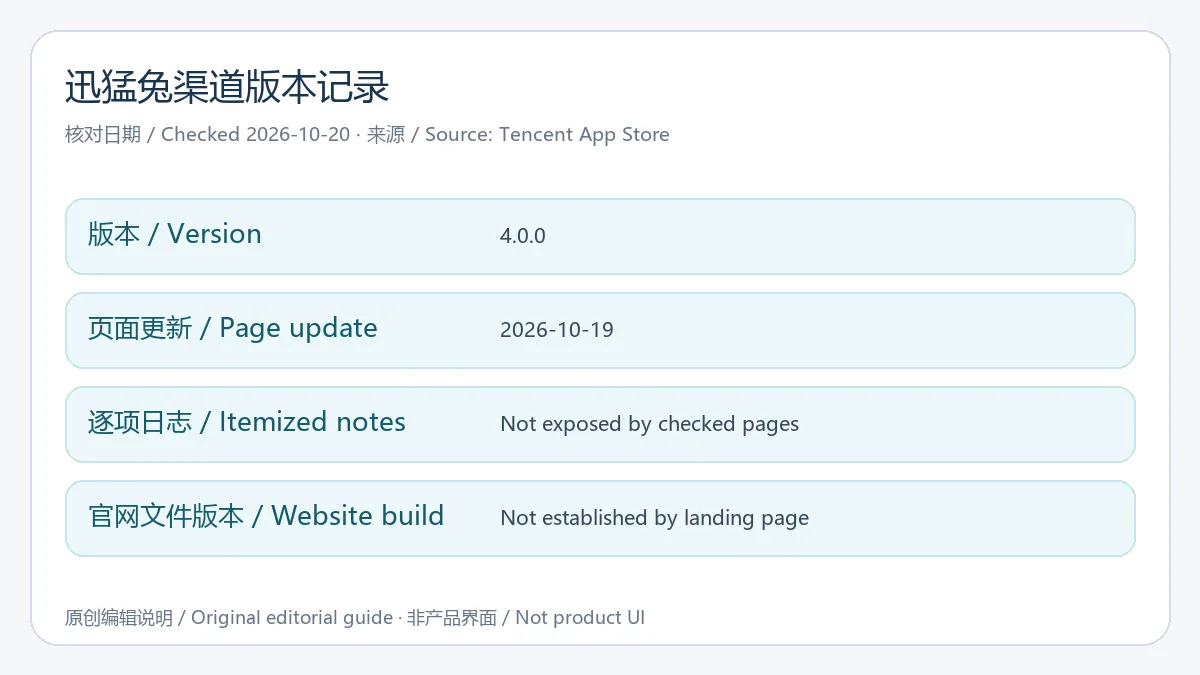
2026年10月20日核对应用宝时,包名 cn.jthj.turbobunny 的记录显示 4.0.0,页面更新时间为 2026年10月19日。这是该商店渠道的版本记录,不能自动代表官网按钮提供的文件版本。已查官网、应用宝简介和详细信息没有公开4.0.0逐项更新日志,因此本页不把界面宣传、模式介绍或隐私政策内容写成这一版新增功能。
准备更新时先记下手机中已安装的版本和来源,在同一渠道核对更新说明。若出现包名或签名冲突,先确认两个文件是否同一发行渠道,并查看账号与本地设置能否保留;不要为了消除提示直接卸载。新的修复项目、适配游戏或线路调整,需要以后续正式发布说明为依据。
迅猛兔加速器下载后安装失败怎么办? 核对来源、文件完整性、存储空间以及系统提示;如果已有同名应用,进一步比对包名和发行渠道。本文没有运行安装器,也没有核定一个最低系统版本,不能凭名称判断设备一定兼容。
开启加速后仍然延迟高怎么办? 先核对所选游戏、服务器区域和当前网络,排查游戏维护及本地网络波动。随后在客户端允许的范围内一次调整一种连接模式,保持其他条件相近再比较;画面掉帧还需要单独检查手机负载和游戏画质。线路效果依设备、运营商和服务器而变,不保证固定延迟。
迅猛兔是否免费、是否没有广告? 官网与商店介绍宣传免费加速,但官网还区分官网版权益,实际服务范围与条件应查看当前客户端。官网隐私政策列有广告 SDK;本页没有运行应用,不能承诺没有广告,也不能把商店“无广告”标识当作实测结论。
为什么会有 VPN 或游戏列表权限提示? 官网隐私政策把 VPN 说明为海外游戏加速用途,把应用列表说明为展示可加速游戏。阅读当前系统提示与政策后按需选择;这些说明不等于独立安全审计。本文未下载、扫描或运行 APK。

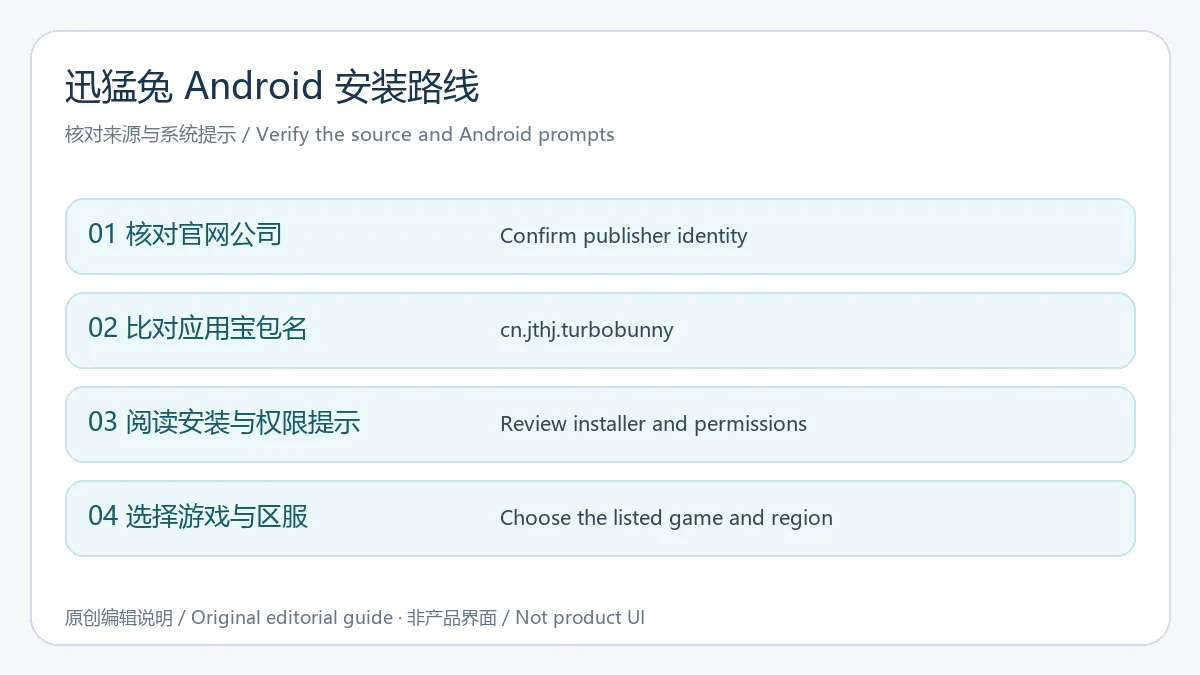
需要迅猛兔加速器下载与 Android 安装帮助时,先核对官网、开发者与 cn.jthj.turbobunny 包名,再选择正确游戏和区服;版本更新与服务条件以当前发行渠道说明为准。
Xunmengtu Android download guide: check game network modes, installation, permissions, version 4.0.0, and FAQs before choosing the current publisher channel.
Xunmengtu is an Android game network tool. The Tencent App Store description names PUBGM, Honor of Kings, Peacekeeper Elite, and Arena Breakout, and describes ordinary and advanced modes plus switching between Wi-Fi and mobile data. These are the channel's descriptions. Check the current client's game list, server regions, and available routes rather than assuming every game or region is covered.
Identify the symptom before choosing a setting. Delayed actions and an unstable network need different checks from low local frame rates. A network route is not evidence that a tool improves phone hardware or unlocks a game's frame-rate options. For a useful comparison, keep the game, server, and time period similar; change one mode at a time and note whether Wi-Fi or mobile data is active.
On October 20, 2026, Tencent App Store lists 4.0.0 for cn.jthj.turbobunny, with a page update date of October 19, 2026. This is the store-channel record, not proof of the version behind the publisher site's download button. The checked publisher page, store description, and detailed information expose no itemized 4.0.0 release notes. Marketing artwork, mode descriptions, and privacy-policy features therefore cannot be attributed to this release as new changes.
Before updating, record the installed version and channel and consult that channel's current notes. If Android reports a package or signature conflict, confirm the distribution identities and how account or local settings will be handled before removing an existing app. Use a published release notice for specific fixes, newly supported games, or route changes when one becomes available.
Why does the Xunmengtu Android installation fail? Check the source, file, storage, and exact Android message. If an app with the same name is installed, compare packages and channels. This guide did not run an installer or establish a minimum OS, so the name alone cannot prove compatibility.
Why is latency still high with acceleration active? Confirm the selected game, server region, and network, and check for game maintenance or local connection problems. Change one client-supported mode at a time while keeping other conditions similar. Investigate phone load and game graphics separately for frame drops. Results vary with the device, network, operator, and server; a fixed ping is not promised.
Is Xunmengtu free and ad-free? The publisher and store advertise free acceleration, while the publisher website also distinguishes its own channel benefits. Review the current scope and conditions in the client. Its privacy policy lists advertising SDKs. No app was run for this page, so the store's ad-free label is not treated as an independently measured result.
Why might Android show VPN or game-list access prompts? The publisher policy describes VPN use for overseas-game acceleration and the app list for displaying supported games. Read the current prompt and policy and choose access as needed. That explanation is not an independent security audit; no APK was downloaded, scanned, or run here.
For Xunmengtu Android download and installation, verify the publisher and cn.jthj.turbobunny identity, select the correct game and server region, and check the current distribution channel for updates and service conditions.
Informationen geprüft am: 20. Okt. 2026
Erstmals veröffentlicht: 20. Okt. 2026· Redaktionelle Überarbeitung: 20. Okt. 2026
应用宝记录为 cn.jthj.turbobunny。 / Tencent App Store identifies cn.jthj.turbobunny.
所查页面未公开逐项日志,不能把宣传功能当作该版新增。 / No itemized notes were exposed; advertised features cannot be treated as new in this release.
效果依网络、服务器和设备而变,建议控制条件比较。 / Results vary with the network, server, and device; compare similar conditions.
没有运行应用;官网隐私政策列有广告SDK,不能作无广告保证。 / The app was not run; its publisher policy lists advertising SDKs, so ad-free use is not guaranteed here.

Zoom Workplace 安卓版整合视频会议、聊天、电话和文档,介绍官方身份核对、安装步骤、会议准备与问题排查。 / Zoom Workplace for Android combines meetings, chat, phone and docs, with identity checks, setup steps, meeting preparation and troubleshooting.

吉里吉里2模拟器下载可从 Kirikiroid2 上游发布页核对工具本体。本文介绍 Kirikiri2 与 KirikiriZ 项目的运行定位、Android 安装步骤、1.3.9更新记录及常见报错,帮助你区分运行程序与游戏数据,保留项目目录,检查读取权限和兼容条件,并了解历史版本来源,再判断设备与项目是否适用。

光环助手 Android 下载与安装、社区用途、商店版本与常见问题。 / Guanghuan Assistant Android download, setup, community use, store version record and FAQs.

葫芦侠3楼 Android 下载与安装、社区用途、商店版本与常见问题。 / Huluxia 3rd Floor Android download, setup, community use, store version record and FAQs.

OurPlay Android APP 的安装与运行准备指南,说明谷歌服务配置、游戏导入和加速的操作顺序;官网仍展示的7.3.5与2024-11-01明确标为历史记录。 / OurPlay Android installation guide covering service preparation, game import, acceleration, troubleshooting, and the limits of the publisher's historical 7.3.5 record.

NatTypeTester 是用于检测 STUN NAT 映射与过滤行为的开源工具,10.0.10 提供 Android、Windows、macOS 和 Linux 发行包。 | NatTypeTester checks STUN NAT mapping and filtering, with 10.0.10 packages for Android, Windows, macOS and Linux.

Watt Toolkit(原 Steam++)是面向 Steam 相关任务的开源跨平台工具箱,包含网络、账号、库存和令牌功能。 / Formerly Steam++, Watt Toolkit is an open-source cross-platform toolbox for Steam-related network, account, library, and token tasks.
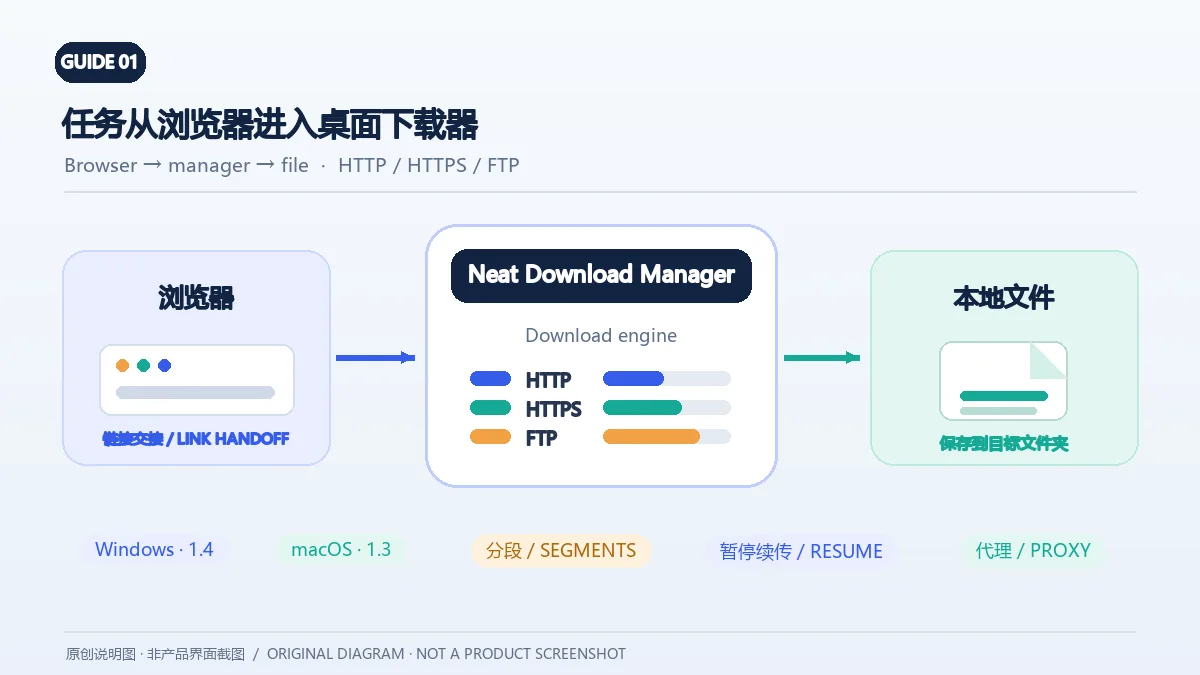
Neat Download Manager(NeatDM)是 Windows 与 macOS 桌面下载管理器,可管理链接任务、分段连接、代理、暂停续传和浏览器扩展。本文核对官网列出的 Windows 1.4 与 macOS 1.3,并说明版本日志、系统要求和安装包仍有哪些信息未公开。 / Neat Download Manager (NeatDM) is a Windows and macOS desktop download manager for browser handoff, segmented transfers, proxies, and pause/resume. This guide checks the publisher-listed versions and explains installation, compatibility, and missing desktop release notes.

qBittorrent 是开源 BitTorrent 客户端,支持磁力链接、RSS、搜索和 Web UI。本页整理 Windows 10+ 稳定版 5.2.4、macOS/Linux 平台差异、安装核对与版权提醒。 / qBittorrent is an open-source BitTorrent client with magnet, RSS, search and Web UI features. Review stable v5.2.4, platform differences, setup checks and lawful use.
腾讯手游加速器由深圳市腾讯计算机系统有限公司开发和运营。应用宝详情介绍网络加速、游戏相关辅助信息、预约与战绩数据等功能;支持情况以当前应用详情为准。

奇游 Windows 官方下载、安装步骤、区服选择与会员条件,保留7.3.0文件标识和官网页脚差异。 / Official Windows download, installation, route checks and membership terms with explicit version-evidence limits.