qBittorrent 是开源 BitTorrent 客户端,支持磁力链接、RSS、搜索和 Web UI。本页整理 Windows 10+ 稳定版 5.2.4、macOS/Linux 平台差异、安装核对与版权提醒。 / qBittorrent is an open-source BitTorrent client with magnet, RSS, search and Web UI features. Review stable v5.2.4, platform differences, setup checks and lawful use.
qBittorrent 是开源 BitTorrent 客户端,支持 Windows、macOS 与 Linux,提供磁力链接、RSS、搜索和 Web UI。本文核对 Windows 10+、稳定版 5.2.4 更新,整理官网安装入口、连接排查与版权提醒;macOS 支持有限,安装前请按平台确认版本。 / qBittorrent is an open-source BitTorrent client. Check Windows 10+, stable v5.2.4, magnet links, RSS, Web UI, Linux AppImage, setup steps and lawful downloads.
中文
qBittorrent 是开源 BitTorrent 客户端,支持 Windows、macOS 与 Linux,提供磁力链接、RSS、搜索和 Web UI。本文核对 Windows 10+、稳定版 5.2.4 更新,整理官网安装入口、连接排查与版权提醒;macOS 支持有限,安装前请按平台确认版本。
qBittorrent 是什么:BitTorrent 客户端与磁力链接
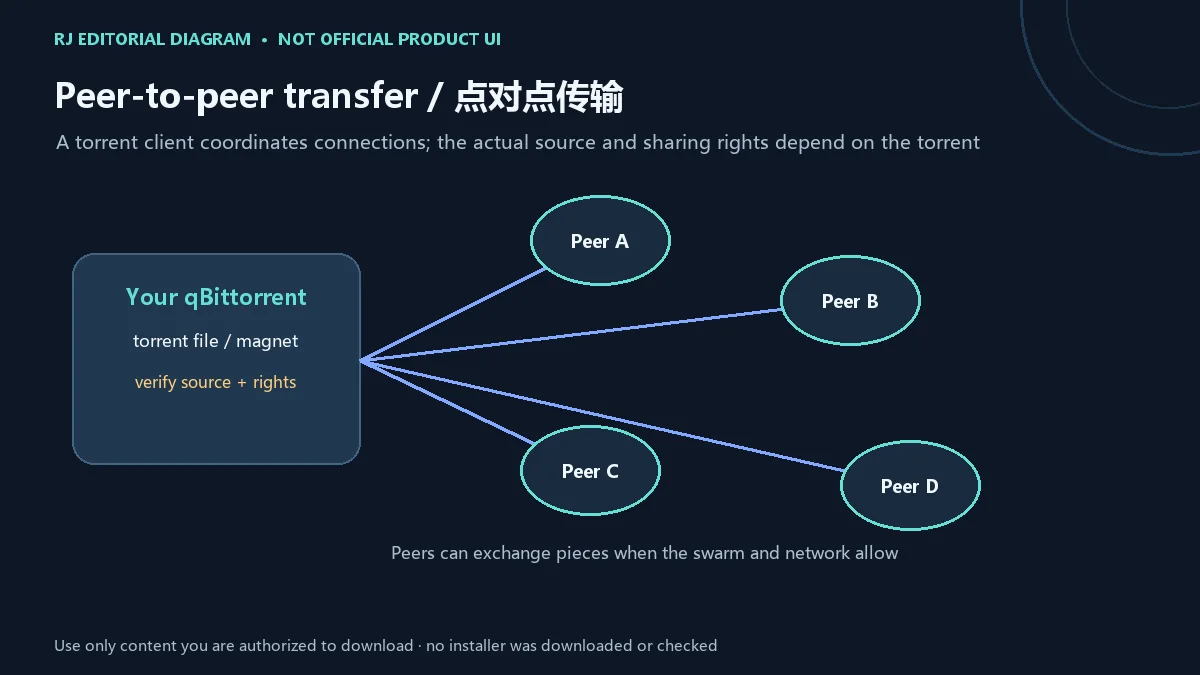
qBittorrent 是一款开源 BitTorrent 客户端,项目目标是提供 µTorrent 的开源替代方案。与从单一服务器取得完整文件不同,BitTorrent 网络通常由多个 peer 交换文件分片;磁力链接可用于定位 torrent 元数据,但它本身不能证明文件由官方发布或你有权获取。
官网列出磁力链接、DHT、PEX、LSD、私有 torrent 和加密连接等协议能力。实际连通性取决于 torrent、peer、网络和设备配置。下载前先核对发布者、内容授权与网站条款;不要把客户端提供连接能力理解为对共享内容的许可或安全背书。
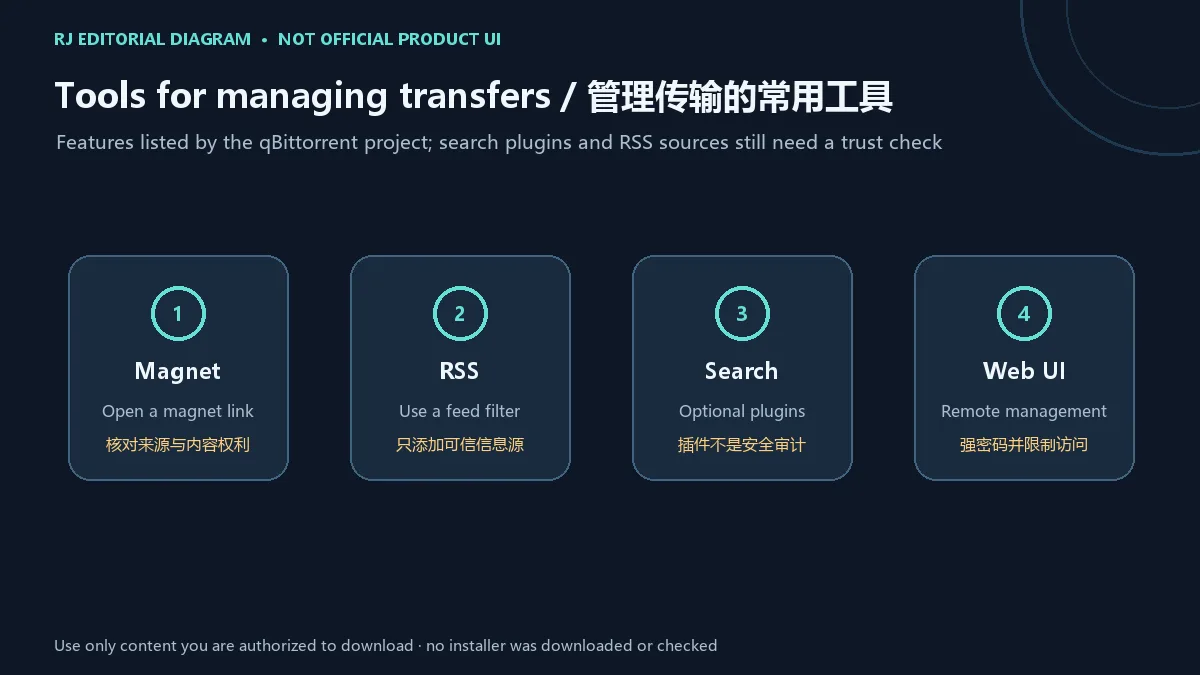
磁力链接、RSS、搜索与 Web UI 功能
官网功能列表还包含 RSS 过滤、可扩展搜索、顺序下载、任务队列、带宽计划和 Web UI。RSS 与搜索插件可以减少手动整理步骤,但信息源和插件由不同维护者提供,目录或搜索结果不等同于独立审核。使用前检查来源、作者、最近更新和权限要求。
Web UI 用于在浏览器中远程管理客户端。若启用它,请设置强且唯一的密码,并限制可访问的网络地址;除非具备反向代理、身份验证和防火墙配置经验,不要把管理界面直接开放到公网。无需远程管理时可以保持关闭。
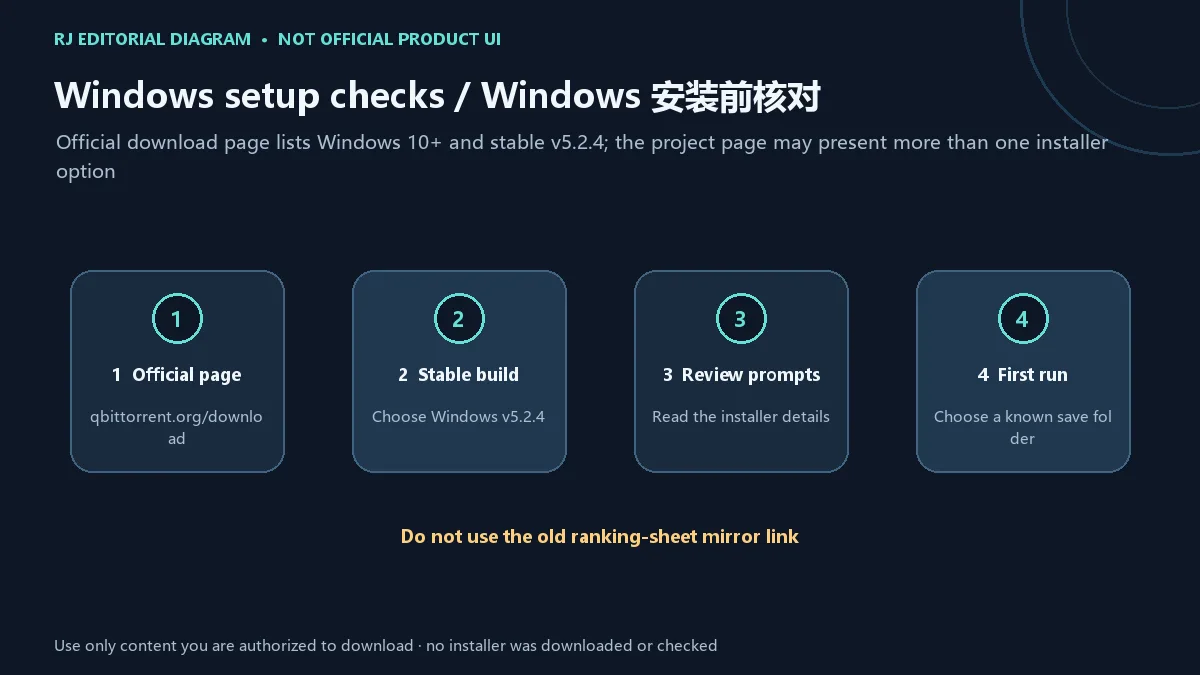
qBittorrent Windows 下载与安装步骤
官网当前把 Windows 兼容范围标为 Windows 10+,下载页列出稳定版 v5.2.4。官方下载入口会提供多个安装选项并可能跳转 SourceForge;应从 qBittorrent 官方下载页进入,再按页面当前说明选择与你的系统相符的项目。不要使用榜单表格中的旧第三方 EXE。
- 打开 qBittorrent 官方下载页,确认域名和 Windows 10+ 平台信息。
- 选择 Windows 稳定版 v5.2.4,并按官方页面提供的架构/安装器选项核对文件信息。
- 按系统提示运行安装程序;逐项阅读许可、安装位置和可选组件,不接受不理解的额外选项。
- 首次启动后选择自己有权访问的保存目录,再添加已获授权的 torrent 或磁力链接。
官网说明从 v3.3.4 起二进制均有签名。若你熟悉校验,可在官方下载页查看签名和文件信息;这篇指南没有取得或验证安装器,也没有复现安装向导。macOS 页面当前列出 v5.2.3、要求 macOS 13+,且项目称该平台仅有限支持;Linux 页面列出 v5.2.4 AppImage,并说明其基于 Ubuntu 22.04 构建。
v5.2.4 更新日志与各平台版本
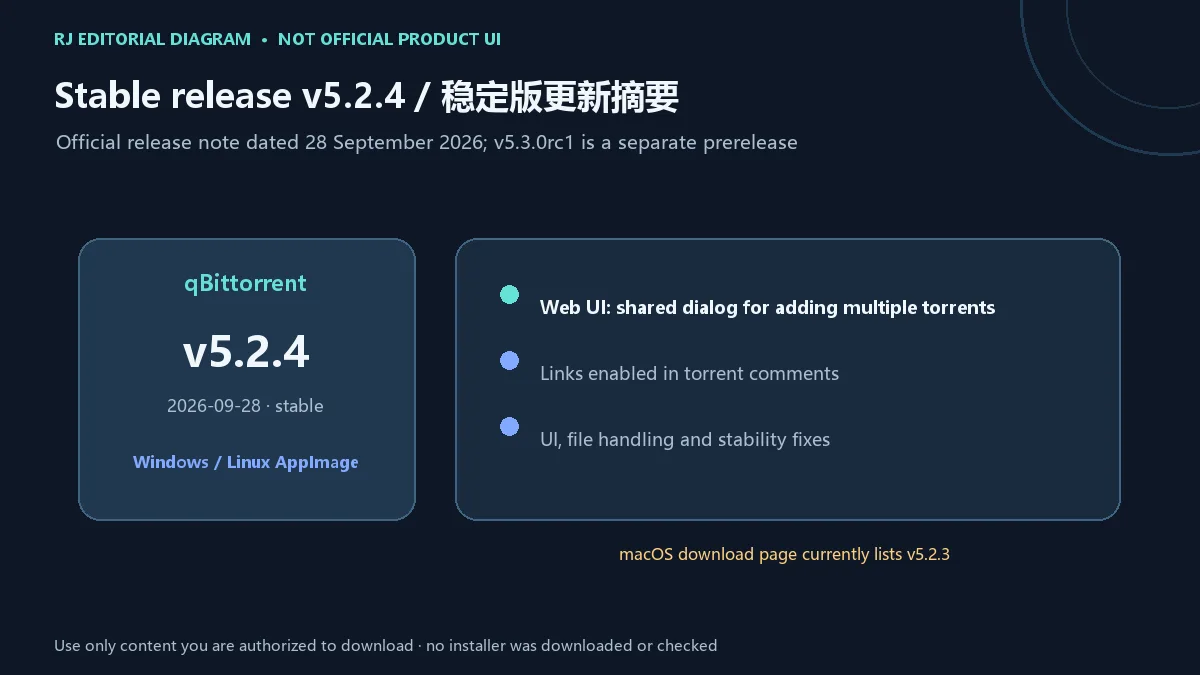
qBittorrent 官方新闻页记录 v5.2.4 于 2026-09-28 发布。该版本的 Web UI 新增可一次添加多个 torrent 的共用对话框,并允许 torrent 评论中的链接;其余日志包括相对主题路径处理、重复添加任务、文件描述符关闭、大小写改名及部分界面稳定性修复。这里仅概括官方列出的条目,不将修复描述成本站测试结果。
同日公布的 v5.3.0rc1 是候选预发布版本,新闻页未附该版 changelog,不应与稳定版混用。下载页当时为 Windows 10+ 和 Linux AppImage 列出 v5.2.4;macOS 13+ 页面仍列 v5.2.3,并提醒支持有限。下载前重新查看官方页面,以当前稳定/预发布标识为准。
常见问题 FAQ:连接与版权
为什么 qBittorrent 没有速度或找不到 peer? 先确认 torrent 来源和状态、网络连接、磁盘剩余空间及系统防火墙是否阻止了客户端。不同任务的 peer 数量和网络条件差异很大,单个任务停滞不等于软件损坏。
磁力链接打不开怎么办? 确认浏览器或来源页面提供的是完整磁力链接,并检查是否允许 qBittorrent 作为默认处理程序。避免把链接粘贴到未知“修复”网站;必要时从官方页面查看问题报告渠道。
qBittorrent 免费吗,是否含广告? 官方项目将其描述为开源软件,官网功能页标明无广告,并提供自愿捐赠入口。发行版和第三方打包可能有自己的条款,应区分官方项目与外部重新打包。
通过 torrent 获取的文件都安全吗或都合法吗? 不能这样推断。客户端不会替 peer 提供的文件作安全扫描,也不会授予版权。只下载和分享你有权使用的内容,并在打开文件前按自己的安全流程检查来源。
本页提供的安装包经过检测了吗? 没有。本页只链接官方产品下载页;安装器没有由本站下载、执行、签名核验或扫描。
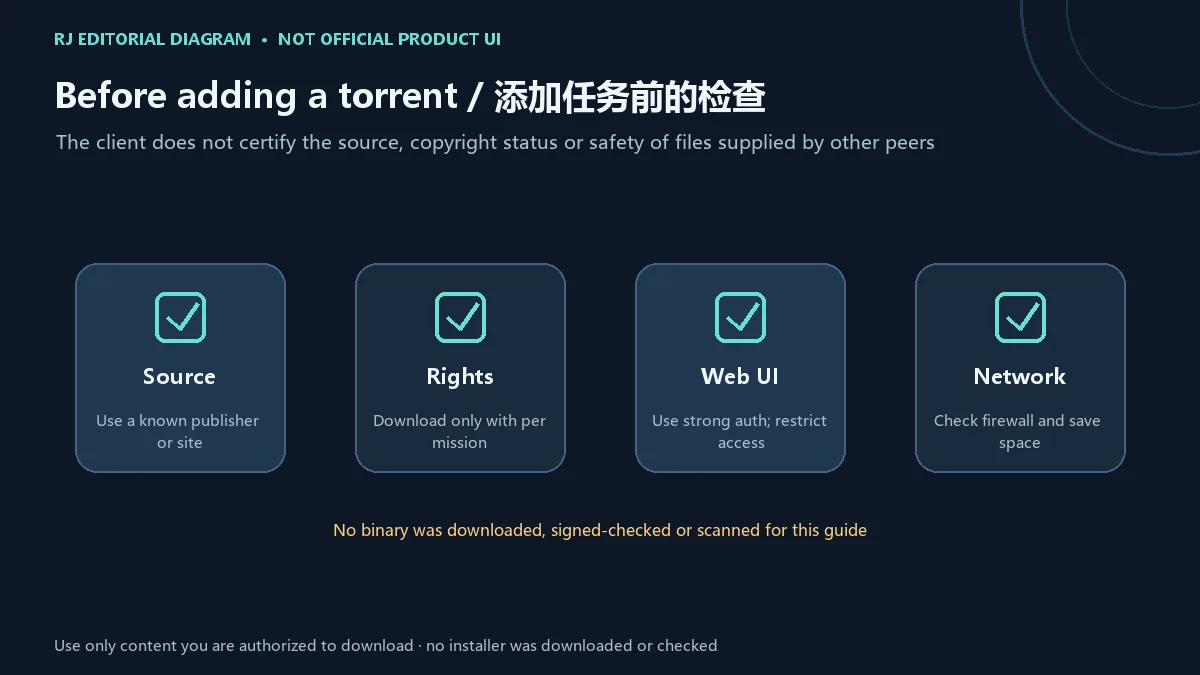
搜索 qBittorrent 下载或安装时,先从官方页面选择对应平台的稳定版;更新前核对版本与系统要求,并且只处理有权获取的文件。遇到连接问题时从任务来源、peer 状态、网络和存储空间逐项排查,不要依赖榜单旧链接或来源不明的修改包。
English
qBittorrent is an open-source BitTorrent client. Check Windows 10+, stable v5.2.4, magnet links, RSS, Web UI, Linux AppImage, setup steps and lawful downloads.
What qBittorrent is: a BitTorrent client and magnet links
qBittorrent is an open-source BitTorrent client intended as an open-source alternative to µTorrent. Instead of receiving a complete file from one server, a BitTorrent swarm can exchange pieces among peers. A magnet link helps locate torrent metadata, but it does not prove that a file is an official release or that you have permission to obtain it.
The project lists magnet links, DHT, PEX, LSD, private torrents and encrypted connections. Whether a transfer connects depends on the torrent, peers, network and device configuration. Check the publisher, content rights and site terms before adding a task; protocol support is not permission to share material or a safety endorsement.
Magnet links, RSS, search and Web UI
The official feature list also includes RSS filters, an extensible search engine, sequential downloads, queue controls, a bandwidth scheduler and a Web UI. RSS feeds and search plugins may reduce manual work, but their maintainers vary; a directory or result is not an independent review. Check each source, author, update history and requested permissions.
The Web UI lets you manage the client in a browser. If you enable it, use a strong unique password and restrict which network addresses can reach it. Do not expose the management interface directly to the public internet unless you understand authentication, reverse-proxy and firewall setup. If remote access is unnecessary, leave it off.
Download and install qBittorrent for Windows
The official site lists Windows 10+ and stable v5.2.4. Its download page provides multiple installer choices and may redirect to SourceForge. Start from the qBittorrent page, then choose an option that matches the system information currently shown there. Do not use the old third-party EXE from the ranking sheet.
- Open the official qBittorrent download page and confirm the domain and Windows 10+ platform details.
- Select stable Windows v5.2.4 and review the architecture and installer choices shown by the official page.
- Follow the operating system prompts. Read the license, installation location and optional components; skip anything you do not understand.
- On first launch, choose a save folder you control, then add only torrents or magnet links you are authorized to use.
The project says binaries have been signed since v3.3.4. If you know how, review the signature and file information on the official download page; this guide did not obtain or verify an installer or inspect its setup wizard. The macOS page lists v5.2.3 for macOS 13+ and warns that support is limited. The Linux page lists a v5.2.4 AppImage built on Ubuntu 22.04 for similarly aged distributions.
qBittorrent v5.2.4 release notes and platform versions
The official news page dates qBittorrent v5.2.4 to September 28, 2026. The Web UI adds a shared dialog for adding multiple torrents and enables links in torrent comments. Other listed work covers relative theme paths, duplicate task handling, file-descriptor closure, case-only renaming and interface stability. This is a summary of the published notes, not a test result from this site.
The v5.3.0rc1 announced the same day is a prerelease; the news page provides no changelog for it, so it should not be presented as stable. At review time the download page listed v5.2.4 for Windows 10+ and Linux AppImage, while its macOS 13+ section still listed v5.2.3 and described support as limited. Recheck the live page before downloading.
FAQ: connection, version and copyright
Why is qBittorrent slow or unable to find peers? Check the torrent source and status, network connection, free disk space and whether the system firewall blocks the client. Peer availability and network conditions vary by task; one stalled transfer does not prove that the software is broken.
What if a magnet link will not open? Check that the source provided a complete magnet link and that qBittorrent is allowed to handle it. Avoid unknown “repair” sites; use the project’s official support routes if needed.
Is qBittorrent free and ad-free? The project describes it as open-source software, marks its feature page “No Ads,” and provides a voluntary donation page. A distribution or third-party repack may have separate terms, so distinguish it from the official project.
Are files obtained through torrents safe or legal by default? No. The client does not scan peer-provided files or grant copyright permission. Only download or share material you are authorized to use, and follow your own source-checking process before opening files.
Has this page tested the installer? No. It links to the official product download page; this site did not download, run, signature-check or scan an installer.
For a qBittorrent download or setup, choose the current stable release for your platform from the official page and confirm system requirements before updating. Add only content you are authorized to obtain. If a transfer stalls, review its source, peer state, network and storage instead of relying on an old ranking link or an unknown modified build.