

Sideloadly
Windows v0.71.0macOS v0.71.0Not disclosed / 未披露
Sideloadly 是 Windows/macOS 桌面 IPA 侧载工具,可将兼容 IPA 安装到 iPhone、iPad、Apple Silicon Mac 和 Apple TV;官网列出 Wi-Fi 侧载与自动刷新。 | Sideloadly is a Windows/macOS IPA sideloading utility for iPhone, iPad, Apple Silicon Mac and Apple TV, with Wi-Fi sideloading and automatic refresh features listed by the publisher.
macOSWindows
Apelidos: Sideloadly最新版v0.21.1
Conteúdo assistido por IA
Informações
Conheça as informações básicas do software e suas fontes
Visão geral do software
- Desenvolvedor
- Sideloadly (brand shown on official site; no legal publisher name disclosed)
- Atualização
- 20 de out. de 2026
- Idiomas disponíveis
- Não informado
- Requisitos do sistema
- Windows: the homepage lists Windows 7 or later and both 32-bit and 64-bit builds. The FAQ says Windows 7 SP1, Windows 8, Windows 10, and Windows 11 should work; Windows 10 or later is recommended, and Windows 7 needs extra components. macOS: 10.12 Sierra or later. These are publisher statements, not independent compatibility tests.
- Tamanho do arquivo
- Não informado
- Cliques em links de download
- 55
Licença
Not disclosed / 未披露
Fontes e verificação
- Tipo de recurso
- software
- Preço
- Free download; no payment required; Patreon-supported. License not disclosed / 免费下载,许可证未披露。
- Data de verificação das informações
- 20 de out. de 2026
- Política de privacidade
- Não informado
Mais informações do programaConsulte o nome do pacote, a soma de verificação e o SHA-256
- Nome do pacote
- Não informado
- Soma de verificação
- Não informado
- SHA-256
- Não informado
Sideloadly 是 Windows/macOS 桌面 IPA 侧载工具,可将兼容 IPA 安装到 iPhone、iPad、Apple Silicon Mac 和 Apple TV;官网列出 Wi-Fi 侧载与自动刷新。 | Sideloadly is a Windows/macOS IPA sideloading utility for iPhone, iPad, Apple Silicon Mac and Apple TV, with Wi-Fi sideloading and automatic refresh features listed by the publisher.
中文
Sideloadly 下载为 Windows 与 macOS 提供 IPA 侧载功能,可将兼容的 IPA 安装到 iPhone、iPad、Apple Silicon Mac 和 Apple TV。本文整理 v0.71.0 更新、系统要求、官方安装入口与操作步骤,帮助你核对版本和设备条件后再开始使用。
功能与特点
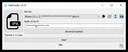
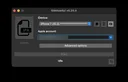
Sideloadly 是 Windows 与 macOS 桌面 IPA 侧载工具。官网介绍可将 IPA 安装到 iPhone、iPad、Apple Silicon Mac 和 Apple TV,且无需越狱;还列出 Wi-Fi 侧载、自动刷新与 Apple Silicon 支持。官网称自动刷新会每隔数日重新签名应用。实际结果会随 Apple 账户状态、设备系统、网络、签名规则及 IPA 架构而变化,不能保证任意文件都能安装。 官网主页当前展示的 Windows 与 macOS 界面图分别标注 v0.23 与 v0.20.4,属于旧版界面示例,并非 v0.71.0 当前截图。
安装方法
- 打开 Sideloadly 官方主页,核对页面显示的 v0.71.0 和系统要求;Windows 选择 64 位或 32 位安装器,macOS 选择 DMG。榜单中的第三方 ZIP 只作历史排名线索,不是本站下载入口。
- 从官网取得对应文件,在 Windows 运行 EXE,或在 macOS 打开 DMG 并按系统提示操作。官网未逐屏说明安装向导;遇到系统安全提示时,先确认来源和发布者信息。
- 启动 Sideloadly,将来源可信且与设备兼容的 IPA 拖入窗口,按官方流程连接设备或配置 Wi-Fi,使用免费或付费 Apple ID 并开始侧载。Wi-Fi 首次设置可查阅官网 FAQ。
- 安装后在设备上确认应用状态;遇到失败,先查看 IPA 架构或 dylib 预检提示,并对照官方 FAQ 排查。本文没有下载或扫描安装文件。
版本与更新
官网更新日志当前将 v0.71.0 标为 Latest,但没有显示发布日期。该版本让 Windows 也可使用 Fake Anisette(仍优先使用 iTunes Anisette),修复 iTunes Anisette 的 503 错误并改进 Fake Anisette 稳定性;同时改善 Apple ID GSA 请求头和 plist 解析,增加 IPA 架构、dylib 相关预检及失败提示。日志还说明 Apple Watch 应用签名目前支持加入 Apple Developer Program 的账户,免费 Apple 账户的支持计划在后续版本提供,并包含其他修复与性能改进。
常见问题 FAQ
问:Sideloadly 是 iOS 应用商店吗?答:不是。它是 Windows/macOS 桌面侧载工具,需准备 IPA 文件,再按官方流程安装到兼容设备。 问:使用时一定要付费 Apple Developer 账户吗?答:官网的一般流程写明可使用免费或付费 Apple ID;v0.71.0 更新说明对 Apple Watch 应用签名另有条件,免费账户支持仍列为后续计划。 问:Windows 7 能运行吗?答:FAQ 称 Windows 7 SP1、8、10、11 应可运行,推荐 Windows 10 及以上;Windows 7 需要额外组件。 问:安装文件是否经过安全扫描?答:没有。本页记录的是官网公开入口,未下载、验签或扫描文件;请核对官网域名、系统提示和 IPA 来源,不作绝对安全保证。官网页面也未说明软件许可证,不能据免费下载安装推断开源或再分发权。
English
Sideloadly for Windows and macOS installs IPA files on iPhone, iPad, Apple Silicon Mac and Apple TV. Check v0.71.0, OS needs and official setup steps first.
Features
Sideloadly is a Windows and macOS desktop IPA sideloading utility. The publisher says it installs IPA files on iPhone, iPad, Apple Silicon Mac and Apple TV without jailbreak, and lists Wi-Fi sideloading and automatic app refreshing. Its site says refreshing re-signs apps every few days. Results depend on the Apple account, device OS, network, signing rules and IPA compatibility; the publisher does not promise every file will install. The official homepage images show Windows v0.23 and macOS v0.20.4; they are older UI examples, not screenshots of v0.71.0.
Installation
- Open the Sideloadly homepage and check the displayed v0.71.0 version and system requirements. Choose the Windows 64-bit or 32-bit installer, or the macOS DMG. The third-party ZIP in the historical ranking is not used as a download channel.
- Get the matching file from the official site. Run the EXE on Windows, or open the DMG on macOS and follow the operating system prompts. The publisher does not document every installer screen; review the source and publisher details if a security prompt appears.
- Launch Sideloadly, drag in an IPA from a source you trust that matches your device, connect the device or set up Wi-Fi as documented, then use a free or paid Apple ID and start sideloading. See the official FAQ for first-time Wi-Fi setup.
- Confirm the app on the device. If installation fails, review any IPA architecture or dylib pre-flight warning and consult the official FAQ. This guide did not download or scan the installers.
Updates
The official changelog marks v0.71.0 as Latest but shows no release date. It brings Fake Anisette to Windows while keeping iTunes Anisette as the priority, fixes an iTunes Anisette 503 error and improves Fake Anisette reliability. It also updates Apple ID GSA headers, expands plist parsing, and adds IPA architecture/dylib pre-flight checks with clearer failure warnings. The notes say Apple Watch app signing supports Apple Developer Program accounts; support for free Apple Accounts is planned for a later version. Other fixes and performance improvements are included.
FAQ
Q: Is Sideloadly an iOS app store? A: No. It is a Windows/macOS desktop sideloading utility; you supply an IPA and use the official workflow to install it on a compatible device. Q: Do I need a paid Apple Developer account? A: The general workflow accepts a free or paid Apple ID. The v0.71.0 notes give separate conditions for Apple Watch app signing and say free Apple Account support is planned for a later version. Q: Does it work on Windows 7? A: The FAQ lists Windows 7 SP1, 8, 10 and 11 as supported, recommends Windows 10 or later, and notes that Windows 7 needs extra components. Q: Were the installers security-scanned? A: No. This page records public links from the official site; the files were not downloaded, signature-checked or scanned. Check the domain, system prompts and IPA source; no absolute safety claim is made. The site pages checked do not state a software license, so free download does not establish open-source or redistribution rights.
Plataformas e requisitos do sistema
- Windows
- Windows: the homepage lists Windows 7 or later and both 32-bit and 64-bit builds. The FAQ says Windows 7 SP1, Windows 8, Windows 10, and Windows 11 should work; Windows 10 or later is recommended, and Windows 7 needs extra components. macOS: 10.12 Sierra or later. These are publisher statements, not independent compatibility tests.
- macOS
- Windows: the homepage lists Windows 7 or later and both 32-bit and 64-bit builds. The FAQ says Windows 7 SP1, Windows 8, Windows 10, and Windows 11 should work; Windows 10 or later is recommended, and Windows 7 needs extra components. macOS: 10.12 Sierra or later. These are publisher statements, not independent compatibility tests.
Fontes e verificação
Informações verificadas em: 20 de out. de 2026
Publicado pela primeira vez: 20 de out. de 2026· Revisão editorial: 20 de out. de 2026
Recursos semelhantes
TeamSpeak
TeamSpeak 是面向游戏、团队、商务和社群的语音通信平台,官方介绍包含消息交流与服务器管理。本条目对应官方列出的 Windows 64 位 TeamSpeak 3 3.6.2。

Snipaste
Snipaste 是适用于 Windows、macOS 和 Linux 的截图、标注与贴图工具。页面整理官方 2.11.3 版本、系统包型、F1/F3 使用步骤和授权区别。 / Snipaste captures, annotates, and pins images on Windows, macOS, and Linux. This guide covers official version 2.11.3, package types, F1/F3 workflow, and licensing.

Aerion
Aerion 是面向 Linux、macOS 与 Windows 的开源邮件客户端,通过 IMAP/SMTP 连接邮箱。查看 v0.3.5 官方下载、平台依赖、首次设置和功能限制。

Watt Toolkit
Watt Toolkit(原 Steam++)是面向 Steam 相关任务的开源跨平台工具箱,包含网络、账号、库存和令牌功能。 / Formerly Steam++, Watt Toolkit is an open-source cross-platform toolbox for Steam-related network, account, library, and token tasks.

Logitech G HUB
罗技 G HUB 配置兼容的 Logitech G 外设并管理游戏库。This guide covers downloads, requirements, updates, setup, and device checks.

Signal Desktop
Signal Desktop 是 Signal 的电脑端消息应用,可与 Android 或 iOS 手机端配对后在 Windows、macOS 和 Linux 上收发消息;首次使用前需先在手机安装 Signal。
Populares nesta categoria
Ver todos
DiskGenius
DiskGenius 6.2:官方安装器与便携版、免费和专业版权限、当前更新及数据恢复位置检查。 / Official v6.2 package choices, Free/Professional differences, release notes and recovery-destination guidance.

LatencyMon
读取DPC、ISR与硬缺页定位音频中断线索,区分7.31修复、家庭版许可与当前Windows驱动阻止限制。 / Interpret DPC, ISR and pagefault reports with v7.31 notes, Home Edition licensing and current Windows driver-policy limits.
PowerToys
PowerToys 是 Microsoft 提供的 Windows 实用工具集合,帮助用户自定义 Windows 并简化日常任务;资料列出的版本为 v0.102.3001。

Process Lasso
Process Lasso 是 Bitsum 的 Windows 进程管理与自动化工具,提供 ProBalance、Performance Mode、进程规则和硬件监控。稳定版 18.4.0.48 支持 Windows 10、11 与 Windows Server;免费版可长期使用,部分高级功能需要 Pro。 / Process Lasso is Bitsum’s Windows process-management and automation utility, with ProBalance, Performance Mode, process rules and hardware monitoring. Stable version 18.4.0.48 supports Windows 10, 11 and Windows Server; some advanced features require Pro.

TrafficMonitor
TrafficMonitor Windows 网速与资源监控:1.86 Lite 架构选择、任务栏设置、版本变更和零读数排查。 / TrafficMonitor v1.86 Lite package selection, taskbar setup, release changes and troubleshooting for network readings.
FreeMove
使用目录联接迁移独立Windows文件夹,说明2.1.0权限检查、系统目录限制、目标盘依赖与恢复顺序。 / Relocate individual Windows folders with junctions; understand v2.1.0 prechecks, system-directory exclusions, destination dependencies and rollback.
Encontrou informações incorretas ou um link com problema?Ajude-nos a melhorar