
Android 应用安装与兼容运行环境
了解应用包安装、服务环境配置和兼容层运行的不同方式。收录APKPure、OurPlay、Winlator等站内已有工具,按实际用途选择适合自己的应用。
OurPlay Android APP 的安装与运行准备指南,说明谷歌服务配置、游戏导入和加速的操作顺序;官网仍展示的7.3.5与2024-11-01明确标为历史记录。 / OurPlay Android installation guide covering service preparation, game import, acceleration, troubleshooting, and the limits of the publisher's historical 7.3.5 record.
Aliasse: OurPlay、OurPlay-3DM、OurPlay安卓版
Autor: RJ.tools Editorial
KI-gestützte Inhalte
Erfahre mehr über die Software und ihre Quellen
No public open-source license was identified on the reviewed official pages; consult the publisher's current app terms.
Official product and download pages were reviewed with the Codex in-app browser by the parent research agent. No installer was downloaded, run, scanned or signature-checked. Historical metadata does not confirm a current release.
OurPlay Android APP 的安装与运行准备指南,说明谷歌服务配置、游戏导入和加速的操作顺序;官网仍展示的7.3.5与2024-11-01明确标为历史记录。 / OurPlay Android installation guide covering service preparation, game import, acceleration, troubleshooting, and the limits of the publisher's historical 7.3.5 record.
OurPlay下载安装指南,介绍谷歌服务配置、游戏导入与加速,说明官网7.3.5历史记录及故障排查。OurPlay Android guide: setup, game import, Google services, dated update notes, and installation FAQs.
OurPlay下载前,先了解它在安卓手机和平板上的游戏加速、谷歌服务配置与游戏导入流程。本页整理OurPlay安装步骤、首次启动准备、打不开时的检查方法及官网仍展示的7.3.5版历史更新说明,区分安卓APP和电脑客户端,帮助你结合设备兼容、网络条件与账号要求选择入口,并核对当前页面提示,避免把旧版资料当作最新承诺。
OurPlay 官网把 Android APP 定位为面向安卓手机、平板的游戏辅助入口,介绍的操作链是安装应用、配置谷歌服务、导入游戏,再启动加速。它适合需要查看这一流程如何衔接的用户。是否能安装、某款游戏能否运行,以及实际连接表现,仍取决于设备、目标游戏和网络环境;页面里的功能介绍不能代替你的设备兼容结果。
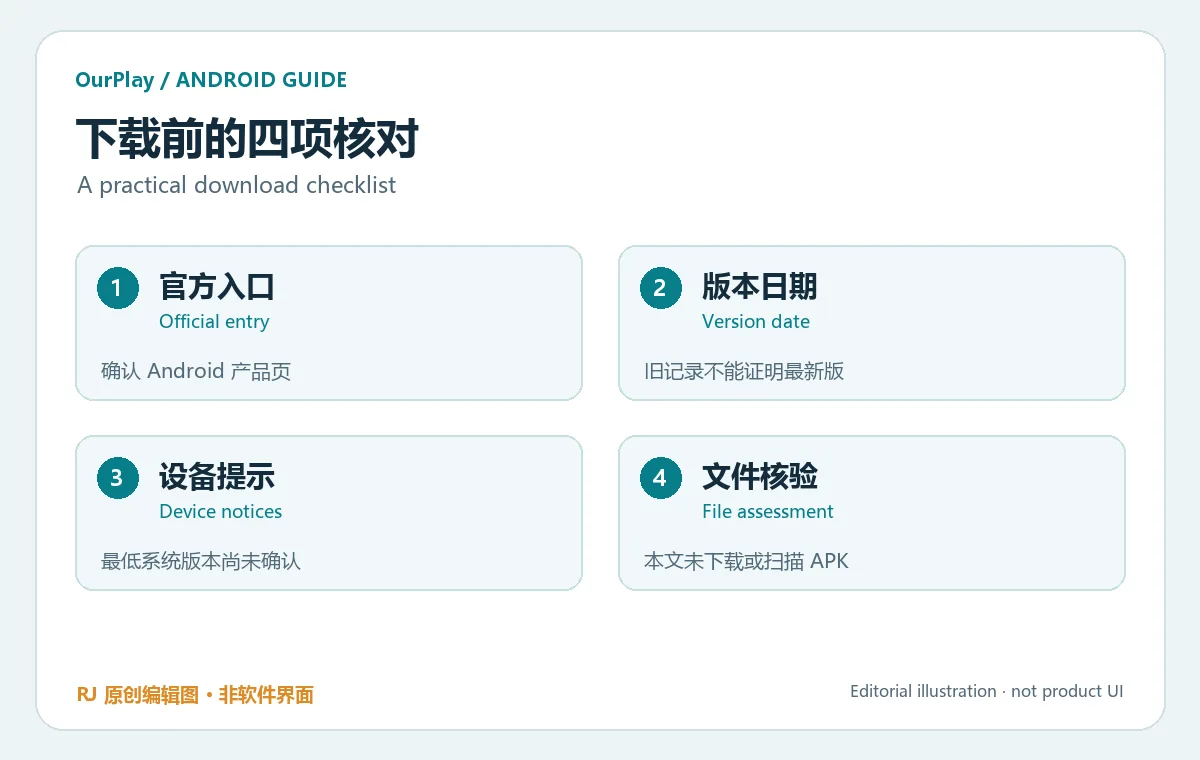
安卓 APP 与电脑客户端应分别选择。官网另设电脑产品和下载中心,不宜因为都叫 OurPlay,就把 Windows 的安装步骤、会员权益或配置要求套到手机上。本文仅介绍 Android 版。官网可见页没有公开确认包名、最低 Android 版本和处理器架构,安装前请在当前官方入口查看新增提示,遇到名称相似的包也应进一步核对。
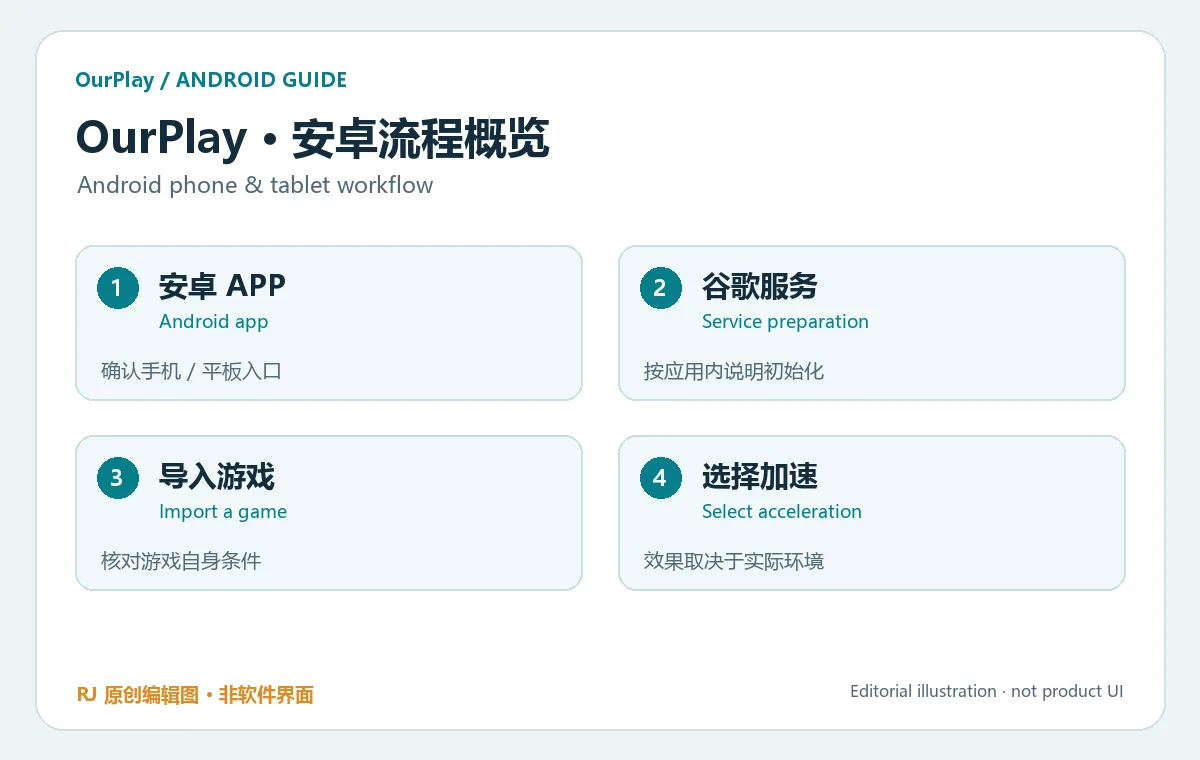
RJ.tools 原创说明图,用于解释流程,不是 OurPlay 界面截图。
本文没有下载或安装 OurPlay,因此无法给出签名、哈希、安装耗时或覆盖安装成功率。若已有旧版本,先了解其中的本地数据与账号状态,再依据官方说明更新;不要直接卸载后才考虑数据是否可恢复。
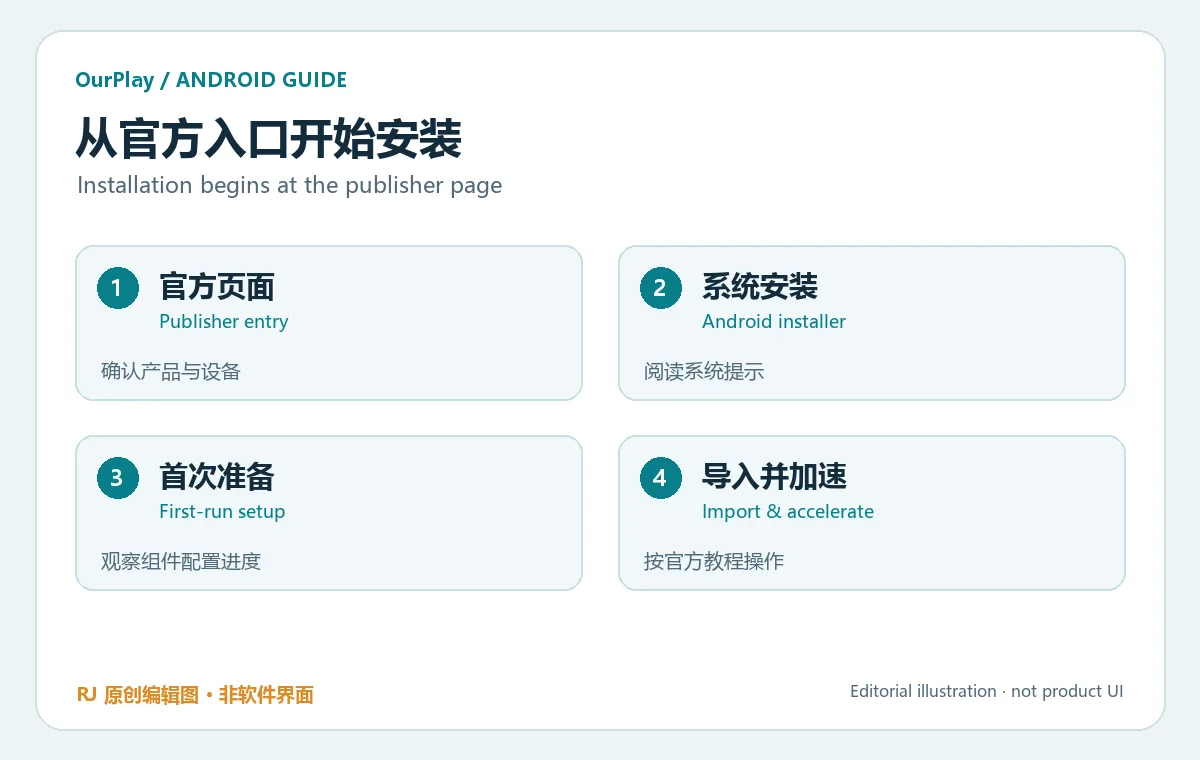
官网教程将“自动安装谷歌服务框架”列在安装 APP 之后,意味着安装 OurPlay 与准备游戏所依赖的运行组件是两个环节。应用已出现在桌面,并不能说明组件初始化、网络连接或游戏登录都已完成。先观察当前步骤的状态,再进入后续操作,可以减少重复导入与反复安装。
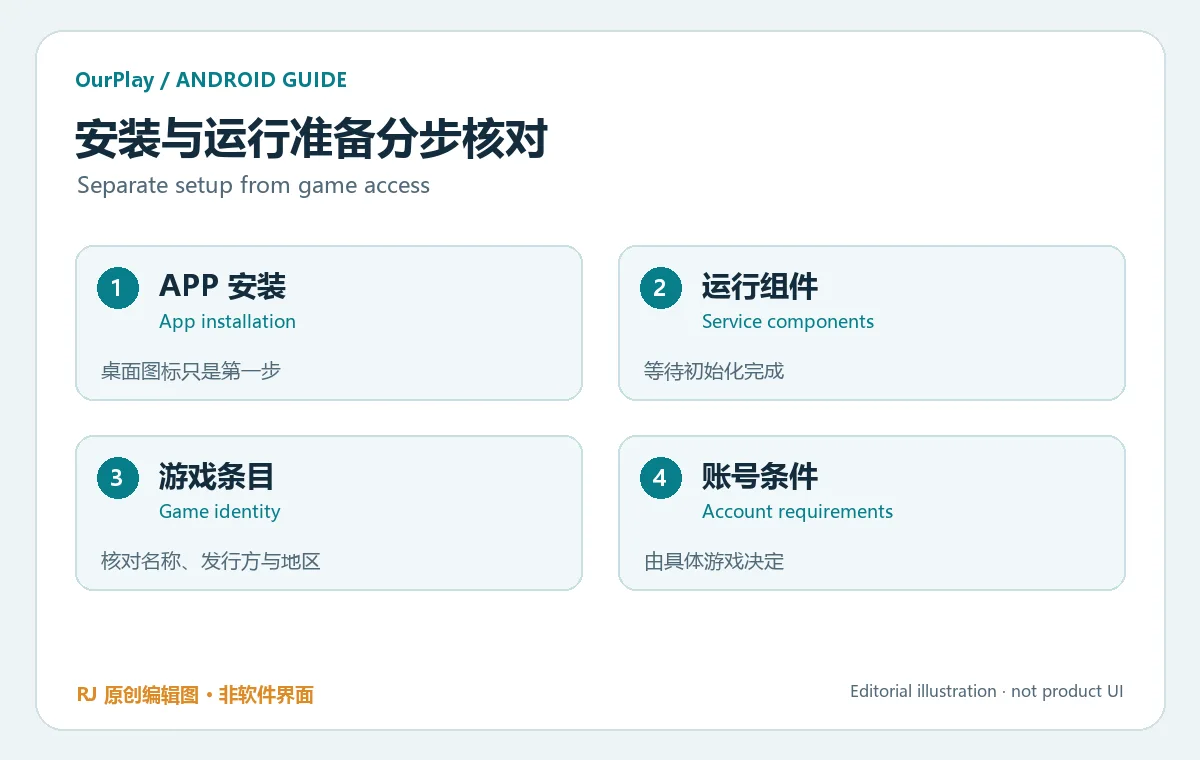
导入游戏前,确认目标条目的名称、发行者和适用地区。工具里的加速功能不会自动赋予付费游戏的购买资格,也不会改变游戏对账号、地区或服务开放时间的要求。游戏需要登录时,请通过其实际展示的正规登录流程处理,阅读权限请求,不要把账号资料发给声称能代操作的陌生人。
若某个游戏在普通启动方式下能运行,而经导入后出现异常,记录发生在哪一步、错误原文和设备系统版本,再查官方帮助。不要仅凭“打不开”三个字就认定需要重新安装全部组件。不同问题对应的检查路径不同,先定位环节比反复清理数据更有帮助。
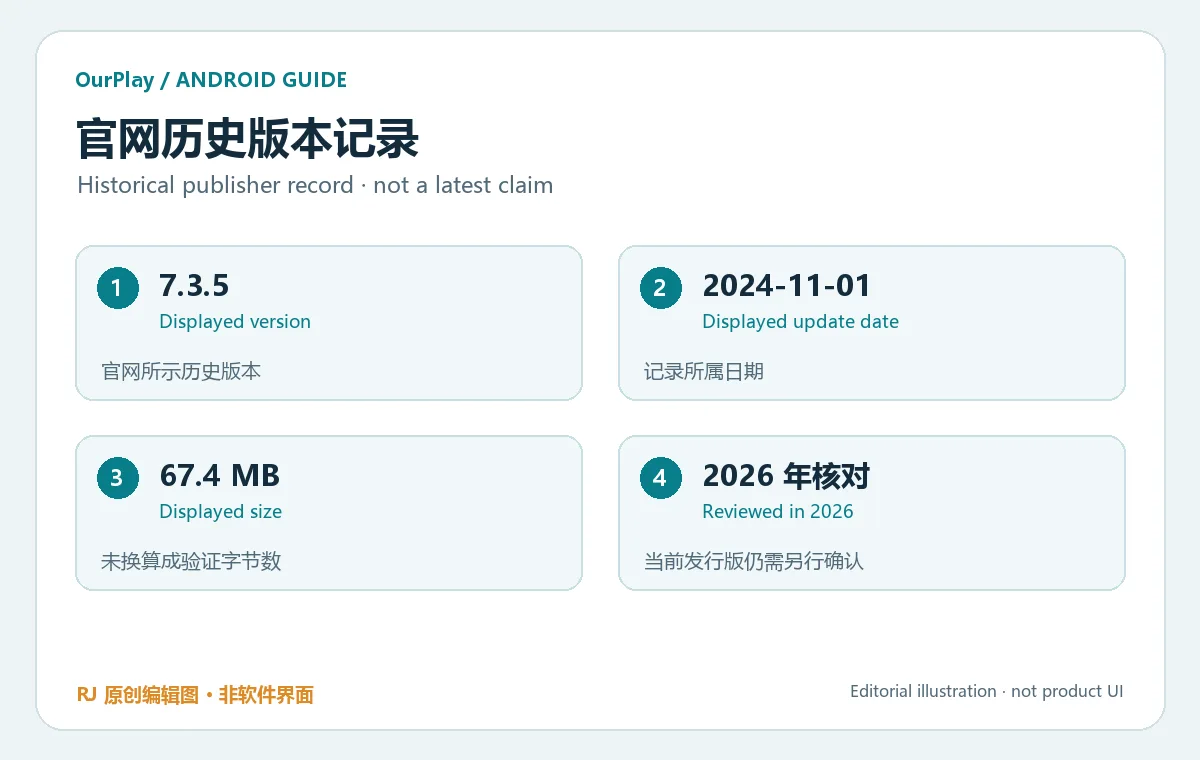
本次核对时,官网 Android 页面仍展示版本 7.3.5、大小 67.4 MB、更新日期 2024-11-01。这是页面可见的历史记录;在2026年的本次整理中,没有证据证明它仍是当前发行版本。不要仅凭这组数字挑选其他网站上的安装包,或把同名文件视为相同发行版。大小也仅保留官网原始显示,没有转换成未经验证的字节数。
该页展示的更新说明涉及国际服游戏上新、加速体验改进、悬浮控制优化以及已知问题修复。这些是官网记录的概括,页面未公开更细的修复清单,本文不补写游戏名单、帧率收益或具体漏洞。以上内容仅用于理解该页的旧版本说明,不作为当前版本变化的承诺。
更新前请重新查看官方入口和设备里的版本信息;两者不同时,优先核实发行渠道与日期。这份历史记录不能证明“最新7.3.5”,也不能用来推断2026年的新特性。
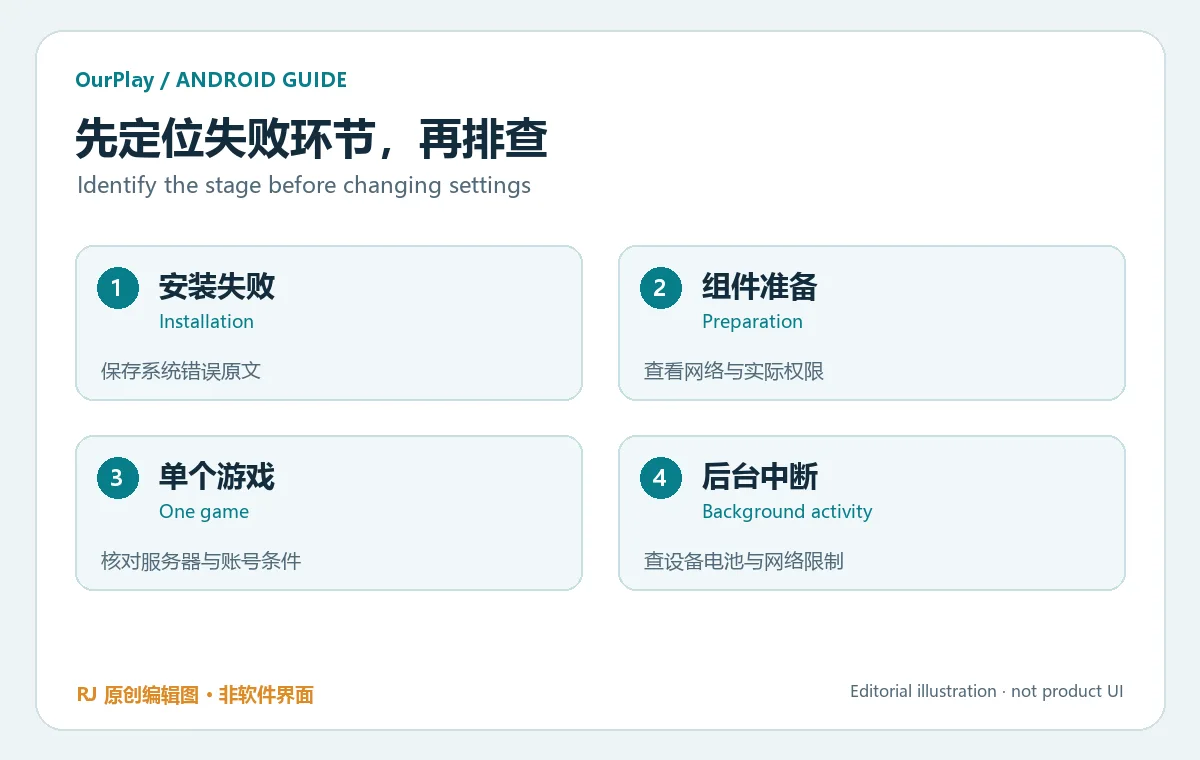
系统安装失败: 保留系统提示原文,检查设备剩余空间、下载是否完整,以及已有同名应用的来源。官网页面没有提供最低 Android 版本,不能据此断言所有设备都兼容。出现签名或包冲突提示时,先确认安装来源与数据保留方式,再决定下一步。
谷歌服务准备未完成: 先区分页面仍在下载、应用提示失败,还是游戏单独登录失败。检查网络是否可用、系统是否限制该应用联网,以及它实际请求的权限。不要把某一次连接错误解释为账号被封,也不要保证更换网络就一定解决。
只有一个游戏异常: 另行查看该游戏的服务器状态、地区与账号要求,保留错误信息后再联系相应支持。切到后台后中断: 查看 Android 对应用的电池、后台活动和网络限制,按设备厂商说明调整必要设置。调整后重新观察即可;不建议无差别授予与目标功能无关的权限。
OurPlay下载入口在哪里? 使用本文的官方 Android 产品页,先确认手机或平板版本。电脑版本请从官网电脑产品入口了解,两个平台的安装说明分开阅读。
OurPlay是Google Play官方应用吗? 本次核对的产品品牌为 OurPlay,官网介绍其谷歌服务配置功能。该功能介绍不应被理解为 Google 对它的官方身份或背书;具体组件与游戏仍按各自提供方的要求使用。
7.3.5是最新版吗? 无法据此确认。官网可见数据标注2024-11-01,本文明确把它作为历史版本记录。下载前请查看当前入口,不使用旧日期推断新版状态。
最低支持哪个Android版本? 本次官方可见页没有确认这一字段;不要从“安卓手机和平板”推导一个最低版本号。请查看当前页面、系统安装提示与官方帮助。
安装包经过本站安全检测了吗? 没有。本文没有下载、运行、扫描或核对安装包签名。公开介绍及官方来源身份不能代替独立文件检测,也不能保证每款导入游戏都适用。
是否免费、是否需要会员? 本次核对页面没有提供足以完整确认 Android 当前收费规则的信息。请以应用内明确展示的价格、权益和续费条款为准,不把电脑版规则套用到手机。
选择 OurPlay安卓版下载 前,先确认设备、官方入口与游戏自身条件,再按安装、组件准备、导入和加速的顺序操作。保留错误信息与版本日期,有助于后续更新和排查。
Explore OurPlay for Android: download guidance, setup steps, Google-service checks, game import, troubleshooting, and clearly dated official version notes.
The OurPlay website presents an Android app for phones and tablets. Its illustrated setup sequence connects app installation, Google-service preparation, game import, and acceleration. This guide explains how those stages fit together so you can identify which step needs attention. Actual installation, game compatibility, and connection behavior depend on the device, the selected game, and the network; a feature description is not a compatibility result for your phone.
Choose the platform deliberately. The publisher also has a PC product and a separate download center. Windows installation instructions, PC membership terms, and desktop requirements should not be applied to the Android app merely because the products share the OurPlay name. This article covers Android. The reviewed official page did not confirm a package ID, minimum Android version, or processor architecture. Check the live official entry and any device notices before selecting an installer.
Original RJ.tools explanatory illustration; this is not a screenshot of the product.
No installer was downloaded or executed for this article, so there is no independently checked signature, hash, installation time, or success rate. If updating an existing installation, understand its account and local-data state before changing or removing it.
The publisher tutorial places automatic Google-service framework setup after app installation. Installing OurPlay and preparing components used by a game are therefore separate stages in the documented workflow. An icon on the home screen does not confirm that component preparation, network access, or game sign-in has completed. Check the current stage before repeating later steps.
Before importing a game, verify its title, publisher, and supported region. Acceleration does not grant a license to a paid game or change its account, regional, or service-availability requirements. When sign-in is needed, follow the legitimate flow actually shown by the game and review its permission requests. Do not share credentials with strangers offering to configure the account for you.
If a game works when launched normally but fails after import, note the stage, the full error text, and the Android version before consulting official help. A generic report that something “will not open” is insufficient to determine whether the installer, runtime preparation, network, or game account is responsible. Preserve that distinction before clearing data or reinstalling multiple components.
At review, the official Android page still displayed 7.3.5, a size of 67.4 MB, and an update date of 2024-11-01. These are the historical values visible on that page. They do not establish the current release in 2026. Do not select an installer on another site solely because its filename matches this version, and do not infer that two similarly named files are the same build. The size is retained in the publisher's displayed unit rather than converted to an unverified byte count.
The page's displayed update notes refer to international-server game additions, acceleration improvements, floating-control optimization, and known bug fixes. This is a summary of the publisher's older notes, without an invented game list, frame-rate gain, or detailed vulnerability claim. The reviewed text does not provide a more specific fix inventory, and it is not used here as a promise about a current build.
Before updating, revisit the official entry and compare it with the version shown on the device. If the values differ, check their channels and dates. This historical record should not be presented as a current build or used to infer newer features.
System installation fails: retain the exact Android message, check available storage and download completeness, and review the source of any existing similarly named app. The official page reviewed here does not establish a minimum Android version. If the system reports a signature or package conflict, understand the installation source and data-retention options before changing the existing app.
Service preparation does not finish: distinguish an active download, an explicit component error, and a failure limited to game sign-in. Check ordinary network access, app-specific network restrictions, and the permissions actually requested. A connection error alone does not prove an account ban, and changing networks is not a guaranteed repair.
Only one game fails: check that game's server availability, account requirements, and region, then keep the error details for the appropriate support channel. A session stops in the background: inspect Android battery, background-activity, and network restrictions using the device manufacturer's guidance. Make necessary changes individually and observe the result; unrelated permissions are not a general troubleshooting solution.
Where should I start an OurPlay download? Use the official Android product page linked above and confirm the phone or tablet product. Read the separate official PC instructions when working on a computer.
Is OurPlay an official Google Play app? The reviewed product is branded OurPlay and describes Google-service configuration. That function does not establish an official Google identity or endorsement. Components and games remain subject to their own providers' requirements.
Is 7.3.5 the latest version? The reviewed page does not establish that. Its displayed date is November 1, 2024, so the values are presented as historical. Check the current official entry before downloading or updating.
Which Android versions are supported? A minimum Android version was not confirmed on the reviewed official page. A reference to Android phones and tablets is not enough to infer one. Consult current notices, system installation results, and official help.
Has the installer been independently checked here? No. No installer was downloaded, run, scanned, or signature-checked. Publisher identity and public descriptions do not substitute for an independent file assessment or guarantee compatibility with every imported game.
Is a subscription required? The reviewed material did not establish complete current Android pricing or membership rules. Review the actual in-app price, benefits, and renewal terms; do not assume the PC product's terms apply.
For an OurPlay Android download, confirm the official entry, device, and game's own conditions, then follow installation, component preparation, import, and acceleration in order. Keeping the error text and version dates makes future support and update decisions more concrete.
Informationen geprüft am: 18. Okt. 2026
Erstmals veröffentlicht: 18. Okt. 2026· Redaktionelle Überarbeitung: 18. Okt. 2026
无法确认。官网可见记录日期为2024-11-01,本文仅将其作为历史版本说明,下载前请重新查看当前官方入口。
Start at the official Android product landing page and follow its current instructions. No APK is hosted or independently checked here.
本次核对的官方可见页没有确认最低版本;请检查当前页面、设备安装提示和官方帮助。
Game licenses, accounts, supported regions and service availability remain subject to each game's own requirements.

Zoom Workplace 安卓版整合视频会议、聊天、电话和文档,介绍官方身份核对、安装步骤、会议准备与问题排查。 / Zoom Workplace for Android combines meetings, chat, phone and docs, with identity checks, setup steps, meeting preparation and troubleshooting.
吉里吉里2模拟器下载可从 Kirikiroid2 上游发布页核对工具本体。本文介绍 Kirikiri2 与 KirikiriZ 项目的运行定位、Android 安装步骤、1.3.9更新记录及常见报错,帮助你区分运行程序与游戏数据,保留项目目录,检查读取权限和兼容条件,并了解历史版本来源,再判断设备与项目是否适用。

迅猛兔加速器 Android 来源、网络模式、安装、版本与FAQ。 / Xunmengtu Android source, network modes, installation, version record, and FAQs.

光环助手 Android 下载与安装、社区用途、商店版本与常见问题。 / Guanghuan Assistant Android download, setup, community use, store version record and FAQs.
葫芦侠3楼 Android 下载与安装、社区用途、商店版本与常见问题。 / Huluxia 3rd Floor Android download, setup, community use, store version record and FAQs.

网易云游戏 Android 客户端提供进入云端游戏与手机串流服务的入口。核对官网和应用宝下载渠道、版本冲突、安装步骤、连接排查与常见问题;最低系统要求及逐项更新说明未公开核实。 / NetEase Cloud Gaming for Android provides a mobile route to cloud sessions and game streaming. Check publisher and store routes, conflicting version displays, setup and troubleshooting; minimum OS and itemized release notes were not verified.

samperson 的 Desktop Goose 桌面伴随鹅指南:核对 Windows v0.31 与 Mac v0.22 文件标签,了解作者获取入口、自愿支持、安装资料及历史更新索引。完整运行行为、系统最低要求及最新构建状态尚未确认。 Desktop companion guide with OS file selection, setup checks, voluntary support and attributed update evidence.

OpenSpeedy 是 Windows 开源游戏变速工具,可调整选定进程的时间倍率并设置快捷键。页面整理 3.3.17 更新、安装步骤和在线游戏反作弊风险。 / OpenSpeedy is an open-source Windows game speed controller for selected processes. This page covers v3.3.17, setup, and anti-cheat risks.

Roblox 是 Roblox Corporation 提供的 Android 用户创作游戏平台。本页整理 Google Play 官方入口、安装步骤、家庭与账号检查、商店更新信息及登录和连接故障排查。 / Roblox is Roblox Corporation's Android platform for user-created experiences. This guide covers the official store, setup, family checks, updates, and login or connection troubleshooting.

云·原神是米哈游提供的 Android 云游戏客户端,本页解释其与完整《原神》包体的区别,并整理官网安装入口、网络排查及版本信息边界。 / Genshin Impact Cloud is miHoYo’s Android cloud gaming client. This guide covers its official entry, setup, network checks and release-information limits.

Android小说阅读应用,含听书、漫剧与兴趣推荐;整理应用宝7.4.1.32信息、安装与活动规则核对方法。 / Android reading app with listening, animated comics and recommendations; includes store version 7.4.1.32, setup and activity-term checks.