Android 双窗口文件管理工具,提供文件整理、压缩包操作与文本编辑;部分高级功能需要 VIP。 | Android file manager with two panes, archive operations and text editing; some advanced features require VIP.
中文
MT管理器是面向Android的双窗口文件管理工具,适合整理下载目录、复制文件、浏览压缩包及编辑文本。本页提供MT管理器下载的官方入口,核对2.26.10正式版、共存版与TargetSdk28的区别,说明安装步骤、更新内容和常见问题,并结合官方手册解释无需粘贴的复制方式,帮助你先确认目标目录和文件权限,再开展日常整理。
MT管理器的双窗口文件整理方法
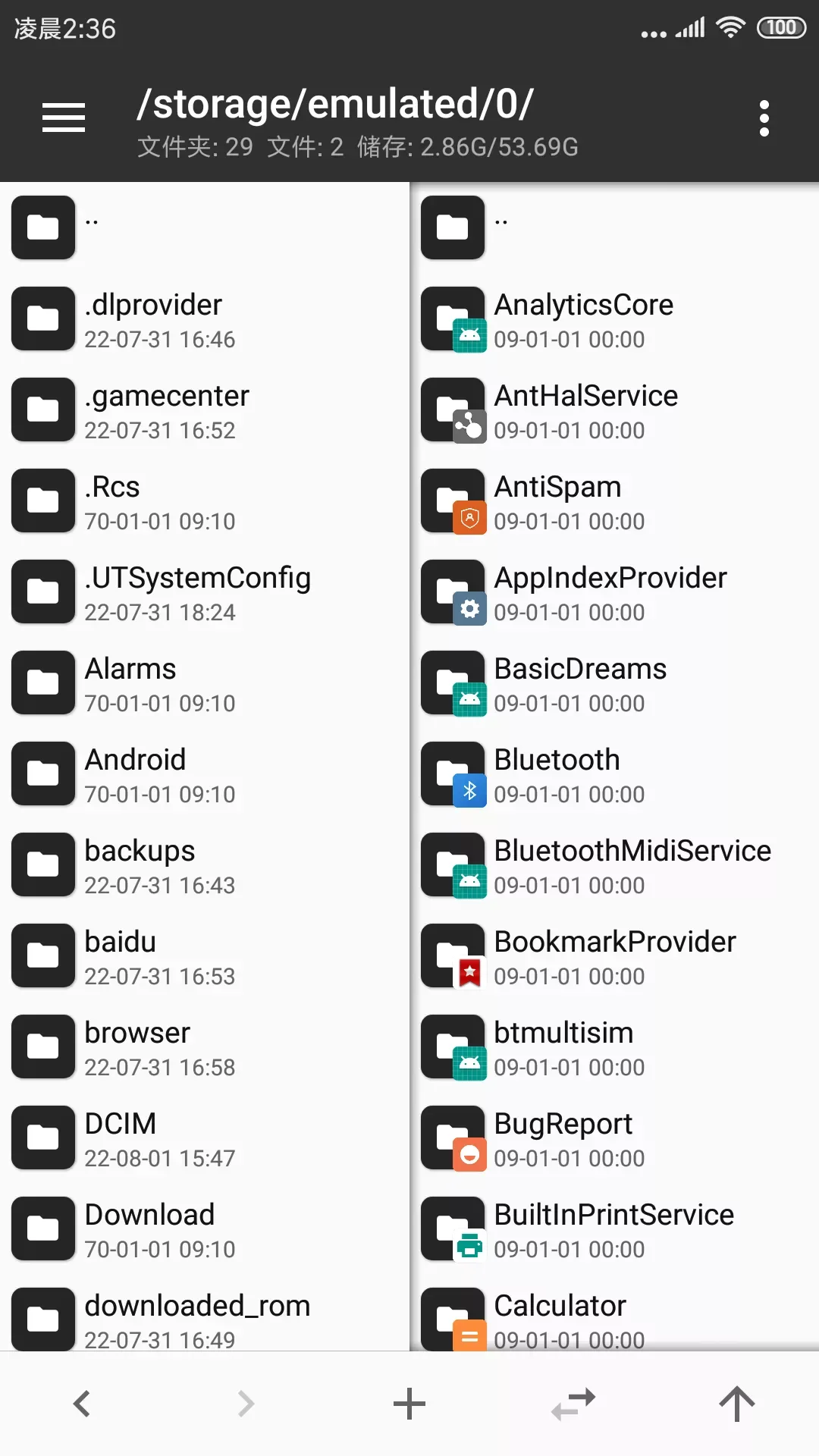
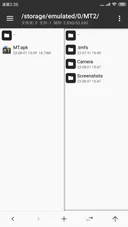
MT 管理器把两个目录并排显示。按官方快速入门说明,复制会直接从当前窗口送到另一窗口,不需要再寻找“粘贴”按钮;移动、从压缩包提取文件、向压缩包添加文件也采用这个思路。它适合在源目录与目标目录之间反复操作,而不是只浏览单一路径。
例如整理下载文件时,可以先在一侧打开下载目录,在另一侧打开自己建立的资料目录,再选择需要复制的文件。这里的目录安排是操作建议;执行前仍要核对目标路径和同名文件提示,重要文件可先保留原件。若目标文件夹就在当前目录内,官方手册建议先用“同步”让另一窗口定位到同一路径,再进入目标子文件夹。
官方手册还介绍左右滑动文件进入多选、常用路径书签、长按同步按钮过滤文件,以及长按返回上级按钮输入路径。初次使用时,先用一两个无关紧要的文件熟悉复制与移动的区别,再处理整批资料。
图片来源:MT 官方文档。
Android 官方下载与安装步骤
- 打开 MT 官方下载页,确认版本名
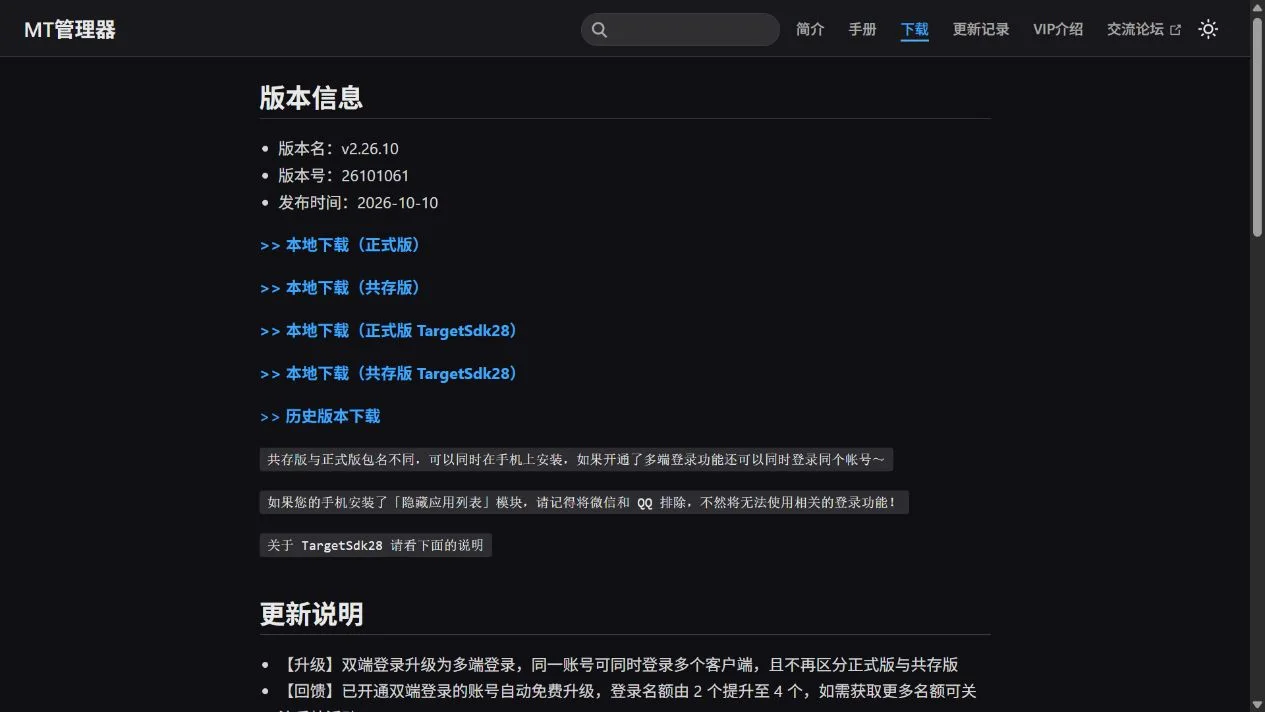
v2.26.10、版本号 26101061、发布日期 2026-10-10。本页选择“本地下载(正式版)”这一发行物。
- 区分四个入口:正式版、共存版,以及两者各自的 TargetSdk28 版本。官网说明共存版与正式版包名不同,可同时安装;它不是给所有用户必须额外安装的组件。没有特定旧目标 SDK 需求时,先阅读普通正式版的说明。
- 使用官网正式版链接取得 APK。本次只检查响应头,官方链接跳转到小米文件 CDN 的
MT2.26.10.apk,服务器报告 37,521,106 字节。下载后在 Android 的下载列表或文件管理中打开安装文件,并按设备显示的应用名称、兼容和来源提示核对;这是通用 Android 安装流程,界面因设备而异。
- 若系统要求配置安装来源权限,仅按设备说明处理你正在使用的下载应用;出现签名、来源或兼容冲突时先停止,不通过关闭其他保护或强行覆盖来继续。安装后打开 MT,阅读首次显示的说明,再从自己有权访问的目录开始操作。
- 更新已有安装前确认原来使用的发行版,并备份重要配置和文件。官网指出从 TargetSdk30 覆盖安装 TargetSdk28 后,个别设备可能出现终端扩展包安装失败;更换发行版前应阅读该说明并评估卸载对本机数据的影响。
官网本次页面没有列出正式版的最低 Android 系统版本、完整架构清单或逐机型兼容表。targetSdk 不是最低系统版本,不能把 TargetSdk28 直接解读为 Android 版本要求。
图片来源:MT 官方文档。
版本更新:2.26.10 的实用变化
截至 2026 年 10 月 20 日,官网当前正式版为 2.26.10,页面发布日期为 2026-10-10。官方说明从 2026 年起采用“2.年份.月份”的命名规则;因此不能只凭数字长短与早年的命名方式判断升级幅度。以下摘述均来自本次官网更新说明:
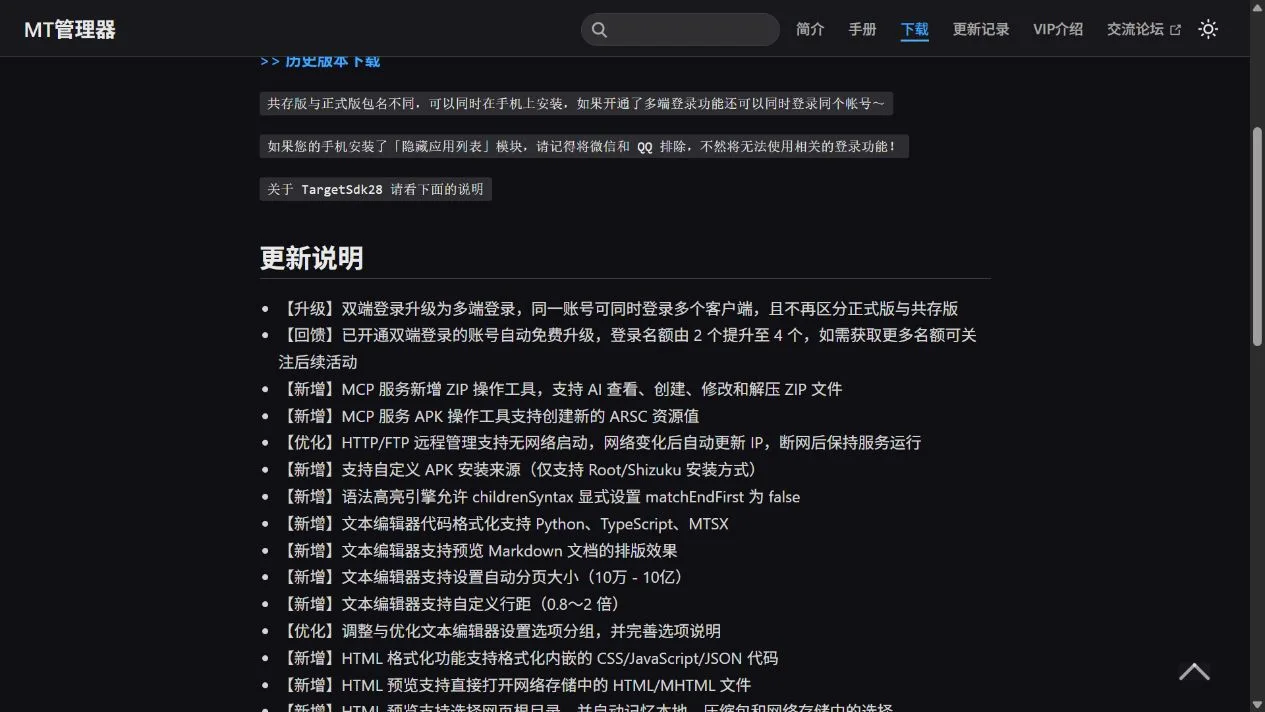
- 文本编辑器加入 Markdown 排版预览,代码格式化新增 Python、TypeScript、MTSX,并可设置行距与自动分页大小。经常在手机上阅读说明文件或检查脚本格式时,这些比单纯更换外观更有针对性。
- 图片浏览器增加纵向连续浏览和视频封面显示,调整缩放、切换与大图加载;文件列表滚动时仍可继续加载缩略图。
- 多端登录替代此前的双端登录,不再区分正式版与共存版;已开通双端登录的账号由 2 个名额升级为 4 个,更多名额的条件以官方活动说明为准。
- MCP 服务新增 ZIP 操作工具;HTTP/FTP 远程管理支持无网络启动,并在网络变化后更新 IP。是否启用远程功能应根据自己的文件访问场景决定,普通文件整理不需要先配置这些服务。
- 修复部分 ARSC 资源配置与文字样式保存后丢失,以及 HTML 检查器切换日志分类时选中状态不同步的问题。完整条目请查看官网,不把这些修复推定为覆盖所有格式或所有设备。
上述为发布者提供的变更记录,本页未安装运行软件,未独立测量启动速度或验证每一项修复。
图片来源:MT 官方文档。
常见问题(FAQ):复制、安装与权限
MT管理器复制后,为什么找不到粘贴按钮?
官方手册说明它直接从当前窗口复制到另一窗口。先检查另一侧是否已经进入目标目录;目标就在当前目录内时,可先同步再进入子文件夹。不要反复执行复制来寻找一个不存在的独立粘贴步骤。
共存版是不是新版,必须和正式版一起装?
不是这种含义。官网说明两者包名不同,能够同时安装。它是发行版选择,不能据此判断共存版功能更完整,也无需为了日常文件整理把四个下载项全部装上。
安装失败或打不开怎么办?
先核对下载入口、当前安装的发行版、设备给出的错误和兼容提示,再带着准确版本与错误信息查阅官网及官方交流论坛。当前下载页没有完整系统兼容表,不能承诺任意 Android 设备均能运行;请不要把不兼容推断为需要 Root。
所有文件编辑和网络存储功能都免费吗?
官方 VIP 介绍区分免费与 VIP 功能:例如 Hex 编辑器免费用户可查看,但保存修改需要 VIP;FTP 免费,FTPS、SFTP、SMB、WebDAV 列在 VIP 范围内。这里不提供未核实的价格或永久授权承诺,购买条件以官方当时展示为准。
官网来源能保证安装包绝对安全吗?
不能这样保证。本次核对了官网、官方文件入口与响应头,没有下载 APK 正文、验签、安装或进行独立安全检测。取得 MT管理器下载后,仍应核对设备提示和授予的权限,文件修改前保留备份。
图片来源:MT 官方文档。
English
Download MT Manager for Android, manage files in two panes, and check version 2.26.10. Read official setup steps, release notes and practical file-copy tips.
MT Manager: working with two file panes
MT Manager displays two directories side by side. Its official quick-start guide explains that copying sends files straight from the current pane to the other pane, without a separate paste step. Moving files, extracting an archive and adding files to an archive use the same two-pane approach. This suits tasks that repeatedly move between a source and a destination.
For example, you can open Downloads on one side and a folder you created for documents on the other. This folder arrangement is a practical suggestion; check the destination path and any name-conflict prompts before proceeding, and keep originals of important files. When the destination is a subfolder of the current directory, the manual recommends synchronizing the other pane first, then opening that subfolder.
The guide also covers swiping files into multi-select mode, bookmarks for frequently used paths, holding the sync button to filter a list and holding the parent-directory button to enter a path. Start with a few disposable files so that you understand copying versus moving before handling a large collection.
Image source: Official MT documentation.
Android download and installation steps
- Open the official MT download page and check
v2.26.10, build 26101061 and release date 2026-10-10. This page selects its standard official edition download.
- Distinguish the standard edition, coexistence edition and the TargetSdk28 build of each. The publisher says the coexistence edition has a different package name and can be installed alongside the standard edition. It is an edition choice rather than an extra required component. Read the normal standard edition information first unless you have a specific need for the older target SDK.
- Obtain the APK through the official standard-edition link. A HEAD check redirected to Xiaomi's file CDN and a file named
MT2.26.10.apk, reporting 37,521,106 bytes. Once downloaded, open the installer from Android's downloads list or file manager and check its displayed application name, compatibility and source prompts. These are general Android installation steps; screens vary by device.
- If Android asks you to configure an installation-source permission, follow the device instructions for the downloader you are actually using. Stop on a signature, source or compatibility conflict instead of forcing an overwrite. Open MT after installation, read its first-run notices and begin in directories you are entitled to access.
- Before updating an existing installation, identify its edition and back up important settings and files. The publisher reports terminal-extension installation failures on some devices after installing TargetSdk28 over TargetSdk30. Read its advice and consider the effect of uninstalling on local data before changing editions.
The reviewed download page does not disclose a minimum Android version, a complete CPU-architecture list or a device compatibility table for the standard APK. A target SDK value is not a minimum Android version.
Image source: Official MT documentation.
Release updates: practical changes in 2.26.10
As checked on 20 October 2026, the current official release is 2.26.10, dated 2026-10-10 on the download page. The publisher says it adopted the format “2.year.month” in 2026, so its numbering should not be read as the older major/minor scheme. The following points summarize the official release notes:
- The text editor adds Markdown layout previews, code formatting for Python, TypeScript and MTSX, plus controls for line spacing and automatic page size. These changes are relevant when reading documentation or checking script formatting on a phone.
- The image viewer adds vertical continuous browsing and video-cover display, with changes to zooming, switching and large-image loading. File-list thumbnails can continue loading while the list scrolls.
- Multi-device login replaces dual-device login and no longer separates the standard and coexistence editions. Accounts that already enabled dual-device login receive four slots instead of two; additional-slot conditions remain subject to the publisher's activities.
- MCP gains ZIP operations. HTTP/FTP remote management can start without a network and updates its IP after network changes. Whether to enable remote services depends on your own file-access needs; they are not prerequisites for ordinary local file organization.
- Fixes address some ARSC resource configurations and text styles being lost on saving, and the HTML inspector's selected state not updating when log categories change. Consult the full notes rather than assuming these fixes cover every format or device.
These are publisher release notes. This research did not install or run MT, measure startup performance or independently reproduce every fix.
Image source: Official MT documentation.
FAQ: copying, installation and permissions
Why is there no paste button after copying in MT Manager?
The manual says copying goes directly from the current pane to the other pane. Check that the other side already shows the intended destination. For a subfolder of the current directory, synchronize first, then open that folder. Repeating the copy action is not a substitute for choosing the destination.
Is the coexistence edition a newer version that must also be installed?
The publisher describes it as a different package that can coexist with the standard edition. That does not establish that it has more complete features. You do not need to install all four listed variants just to organize files.
What if installation fails or MT will not open?
Check the download source, your existing edition and the device's exact error or compatibility notice. Use that version and error information when consulting the official documentation or forum. The reviewed page does not supply a complete compatibility table, and an error does not establish that Root is required.
Are all editing and network-storage features free?
The official VIP page distinguishes free and paid features. For example, free users can view files in the Hex editor, while saving edits requires VIP. FTP is free; FTPS, SFTP, SMB and WebDAV are listed as VIP features. Current prices and purchase terms should be checked with the publisher.
Does the official source guarantee the APK is completely safe?
No such guarantee is made here. This research checked the publisher pages, official download entry and response headers; it did not download the APK body, check its signature, install it or conduct an independent security assessment. When using the MT Manager download, review device prompts and permissions, and preserve backups before editing files.
Image source: Official MT documentation.