联想电脑管家 Windows 使用指南:标准版、ThinkPad、Qualcomm ARM 与智能场景版的选择条件、官方安装步骤、5.1.200.8201 更新日志和常见问题。 | Lenovo PC Manager guide to Windows editions, official installation, release 5.1.200.8201 and compatibility questions.
联想电脑管家面向 Windows 电脑,集中提供设备状态、优化、安全防护、原厂驱动与联想服务入口。本页整理联想电脑管家下载、安装和 5.1.200.8201 更新,说明标准版、ThinkPad、Qualcomm ARM 与智能场景版的选择条件,帮助按系统和机型核对版本;安装前应查看官网要求与服务条款,避免选错安装包。 | Lenovo PC Manager download guide for Windows: compare editions, follow setup steps, review 5.1.200.8201 changes and check device limits before installing.
中文
联想电脑管家面向 Windows 电脑,集中提供设备状态、优化、安全防护、原厂驱动与联想服务入口。本页整理联想电脑管家下载、安装和 5.1.200.8201 更新,说明标准版、ThinkPad、Qualcomm ARM 与智能场景版的选择条件,帮助按系统和机型核对版本;安装前应查看官网要求与服务条款,避免选错安装包。
联想电脑管家下载前,先明确需要管理什么
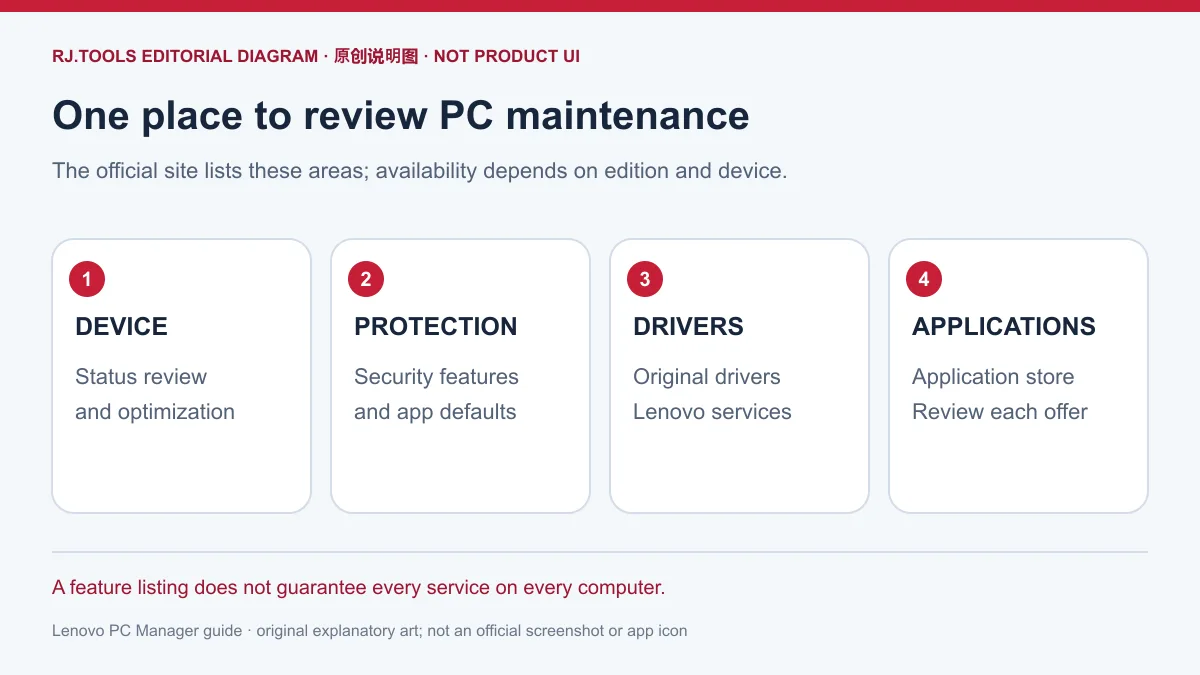
联想产品官网列出设备状态与优化、安全防护、原厂驱动、联想服务和应用商店等功能。对需要集中查看电脑状态、查找原厂驱动或进入联想服务的用户,这些入口有助于减少在不同页面之间查找的步骤。功能清单说明产品提供的方向,实际可用项目还要结合版本与设备判断;不能因为标准版标注全机型,就推断其他厂商电脑也能使用全部联想硬件能力。
下载前可以先列出自己的目的:查看设备状态、查找驱动,还是使用某个机型的智能场景功能。若需求只对应一个入口,应先阅读该功能说明和服务条件。本次核验页面没有独立价格表,也没有确认软件再分发许可;具体服务是否收费、可否转发安装包,应查看联想当前条款。
标准版、ThinkPad、ARM 与智能场景版怎么选?
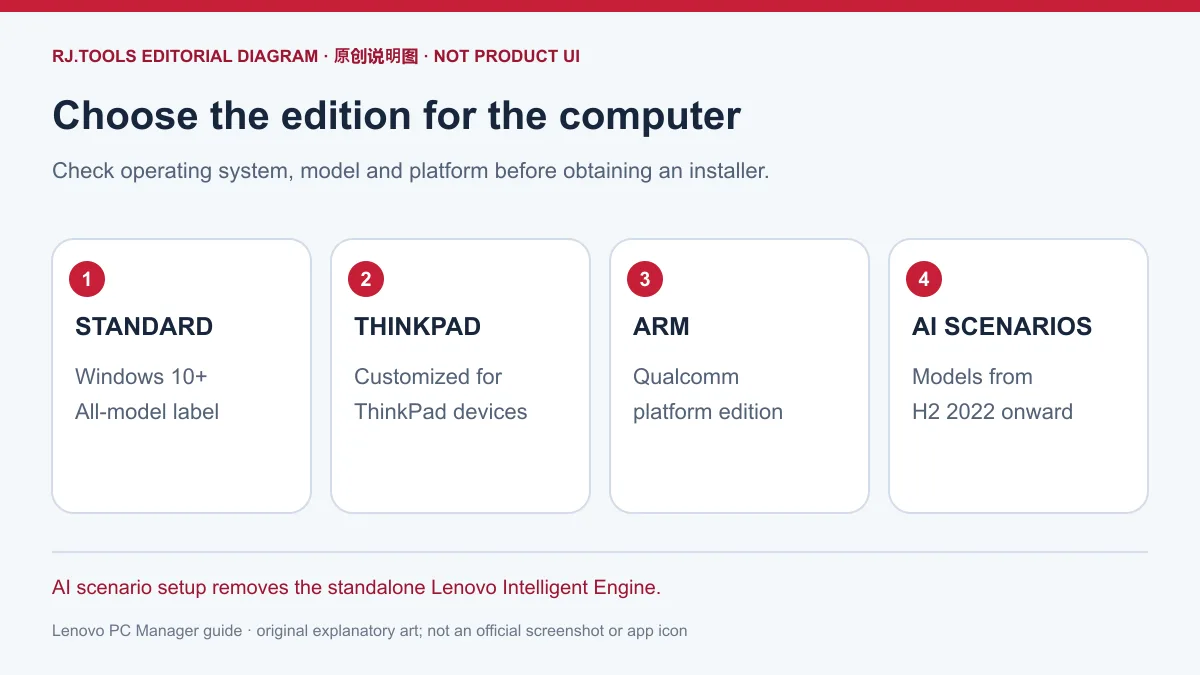
官网首页对标准版标注 Windows 10 以上、全机型;ThinkPad 定制版面向 ThinkPad,ARM 版面向 Qualcomm 平台。更多版本页另外列出 AI 智能场景版,适用 2022 年下半年及以后的机型。该版集成联想智能引擎,根据使用场景调整相应电脑能力;官方还提示,安装智能场景版会卸载独立版联想智能引擎。
选择时按系统、电脑系列和处理器平台逐项核对。不要把标准版的“全机型”标签套用到智能场景版、ARM 版或智能散热版;更多版本页对智能散热版列有特定旧机型,未核对完整型号就无法确认适用。机器上市时间符合条件也不能代替查看官方当下说明,尤其是更换版本之前,应先确认原有联想智能引擎会受到什么影响。
联想电脑管家官方渠道与 Windows 安装步骤
本页下载渠道指向联想电脑管家官网,由用户在官网按电脑条件选择对应版本。它是官方落地页,页面内容可能更新。历史榜单记录的 5.1.60.4202 仅用于识别候选软件,不作为当前安装版本;应结合官网入口和更新日志核对当前标签。
- 查看电脑的 Windows 版本、完整机型和处理器平台;标准版首页条件为 Windows 10 以上。
- 打开本页官方渠道,在官网选择标准版、ThinkPad 定制版、Qualcomm ARM 版或符合机型要求的其他版本。
- 阅读所选版本的系统、机型和安装提示,再从官网获取对应安装器。准备换用智能场景版时,特别留意独立版联想智能引擎的卸载说明。
- 阅读系统及安装器提示后按官方说明完成安装;安装后检查版本与需要使用的功能。如果显示不支持或提示与机型不符,先回到官网复核选择。
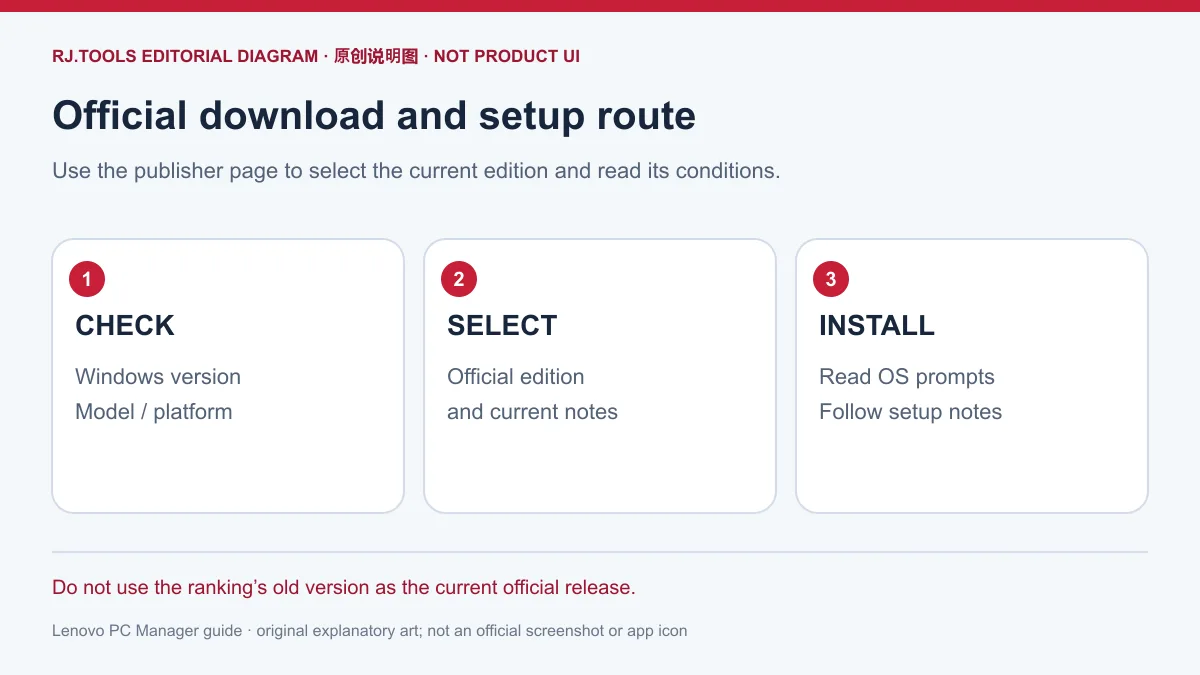
本次未下载、执行、扫描或检查安装包签名,也未在特定电脑上验证安装结果。遇到安装器无法打开时,先记录提示、Windows 版本、机型和所选版本,核对官网条件后联系官方支持;不要仅为继续安装而忽略系统提示。
5.1.200.8201 最新版本更新日志
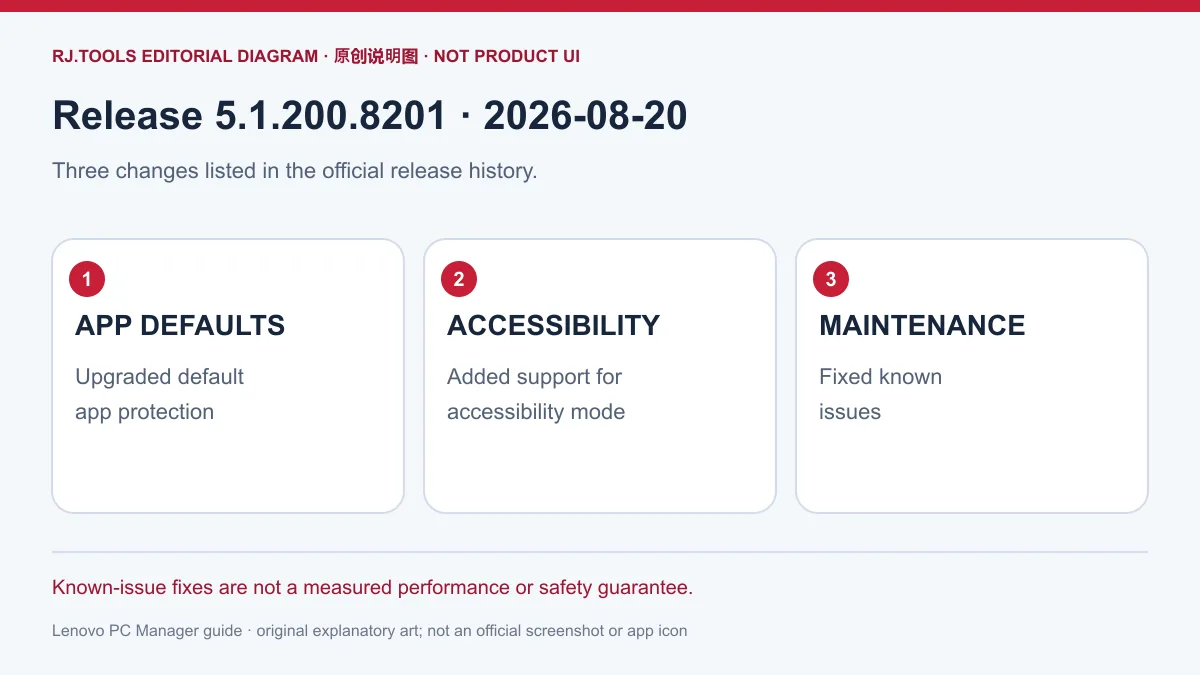
截至 2026-10-18 核验,官方更新历史置顶正式版为 5.1.200.8201,发布日期 2026-08-20。官方列出三项改动:升级应用设默保护能力;支持无障碍模式;修复已知问题。“应用设默”涉及应用默认设置保护,日志没有给出详细操作范围;“修复已知问题”也没有逐项缺陷清单,因此不能扩写成特定故障已经解决或性能提升保证。
官网上一版 5.1.190.5202 的记录日期为 2026-05-20,提到新增“龙虾安全防护”并修复已知问题。这是此前版本的日志,不能与 5.1.200.8201 的三条变化混写。当前版本信息与核验日期也应区分:2026-08-20 是该条版本日志的发布日期,2026-10-18 是本页查看资料的日期。
常见问题 FAQ:兼容性与版本选择
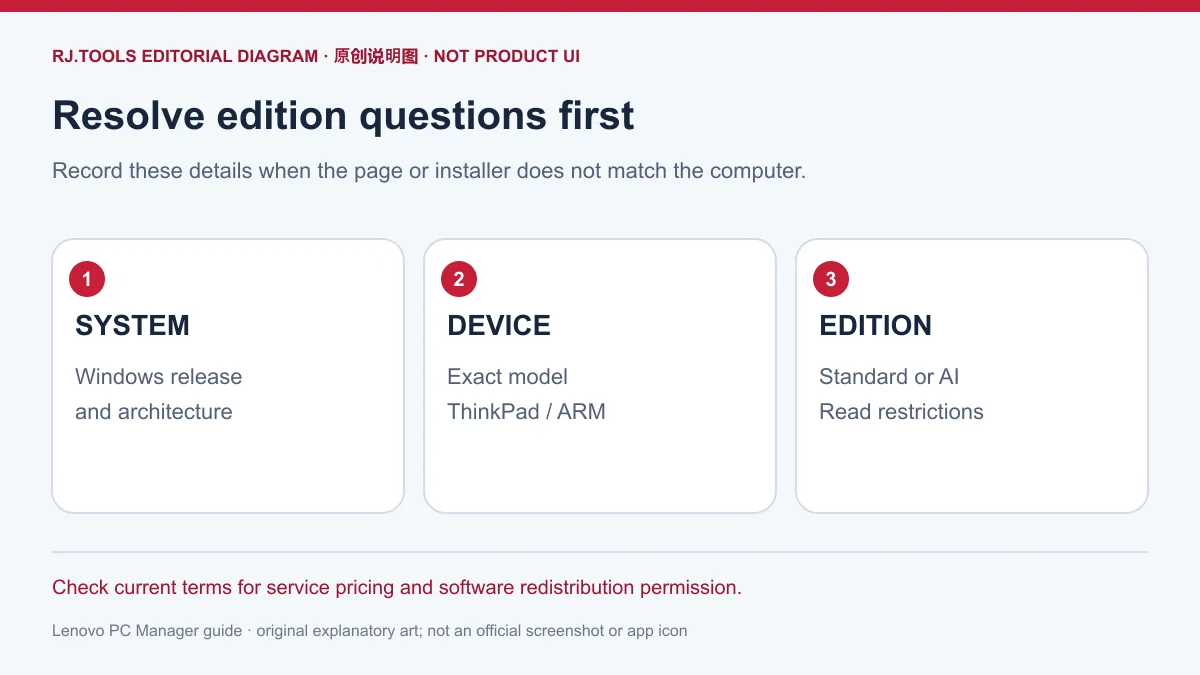
Windows 10 以下能安装吗? 核验到的标准版入口标注 Windows 10 以上,不能据此确认更早系统受支持。请查看官网是否另有明确适用的方案,再决定是否安装。
ThinkPad 应选哪个版本? 官网有 ThinkPad 定制版入口;先核对电脑是否属于 ThinkPad,再阅读当前入口的条件。不能只凭“联想电脑”四个字选择该版。
Qualcomm ARM 电脑可以直接装标准版吗? 官网为 Qualcomm 平台另列 ARM 版。应先确认处理器平台并阅读对应入口,避免将不同平台的安装包互换。
标准版与智能场景版有什么区别? 标准版首页标注 Windows 10 以上和全机型;AI 智能场景版有 2022 年下半年及以后机型的条件,并集成联想智能引擎。安装该版会卸载独立版引擎,换版前应阅读说明。
其他品牌电脑也能使用所有功能吗? “标准版全机型”是首页的适用标签,不等于每台电脑都具备联想硬件和专属服务。原厂驱动、智能场景或散热等能力应按具体设备与版本核对。
软件和服务是否全部免费? 本次核验页面没有独立价格表,不能推断所有服务免费。使用特定功能或服务前查看官方说明、价格和条款。
寻找联想电脑管家下载或“联想电脑管家怎么安装”时,先从官网核对 Windows、电脑系列与平台,再选择合适版本,并把 5.1.200.8201 的官方更新日期与旧榜单版本分开理解。版本选择明确后,安装提示和故障信息才有对应的排查依据。
English
Lenovo PC Manager download guide for Windows: compare editions, follow setup steps, review 5.1.200.8201 changes and check device limits before installing.
Lenovo PC Manager download: define the task first
The official product site lists device status and optimization, security protection, original drivers, Lenovo services and an application store. These entry points can help a user find PC information, driver resources or Lenovo services in one place. The list describes product areas; the edition and device still determine which functions are available. The Standard Edition's all-model label does not establish that another manufacturer's computer has every Lenovo hardware capability.
Before obtaining the installer, identify the actual task: reviewing device status, locating drivers or using a model-specific scenario feature. Read the relevant feature and service conditions before relying on it. The reviewed pages did not provide a separate price list or establish permission to redistribute the software. Check the current terms for a particular service's charges and installer redistribution rights.
Compare Standard, ThinkPad, ARM and AI scenario editions
The home page labels the Standard Edition for Windows 10 and later, all models. It also provides a ThinkPad-customized edition and a Qualcomm-platform ARM edition. The more versions page lists an AI intelligent scenario edition for models from the second half of 2022 onward. It integrates the Lenovo Intelligent Engine to adjust relevant computer capabilities for the detected use scenario. The publisher warns that installing this edition removes the standalone Lenovo Intelligent Engine.
Check the operating system, computer family and processor platform separately. Do not extend the Standard Edition's all-model label to the AI scenario, ARM or intelligent cooling editions. The more versions page gives a specific list of older models for intelligent cooling; suitability cannot be established without checking the exact model. A computer's release period alone does not replace the current publisher instructions, particularly when changing editions affects an existing Intelligent Engine installation.
Official Lenovo PC Manager download and installation steps
This page's download channel opens the official Lenovo PC Manager site so that the user can select an edition for the computer. It is a publisher landing page whose options may change. The old ranking version, 5.1.60.4202, identifies the historical candidate and is not the current installation recommendation. Compare the official entry with the release history before proceeding.
- Check the computer's Windows version, exact model and processor platform. The Standard Edition entry specifies Windows 10 or later.
- Open the official channel and select Standard, the ThinkPad edition, the Qualcomm ARM edition or another edition whose published model conditions match the device.
- Read that edition's system, device and installation notes, then obtain its installer from the publisher. Before switching to the AI scenario edition, review the notice that it removes the standalone Lenovo Intelligent Engine.
- Read the operating-system and installer prompts and follow the current official instructions. After installation, check the version and the function you need. If a compatibility message appears, return to the official conditions and reassess the selection.
No installer was downloaded, executed, scanned or signature-checked for this guide, and installation on a particular computer was not verified. If the installer will not open, record the message, Windows version, device model and selected edition. Check the publisher's requirements and contact official support with those details; do not dismiss a system prompt merely to continue setup.
Latest release notes: 5.1.200.8201
At the 2026-10-18 review, the top stable entry in the official history was 5.1.200.8201, dated 2026-08-20. The three listed changes were upgraded protection for application default settings, support for accessibility mode and fixes for known issues. The notes do not specify the full scope of default-setting protection or identify individual defects. They therefore do not establish that a particular problem has been solved or that performance improved by a measured amount.
The earlier 5.1.190.5202 entry is dated 2026-05-20 and mentions the addition of a feature called “龙虾安全防护” and known-issue fixes. Those belong to the earlier version and should not be merged into the three changes for 5.1.200.8201. Also distinguish the release date, 2026-08-20, from the date this guide checked the information, 2026-10-18.
FAQ: compatibility and edition choice
Can I install it on a system older than Windows 10? The checked Standard Edition entry specifies Windows 10 or later. It does not establish support for earlier systems. Look for an explicitly suitable option on the publisher's site before installing.
Which edition should a ThinkPad use? The official site has a ThinkPad-customized entry. Confirm the computer belongs to that family and read the current entry's conditions; a Lenovo brand name alone is insufficient.
Should a Qualcomm ARM computer use the standard installer? The publisher lists an ARM edition specifically for the Qualcomm platform. Identify the processor platform and use the corresponding published entry instead of treating installers for different platforms as interchangeable.
How does Standard differ from the AI scenario edition? Standard is labeled Windows 10 or later and all models. The AI scenario edition has a model-period condition starting in the second half of 2022 and integrates the Intelligent Engine. Installing it removes the standalone engine, so read the migration notice first.
Does another manufacturer's PC get every feature? The Standard Edition's all-model label does not provide Lenovo-specific hardware or services to every computer. Check original-driver, scenario and cooling capabilities against the exact device and edition.
Are the software and every service free? The reviewed pages did not provide a separate price list. Do not infer that all services are free; check the description, price and terms for the feature or service you intend to use.
For a Lenovo PC Manager download or Windows setup question, start with the official site and match the operating system, computer family and platform before selecting an edition. Keep the official 5.1.200.8201 release date separate from the old ranking label, then use the actual installation message and selected edition to guide troubleshooting.