光环助手 Android 下载与安装、社区用途、商店版本与常见问题。 / Guanghuan Assistant Android download, setup, community use, store version record and FAQs.
中文
光环助手下载前,先了解这款 Android 游戏社区的定位:它提供游戏发现、攻略问答与视频内容,适合比较玩法和查找入门资料。本文核对官网入口、应用宝包名与5.47.1版本记录,整理手机安装步骤、更新信息和常见问题,帮助你区分社区工具与具体游戏,按设备条件选择内容,并在安装前检查开发者、权限及账号要求。
光环助手是什么:从游戏发现到攻略问答
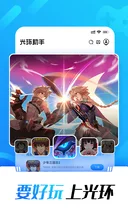
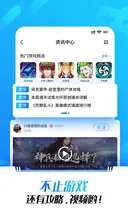
光环助手的官网由广州加兔网络科技有限公司运营;应用宝将同一产品列为包名 com.gh.gamecenter 的 Android 应用,开发者与运营者也均为广州加兔。商店简介的重点是游戏开发者与玩家交流、游戏视频以及攻略问答。它适合先了解一款游戏怎么玩、查看其他玩家遇到的问题,再决定是否继续获取该游戏。
第一次使用时,可以先用游戏名称定位内容,再区分游戏详情、玩家回答和视频介绍。玩家经验往往与具体版本、角色或设备有关,照着操作前应确认上下文;活动、预约或礼包也需要查看当时的参与条件。社区入口不能代替各款游戏的发行者、年龄提示和账号规则。
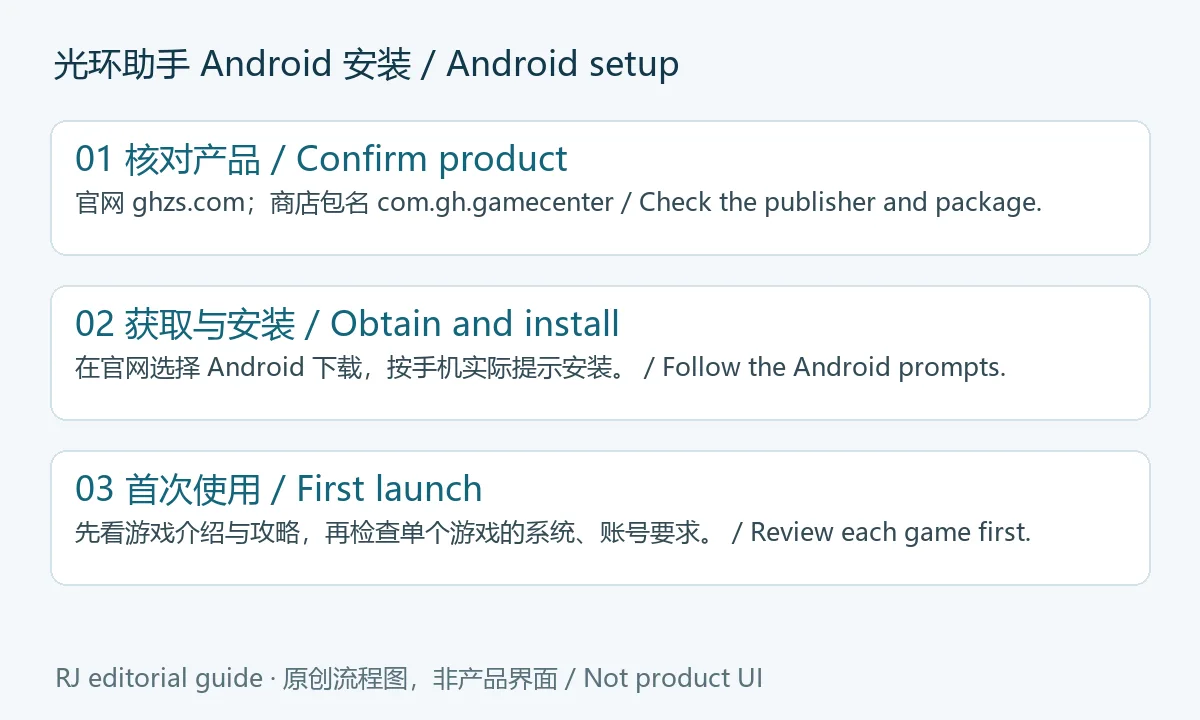
光环助手 Android 下载与安装步骤
- 在手机浏览器打开光环助手官网,核对域名和底部的广州加兔公司信息,选择 Android 版下载。官网还列有 iOS 入口,手机系统不同应分别选择。
- 对照应用宝产品记录的名称、开发者与包名 com.gh.gamecenter。官网安装包与商店记录可能分渠道更新,不能仅凭这篇文章判断两者版本完全相同。
- 按 Android 实际安装提示继续,检查来源和权限。若系统要求允许当前浏览器安装应用,只针对本次已确认来源的操作作决定;完成后可在系统设置中管理该来源权限。
- 首次启动后先浏览游戏说明、攻略或问答,再按具体游戏页面核对设备、空间、账号及地区要求。本次未运行安装包;来源没有披露可统一适用的最低 Android 版本,因此这里不填写推测值。
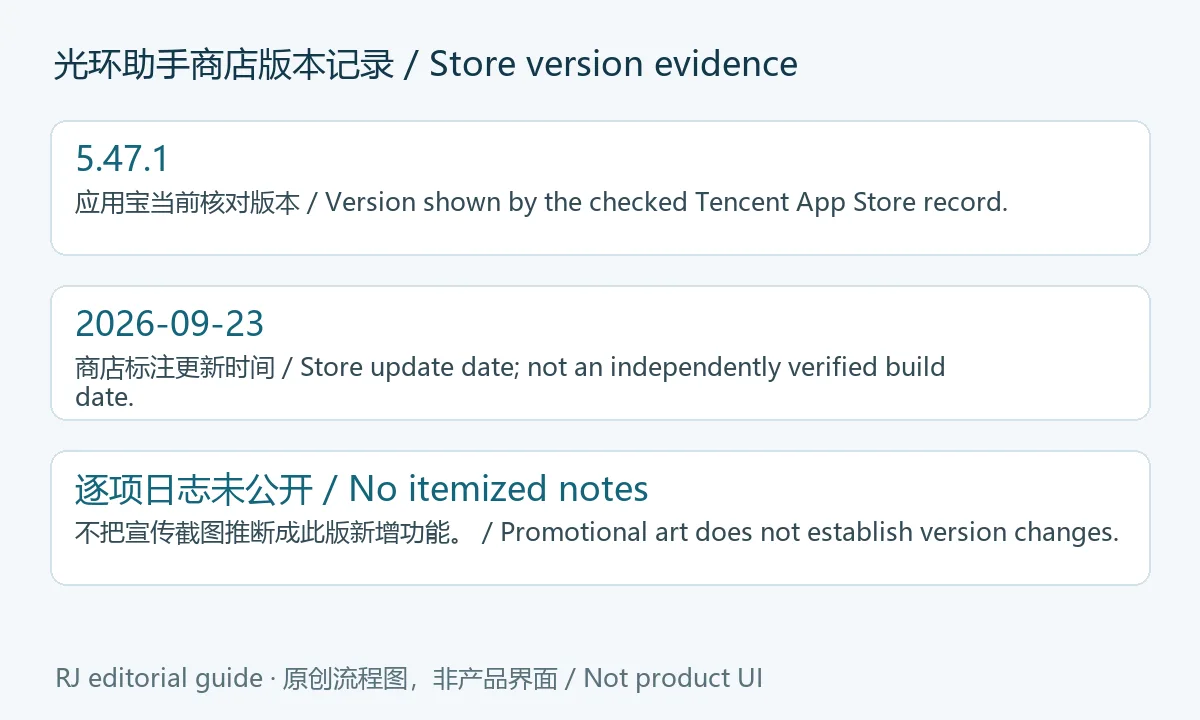
5.47.1 版本记录与更新日志说明
2026年10月20日核对时,应用宝该包名记录显示 5.47.1,更新时间为 2026年9月23日。这表示商店当时公布的版本;官网 Android 下载按钮本身没有在页面中展示可交叉核对的版本号。页面未公开5.47.1逐项更新日志,不能据此写成“新增加速”“全面提升性能”等改动,也不能把宣传图中的界面认定为本版新增功能。
更新前可以记录已安装版本,再打开当前渠道核对是否有更新。若准备更换来源,先确认开发者、包名与账号数据处理方式;同名应用不等于同一发行渠道。具体功能的变化应以光环助手后续发布的版本说明为依据。
常见问题 FAQ:安装失败、帮助与安全核对
光环助手下载后安装失败怎么办? 先检查文件是否完整、手机存储是否充足,再确认当前来源的系统要求和已有应用是否同包名。遇到签名或来源冲突时先核对发行渠道,不要通过卸载来盲目处理可能仍有本地数据的应用。
每款游戏都能直接运行或使用辅助功能吗? 不能根据社区的整体介绍作这样的判断。实际支持范围取决于单款游戏、版本与设备;游戏服务还可能有独立的账号和地区要求。本文仅介绍社区与公开入口。
到哪里查攻略或提问? 商店简介明确提到攻略问答和游戏视频;先用具体游戏名称缩小范围,说明版本、机型与出现问题的步骤,更便于他人判断。
商店安全标识是否等于独立检测? 本文未下载、运行或扫描 APK;商店标识不能替代对当前安装文件与实际权限的核对。浏览社区分享时也应逐个确认内容来源。
需要光环助手下载或手机安装帮助时,先确认官网与 com.gh.gamecenter 产品身份,再查看具体游戏的要求;更新内容则以相应渠道实际发布的说明为准。
English
Guanghuan Assistant helps Android players find games, guides, and videos. Check its official download, v5.47.1 record, setup steps, and common questions.
What Guanghuan Assistant offers Android players
Guanghuan Assistant is operated by Guangzhou Jiatu Network Technology Co., Ltd., as named on its publisher website. Tencent App Store identifies the Android product as com.gh.gamecenter and names the same company as developer and operator. The store description focuses on game discovery, player and developer discussion, guides, questions, and videos. These can help you understand a game before deciding whether to obtain it.
Start with the exact game name, then distinguish its listing from player answers and videos. Advice may concern a particular game build, device, or character. Check that context before following it, and read current conditions for events, reservations, or gifts. Each game retains its own publisher, age information, account requirements, and availability.
How to download and install Guanghuan Assistant
- Open the publisher website on your phone. Check the domain and Guangzhou Jiatu company details, then choose its Android download. The site also has an iOS entry, which is a separate route.
- Compare the name, developer, and package com.gh.gamecenter against the Tencent App Store record. The publisher package and store channel may update separately; this guide does not establish that their builds are identical.
- Follow the actual Android installation prompts and review the source and requested permissions. If Android asks whether this browser may install apps, decide for the confirmed source and manage that source permission in Settings afterward.
- On first launch, read the game details, guides, or answers before obtaining a separate game. Check that game's system, storage, account, and regional requirements. No package was run for this guide, and the sources did not establish a single minimum Android version.
Version 5.47.1 and the available update notes
On October 20, 2026, the checked Tencent App Store record lists 5.47.1, updated September 23, 2026. This is the store's published record. The publisher's Android download button does not display a version that can be compared on that page. No itemized 5.47.1 changelog was exposed, so this guide does not claim that acceleration, performance changes, or pictured features were added in that release.
Before an update, note your installed version and check the current channel. If changing sources, verify the developer and package and review how account or local data will be handled. A matching name alone does not establish the same distribution channel. Use the publisher's release notices for specific changes when available.
Frequently asked questions: setup, help, and source checks
Why does installation fail? Check the file, available storage, the source's current system requirements, and whether an existing app uses the same package. A signature or source conflict needs identity review before removing an app that may contain local data.
Does it support every game or helper feature? The general community description cannot establish that. Support depends on the individual game, build, and device; account and regional rules can also apply. This guide covers the community product and its public entry points.
Where can I seek help? The store describes game questions and videos. Search with the exact game name and include your build, device, and the steps that reproduce the problem when asking a question.
Does a store badge mean RJ independently checked the APK? No package was downloaded, run, or scanned for this guide. Review the actual file source and Android prompts, and check each community-shared item individually.
For Guanghuan Assistant download and Android setup help, confirm the publisher and com.gh.gamecenter identity, review each game's requirements, and consult the channel's release notes for specific changes.