RJ Téléchargementswww.rj.tools
Zulip Desktop

Zulip Desktop

v5.13.2Apache-2.0

Zulip Desktop 是面向 Windows、macOS 和 Linux 的开源桌面客户端,可登录多个 Zulip 组织,并提供桌面通知、托盘或 Dock 集成、拼写检查与自动更新。它需要连接已有的 Zulip Cloud 或自托管组织服务器。

Informations

Découvrez les informations essentielles et les sources du logiciel

Aperçu du logiciel

Développeur
Zulip
Mise à jour
17 oct. 2026
Langues disponibles
Non fourni
Configuration requise
官方列出 Windows、macOS、Linux;本次来源未确认最低系统版本。安装包架构与格式依下载页/对应发行附件。
Taille du fichier
Non fourni
Clics sur les liens de téléchargement
0

Licence

Apache-2.0

Sources et vérification

Site officielzulip.com
Type de ressource
software
Tarif
桌面客户端按 Apache-2.0 开源;Zulip Cloud 与自托管服务条件另见官网方案,不将客户端许可证等同于云服务免费。
Date de vérification des informations
17 oct. 2026
Politique de confidentialité
Non fourni
Plus d'informations sur le logicielConsultez le nom du paquet, la somme de contrôle et le SHA-256
Nom du paquet
Non fourni
Somme de contrôle
Non fourni
SHA-256
Non fourni

Zulip Desktop 是面向 Windows、macOS 和 Linux 的开源桌面客户端,可登录多个 Zulip 组织,并提供桌面通知、托盘或 Dock 集成、拼写检查与自动更新。它需要连接已有的 Zulip Cloud 或自托管组织服务器。

Zulip Desktop 是 Zulip 团队聊天平台的桌面客户端,适合需要在电脑上集中处理多个组织消息、接收桌面提醒并快速切换工作空间的用户。官方仓库列出的客户端功能包括多个组织登录、支持内联回复的桌面通知、系统托盘或 Dock 集成、多语言拼写检查和自动更新。消息与组织服务由所连接的 Zulip 组织提供;桌面客户端本身不会替你创建聊天服务器或组织。

主要功能

  • 多个组织:在同一桌面客户端中登录多个 Zulip 组织。
  • 桌面通知:接收通知并在支持的通知界面中直接回复。
  • 系统集成:提供 Windows/Linux 托盘或 macOS Dock 集成。
  • 拼写检查与更新:包含多语言拼写检查和自动更新功能。

平台与版本

官方项目说明支持 macOS、Windows 和 Linux。GitHub Releases 当前列出的最新稳定版为 v5.13.2,发布于 2026 年 9 月 21 日;该版本说明修复了 Linux Snap 包启动失败的问题。发布附件包含 Windows、macOS 和 Linux 的不同安装格式,下载时请按自己的系统与处理器架构选择;附件名称不代表本页面已逐一安装测试。最低系统版本要求未在本次核验资料中确认,请以 Zulip 官方安装指南为准。

客户端仓库采用 Apache-2.0 许可证。客户端的许可证不等于你所连接的 Zulip Cloud 套餐或自托管服务器的服务条件;云服务价格与组织方案请查看官方方案说明。

安装与开始使用

  1. 打开 Zulip 官方应用下载页,选择 Windows、macOS 或 Linux 对应的下载入口。
  2. 按操作系统提示安装应用;Linux 用户应根据自己的发行版和软件包格式选择。
  3. 启动 Zulip Desktop,输入组织提供的服务器地址并登录。你需要已有的 Zulip Cloud 账户或组织自托管实例。
  4. 登录后检查通知权限,并在应用中切换需要使用的组织。

如果你还没有组织服务器,先查看 Zulip Cloud 或官方自托管说明;仅安装桌面客户端并不会自动建立组织。

更新说明

v5.13.2(2026-09-21):官方发行说明修复 Linux Snap 包无法启动的问题。更早版本的变更未在此处逐项展开。

常见问题

Zulip Desktop 可以单独使用吗?

不能。它是 Zulip 团队聊天服务的客户端,需要登录一个已有的 Zulip Cloud 组织或自托管服务器。

可以同时登录多个组织吗?

可以。官方仓库将多组织登录列为桌面客户端功能。

哪些系统可以安装?

官方项目列出 macOS、Windows 和 Linux。具体安装包及架构请在官方下载页或对应发行附件中核对。

Zulip Desktop 是免费的吗?

桌面客户端代码按 Apache-2.0 开源。Zulip Cloud 套餐、自托管和组织服务可能有不同条件,应以官方方案与部署页面为准。

官方来源

团队聊天即时通信桌面协作

Sources et vérification

Informations vérifiées le : 17 oct. 2026

Première publication : 17 oct. 2026· Révision éditoriale : 17 oct. 2026

Ressources similaires

Populaires dans cette catégorie

Tout voir
Neat Download Manager

Neat Download Manager

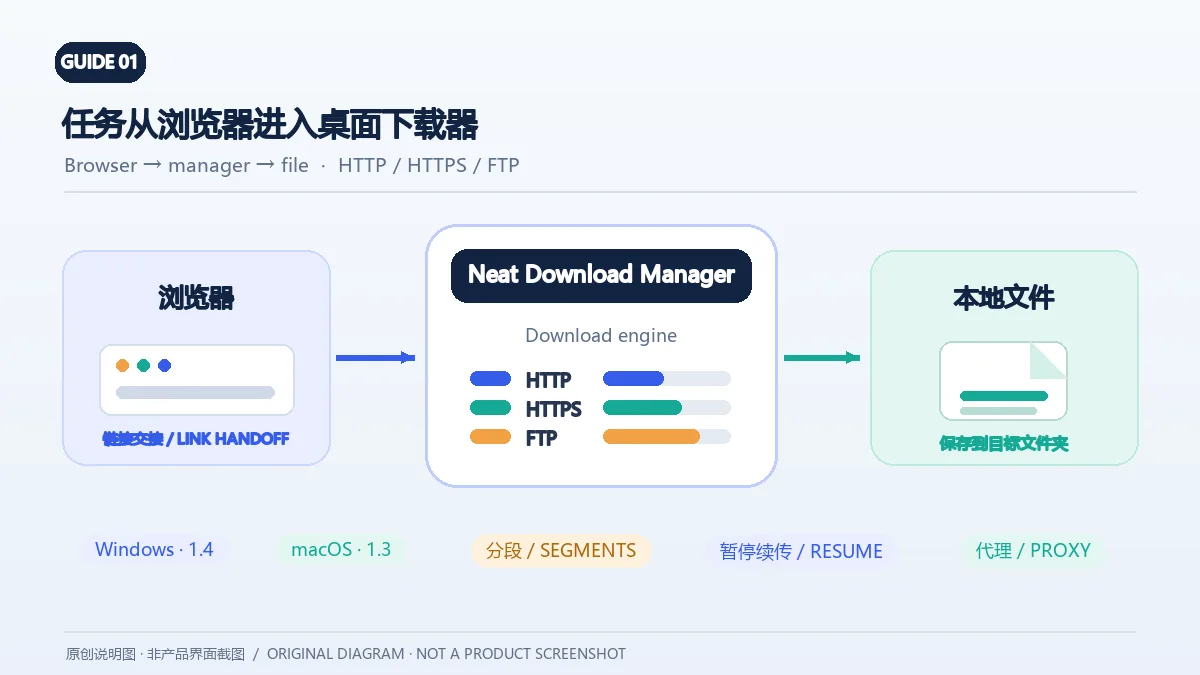
Neat Download Manager(NeatDM)是 Windows 与 macOS 桌面下载管理器,可管理链接任务、分段连接、代理、暂停续传和浏览器扩展。本文核对官网列出的 Windows 1.4 与 macOS 1.3,并说明版本日志、系统要求和安装包仍有哪些信息未公开。 / Neat Download Manager (NeatDM) is a Windows and macOS desktop download manager for browser handoff, segmented transfers, proxies, and pause/resume. This guide checks the publisher-listed versions and explains installation, compatibility, and missing desktop release notes.

Windows v1.4 · macOS v1.3The reviewed publisher pages do not provide formal desktop license text; check the terms distributed with the application before commercial use or redistribution.Clics sur les liens de téléchargement : 4
qBittorrent

qBittorrent

qBittorrent 是开源 BitTorrent 客户端,支持磁力链接、RSS、搜索和 Web UI。本页整理 Windows 10+ 稳定版 5.2.4、macOS/Linux 平台差异、安装核对与版权提醒。 / qBittorrent is an open-source BitTorrent client with magnet, RSS, search and Web UI features. Review stable v5.2.4, platform differences, setup checks and lawful use.

Windows v5.2.4 · macOS v5.2.3 · Linux v5.2.4Source code is GPLv2+; binary distributions are GPLv3+ due to GPLv3+ assets, with the OpenSSL linking exception described in COPYING.Clics sur les liens de téléchargement : 4
Une information erronée ou un lien défectueux ?Aidez-nous à améliorer