
WizTree Windows 4.33
4.33(2026-09-16):兼容WizTreeMac CSV双引号转义及根目录,新增启动准备扫描/许可说明,补全翻译,修复重命名文本框复制剪切。 / Improves WizTreeMac CSV interchange, startup guidance and translations; fixes copy/cut in rename editing.
게시일: 2026년 9월 16일· 항목 수정: 2026년 10월 20일
Windows磁盘空间分析,解释MFT扫描、实际占用、重复候选限制、4.33更新与个人/商业许可。 / Windows disk space analysis with MFT scanning, allocated space, duplicate limits, v4.33 notes and licensing.
별칭: Wiz Tree、WizTree磁盘分析
소프트웨어의 기본 정보와 출처를 확인하세요
Proprietary; personal use free; commercial license required
仅核实官方公开文档与图片;未下载、执行或扫描安装文件。 / Public publisher documents and images reviewed; no installer downloaded, run or scanned.
Windows磁盘空间分析,解释MFT扫描、实际占用、重复候选限制、4.33更新与个人/商业许可。 / Windows disk space analysis with MFT scanning, allocated space, duplicate limits, v4.33 notes and licensing.
WizTree 是 Windows 磁盘空间分析工具,用目录树和矩形树图帮助定位大文件。本文整理 WizTree 下载、4.33 更新日志与安装步骤,解释文件大小和实际占用的差异、重复文件识别的限制,以及个人免费和商业授权的区别,帮助你先确认文件用途、备份重要数据,再决定如何腾出硬盘空间,避免把系统目录当作垃圾删除。
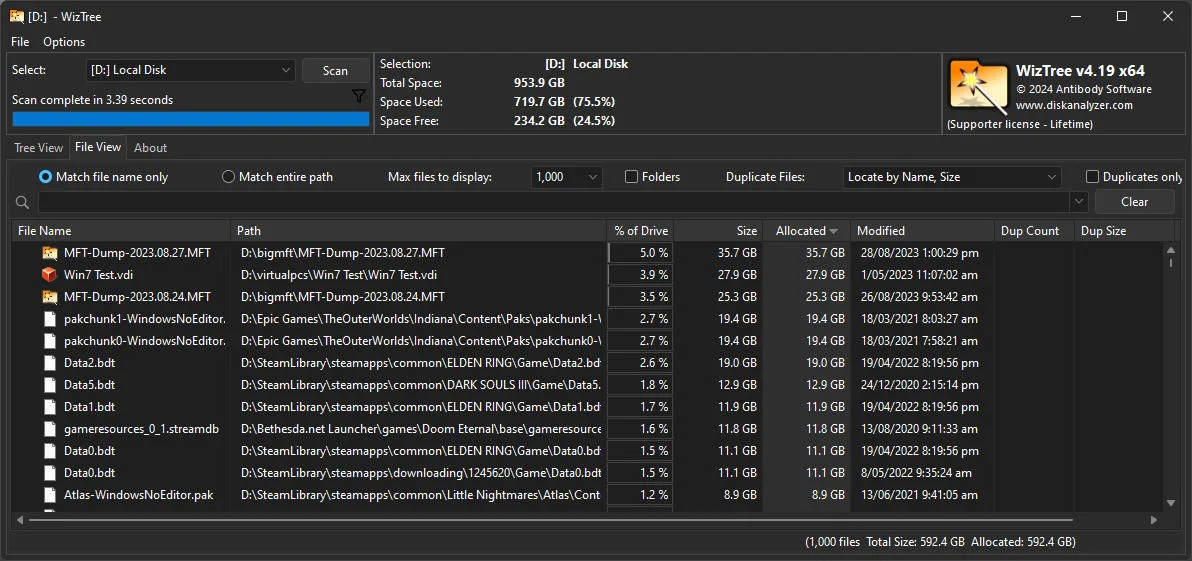
WizTree 由 Antibody Software Limited 开发,适合回答“C盘空间去哪了”“哪个目录最大”等具体问题。目录树提供路径层级,File View 将大文件放到同一列表,矩形树图用面积展示占用结构。先观察最大的目录,再回到完整路径判断归属,通常比盲目搜索所有临时文件更容易找到可处理的数据。
扫描 NTFS 卷时,管理员权限允许程序直接读取主文件表 MFT;普通权限及其他文件系统、网络位置采用不同扫描路径,速度与可见结果受权限和目标影响。官网的速度宣传不应被理解为对所有磁盘的固定承诺。识别大文件也不代表可以删除:虚拟机、备份、项目缓存应由对应软件管理,系统与程序目录应先确认用途。
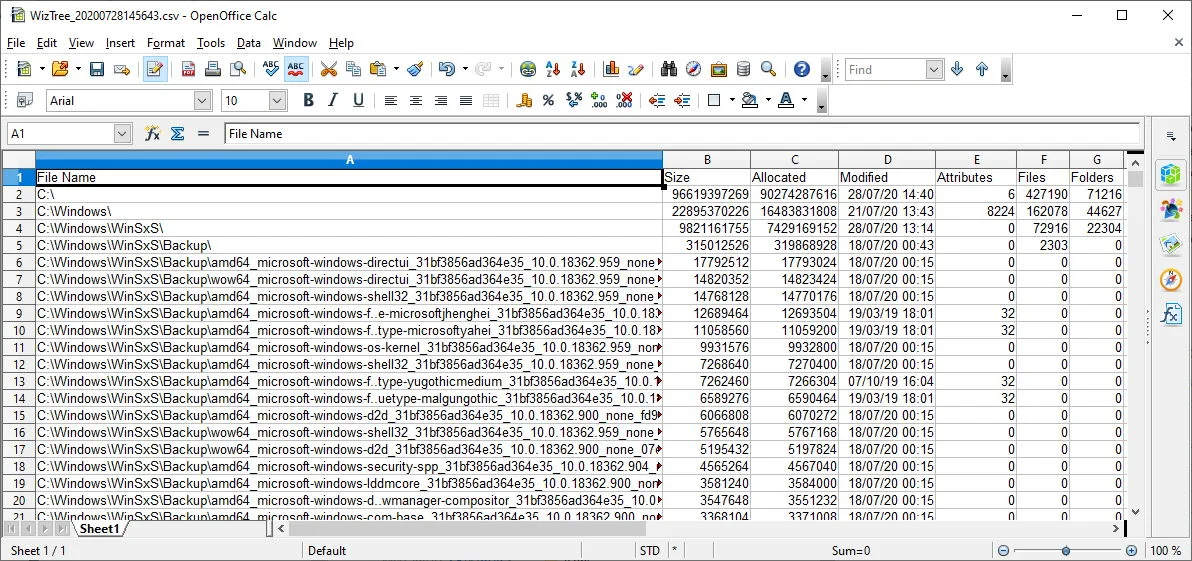
官网下载页提供安装包与便携包的 SHA-256 校验值。自行下载后可对照官网当时完整校验值检查传输完整性;本页仅保存来源信息,没有下载或扫描软件安装文件,不能据此作出无风险保证。免费许可只限个人使用,商业用途需按照组织规模购买相应许可。
官方将 Windows 4.33 的发布日期列为 2026年9月16日。此版改善与同日推出的 WizTreeMac 导出 CSV 的交换:处理 macOS 文件名中的双引号转义,并正确识别导入数据的根目录 /。启动画面新增准备扫描的提示、使用说明及适用的许可信息,补全各语言缺失翻译,并修复重命名文本框内复制、剪切失效的问题。
WizTreeMac 1.00 是单独的 macOS 应用,不能把其版本号写成 Windows 版版本。此前4.32说明 Windows Arm 通过 Prism 模拟运行,本页不把它写成原生 Arm 构建。当前下载页列出32/64位 Windows、Windows11/10/8/7/Vista/XP及Server2003+,这些是发行者列出的范围,未在每种系统上逐一实测。
为什么 Size 和 Allocated 不一样? Size是逻辑文件长度;Allocated是为保存文件实际分配的磁盘空间,通常按簇分配。压缩文件的Allocated可能更小,因此比较文件本身的大小和比较硬盘占用是两个问题。优先对照相同统计口径,不要用两个不同列直接判断磁盘异常。
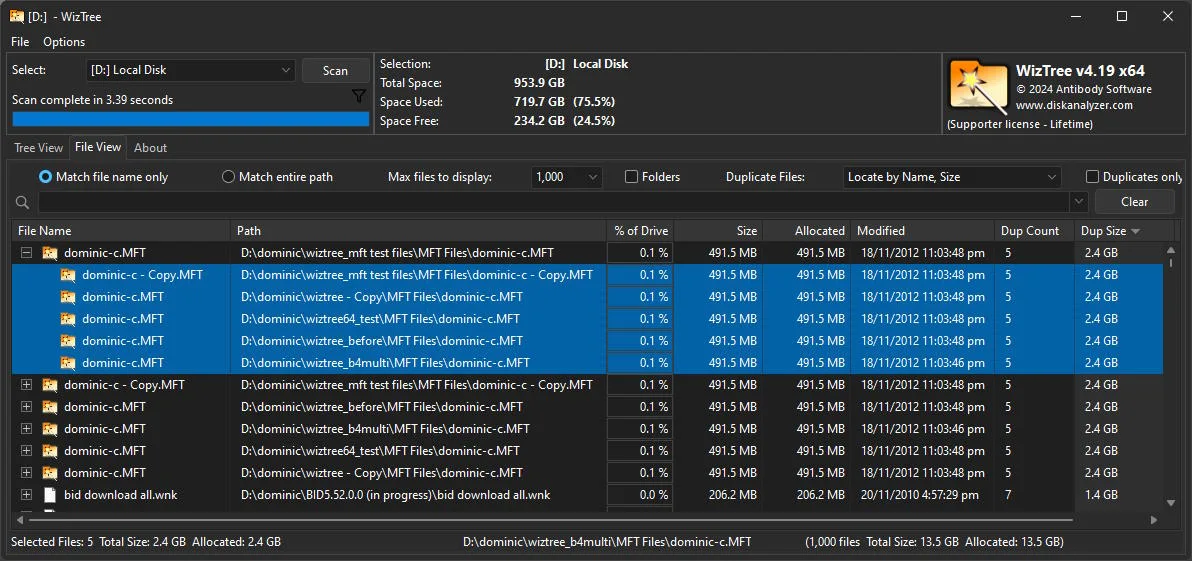
重复文件可以一键全部删掉吗? 不建议。官网版本说明明确其重复识别按名称、大小以及可选日期等条件匹配,不比较文件内容;同名同大小不等于内容一致,也不代表某个副本对应用没有用途。删除前核对完整路径与文件实际用途,保留备份。
没有管理员权限还能使用吗? 可以选择普通权限运行,但高速NTFS扫描依赖管理员权限,访问范围和处理方式可能不同。遇到访问被拒绝时,先核对目录权限与目标,不应随意修改系统文件权限。
下载后提示不安全怎么办? 先核对官方域名、文件版本与数字签名,使用系统安全软件复核。校验值一致只说明与发布方文件相符,不能证明所有运行行为都适合当前设备;不要仅为运行程序关闭防护。
公司电脑也能永久免费吗? 官网明确免费版仅供个人使用;商业用途有Supporter及Enterprise授权,费用和覆盖范围以官网当时条款为准。
选择 WizTree 下载包后,从一个具体空间问题出发完成扫描、路径确认与备份,再通过合适的软件管理数据。它提供空间分布证据,最终保留或删除文件的决定仍需依据实际用途。
WizTree download guide: install v4.33, locate large files, compare size and allocated space, review release notes, and check duplicate and license limits.
WizTree from Antibody Software Limited helps investigate concrete questions such as a full system drive or a rapidly growing project folder. Tree View preserves directory hierarchy, File View collects large files in a sortable list, and the visual treemap represents their space distribution. Start with a large branch, inspect its complete path, and determine which application owns it before deciding on cleanup.
Administrator access enables direct reading of the NTFS Master File Table. Other file systems, network targets, and ordinary permission mode use different scanning paths, so timing and visibility depend on the target and access rights. Publisher performance claims are not a fixed speed guarantee for every disk. Backups, virtual machines, and application data should be managed with their owning application where possible.
The download page publishes SHA-256 values for its installer and portable package. After downloading yourself, compare against the complete value currently shown by the publisher to check transfer integrity. No installer was downloaded or scanned for this page. Personal use is free; commercial use requires the applicable paid license.
The publisher dates Windows v4.33 to September 16, 2026. It improves interchange with CSV files produced by WizTreeMac, including escaped double quotes in macOS filenames and correct handling of the macOS root directory /. The startup view adds a ready-to-scan message, explanatory text, and applicable license information. Missing translations are updated, and copy/cut operations in the rename text box are fixed.
WizTreeMac 1.00 is a separate macOS application, not the Windows version number. Earlier v4.32 notes confirm Windows Arm operation through Prism Emulation; this is not described as a native Arm build. The current download page lists 32/64-bit Windows, Windows 11/10/8/7/Vista/XP and Server 2003 onward. These are publisher-listed requirements rather than a local test of every operating system.
Why do Size and Allocated differ? Size is the logical file length. Allocated is the disk space assigned to store it, generally in multiples of the file system's cluster size. Compressed files can have a smaller allocated value. Compare the same measure before interpreting a difference as a disk problem.
Can I delete all reported duplicates? The publisher explicitly says duplicate detection uses metadata such as name, size, and optionally date rather than comparing file contents. Matching metadata does not prove identical contents or show that a copy is unnecessary to an application. Check full paths and actual purpose, and retain a backup.
Can I use ordinary permissions? Yes, but high-speed NTFS scanning requires administrator access, and access scope or scanning behavior can differ. Investigate permissions and the selected target rather than changing protected system-folder permissions.
What if Windows flags the download? Verify the official source, filename, version, and digital signature, then review it with system security tools. A matching publisher hash establishes file consistency, not a guarantee that every behavior suits your machine. Do not disable protection simply to launch an unfamiliar file.
Is it free for my company? The official free tier is for personal use only. Supporter and Enterprise licenses cover commercial use under the publisher's current terms and organizational limits.
After choosing a WizTree download, work from a specific space problem through scanning, path review, and backup. Its results explain space distribution; file retention and cleanup still depend on what the data is used for.
정보 검증일: 2026년 10월 20일
최초 게시: 2026년 10월 20일· 편집 수정: 2026년 10월 20일
个人使用免费,商业用途需相应Supporter或Enterprise许可。 / Free for personal use; commercial use needs the applicable license.
其匹配不比较内容,先确认路径、实际内容与用途,保留备份。 / Detection does not compare contents; review paths, data and purpose, and retain backups.
TeamSpeak 是面向游戏、团队、商务和社群的语音通信平台,官方介绍包含消息交流与服务器管理。本条目对应官方列出的 Windows 64 位 TeamSpeak 3 3.6.2。
微软官方 Windows 10 下载页提供媒体创建工具入口和安装介质制作说明,页面将 22H2 标示为最终版本。Windows 10 Home 和 Pro 支持已于 2025 年 10 月 14 日结束;LTSC 版本按各自生命周期执行。

LX Music 洛雪音乐助手桌面版:官方Windows安装包、2.12.6更新、列表备份与播放排查。 / Official desktop packages, release notes, playlist preservation and playback troubleshooting.

EA app(原 EADesktop)Windows游戏客户端:官方安装、EA账号与游戏库、自动更新和故障帮助。 / EA client setup, game library, account checks, automatic updates and troubleshooting.

R2V 是 Able Software 的 Windows 地图与工程图栅格转矢量工具。查看官方 7.5 试用版、安装要求、GIS/CAD 输出与数据检查建议。 R2V converts scanned maps and drawings into GIS/CAD vectors; includes official trial and setup guidance.

Ant Renamer 经典版:Windows 批量改名、规则预览、2.13 更新与日期区别、高DPI设置及格式排查。 / Classic Windows batch renamer with rule previews, v2.13 notes, distinct program/package dates and display troubleshooting.

Sideloadly 是 Windows/macOS 桌面 IPA 侧载工具,可将兼容 IPA 安装到 iPhone、iPad、Apple Silicon Mac 和 Apple TV;官网列出 Wi-Fi 侧载与自动刷新。 | Sideloadly is a Windows/macOS IPA sideloading utility for iPhone, iPad, Apple Silicon Mac and Apple TV, with Wi-Fi sideloading and automatic refresh features listed by the publisher.

DiskGenius 6.2:官方安装器与便携版、免费和专业版权限、当前更新及数据恢复位置检查。 / Official v6.2 package choices, Free/Professional differences, release notes and recovery-destination guidance.

读取DPC、ISR与硬缺页定位音频中断线索,区分7.31修复、家庭版许可与当前Windows驱动阻止限制。 / Interpret DPC, ISR and pagefault reports with v7.31 notes, Home Edition licensing and current Windows driver-policy limits.
PowerToys 是 Microsoft 提供的 Windows 实用工具集合,帮助用户自定义 Windows 并简化日常任务;资料列出的版本为 v0.102.3001。

Process Lasso 是 Bitsum 的 Windows 进程管理与自动化工具,提供 ProBalance、Performance Mode、进程规则和硬件监控。稳定版 18.4.0.48 支持 Windows 10、11 与 Windows Server;免费版可长期使用,部分高级功能需要 Pro。 / Process Lasso is Bitsum’s Windows process-management and automation utility, with ProBalance, Performance Mode, process rules and hardware monitoring. Stable version 18.4.0.48 supports Windows 10, 11 and Windows Server; some advanced features require Pro.

TrafficMonitor Windows 网速与资源监控:1.86 Lite 架构选择、任务栏设置、版本变更和零读数排查。 / TrafficMonitor v1.86 Lite package selection, taskbar setup, release changes and troubleshooting for network readings.