Ant Renamer 经典版:Windows 批量改名、规则预览、2.13 更新与日期区别、高DPI设置及格式排查。 / Classic Windows batch renamer with rule previews, v2.13 notes, distinct program/package dates and display troubleshooting.
中文
Ant Renamer 是支持中文文件名的 Windows 批量重命名工具,可按编号、字符串、日期或 EXIF 信息整理文件。本文整理 Ant Renamer 下载安装步骤、2.13 更新日志及便携版区别,说明预览检查、同名冲突和高 DPI 模糊的处理方法,帮助你先用副本验证规则,再批量调整照片、文档与文件夹的名称。
Ant Renamer 下载前:把重命名规则和文件内容分开
Ant Renamer 由 Antoine Potten 提供,用于批量修改文件或文件夹名称,而非转换文件内容。它支持字符串替换、插入或删除字符、编号、大小写、日期时间、MP3 标签、EXIF 和正则表达式。例如,给一批照片加统一前缀与连续编号时,可以先决定文件排序、编号起点及位数,再检查预期新名称。仅把扩展名从一种格式改为另一种,不会把图片或文档转换为新格式。
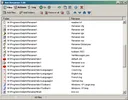
作者明确说明这是采用较旧工具维护的项目,另有他人开发的 C++/Qt 重写版。本文对应 Antoine Potten 的经典 Windows 2.13,不把另一项目的 Linux 支持或界面变化合并进来。官方功能页说明支持简繁中文等界面语言和 Unicode 文件名,两者仍有不同限制。
Ant Renamer 安装步骤:安装包或便携 ZIP
- 打开 Ant Renamer 官方下载页,选择 2.13.0 的完整安装包,或标明 without installation / portable 的 ZIP。源码包属于开发用途,不是普通用户的运行包。
- 使用安装包时,运行后按照向导选择目标目录;使用 ZIP 时,完整解压到可写文件夹再启动程序。页面说明两种包的程序相同,区别在于安装方式。
- 先复制少量待处理文件到临时工作文件夹,在 Files 中添加这些副本,再到 Actions 选择规则。一次先检查一种操作,避免同时加入替换、编号和日期规则后难以辨别结果来源。
- 检查所选文件的新名称预览,确认扩展名、顺序和编号,再用 Go 执行小批量处理并查看 Log。确认结果后再处理完整数据;预览并不能取代原始文件备份。
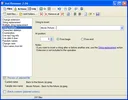
首次操作宜保留照片、工程文件和关联素材的原目录。更名可能让其他软件保存的路径失效,尤其是整个文件夹或成组资源;先验证副本,比更名后再寻找关联文件更容易控制影响。
Ant Renamer 2.13.0 更新日志:夏令时与时间偏移
官方 History 将 2.13 记为 2024 年 12 月 14 日。该版新增按近期 Windows 行为处理文件夏令时的选项,在 Windows 7 及以上默认启用;为 Date & time 和 EXIF Info 动作加入时间偏移;允许复制、粘贴 Multiple string replacement 的表格,以便导入导出;升级 TRegExpr 库,并修复若干问题。官方未逐项说明的缺陷不在此补造细节。

下载页同时列出 Program date 为 2024-12-14、Package last updated 为 2025-09-20。后者不能被写成一个新的 2.14 版本,也不意味着上述功能在 2025 年才加入。若按拍摄时间更名,先核对照片是否带 EXIF、选择的时间字段和偏移设置,再用跨时区或夏令时附近的样本检查结果。
Ant Renamer 常见问题 FAQ:模糊、冲突与格式
高 DPI 屏幕中文字模糊怎么办? 作者支持页说明,当 Windows 缩放高于 100% 时可能出现模糊。Windows 10/11 可在程序快捷方式属性中进入 Compatibility、Change high DPI settings,查看 Override high DPI scaling behavior 选项。先记录原设置,调整后重新打开程序观察;这不是新版界面重写。
为什么改扩展名后文件打不开? 重命名不会转换内部格式。保留原扩展名,使用能处理该格式的软件进行转换;不要把扩展名更改当作图片、音频或文档转换功能。
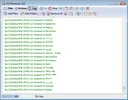
多个文件生成同一个名字怎么办? 回到规则和排序,增加可区分的编号或原名称部分,并检查已有目标名称。先在少量副本上检查错误日志,不要依赖软件自动替你决定哪一个文件应覆盖。
支持中文文件名就能在任何地区设置下显示中文界面吗? 不是。官方说明 Unicode 文件名与界面翻译分开;界面翻译受 Windows 区域设置所用字符集影响。另有日期格式中月份或星期带特殊字符的已知限制,遇到这类情况可先用数字日期格式做小样本比较。
需要购买注册码吗? 经典版按 GPL-2.0 或更高版本发布,官方提供免费安装包与源码。下载无需购买激活码;再分发或修改则应遵守许可证,而不能把免费理解为无条件去除版权信息。
进行 Ant Renamer 下载与批量改名时,先确认经典版本、保存原始文件,再用预览和日志检查规则。小批量验证排序、编号、日期与扩展名,可以让后续大量文件的命名更一致。
English
Ant Renamer download and setup guide: batch rename Windows files, preview naming rules, review version 2.13 changes, and troubleshoot blurry text and names.
Before downloading Ant Renamer: names are different from contents
Ant Renamer by Antoine Potten changes file and folder names in batches; it does not convert their contents. Actions include string replacement, insertion and deletion, numbering, case changes, dates, MP3 tags, EXIF information, and regular expressions. For a photo set needing a common prefix and sequence, decide the order, starting number, and digit count before checking proposed names. Changing an extension does not convert an image or document into another format.
The author describes this as an older project kept working with older tools and links to a separate C++/Qt rewrite by another developer. This page covers Antoine Potten's classic Windows v2.13; it does not merge the other project's Linux support or interface changes. Unicode filenames and translated interface text have different limitations.
How to install Ant Renamer or use its portable ZIP
- Open the official Ant Renamer download page. Choose the complete v2.13.0 installer or the ZIP labeled without installation / portable. Source archives are for development rather than ordinary setup.
- Run the installer and follow its directory-selection wizard, or fully extract the ZIP into a writable folder before starting the application. The page says both packages contain the same program; the installation method differs.
- Copy a few representative files into a separate working folder. Add those copies under Files, then choose one rule under Actions. Begin with one action rather than combining replacement, numbering, and dates before understanding each result.
- Check the selected file's proposed new name, including extension, order, and numbering. Use Go for a small batch and review Log before processing the full set. A preview is not a backup of your original files.
Keep the original directories for photos, project files, and linked resources. Renaming can break paths saved by another application, especially when moving through whole folders or grouped assets. Checking copies first makes those effects easier to identify.
Ant Renamer 2.13.0 release notes: DST and time offsets
The official history dates v2.13 to December 14, 2024. It adds an option for file daylight-saving-time handling matching recent Windows behavior, enabled by default on Windows 7 and later; offsets for Date & time and EXIF Info actions; copy and paste for the Multiple string replacement table; an updated TRegExpr library; and unspecified bug fixes. This guide does not invent individual fixes where the author supplies no details.
The download page separately lists Program date as 2024-12-14 and Package last updated as 2025-09-20. The package date is not a new v2.14 release or the date those features were introduced. For capture-time naming, check that EXIF exists, choose the intended time field, and review offset settings on representative photos around time-zone or DST changes.
Ant Renamer FAQ: blurry text, conflicts, and extensions
How can I address blurry text on a high-DPI display? The support page describes blur when Windows scaling exceeds 100%. On Windows 10/11, open the program shortcut's Properties, then Compatibility and Change high DPI settings, and review Override high DPI scaling behavior. Record the old setting and reopen the application to compare. This changes scaling behavior rather than rewriting its interface.
Why will a file not open after changing its extension? Renaming leaves the internal format unchanged. Restore the original extension and use an application that can convert the actual format. Extension changes are not image, audio, or document conversion.
What if several files generate the same name? Revisit ordering and add a distinct number or part of the original name. Check names already present at the destination and inspect a small batch's errors. Do not rely on automatic decisions about which file should be replaced.
Does Unicode support guarantee translated interface text in every locale? No. The author separates Unicode filenames from interface translations, which depend on the character set used by Windows regional settings. The features page also lists a known limitation involving month or day names with special characters; compare a numeric date format on a sample if needed.
Is a paid registration code needed? The classic version is supplied under GPL-2.0 or later with free packages and source. No purchased activation code is needed for the official download; modification and redistribution still follow the license.
For an Ant Renamer download and batch rename, confirm the classic version, retain originals, and use previews and logs to check rules. Verify order, numbering, dates, and extensions on a small set before processing a large collection.