Winlator 使用 Wine 和 Box86/Box64 在 Android 上运行 Windows 应用。本文提供官方11.2 APK、安装准备、5项正式更新与兼容排查。 / Winlator uses Wine and Box86/Box64 to run Windows apps on Android; includes official v11.2 APK access, setup, five stable changes and troubleshooting.
中文
Winlator 可在安卓设备上借助 Wine 与 Box64 运行 Windows 应用,但兼容情况取决于手机硬件和目标程序。本文整理 Winlator 下载与安装、11.2 更新日志和常见问题,说明官方 APK 来源、初次环境准备与配置思路,提供软件打不开、画面异常和音频杂音的排查顺序,帮助你先测试,再调整设置。
Winlator 是什么:Android 上的 Windows 应用兼容环境
Winlator 由 BrunoSX 开发,官网与 brunodev85/winlator 仓库互相对应。它使用 Wine 和 Box86、Box64,让 Android 设备尝试运行 Windows 的 x86/x86_64 应用。这个过程依赖兼容层、指令转换和图形驱动配合,不能把“支持 Windows 应用”理解为每款软件都能正常使用。
它更适合愿意为具体程序检查配置的用户:先用一个自己有权使用、数据量较小的应用建立基线,再逐步检查图形、输入和音频。Winlator 不提供 Windows 系统授权、游戏购买资格或软件安装文件;目标程序的许可证、账号要求和使用条件仍需分别确认。
Winlator 下载与安装:选择官方 11.2 APK
- 打开Winlator 官网,沿 Download 入口进入 brunodev85 的 GitHub 正式发布页,核对 Winlator 11.2 与 Winlator_11.2.apk。第三方名称相近的修改版可能有不同配置,不能用其介绍代替官方版说明。
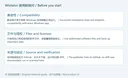
- 在 Android 手机上按系统提示安装,检查来源、可用空间和权限。当前正式发布页没有列出完整的最低系统与 GPU 清单,下载前应结合官方说明与手机条件判断;本页不据文件名保证设备兼容。
- 首次启动后等待应用自己的初始安装过程完成,期间保留足够的存储空间。开发者 README 将这一步单独列出,启动器能打开并不表示环境准备已经结束。
- 按应用提供的容器入口建立独立环境,从一个已授权的软件安装文件开始测试。先记下容器设置、程序版本和出现的错误,再决定是否需要调整兼容选项。
- 更新或修改环境前保留重要数据与原配置。此处整理开发者安装流程,本次未下载、安装或运行 APK。
Winlator 软件打不开或画面异常:按问题调整设置
先分清问题发生在哪一步:APK 无法安装、首次准备未完成、Windows 程序安装失败,以及程序能启动但画面或音频异常,处理方向各不相同。求助时提供手机型号、Android 版本、Winlator 版本、目标软件名称及重现步骤,比只描述“闪退”更容易定位。
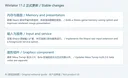
开发者 README 建议,运行不稳定时检查容器设置中的 Box64 预设;依赖 .NET Framework 的应用可查看 Start Menu → System Tools → Installers 中的 Wine Mono。旧游戏、Unity 程序、低分辨率显示和音频杂音也各有对应建议,应只选与症状相符的项目。比如音频噼啪声可尝试调整 ALSA/PulseAudio 的平均延迟,但数值不是通用最优值,需观察声音与响应的变化。
建议一次只改一个参数,重复相同场景并记录结果。官方还建议通过首页快捷方式启动游戏,以便保留单个程序的配置。不要把针对一款旧游戏的设置批量套用到所有容器,也不要用过高分辨率或不匹配的图形选项来判断手机一定有故障。
Winlator 11.2 更新日志:正式列表中的五项变化
本次核对的官方稳定发布为 Winlator 11.2,GitHub 发布于 2026年8月19日。页面在“v11.2 (Latest)”下列出:
- 增加运行 Steam 游戏时的节省内存选项。
- 改进已渲染图像的呈现。
- 实现用于原始输入的 XInput 扩展。
- 增加以 Android 前台服务运行 Winlator 的选项。
- 将 Mesa Turnip 更新至来自 whitebelyash 分支的 26.2.0。
同页还保留“v11.2 (Beta)”的 Box64、Vortek、Gladio 和手柄延迟等记录。这里将它们与正式列表分开,不把 Beta 区域的文字逐项重复写成此次正式版新增功能。前台服务选项与图形组件更新也不等于所有设备都能得到相同运行结果。
官方 APK 附件元数据列出 157,549,075 字节,SHA-256 为 ea5c81bf0e5b90a6b9ccb8007121ab6738c8646a5a60b341ce0ac2b33f1d100a。这些数据来自 GitHub 发布记录,本次没有下载文件或独立比对摘要、签名与运行行为。
常见问题 FAQ:安装、兼容和来源
Winlator 下载后无法安装怎么办? 检查文件是否完整、空间、系统安装提示与已有同包名应用的来源。覆盖安装出现签名冲突时,先确认渠道与需要保留的数据,再决定后续操作,不要直接清除所有环境。
为什么别人的游戏能运行,我的手机却打不开? 手机 GPU、驱动、Android 环境、目标软件版本及容器配置都可能不同。先按同一官方版本和简单场景比较,再查看具体错误;运行截图不能证明另一台手机兼容。
Winlator 是否内置游戏或 Windows 授权? 它是兼容运行工具。目标软件、游戏文件与相应授权需由用户自行合法取得,安装 Winlator 不会自动取得这些权利。
可以用它替代电脑完成所有工作吗? 是否适合取决于具体应用、输入方式和稳定性。重要文件先备份,先验证所需功能与保存流程,再决定是否用于持续工作。
官方 APK 是否已被本站检测? 本文仅核对官网、仓库、发布说明与附件元数据,未运行或扫描 APK。请继续核对来源、实际系统提示和软件要求,不把“开源”或发布平台当作安全保证。
寻找 Winlator 下载与安装帮助时,从官方 11.2 APK 和简洁测试环境开始;结合正式更新日志检查输入、图形和运行设置,再逐步加入自己的软件。
English
Winlator runs Windows software on Android through Wine and Box64. Find the official v11.2 APK, installation steps, release notes, and compatibility guidance.
What Winlator does on an Android device
Winlator is developed by BrunoSX. Its publisher website links to the brunodev85/winlator repository, and that repository links back to the website. It uses Wine and Box86/Box64 to run Windows x86/x86_64 applications on Android. Compatibility depends on the translation components, graphics drivers, device, and application; the general product description does not establish support for every Windows program.
Start with one small application you are authorized to use, then check graphics, input, and audio. Winlator does not supply Windows licenses, game purchases, or application installation files. Each program retains its own licensing, account requirements, and conditions.
Winlator download and installation: the official v11.2 APK
- Open the publisher website and follow Download to the official GitHub release. Check Winlator 11.2 and Winlator_11.2.apk. Third-party variants can differ from the official edition.
- Follow Android's installation prompts and check the source, available space, and permissions. The stable release page does not provide a complete minimum OS and GPU list, so review current publisher information for your device rather than treating the filename as a compatibility guarantee.
- On first launch, wait for the application's initial setup to finish. The developer lists this as a separate installation step; opening the launcher does not itself establish that preparation has completed.
- Use the application's container workflow to prepare an environment and test one authorized Windows program. Record its version, container settings, and error messages before making changes.
- Back up important data and note the original configuration before updating or modifying an environment. This guide summarizes the developer's steps; the APK was not downloaded, installed, or run here.
Troubleshoot a program that will not open or displays incorrectly
Distinguish an Android installation failure from incomplete first-launch preparation, a Windows program's installer failure, and a running program with display or audio problems. Include the phone, Android version, Winlator build, target program, and repeatable steps when seeking help.
The developer recommends reviewing the Box64 preset in Container Settings for instability. Applications requiring .NET Framework may need Wine Mono, found under Start Menu → System Tools → Installers. The README has separate suggestions for older games, Unity applications, low-resolution output, and audio crackling. Select a suggestion that fits the symptom. For example, changing average ALSA/PulseAudio latency may help crackling, but no single value is optimal for every program and device.
Change one setting at a time and repeat the same scene. The developer also recommends home-screen shortcuts for per-game settings. Keep a working baseline rather than copying every setting from an unrelated game or device.
Winlator 11.2 release notes: five stable changes
The checked stable release is Winlator 11.2, published on August 19, 2026. Under “v11.2 (Latest),” the official page lists:
- An option to save memory while running Steam games.
- Improved presentation of rendered images.
- An XInput extension for raw input.
- An option to run Winlator as an Android foreground service.
- Mesa Turnip updated to 26.2.0 from the whitebelyash branch.
The same page separately retains a “v11.2 (Beta)” section about Box64, Vortek, Gladio, and gamepad latency. Those notes are not relabeled here as separate additions in the stable list. The service option and graphics update do not guarantee the same outcome on every device.
The official APK asset metadata lists 157,549,075 bytes and SHA-256 ea5c81bf0e5b90a6b9ccb8007121ab6738c8646a5a60b341ce0ac2b33f1d100a. These are GitHub metadata values. No file was downloaded, independently hashed, signature-checked, or run for this guide.
Frequently asked questions: installation and compatibility
Why will the APK not install? Check file completeness, storage, Android prompts, and the source of an existing installation. A signature conflict needs source and data review before removing an environment.
Why does a game work on someone else's phone but not mine? GPU, drivers, Android environment, game version, and container settings may differ. Compare a simple case on the same official build and review the actual error; another device's screenshot is not a compatibility test for yours.
Are games or Windows licenses included? Winlator is a compatibility tool. You must obtain the software files and permissions separately; installing the launcher grants neither a game purchase nor a Windows license.
Can it replace my PC for every task? Suitability depends on the application, input needs, and stability. Back up important files and verify required functions and saving before relying on it for continued work.
Did RJ independently check the APK? This guide reviewed the publisher website, repository, notes, and asset metadata. The APK was not run or scanned. Review the source and system prompts; open-source licensing or a hosting platform is not a safety guarantee.
For Winlator download and setup, begin with the official v11.2 APK and a simple test environment, then use the stable release notes to review input, graphics, and application-specific settings.