
多设备聊天与消息集中管理
在电脑和手机之间保持日常通信,并按需集中管理多个消息服务。收录Element、Ferdium、Signal Desktop等站内已有工具,按实际用途选择适合自己的应用。

微信 Android 手机通讯应用:介绍私聊、群聊及媒体文件分享,提供官方安装步骤、8.0.79官网更新与商店日期差异、聊天资料保留及登录排查建议。 Weixin Android guide to official installation, chat and file sharing, update evidence and conversation preservation.
Apelidos: 微信、Weixin、WeChat Android
Autor: RJ.tools Editorial
Conteúdo assistido por IA
Conheça as informações básicas do software e suas fontes
Use is governed by Tencent’s current terms. The reviewed sources do not establish an open-source license or permission to redistribute APK packages. / 以腾讯当前条款为准,未核实开放源码或APK再分发授权。
com.tencent.mm微信 Android 手机通讯应用:介绍私聊、群聊及媒体文件分享,提供官方安装步骤、8.0.79官网更新与商店日期差异、聊天资料保留及登录排查建议。 Weixin Android guide to official installation, chat and file sharing, update evidence and conversation preservation.
微信Android下载与安装指南:核对腾讯官方入口、8.0.79更新、Google Play日期差异、聊天资料保留与登录排查。 Weixin Android download guide: official setup, chat backup checks, update notes and login FAQ.
微信 Android 版是腾讯提供的手机通讯应用,支持私聊、群聊,以及语音、图片、视频、文字和文件交流。本页整理微信下载、官方安装步骤、聊天资料保留建议与打不开时的排查方向,说明官网8.0.79更新记录和Google Play页面的版本日期差异,帮助你选择合适渠道,并在更新或换机前核对设备兼容、权限和重要资料。
腾讯微信官网将产品介绍为跨平台通讯工具,支持个人及多人交流,通过手机网络发送语音、图片、视频、文字和文件。本文只对应 Android 包名 com.tencent.mm 的微信手机应用;安装时应核对目标设备和入口,避免将桌面客户端或企业微信当成同一安装包。
用于家人沟通时,可以按需要选择文字或语音;群聊适合让同一讨论中的成员看到上下文;图片、视频与文件则承担不同的资料传递任务。这些能力不代表文件没有大小限制,也不代表每位接收者都已成功保存,具体限制与实际收取状态要在当前应用中确认。
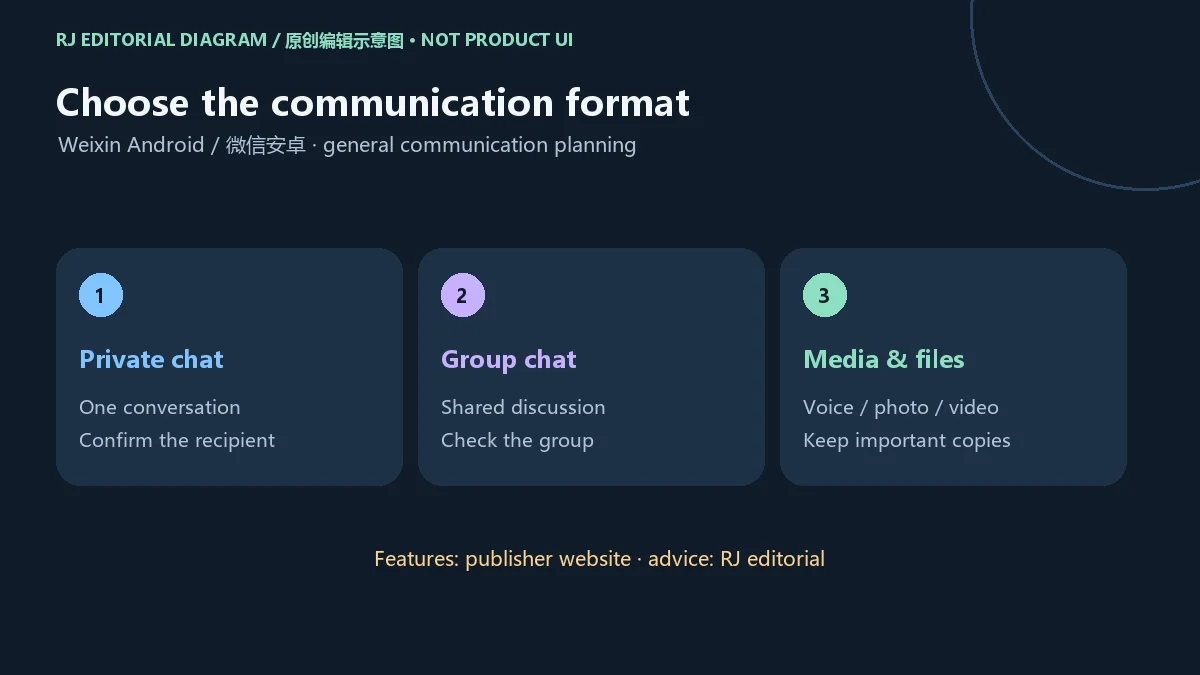
发送资料前先核对会话对象,尤其是名称相近的联系人或群聊。重要文件可另留一份自己能够管理的副本,再确认对方是否收到。这属于通用资料管理建议,不能据此推断微信的保存时长或恢复能力。
建议从腾讯微信官网进入 Android 入口,或查看 Google Play 的 com.tencent.mm 条目。官网的8.0.79更新详情页是本页提供的官方渠道入口。旧下载榜中的 APK 地址只用于定位历史候选,当前安装应重新从官方页面进入。
com.tencent.mm 及条目中的发行信息。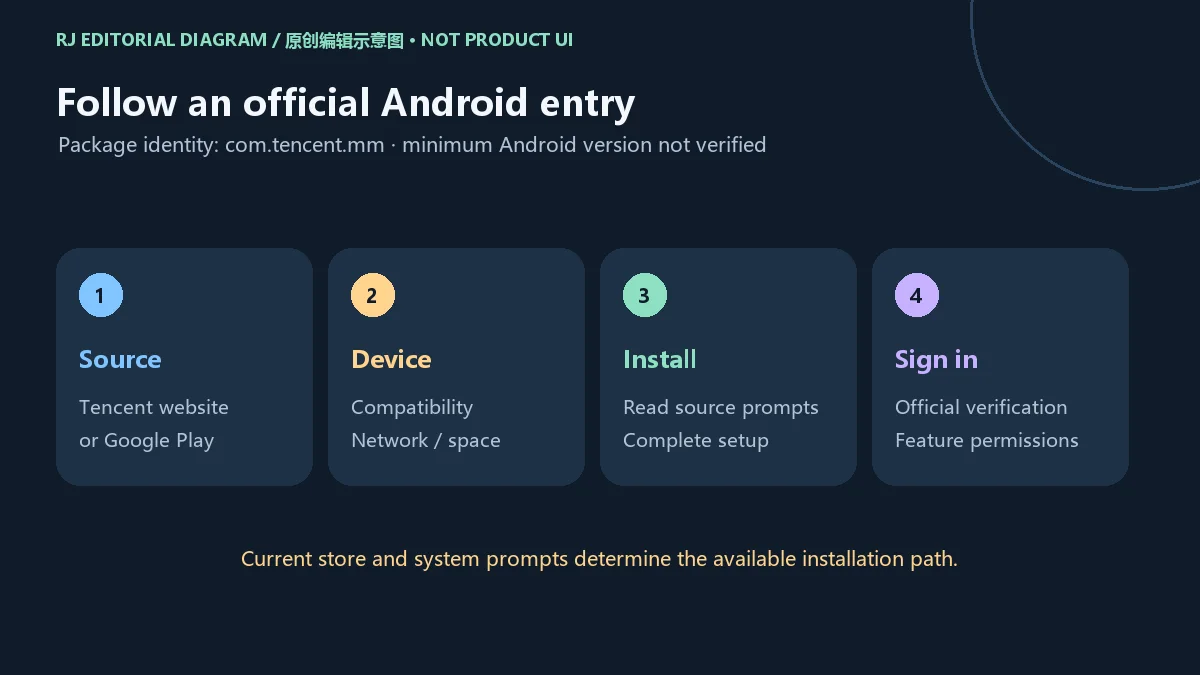
本站没有下载、托管、执行或扫描 APK,也没有核验安装包签名与哈希。遇到第三方页面宣称“修改版”或要求先安装无关下载器时,重新从上述官方入口核对所需产品。
聊天列表仍然可见,不能单独证明资料已经在另一台设备或备份位置可恢复。更新、清除数据、卸载或换机前,先整理需要保留的会话、照片、视频和文件,再在当前应用中查看可用的备份或迁移选项及帮助说明。
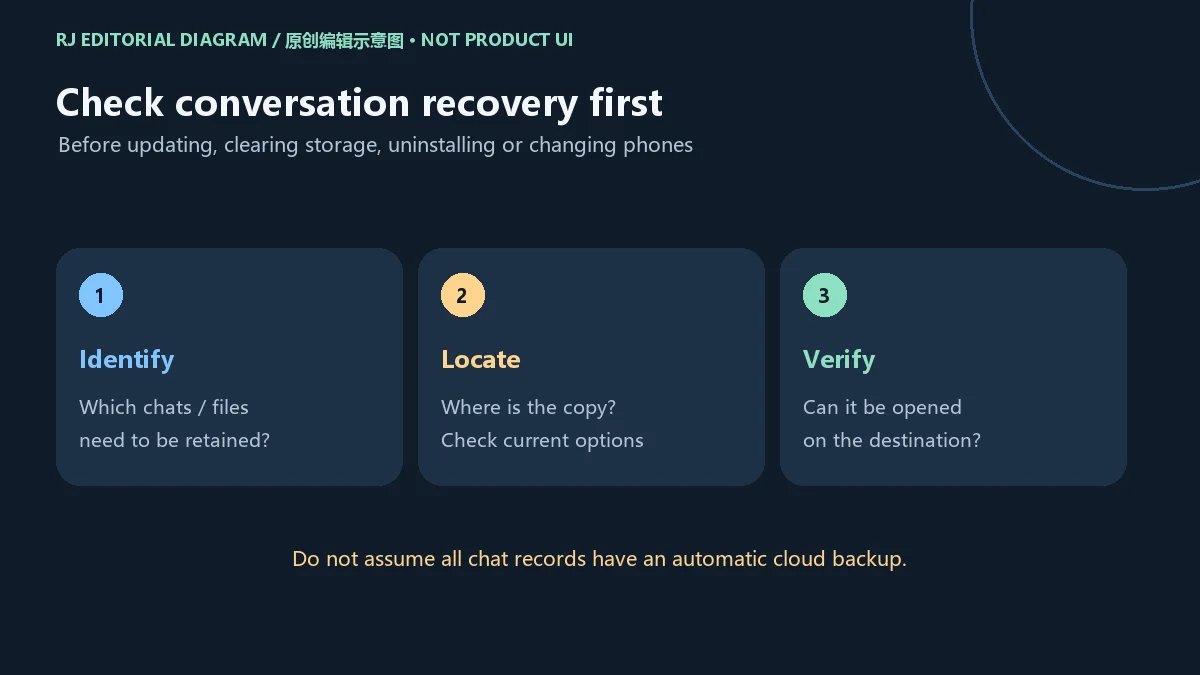
建议把资料保留分成三个可检查的步骤:知道需要哪些内容、知道副本存在哪里、知道如何恢复或打开。执行迁移时保留原设备与网络条件,按当前官方流程完成后再核对目标设备上的重要内容。不要假设全部聊天记录都会自动云备份。
若只是暂时无法登录或某个会话打不开,先记录错误提示和发生时间,避免直接清除应用数据。需要腾出空间时,区分可重新取得的文件与自己唯一保存的资料;不了解删除影响时,先查看当前应用说明。
官网 Android 更新详情明确记录 8.0.79,发布日期为2026年9月30日,主要更新文字为“解决了一些已知问题”。公开说明没有列出对应问题的详细清单,因此不能据此推断新增了某个功能,或某个登录、消息或兼容问题一定得到修复。
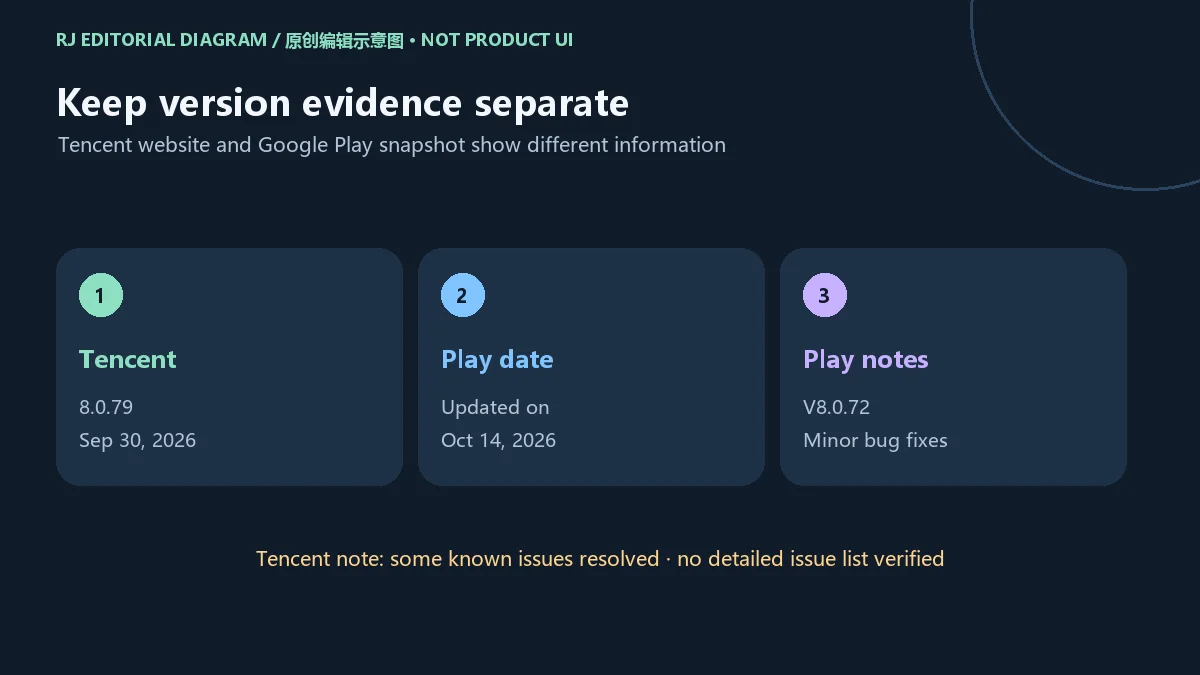
本次 Google Play 快照显示“Updated on Oct 14, 2026”,但“What's New”区域仍写 V8.0.72 / minor bug fixes。这两项商店信息与官网8.0.79记录应分别引用,不能将10月14日视为官网8.0.79发布日期,也不能据此确定某台设备实际获得哪个构建。
需要核对更新时,先查看本机已安装版本,再查看当前渠道的更新说明和可用按钮。分渠道、地区或设备的可用情况,以当前页面和应用显示为准;本页保留的是核验时的来源记录。
核验时 Google Play 可见评级为 12+,并列出用户互动、分享位置和应用内购提示。这是当时区域商店的披露,不能用于证明所有地区功能与商品相同。涉及付费或位置分享时,按当前应用页面确认适用条件、实际费用和接收对象。
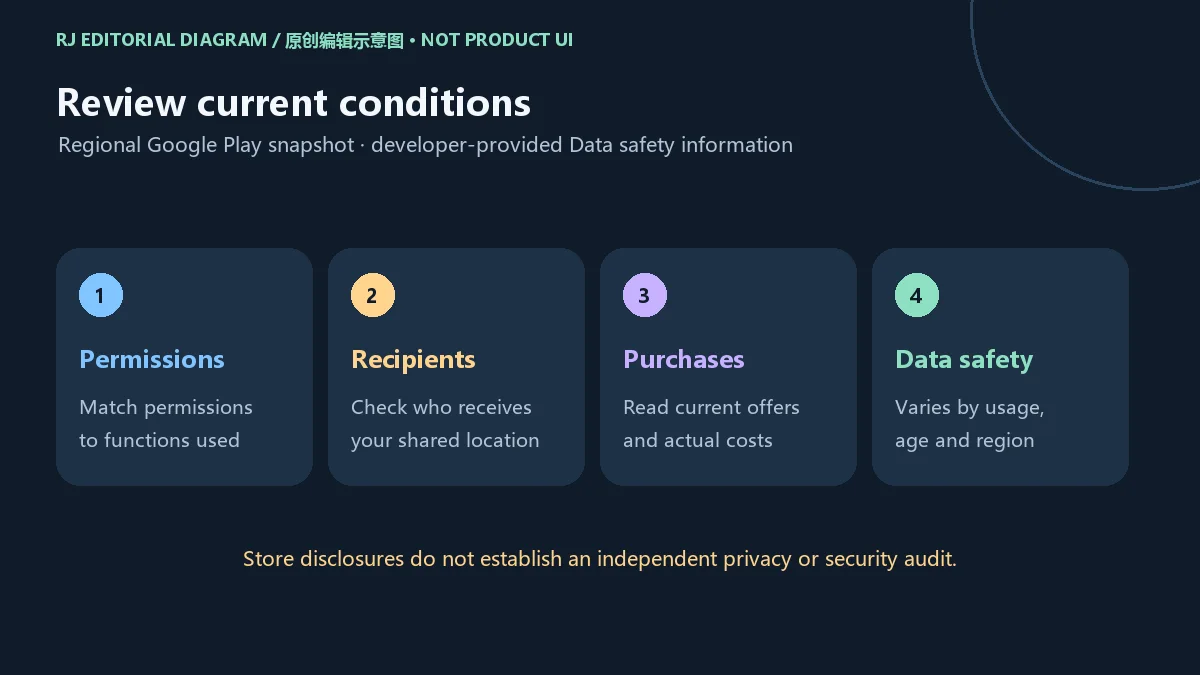
Play 的数据安全区域由开发者提供,且页面提示做法可能因地区、年龄与使用方式变化。本次快照写未与第三方分享数据,可能收集个人、财务及其他8类数据,传输中加密,并可请求删除数据。这些表述应连同来源和变化条件理解,不能作为本站独立隐私审计或安全保证。
授予权限时应考虑自己实际使用的功能。若语音或图片发送异常,可先检查相关系统权限与网络;如果服务要求账户验证,权限调整并不能代替验证。应用及相关服务的使用以腾讯当前条款为准,本次资料没有确立开放源代码许可或安装包再分发授权。
微信 Android 从哪里下载? 从腾讯微信官网的 Android 入口或 Google Play 官方条目进入,并核对包名 com.tencent.mm。本页官方渠道连接到腾讯版本详情页,不是本站托管 APK。
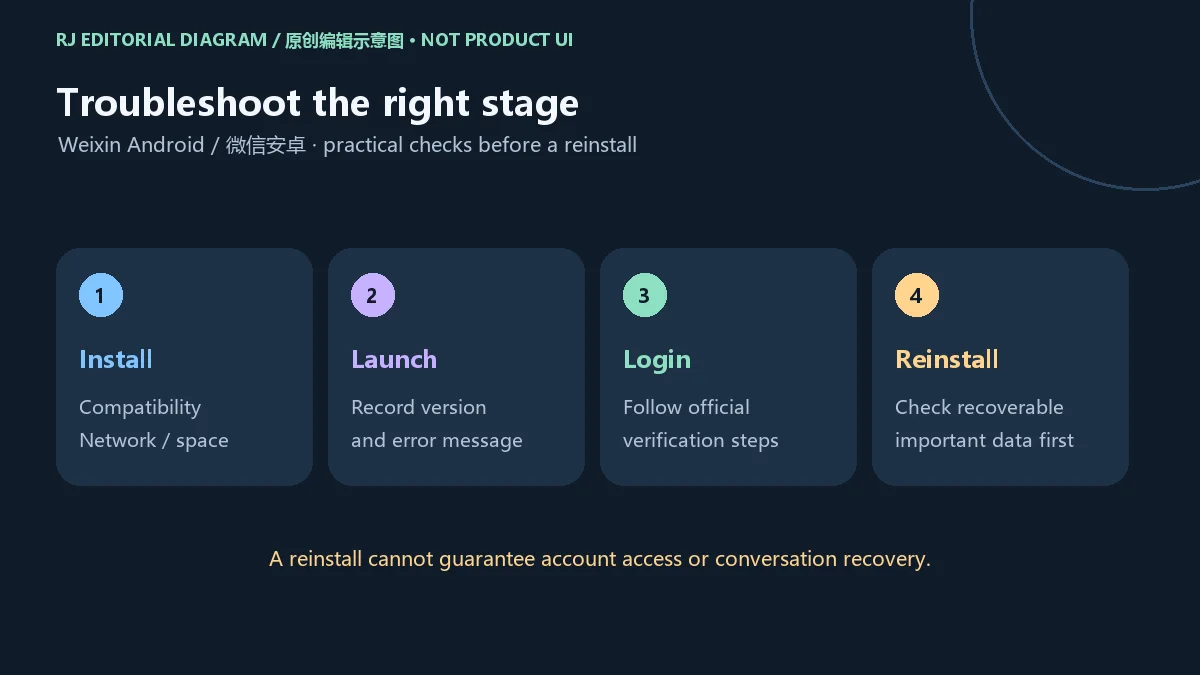
最低支持 Android 几? 本次核验没有确认最低系统版本。请在目标设备打开当前官方渠道,查看具体兼容提示,勿以旧榜单或其他机型经验代替。
安装失败或微信打不开怎么办? 检查网络、剩余空间、安装是否完成以及渠道兼容提示;记录系统和应用版本及报错。问题持续时使用官网或应用中的帮助入口,清除数据和重装前先确认资料保留方式。
登录验证失败,重装能解决吗? 重装不能保证解决账号验证问题。应按应用显示的官方验证或申诉流程处理,避免将验证码或账户资料交给声称代办的人。
聊天记录会全部自动恢复吗? 不能这样假设。先查看当前应用的备份或迁移说明,确认副本位置与目标设备上的内容,再考虑删除旧数据。
Google Play的10月14日是8.0.79发布日期吗? 官网记录8.0.79于9月30日发布;Play快照的更新时间和What's New中的8.0.72属于另一组来源信息,不能合并成相同构建结论。
搜索微信下载、微信怎么安装或微信打不开时,先核对官方入口与目标设备,再区分安装、登录和聊天资料三类问题;更新前阅读所属渠道的说明,换机前确认重要资料可用。
Weixin for Android supports chats and media sharing. Find official download and install steps, update-source differences, backup checks and help with login.
Tencent's Weixin website describes a cross-platform communication tool for individual and group conversations over a mobile network, with voice, images, video, text and files. This article covers only the Android phone application identified by package com.tencent.mm. Check the target device and entry point before installing; a desktop client or WeCom requires a different product check.
Text and voice suit different moments in a personal conversation, while a group keeps a shared discussion in context. Photos, videos and files carry different kinds of information. These capabilities do not establish unlimited attachment sizes or successful delivery and retention for every recipient; check current limits and the actual transfer state in the app.
Confirm the destination before sending, especially when contacts or groups have similar names. Retain an independently managed copy of an important document and confirm that the recipient received it. This is general information-management advice and does not establish a Weixin retention period or recovery guarantee.
Start at the Tencent Weixin website and select Android, or open the Google Play listing for com.tencent.mm. The official channel on this page leads to the 8.0.79 Android update detail. An APK URL in the historical ranking identifies a candidate; revisit a current official page for installation.
com.tencent.mm and the publisher information on the listing.
This site did not download, host, execute or scan an APK, or verify its signature or hash. If a third-party page offers a modified edition or requires an unrelated downloader, revisit the official entry point and confirm the intended product.
A visible chat list does not by itself prove that its contents can be restored on another device or from a backup location. Before updating, clearing storage, uninstalling or changing phones, identify the conversations, photos, videos and files you need to retain. Then review the backup or migration options and help currently available in the app.
A practical check has three parts: know which material matters, know where its copy is, and know how to restore or open it. Keep the original device and required network available during migration, follow the current official instructions, and check important content on the destination afterward. Do not assume all chats are automatically backed up to a cloud service.
For a temporary login failure or an inaccessible conversation, record the error and time before clearing data. When freeing storage, distinguish replaceable downloads from the only copy of a personal file. Review the current explanation of a deletion action if its effect is unclear.
Tencent's official Android update detail records 8.0.79, released September 30, 2026, with the brief statement “解决了一些已知问题”, meaning some known issues were resolved. It provides no detailed issue list in the checked entry. It therefore does not establish a new feature or prove that a particular login, messaging or compatibility problem was fixed.
The checked Google Play snapshot separately showed Updated on October 14, 2026, while its What's New text still said V8.0.72 / minor bug fixes. Keep these store observations separate from Tencent's 8.0.79 entry. October 14 is not evidence of the publisher's 8.0.79 release date, and the snapshot does not identify the build a particular device will receive.
For an update decision, check the version already installed, the current channel's notes and its available action. Current device, regional and channel availability must be checked at the time of installation. The dates here describe the evidence reviewed for this article.
The reviewed regional Google Play page displayed a 12+ rating and notices for user interaction, location sharing and in-app purchases. Those are store disclosures at the time of review; they do not establish identical services or offers in every region. Check the actual cost, conditions and sharing recipients in the current app before paying or sharing a location.
Google Play's Data safety information is supplied by the developer, and its page warns that practices can vary by region, age and usage. This snapshot stated no data shared with third parties, possible collection of personal, financial and eight other data categories, encryption in transit and a deletion-request option. Read these statements with their source and scope; they are not this site's independent privacy audit or safety guarantee.
Choose permissions according to the functions you use. For a failed voice or image transfer, checking relevant Android permissions and connectivity may help; permission changes do not replace an account verification requirement. Use remains subject to Tencent's current terms. The reviewed evidence did not establish an open-source license or package redistribution permission.
Where should I download Weixin for Android? Use the Android entry on Tencent's website or the official Google Play listing and check package com.tencent.mm. This page links a publisher update detail rather than hosting an APK.
What is the minimum Android version? It was not established by the reviewed sources. Open the current official channel on the intended phone and read its compatibility result rather than relying on the historical ranking or a different phone.
Why will installation or launch fail? Review connectivity, available space, installation completion and channel compatibility. Record the system version, app version and error. Use official help for a persistent failure, and confirm data retention before clearing storage or reinstalling.
Will reinstalling fix account verification? It cannot guarantee that result. Follow the app's official verification or appeal process. Do not give codes or account information to someone offering to complete checks for you.
Will all conversations restore automatically? Do not assume so. Read the current backup or migration instructions, confirm the copy location and inspect important content on the destination before removing old data.
Does October 14 prove that 8.0.79 was released then? No. Tencent records September 30 for 8.0.79. The Google Play update date and V8.0.72 notes form separate store observations and cannot be combined into one build claim.
For a Weixin Android download, installation question or launch problem, first confirm the official source and intended device. Separate installation, account access and conversation preservation checks, then read the appropriate channel's update notes and retain usable copies before changing phones.
Informações verificadas em: 18 de out. de 2026
Publicado pela primeira vez: 18 de out. de 2026· Revisão editorial: 18 de out. de 2026
从腾讯微信官网Android入口或Google Play的com.tencent.mm条目进入;本页渠道为腾讯官网版本详情。
本次来源未确认最低版本,请查看当前官方渠道对目标设备的兼容提示。
No. Review current backup or migration help, locate a usable copy and check destination content before clearing old data.
No. Tencent records 8.0.79 on September 30, 2026; the Play October 14 date and V8.0.72 notes are separate observations.
检查网络、空间和兼容提示,记录版本与报错;账号验证按官方流程处理,重装前确认资料保留。

云·原神是米哈游提供的 Android 云游戏客户端,本页解释其与完整《原神》包体的区别,并整理官网安装入口、网络排查及版本信息边界。 / Genshin Impact Cloud is miHoYo’s Android cloud gaming client. This guide covers its official entry, setup, network checks and release-information limits.

Cheat Engine Windows官方获取与安装准备指南:核对7.7版本、后续修补、安装器额外推荐与安全提示,了解成年、私人及教育用途条件。 Cheat Engine Windows guide to official setup, 7.7 release evidence, optional offers and permitted local study.

NatTypeTester 是用于检测 STUN NAT 映射与过滤行为的开源工具,10.0.10 提供 Android、Windows、macOS 和 Linux 发行包。 | NatTypeTester checks STUN NAT mapping and filtering, with 10.0.10 packages for Android, Windows, macOS and Linux.

Watt Toolkit(原 Steam++)是面向 Steam 相关任务的开源跨平台工具箱,包含网络、账号、库存和令牌功能。 / Formerly Steam++, Watt Toolkit is an open-source cross-platform toolbox for Steam-related network, account, library, and token tasks.
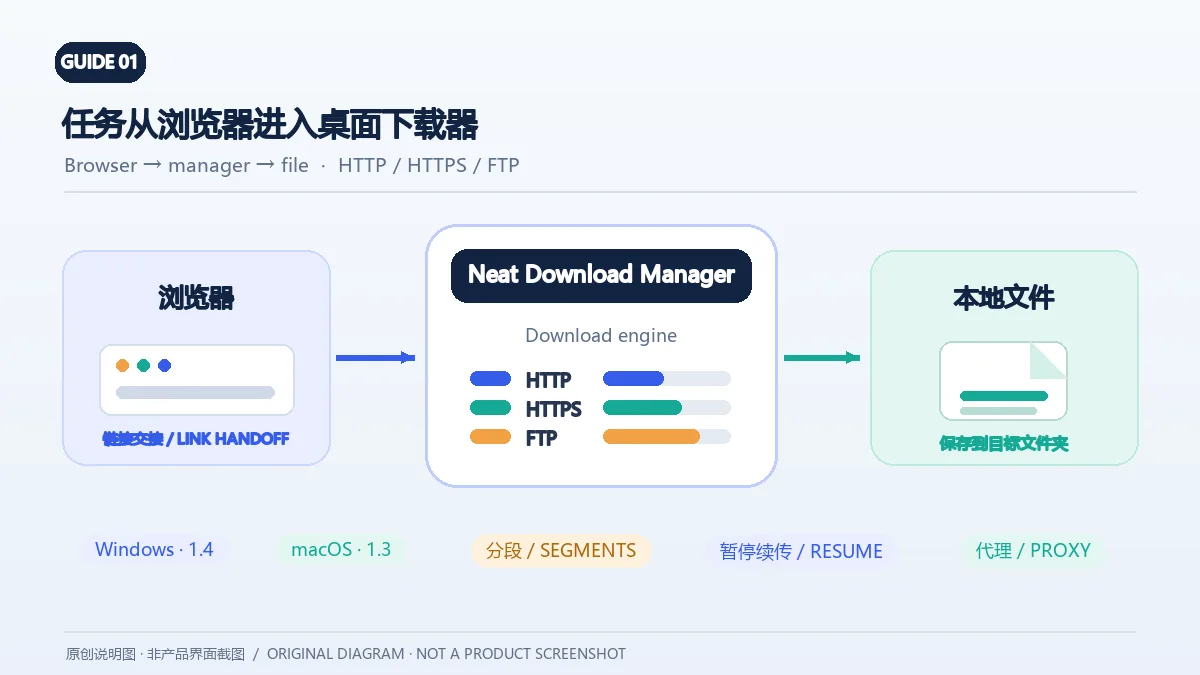
Neat Download Manager(NeatDM)是 Windows 与 macOS 桌面下载管理器,可管理链接任务、分段连接、代理、暂停续传和浏览器扩展。本文核对官网列出的 Windows 1.4 与 macOS 1.3,并说明版本日志、系统要求和安装包仍有哪些信息未公开。 / Neat Download Manager (NeatDM) is a Windows and macOS desktop download manager for browser handoff, segmented transfers, proxies, and pause/resume. This guide checks the publisher-listed versions and explains installation, compatibility, and missing desktop release notes.

qBittorrent 是开源 BitTorrent 客户端,支持磁力链接、RSS、搜索和 Web UI。本页整理 Windows 10+ 稳定版 5.2.4、macOS/Linux 平台差异、安装核对与版权提醒。 / qBittorrent is an open-source BitTorrent client with magnet, RSS, search and Web UI features. Review stable v5.2.4, platform differences, setup checks and lawful use.
腾讯手游加速器由深圳市腾讯计算机系统有限公司开发和运营。应用宝详情介绍网络加速、游戏相关辅助信息、预约与战绩数据等功能;支持情况以当前应用详情为准。

奇游 Windows 官方下载、安装步骤、区服选择与会员条件,保留7.3.0文件标识和官网页脚差异。 / Official Windows download, installation, route checks and membership terms with explicit version-evidence limits.