
温度、风扇、内存与进程调节
从温度、风扇转速、内存占用与进程安排等角度了解和调节电脑运行状态。收录Fan Control、MSI Afterburner、Process Lasso等站内已有工具,按实际用途选择适合自己的应用。

ThrottleStop 下载适合观察笔记本处理器降频原因的 Windows 用户。本页区分稳定版与测试版,介绍 CPU 监控、配置文件和安装方法,并结合温度、电源与硬件限制解释常见问题。使用前应记录原始设置,优先观察负载,确认适配器能力和厂商说明,再决定是否调整参数,避免把别人的电压或功耗数值直接套用到自己的电脑。 ThrottleStop download guide for Windows CPU monitoring: compare stable and beta releases, follow setup steps, and diagnose throttling with hardware context.
Aliasse: ThrottleStop旧版本
KI-gestützte Inhalte
Erfahre mehr über die Software und ihre Quellen
完整许可细则未独立核实,请遵循作者及随包许可。Full license terms not independently verified; consult the author and included terms.
本站仅核对公开资料与图片;未下载、运行、签名核验或扫描软件二进制。Public documentation/images reviewed; no program binary downloaded, run, signature-checked or scanned.
ThrottleStop 下载适合观察笔记本处理器降频原因的 Windows 用户。本页区分稳定版与测试版,介绍 CPU 监控、配置文件和安装方法,并结合温度、电源与硬件限制解释常见问题。使用前应记录原始设置,优先观察负载,确认适配器能力和厂商说明,再决定是否调整参数,避免把别人的电压或功耗数值直接套用到自己的电脑。 ThrottleStop download guide for Windows CPU monitoring: compare stable and beta releases, follow setup steps, and diagnose throttling with hardware context.
ThrottleStop 下载适合观察笔记本处理器降频原因的 Windows 用户。本页区分稳定版与测试版,介绍 CPU 监控、配置文件和安装方法,并结合温度、电源与硬件限制解释常见问题。使用前应记录原始设置,优先观察负载,确认适配器能力和厂商说明,再决定是否调整参数,避免把别人的电压或功耗数值直接套用到自己的电脑。
ThrottleStop 下载适合观察笔记本处理器降频原因的 Windows 用户。本页区分稳定版与测试版,介绍 CPU 监控、配置文件和安装方法,并结合温度、电源与硬件限制解释常见问题。使用前应记录原始设置,优先观察负载,确认适配器能力和厂商说明,再决定是否调整参数,避免把别人的电压或功耗数值直接套用到自己的电脑。
ThrottleStop 的价值在于把处理器线程状态与可调整项目放在一起,帮助有经验的用户判断持续负载下的频率变化。TechPowerUp 说明,部分笔记本会通过时钟调制或降低倍频限制性能和功耗,这可能与散热设计或电源适配器能力有关。看到频率下降时,先比较相同任务、供电方式和环境温度,再检查温度、功耗与限制提示;单个低频读数不足以证明机器存在故障。
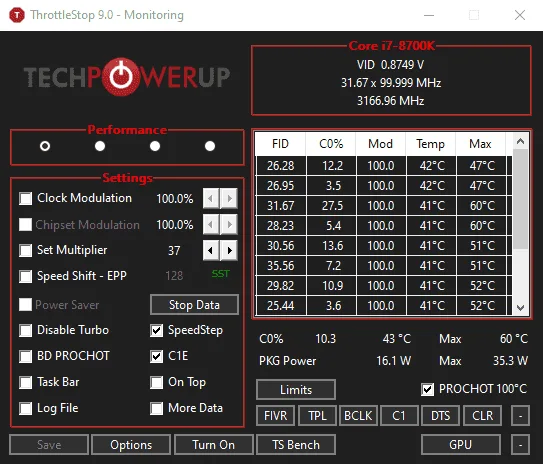
左侧设置与右侧监控面板承担不同作用。首次接触时建议先保留默认控制状态,记录空闲和工作负载下的表现,再决定是否需要进一步诊断。具体功能能否使用取决于处理器、固件和系统配置,本页不提供通用降压数值,也不承诺帧率或温度改善。
TechPowerUp 分发页提供的历史 ThrottleStop 9.0 监控截图,仅说明界面结构,并非 9.7 新版截图。
来源页列出的系统范围为 Windows 7、8、10、11,包含 32 位和 64 位环境;这不表示所有代际 CPU 都支持全部控制。对不了解的保护选项,应先查阅说明。TechPowerUp 明确提醒,绕过降频机制可能超过适配器能力,造成硬件损坏且影响保修,因此应把监测和诊断放在参数修改之前。
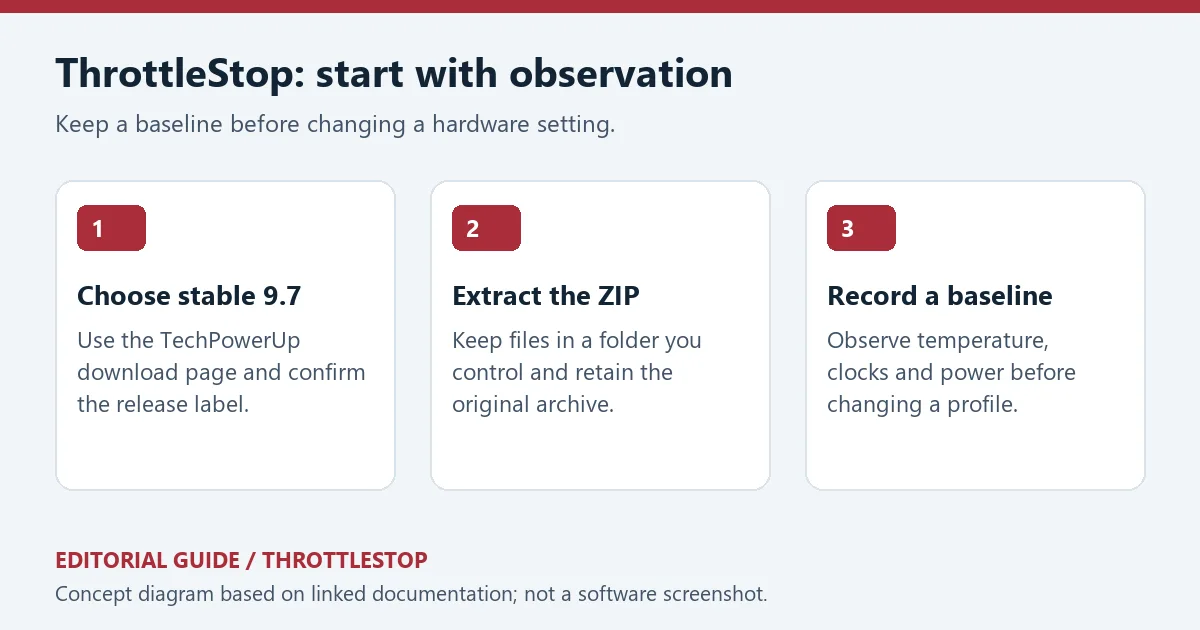
原创编辑示意:稳定版选择、解压文件和建立基线三个步骤;不是软件操作截图。
核验时,下载页将 2024 年 12 月 26 日发布的 9.7 标为最新稳定版;2025 年 4 月 2 日的 9.7.3 标为测试版。9.7 的更新包括按配置文件设置睿频功率限制、Speed Shift 最小与最大值及 PROCHOT 偏移;对符合条件且未锁定的第十代及更新 HX/K 处理器增加 FIVR 核心和缓存 V/F 调整;改进 Windows 11 通知区域图标,修复并扩展电源计划选择器,并加入 Safe Start 选项。
9.7.3 Beta 增加第十二代及更新处理器的逐核心调整、分别记录 P 核与 E 核日志,以及让 TPL 窗口对应当前配置文件。上述功能存在处理器条件,不应理解为任意笔记本都能启用。升级前先明确自己需要哪项修复,保留旧配置,并在相同负载下对照观察。
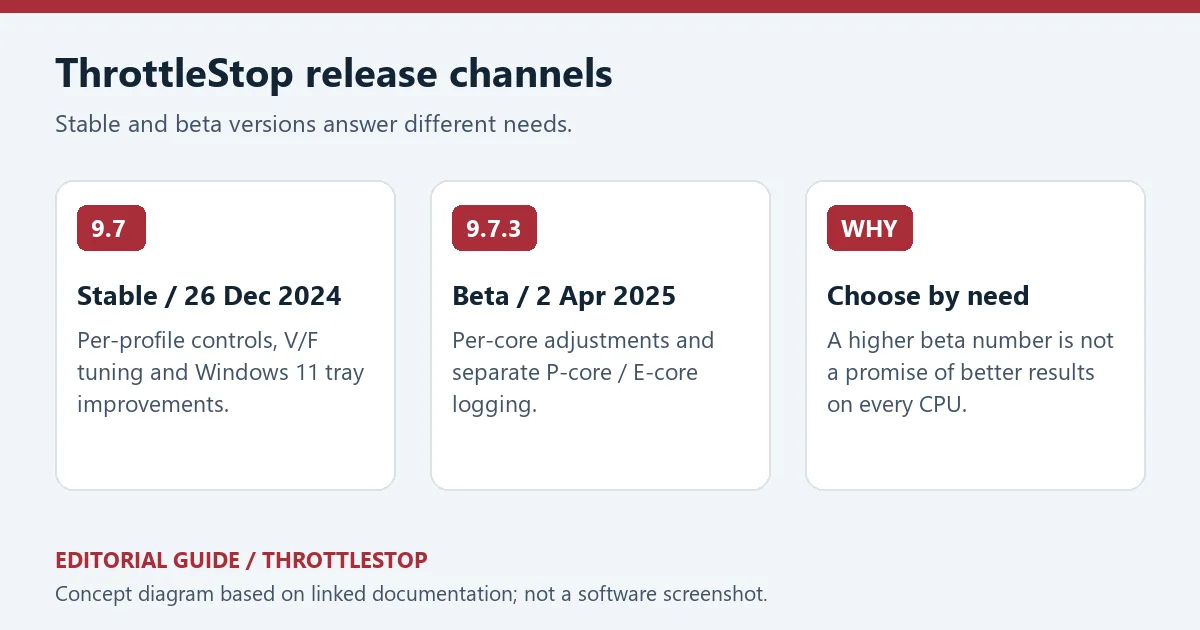
原创编辑图:9.7 稳定版与 9.7.3 测试版的发布日期和功能范围对照。
问:ThrottleStop 打不开或某些控制不可用怎么办?
答:先检查 ZIP 是否完整解压、系统是否在来源页支持范围内,再查看具体报错。部分控制受处理器代际与固件锁定影响;不要为使选项生效而关闭系统保护或改用来源不明的驱动。记录 CPU 型号和报错后查阅相应版本说明,比反复套用他人的配置更有效。
问:设置后仍然降频,是软件失效吗?
答:不一定。散热、电源适配器、固件与厂商功率策略都可能参与限制。先在同一任务下比较温度和供电状态,确认原因,再评估是否值得调整;软件不能替代硬件散热与供电条件。
问:这里是否验证过安装包安全?
答:本页核对了公开页面与图片,没有下载、运行、签名验证或扫描软件安装包,不能据此给出安全保证。ThrottleStop 下载应回到已列出的分发页面,区分稳定版与 Beta,使用前保留自己的配置记录。
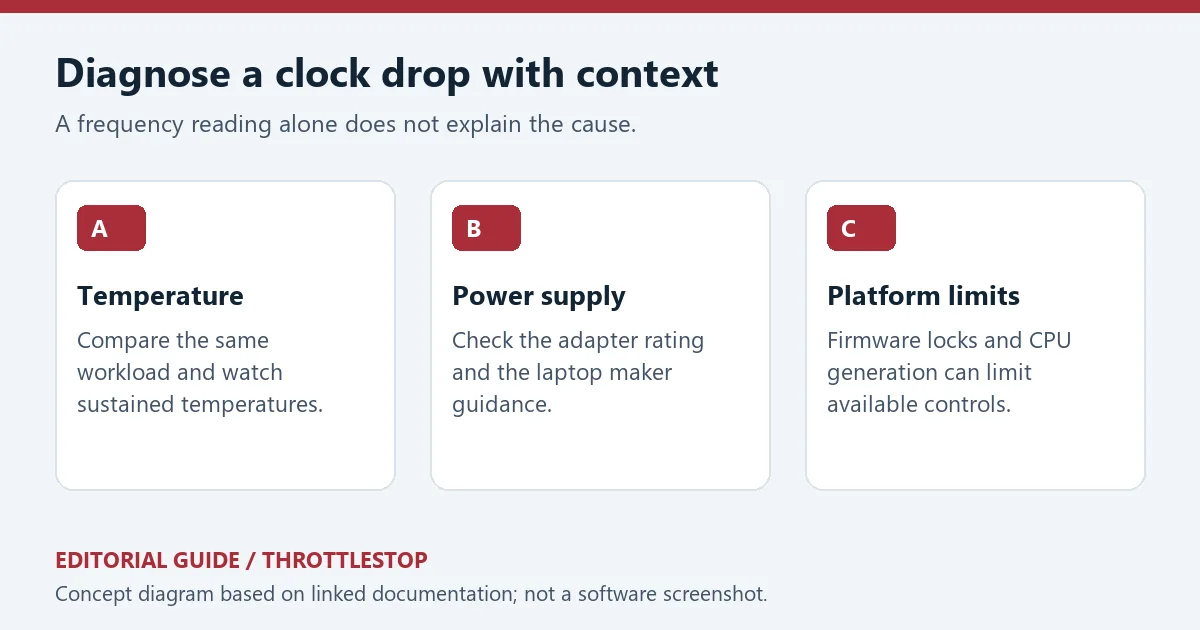
原创编辑示意:从温度、适配器和平台限制三个方向排查频率变化。
资料来源:来源 1;来源 2。核验日期:2026-10-19(北京时间)。
ThrottleStop download guide for Windows CPU monitoring: compare stable and beta releases, follow setup steps, and diagnose throttling with hardware context.
ThrottleStop brings per-thread CPU monitoring and configuration controls into one utility. TechPowerUp explains that some laptops deliberately use clock modulation or reduced multipliers to contain heat and power consumption, including designs whose adapters cannot simultaneously supply maximum system load and charge the battery. A falling clock is therefore a starting point for investigation. Compare the same workload, power connection and ambient conditions before assigning a cause.
For a first session, leave unfamiliar controls alone and record idle and sustained-load observations. The left-side settings and right-side monitoring panel serve different purposes. Available controls depend on the processor and firmware; no universal voltage offset, temperature reduction or performance gain is promised here.
Historical ThrottleStop 9.0 monitoring image supplied by TechPowerUp; it illustrates the layout, not the current 9.7 interface.
The source lists Windows 7, 8, 10 and 11 in 32-bit and 64-bit environments. This platform listing does not establish that every CPU supports every control. TechPowerUp warns that bypassing throttling may exceed adapter capabilities, damage hardware and affect warranty coverage. Start with observation and the computer maker's guidance.
Original editorial diagram: choose the stable release, extract the files and record a baseline; not an application screenshot.
At verification, the page labels 9.7, dated 26 December 2024, as Latest Stable and 9.7.3, dated 2 April 2025, as Beta. Version 9.7 introduces per-profile turbo power limits, Speed Shift minimum/maximum values and PROCHOT offsets. It adds core/cache V/F adjustment for eligible unlocked 10th-generation and newer HX/K processors, improves Windows 11 notification-area icons, fixes and expands power-plan selection, and adds a Safe Start option.
The 9.7.3 Beta notes describe per-core adjustment for 12th-generation and newer CPUs, separate P-core/E-core logging and a TPL window that follows the active profile. Those processor conditions matter. Select a channel for a documented need, preserve the previous configuration and compare behaviour under the same load after updating.
Original editorial comparison of the stable 9.7 and beta 9.7.3 release dates and documented scope.
Why will the program not open, or why is a control unavailable?
Confirm that the archive was completely extracted and check the specific error against the supported environment. CPU generation and firmware locks can restrict controls. Do not disable system protection or obtain an unknown driver just to activate an option; record the error and CPU model before looking for targeted guidance.
Does continued throttling mean the utility failed?
Not necessarily. Cooling, the adapter, firmware and manufacturer power policies can all affect sustained clocks. Compare temperature and power conditions during the same task. Software cannot replace sufficient cooling or power delivery.
Was the program binary tested for safety here?
No. Public documentation and images were reviewed; no software binary was downloaded, run, signature-checked or scanned. Use the cited distribution page for a ThrottleStop download, distinguish stable from beta, and retain your own configuration records.
Original editorial guide to investigating temperature, adapter capacity and platform restrictions.
Sources: source 1, source 2. Verified 19 October 2026 (China Standard Time).
Informationen geprüft am: 19. Okt. 2026
Erstmals veröffentlicht: 19. Okt. 2026· Redaktionelle Überarbeitung: 19. Okt. 2026
TeamSpeak 是面向游戏、团队、商务和社群的语音通信平台,官方介绍包含消息交流与服务器管理。本条目对应官方列出的 Windows 64 位 TeamSpeak 3 3.6.2。
微软官方 Windows 10 下载页提供媒体创建工具入口和安装介质制作说明,页面将 22H2 标示为最终版本。Windows 10 Home 和 Pro 支持已于 2025 年 10 月 14 日结束;LTSC 版本按各自生命周期执行。

LX Music 洛雪音乐助手桌面版:官方Windows安装包、2.12.6更新、列表备份与播放排查。 / Official desktop packages, release notes, playlist preservation and playback troubleshooting.

EA app(原 EADesktop)Windows游戏客户端:官方安装、EA账号与游戏库、自动更新和故障帮助。 / EA client setup, game library, account checks, automatic updates and troubleshooting.

R2V 是 Able Software 的 Windows 地图与工程图栅格转矢量工具。查看官方 7.5 试用版、安装要求、GIS/CAD 输出与数据检查建议。 R2V converts scanned maps and drawings into GIS/CAD vectors; includes official trial and setup guidance.

Windows磁盘空间分析,解释MFT扫描、实际占用、重复候选限制、4.33更新与个人/商业许可。 / Windows disk space analysis with MFT scanning, allocated space, duplicate limits, v4.33 notes and licensing.

XMBC 鼠标映射:Windows安装、应用配置与层、2.20.5修复、五键限制和重复输入排查。 / XMBC setup, application profiles and layers, v2.20.5 fixes, five-button limits and repeat troubleshooting.

Armoury Crate 设备管理与 Aura Sync 下载指南:核对华硕机型、Windows 安装要求、应用6.4.7及不同安装包版本。 ASUS device controls, lighting, official setup and version checks.

DS4Windows 是 Windows 手柄映射与虚拟控制器工具。本页整理 DS4Windows 3.5 社区延续版、DualShock/DualSense 配置、安装依赖和双输入排查。 / DS4Windows maps gamepad input and creates virtual controllers on Windows. This guide covers the v3.5 community continuation, setup, profiles, and duplicate-input troubleshooting.

JoyToKey 手柄映射工具:Windows 安装与 ZIP 设置、7.4 命令输入、配置迁移和共享软件许可说明。 / Windows controller mapping guide covering setup, version 7.4 commands, profile migration and shareware licensing.

FurMark 显卡压力测试与基准工具指南,介绍官方下载和平台选择、安装准备、测试条件记录、版本更新,以及打不开、画面异常和分数差异的排查思路。 FurMark GPU stress test guide with official setup, version notes, controlled comparisons and practical FAQs.

SysCeo 驱动总裁 Windows 在线版本 2.21.0.0,官方页面日期为 2026-09-15,列出桌面与 PE 驱动安装、在线和离线驱动库及 Boot Camp 匹配。本页整理页面更新说明、安装前硬件核对、系统还原准备和 MD5 的用途;下载入口只链接官方产品页,不提供站外文件直链。 / SysCeo lists Windows 2.21.0.0, desktop and PE use, online/offline libraries and Boot Camp matching. This guide explains release notes and cautious setup; the download entry links only to official product information.