
键鼠外设、灯效与设备配置
管理兼容品牌外设的按键、灯效和设备相关设置。收录Armoury Crate、Logitech G HUB、Razer Synapse 4等站内已有工具,按实际用途选择适合自己的应用。
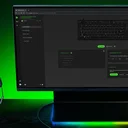
Razer 外设配置软件,可管理按键、宏、性能与 Chroma 设置;功能依设备型号而异。 | Razer peripheral software for mappings, macros, performance and Chroma; features vary by model.
別名:Razer Synapse、雷云4、雷云3 Razer Synapse
ソフトウェアの基本情報と提供元を確認できます
Proprietary software; use is subject to Razer's current terms.
仅核对 Razer 官方产品页、兼容设备说明和补丁记录;安装包未下载、验签、安装或运行。 / Razer product, compatibility and release pages only; the installer was not downloaded, signature-checked, installed or run.
Razer 外设配置软件,可管理按键、宏、性能与 Chroma 设置;功能依设备型号而异。 | Razer peripheral software for mappings, macros, performance and Chroma; features vary by model.
Razer Synapse 4(雷云4)可配置兼容 Razer 键鼠、耳机的按键、宏、性能与 Chroma 灯效。本文说明 Windows 下载与安装、Mac 预览版入口、Synapse 3 配置迁移、2026 年 10 月更新、设备兼容及 Windows 10 支持变化,并解答连接问题与安装疑问。
Razer Synapse 4 是 Razer 提供的 Windows 外设配置软件。官网将它用于调整兼容设备的按键映射、宏和性能设置,并管理 Chroma RGB 灯效。它适合需要为多款 Razer 外设分别保存配置、切换设备选项或使用受支持快捷功能的用户;软件本身不会让不兼容的外设获得专属功能。
不同鼠标、键盘、耳机和控制器能显示的选项并不相同。例如按键重映射、轮询率、灯效、Snap Tap 或快速触发需要相应型号与硬件支持。安装前先查看 Razer 的兼容设备清单,再按实际设备选择功能,避免把产品页上的所有演示都理解为每台设备都能使用。
图片来源:Razer Synapse 4 官方产品页。这是厂商宣传图片,不是本地实机运行截图。

图片来源:Razer Synapse 4 官方产品页。该图是迁移功能示意,不表示本次已在设备上完成迁移。
Razer Insider 的 2026 年 10 月 14 日 Windows 补丁说明列出 Windows Synapse 4.0.86.2610120714,并同时列出 Windows Chroma 4.0.63.2610020954。这些是 Windows 发行号;Razer 官网另列 Mac 预览版,但没有在该页面给出可核对的对应版本。该次 Windows 更新调整了受支持键盘和鼠标的多设备配对界面,为 Tartarus V2 Pro 增加拇指摇杆选择与方向自定义,并为 Basilisk V4 Pro / HyperSpeed 增加智能轮询率切换器。
同一份说明还列出 Base Station V3 Chroma 全局快捷菜单、Monitor Stand Chroma 灯光,以及 Blade 16(2023–2026)与 Laptop Cooling Pad 的 HyperBoost 修复。安装后可在自己的设备页核对相应控制项是否出现;补丁说明不意味着这些型号之外的设备也有同样选项。
需要留意 Windows 10 生命周期变化:Razer 表示,Synapse 4 在 Windows 10 的完整支持于 2026 年 10 月 14 日结束;截至 2027 年 10 月 12 日,Windows 10 版错误修复仅限安全更新,之后不再维护该系统的兼容性。软件仍可在 Windows 10 上使用并继续获得功能更新,但厂商不保证专属问题会修复。Razer 建议升级到 Windows 11。
图片来源:Razer Synapse 4 官方产品页。Snap Tap 仅适用于受支持设备;该图不代表本次测试了按键响应。
Razer Synapse 4 是 Synapse 3 的同一个版本吗?
不是。Razer 将 Synapse 4 作为新一代设备配置软件,并说明它向后兼容部分 Synapse 3 设备;Profile Migration 工具用于迁移旧版配置。具体外设仍应以官方兼容清单为准。
Windows 10 还能安装或使用 Synapse 4 吗?
官网仍列出 Windows 10,但完整支持已于 2026 年 10 月 14 日结束。接下来一年内的错误修复限制为安全更新,2027 年 10 月 12 日后不再维护 Windows 10 兼容性;升级系统前请确认电脑和外设驱动条件。
安装后检测不到鼠标或键盘怎么办?
先确认具体型号在支持清单中,再检查 USB 线、端口或无线接收器连接,重新打开应用并查看设备页提示。若仍未识别,记录设备型号、连接方式和错误信息,参考 Razer 官方支持,不要从第三方站点替换驱动。
Mac 预览版和 Windows 稳定版是同一个安装包吗?
不是。官网分别列出 Windows 稳定下载和 Mac 预览下载;Mac 预览版面向 macOS 15 Sequoia 及以上的 Apple silicon 设备。本页核对的 4.0.86.2610120714 是 Windows 版号,Mac 版号未确认。
下载页面上的版本是否已在本站验证安全?
没有。本页依据 Razer 官方产品与补丁说明整理下载入口和版本信息;未下载、验签、安装或运行安装包。请从 Razer 官方页面获取文件,并根据系统提示自行确认发布者和文件来源。

图片来源:Razer Synapse 4 官方产品页。页面图片是功能示意,设备检测步骤由本文按官方兼容说明整理。
Razer Synapse 4 configures compatible Razer devices. This guide checks Windows downloads, the separate Mac preview, Synapse 3 migration, changes and support.
Razer Synapse 4 is Razer's Windows peripheral configuration software. Razer describes controls for button mapping, macros, performance settings and Chroma RGB lighting. It can help users manage settings for supported Razer devices, but installing the software does not add hardware-specific capabilities to an incompatible mouse, keyboard, headset or controller.
Available options vary by model. Button remapping, polling rate, lighting, Snap Tap and Rapid Trigger require compatible devices and hardware. Before downloading, check Razer's supported-device list and compare the options with your exact model; promotional examples on the product page do not mean every feature works on every device.
Image source: the official Razer Synapse 4 page. This is vendor artwork, not a screenshot of a locally tested installation.
Image source: the official Razer Synapse 4 page. This illustrates the migration tool; no profile was migrated during research.
Razer Insider's Windows notes dated October 14, 2026 list Windows Synapse 4.0.86.2610120714 and Chroma 4.0.63.2610020954. These are Windows release numbers; Razer lists a separate Mac preview but the product page does not provide a corresponding Mac version here. The Windows update refreshes multi-device pairing for supported Razer keyboards and mice, adds thumb-stick selection and orientation customization for the Tartarus V2 Pro, and adds a Smart Polling Rate Switcher for the Basilisk V4 Pro / HyperSpeed.
The same notes list fixes for the Base Station V3 Chroma global-shortcut menu, Monitor Stand Chroma lighting and HyperBoost on Razer Blade 16 models (2023–2026) with the Laptop Cooling Pad. After updating, check the settings shown for your own model; these notes do not imply that every listed control applies to other devices.
Windows 10 support has changed. Razer says full Synapse 4 support on Windows 10 ended on October 14, 2026. Until October 12, 2027, bug fixes for Windows 10 are limited to security updates; after that date, Razer will no longer maintain Windows 10 compatibility. The software can still be used and can receive feature updates, but Razer does not guarantee fixes for Windows-10-specific issues. Razer recommends upgrading to Windows 11.
Image source: the official Razer Synapse 4 page. Snap Tap requires a supported device; the image is not evidence of a response test.
Is Razer Synapse 4 the same version as Synapse 3?
No. Razer presents Synapse 4 as a newer device-control application and says it is backward compatible with selected Synapse 3 devices. The Profile Migration tool can transfer older configurations. Check the official compatibility list for your model.
Can Synapse 4 still run on Windows 10?
Razer still lists Windows 10, but full support ended on October 14, 2026. Until October 12, 2027, bug fixes are limited to security updates; compatibility will no longer be maintained after that date. Check PC and peripheral requirements before changing operating systems.
Why does Synapse not detect my device?
Confirm the exact model is supported, then check the USB cable, port or wireless receiver and read the device-page message. If it remains missing, record the model, connection type and error and consult Razer Support. Avoid replacing a driver with one from an unrelated download site.
Is the Mac preview the same installer as Windows stable?
No. Razer lists separate downloads. The Mac preview is for macOS 15 Sequoia or newer on Apple silicon. The version 4.0.86.2610120714 in this guide is the Windows release; a Mac preview version was not confirmed.
Has this download been independently checked for safety?
No. This page uses Razer's product and release-note pages to identify the download route and version; the installer was not downloaded, signature-checked, installed or run. Obtain it from Razer and verify the publisher and source shown by your system.
Image source: the official Razer Synapse 4 page. The vendor image illustrates the product; the troubleshooting steps above are based on the official compatibility guidance.
情報確認日:2026年10月20日
初回公開:2026年10月20日· 編集部による更新:2026年10月20日
不是。Synapse 4 是新一代应用,向后兼容部分 Synapse 3 设备,并提供配置迁移工具;请按型号核对官方清单。 / No. Synapse 4 is a newer application with backward compatibility for selected Synapse 3 devices and a profile migration tool; check the model list.
Razer 仍列出 Windows 10,但完整支持已于 2026-10-14 结束;至 2027-10-12 错误修复限安全更新,其后不再维护兼容性。 / Razer still lists Windows 10, but full support ended 2026-10-14; fixes are security-only until 2027-10-12, after which compatibility is not maintained.
确认型号受支持,检查 USB 或无线接收器连接,并记录设备页提示;持续异常时联系 Razer 官方支持。 / Confirm model support, check USB or receiver connections, note the device-page message and contact Razer Support if the issue persists.
没有。本文只核对官网页面和补丁说明;未下载、验签、安装或运行安装包。请从 Razer 官方页面获取。 / No. Only vendor pages and release notes were reviewed; the installer was not downloaded, signature-checked, installed or run. Obtain it from Razer.
不是。Razer 分别列出两个下载入口;Mac 预览版面向 macOS 15 Sequoia 或更新版本的 Apple silicon 设备,版号未确认。 / No. Razer lists separate downloads. Mac Preview targets Apple silicon on macOS 15 Sequoia or newer; its version was not confirmed.
TeamSpeak 是面向游戏、团队、商务和社群的语音通信平台,官方介绍包含消息交流与服务器管理。本条目对应官方列出的 Windows 64 位 TeamSpeak 3 3.6.2。
微软官方 Windows 10 下载页提供媒体创建工具入口和安装介质制作说明,页面将 22H2 标示为最终版本。Windows 10 Home 和 Pro 支持已于 2025 年 10 月 14 日结束;LTSC 版本按各自生命周期执行。

LX Music 洛雪音乐助手桌面版:官方Windows安装包、2.12.6更新、列表备份与播放排查。 / Official desktop packages, release notes, playlist preservation and playback troubleshooting.

EA app(原 EADesktop)Windows游戏客户端:官方安装、EA账号与游戏库、自动更新和故障帮助。 / EA client setup, game library, account checks, automatic updates and troubleshooting.

R2V 是 Able Software 的 Windows 地图与工程图栅格转矢量工具。查看官方 7.5 试用版、安装要求、GIS/CAD 输出与数据检查建议。 R2V converts scanned maps and drawings into GIS/CAD vectors; includes official trial and setup guidance.

Windows磁盘空间分析,解释MFT扫描、实际占用、重复候选限制、4.33更新与个人/商业许可。 / Windows disk space analysis with MFT scanning, allocated space, duplicate limits, v4.33 notes and licensing.

XMBC 鼠标映射:Windows安装、应用配置与层、2.20.5修复、五键限制和重复输入排查。 / XMBC setup, application profiles and layers, v2.20.5 fixes, five-button limits and repeat troubleshooting.

Armoury Crate 设备管理与 Aura Sync 下载指南:核对华硕机型、Windows 安装要求、应用6.4.7及不同安装包版本。 ASUS device controls, lighting, official setup and version checks.

DS4Windows 是 Windows 手柄映射与虚拟控制器工具。本页整理 DS4Windows 3.5 社区延续版、DualShock/DualSense 配置、安装依赖和双输入排查。 / DS4Windows maps gamepad input and creates virtual controllers on Windows. This guide covers the v3.5 community continuation, setup, profiles, and duplicate-input troubleshooting.
JoyToKey 手柄映射工具:Windows 安装与 ZIP 设置、7.4 命令输入、配置迁移和共享软件许可说明。 / Windows controller mapping guide covering setup, version 7.4 commands, profile migration and shareware licensing.

FurMark 显卡压力测试与基准工具指南,介绍官方下载和平台选择、安装准备、测试条件记录、版本更新,以及打不开、画面异常和分数差异的排查思路。 FurMark GPU stress test guide with official setup, version notes, controlled comparisons and practical FAQs.

SysCeo 驱动总裁 Windows 在线版本 2.21.0.0,官方页面日期为 2026-09-15,列出桌面与 PE 驱动安装、在线和离线驱动库及 Boot Camp 匹配。本页整理页面更新说明、安装前硬件核对、系统还原准备和 MD5 的用途;下载入口只链接官方产品页,不提供站外文件直链。 / SysCeo lists Windows 2.21.0.0, desktop and PE use, online/offline libraries and Boot Camp matching. This guide explains release notes and cautious setup; the download entry links only to official product information.