QooApp 是 Android 动漫游戏发现与玩家社区应用,可浏览日韩手游、新闻、漫画与用户讨论。本页依据官方客户端页面核对 9.4.3、Android 6.0+、包名与安装提示,并说明旧 FAQ 的系统要求冲突及目录游戏的年龄分级边界。 / QooApp is an Android anime-game discovery and community app for games, news, comics, and player posts. Review the official v9.4.3 listing, Android 6.0+ requirement, package ID, setup steps, and per-game age guidance.
QooApp下载:Android动漫游戏、日韩手游、新闻漫画与玩家社区。核对9.4.3、系统要求、APK安装、游戏下载问题与兼容提示。 / QooApp Android guide: anime games, v9.4.3, setup and age ratings before installing.
中文
QooApp 是一款面向 Android 用户的动漫游戏发现与社区应用,提供日韩手游目录、游戏新闻、漫画、玩家笔记与评价。本文介绍官方 9.4.3 APK、Android 6.0 及以上要求、安装步骤和下载排查方法,帮助你在安装前核对设备兼容性与应用来源,并说明首次安装权限与旧版包辨识建议,再决定是否安装。
QooApp 是什么:Android 动漫游戏发现与玩家社区
QooApp 官方应用页将它标为 Android 客户端,介绍中列出游戏、新闻、漫画和玩家交流。企业官网也把 QooApp 描述为面向动漫游戏与 ACG 文化的平台,兼有游戏目录、媒体和社区服务。对 Android 玩家而言,它的实用场景是发现游戏、浏览作品资讯与漫画,以及查看玩家评价和讨论;具体游戏由各自的开发者或发行方提供,不应把目录里的每款游戏都说成 QooApp 自研。
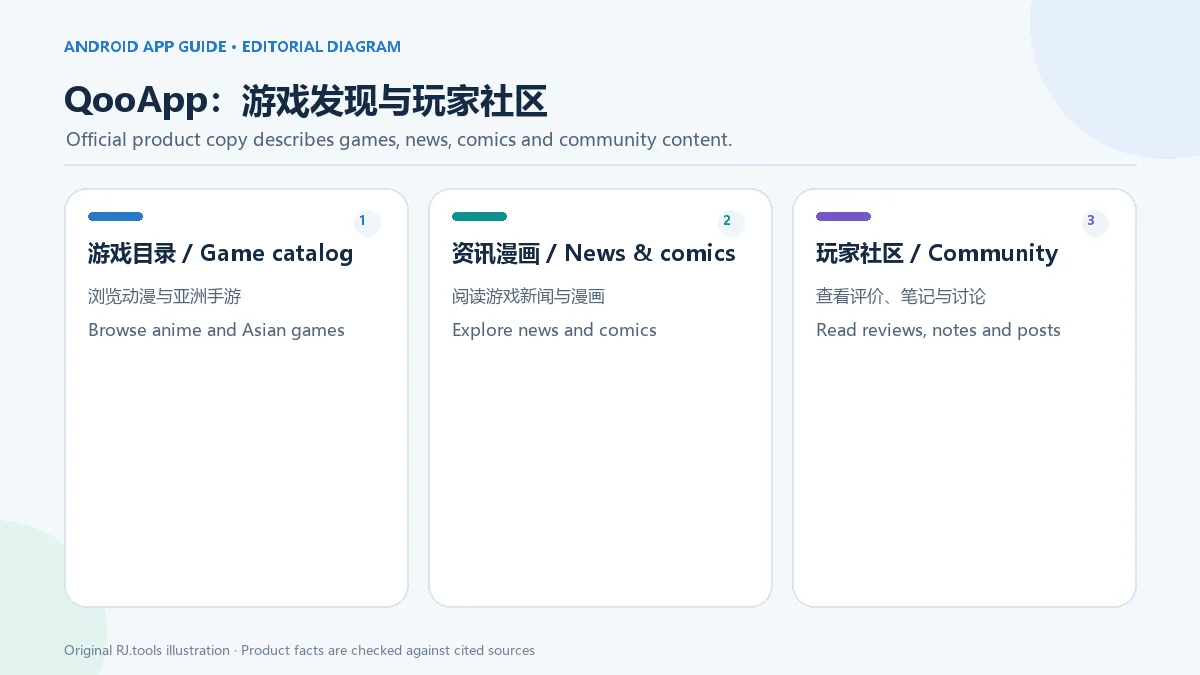
这张原创信息图只概括官方页面公开的功能类别,不是 QooApp 的实际界面截图。
系统要求与平台范围:核对 Android 兼容性
繁体中文官方应用页在 2026-10-19 复核时显示版本 9.4.3、页面更新时间 2026-09-09、包名 com.qooapp.qoohelper、APK 页面标注大小 107.75 MB,系统要求为 Android 6.0 及以上,并标注 QooApp 本身不需要 VPN、支持 Root 设备。这些是页面元数据;安装包没有下载或测量,不能把标注大小说成实测文件大小。旧 FAQ 仍写 Android 4.0 及以上,与 10 月 19 日查看的详情页不一致;后续安装前仍应核对官方页面和设备兼容提示。
应用页标签是 Android 与手机。详情页还展示游戏评分、用户评论及游戏内容;具体游戏的地区可用性、年龄分级、系统、Root 或 VPN 条件可能不同,不应将客户端的“无需 VPN”推广到每款游戏。QooApp 网站另有 PC 游戏目录,但这只证明网站整理了 PC 游戏条目,不证明存在 Windows 桌面版 QooApp 客户端。
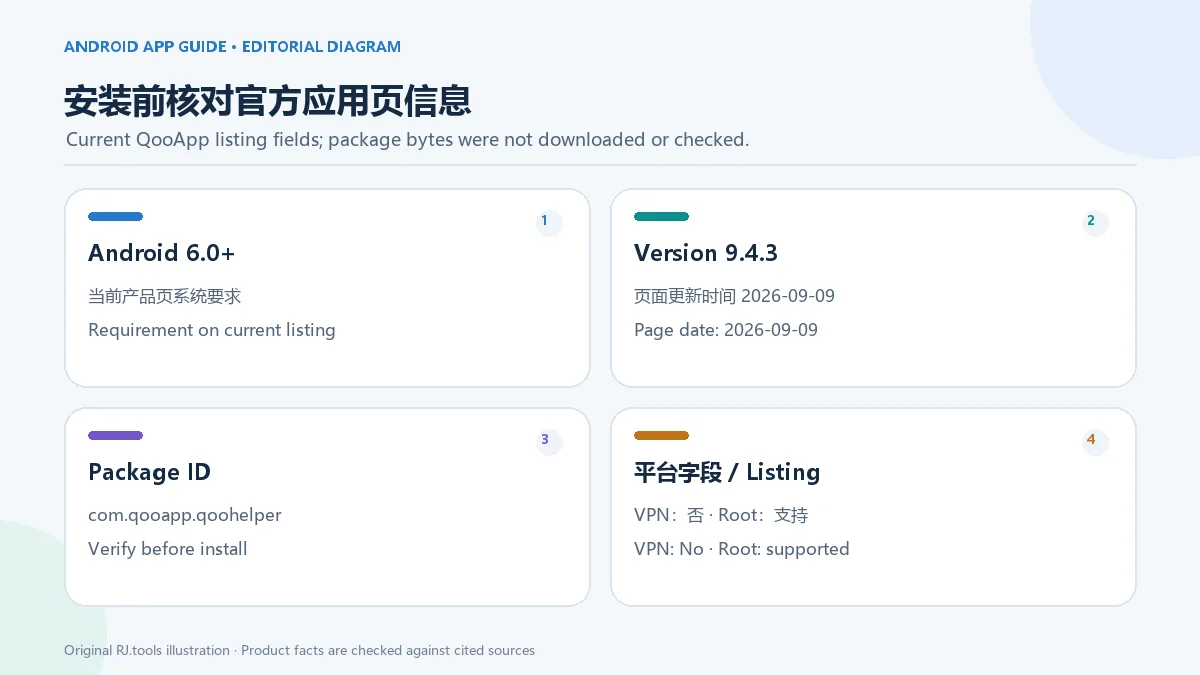
版本日期和兼容字段可能随官方页面更新;部署文章时应重新核对当前应用页。
QooApp 安卓安装步骤:从官方 APK 页面开始
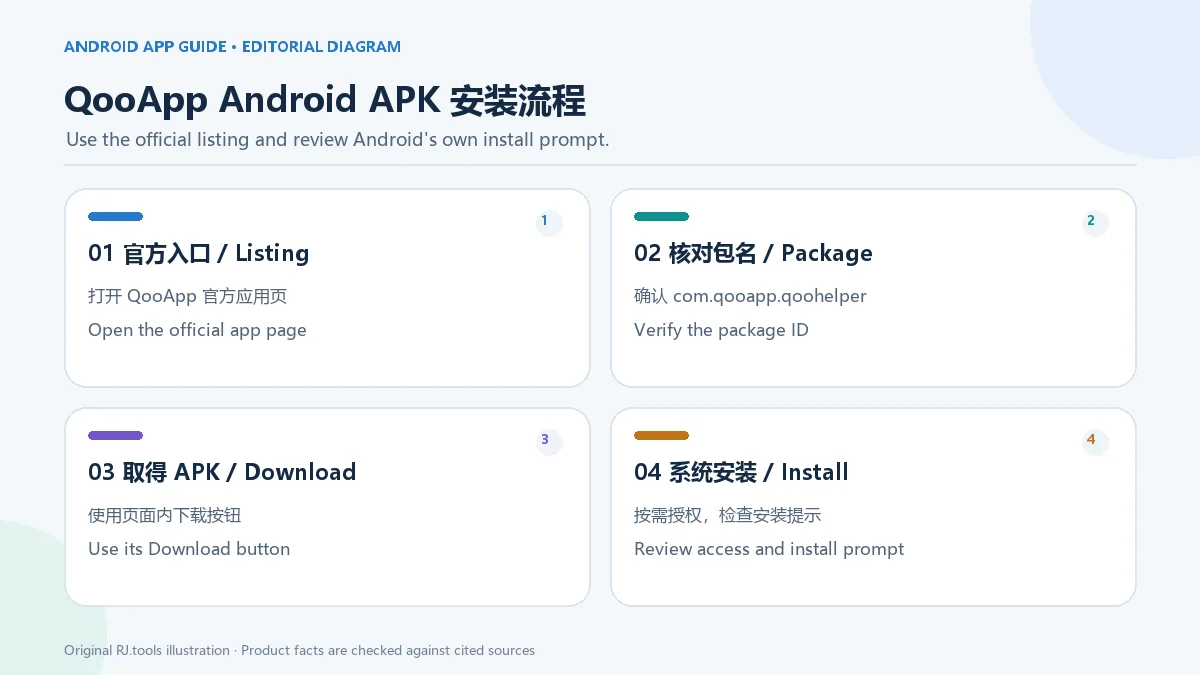
当前官方应用页提供“下载 QooApp”入口。以下步骤是 Android APK 的通用安装流程,并非 QooApp 公布的逐屏客户端安装教程;QooApp FAQ 中有关 APK 的步骤主要讲的是在 QooApp 内下载和安装游戏。Android 设置名称会因系统厂商和版本而异。
- 打开 QooApp 官方 Android 应用页,核对开发者显示为 QooApp、包名为
com.qooapp.qoohelper,并确认设备符合页面当前列出的 Android 要求。
- 使用页面中的“下载 QooApp”按钮获取官方 APK。页面列出的 107.75 MB 是官方标注;本次研究没有触发下载,也没有验证文件大小、签名或哈希。
- 如果 Android 提示需要授权安装未知来源应用,只对本次实际使用的浏览器或文件管理器临时开启该来源的安装权限,再回到已下载的 APK。
- 打开 APK,检查系统安装器显示的应用名称后按提示安装。完成后可在设置中关闭该来源的“安装未知应用”权限;不同设备菜单名称可能不同。
- 首次打开若遇到无法进入或下载的问题,先记下错误信息、系统版本和客户端版本,再查阅 QooApp 官方 FAQ 或联系官方支持。
不要用榜单中同名但来源不明的旧包替代官方入口。用户若要安装 QooApp 目录中的游戏,还需要再核对该游戏自己的发行者、地区、年龄分级与设备要求。
QooApp 9.4.3 更新日志:修复白屏问题
官方应用页将 9.4.3 标为更新时间 2026-09-09,并列出“修复白屏问题”。前一版 9.4.2 的官方记录提到缩小安装包、部分小优化和修复一些错误;9.4.0(2026-07-08)则写明部分地区新增免下载即玩的小游戏,并包含小幅优化与错误修复。这里按应用页逐项记录,不把旧版本功能当作 9.4.3 新增内容。客户端后续若再次更新,应以 QooApp 当前版本记录为准。
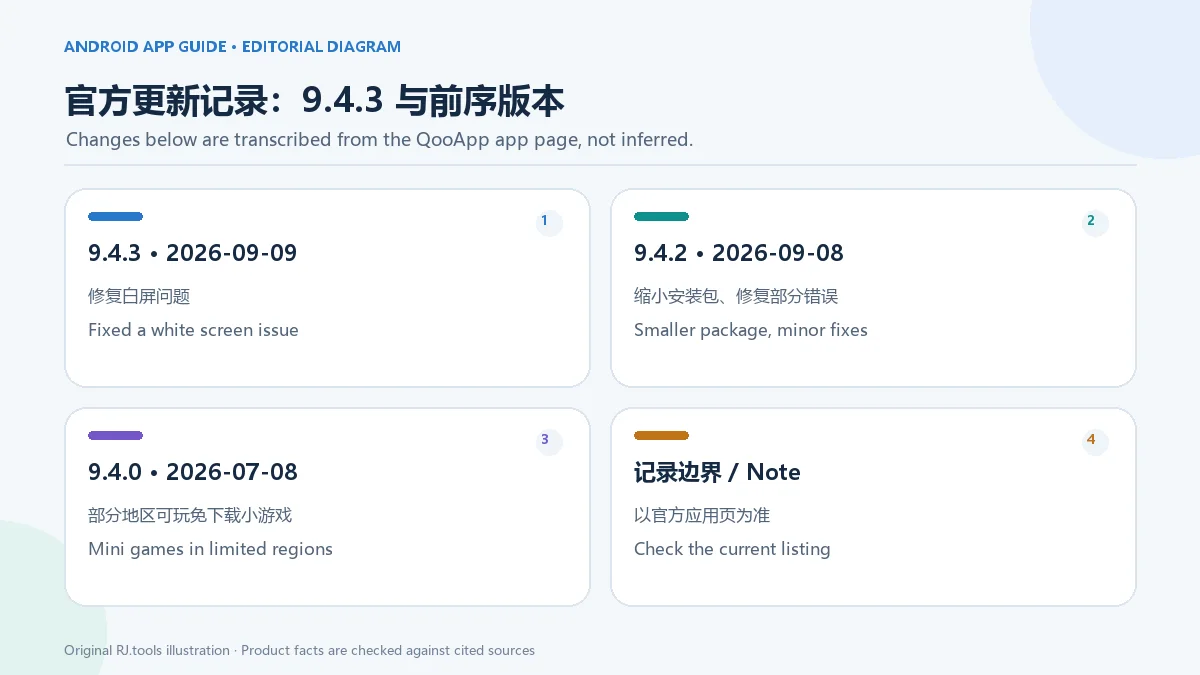
更新前可先确认设备符合 Android 要求,并从官方应用页进入更新流程。当前更新记录没有说明每种机型白屏的全部成因,因此不要将单条修复记录写成对所有显示问题的保证。
年龄分级与安全边界:目录内容需逐款判断
没有证据表明 QooApp 客户端本身是成人应用;官方页面将它介绍为动漫游戏发现、资讯与社区应用。不过,繁中应用页的旧版本记录(8.3.13,2022-06-22)提到游戏详情页新增分级提示,并使用“给不想色色的你”描述,说明目录中的部分游戏可能包含性暗示或其他不适合所有年龄的内容。应用详情也展示游戏评分、评论和内容,不代表每款游戏都适合所有年龄或在各地区均可用;安装前应逐款核对年龄与地区提示。
QooApp 服务条款要求账户用户达到居住地区的成年年龄,未成年人使用服务须有监护人同意,并要求家长留意年龄适宜内容。条款也说明第三方游戏和应用由相应合作方负责,并未对平台服务的安全性作绝对保证。官方 FAQ 对来源的说法属于平台自述,不是独立安全检测。本次没有下载、运行、签名核验或扫描 APK,因此不对安装包安全性作检测结论。
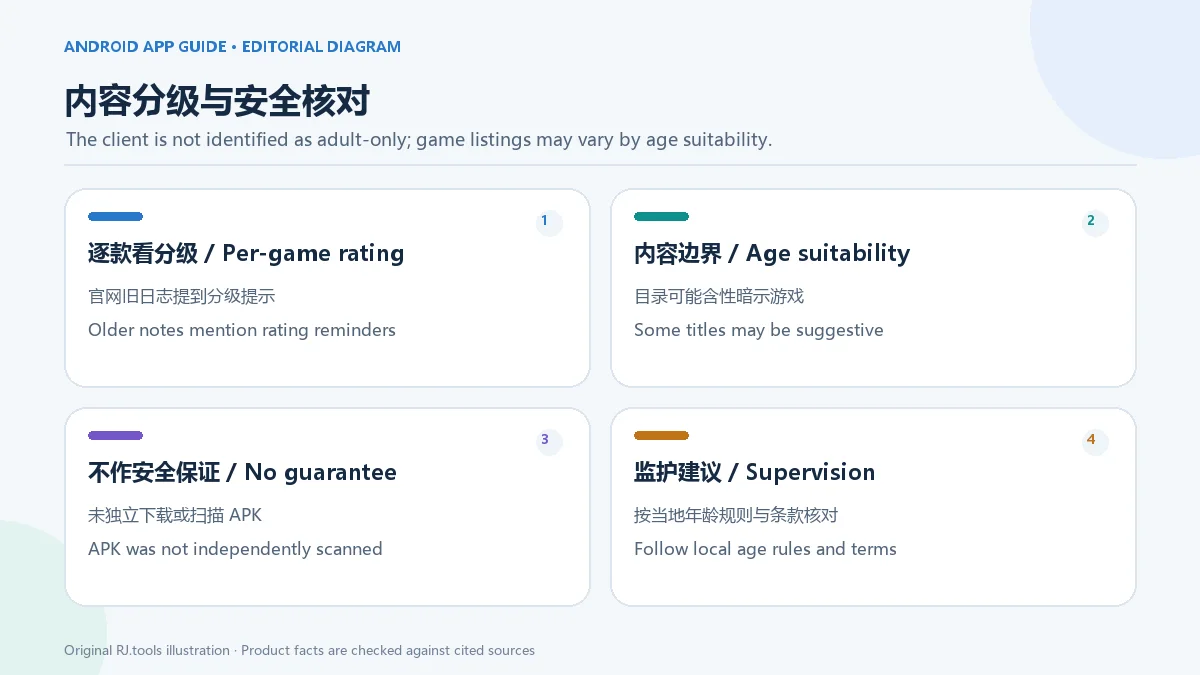
QooApp 官方服务条款还限定其平台内容的使用许可为个人、非商业用途,并禁止未经书面许可复制或发布相关材料。官方应用页虽显示 QooApp 图标和截图画廊,但没有公开图像 URL 或转载授权;本文使用原创编辑图标和信息图,不转载官方图标或截图。这些条款也没有明确给出客户端 APK 的独立开源许可证。
常见问题(FAQ):VPN、安装失败与年龄提示
QooApp 客户端需要 VPN 吗? 官方应用页把 QooApp 客户端的 VPN 要求标为“否”。这不代表目录中每款游戏、每个地区的服务都无需 VPN。
Android 4.0 设备还能安装吗? 当前官方应用页显示 Android 6.0+;旧 FAQ 的 Android 4.0 信息与当前页冲突,应按当前应用页的设备兼容提示判断。
QooApp 是成人应用吗? 复核过的官方页面没有将客户端标为成人应用。目录游戏的题材、地区可用性和年龄适宜性可能不同;官方旧更新记录提到游戏分级提示,家长和玩家应逐款查看内容标记。
怎样减少 APK 安装来源风险? 从官方应用页进入下载,核对 com.qooapp.qoohelper,并留意 Android 系统安装器显示的名称。不要把平台的安全自述当作独立扫描报告;本页也未对 APK 做扫描或签名验证。
QooApp 是否有 Windows 桌面客户端? 当前核对的产品页标注 Android/手机。网站另有 PC 游戏目录,但没有找到可确认的 Windows QooApp 客户端资料。
在 QooApp 内下载游戏失败怎么办? 官方 FAQ 建议先更新 QooApp;若仍失败,可按 FAQ 指引检查 QooApp 数据和游戏所需的存储权限。该 FAQ 较旧,具体菜单与新版 Android 可能不同。
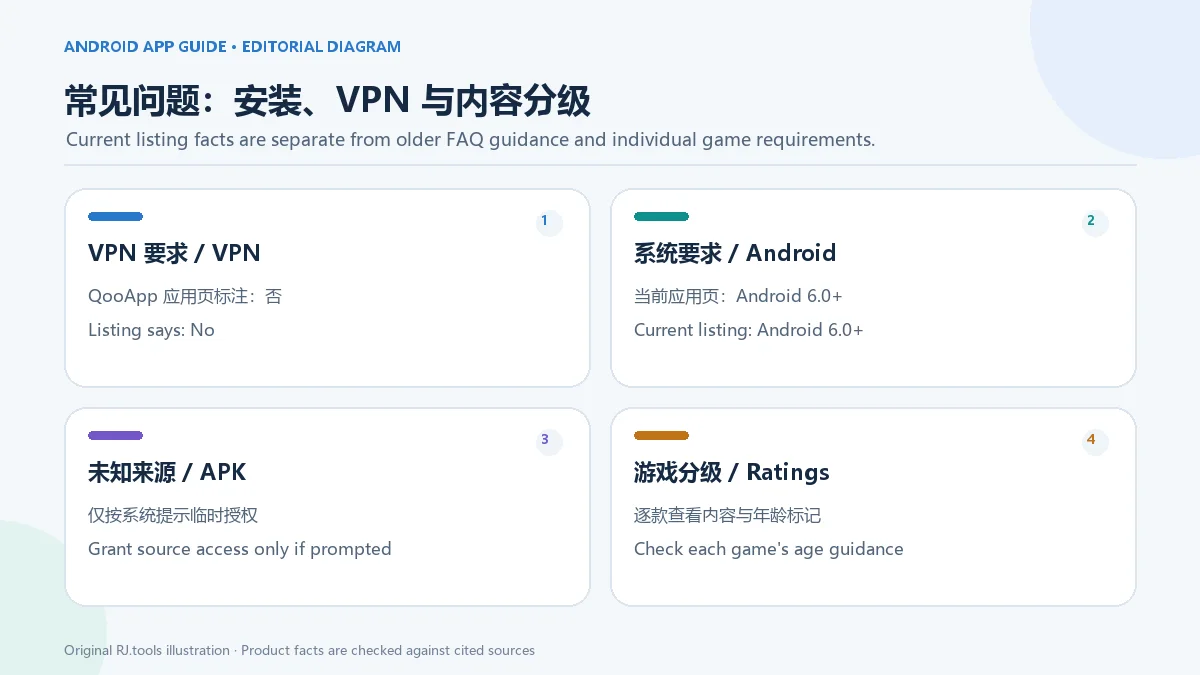
选择 QooApp 下载入口时,请核对官方 Android 应用页、包名与系统要求;使用游戏目录时,再查看具体游戏的年龄分级和地区条件。
English
Download QooApp for Android to find anime games, news, comics, and player posts. Check official v9.4.3, Android 6.0+ support, APK setup, and download fixes.
What is QooApp? An Android anime-game discovery and community app
QooApp’s official Android listing describes a client for games, news, comics, and player interaction. Its corporate site presents QooApp as a platform focused on anime games and ACG culture, with a game catalog, media, and community services. For Android users, the app is a place to discover titles, read related news and comics, and browse player reviews and discussions. Individual games are supplied by their respective developers or publishers; the catalog should not be described as a set of games made by QooApp.
This original editorial illustration summarizes feature categories shown on official pages; it is not a screenshot of the QooApp interface.
Android requirements and platform scope: check the current listing
The Traditional Chinese official app page rechecked on 2026-10-19 displayed version 9.4.3, a page update date of 2026-09-09, package ID com.qooapp.qoohelper, listed APK size 107.75 MB, and Android 6.0 or later. It marked VPN as not required for QooApp itself and rooted-device support as yes. These are listing fields, not measurements: the package was not downloaded, so its file size, signature, and hash were not independently checked. An older QooApp FAQ still says Android 4.0 or later, which conflicts with the detail page reviewed on October 19; recheck the listing and device prompt before installing.
The app page labels the client Android and mobile. Its detail page also presents game ratings, user reviews, and game content. Availability by region, age guidance, system requirements, root, and VPN conditions can differ by title, so the client’s “VPN not required” field should not be applied to every game. QooApp’s website also has a PC games category, but that only confirms a catalog for PC titles, not a Windows desktop QooApp client.
Version and compatibility fields can change as the publisher updates its page; recheck the current listing before publishing or installing.
QooApp Android installation steps: start with the official APK page
The official app page provides a “Download QooApp” entry. The steps below describe the general Android APK installation flow; they are not a publisher-provided, screen-by-screen guide for installing the QooApp client. QooApp’s FAQ discusses APK steps mainly for games downloaded inside QooApp. Android menu labels vary by device and OS version.
- Open the official QooApp Android listing. Check that the developer is shown as QooApp, the package ID is
com.qooapp.qoohelper, and the device meets the current Android requirement.
- Use the listing’s “Download QooApp” button to obtain the official APK. The page labels the file as 107.75 MB; this research did not trigger a download or verify the file size, signature, or hash.
- If Android asks to allow installation from unknown apps, temporarily enable that source only for the browser or file manager you used, then return to the downloaded APK.
- Open the APK, review the app name in Android’s installer, and follow its install prompt. After installation, you can turn off “Install unknown apps” for that source; exact menu labels vary.
- If the app will not open or a download fails, note the error, Android version, and client version, then consult the official QooApp FAQ or contact QooApp support.
Do not substitute an old same-name package with an unclear source for the official entry. Before installing any game from the catalog, check that game’s publisher, region, age guidance, and device requirements separately.
QooApp 9.4.3 release notes: white-screen fix
The official app listing rechecked on 2026-10-19 displayed 9.4.3 with page update date 2026-09-09 and says it fixes a white-screen issue. The previous 9.4.2 entry mentions a smaller package, minor improvements, and bug fixes. Version 9.4.0, dated 2026-07-08, introduced no-download mini games in limited regions, alongside minor improvements and bug fixes. These notes are attributed to the versions shown on the listing; earlier-version features are not presented as new in 9.4.3. Recheck QooApp’s listing before publication because its version can change.
Before updating, confirm that the device meets the current Android requirement and use the official app page. The release note does not explain every cause of a white screen on every device, so it is not a universal display-fix guarantee.
Age ratings and safety boundaries: assess catalog titles individually
No reviewed source identifies the QooApp client itself as an adult-only app. Its official pages describe game discovery, news, and community features, while the detail page presents ratings, user reviews, and game content. The Traditional Chinese app page’s older version 8.3.13 note (2022-06-22) says game pages added rating reminders and uses the phrase “for those who don’t want sexy content.” This signals that some catalog games may include sexualized or otherwise age-sensitive content. Check each game’s age and region availability rather than describing the whole catalog as suitable for every age or available everywhere.
QooApp’s Terms of Service require account users to be adults in their region; minors need guardian agreement, and parents are asked to consider age-appropriate content. The terms also assign responsibility for third-party games and apps to their respective partners and do not provide an absolute safety guarantee. QooApp’s FAQ statements about app sources are platform claims, not an independent security audit. This research did not download, execute, verify the signature of, or scan the APK, so it makes no package-safety determination.
QooApp’s Terms of Service limit the license for QooApp-provided content to personal, non-commercial use and prohibit copying or publishing materials without written permission. The official app page shows an app icon and screenshot gallery, but exposes no image URLs or republication permission. This draft uses an original editorial icon and diagrams instead of those official images. The terms do not state a separate open-source license for the client APK.
Frequently asked questions (FAQ): VPN, installation, and age labels
Does the QooApp client require a VPN? The official app page marks VPN as not required for QooApp itself. This does not establish that every game or regional service in its catalog works without a VPN.
Can an Android 4.0 device install QooApp? The official listing reviewed on 2026-10-19 says Android 6.0 or later. An older FAQ says Android 4.0, so use the live listing’s compatibility prompt rather than relying on the conflicting older guidance.
Is QooApp an adult app? The reviewed official pages do not identify the client as an adult app. Catalog titles can differ in theme, region availability, and age suitability; an older official update note mentions game-rating reminders, so check each title’s content labels.
How can I reduce APK source risk? Start from the official app listing, verify com.qooapp.qoohelper, and review the app name shown by Android’s installer. A platform safety statement is not an independent scan; this guide did not scan or signature-check the APK.
Does QooApp have a Windows desktop client? The reviewed client listing is for Android/mobile. The website has a PC games catalog, but no confirmed Windows QooApp client was found in the sources reviewed.
What if a game download inside QooApp fails? The official FAQ recommends updating QooApp first; if that does not help, it advises checking QooApp data and storage access needed by game files. The FAQ is old, Android menu names can differ, and some titles may have regional availability limits.
For a QooApp Android download, verify the official listing, package ID, and system requirement. For games found through the catalog, check each title’s age rating and regional conditions separately.