PUBG MOBILE 是 Android 多人战术竞技游戏,本文整理官方商店安装、4.6.0 更新和地区兼容检查。 PUBG MOBILE is a mobile battle royale game with official-source and update guidance.
PUBG MOBILE 安卓下载指南:核对官方来源、V4.6.0 更新、Android 要求与安装排障。PUBG MOBILE Android guide covers version, region and install checks. Check region and device compatibility.
中文
PUBG MOBILE(国际版)是一款面向 Android 的多人战术竞技射击游戏,围绕大逃杀对局提供经典与主题玩法。本文整理 PUBG MOBILE 下载渠道、V4.6 正式版信息、官方安装步骤和更新内容,并说明大容量文件、地区可用性与版本差异,帮助你在安装前核对包名、发行者和设备兼容提示等信息。
PUBG MOBILE 是什么:战术射击与大逃杀对局
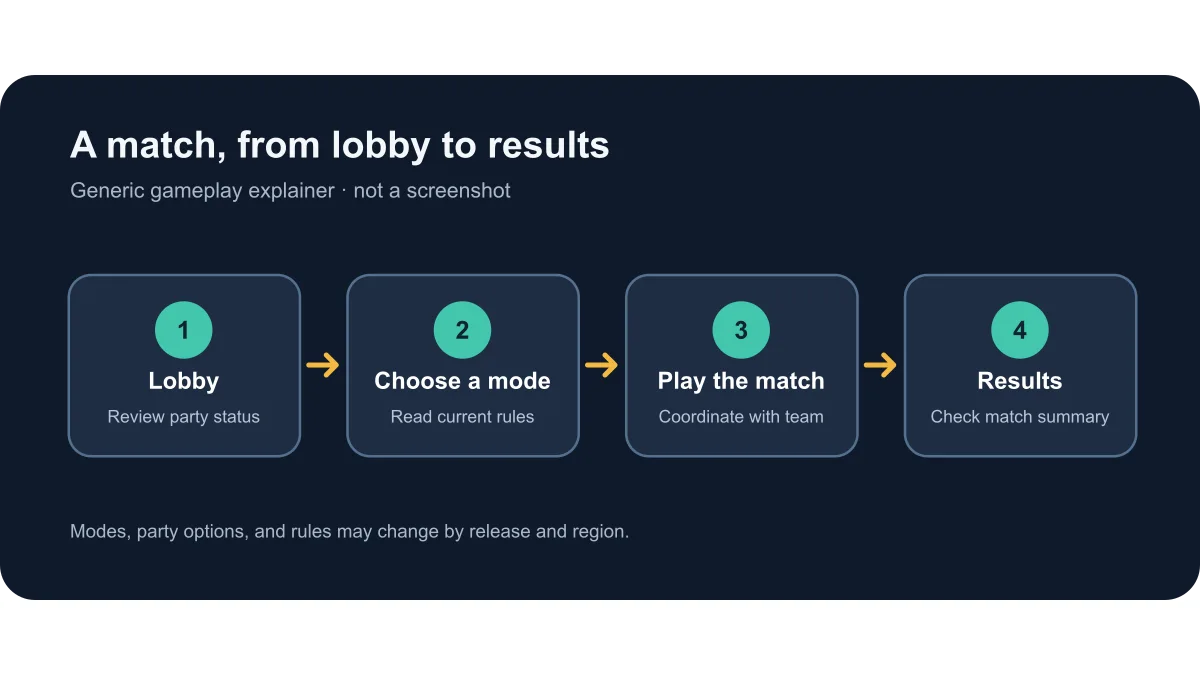
PUBG MOBILE 是 Android 在线多人射击游戏,Google Play 将其归入动作、射击、战术射击与多人游戏类别;官方页面以 Battle Royale 为核心定位。对局的具体队伍规模、地图轮换和主题内容可能随版本与地区变化,开始前可在游戏内查看当期模式规则。它不是《和平精英》的简体中文本地发行包;不要用两个产品的商店版本、活动和账号说明互相替代。
Google Play 商品页把发行者显示为 Level Infinite,并标示应用内购买和随机物品。商店的年龄评级在本次页面显示为 15+;该评级属于当前可见地区的商店信息,不代表所有地区都采用同一标准,也不能替代家长对语音、社交和付费功能的判断。
选择 PUBG MOBILE 官方下载渠道
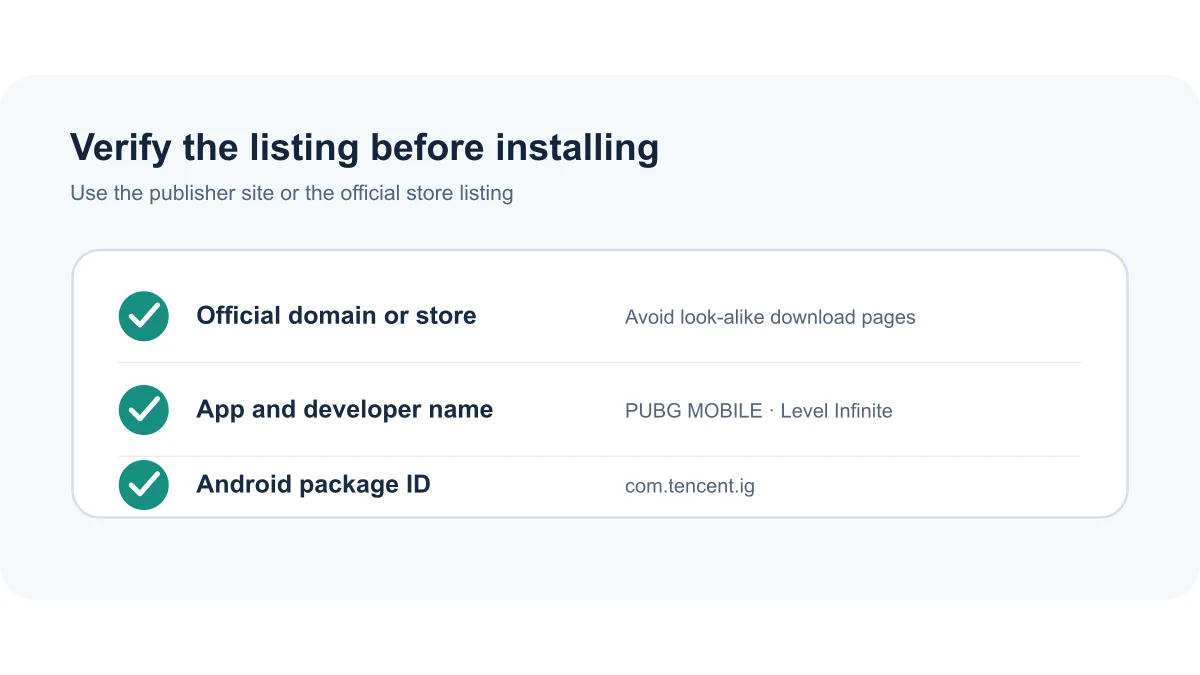
Android 用户可从 Google Play 官方商品页查看该应用,先确认名称 PUBG MOBILE、开发者 Level Infinite 和包名 com.tencent.ig,再按商店的设备兼容提示安装。商店是否开放安装、内容与活动可能因地区或设备而异;页面可见与否不等于你的账号所在地一定能够下载或参与全部活动。
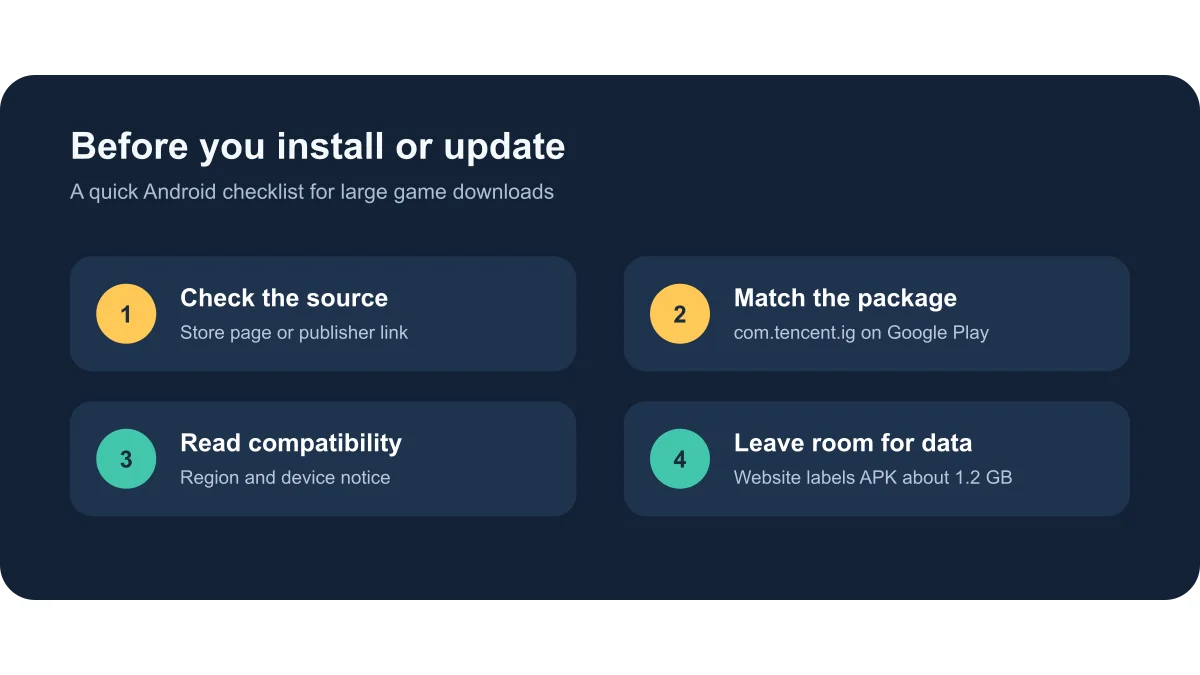
官网主页也提供 PUBG MOBILE 官方 APK 下载入口,当前可见按钮标注约 1.2 GB,实际文件没有在本次研究中下载或校验。若走官网 APK 渠道,确认地址属于 pubgmobile.com 或其页面直接链接的 gbcass.com 文件源;不要从榜单遗留 OurPlay 跟踪链接、仿冒站或不明网盘推断安装包身份。
两种官方入口提供的版本可能因地区、分批推送和渠道安排不同而不完全同步。覆盖更新前,检查现有安装来源与新包是否兼容;跨来源出现“应用未安装”或签名冲突时,不要反复覆盖安装,也不要先卸载而不备份本地设置或数据。
PUBG MOBILE Android 安装步骤
通过 Google Play 安装:
在 Android 设备上打开上方 Google Play 商品页,核对应用名称、开发者 Level Infinite 与包名 com.tencent.ig。
阅读当前商店显示的地区、设备兼容性、年龄评级和应用内购买信息;如果商店提示设备不兼容或所在地区不可用,按页面提示处理,不用其他地区的旧版本绕过限制。
使用 Google Play 的安装或更新按钮,等待下载和安装完成,再按游戏内提示进行首次启动与资源初始化。
若选择官网 APK,从 PUBG MOBILE 官方主页进入下载;Android 可能要求你明确允许当前浏览器安装未知来源应用。只在确认文件来自官网所链接的来源后操作,安装结束后可关闭该浏览器的此项权限。
更新失败时先检查网络、可用空间、系统兼容提示与现有安装来源;保留账号凭据,不通过第三方 APK 强制覆盖,也不要分享登录验证码。
官网页面标注的 APK 大小约 1.2 GB,因此下载前预留充足存储空间并优先使用稳定 Wi‑Fi 是实用做法;这不是游戏安装后所需总空间的精确测量。本文没有安装或运行该游戏,也没有检验安装包签名。
V4.6 正式版与官方更新说明
官网公告列表将 V4.6: Update Announcement 标注为 2026-09-07;首页还列出 V4.7 Beta Test 3(2026-10-16)。Google Play 商品页列出版本 4.6.0、Android 5.0 及以上要求,并显示 2026-09-18 更新日期;并在“最新动态”中写出 V4.6 Midnight Hunters 吸血鬼主题模式,以及 Hunters vs. Vampires 对抗玩法。官网 APK 链接文件名包含 Global_4.6.0,官网按钮显示约 1.2 GB。
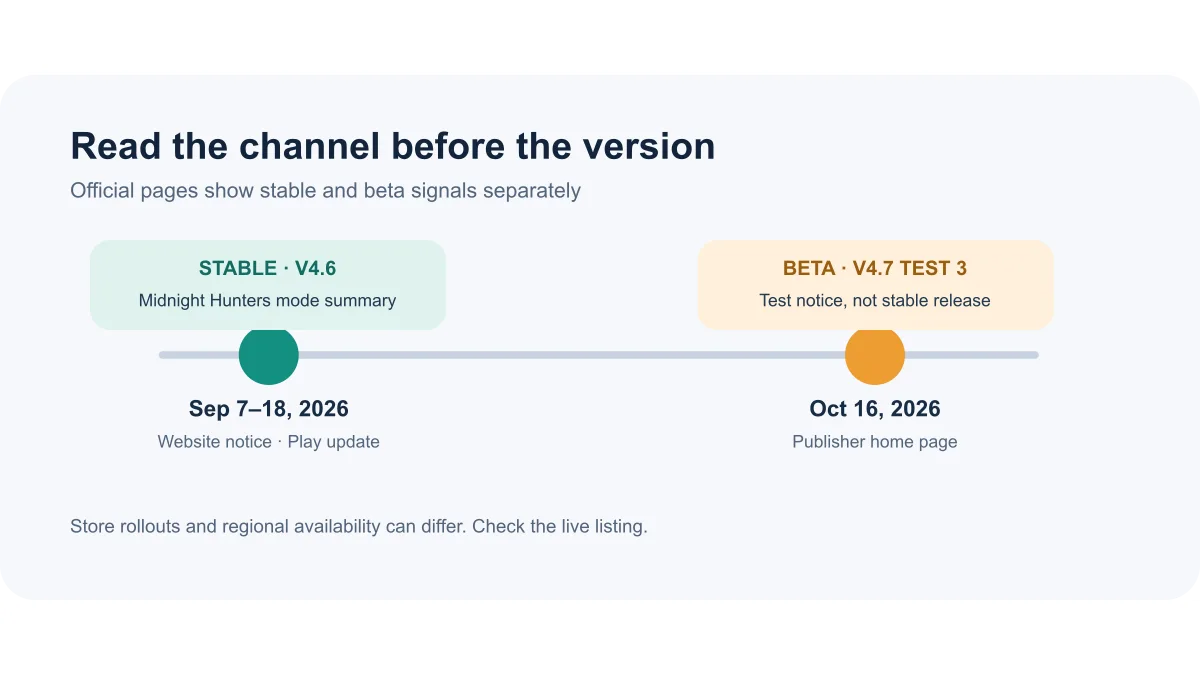
这是目前可直接核实的版本信息,不代表所有账号或地区在同一天收到更新。官网 V4.6 公告正文在此次访问中未加载出具体条目,Play 商店也只显示上述主题模式摘要;因此不编写未获官方页面支持的优化、修复或武器改动清单。V4.7 测试公告不应误写为正式版更新。
地区、网络与游玩前准备
“国际服”是榜单中的描述,不是官方保证全球统一可用的承诺。Google Play 展示的商店页面、可安装状态和活动项目可能按地区变化;实际登录和连接情况也受网络、服务区及账号条件影响。下载前优先确认商店对你的设备和所在地区开放,并查看游戏内当前公告。
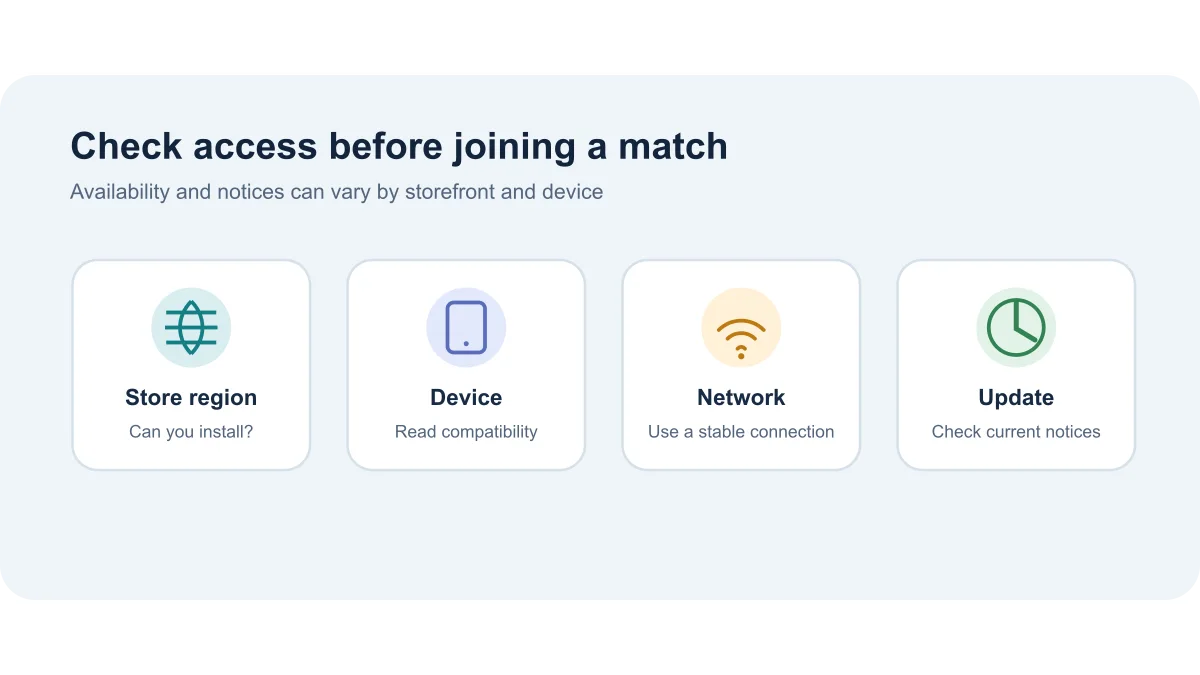
若更新后无法进入,先检查官方公告、设备空间与网络是否正常,再重启游戏或通过原渠道更新。Google Play 页面在数据安全说明中展示开发者提交的数据处理披露,并提示实践可能因地区、年龄而异;这些商店声明不是对每台设备、每个网络或每个安装包的独立安全审计。
常见问题(FAQ):下载来源、地区和账户问题
PUBG MOBILE 国际版的官方 Android 包名是什么? Google Play 官方商品页链接以 com.tencent.ig 标识 PUBG MOBILE。这个证据确认商店条目身份;原下载榜单第 4、8 行没有各自行的包名,因此本稿不声称已逐行证明两者相同。
PUBG MOBILE 可以在哪里下载? 优先使用 Google Play 官方条目或从 PUBG MOBILE 官网进入官方 APK 页面,并在安装前核对域名、名称和包名。不要把 OurPlay 的榜单追踪链接当作发行商官方下载证明。
官网 APK 约有多大?需要多少空间? 官网当前按钮标注约 1.2 GB。实际安装后总占用、更新所需临时空间与后续资源大小可能变化;以设备存储提示和游戏内资源页面为准。
为什么商店找不到或无法更新? 可能与地区目录、设备兼容性、网络、存储空间或安装来源不同有关。先查看 Google Play 显示的兼容提示,并尽量通过最初安装的官方渠道更新;不要为绕开地区限制安装来源不明的旧 APK。
V4.7 已经取代 V4.6 正式版了吗? 官网在 2026-10-16 显示的是 V4.7 Beta Test 3 测试公告;可见的官方正式更新资料仍包括 V4.6。测试公告和正式商店发行记录应分别查看。
Google Play 显示的安全信息能证明 APK 绝对安全么? 不能。商店的安全说明是开发者披露,且页面提示可能随地区和年龄变化;本次未下载、扫描或验证任何安装包。请核对官方来源、包名与系统提示,并谨慎处理账号和支付信息。
搜索 PUBG MOBILE 下载或 Android 国际服安装时,从官网或 Google Play 官方条目开始,核对包名 com.tencent.ig、版本渠道与地区兼容提示。当前能确认的官网文件线索为 4.6.0,Play 更新说明涉及 V4.6 Midnight Hunters;Google Play 页面列明 Android 5.0 及以上;完整公告正文与安装包签名仍待验证。第 4、8 名榜单记录暂按两条未合并来源保留。
English
PUBG MOBILE is an Android battle royale shooter. Check its official download, v4.6 notes, install steps, region access, device compatibility before updating.
What PUBG MOBILE is: tactical multiplayer battle royale
PUBG MOBILE is an online multiplayer shooter for Android. Google Play places it in action, shooter, tactical shooter, and multiplayer categories, while the publisher’s site presents it as a battle royale game. Team sizes, maps, and themed modes can change by release and region, so check the current in-game rules before queuing. This page covers the global PUBG MOBILE listing; it does not treat the separate mainland China release Game for Peace as the same store build.
The Google Play listing names Level Infinite as developer and marks the game as containing in-app purchases, including randomized items. Its visible rating was 15+ during this check. Ratings and content notices can differ by storefront region and do not replace a guardian’s review of voice, social, or purchase features.
Choose an official PUBG MOBILE download source
Android players can open the official Google Play listing, verify the title PUBG MOBILE, developer Level Infinite, and package ID com.tencent.ig, then follow the store’s compatibility notice. Store availability, events, and install eligibility may vary by region and device; seeing a page does not guarantee that every account can install or access every event.
The official PUBG MOBILE website also exposes an APK download entry. Its visible button labels the file at about 1.2 GB; this research did not download or validate it. If you use that route, start on pubgmobile.com and follow only the file source linked by the page. The legacy OurPlay tracking URL in the ranking sheet is not proof of an official installer or its package identity.
The two official routes may not show the same build at the same time because of region and staged rollout differences. Before updating, check the existing install source and compatibility. If Android reports an installation or signature conflict, do not keep forcing an overwrite or uninstall before considering a backup.
Install PUBG MOBILE on Android
Using Google Play:
Open the Google Play detail page on the Android device and verify PUBG MOBILE, developer Level Infinite, and package ID com.tencent.ig.
Review the current region, device compatibility, age-rating, and in-app-purchase notices. If the store reports that the device or region is unsupported, follow its notice rather than using an old build to bypass it.
Use the Play Store install or update control, wait for the installation to finish, and follow the game’s on-screen first-launch and resource setup prompts.
If you choose the publisher APK, begin at the official PUBG MOBILE home page. Android may ask you to allow the current browser to install an unknown-source app. Only continue after checking the linked source; you can turn that browser permission off after installation.
If an update fails, check network access, free storage, device compatibility, and the existing install source. Keep account credentials private; do not force an overwrite from an unrelated APK site or share a sign-in code.
The official page labels its current APK at about 1.2 GB, so allowing extra storage and using a stable Wi-Fi connection are practical precautions. That label is not a measurement of the game’s total installed size. This research did not install or run the game, or verify an installer signature.
Version 4.6 and the official update notes
The publisher’s announcement list dates V4.6: Update Announcement to September 7, 2026; its home page also lists V4.7 Beta Test 3 on October 16, 2026. Google Play lists version 4.6.0, requires Android 5.0 or later, and shows an update date of September 18, 2026. Its “What’s new” describes the V4.6 Midnight Hunters vampire-themed mode, including Hunters vs. Vampires. The current website APK filename includes Global_4.6.0, and its download button displays about 1.2 GB.
These are the version signals visible during this check, not a promise that every region received the same build on the same day. The V4.6 website article opened with its title and date but did not expose its detailed body. Play Store “What’s new” showed only the themed-mode summary above, so this guide does not invent a list of balance changes, fixes, or weapons. Keep the V4.7 beta notice separate from stable release information.
Region, network, and pre-match checks
“International version” is wording in the source ranking, not a publisher promise of universal availability. Google Play’s catalog and install eligibility can vary by region; login and connection can also depend on network, service region, and account conditions. Check the store’s availability for your device and location, then read the current in-game notices.
If the game fails after an update, first review official notices, available device storage, and network status, then restart or update through the original official channel. Google Play’s Data safety panel shows developer-provided disclosures and cautions that practices may vary by region and age; those disclosures are not an independent security audit of every device, network, or installer.
FAQ: download sources, region, and account access
What is the official Android package ID for PUBG MOBILE? The official Google Play URL identifies the listing as com.tencent.ig. This confirms the store entry, but the ranking’s #4 and #8 rows have no package fields, so this draft does not claim their identities were individually proven equal.
Where can I download PUBG MOBILE? Start from the official Google Play listing or the PUBG MOBILE website and verify the domain, title, and package before installing. The ranking’s OurPlay tracking link is not an official-publisher download proof.
How large is the official APK, and how much space do I need? The website’s current button says about 1.2 GB. Total installed size, temporary update space, and later resource downloads may vary; follow the device’s storage warning and the game’s resource screen.
Why can’t I find the game or install an update? Store region, device compatibility, network access, available space, or a different existing install source may be involved. Check the current Play compatibility notice and update through the original official channel where possible; do not use an unknown old APK to bypass regional availability.
Has V4.7 replaced stable V4.6? On October 16, 2026 the publisher site showed V4.7 Beta Test 3. The visible official stable-release information still includes V4.6. Check beta announcements and store release entries separately.
Does Google Play’s safety panel prove that an APK is completely safe? No. It presents developer-provided disclosures and notes that practices can vary by region and age. No installer was downloaded, scanned, or signature-checked here. Verify the official source and package, and protect account and payment details.
For a PUBG MOBILE download or Android international-version install, start at the publisher site or official Play listing and verify com.tencent.ig, the channel, and the region notice. The visible website file is labeled 4.6.0, while Play’s V4.6 note covers Midnight Hunters. Google Play lists Android 5.0 or later; the full announcement body and installer signature remain unverified. Keep ranking rows #4 and #8 as separate provenance until their individual package identities are confirmed.