

Process Lasso
v18.4.0.48
Process Lasso 是 Bitsum 的 Windows 进程管理与自动化工具,提供 ProBalance、Performance Mode、进程规则和硬件监控。稳定版 18.4.0.48 支持 Windows 10、11 与 Windows Server;免费版可长期使用,部分高级功能需要 Pro。 / Process Lasso is Bitsum’s Windows process-management and automation utility, with ProBalance, Performance Mode, process rules and hardware monitoring. Stable version 18.4.0.48 supports Windows 10, 11 and Windows Server; some advanced features require Pro.
Windows
AI 지원 콘텐츠
정보 자료
소프트웨어의 기본 정보와 출처를 확인하세요
소프트웨어 개요
- 개발자
- Bitsum LLC (DBA Bitsum Technologies)
- 업데이트 날짜
- 2026년 10월 20일
- 지원 언어
- 제공되지 않음
- 시스템 요구 사항
- The current official download page lists Windows 10, Windows 11, and Windows Server. The product homepage's download-link label also mentions Windows 7–11 and Server 2012–2025; the exact minimum OS for each current build should be confirmed before publishing a broader compatibility claim.
- 파일 크기
- 제공되지 않음
- 다운로드 링크 클릭 수
- 8
라이선스
Freemium: free indefinitely; some advanced features require Pro after trial. Optional lifetime Pro license. Commercial deployment requires a license within 30 days.
출처 및 검증
- 리소스 유형
- software
- 가격
- 未披露 / Not disclosed
- 정보 검증 날짜
- 2026년 10월 20일
- 개인정보 처리방침
- 제공되지 않음
소프트웨어 추가 정보패키지 이름, 체크섬 및 SHA-256 확인
- 패키지 이름
- 제공되지 않음
- 체크섬
- 제공되지 않음
- SHA-256
- 제공되지 않음
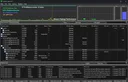
Process Lasso 是 Bitsum 的 Windows 进程管理与自动化工具,提供 ProBalance、Performance Mode、进程规则和硬件监控。稳定版 18.4.0.48 支持 Windows 10、11 与 Windows Server;免费版可长期使用,部分高级功能需要 Pro。 / Process Lasso is Bitsum’s Windows process-management and automation utility, with ProBalance, Performance Mode, process rules and hardware monitoring. Stable version 18.4.0.48 supports Windows 10, 11 and Windows Server; some advanced features require Pro.
中文
Process Lasso 是 Bitsum 推出的 Windows 进程管理工具,包含 ProBalance、性能模式、优先级规则与 CPU、GPU 监控。本页介绍 18.4.0.48 稳定版下载、免费版与 Pro 差异、安装步骤和近期更新,帮助你核对系统架构、许可范围与官方安装入口,并从默认配置开始逐步设置。
功能与特点
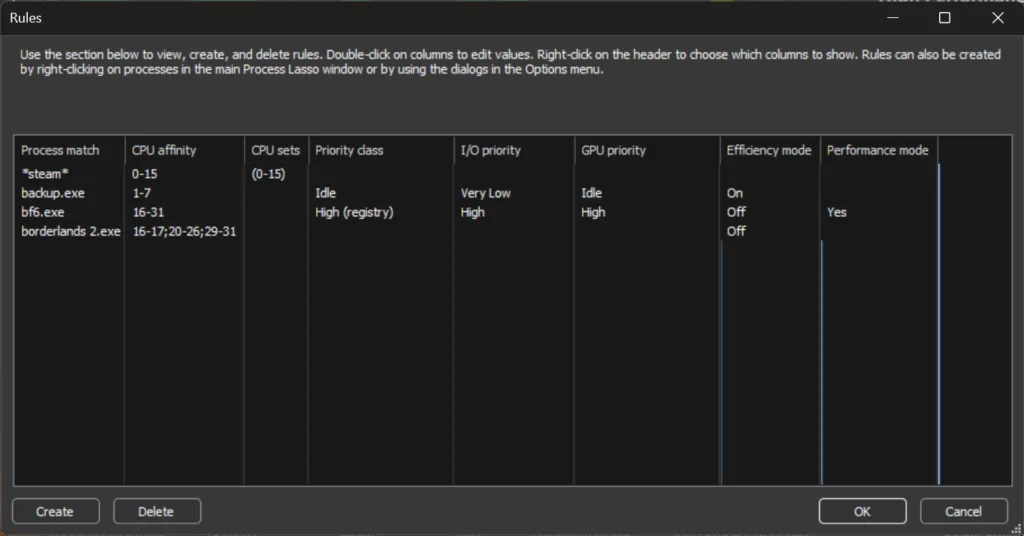
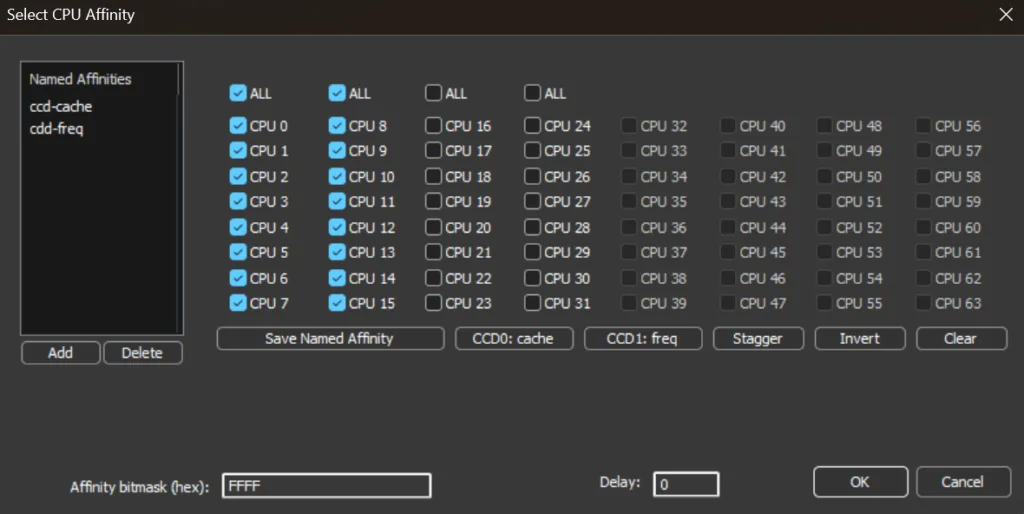
Process Lasso 把进程监控、规则和自动化选项整合在一个 Windows 桌面工具中。Bitsum 指南说明,ProBalance 默认启用;当后台任务占用处理器时,它会按规则调节相关进程。Performance Mode 可在指定程序运行时切换电源方案,主窗口还显示 CPU、GPU、内存和响应度数据。你也可以为单个程序配置优先级、CPU Sets 或配置档。实际效果取决于硬件、Windows 电源设置和具体规则,建议从少量、明确的程序规则开始。
安装方法
- 打开 Bitsum 官方下载页,确认 18.4.0.48 位于 Stable 区域,并在 Windows“设置 > 系统 > 关于”查看系统类型。常见 64 位电脑选择 x86-64;Windows on ARM 选择 ARM64;32 位 Windows 选择 x86。
- 从稳定版列表选择对应安装程序。Bitsum 表示其安装程序均由 Bitsum Technologies 签名;下载后可在文件属性的“数字签名”页核对发行者。
- 启动安装程序并按提示完成安装。官方设置指南建议先保留默认选项;ProBalance 默认开启,首次使用不必立即添加大量规则。
版本与更新
Bitsum 将 18.4.0.48 列为 2026 年 10 月 1 日发布的稳定版,新增 ARM64 构建,并调整配置档切换器、改善 GPU 偏好设置与 Windows 设置的同步,扩展工具提示和多数消息框的深色模式支持。此版本还加入 Startup Boost 日志选项、按系统区域显示日期时间、改进安装器翻译,并修复游戏自动检测及其他细节问题。官网另列 2026 年 10 月 19 日的 18.5.0 Beta;它是测试版,不应与稳定版混为一谈。
常见问题 FAQ
问:Process Lasso 免费版可以长期使用吗?答:Bitsum 说明免费版可无限期使用,但部分高级功能在试用期后需要 Pro。商业部署还需在 30 天内取得许可。 问:18.5.0 是当前稳定版吗?答:官网把它标记为 Beta;下载稳定版时请核对 Stable 区域的 18.4.0.48。 问:安装程序经过独立安全扫描了吗?答:本页没有下载或扫描安装文件。Bitsum 表示安装程序由其签名;下载后核对来源和数字签名,并按自己的安全流程检查。 问:为什么 ProBalance 看起来没有起作用?答:先查看日志或 ProBalance Insights;如果没有相关记录,说明它当时没有处理该进程。再核对规则是否匹配,并从范围明确的单个进程规则开始。
English
Process Lasso 18.4.0.48 manages Windows processes with ProBalance and CPU rules. Compare Free and Pro, choose an installer, and follow the official setup steps.
Features
Process Lasso combines process monitoring, rules and automation in one Windows utility. Bitsum says ProBalance is enabled by default and manages background workloads according to its settings. Performance Mode can switch the power plan while selected programs run; the main window also shows CPU, GPU, memory and responsiveness data. Users can create per-process priority, CPU Sets and profile rules. Results depend on the PC, Windows power settings and the rules you choose, so start with a small, specific change.
Installation
- Open Bitsum’s official download page and confirm that 18.4.0.48 is in the Stable section. In Windows Settings > System > About, check your system type: x86-64 for most 64-bit PCs, ARM64 for Windows on ARM, or x86 for 32-bit Windows.
- Choose the matching stable installer. Bitsum says its installers are signed by Bitsum Technologies; after downloading, you can check the publisher on the file’s Digital Signatures tab.
- Run the installer and follow its prompts. Bitsum’s setup guide recommends keeping the defaults at first; ProBalance is enabled by default, so you can learn the interface before adding rules.
Updates
Bitsum lists 18.4.0.48 as the stable release dated October 1, 2026. It adds an ARM64 build, changes the configuration profile switcher, improves GPU preference synchronization with Windows Settings, and extends dark mode across tooltips and most message boxes. The release also adds a Startup Boost logging option, uses the system locale for date and time, improves installer translations, and includes game-detection and other fixes. The site separately labels 18.5.0, dated October 19, 2026, as beta; it is not the stable release.
FAQ
Q: Can I keep using the free version? A: Bitsum says Process Lasso is free indefinitely, although some advanced features require Pro after a trial. Commercial deployment requires a license within 30 days. Q: Is 18.5.0 the stable version? A: Bitsum labels it beta. Check the Stable section for 18.4.0.48 when you want the stable build. Q: Was the installer independently scanned for this page? A: No installer was downloaded or scanned here. Bitsum says its installers are signed; verify the official source and digital signature and follow your own security checks. Q: Why does ProBalance seem inactive? A: Check the log or ProBalance Insights first. If the process is not listed, ProBalance has not acted on it. Review rule matching and start with a narrow per-process change.
플랫폼 및 시스템 요구 사항
- Windows
- The current official download page lists Windows 10, Windows 11, and Windows Server. The product homepage's download-link label also mentions Windows 7–11 and Server 2012–2025; the exact minimum OS for each current build should be confirmed before publishing a broader compatibility claim.
출처 및 검증
정보 검증일: 2026년 10월 20일
최초 게시: 2026년 10월 20일· 편집 수정: 2026년 10월 20일
- https://bitsum.com/
- https://bitsum.com/download-process-lasso/
- https://bitsum.com/changes/processlasso/
- https://bitsum.com/process-lasso-free-vs-pro/
- https://bitsum.com/apps/process-lasso/docs/getting-started/setup-guide/
- https://bitsum.com/wp-content/uploads/lasso-initializing.png
- https://bitsum.com/screenshots-lasso/
유사 리소스

이 카테고리 인기 항목
전체 보기
Sideloadly
Sideloadly 是 Windows/macOS 桌面 IPA 侧载工具,可将兼容 IPA 安装到 iPhone、iPad、Apple Silicon Mac 和 Apple TV;官网列出 Wi-Fi 侧载与自动刷新。 | Sideloadly is a Windows/macOS IPA sideloading utility for iPhone, iPad, Apple Silicon Mac and Apple TV, with Wi-Fi sideloading and automatic refresh features listed by the publisher.

DiskGenius
DiskGenius 6.2:官方安装器与便携版、免费和专业版权限、当前更新及数据恢复位置检查。 / Official v6.2 package choices, Free/Professional differences, release notes and recovery-destination guidance.

LatencyMon
读取DPC、ISR与硬缺页定位音频中断线索,区分7.31修复、家庭版许可与当前Windows驱动阻止限制。 / Interpret DPC, ISR and pagefault reports with v7.31 notes, Home Edition licensing and current Windows driver-policy limits.
PowerToys
PowerToys 是 Microsoft 提供的 Windows 实用工具集合,帮助用户自定义 Windows 并简化日常任务;资料列出的版本为 v0.102.3001。

TrafficMonitor
TrafficMonitor Windows 网速与资源监控:1.86 Lite 架构选择、任务栏设置、版本变更和零读数排查。 / TrafficMonitor v1.86 Lite package selection, taskbar setup, release changes and troubleshooting for network readings.

FreeMove
使用目录联接迁移独立Windows文件夹,说明2.1.0权限检查、系统目录限制、目标盘依赖与恢复顺序。 / Relocate individual Windows folders with junctions; understand v2.1.0 prechecks, system-directory exclusions, destination dependencies and rollback.
잘못된 정보나 작동하지 않는 링크를 발견하셨나요?개선에 참여해 주세요