
代码编辑器与集成开发环境
为不同语言和项目规模选择文本编辑器或集成开发环境。收录Code::Blocks、Kate、KWrite等站内已有工具,按实际用途选择适合自己的应用。
Notepad++ 是 Windows 文本与源码编辑器。This guide covers 8.9.8.1, architecture choices, portable setup, security fixes, and common startup issues.
별칭: Notepad Plus Plus、Notepad++ 64-bit
작성자: RJ.tools Editorial
소프트웨어의 기본 정보와 출처를 확인하세요
GNU General Public License v3, according to the official source repository.
Notepad++ 是 Windows 文本与源码编辑器。This guide covers 8.9.8.1, architecture choices, portable setup, security fixes, and common startup issues.
Notepad++ 下载与安装指南:选择 x86、x64 或 ARM64 安装器及便携包,了解 8.9.8.1 安全修复。 Install Notepad++, review release notes, manage plugins, and troubleshoot startup problems.
Notepad++ 是面向 Windows 的文本与源码编辑器,支持多标签编辑、语法着色和插件扩展。本文介绍 8.9.8.1 下载、安装与便携版选择,梳理近期安全修复、配置迁移和常见启动问题,并说明如何从官方渠道核对架构和发布说明,减少安装错包或误判更新的情况,适合日常笔记、代码阅读与轻量编辑等场景。
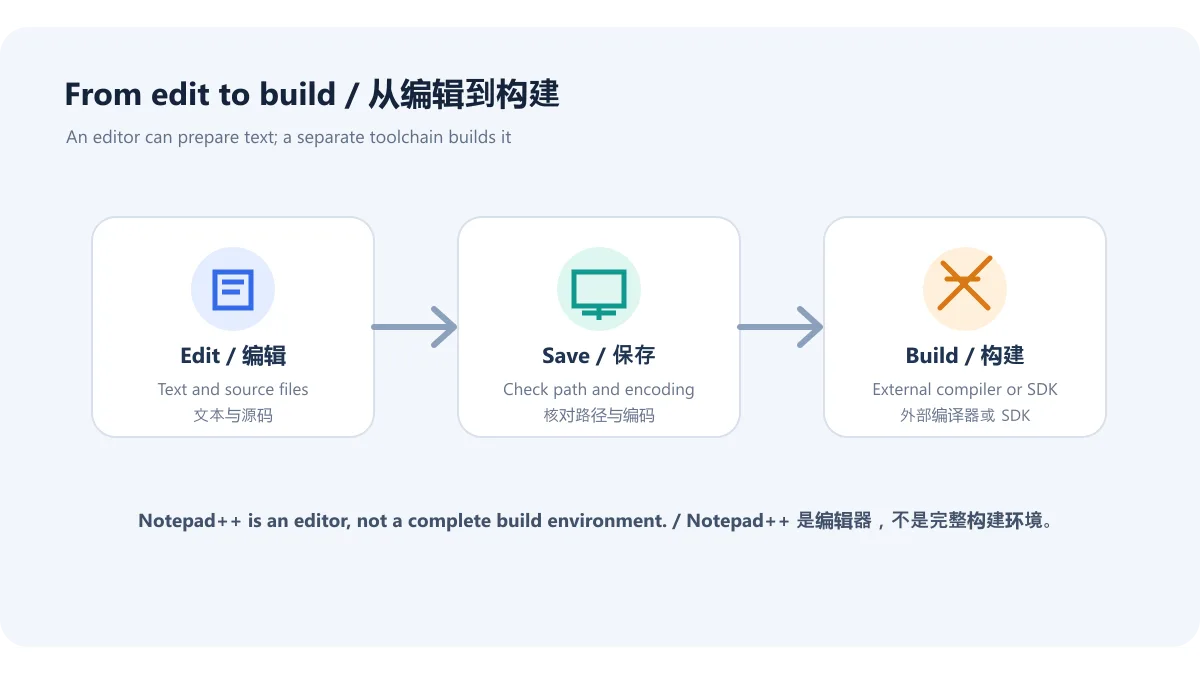
Notepad++ 是 Windows 文本与源码编辑器,可用于多标签查看、文本编辑和按语言显示语法。插件能扩展编辑器能力,但编辑器本身不等同于编译器或完整集成开发环境;若要构建程序,仍需安装目标语言的编译器、SDK 或开发工具,并按其文档配置。
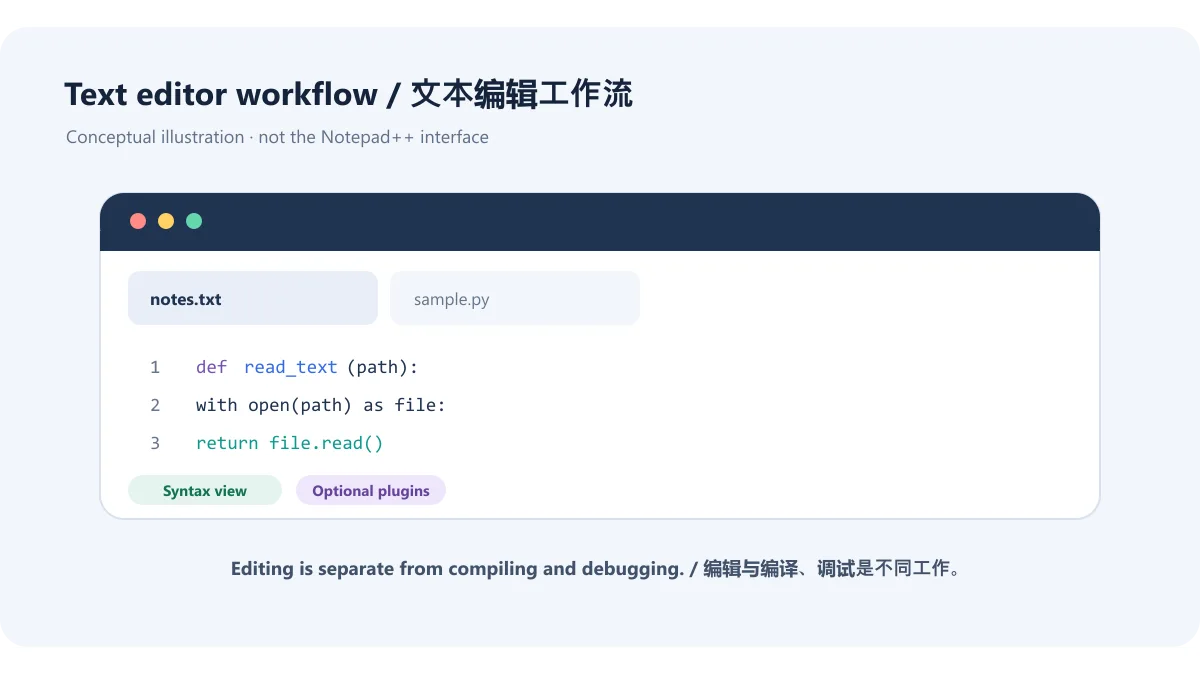
图示只概括编辑器类型与功能边界,不代表真实 Notepad++ 界面。软件名称及界面商标仍属于相应权利人;本稿不暗示 RJ.tools 与 Notepad++ 项目存在官方合作。
官网在 2026-09-24 发布 Notepad++ 8.9.8.1,并提供 Windows x86、x64、ARM64 的安装包和便携包。下载时应先核对设备架构,再决定安装器或便携压缩包;榜单中的旧版本或第三方重打包链接不是当前官方版本证明。
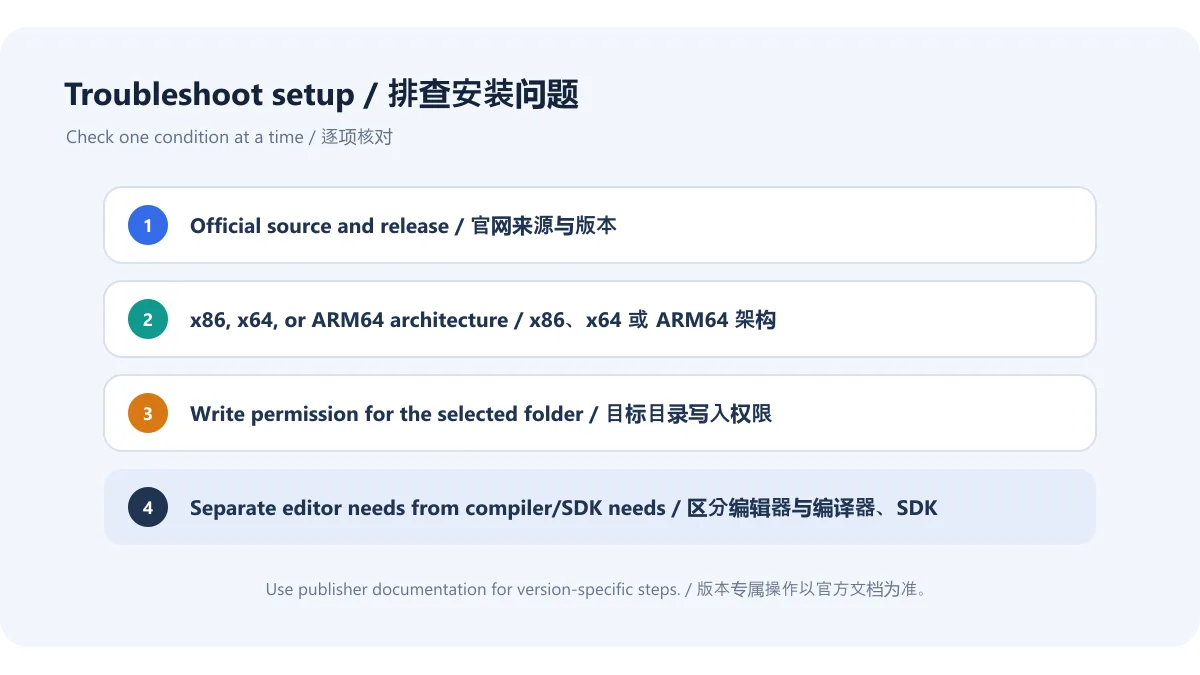
本次没有下载或执行安装包,文件签名、体积与本机校验值未核实。官网当前列出的包类型和架构见官方版本下载页;具体兼容范围以该页面为准。
可将 Notepad++ 用于快速查看日志、编辑配置文本、整理多标签文件或浏览带语法着色的源码。打开重要文件前留意编码、换行和文件类型;编辑后保存到正确目录,并确认没有覆盖原始文件。对代码构建、调试或依赖管理,应使用对应开发环境完成。
插件可增加编辑能力,但插件不是 Notepad++ 核心功能的同义词;安装前应查看插件来源、兼容版本和权限需求。遇到插件导致异常,可先依据插件或软件官方帮助定位,不要把不明 DLL 手工复制进程序目录。
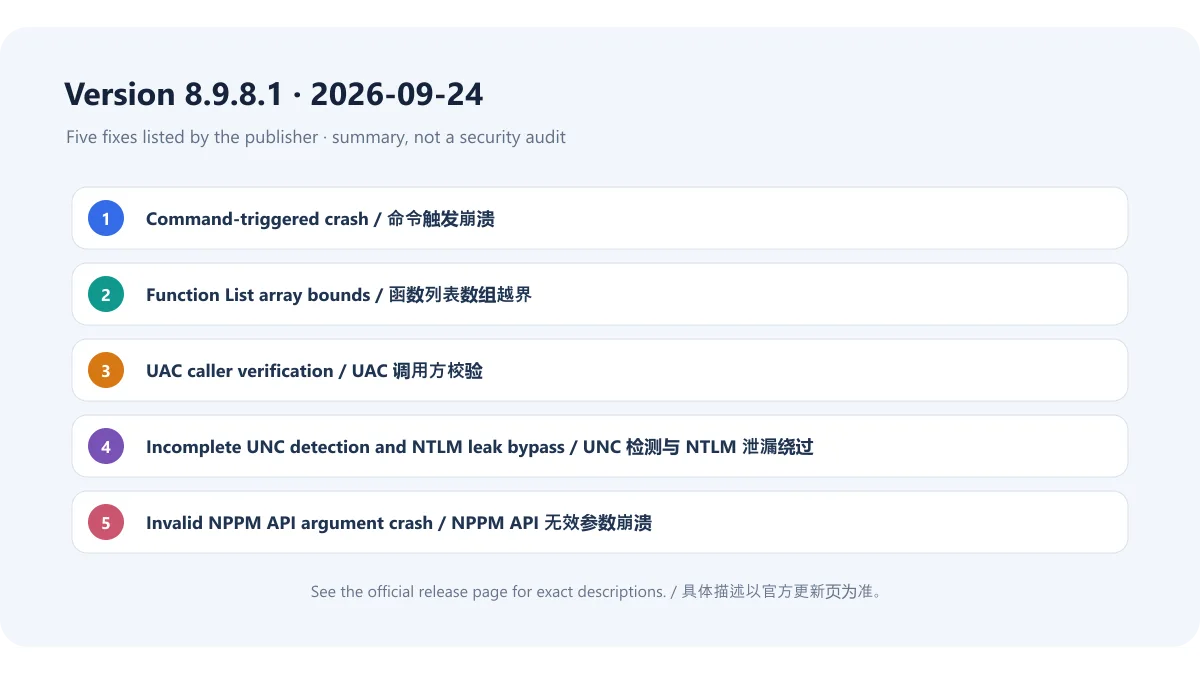
官方发布页日期为 2026-09-24,列出本版修复 5 项漏洞/安全问题:修复“打开文件”和“互联网搜索”命令导致的崩溃;修复函数列表解析时数组越界风险;修复未验证调用者便执行的 UAC 操作;修复 UNC 检测不完整导致 NTLM 泄漏绕过;修复 NPPM API 收到无效参数时的崩溃。本页按厂商原文概述,不自行给这些问题补充 CVE 编号或安全等级。
使用旧版本时,可先从官方更新页核对新版本的完整改进清单与下载链接,再按照单位或个人设备的更新策略升级。更新说明是版本事实,不等于本页对旧版安装进行漏洞扫描或对设备安全状态做评估。
Notepad++ 能在 macOS 或 Linux 上运行吗? 本资源针对官网列出的 Windows 安装和便携包,不把它描述为 macOS 或 Linux 原生版本。其他系统请使用对应平台的编辑器,并查阅其官方发布信息。
安装器和便携版有什么区别? 安装器通过 Windows 安装流程部署程序;便携包需自行解压并从目录运行。选择前阅读官方下载页针对版本和系统架构的说明;便携版不等于免除来源核对或兼容性检查。
为什么源码能打开,却不能直接运行? Notepad++ 主要是文本编辑器。执行或构建代码通常需要单独安装解释器、编译器、SDK 等工具,并按对应语言的官方文档配置。
8.9.8.1 更新是否代表本机没有安全风险? 不是。发行说明只记录该版本列出的修复;本稿未执行安装包扫描,也不对插件、操作系统或其他软件作安全保证。使用前请查看官方页面和设备安全策略。
搜索 Notepad++ 下载或 Windows 代码编辑器时,从官网确认 8.9.8.1、安装包架构和 Installer/便携包类型。更新前查看五项修复的官方说明;把 Notepad++ 当作编辑器使用,编译、调试和依赖管理交给对应开发工具。
Notepad++ is a Windows text and code editor. See v8.9.8.1 downloads, installer or portable setup, recent security fixes, and checks for common launch problems.
Notepad++ is a Windows text and source-code editor for working with multiple tabs, editing text, and viewing syntax highlighting. Plugins can extend the editor, but it is not the same as a compiler or a complete integrated development environment. To build a program, install the relevant compiler, SDK, or development tools and configure them according to their documentation.
This diagram summarizes the editor’s role and boundaries; it is not a capture of the Notepad++ interface. Product names and interface marks belong to their respective rights holders; this page does not imply an official relationship with the Notepad++ project.
The publisher released Notepad++ 8.9.8.1 on September 24, 2026. Its site offers Windows x86, x64, and ARM64 installers and portable packages. Match the device architecture first, then choose an installer or portable archive. An old ranking title or third-party repack does not establish the current official version.
This draft did not download or execute an installer, and did not check a local signature, file size, or digest. Package types and architectures are listed on the official 8.9.8.1 page; follow that page for exact compatibility.
Use Notepad++ to inspect logs, edit configuration text, manage multiple open files, or view source with syntax highlighting. Before changing an important file, check its encoding, line endings, and file type. Save to the intended directory and make sure you do not overwrite an original unintentionally. Use a development environment for builds, debugging, and dependency management.
Plugins add optional features but are not interchangeable with the core editor. Check a plugin’s source, compatible version, and permission needs before installing it. If an extension causes trouble, follow official help for that plugin or editor; do not copy unknown DLLs into the application directory.
The official release page dated September 24, 2026 lists five vulnerability/security fixes: a crash triggered by the “Open file” and “Search on Internet” commands; array out-of-bounds risks while parsing Function List entries; UAC operations performed without verifying the caller; incomplete UNC detection that could bypass NTLM-leak protections; and a crash when the NPPM API receives an invalid argument. This summary follows the publisher’s wording and does not assign CVE IDs or severity ratings that the page does not provide.
If you use an older build, review the full official release page and download links before updating under your device or organization’s update policy. Release notes describe version changes; this page did not scan an older installer or assess a device’s security state.
Does Notepad++ run natively on macOS or Linux? This resource covers the Windows installers and portable packages listed by the publisher. It does not describe Notepad++ as a native macOS or Linux build. Check the relevant platform’s official software sources for other editors.
What is the difference between the Installer and portable package? The Installer uses the Windows setup process; the portable package must be extracted and launched from its folder. Check the download page for the release’s architecture and system notes. Portable use still requires source and compatibility checks.
Why can I open source code but not run it? Notepad++ is primarily a text editor. Running or building code usually requires a separate interpreter, compiler, or SDK configured for that language.
Does installing 8.9.8.1 guarantee that my computer has no security risks? No. The release notes list fixes for that version; this draft did not scan an installer and does not make security guarantees about plugins, Windows, or other software.
For a Notepad++ download or Windows code editor, confirm 8.9.8.1, package architecture, and Installer or portable type on the publisher’s site. Review the five official fixes before updating. Use Notepad++ as an editor, with dedicated tools for compiling, debugging, and managing dependencies.
정보 검증일: 2026년 10월 18일
최초 게시: 2026년 10월 18일· 편집 수정: 2026년 10월 18일
No. It edits and displays text or source code; compiling requires a separate compiler or SDK.
Match x86, x64, or ARM64 to Windows, then choose the installer or portable package.
The official release note dated 2026-09-24 lists five security fixes.
Check the package architecture, install location permissions, and the official release notes before reinstalling.
HiBit Uninstaller 是 HiBitSoft 提供的 Windows 卸载与程序管理工具,官网提供安装版和便携版。本页整理 4.0.10 更新、系统要求、残留检查和谨慎卸载步骤。 / HiBit Uninstaller is a Windows removal and program-management utility from HiBitSoft. This bilingual guide covers v4.0.10, package choices, system support and careful cleanup.

KWrite 是 KDE 的文本编辑器,支持语法高亮、单词补全、自动缩进、插件和 Vi 输入模式,适合查看与编辑文本文件。

C/C++与Fortran开发环境,说明25.03包选择、工具链配置、更新及编译链接运行问题。 / C/C++ and Fortran IDE with v25.03 package selection, toolchain setup, release notes and build troubleshooting.

GG修改器 GameGuardian官方获取与Android安装指南,核对101.4版本、Android 5.0+要求、root和无root虚拟空间限制,整理悬浮窗、搜索异常、更新说明及FAQ。 GameGuardian guide to official setup, execution requirements, documented changes and permitted local study.

原版dnSpy程序集分析、断点调试和编辑指南,明确6.1.8归档状态、附件选择与备份步骤。 / Original dnSpy assembly inspection, debugging and editing, with archive status, asset selection and backups.

Cheat Engine Windows官方获取与安装准备指南:核对7.7版本、后续修补、安装器额外推荐与安全提示,了解成年、私人及教育用途条件。 Cheat Engine Windows guide to official setup, 7.7 release evidence, optional offers and permitted local study.

NetAssist 5.15 Windows 网络调试助手:TCP Server、TCP Client、UDP 与 MQTT Client、IPv4/IPv6、免安装步骤及排查指南。 / Portable Windows network tester with official release notes and setup guidance.

Android APK研究与编辑工具;整理官方261014构建、五项更新、备份工作流和许可。 / Android APK study and editing tool with official build261014, five release changes, a backup workflow and license information.