原版dnSpy程序集分析、断点调试和编辑指南,明确6.1.8归档状态、附件选择与备份步骤。 / Original dnSpy assembly inspection, debugging and editing, with archive status, asset selection and backups.
中文
dnSpy 下载页面介绍原版 .NET 程序集调试与编辑工具,帮助开发者阅读 C#、Visual Basic 和 IL,定位异常、查看调用关系并检查自己的程序。这里说明 6.1.8 归档版本的下载选择、免安装步骤、更新记录及常见问题,重点区分反编译阅读与实际运行调试,并提醒先备份程序集、核对目标运行时和进程位数。
dnSpy 下载前先确认:原版已归档,适合哪些任务
dnSpy 将程序集浏览、反编译、调试和代码编辑放在同一工作区。上游说明支持 .NET 与 Unity 程序集调试,可查看调用栈、线程、模块与局部变量,并使用条件断点、异常中断和表达式求值。对于自己维护但缺少完整源码的旧工具,可以先查看入口点和引用,再决定是否需要动态调试。阅读反编译结果不等于已经运行目标程序。
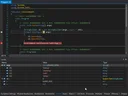
原始 dnSpy/dnSpy 仓库在 2020 年 12 月 21 日归档,页面显示只读。本页对应原始项目的 6.1.8,不把其他维护者的分支版本混作原作者更新。若目标使用较新的 .NET 运行时,应先确认兼容情况;原仓库功能列表不能证明它支持今天的每一种运行环境。源码采用 GPLv3,二进制附件与自动生成的源码压缩包用途不同。
dnSpy 怎么安装:选择附件并完整解压
- 从原仓库的 6.1.8 发布页进入附件列表,区分 dnSpy-net-win32.zip、dnSpy-net-win64.zip 与 dnSpy-netframework.zip。前两项明确区分 Windows 位数,后者是 .NET Framework 构建;不要将 Source code 压缩包当成可直接启动的程序。
- 将所选 ZIP 完整解压到独立、可写的目录,再使用里面的启动程序。保留同目录依赖,避免只拖出单个 EXE 后运行。若系统提示缺少运行时,先记录具体组件名称并核对所选构建。
- 第一次先打开自己编译的简单程序集,确认程序集树和代码视图正常。阅读文件时不必立即启动调试;需要调试时再选择与目标程序相符的进程与运行条件。
- 编辑前复制整个程序目录,在副本上修改并保存到单独路径。程序集签名、依赖和程序自身校验可能受到修改影响;需要恢复时使用原始备份。
dnSpy 使用思路:先分析引用,再用断点定位
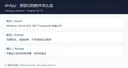
遇到某个操作之后就报错的旧程序,先搜索相关字符串、类名或方法名,利用分析功能查看调用关系,再沿入口点缩小范围。上游提供 C# 和 Visual Basic 视图及 IL 编辑器,理解逻辑时可先阅读高层代码,需要核对底层指令时再切换 IL。反编译器重建的是可读表达,变量名和结构不保证与最初源码一致。
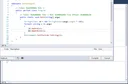
调试时先设置一个能解释问题的断点,观察参数、局部变量与调用栈,再单步执行。条件断点适合减少重复停顿,异常中断适合查找最早出错位置。将每次修改、输入和异常信息记下来,才能分辨代码变化与环境差异。Unity 调试在原 README 中另有专门仓库与文档,普通附件不代表所有 Unity 游戏都可直接调试。
dnSpy 6.1.8 更新日志与维护状态
GitHub 元数据显示 6.1.8 于 2020-12-07 21:21 UTC 发布,浏览器可能按时区显示次日。发布页将其标为原仓库 Latest,并链接到 Bump version 提交;该次 release 的正文为空,没有列出逐项功能更新或修复清单。因此本页只确认版本与附件,不推测此版新增了某种调试能力,也不把 README 的全部功能当作 6.1.8 新增项。
更新此归档版本前应保留旧目录和设置,在新目录核对自己的样例程序。若需要新运行时支持,可另行评估维护中的同类工具或明确标示身份的社区分支;它们的作者、版本和发行附件应分别核验。
dnSpy 常见问题 FAQ:打不开、附件与保存失败
下载后只有源码,怎么启动? GitHub 自动提供的 Source code 是源码快照;直接使用请在同一 release 下选发布者上传的二进制 ZIP。这里仅记录官方公开链接,未下载、执行或扫描程序附件,不能由开源属性推断每份文件均已验证。
为什么 dnSpy 打不开程序集或调试失败? 先分别确认是文件加载、运行时启动还是进程附加失败,记录错误原文、目标架构和运行时。尝试一个自己编译的简单程序集,可帮助判断是目标文件特性还是环境问题。原版已归档,不能承诺它适配所有后续 .NET 版本。
改了方法保存后,原程序为什么不能启动? 修改可能影响签名、引用或程序校验。恢复备份后比较单次改动,在副本上重现问题;避免覆盖唯一可用的程序目录。
选择 dnSpy 下载时,先确认需要的是原版归档程序集工具,再选择合适附件。先阅读、后调试、修改前备份,可让旧 .NET 程序分析更容易复现与回退。
English
Download dnSpy 6.1.8 for .NET assembly debugging and editing. Review portable setup, archived release notes, breakpoints, and common troubleshooting steps.
Before downloading dnSpy: understand the archived original
dnSpy combines assembly browsing, decompilation, debugging, and editing. Its upstream README lists .NET and Unity assembly debugging, call stacks, threads, modules, locals, conditional breakpoints, exception breaks, and expression evaluation. For an old application you maintain without full source, inspect its entry point and references first. Reading a decompiled file and running it under a debugger are separate operations.
The owner archived dnSpy/dnSpy on December 21, 2020, and GitHub marks it read-only. This page covers original version 6.1.8, with its identity kept separate from later community forks. Check compatibility before using it with a newer .NET runtime: an old feature list does not establish support for every present environment. The README states GPLv3 licensing. Release binaries and automatically generated source archives serve different purposes.
How to install dnSpy: choose a release asset and extract it fully
- Open the original 6.1.8 release. It provides dnSpy-net-win32.zip, dnSpy-net-win64.zip, and dnSpy-netframework.zip. The first two identify Windows bitness; the last is the .NET Framework build. A Source code archive is not a ready-to-run application.
- Fully extract the chosen ZIP into a separate writable directory, retaining accompanying files. Run the entry application from that directory. If a required runtime is missing, record the actual component and check the build choice.
- First open a simple assembly you compiled yourself and check the assembly tree and code view. File inspection does not require immediately starting a debugging session. For debugging, choose the appropriate target process and runtime conditions.
- Copy the full target application directory before editing and save changes separately. Keep an untouched working backup: modifications can affect assembly signatures, dependencies, or application checks.
A practical dnSpy workflow: references before breakpoints
If an old application fails after a particular action, search for a related string, class, or method and inspect callers before stepping through execution. Use the C# or Visual Basic view for the broad logic, then consult IL when instruction details matter. Decompiled output is a reconstructed representation; original variable names and source structure may not survive compilation.
Start with a breakpoint that answers one specific question, inspect arguments, locals, and the stack, then step forward. Conditional breakpoints can reduce repetitive stops, while exception breaks can help locate the first failure. Record each input and edit so that code changes remain distinguishable from environment changes. The README directs Unity debugging to a separate repository and documentation; the general ZIP does not establish compatibility with every Unity game.
dnSpy 6.1.8 release notes and maintenance status
GitHub metadata dates version 6.1.8 to December 7, 2020 at 21:21 UTC; a browser may display December 8 in another timezone. The release is marked Latest for this original repository and links to a commit labeled Bump version. Its release body is empty, so it supplies no itemized feature or fix list. This page confirms the version and assets without inventing changes or presenting every README feature as newly added in 6.1.8.
Keep the previous directory when switching this archived version and check a known sample in the separate copy. If you need newer runtime support, evaluate maintained alternatives or clearly identified community forks with their own release evidence. Their maintainers, versions, and files should be checked independently.
dnSpy FAQ: startup, source archives, and broken saved assemblies
Why did I download source instead of an executable? GitHub generates Source code archives automatically. For a runnable package, select a publisher-uploaded binary ZIP from the release assets. This page records public links only; no program archive was downloaded, executed, or scanned. Open source status does not validate a particular binary.
Why does an assembly fail to load or debug? Identify whether loading, runtime launch, or process attachment failed. Record the exact error, target architecture, and runtime, and compare a small assembly you built yourself. The archived original cannot be assumed to support every subsequent .NET release.
Why does the edited application stop starting? Changes can affect signatures, references, or application checks. Restore the untouched backup and reproduce one edit at a time in a copy. Keep the only working program directory intact.
For a dnSpy download, confirm that you want the archived original and select the appropriate asset. Inspect first, debug with a focused question, and keep a recoverable copy before editing an old .NET application.