
游戏模组、插件与启动配置
为支持的游戏管理模组、插件或启动环境,便于维护自己的配置组合。收录Fold Craft Launcher、Nexus Mod Manager Community Edition、网易DD(魔兽世界玩家工具)等站内已有工具,按实际用途选择适合自己的应用。
网易DD面向暴雪玩家,官网列出插件、队友、资讯与工具入口,并展示客户端和网页版本;当前客户端构建号与系统要求未在所核页面中公布。 / NetEase DD serves Blizzard players with plugin, teammate, news and tool entries plus client and web access; the reviewed pages do not disclose a current build or system requirements.
别名:网易DD、NetEase DD、魔兽世界网易DD、魔兽世界网易DD1.0.29、网易DD工具
作者:RJ.tools Editorial
了解软件的基本信息与来源
所核官网页面没有公布客户端完整许可证或再分发授权;请勿据此假定可以再分发。 / The reviewed pages do not establish a complete client license or redistribution permission.
网易DD面向暴雪玩家,官网列出插件、队友、资讯与工具入口,并展示客户端和网页版本;当前客户端构建号与系统要求未在所核页面中公布。 / NetEase DD serves Blizzard players with plugin, teammate, news and tool entries plus client and web access; the reviewed pages do not disclose a current build or system requirements.
网易DD 下载指南:查看魔兽世界插件、队友、资讯与工具入口,核对客户端和网页版本及安装条件。 NetEase DD guide: plugin checks, official access, setup and support; current build details remain undisclosed.
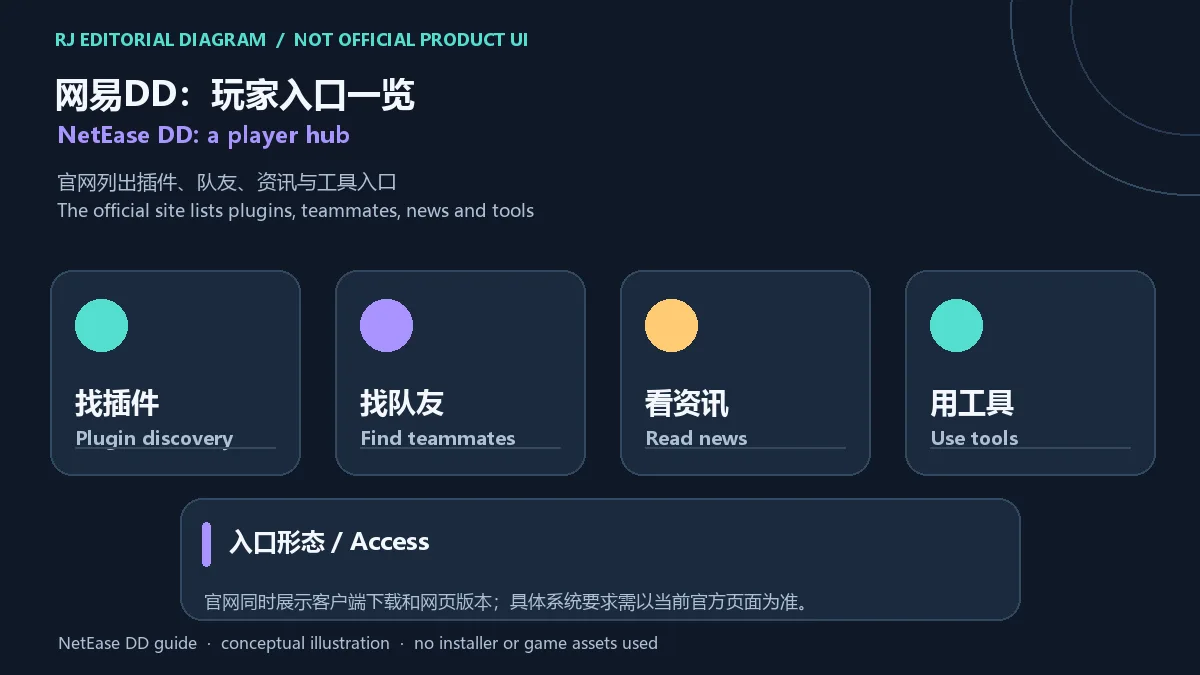
网易DD面向暴雪玩家,官网列出插件发现、寻找队友、阅读资讯和使用工具等入口,并提供客户端与网页版本。本指南整理官方访问、安装前核对、插件来源和游戏规则提醒,以及帮助中心可查信息;当前构建号、最低系统要求和客户端逐项更新日志尚未公开。榜单旧名里的1.0.29不能证明当前版本。具体入口与要求请以官网当前页面为准。
网易DD官网把产品定位为暴雪玩家工具,页面列出插件、队友、资讯和工具等入口,并同时展示客户端与网页版本。不同入口解决的问题并不相同:找插件和队友属于平台内容服务,客户端则是其中一种访问方式。访问前先确认自己进入的是官方域名,网页入口也可用于了解产品当前开放的功能。
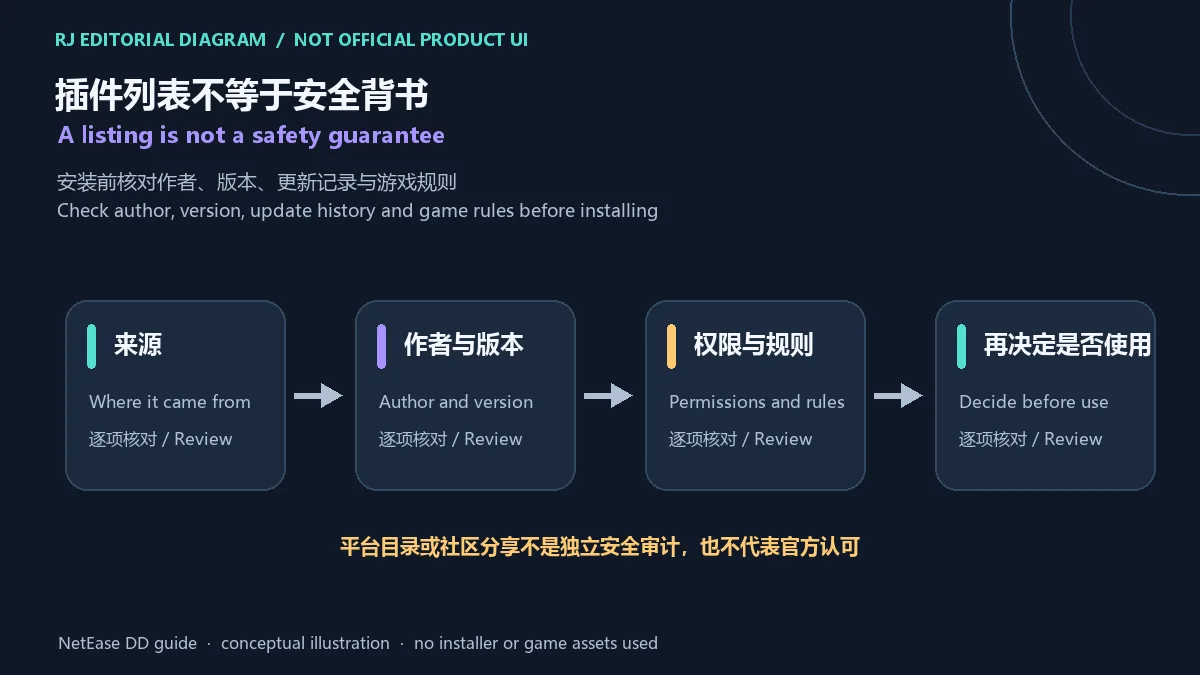
“找到插件”不等于该插件经过独立安全审计,也不代表每个插件或配置都获得游戏运营方认可。安装前查看作者、来源页面、兼容版本、最近更新和所需权限;再对照对应游戏当前规则。若来源、用途或权限说明不清楚,先不要启用。请避免使用会改变游戏行为、自动执行操作或试图绕过规则的工具。
https://dd.163.com/,确认域名后再选择页面展示的“客户端下载”入口。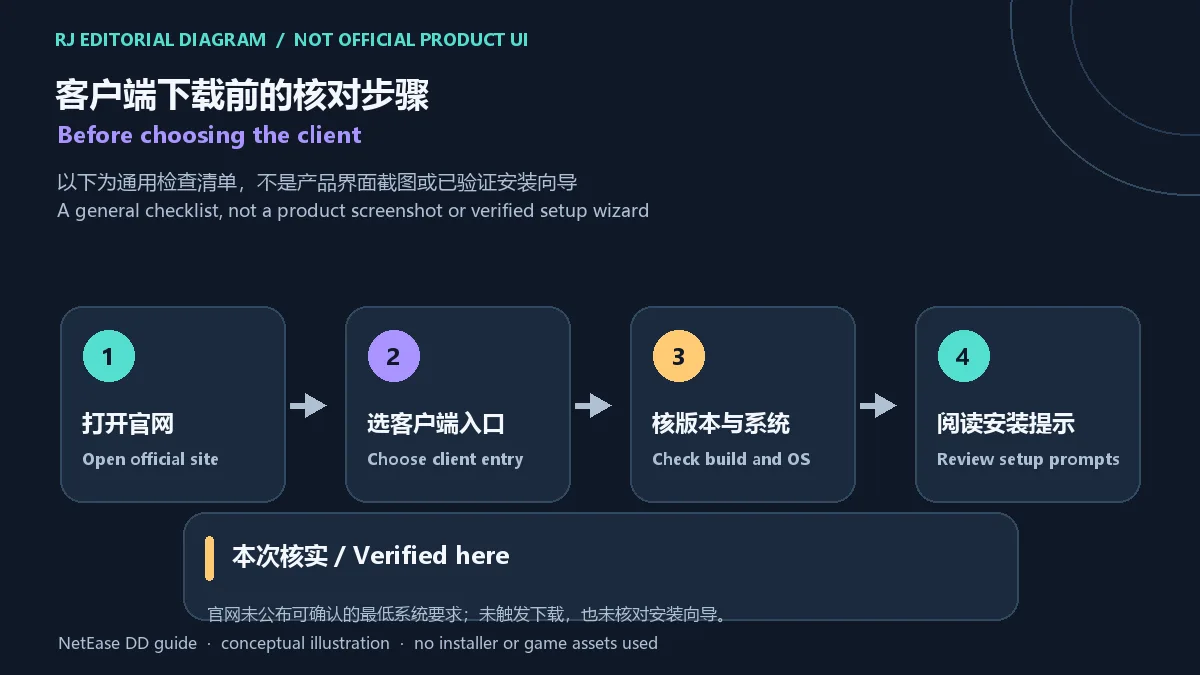
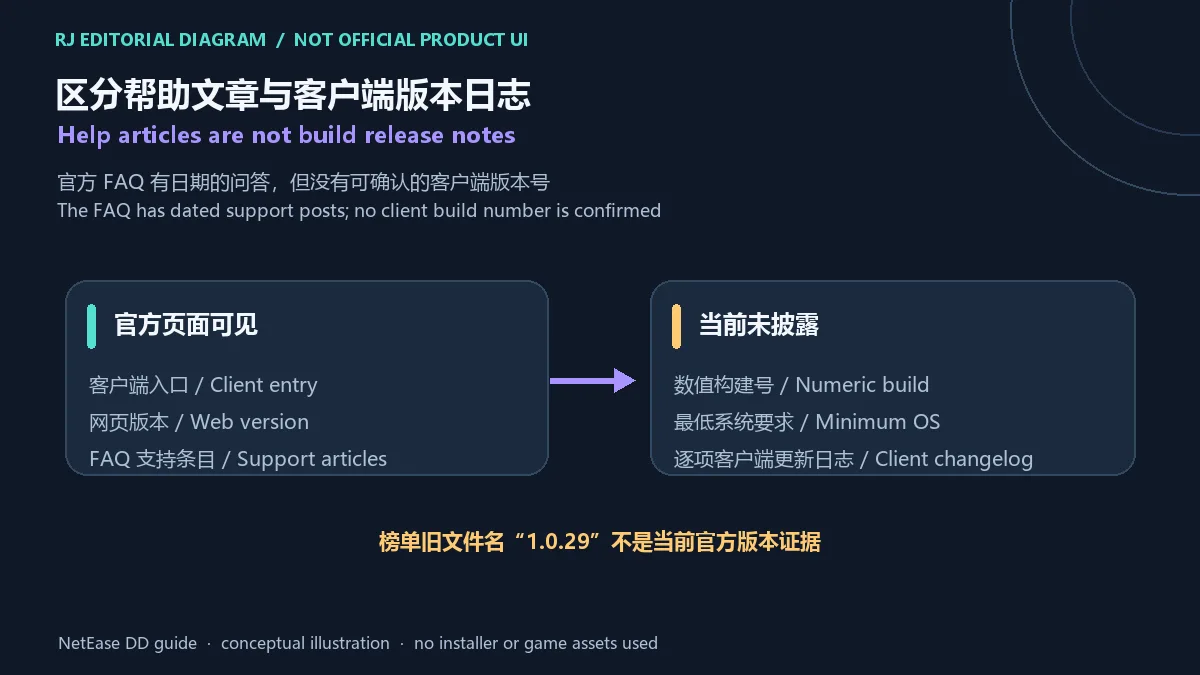
所核验的官网页面没有列出可确认的客户端数值版本、最低系统要求或逐项更新日志。榜单名称中的 1.0.29 来自旧记录,不能当作当前官方版本。帮助中心列有语音问题(2024-11-05)、星团长问题(2025-05-26)和燕云十六声实时地图 FAQ(2026-01-19);这些是帮助文章,不能替代客户端版本发布说明。发布版本信息前,请以官网之后公布的客户端更新记录为准。
网易DD 官方入口在哪里?
官网为 https://dd.163.com/,页面还展示网页版本入口。不要把榜单里的第三方 EXE 链接当作官方渠道。
网易DD 1.0.29 是当前版本吗?
没有证据支持这一结论。1.0.29 仅见于旧榜单记录;所核官网未公开可确认的客户端版本号。
网易DD 当前支持哪些 Windows 版本?
所核验页面没有提供最低系统要求或兼容矩阵。下载前请查看官方客户端页面的当前说明,不能仅凭 .exe 文件名推断兼容范围。
网易DD 插件目录里的插件都安全吗?
不能这样推断。目录入口不等于独立安全审计;请核对作者、来源、更新和权限,并自行确认与游戏规则的兼容性。
客户端下载打不开或出现错误怎么办?
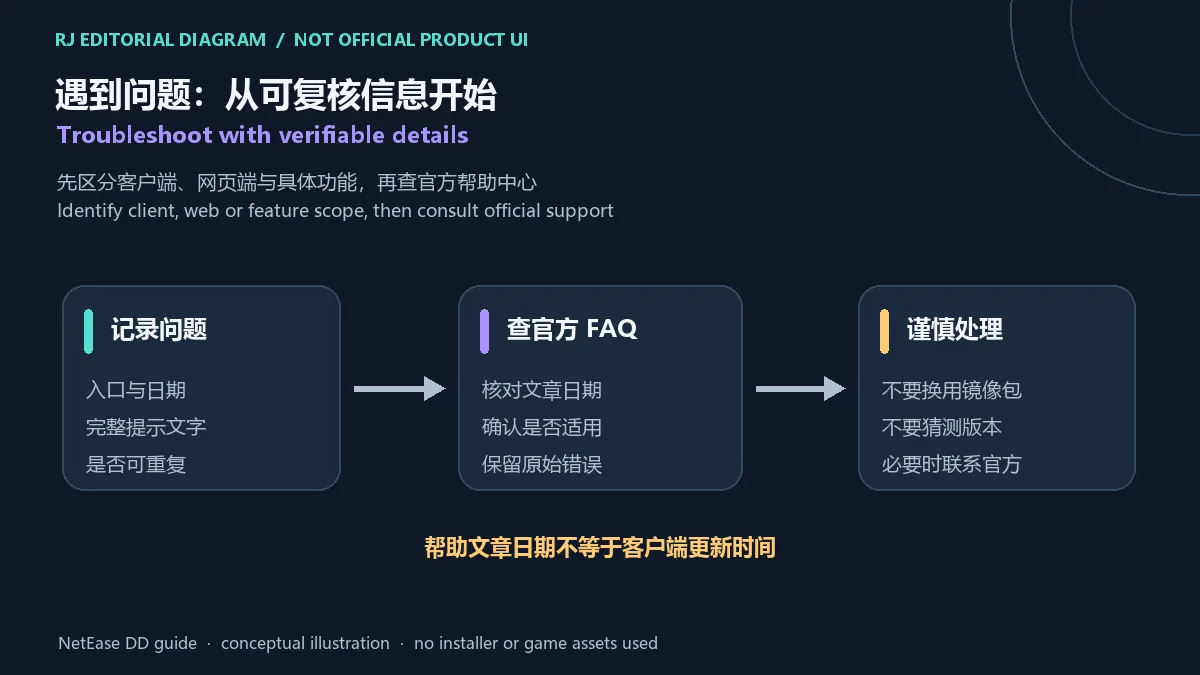
先记录你使用的是客户端还是网页版本、发生时间和完整错误文字,再查看 https://dd.163.com/faq 中日期和主题相符的帮助条目。不要用来源不明的安装包替换。
NetEase DD helps Blizzard players find plugins, teammates, news and tools. Check setup and plugin rules; build and system requirements are undisclosed.
The official NetEase DD site describes the service as a tool for Blizzard players and lists plugin discovery, teammate finding, news and tools. It also shows client and web entries. These are different ways to reach community and service features; a listing does not establish that every third-party item is reviewed or endorsed. Check the official domain before choosing an entry.
A plugin listing is not an independent security audit and does not prove approval by a game operator. Before using an item, review its author, source page, compatible game version, update history and requested permissions. Check the current rules for the relevant game as well. If its source, purpose or permissions are unclear, do not enable it. Avoid tools that automate play, change game behavior or attempt to bypass rules.
https://dd.163.com/ manually and confirm the domain before selecting the client entry shown on the official site.
The official pages reviewed do not provide a verifiable numeric client version, minimum system requirements or itemized client release notes. The 1.0.29 label belongs to an old ranking record and is not evidence of the current official build. The FAQ index shows dated help topics, including voice troubleshooting (2024-11-05), a group-leader topic (2025-05-26) and a Yanyun 16: The Fallen Dynasty real-time map FAQ (2026-01-19). These are support articles, not client release notes. Check the official site for any later build-specific announcement.
Where is the official NetEase DD site?
Use https://dd.163.com/. The site also shows a web entry. The old third-party EXE listed in the ranking is not presented here as an official download.
Is version 1.0.29 current?
That is not established. The number appears only in the old ranking record; the official pages checked did not disclose a verifiable current client version.
Which Windows versions are supported?
The reviewed official pages do not publish a minimum OS or compatibility matrix. Check the current client page before installing; a filename ending in .exe does not establish supported Windows versions.
Are all listed plugins safe?
That cannot be assumed. A directory listing is not an independent security audit. Check the author, source, update history, permissions and relevant game rules.
What should I do if the client will not open?
Record whether you used the client or web entry, the time and the full error text. Then check the relevant dated article at https://dd.163.com/faq. Do not replace the client with an unverified mirror package.
资料核验日期:2026年10月18日
首次发布:2026年10月18日· 编辑修订:2026年10月18日
官网为 https://dd.163.com/,页面展示客户端和网页版本入口。榜单里的第三方 EXE 不作为本页官方渠道。
没有证据支持。1.0.29 只见于旧榜单记录,所核官网没有公布可确认的当前客户端版本号。
所核页面没有公布最低系统要求或兼容矩阵。请以官网客户端页面当前说明为准。
不能这样推断。目录入口不等于独立安全审计;请核对作者、来源、更新、权限和游戏规则。
记录客户端或网页入口、发生时间和完整错误文字,再查看 https://dd.163.com/faq 中日期和主题相符的条目;不要换用来源不明的安装包。
Use https://dd.163.com/. The site shows client and web entries; the old third-party EXE in the ranking is not treated as an official download.
That is not established. The number appears in an old ranking record; the reviewed official pages do not disclose a verifiable current client version.
The reviewed pages do not publish a minimum OS or compatibility matrix. Check the current official client page before installing.
That cannot be assumed. A directory listing is not an independent security audit; check the author, source, updates, permissions and game rules.
Record whether you used the client or web entry, the time and full error text. Check the relevant dated article at https://dd.163.com/faq and avoid unverified mirror packages.

网易云游戏 Android 客户端提供进入云端游戏与手机串流服务的入口。核对官网和应用宝下载渠道、版本冲突、安装步骤、连接排查与常见问题;最低系统要求及逐项更新说明未公开核实。 / NetEase Cloud Gaming for Android provides a mobile route to cloud sessions and game streaming. Check publisher and store routes, conflicting version displays, setup and troubleshooting; minimum OS and itemized release notes were not verified.

samperson 的 Desktop Goose 桌面伴随鹅指南:核对 Windows v0.31 与 Mac v0.22 文件标签,了解作者获取入口、自愿支持、安装资料及历史更新索引。完整运行行为、系统最低要求及最新构建状态尚未确认。 Desktop companion guide with OS file selection, setup checks, voluntary support and attributed update evidence.

OpenSpeedy 是 Windows 开源游戏变速工具,可调整选定进程的时间倍率并设置快捷键。页面整理 3.3.17 更新、安装步骤和在线游戏反作弊风险。 / OpenSpeedy is an open-source Windows game speed controller for selected processes. This page covers v3.3.17, setup, and anti-cheat risks.

Roblox 是 Roblox Corporation 提供的 Android 用户创作游戏平台。本页整理 Google Play 官方入口、安装步骤、家庭与账号检查、商店更新信息及登录和连接故障排查。 / Roblox is Roblox Corporation's Android platform for user-created experiences. This guide covers the official store, setup, family checks, updates, and login or connection troubleshooting.

云·原神是米哈游提供的 Android 云游戏客户端,本页解释其与完整《原神》包体的区别,并整理官网安装入口、网络排查及版本信息边界。 / Genshin Impact Cloud is miHoYo’s Android cloud gaming client. This guide covers its official entry, setup, network checks and release-information limits.

Android小说阅读应用,含听书、漫剧与兴趣推荐;整理应用宝7.4.1.32信息、安装与活动规则核对方法。 / Android reading app with listening, animated comics and recommendations; includes store version 7.4.1.32, setup and activity-term checks.