
网易云游戏 Android 2.9.4
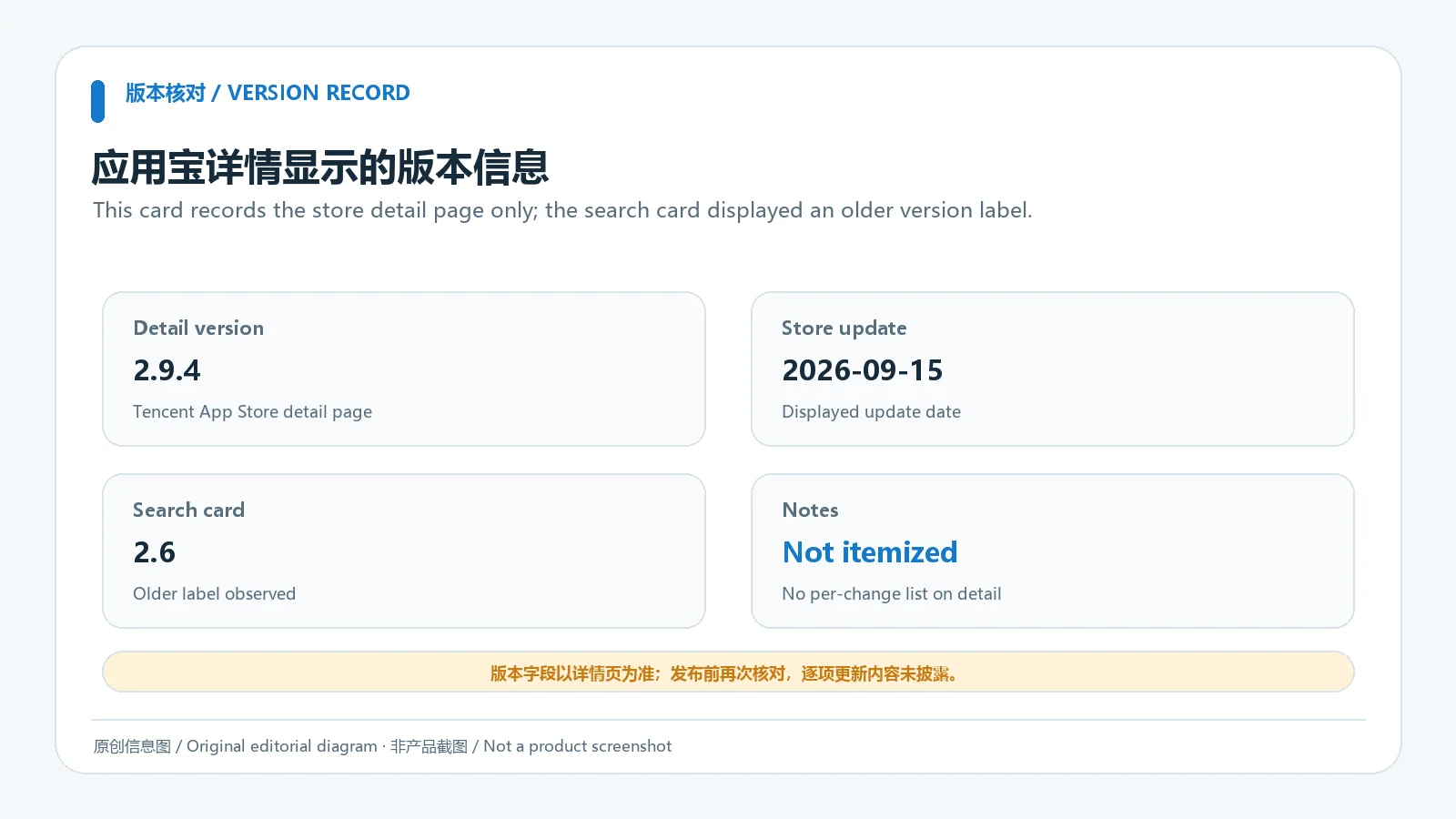
应用宝详情页列出版本 2.9.4,更新时间 2026-09-15;没有逐项更新说明,且旧搜索结果卡片曾显示 2.6,因此下载前请以当前详情页复核版本。 / The Tencent App Store detail lists 2.9.4 updated 2026-09-15 but provides no itemized notes.
게시일: 2026년 9월 15일· 항목 수정: 2026년 10월 19일
网易云游戏 Android 客户端提供进入云端游戏与手机串流服务的入口。核对官网和应用宝下载渠道、版本冲突、安装步骤、连接排查与常见问题;最低系统要求及逐项更新说明未公开核实。 / NetEase Cloud Gaming for Android provides a mobile route to cloud sessions and game streaming. Check publisher and store routes, conflicting version displays, setup and troubleshooting; minimum OS and itemized release notes were not verified.
별칭: 网易云游戏 Android、NetEase Cloud Gaming
소프트웨어의 기본 정보와 출처를 확인하세요
应用宝详情页未列单独软件许可证;请以开发者公布的服务条款及内容授权规则为准。 / The store detail does not list a separate software license; refer to the publisher’s service terms and content licensing rules.
com.netease.android.cloudgameOnly public publisher and store pages were reviewed. No APK was downloaded, signature-verified or scanned; official links do not constitute an independent security assessment.
网易云游戏 Android 客户端提供进入云端游戏与手机串流服务的入口。核对官网和应用宝下载渠道、版本冲突、安装步骤、连接排查与常见问题;最低系统要求及逐项更新说明未公开核实。 / NetEase Cloud Gaming for Android provides a mobile route to cloud sessions and game streaming. Check publisher and store routes, conflicting version displays, setup and troubleshooting; minimum OS and itemized release notes were not verified.
网易云游戏安卓版整合可用游戏目录、云端会话与手机串流,适合先确认游戏支持范围和网络条件的玩家。本文核对官网与应用宝入口、版本记录和更新时间,说明安装步骤、延迟排查、账号隐私及更新日志边界;请以设备提示和当前官方信息为准。官方渠道不等于独立安全检测,游戏可用性、最低系统要求与当前规则请以页面和客户端提示为准。
网易云游戏安卓版整合可用游戏目录、云端会话与手机串流,适合先确认游戏支持范围和网络条件的玩家。本文核对官网与应用宝入口、版本记录和更新时间,说明安装步骤、延迟排查、账号隐私及更新日志边界;请以设备提示和当前官方信息为准。官方渠道不等于独立安全检测,游戏可用性、最低系统要求与当前规则请以页面和客户端提示为准。
网易云游戏 Android 客户端为用户提供进入云游戏服务的移动入口。应用目录用于浏览当前可用的游戏和服务信息;具体能否启动某一款游戏,仍取决于服务目录、账号条件、地区或活动规则以及设备网络。本页介绍的是 Android 客户端,不应把目录中的 PC 或主机游戏理解为本机安装包。云端运行与画面串流也意味着网络质量会影响响应和画面体验,游玩前可先查阅客户端内的游戏说明与要求。
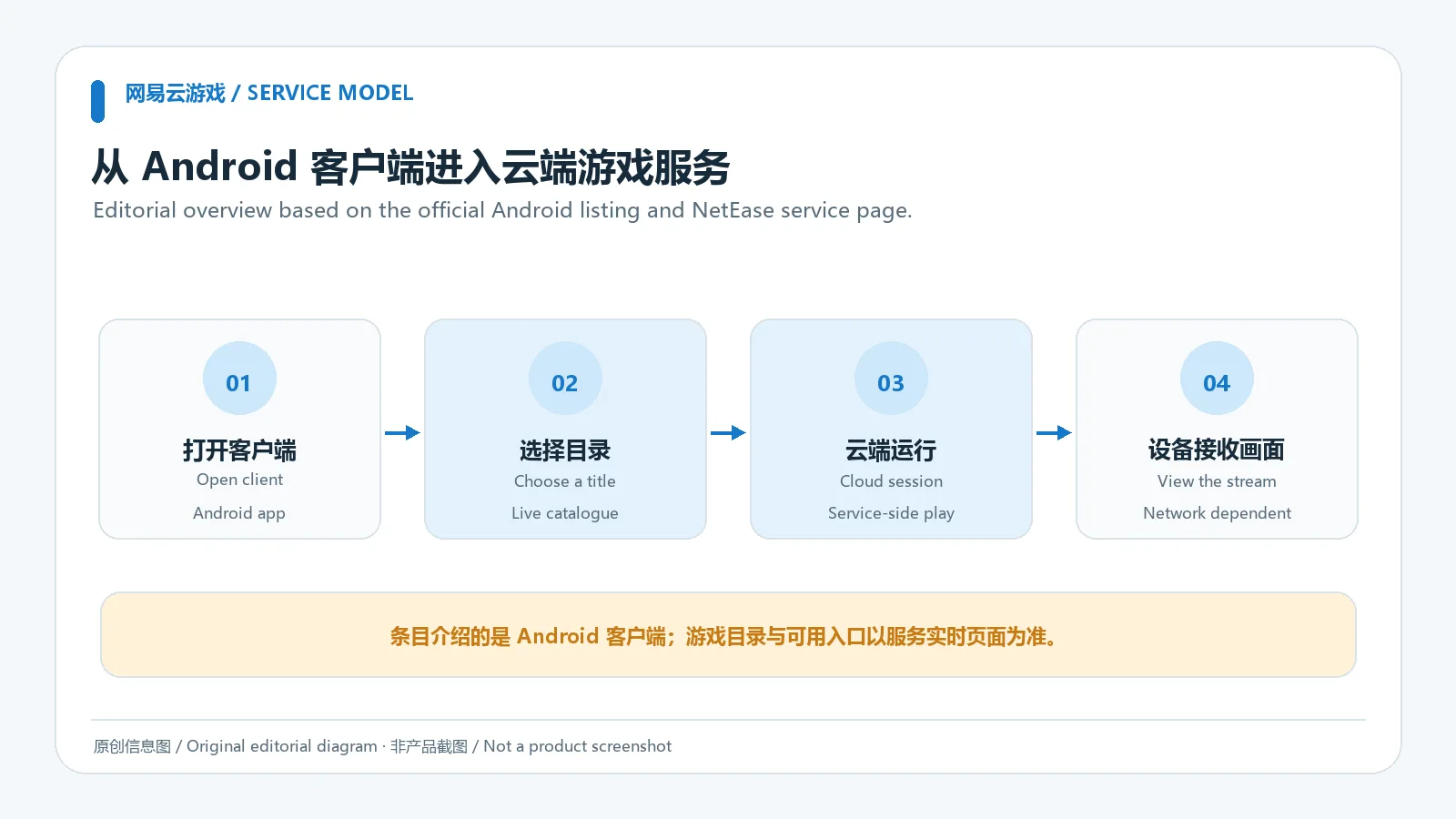
可从网易云游戏官网进入 Android 客户端获取入口,也可通过应用宝的 com.netease.android.cloudgame 详情页核对应用身份。本次查看的应用宝详情页列出版本 2.9.4、更新时间 2026-09-15;同一来源的搜索结果卡片仍显示 2.6,两个展示值不一致,下载前应再次打开详情页确认。详情页没有列出逐项更新日志、最低 Android 版本或网络带宽门槛,因此本页不补写这些数值,也不把商店页面表述成已独立验证的 APK。
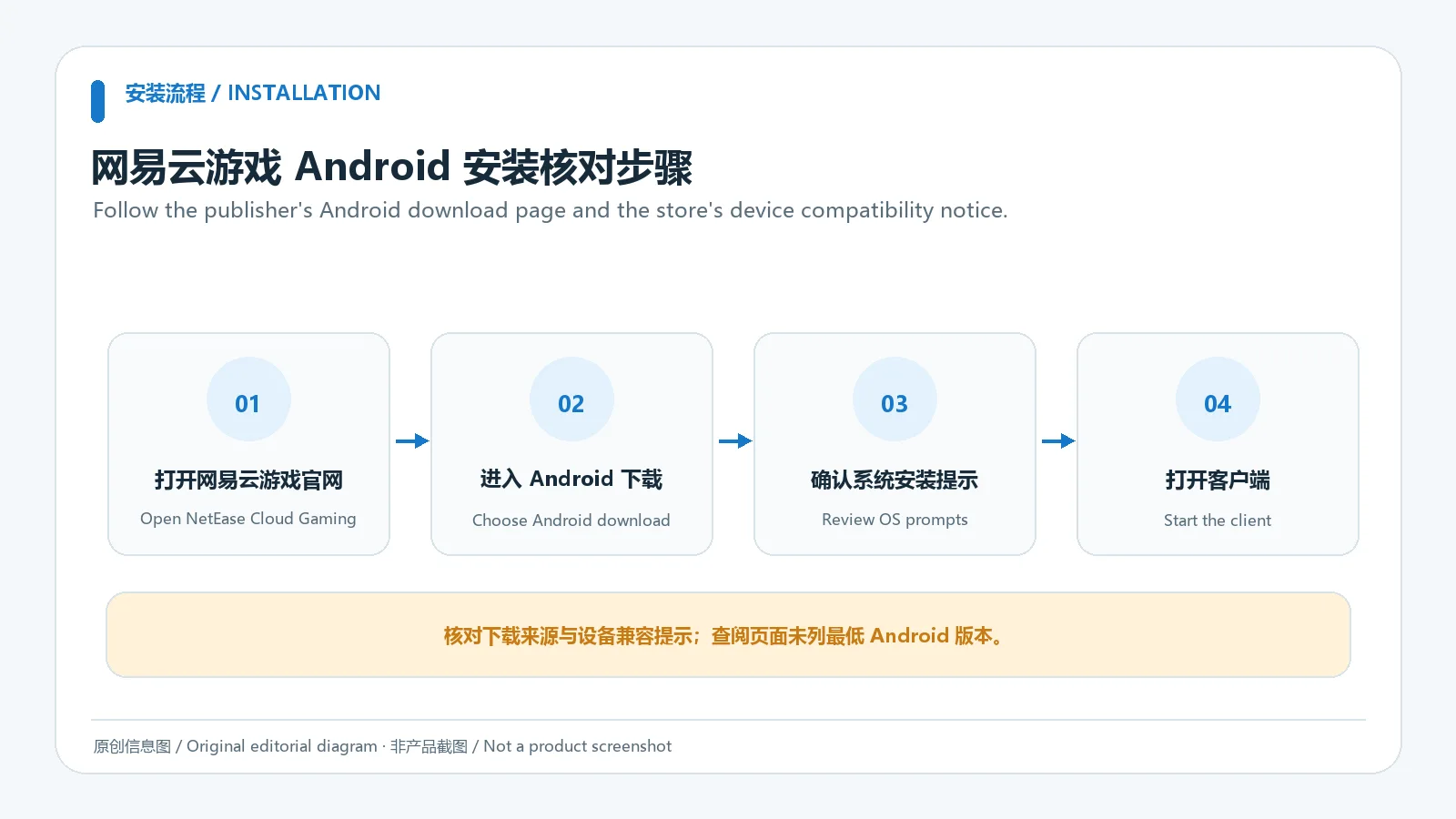
官网或应用宝页面是本文核实到的获取渠道;页面展示的是下载入口或应用详情,并非本站托管的安装包。请检查产品名称、开发者和设备兼容提示,避免从搜索广告、仿冒页面或未经核验的安装包下载。应用是否可获取、具体设备支持和游戏目录会随服务规则调整,应以当时页面与客户端提示为准。
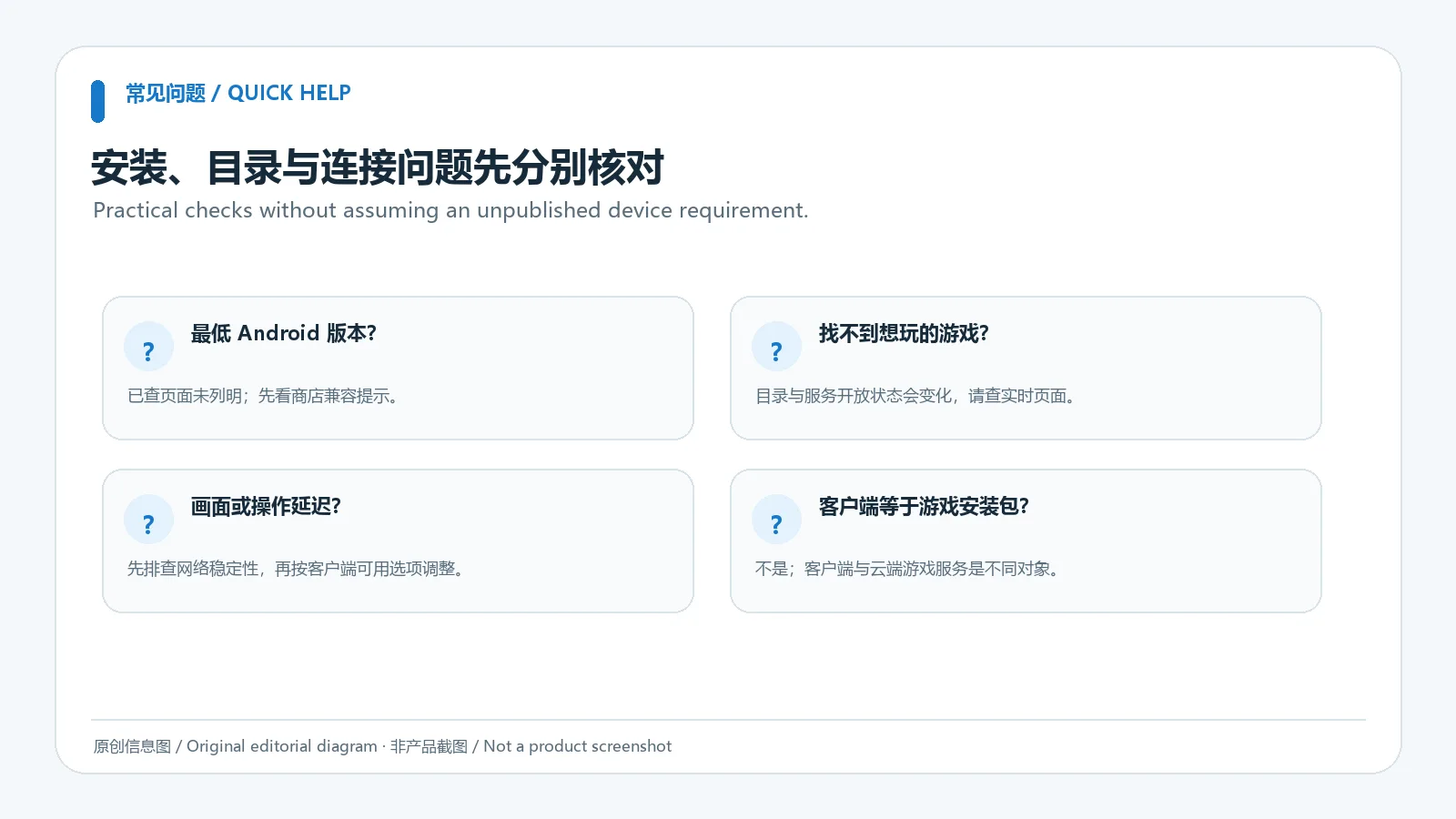
若画面卡顿或操作响应慢,先区分网络波动、服务排队与游戏本身的问题:可改用稳定网络,暂停占用大量带宽的任务,再重新进入会话;若客户端提供画面质量选项,可暂时调低后观察变化。不要把一次网络测速结果当作固定的最低带宽承诺。若某游戏未出现在目录或无法启动,核对当前服务说明、账号条件和游戏可用范围,不要据此安装来源不明的“补丁”。
登录失败时先确认账号状态与官方通知;安装后闪退则记下设备型号、Android 版本、应用版本和错误提示,并通过官方支持渠道询问。清理数据或卸载可能影响登录状态,操作前先确认账号可以找回。我们只核对了公开产品页与应用宝页面,没有取得 APK、验证数字签名或执行安全扫描;正式来源可帮助核对身份,但不等于独立安全检测。
当前可核实的商店版本记录为 2.9.4(2026-09-15)。应用宝详情页未公开逐项更新说明;搜索卡片的 2.6 与详情页的 2.9.4 不一致,故安装前请重新检查详情页和客户端更新提示。没有可靠的更新事项可列时,本页不推测新增功能或修复内容。
网易云游戏当前版本是多少? 本次应用宝详情页显示 2.9.4,更新时间为 2026-09-15;搜索结果卡片仍显示 2.6。请以下载时打开的详情页及安装后的版本信息为准。
安装游戏后会把游戏文件下载到手机吗? 本页核对的是云游戏客户端入口。服务是否支持某款游戏以及运行方式以目录和游戏详情为准;不能仅凭目录条目推断可离线安装或本机运行。
为什么延迟高或进不去游戏? 先检查网络稳定性、服务公告与该游戏当前可用状态,再重启会话。持续失败时,记录设备、版本和报错后联系官方。
这个安装包经过本站安全检测吗? 没有。本次没有下载或扫描 APK,也没有验证签名。请使用已核实的官网或应用宝入口,并仔细查看 Android 安装提示。
开始网易云游戏安卓版下载前,先从官网或应用宝核对当前版本、应用身份与设备提示;安装后记录实际版本,并按网络、账号和目录状态逐项排查。商店版本冲突、最低系统要求和逐项更新日志仍需以官方后续信息确认。
NetEase Cloud Gaming for Android offers cloud streaming and a game catalogue. Check title support, official sources, setup steps and lag or connection tips.
The Android client is a mobile entry point to NetEase Cloud Gaming. Its catalogue can help you browse the games and services currently listed, but availability may depend on the catalogue, account conditions, regional or promotional rules, and network access. A PC or console title appearing in the catalogue does not mean its files can be installed locally on an Android phone. Cloud sessions return a streamed image, so connection quality can affect responsiveness and picture stability. Review the current in-app description for the title you want to play.
The NetEase Cloud Gaming site provides an Android client route. The Tencent App Store detail page for package com.netease.android.cloudgame is another place to check the app identity. The detail page reviewed here lists version 2.9.4 and an update date of 15 September 2026. Its search-result card still shows 2.6, so the two displays conflict; reopen the detail page before downloading. The listing does not provide itemized release notes, a minimum Android version or a required bandwidth figure. This guide does not invent those details or claim that an APK was independently verified.
The verified pages expose a download route or a store listing; RJ does not host the installation file in this guide. Check the product name, developer and device compatibility message. Avoid search ads, look-alike pages and unverified packages. Availability, supported devices and the game catalogue can change under the service's current terms, so follow the page and client shown at download time.
If play feels delayed or the picture stutters, separate network conditions from service availability and title-specific issues. Try a stable connection, pause bandwidth-heavy activity and reconnect. If the client offers a streaming-quality setting, lower it temporarily to see whether responsiveness improves. A single speed test should not be treated as a guaranteed minimum requirement. If a title is missing or cannot launch, check its current service notes, account conditions and availability instead of installing an unofficial patch.
For sign-in failures, check account status and official notices. If the app closes after installation, note the device model, Android version, app version and exact message before contacting support. Confirm account recovery before clearing data or uninstalling. This review checked public product and store pages only; no APK was retrieved, signature-verified or scanned. A verified source helps confirm where the link leads, but is not an independent security assessment.
The Tencent App Store detail page currently reviewed lists version 2.9.4, dated 15 September 2026. It does not publish itemized changes. A search-result card from the same source still shows 2.6, so check the detail page and the client's update notice before relying on a number. No new features or fixes are inferred where the publisher has not listed them.
What is the current Android version? The reviewed store detail says 2.9.4 and 15 September 2026; its search card says 2.6. Check the detail page and installed app information when downloading.
Does installing the client install each game on my phone? This page covers the cloud-gaming client route. Check each title's current listing for availability and operation; a catalogue entry alone does not establish an offline or local Android edition.
Why is latency high or a game unavailable? Check connection stability, service notices and the title's current availability, then reconnect. Contact the publisher with your device, app version and exact error if the problem continues.
Was the APK scanned by RJ? No. This review did not download the package, scan it or verify its signature. Use the reviewed publisher or store page and read Android's installer message.
Before installing NetEase Cloud Gaming for Android, check the publisher or store page for the current app identity, version and device prompt. Record the installed version and troubleshoot network, account and catalogue status separately. The store-version conflict, minimum system requirement and itemized changelog still need confirmation from current publisher information.
정보 검증일: 2026년 10월 19일
최초 게시: 2026년 10월 19일· 편집 수정: 2026년 10월 19일

云·原神是米哈游提供的 Android 云游戏客户端,本页解释其与完整《原神》包体的区别,并整理官网安装入口、网络排查及版本信息边界。 / Genshin Impact Cloud is miHoYo’s Android cloud gaming client. This guide covers its official entry, setup, network checks and release-information limits.
爱玩机工具箱是应用宝列出的 Android 工具应用。开发商和运营商为贵阳满康科技有限公司;官方商店介绍称它汇集日常实用工具、图形工具和文件管理。详细功能、权限和设备兼容性以当前应用宝详情为准。

PlainApp 是开源 Android 手机管理应用,可在电脑或其他设备的浏览器中访问手机文件、照片、视频、音乐、联系人和短信等功能。v3.3.25 于 2026-09-11 发布;安装前请核对 Android 兼容性与连接方式。

抖音安卓版提供短视频浏览、拍摄编辑、直播和短剧内容。本页说明官方安装入口、包名、Android 6.0+、40.8.0版本记录及安装排查。 | Douyin for Android offers short-video viewing and creation, livestreams and mini dramas. This guide covers the official install route, package, Android 6.0+, v40.8.0 and setup checks.

Android APK研究与编辑工具;整理官方261014构建、五项更新、备份工作流和许可。 / Android APK study and editing tool with official build261014, five release changes, a backup workflow and license information.

FCL 是 Android 上的 Minecraft Java 版启动器。本文整理官方1.3.4.1 APK、Android8.0要求、Java与模组配置、七项更新及启动排查。 / FCL launches Minecraft Java on Android; covers the official1.3.4.1 APK, Android8.0 floor, runtimes, mods, seven changes and troubleshooting.

samperson 的 Desktop Goose 桌面伴随鹅指南:核对 Windows v0.31 与 Mac v0.22 文件标签,了解作者获取入口、自愿支持、安装资料及历史更新索引。完整运行行为、系统最低要求及最新构建状态尚未确认。 Desktop companion guide with OS file selection, setup checks, voluntary support and attributed update evidence.

OpenSpeedy 是 Windows 开源游戏变速工具,可调整选定进程的时间倍率并设置快捷键。页面整理 3.3.17 更新、安装步骤和在线游戏反作弊风险。 / OpenSpeedy is an open-source Windows game speed controller for selected processes. This page covers v3.3.17, setup, and anti-cheat risks.

Roblox 是 Roblox Corporation 提供的 Android 用户创作游戏平台。本页整理 Google Play 官方入口、安装步骤、家庭与账号检查、商店更新信息及登录和连接故障排查。 / Roblox is Roblox Corporation's Android platform for user-created experiences. This guide covers the official store, setup, family checks, updates, and login or connection troubleshooting.
云·原神是米哈游提供的 Android 云游戏客户端,本页解释其与完整《原神》包体的区别,并整理官网安装入口、网络排查及版本信息边界。 / Genshin Impact Cloud is miHoYo’s Android cloud gaming client. This guide covers its official entry, setup, network checks and release-information limits.

Android小说阅读应用,含听书、漫剧与兴趣推荐;整理应用宝7.4.1.32信息、安装与活动规则核对方法。 / Android reading app with listening, animated comics and recommendations; includes store version 7.4.1.32, setup and activity-term checks.
网易生存射击手游,结合搜集物资、战斗撤离、枪械改装与游戏内交易。 / NetEase survival shooter combining supply collection, combat, extraction, weapon customization and in-game trading.