

NatTypeTester
Android v10.0.10Windows v10.0.10macOS v10.0.10Linux v10.0.10MIT
NatTypeTester 是用于检测 STUN NAT 映射与过滤行为的开源工具,10.0.10 提供 Android、Windows、macOS 和 Linux 发行包。 | NatTypeTester checks STUN NAT mapping and filtering, with 10.0.10 packages for Android, Windows, macOS and Linux.
AndroidLinuxmacOSWindows
Contenu assisté par l’IA
Informations
Découvrez les informations essentielles et les sources du logiciel
Aperçu du logiciel
- Développeur
- HMBSbige
- Mise à jour
- 19 oct. 2026
- Langues disponibles
- Non fourni
- Configuration requise
- Non fourni
- Taille du fichier
- Non fourni
- Clics sur les liens de téléchargement
- 20
Licence
MIT
Sources et vérification
- Type de ressource
- software
- Tarif
- 未披露 / Not disclosed
- Date de vérification des informations
- 19 oct. 2026
- Politique de confidentialité
- Non fourni
Plus d'informations sur le logicielConsultez le nom du paquet, la somme de contrôle et le SHA-256
- Nom du paquet
- Non fourni
- Somme de contrôle
- Non fourni
- SHA-256
- Non fourni
NatTypeTester 是用于检测 STUN NAT 映射与过滤行为的开源工具,10.0.10 提供 Android、Windows、macOS 和 Linux 发行包。 | NatTypeTester checks STUN NAT mapping and filtering, with 10.0.10 packages for Android, Windows, macOS and Linux.
中文
NatTypeTester 10.0.10 是开源 NAT 检测工具,通过 STUN 测试网络映射与过滤行为,提供 Android、Windows、macOS 和 Linux 版本。本文整理官方包、安装步骤、版本修复和网络限制,帮助按系统与架构选择文件;测试结果会受路由器、运营商网络和 STUN 服务响应影响。
功能与特点
NatTypeTester 使用 STUN 检查网络地址转换(NAT)的映射与过滤行为,帮助判断设备处于直接公网连接还是经过 NAT 等网络环境。官方 README 列出 RFC 3489、RFC 5780 与 RFC 8489 相关测试,并说明支持 IPv4、IPv6,以及 UDP、TCP、TLS-over-TCP 和 DTLS-over-UDP。它用于观测网络行为,不会自动修改路由器、防火墙或运营商网络。
同一次测试的结果可能随路由器设置、上游网络和 STUN 服务响应而不同。若你在排查语音、游戏联机或点对点连接,记录所用网络和测试结果,再与应用自身的连接诊断对照;NAT 类型测试本身不能证明目标服务一定可连通。
安装方法
- 打开 NatTypeTester 官方 10.0.10 发布页,先确认系统和处理器架构,再选择对应附件;Android 提供 arm64、x64 与 universal APK。架构不确定时,先查看设备信息,不要混用不同 APK。
- Android 用户可选择 universal 包,或按设备架构选择优化 APK;按系统安装提示继续。若系统要求确认本次安装来源,只对你从官方发布页取得的文件作单次核验,不要关闭整机安全保护。
- Windows、Linux 与 macOS 桌面版本提供 7z 压缩包;选择与操作系统和 arm64/x64 架构相符的文件,解压后按项目说明启动桌面程序。控制台附件带有 NatTypeTester.Console 名称,需与图形界面版区分。
- 启动后按程序界面选择相应 STUN 测试。若请求超时,检查网络是否允许所需传输,并确认使用的 STUN 服务可达;不要把超时直接解释成某一种 NAT 类型。
版本与更新
官方 GitHub 将 10.0.10 标记为最新发布,日期为 2026-10-08。该版修复 Linux 在中文、日文等语言环境下可能选错默认字体、令小写字母显示异常的问题。发布说明没有列出本版其他功能改动;不要把早期版本记录并入 10.0.10 更新日志。后续发行包与附件可能变化,下载前请重新查看官方发布页。
常见问题 FAQ
问:NatTypeTester 会帮我修改 NAT 或开放端口吗?答:不会。它通过 STUN 测试并显示网络行为,路由器配置或网络策略仍需由你自行核对。
问:Android 下载选哪个文件?答:官方 10.0.10 提供 arm64、x64 和 universal APK。先确认设备架构;不确定时可查看 universal 文件说明,并以设备安装提示为准。
问:Windows 或 Linux 解压后打不开怎么办?答:检查是否选对操作系统和架构,确认压缩包完整,并查看项目说明与系统提示;如测试请求失败,再检查网络对 STUN 所需传输的支持。
问:10.0.10 修复了什么?答:官方说明修复 Linux 在部分语言环境下默认字体选择不正确、造成小写字母显示异常的问题。
问:安装包经过本站安全扫描了吗?答:没有。本页记录的是官方发布附件及其页面信息;使用前可在官方发布页核对文件名与 SHA256,本站未下载或独立扫描安装包。
English
NatTypeTester 10.0.10 is a STUN tool for Android, Windows, macOS and Linux. This guide covers downloads, setup, the Linux font fix and network limits.
Features
NatTypeTester uses STUN to examine Network Address Translation (NAT) mapping and filtering behavior. The official README lists tests related to RFC 3489, RFC 5780 and RFC 8489, with IPv4, IPv6, UDP, TCP, TLS-over-TCP and DTLS-over-UDP support. It reports network behavior; it does not change a router, firewall or carrier network.
Results can vary with router configuration, upstream routing and the STUN server response. If you are troubleshooting voice, multiplayer or peer-to-peer connectivity, record the network used and compare the result with the affected app’s own diagnostics. A NAT test alone cannot prove that a particular service will connect.
Installation
- Open the official NatTypeTester 10.0.10 release page. Match the operating system and CPU architecture before choosing an asset. Android has arm64, x64 and universal APK files.
- For Android, choose the universal APK if you cannot identify the device architecture, or select a matching optimized package. Follow the system installer prompts. Review any one-time permission for this file source; do not disable device-wide protection.
- Windows, Linux and macOS desktop builds are distributed as 7z archives. Choose the matching OS and arm64/x64 package, extract it, and follow the project instructions to start the desktop app. Assets named NatTypeTester.Console are command-line builds, not the GUI package.
- Run the relevant STUN test in the app. If a request times out, check whether the network allows the required transport and whether the selected STUN service is reachable; a timeout alone does not identify a NAT type.
Updates
GitHub marks 10.0.10 as the latest release, dated 2026-10-08. Its release note fixes a Linux font-selection issue that could render lowercase characters incorrectly in Chinese, Japanese and other language environments. The note does not list additional feature changes for this version. Earlier release changes are not part of the 10.0.10 changelog; recheck the official page because assets may change.
FAQ
Q: Does NatTypeTester change NAT settings or open router ports? A: No. It tests and reports network behavior with STUN; router configuration and network policy remain separate.
Q: Which Android package should I choose? A: The 10.0.10 release lists arm64, x64 and universal APKs. Check your device architecture; if it is unclear, review the universal asset details and the device installer prompt.
Q: Why will a desktop archive not open? A: Check the OS and architecture, confirm the archive is complete, and review the project instructions and system prompt. For a failed network test, also check whether the network permits the required STUN transport.
Q: What changed in 10.0.10? A: The official note fixes a Linux default-font selection issue that could display lowercase letters incorrectly in some language environments.
Q: Was the installer security-scanned here? A: No. This page records official release assets and page metadata. You can compare the filename and SHA256 on the official release page; the packages were not downloaded or independently scanned here.
Plateformes et configuration requise
- Android
- Configuration requise non indiquée
- Windows
- Configuration requise non indiquée
- macOS
- Configuration requise non indiquée
- Linux
- Configuration requise non indiquée
Sources et vérification
Informations vérifiées le : 19 oct. 2026
Première publication : 19 oct. 2026· Révision éditoriale : 19 oct. 2026
Populaires dans cette catégorie
Tout voir
Watt Toolkit
Watt Toolkit(原 Steam++)是面向 Steam 相关任务的开源跨平台工具箱,包含网络、账号、库存和令牌功能。 / Formerly Steam++, Watt Toolkit is an open-source cross-platform toolbox for Steam-related network, account, library, and token tasks.
Neat Download Manager
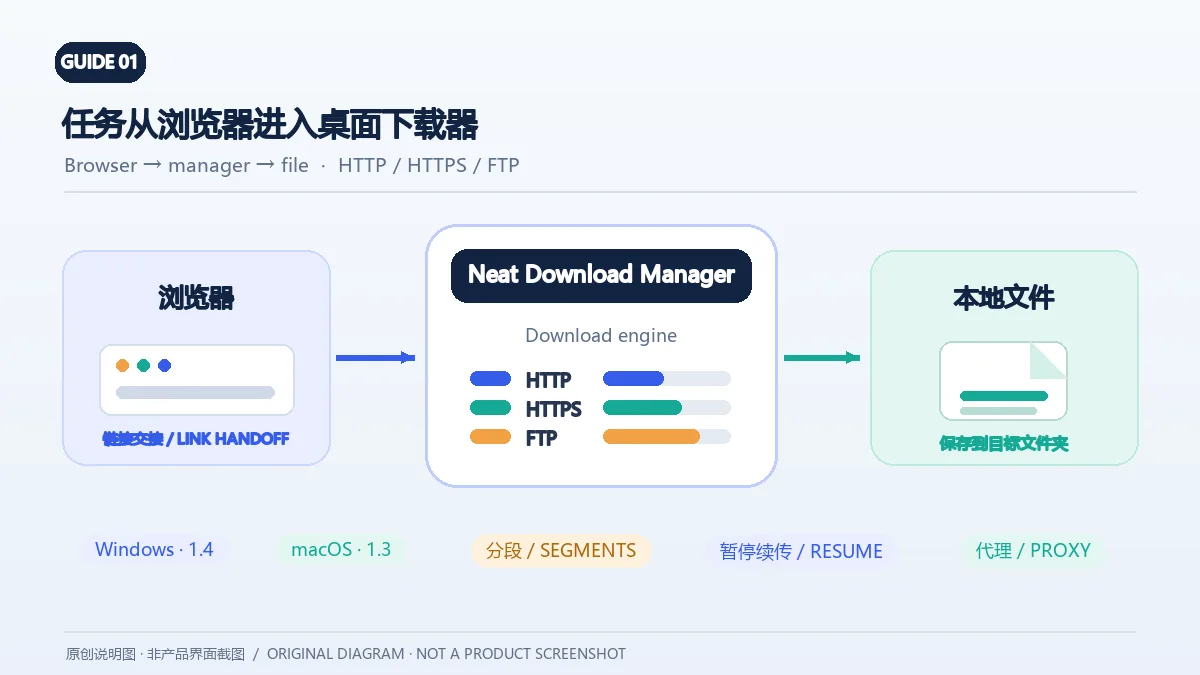
Neat Download Manager(NeatDM)是 Windows 与 macOS 桌面下载管理器,可管理链接任务、分段连接、代理、暂停续传和浏览器扩展。本文核对官网列出的 Windows 1.4 与 macOS 1.3,并说明版本日志、系统要求和安装包仍有哪些信息未公开。 / Neat Download Manager (NeatDM) is a Windows and macOS desktop download manager for browser handoff, segmented transfers, proxies, and pause/resume. This guide checks the publisher-listed versions and explains installation, compatibility, and missing desktop release notes.

qBittorrent
qBittorrent 是开源 BitTorrent 客户端,支持磁力链接、RSS、搜索和 Web UI。本页整理 Windows 10+ 稳定版 5.2.4、macOS/Linux 平台差异、安装核对与版权提醒。 / qBittorrent is an open-source BitTorrent client with magnet, RSS, search and Web UI features. Review stable v5.2.4, platform differences, setup checks and lawful use.
腾讯手游加速器
腾讯手游加速器由深圳市腾讯计算机系统有限公司开发和运营。应用宝详情介绍网络加速、游戏相关辅助信息、预约与战绩数据等功能;支持情况以当前应用详情为准。

奇游加速器 Qiyou
奇游 Windows 官方下载、安装步骤、区服选择与会员条件,保留7.3.0文件标识和官网页脚差异。 / Official Windows download, installation, route checks and membership terms with explicit version-evidence limits.

迅猛兔加速器
迅猛兔加速器 Android 来源、网络模式、安装、版本与FAQ。 / Xunmengtu Android source, network modes, installation, version record, and FAQs.
Une information erronée ou un lien défectueux ?Aidez-nous à améliorer