
显卡监控、压力测试与性能比较
查看显卡状态,并按需要进行稳定性观察与性能比较。收录3DMark、FurMark、GPU-Z等站内已有工具,按实际用途选择适合自己的应用。

MSI Afterburner 免费显卡监控与调校指南,介绍各品牌显卡支持、核心与电压控制、风扇曲线、OC Scanner 和游戏内 OSD,区分官网 4.6.6 Final 与 4.6.7 Beta,说明来源核对、安装和默认值恢复准备。 MSI Afterburner guide to monitoring, official sources, setup, release channels and cautious tuning.
Aliases: Afterburner、MSI Afterburner 4.6.6
Author: RJ.tools Editorial
AI-assisted content
Learn about the software and its sources
MSI describes free use; detailed license and third-party redistribution rights were not confirmed from the reviewed landing page. Consult current publisher and installer terms.
MSI Afterburner 免费显卡监控与调校指南,介绍各品牌显卡支持、核心与电压控制、风扇曲线、OC Scanner 和游戏内 OSD,区分官网 4.6.6 Final 与 4.6.7 Beta,说明来源核对、安装和默认值恢复准备。 MSI Afterburner guide to monitoring, official sources, setup, release channels and cautious tuning.
MSI Afterburner下载与安装指南:查看显卡监控、风扇曲线、4.6.6正式版与测试版区别,了解官方来源和调整准备。 MSI Afterburner download guide: GPU monitoring, setup, Final vs Beta and tuning checks.
MSI Afterburner 是免费的显卡监控与调校工具,官网说明适用于各品牌显卡。本页提供 MSI Afterburner 下载入口与安装指南,介绍硬件监控、自定义风扇曲线、OC Scanner 和游戏内显示,区分 4.6.6 正式版与 4.6.7 测试版,并说明调整前记录默认值、观察温度和异常后恢复的准备。
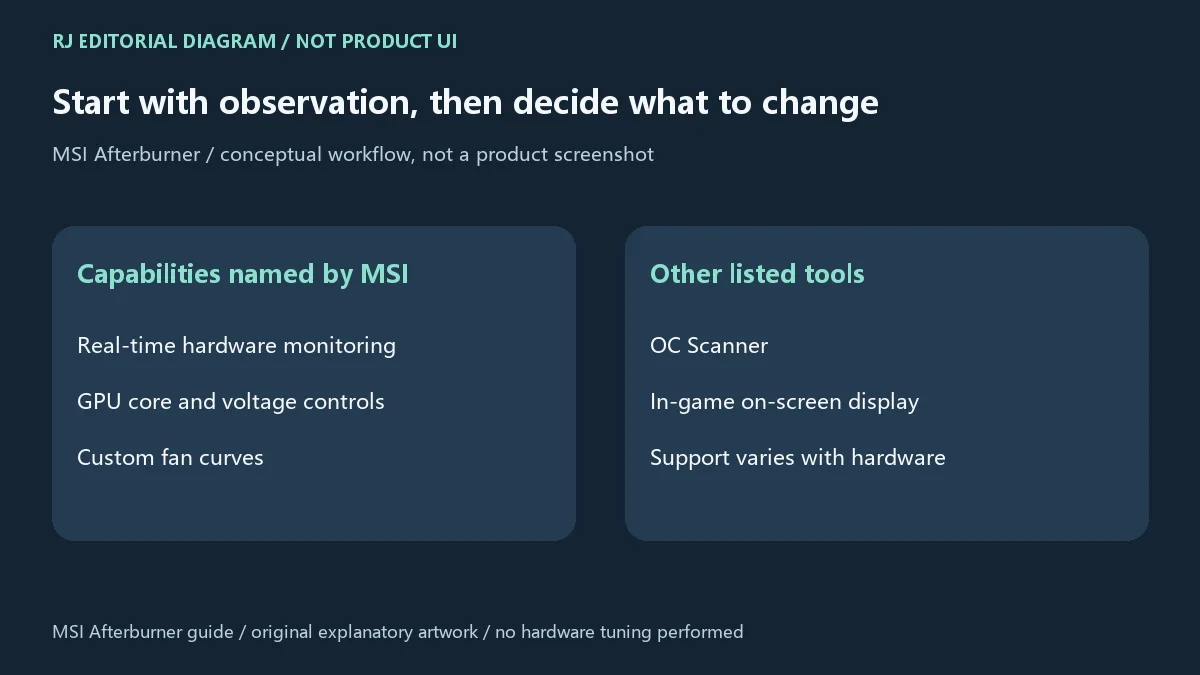
MSI 官方把 Afterburner 介绍为免费、适用于各品牌显卡的工具,而不只面向 MSI 显卡。官网列出的能力包括 GPU 核心与电压控制、硬件实时监控、自定义风扇曲线、OC Scanner,以及游戏内 OSD(屏幕信息叠加显示)。这些功能有不同用途:监控帮助观察硬件状态,风扇曲线用于安排温度与风扇行为之间的关系,核心和电压控制则会改变硬件工作参数。支持各品牌并不代表每一张显卡、驱动与电脑都开放同一组控制项,安装前仍需核对自己的设备情况。
首次接触时可以先使用监控功能,了解平常工作或游戏负载下的状态,再决定是否需要调整。OSD 用于在游戏过程中查看信息,不应把某次显示的帧率或温度直接当成所有场景的表现。OC Scanner 是官网列出的功能名称,不是对任何设备稳定性或性能增益的保证;具体可用性以工具、驱动与硬件的实际支持为准。
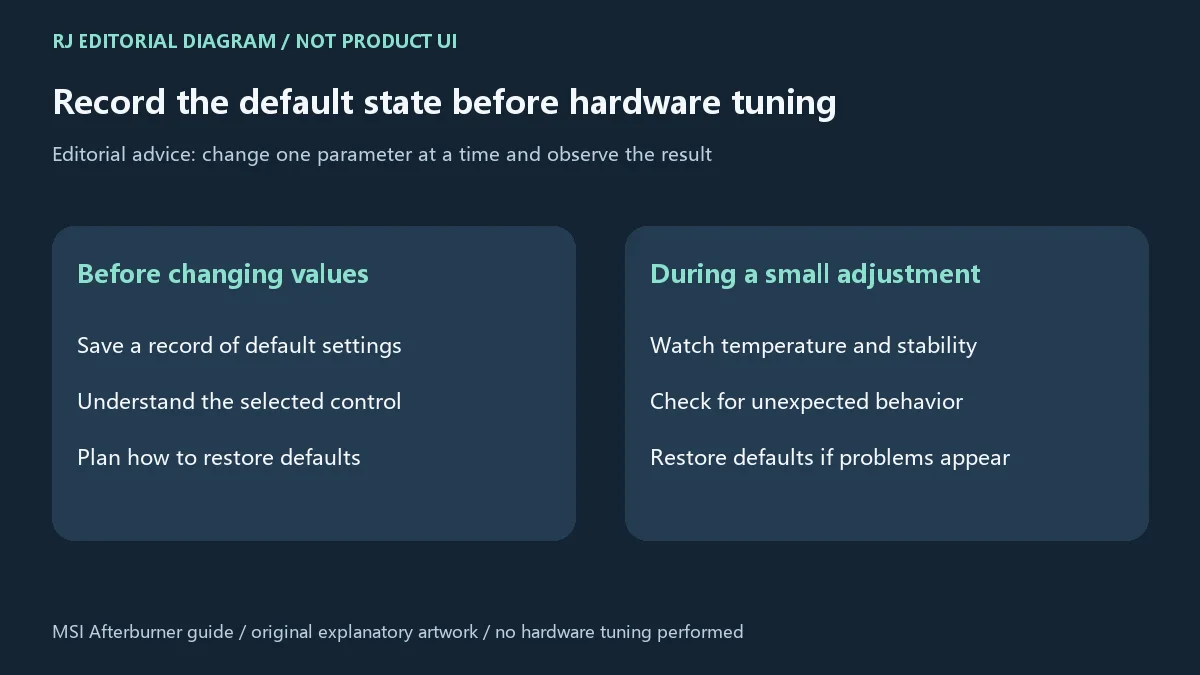
超频、降压和风扇参数调整会改变硬件运行状态。编辑建议先记录默认值和当前状态,每次只小幅调整一个参数,并观察温度、稳定性及是否出现显示或运行异常。这样便于判断某次变化是否与某个设置有关,也便于需要时恢复默认。不要照抄另一台电脑的数值作为自己设备的起点;相同品牌甚至相同型号,也不能据此保证调整结果一致。
遇到异常时应停止继续增加调整幅度,恢复默认设置,再检查正常负载下的表现。自定义风扇曲线需要兼顾散热和噪声,也应考虑具体设备允许的控制范围。本页没有进行超频、降压、压力测试或硬件测量,不提供一组适合所有显卡的推荐数值。若当前需求只是查看状态,先完成监控设置和记录即可,无需为使用软件而改动硬件参数。
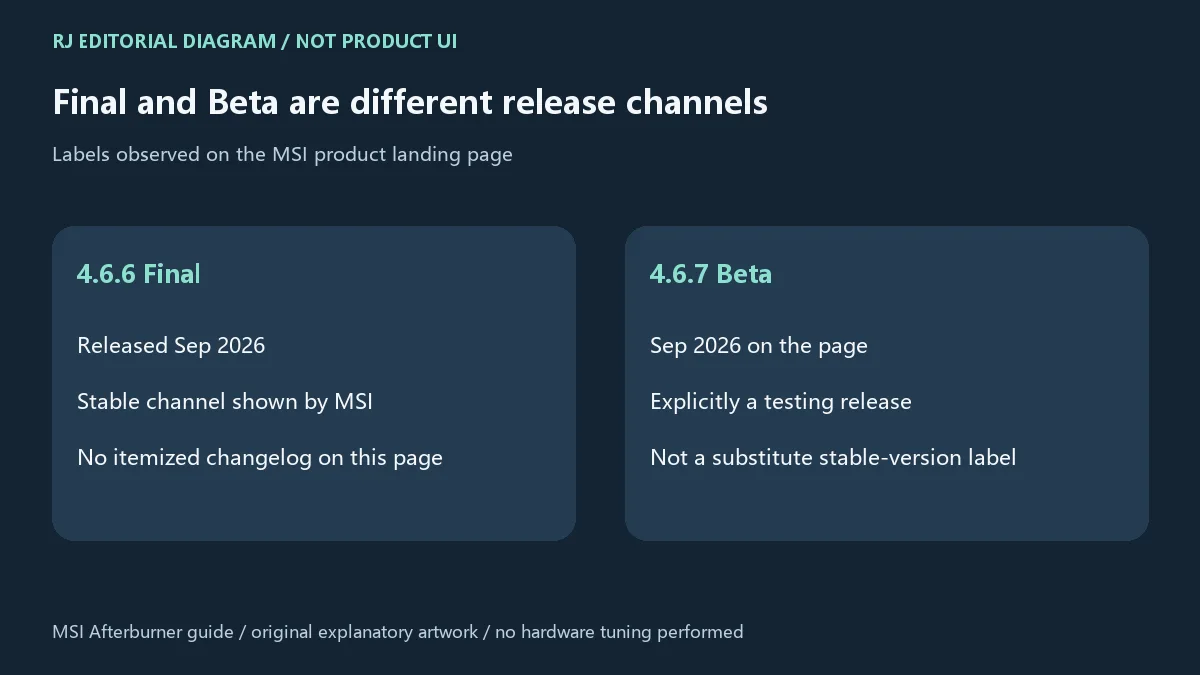
本次核验的 MSI 落地页将 4.6.6 Final 标注为 Released Sep 2026,同时列出 4.6.7 Beta(Sep 2026)。这里按官网保留正式版和测试版的区别,日期只写到官网提供的月份,不推断具体日期。本文以官网列出的 4.6.6 Final 为正式版介绍对象,不能因为 4.6.7 数字较大就把 Beta 当作正式版替换它。
该落地页没有提供足以逐项说明 4.6.6 变化的 changelog,也没有列出最低系统要求。因此本页记录可核实的版本、通道和月份,不把既有功能列表改写成“本版新增”,也不编造性能提升、修复项目或兼容范围。更新前重新访问官方页面核对当前通道、说明和实际文件;需要逐项变更依据时,应查发行方当时提供的发布记录。
不是 MSI 显卡也能使用吗?
官方介绍说明适用于各品牌显卡。具体监控项、风扇和电压控制是否可用仍取决于硬件、驱动与版本,不应理解为对每个设备提供相同功能的承诺。
MSI Afterburner 免费吗,可以随意转载安装包吗?
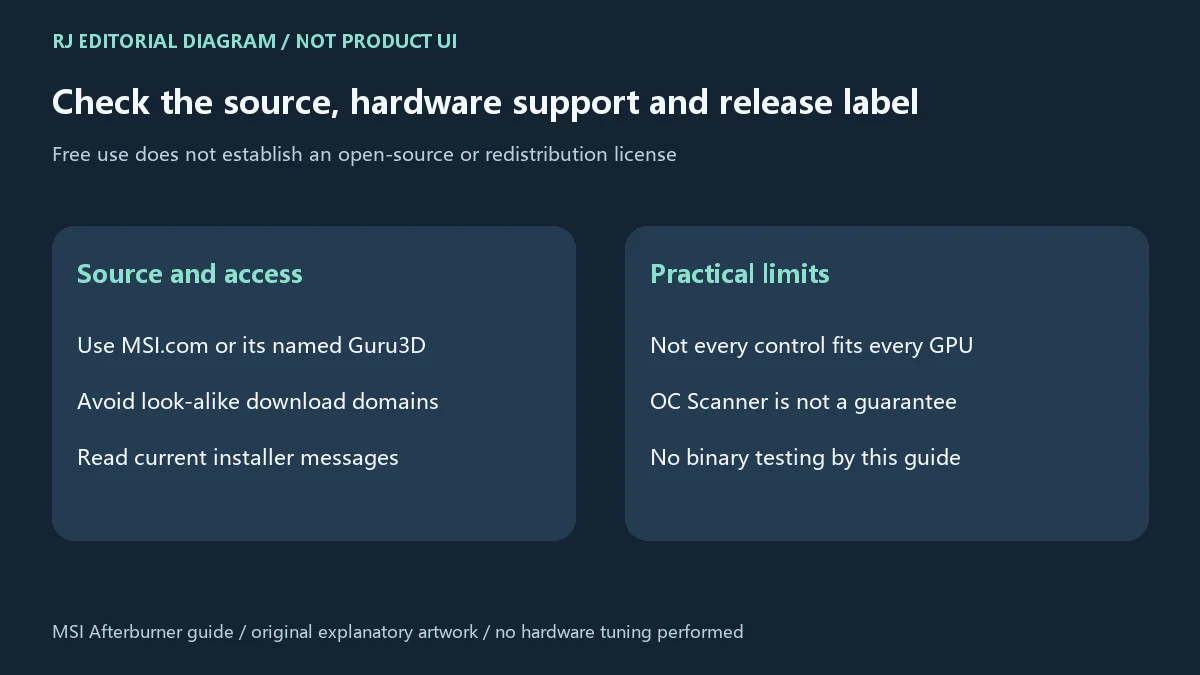
官网说明工具免费。免费使用并不自动代表开源或授予第三方再分发权;本次未核实详细许可证与转载范围,应以发行方当前许可和安装时条款为准。本站链接到官方页面。
安装后打不开或选项不能使用怎么办?
先核对下载来源、所选通道以及系统具体提示,再查看设备和驱动支持;官网落地页未列最低系统要求,本页不保证某个 Windows 版本或硬件组合。不要仅为启动工具而忽略系统警告或关闭防护。调校后异常时,先恢复默认,再排查其他因素。
风扇曲线和 OC Scanner 能保证温度或性能改善吗?
不能作这样的保证。它们是官网列出的功能,效果和可用性与设备及使用条件有关。先记录默认状态,再观察自己的温度、噪声和稳定性,避免把他人的参数直接套用。
4.6.7 Beta 是否比 4.6.6 Final 更适合日常使用?
Beta 明确属于测试版,不能仅凭更大的版本号得出更适合的结论。需要正式通道时选择官网的 Final;是否测试新版本,应基于明确需求及发行方说明。
从官方来源下载是否代表已经通过本站安全测试?
本次只核验官方网页资料,没有下载、执行或扫描二进制。官网来源核验不能代替安全检测或设备兼容验证。使用 MSI Afterburner 下载入口前,核对来源与版本,再按实际说明安装并保留默认设置记录。
MSI Afterburner download guide: review GPU monitoring, fan curves, setup, 4.6.6 Final versus 4.6.7 Beta, official sources and cautious adjustment practices.
MSI describes Afterburner as free and suitable for graphics cards from all brands, rather than only MSI cards. Its official feature list includes GPU core and voltage controls, real-time hardware monitoring, custom fan curves, OC Scanner and an in-game on-screen display (OSD). These serve different purposes: monitoring helps you observe hardware behavior, fan curves relate cooling behavior to temperature, and core or voltage controls change operating parameters. Support for different brands does not establish that every GPU, driver or computer exposes the same controls.
For a first session, start with monitoring under your usual workload before deciding whether an adjustment is useful. An OSD can help you view information during a game, but one displayed temperature or frame-rate result does not describe every workload. OC Scanner is a feature named by MSI, not a guarantee of stability or a performance increase on every device. Availability depends on the actual tool, driver and hardware combination.
Overclocking, undervolting and fan adjustments change hardware behavior. Our editorial advice is to record default values and the starting state, change one parameter in small increments, and watch temperature, stability and unexpected display or application behavior. This makes it easier to relate a problem to a particular change and to restore defaults when needed. Another computer's settings are not a reliable starting point for yours; even a matching brand or model does not establish identical results.
If problems appear, stop increasing the adjustment, restore defaults and observe the normal workload again. A custom fan curve involves cooling and noise trade-offs within the device's supported control range. This guide has not performed overclocking, undervolting, stress tests or hardware measurements, and does not propose universal GPU settings. If your goal is only to observe hardware, monitoring and a baseline record are useful without changing tuning values.
The MSI landing page reviewed here labels 4.6.6 Final as Released Sep 2026 and also lists 4.6.7 Beta (Sep 2026). This guide preserves the difference between the final and beta channels. The date is stated only to the month supplied by MSI; no exact release day is inferred. It covers 4.6.6 Final as the final release displayed by the official page, rather than replacing it with a Beta label because that number is higher.
The landing page does not supply an itemized 4.6.6 changelog or minimum system requirements. The verified version, channel and month are therefore reported without converting general features into claims of newly added features or inventing fixes, speed gains or compatibility changes. Before updating, revisit the official page to check the current options and release material. Use the publisher's release records when an itemized change list is needed.
Can I use MSI Afterburner with a non-MSI graphics card?
MSI says it works with graphics cards from all brands. Available monitoring, fan and voltage controls still depend on the actual hardware, driver and version. That statement does not guarantee the same control set on every device.
Is it free, and may I redistribute the installer?
MSI describes the tool as free. Free use does not establish an open-source license or third-party redistribution permission. Detailed license and redistribution terms were not confirmed in this review; consult current publisher and installer terms. This site provides the official page link.
What if the application will not open or a control is unavailable?
Check the source, selected release channel and exact system message, then review device and driver support. The landing page does not list minimum system requirements, and this guide does not promise compatibility with a particular Windows version or hardware combination. Do not ignore warnings or disable protection merely to start it. After a tuning-related problem, restore defaults before investigating further.
Do fan curves or OC Scanner guarantee better temperatures or performance?
No. These are listed capabilities whose availability and results depend on the device and conditions. Record your baseline and observe temperature, noise and stability on your own system. Do not copy another person's tuning values directly.
Is 4.6.7 Beta automatically preferable to 4.6.6 Final?
No. Beta is a testing channel; a higher version number alone does not make it a better everyday choice. Choose the official Final when you need that channel, and consider a test release only in light of your needs and the publisher's guidance.
Does the official source mean this site has safety-tested the software?
This review covered the official webpage; no binary was downloaded, executed or scanned. Source verification does not replace a security assessment or device compatibility check. Before using the MSI Afterburner download entry, confirm the source and channel, follow current installation instructions and keep a record of default settings.
Information verified: Oct 18, 2026
First published: Oct 18, 2026· Editorial revision: Oct 18, 2026
MSI says all brands are supported; available controls depend on the device, driver and version. / 官网说明适用于各品牌,具体控制项仍依设备、驱动和版本而异。
The official page lists 4.6.6 Final and 4.6.7 Beta; a higher Beta number does not make it a stable release. / 希望采用正式通道时选择Final,Beta仍属测试版。
Record defaults, adjust one parameter in small increments, monitor temperature and stability, and restore defaults if problems appear. / 记录默认值、小步调整、观察温度与稳定性,异常恢复默认。
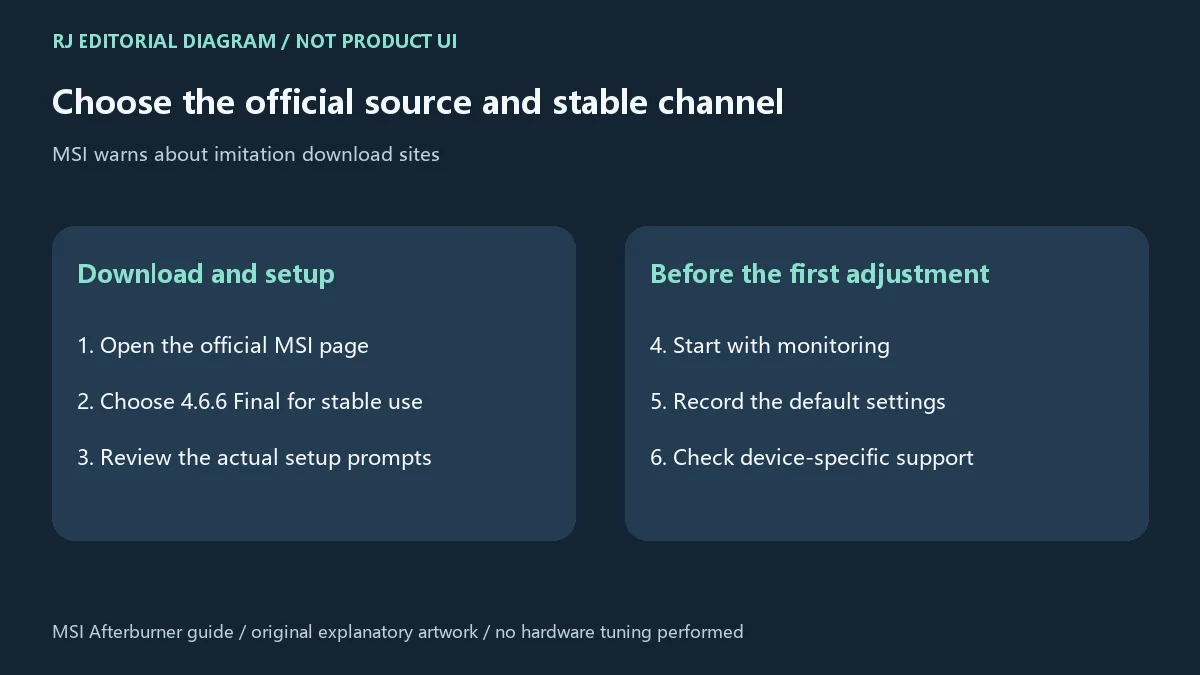
Use the official MSI page. MSI names MSI.com and Guru3D as correct sources and warns about imitation sites. / 从MSI官网进入,官方提示正确来源为MSI.com与Guru3D并警告仿冒站。
GPU-Z 是 TechPowerUp 的 Windows 显卡信息工具。本页核对 2.71.0 版本、传感器与 PCIe 更新,整理 GPU-Z 官方下载、安装步骤和识别异常排查。 / GPU-Z by TechPowerUp: review v2.71.0, Windows setup, GPU sensors, PCIe readings and troubleshooting.
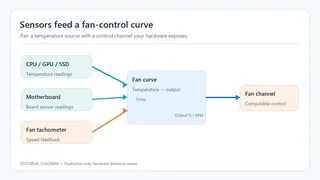
Fan Control Windows 风扇控制指南:V283 官方发布入口、曲线配对与 RPM 校准、兼容边界和专有许可。 / Fan Control guide to the official V283 release, curve setup, RPM calibration, compatibility and license scope.

XMBC 鼠标映射:Windows安装、应用配置与层、2.20.5修复、五键限制和重复输入排查。 / XMBC setup, application profiles and layers, v2.20.5 fixes, five-button limits and repeat troubleshooting.

Armoury Crate 设备管理与 Aura Sync 下载指南:核对华硕机型、Windows 安装要求、应用6.4.7及不同安装包版本。 ASUS device controls, lighting, official setup and version checks.

DS4Windows 是 Windows 手柄映射与虚拟控制器工具。本页整理 DS4Windows 3.5 社区延续版、DualShock/DualSense 配置、安装依赖和双输入排查。 / DS4Windows maps gamepad input and creates virtual controllers on Windows. This guide covers the v3.5 community continuation, setup, profiles, and duplicate-input troubleshooting.

JoyToKey 手柄映射工具:Windows 安装与 ZIP 设置、7.4 命令输入、配置迁移和共享软件许可说明。 / Windows controller mapping guide covering setup, version 7.4 commands, profile migration and shareware licensing.

FurMark 显卡压力测试与基准工具指南,介绍官方下载和平台选择、安装准备、测试条件记录、版本更新,以及打不开、画面异常和分数差异的排查思路。 FurMark GPU stress test guide with official setup, version notes, controlled comparisons and practical FAQs.

SysCeo 驱动总裁 Windows 在线版本 2.21.0.0,官方页面日期为 2026-09-15,列出桌面与 PE 驱动安装、在线和离线驱动库及 Boot Camp 匹配。本页整理页面更新说明、安装前硬件核对、系统还原准备和 MD5 的用途;下载入口只链接官方产品页,不提供站外文件直链。 / SysCeo lists Windows 2.21.0.0, desktop and PE use, online/offline libraries and Boot Camp matching. This guide explains release notes and cautious setup; the download entry links only to official product information.