
游戏连接与网络加速工具
在电脑和手机游戏平台连接异常或延迟偏高时了解可用的网络工具。收录OurPlay、奇游加速器 Qiyou、网易 UU 加速器等站内已有工具,按实际用途选择适合自己的应用。
雷神加速器是雷神(武汉)网络技术有限公司提供的 Windows 游戏网络客户端,官网列出 v11.3.3.0 与 Windows 7/8/10/11 支持。本页汇总官方入口、安装步骤、账号与计时规则,并标明未公布的版本日志。 / LeiGod Accelerator is a Windows gaming network client from LeiGod (Wuhan) Network Technology Co., Ltd. This page covers official downloads, setup, account and timed-service rules, and the unlisted changelog for the publisher’s v11.3.3.0 build.
Apelidos: 雷神、雷神加速器、雷神加速器电脑版、LeiGod Accelerator
Autor: RJ.tools Editorial
Conteúdo assistido por IA
Conheça as informações básicas do software e suas fontes
专有软件。官网用户协议称使用权为非专有、临时且可撤销;部分服务为付费服务。
No installer was downloaded, run, scanned, hashed, or signature-checked. The reviewed publisher pages are not an independent safety assessment.
雷神加速器是雷神(武汉)网络技术有限公司提供的 Windows 游戏网络客户端,官网列出 v11.3.3.0 与 Windows 7/8/10/11 支持。本页汇总官方入口、安装步骤、账号与计时规则,并标明未公布的版本日志。 / LeiGod Accelerator is a Windows gaming network client from LeiGod (Wuhan) Network Technology Co., Ltd. This page covers official downloads, setup, account and timed-service rules, and the unlisted changelog for the publisher’s v11.3.3.0 build.
雷神加速器 Windows 下载指南:核对 v11.3.3.0、系统兼容、官方安装入口、账号计时与手动暂停规则,并查看官网未公布的更新日志说明和延迟排查建议。 LeiGod Windows setup guide with install and FAQ. Verify terms before setup.
雷神加速器 Windows 版官网列出 v11.3.3.0,并支持 Windows 7 至 11。本文介绍官方下载安装、手机号账号、时长计费与暂停方法,并说明官网未公布该版本日期和更新日志,供你核对系统与费用后再下载。若加速后仍有延迟,请先检查游戏区服、账号状态与本地网络,再判断是否续购时长、规划游玩安排。
雷神加速器是雷神(武汉)网络技术有限公司提供的游戏网络加速客户端。官网将其定位为多端服务,并介绍按使用时长计费、可主动暂停;这些是产品与计费方式说明,不代表每款游戏、每个网络环境都会获得相同延迟或稳定性。实际体验还可能受到本地运营商、路由、游戏区服和服务器状态影响。
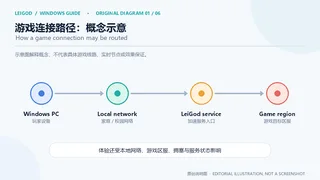
下图只是连接环节的概念示意。它不展示雷神真实节点、具体游戏线路或实时测量结果,也不构成加速效果承诺。下载雷神加速器前,建议先确认自己要连接的游戏与区服是否在当前服务支持范围内。
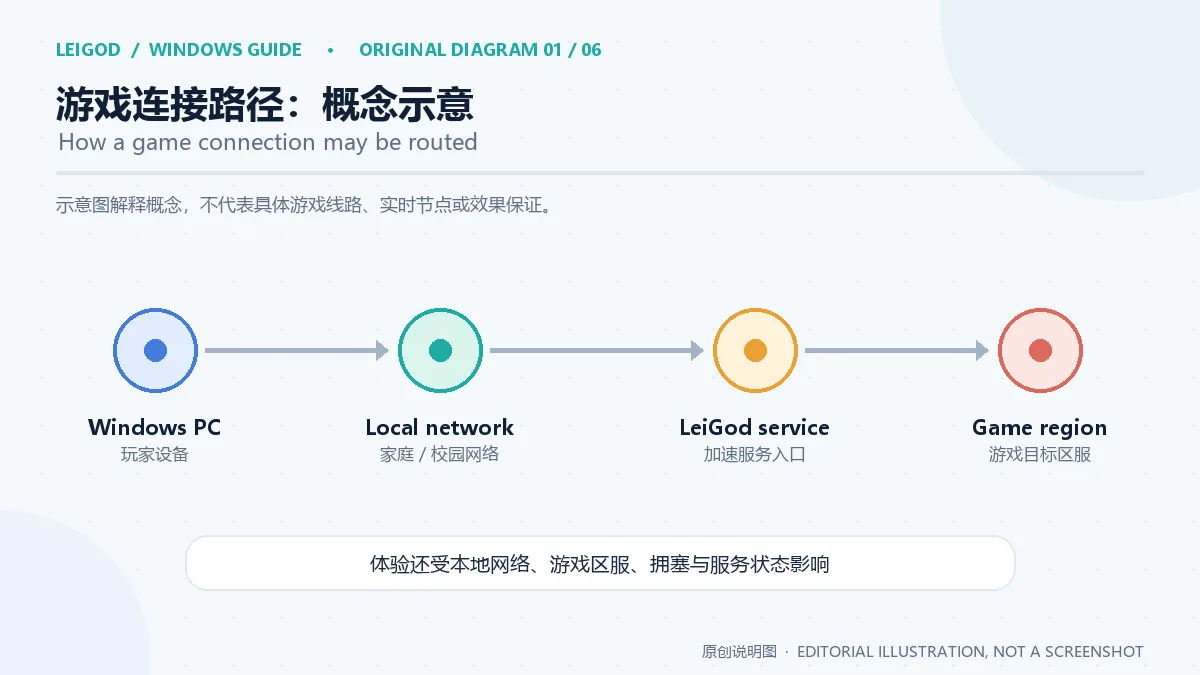
截至本次资料核对,官网的 Windows 下载区域列出 v11.3.3.0,并写明支持 Windows 7、8、10 和 11。页面没有说明该客户端支持 32 位还是 64 位系统,也没有列出 CPU、内存、显卡或磁盘空间的最低配置。因此,不能仅凭操作系统名称判断旧电脑一定能运行;安装前请对照雷神官网当前下载页和系统信息。
雷神官网没有公布 v11.3.3.0 的发布日期或逐项更新日志。官网首页提到的多端时长、线路等产品介绍不是这个 Windows 版本的更新条目。若你在搜索“雷神加速器最新版更新了什么”,目前可确认的是官网列出的版本号;具体变更应以客户端更新提示或后续官方发布说明为准。
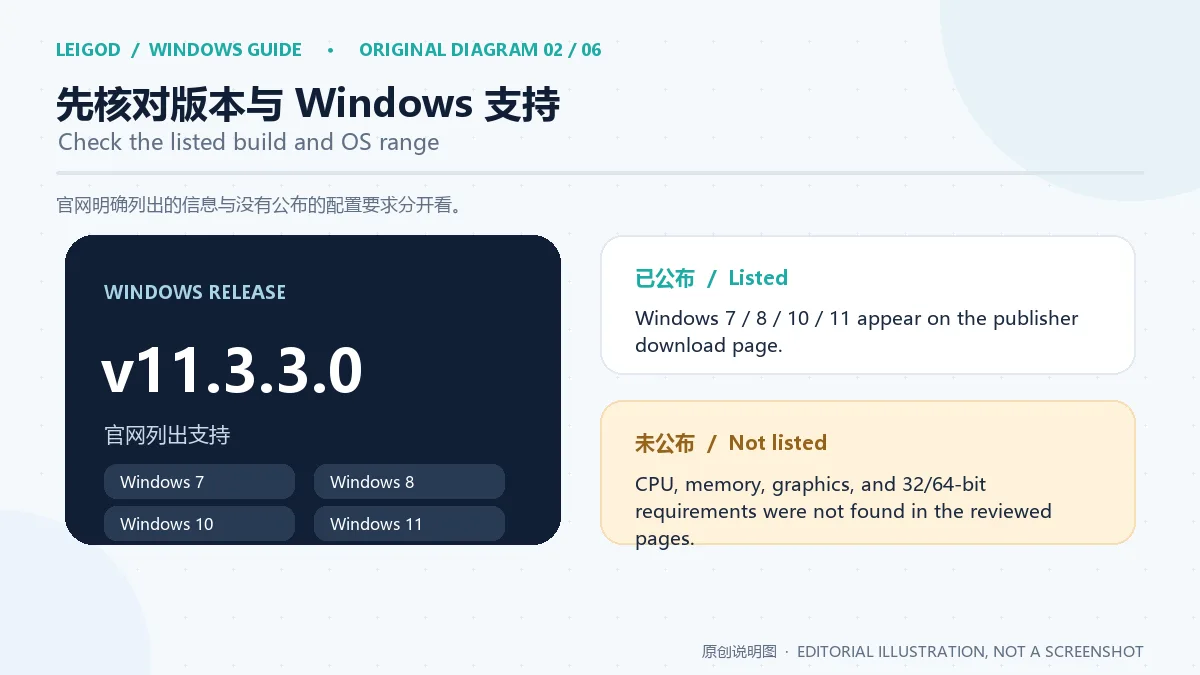
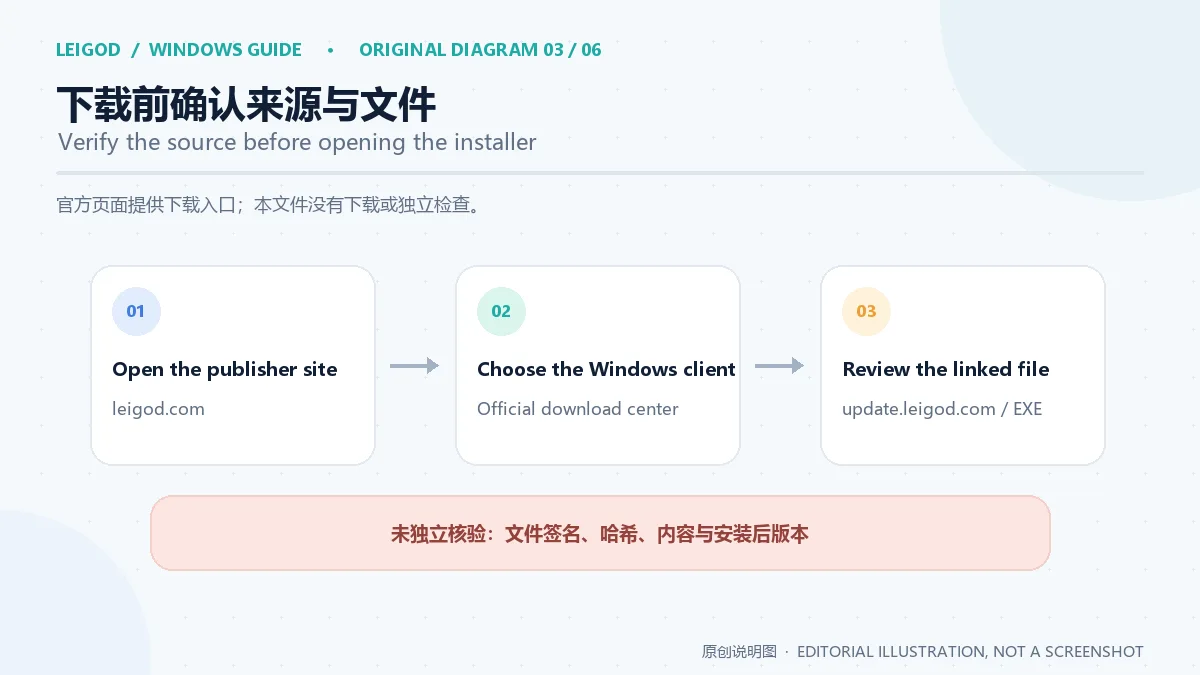
建议从 雷神加速器官网 或其官方下载中心进入 Windows 下载流程。核对地址栏域名后再打开下载项;本次官网首页的“立即体验”链接指向 update.leigod.com 下的 LeiGodSetup_guanwang_hd2.exe。榜单旧地址属于第三方分发域名,本页不使用该镜像作为官方下载依据。
本次只核实了官网链接,没有下载或检查 EXE 文件。因此,文件的数字签名、哈希、安装器内容及其与 v11.3.3.0 的精确对应关系都尚未独立验证。若浏览器或 Windows 显示发布者与预期不符、下载文件名异常或来源发生跳转,请先停止安装,并返回官网重新确认。
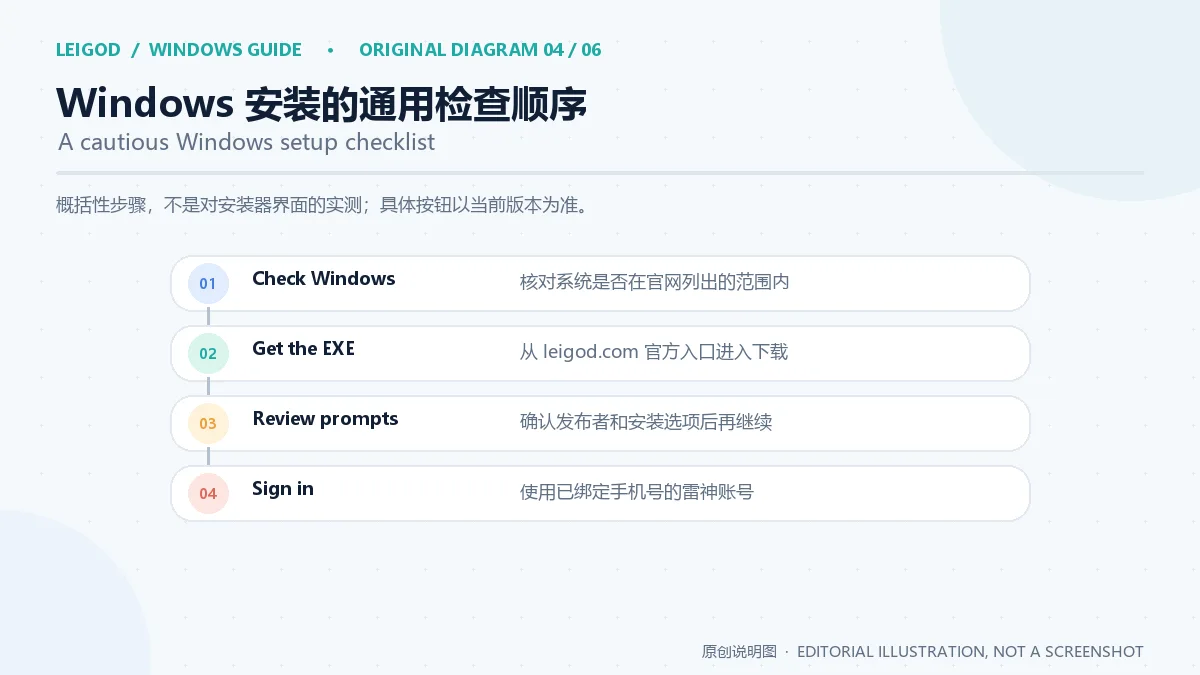
下面是适用于 Windows 安装包的谨慎操作顺序,不是对当前雷神安装器界面的逐屏实测;实际按钮和许可提示可能随版本变化:
如果安装失败,可先检查磁盘空间、Windows 更新状态、文件是否完整,以及安全软件是否隔离了安装程序;不要为了绕过警告关闭系统防护。若问题仍在,记录错误提示并联系官网客服。上图仅概括步骤,不复刻未获许可的软件截图。
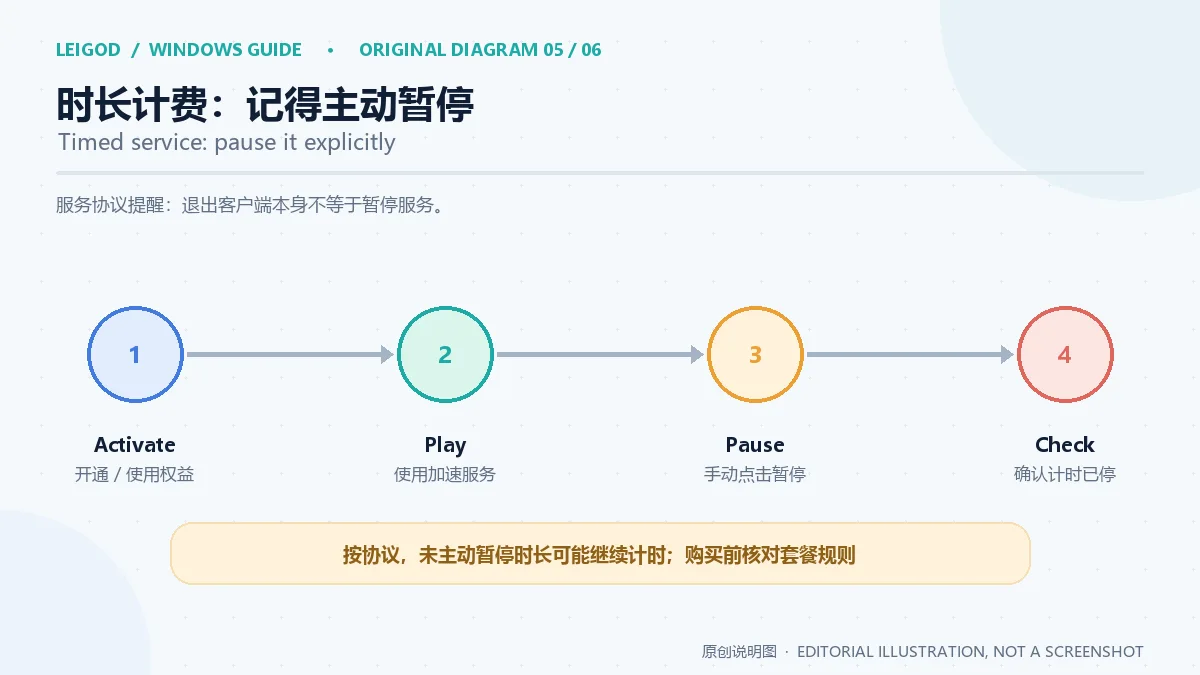
雷神官网说明加速时长可跨端使用并可暂停;用户协议进一步指出,用户需要主动进行暂停操作,仅退出程序但没有暂停服务时长,计时可能继续。因此,结束游戏后应在客户端确认服务已暂停,并检查剩余时长,而不要只关闭窗口或断开游戏。
官网服务协议说明部分加速服务需要付费,具体套餐、计费单位和权益以官网或客户端充值页面在购买时显示为准。本次内置浏览器复核的页面没有显示适用于所有 Windows 用户的固定标准价;价格或促销可能随时间、账号和服务类型变化。充值前请检查账号、时长、游戏区服和应付金额,并保留订单记录。
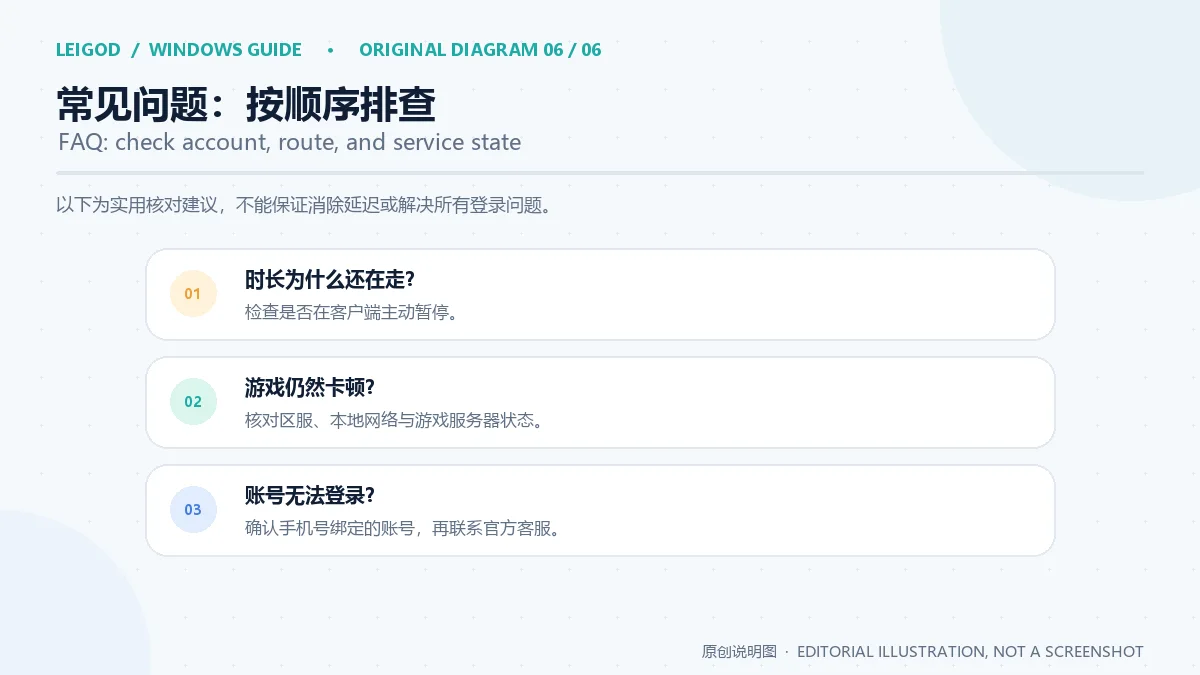
问:雷神加速器是完全免费的吗? 官网提供“免费试用”入口,同时说明部分服务收费。试用资格、时长和当前套餐以官网页面与客户端实际显示为准。
问:关闭雷神加速器后,计时会自动停止吗? 用户协议要求主动暂停;只退出程序可能仍会继续计时。请回到客户端确认暂停状态。
问:为什么用了雷神加速器,游戏还是延迟或掉线? 先核对游戏区服、账号剩余时长、本地网络和游戏服务器状态。网络加速不能保证消除所有延迟、丢包或断线。
问:Windows 7/8/10/11 都能安装吗? 官网下载区域列出这些系统版本,但没有说明位数和硬件门槛;请以当前安装器提示为准。
问:v11.3.3.0 更新了什么? 官网当前列有版本号,但未找到该版发布日期或逐项更新日志。不要把产品介绍当成版本变更;可查看客户端更新提示或询问官方客服。
目前可核实的资料是:雷神官网列出 Windows v11.3.3.0 和 Windows 7/8/10/11 支持,并提供公开下载入口;用户协议说明手机号账号、可选付费服务和手动暂停要求。官网没有公布该版本日期、逐项更新日志或完整硬件配置,安装器也尚未独立检查。准备雷神加速器下载与安装时,请先从官网复核版本、下载地址及实时价格,再判断账号和游戏区服是否适合。
LeiGod Accelerator official download: v11.3.3.0 supports Windows 7–11. Check phone accounts, timed billing, pause rules and missing release notes before setup.
LeiGod Accelerator is a gaming network client from LeiGod (Wuhan) Network Technology Co., Ltd. The publisher describes a multi-device service with usage-based time that users can pause. Those descriptions explain the product and its billing model; they do not promise the same latency or stability for every game or connection. Your ISP, local route, game region, and server conditions can all affect the result.
The diagram below explains a possible connection flow only. It does not show LeiGod's actual nodes, a specific game's route, or live measurements, and it is not a performance guarantee. Before a LeiGod Accelerator download, check whether the game and region you use are currently supported.
At the time of the reviewed publisher pages, the Windows download area listed v11.3.3.0 and named Windows 7, 8, 10, and 11 as supported versions. The page did not state whether the client supports 32-bit or 64-bit Windows, or list minimum CPU, memory, graphics, or disk requirements. Do not assume that an older PC will work based on its Windows version alone; check the current official download page and your system details first.
LeiGod did not publish a release date or itemized change log for v11.3.3.0 on the reviewed pages. Homepage marketing about cross-device time or routes is not a change log for this Windows build. If you are searching for what changed in the latest LeiGod Accelerator update, the confirmed public fact here is the listed version number; use the client update prompt or a later official release note for specific changes.
Start at the LeiGod publisher website or its official download center. Check the address-bar domain before opening a Windows download. During this review, the homepage's “Try now” link pointed to LeiGodSetup_guanwang_hd2.exe on update.leigod.com. The legacy ranking URL uses a third-party distribution domain, so this guide does not treat that mirror as the official source.
Only the publisher's link was reviewed; the EXE was not downloaded or inspected. Its digital signature, hash, contents, and exact correspondence to v11.3.3.0 have not been independently verified. If Windows or your browser shows an unexpected publisher, filename, or redirect, stop and return to the official site to check the source.
These are cautious, general steps for a Windows installer, not a screen-by-screen test of the current LeiGod installer. Labels and prompts may change between releases:
If setup fails, check available disk space, Windows update status, whether the file completed downloading, and whether security software quarantined it. Do not disable system protection to bypass a warning. If the problem persists, save the error text and contact official support. The illustration summarizes steps without reproducing unlicensed software screenshots.
LeiGod describes acceleration time as usable across devices and pausable. Its user agreement adds that users must pause the service themselves; simply exiting the program without pausing may allow the timer to continue. After a game session, confirm in the client that acceleration is paused and check your remaining time instead of only closing the window or game.
The user agreement says that some acceleration services are paid. Check the publisher's website or client at purchase time for the current package, billing unit, account eligibility, and total; prices and promotions can vary by time and service. The pages reviewed here did not show a fixed standard rate applicable to all Windows users. Before paying, confirm the account, duration, game region, and final amount, and keep the order receipt.
Is LeiGod Accelerator completely free? The publisher site has a free-trial entry and also states that some services are paid. Trial eligibility, duration, and current packages depend on what the official site and client show.
Does closing LeiGod Accelerator stop the timer? The user agreement calls for an explicit pause. Exiting the program alone may not stop the service time; return to the client and confirm its paused state.
Why is my game still lagging or disconnecting? Check the game region, account time, local network, and game-server status. A network acceleration service cannot guarantee that every delay, packet loss, or disconnect will disappear.
Can I install it on Windows 7, 8, 10, or 11? The publisher download area lists those versions, but does not state bitness or hardware thresholds. Follow the current installer prompts.
What changed in v11.3.3.0? The reviewed publisher pages list the build number but no release date or itemized log. Do not treat general product copy as version changes; check the client update prompt or ask official support.
The reviewed LeiGod pages list Windows v11.3.3.0, support for Windows 7/8/10/11, and a public download entry. The user agreement describes phone-linked accounts, optional paid services, and the need to pause time manually. The publisher did not list this build's date, itemized changes, or full hardware requirements, and the installer was not independently inspected. Before downloading or installing LeiGod Accelerator, recheck the version, source URL, and live price on the publisher site, then confirm that your account and game region fit your needs.
Informações verificadas em: 18 de out. de 2026
Publicado pela primeira vez: 18 de out. de 2026· Revisão editorial: 18 de out. de 2026
官网提供免费试用入口,同时说明部分服务收费。试用资格、时长和套餐以官网及客户端当前显示为准。
官网用户协议要求主动暂停;只退出程序可能仍会继续计时。请回到客户端确认服务已暂停。
Check the game region, account time, local network and server status. A network acceleration service cannot guarantee that every delay or disconnect will disappear.
The reviewed publisher pages list the version but no release date or itemized log. Check the client update prompt or ask official support for details.
没有。本页没有下载、运行、扫描、哈希或数字签名检查安装器;官网来源核对不是独立安全审计。
微软官方 Windows 10 下载页提供媒体创建工具入口和安装介质制作说明,页面将 22H2 标示为最终版本。Windows 10 Home 和 Pro 支持已于 2025 年 10 月 14 日结束;LTSC 版本按各自生命周期执行。

网易 UU 是网易 UU 官网提供的 Windows 游戏网络加速客户端。本指南说明官方 v6.20.1 下载页、Windows 7+ 支持、推荐节点、数字签名核验、网络延迟与丢包排障,并解释会员价格与当前更新说明应如何核对。 NetEase UU Windows setup and troubleshooting guide.
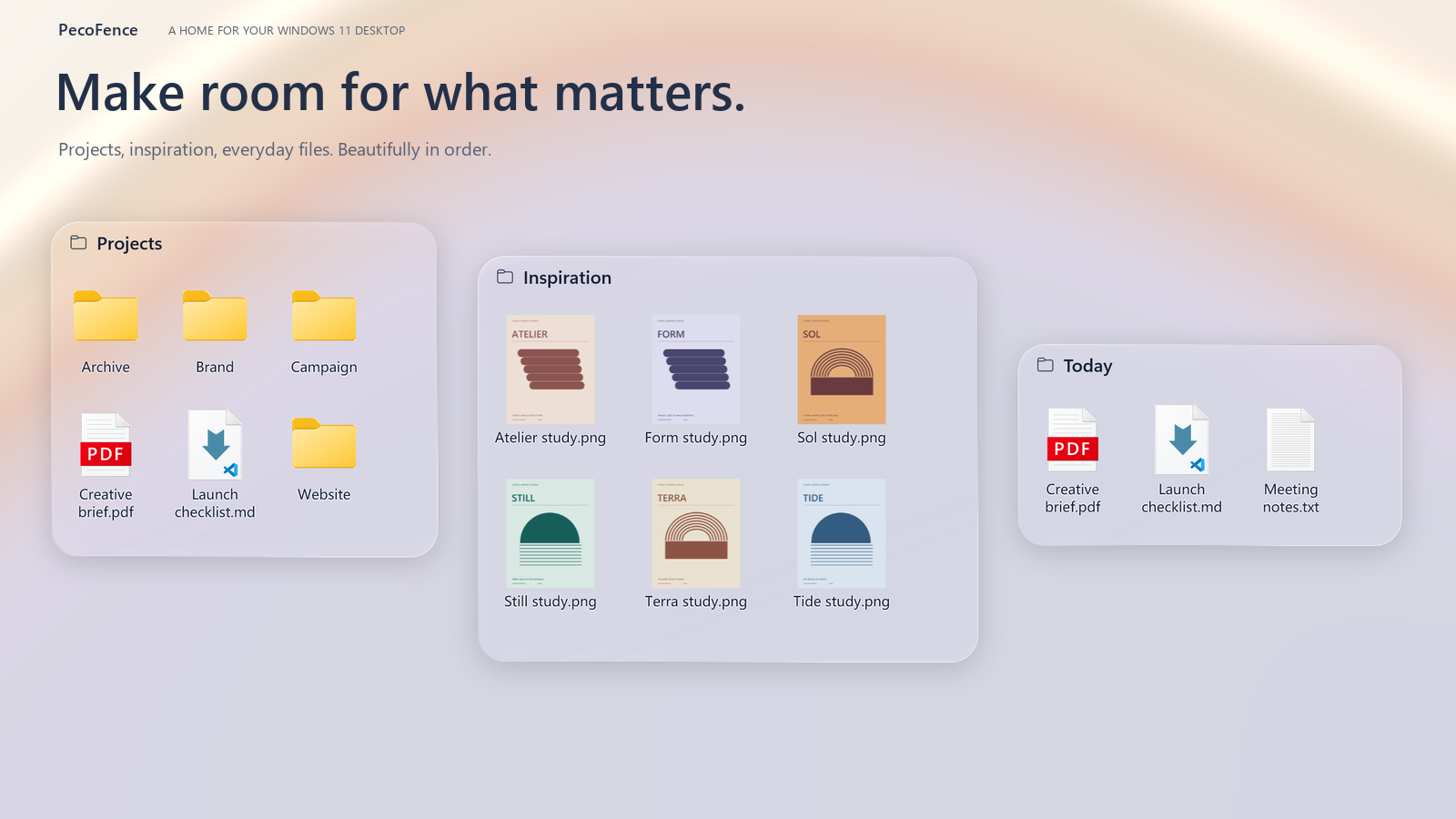
PecoFence 是面向 Windows 11 的开源桌面整理工具,可将图标和文件放入可移动分组,使用标签切换项目,并提供 Peek、实时文件夹等功能。官方 v0.2.3 提供 x64 安装版与便携版。

NatTypeTester 是用于检测 STUN NAT 映射与过滤行为的开源工具,10.0.10 提供 Android、Windows、macOS 和 Linux 发行包。 | NatTypeTester checks STUN NAT mapping and filtering, with 10.0.10 packages for Android, Windows, macOS and Linux.

Watt Toolkit(原 Steam++)是面向 Steam 相关任务的开源跨平台工具箱,包含网络、账号、库存和令牌功能。 / Formerly Steam++, Watt Toolkit is an open-source cross-platform toolbox for Steam-related network, account, library, and token tasks.
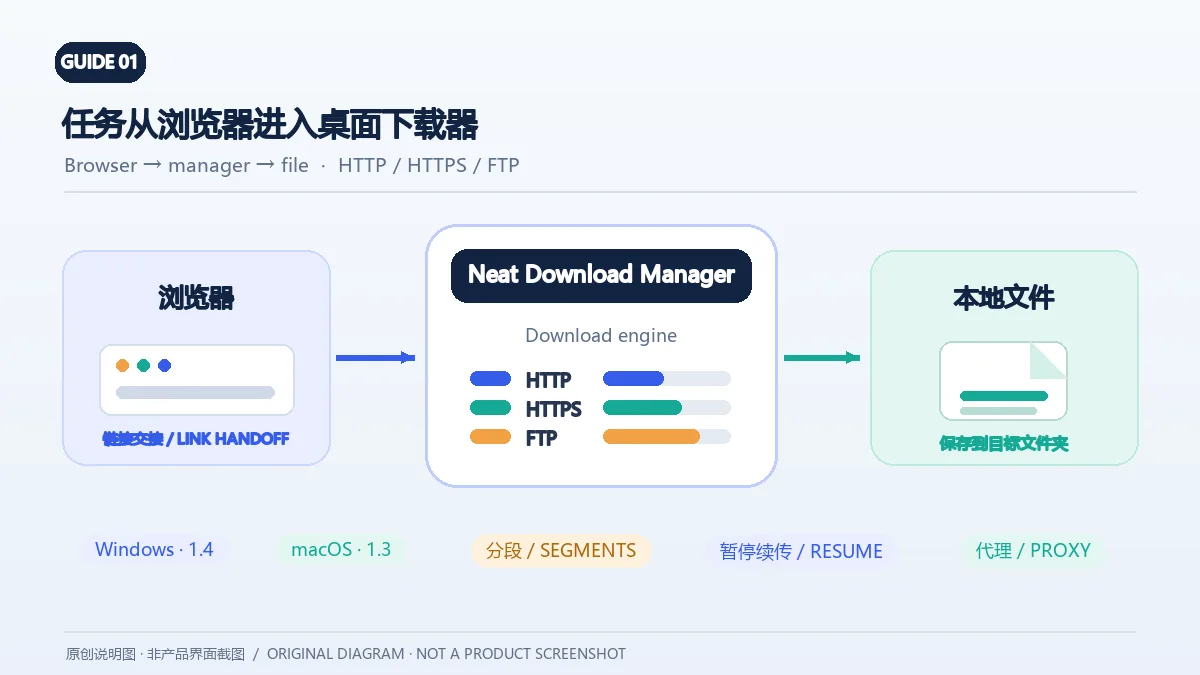
Neat Download Manager(NeatDM)是 Windows 与 macOS 桌面下载管理器,可管理链接任务、分段连接、代理、暂停续传和浏览器扩展。本文核对官网列出的 Windows 1.4 与 macOS 1.3,并说明版本日志、系统要求和安装包仍有哪些信息未公开。 / Neat Download Manager (NeatDM) is a Windows and macOS desktop download manager for browser handoff, segmented transfers, proxies, and pause/resume. This guide checks the publisher-listed versions and explains installation, compatibility, and missing desktop release notes.

qBittorrent 是开源 BitTorrent 客户端,支持磁力链接、RSS、搜索和 Web UI。本页整理 Windows 10+ 稳定版 5.2.4、macOS/Linux 平台差异、安装核对与版权提醒。 / qBittorrent is an open-source BitTorrent client with magnet, RSS, search and Web UI features. Review stable v5.2.4, platform differences, setup checks and lawful use.
腾讯手游加速器由深圳市腾讯计算机系统有限公司开发和运营。应用宝详情介绍网络加速、游戏相关辅助信息、预约与战绩数据等功能;支持情况以当前应用详情为准。

奇游 Windows 官方下载、安装步骤、区服选择与会员条件,保留7.3.0文件标识和官网页脚差异。 / Official Windows download, installation, route checks and membership terms with explicit version-evidence limits.