
爱玩机工具箱
爱玩机工具箱是应用宝列出的 Android 工具应用。开发商和运营商为贵阳满康科技有限公司;官方商店介绍称它汇集日常实用工具、图形工具和文件管理。详细功能、权限和设备兼容性以当前应用宝详情为准。

KARDS 下载与安装指南,介绍 1939 Games 的二战题材卡牌游戏如何在 Android 手机上选择官方入口、建立卡组并理解前线与行动费用。本文说明设备要求、账号关联、免费游玩与内购边界,整理十月更新的平衡调整和移动端修复,并提供安装失败、进度不同步等常见问题的排查思路,帮助新玩家在开始对战前完成准备。 KARDS Android download guide: find the official game, learn frontline tactics, install with care, link PC progress, and check October updates and setup FAQs.
别名:KARDS、KARDS - The WW2 Card Game、Kards、KARDS 二战卡牌
作者:RJ.tools Editorial
了解软件的基本信息与来源
商业游戏;公开商店没有给出开源许可证。游戏、名称与图像权利归各权利人。 Proprietary game; no open-source license established from the listing.
com.android1939.kards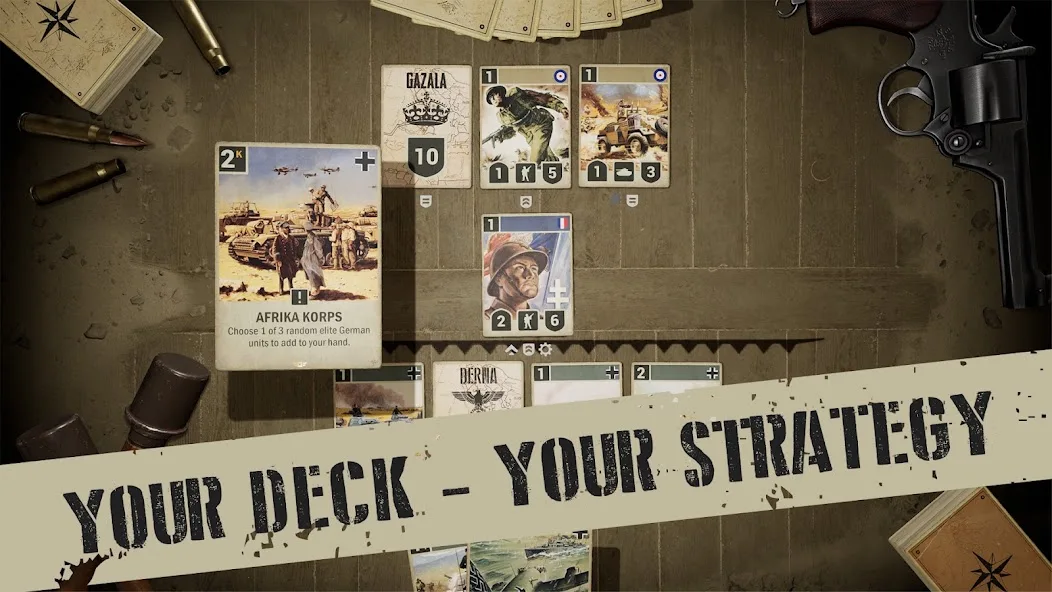
KARDS 下载与安装指南,介绍 1939 Games 的二战题材卡牌游戏如何在 Android 手机上选择官方入口、建立卡组并理解前线与行动费用。本文说明设备要求、账号关联、免费游玩与内购边界,整理十月更新的平衡调整和移动端修复,并提供安装失败、进度不同步等常见问题的排查思路,帮助新玩家在开始对战前完成准备。 KARDS Android download guide: find the official game, learn frontline tactics, install with care, link PC progress, and check October updates and setup FAQs.
KARDS 下载与安装:核对 Android 官方入口、账号关联、设备要求与十月补丁。 KARDS Android guide covers frontline tactics, Google Play setup, cross-platform progress, purchases and fixes.
KARDS 下载与安装指南,介绍 1939 Games 的二战题材卡牌游戏如何在 Android 手机上选择官方入口、建立卡组并理解前线与行动费用。本文说明设备要求、账号关联、免费游玩与内购边界,整理十月更新的平衡调整和移动端修复,并提供安装失败、进度不同步等常见问题的排查思路,帮助新玩家在开始对战前完成准备。
这是一款以二战部队和命令为题材的数字集换式卡牌游戏。与只比较卡面数值的理解方式相比,入门时更需要留意前线位置与资源分配:部署新单位要花费 Kredits,已经上场的单位移动、攻击以及打出命令,也会占用本回合资源。能把单位放下,并不一定表示还能立刻完成整套行动。
官网介绍把步兵、坦克、火炮和飞机放在同一套战场规则中。前线给射程、移动与保护支援单位增加了判断空间。新手可以先用教程里的卡组观察三个问题:我方总部现在受什么威胁、哪些单位可以行动、行动后是否还有费用应对对手。这里是根据官方机制整理的学习方法,不是经过对局测试的胜率承诺。
图源:开发者在 Google Play 提供的宣传截图,用于展示产品;画面不代表已核验的当前卡牌数值。
官方 FAQ 列有排位、非排位、经典对战、轮抽、赛事、战役和训练模式。想熟悉某张卡的触发条件,可以先选择 AI 训练;要观察卡组在真人对战中的表现,可以从非排位开始。经典模式允许使用包含预备卡池在内的卡牌,构筑时应先确认所选模式的卡池规则,不要直接套用另一模式的卡表。
免费游玩不等于没有付费项目。官方列出的日常任务、国家进度和补给箱等路径可以提供收藏奖励;游戏同时出售付费货币、卡包及外观。Google Play 也明确标示应用内购买和包含随机物品的游戏内购买。建议先了解任务、卡组需求及商店实际价格,再决定是否消费,不把购买卡包当作稳定获胜的方法。
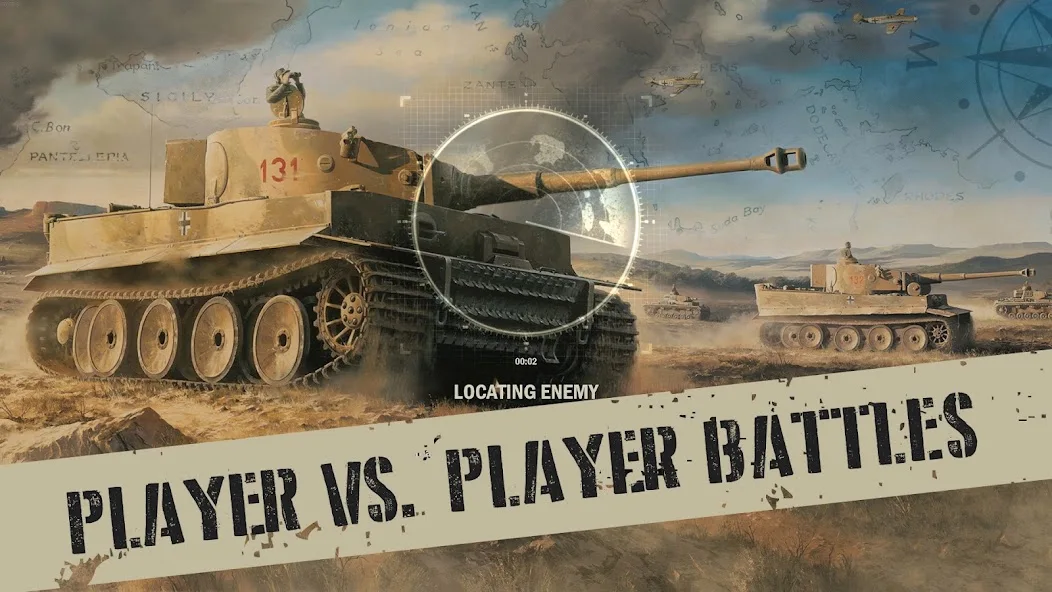
图源:1939 Games 的 Google Play 产品展示图。官方说明允许 PC 与手机玩家对战;实际匹配体验会受网络、对手和当前规则影响。
官网 FAQ 给出的移动端最低要求是 Android 9,建议内存为 4GB 或更多。商店是否允许某台设备安装,仍以登录后的设备兼容提示为准。本页核验的是官方商店入口,没有下载 APK,也没有检查某个安装包的架构、签名或占用空间。
com.android1939.kards。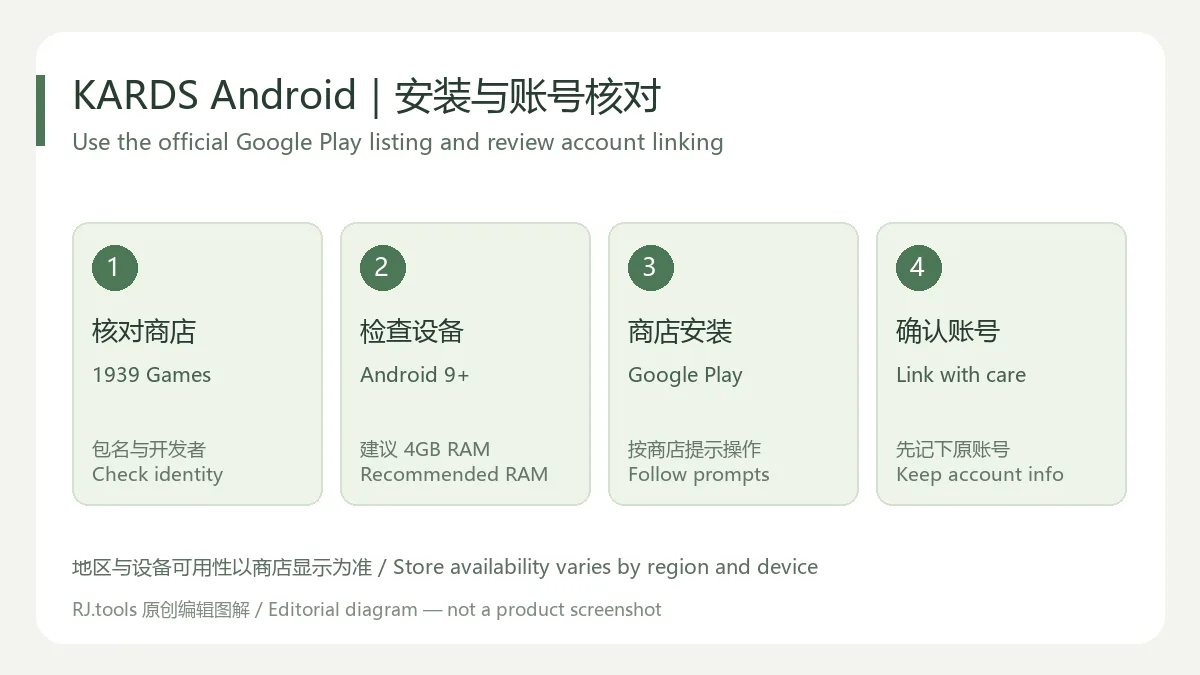
RJ.tools 原创编辑图解,依据官方 FAQ 整理;不是安装界面截图。
官网玩法说明强调卡牌具有部署效果、持续效果、命令与反制。阅读关键词时要同时看条件和时机:Blitz 允许单位在部署当回合行动,Fury 涉及每回合两次行动,Smokescreen 的保护也不表示免疫所有命令或触发效果。先阅读当前游戏内完整说明,再判断一张卡是否真的能完成预期动作。
一个有用的回合习惯是先画出行动链:部署费用,加上移动或攻击费用,再加上打算使用的命令费用。若计划依赖抽牌或增益,先想清楚它会不会改变后续选择;不要只看“费用够不够上场”。这类建议适合练习资源管理,具体操作仍取决于场面和当前卡牌文本。
如果 KARDS 打不开或连接中断,可依次记录发生环节、系统版本、商店更新状态、剩余空间和准确报错。先区分安装阶段、首次资源准备、登录和对战断线,避免把所有问题都归结为同一个原因。向官方支持提交可复现步骤时,不要附带密码、验证码或付款凭据。这里提供的是通用排查思路,没有远程检查你的设备。
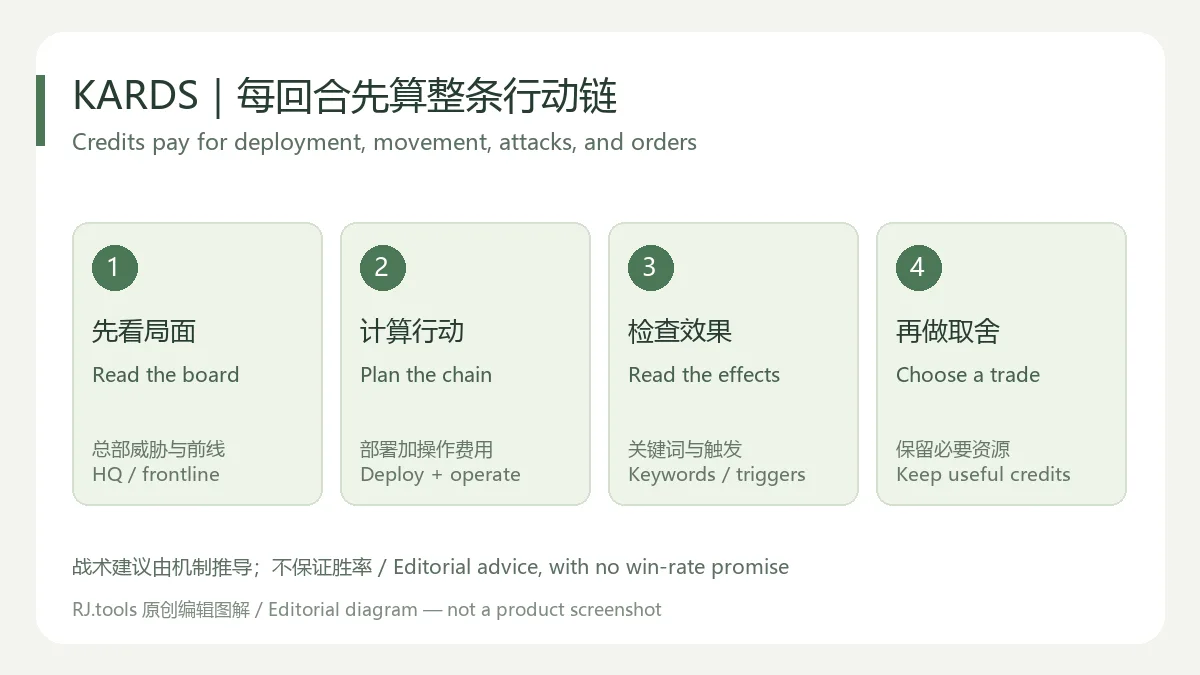
原创战术学习图解,说明思考顺序,不代表固定最优打法。
截至本次资料核验,官网新闻中的最新游戏更新记录是 KARDS Update - October, 2026,发布日期为 2026 年 10 月 15 日。该文确认已实施先前公告的卡牌平衡调整,并包含修复与后台改进。10 月 16 日的赛事新闻属于活动公告,不作为新版本日志。
Google Play 公开页面的“Updated on”显示为 2026 年 10 月 13 日,商店摘要只概括卡牌平衡和小型修复。它与官网文章的日期分别保留,不能据此推定两者是相同编号的 Android 安装包。当前公开资料没有核实数字版本号,所以本页不填猜测的版本或构建号。更新后应重新检查受影响卡牌及所用模式的规则,旧攻略中的连招不一定仍然成立。
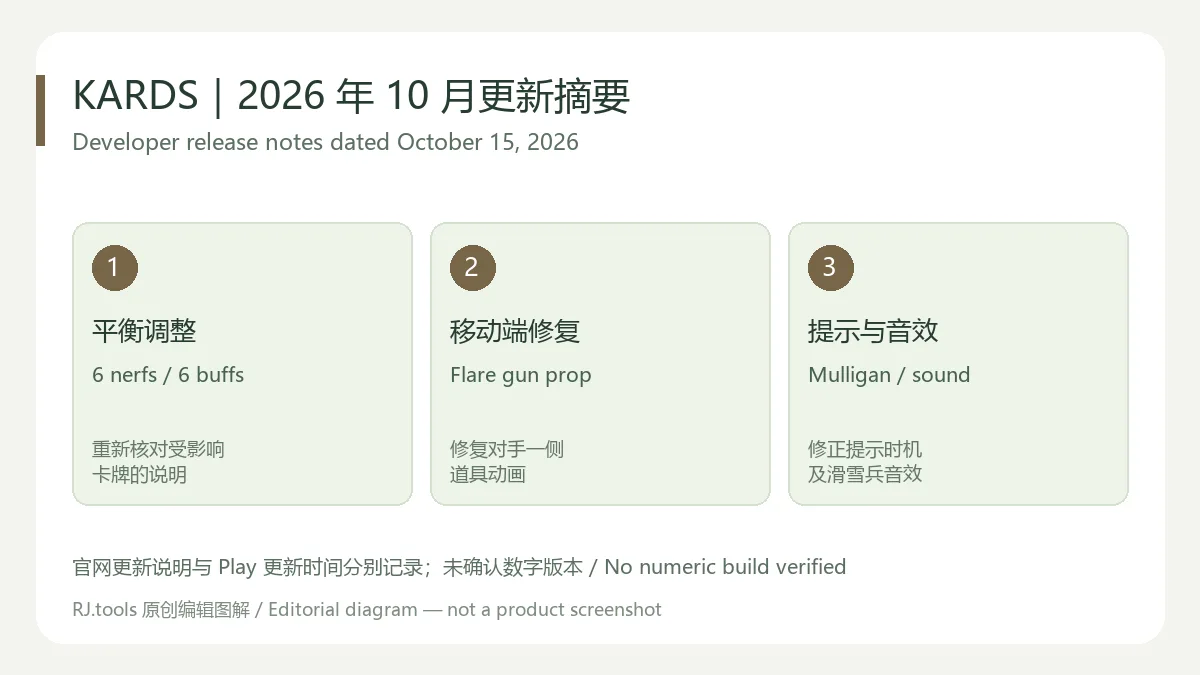
原创摘要图,依据开发者 2026 年 10 月 15 日更新说明制作,不是补丁文件校验结果。
KARDS 在哪里下载,商店打不开怎么办?
使用官网指向的 Google Play 详情页,核对开发者与包名。如果商店提示地区或设备不支持,先查看当前可用性与官方帮助。这里不提供绕过商店限制的方法,也不推荐用来源不明的改版替代官方客户端。
KARDS 可以免费玩吗?内购是否必须?
官方将游戏定义为免费游玩,并列出通过任务与进度获取奖励的方式;它也包含卡包、付费货币与外观等内购。可先使用教程和已有内容了解玩法,消费选择以商店当时的展示为准。
电脑端和 Android 能共用收藏吗?
官方 FAQ 说明关联 KARDS 账号后可以跨设备共享进度和收藏,也能与其他平台玩家对战。如果看到不同收藏,先核对两端登录与关联的账号,再向官方支持说明情况。
能离线玩,或保证任何手机都能安装吗?
本次来源没有给出覆盖所有模式的离线可用承诺,也不能由 Android 9 的最低要求推断所有设备都兼容。请按商店设备检查与当前游戏模式要求准备连接和存储空间。
官方入口是否等于安装包已通过本站安全检测?
不是。本页只核验来源与公开资料,没有下载、运行、扫描或重新托管 APK。官方入口不能代替文件级检测;安装时仍应查看商店提示和实际权限。
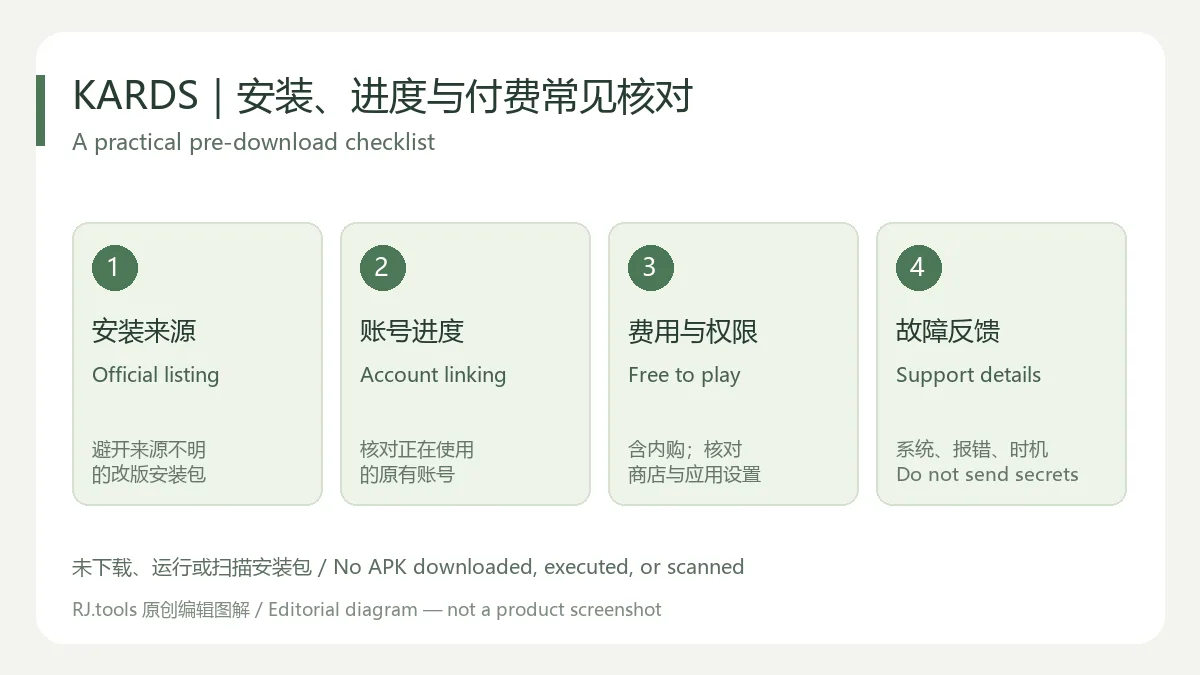
准备开始时,可先完成 KARDS 下载入口与账号核对,再通过教程、训练和非排位逐步理解前线及费用;遇到进度或安装问题时,带着具体环节与报错寻找官方支持会更有效。
KARDS Android download guide: find the official game, learn frontline tactics, install with care, link PC progress, and check October updates and setup FAQs.
KARDS is a digital collectible card game from 1939 Games, using World War II units and orders as its theme. Its frontline makes position matter alongside the cards in your hand. Kredits pay for deploying units, operating units already on the board, and playing orders. A unit that fits your deployment budget can still leave too little resource for the move or attack you had planned.
The developer describes infantry, tanks, artillery, and aircraft with different tactical roles. For an early learning exercise, use the tutorial deck to ask three questions: what currently threatens the headquarters, which units can act, and what resources remain afterward? That is an editorial learning method derived from the documented mechanics, rather than a tested promise about winning matches.
Source: publisher-provided promotional screenshot on Google Play. It illustrates the product and does not establish current card statistics.
The official FAQ lists ranked, unranked and Classic PvP, Draft, tournaments, campaigns, and training. AI training is useful for observing a trigger; unranked play provides a place to try a deck against another person. Classic includes cards from the Reserve pool. Check the selected mode's card rules before copying a deck built for a different format.
Free to play still includes purchase choices. The developer lists rewards from daily missions, national progression, and supply crates, alongside paid currency, packs, and cosmetics. Google Play labels in-app purchases and random-item purchases. A practical approach is to understand your existing cards and progression options before spending. Buying packs does not provide a reliable promise of competitive results.
Source: the 1939 Games Google Play listing. Official documentation supports play across PC and mobile; actual matches depend on the current rules, opponents, and connection.
The official FAQ lists Android 9 as the mobile minimum and recommends at least 4GB RAM. Google Play's compatibility result for your device remains the relevant installation check. This article verifies the store destination; no APK architecture, signature, installed size, or file was inspected.
com.android1939.kards.
Original RJ.tools editorial diagram based on the official FAQ, not an installation screenshot.
Read conditions as well as keywords. The official play guide describes deployment effects, ongoing effects, orders, and countermeasures. Blitz permits operation on the deployment turn; Fury concerns two operations per turn; Smokescreen does not establish immunity to every order or triggered effect. Use the current in-game card text when checking whether a planned action works.
Before acting, add up deployment, movement or attack, and any intended order. A draw effect or buff may change the options available afterward, so consider that sequence before committing the whole resource budget. This is a way to practise resource management; a particular board may require a different decision.
If KARDS will not open or loses connection, record the stage first: installation, initial resource preparation, sign-in, or a match. Then check the operating system, store update status, free space, and exact error. Provide reproducible steps to official support without passwords, verification codes, or payment credentials. These are general diagnostic suggestions, not a remote diagnosis of your phone.
Original editorial learning diagram. It explains a reasoning order, not a universal best move.
The latest game update identified in the official news feed during this review was KARDS Update - October, 2026, dated October 15, 2026. It confirms the announced balance changes, bug fixes, and operational improvements. Tournament posts dated October 16 are event announcements, not a new client changelog.
The public Google Play page separately says “Updated on Oct 13, 2026,” with short notes about balance changes and minor fixes. A store date and a later website article do not prove the same numbered Android build. No numeric client version was verified, so this page leaves that field unspecified. After updating, reread affected cards and format rules before relying on a combination described in an older guide.
Original summary of the developer's October 15 notes. It is not verification of a patch file.
Where should I download KARDS, and what if the store is unavailable?
Use the Google Play page linked by the developer and check its publisher and package identity. For a regional or device restriction, review current availability and official help. An unverified modified client is not an equivalent official source.
Can I play for free, and are purchases required?
The developer describes a free-to-play game and reward paths through missions and progression. Currency, packs, and cosmetics are also sold. Start with the tutorial and available content, then review the actual store offer before making a purchase decision.
Can my PC and Android accounts share a collection?
The official FAQ states that linking a KARDS account shares collection and progress across devices and supports cross-platform opponents. If the collections differ, verify which account is signed in and linked on each device before contacting support.
Does it work offline or on every Android 9 device?
The reviewed sources do not establish offline support across all modes. A minimum operating-system statement does not guarantee every device is supported. Follow the store's compatibility check and the current mode's connection requirements.
Has the APK passed a security scan by this website?
No. This page verifies public information and an official store destination. No APK was downloaded, run, scanned, or mirrored. Check the store's actual prompts and permissions when installing.
For a practical start, complete the KARDS Android download and account checks, then use the tutorial, training, and unranked play to learn the frontline and resource budget. Specific errors and a clear account history are more useful to support than repeated reinstalls.
资料核验日期:2026年10月18日
首次发布:2026年10月18日· 编辑修订:2026年10月18日
从开发者官网进入 Google Play,核对 1939 Games 和包名 com.android1939.kards。地区或设备可用性以商店显示为准。
官网 FAQ 列 Android 9 为最低要求,建议 4GB 或更多内存;这不保证所有 Android 9 设备都兼容。
官方 FAQ 说明关联同一 KARDS 账号后可共享进度和收藏,并支持跨平台对战。关联前先确认原账号与恢复方式。
The developer describes free play and reward paths through missions and progression. The game also sells paid currency, packs, and cosmetics; Google Play labels in-app purchases with random items.
No numeric Android build was verified. The official update article is dated October 15, 2026, while Google Play separately shows an October 13 update date; these dates are not merged into a guessed release.
No APK was downloaded, executed, scanned, or mirrored. This page verifies the public official source and store destination, not a particular installation file.
爱玩机工具箱是应用宝列出的 Android 工具应用。开发商和运营商为贵阳满康科技有限公司;官方商店介绍称它汇集日常实用工具、图形工具和文件管理。详细功能、权限和设备兼容性以当前应用宝详情为准。

PlainApp 是开源 Android 手机管理应用,可在电脑或其他设备的浏览器中访问手机文件、照片、视频、音乐、联系人和短信等功能。v3.3.25 于 2026-09-11 发布;安装前请核对 Android 兼容性与连接方式。

抖音安卓版提供短视频浏览、拍摄编辑、直播和短剧内容。本页说明官方安装入口、包名、Android 6.0+、40.8.0版本记录及安装排查。 | Douyin for Android offers short-video viewing and creation, livestreams and mini dramas. This guide covers the official install route, package, Android 6.0+, v40.8.0 and setup checks.

Android APK研究与编辑工具;整理官方261014构建、五项更新、备份工作流和许可。 / Android APK study and editing tool with official build261014, five release changes, a backup workflow and license information.

FCL 是 Android 上的 Minecraft Java 版启动器。本文整理官方1.3.4.1 APK、Android8.0要求、Java与模组配置、七项更新及启动排查。 / FCL launches Minecraft Java on Android; covers the official1.3.4.1 APK, Android8.0 floor, runtimes, mods, seven changes and troubleshooting.

Winlator 使用 Wine 和 Box86/Box64 在 Android 上运行 Windows 应用。本文提供官方11.2 APK、安装准备、5项正式更新与兼容排查。 / Winlator uses Wine and Box86/Box64 to run Windows apps on Android; includes official v11.2 APK access, setup, five stable changes and troubleshooting.

Roblox 是 Roblox Corporation 提供的 Android 用户创作游戏平台。本页整理 Google Play 官方入口、安装步骤、家庭与账号检查、商店更新信息及登录和连接故障排查。 / Roblox is Roblox Corporation's Android platform for user-created experiences. This guide covers the official store, setup, family checks, updates, and login or connection troubleshooting.

网易云游戏 Android 客户端提供进入云端游戏与手机串流服务的入口。核对官网和应用宝下载渠道、版本冲突、安装步骤、连接排查与常见问题;最低系统要求及逐项更新说明未公开核实。 / NetEase Cloud Gaming for Android provides a mobile route to cloud sessions and game streaming. Check publisher and store routes, conflicting version displays, setup and troubleshooting; minimum OS and itemized release notes were not verified.

samperson 的 Desktop Goose 桌面伴随鹅指南:核对 Windows v0.31 与 Mac v0.22 文件标签,了解作者获取入口、自愿支持、安装资料及历史更新索引。完整运行行为、系统最低要求及最新构建状态尚未确认。 Desktop companion guide with OS file selection, setup checks, voluntary support and attributed update evidence.

OpenSpeedy 是 Windows 开源游戏变速工具,可调整选定进程的时间倍率并设置快捷键。页面整理 3.3.17 更新、安装步骤和在线游戏反作弊风险。 / OpenSpeedy is an open-source Windows game speed controller for selected processes. This page covers v3.3.17, setup, and anti-cheat risks.

Android小说阅读应用,含听书、漫剧与兴趣推荐;整理应用宝7.4.1.32信息、安装与活动规则核对方法。 / Android reading app with listening, animated comics and recommendations; includes store version 7.4.1.32, setup and activity-term checks.

云·原神是米哈游提供的 Android 云游戏客户端,本页解释其与完整《原神》包体的区别,并整理官网安装入口、网络排查及版本信息边界。 / Genshin Impact Cloud is miHoYo’s Android cloud gaming client. This guide covers its official entry, setup, network checks and release-information limits.