
视频素材下载与队列整理
为获准保存的视频资料与其他创作素材安排下载和文件队列。收录AB Download Manager、Neat Download Manager、唧唧Down(JiJiDown)等站内已有工具,按实际用途选择适合自己的应用。

唧唧Down 是面向 Windows 的哔哩哔哩视频下载工具,可解析链接、选择分P并管理视频、音频、弹幕和字幕任务。本页整理唧唧Down 下载入口、安装步骤、批量任务设置和下载失败排查,说明 v2.3.17 更新日志、登录信息与内容授权的注意事项,帮助你按实际用途选择适合的格式、保存位置和任务范围。 JiJiDown downloads Bilibili video, audio, subtitles, and comments on Windows. Find setup steps, v2.3.17 notes, task fixes, and content permission checks.
别名:唧唧Down、JiJiDown、唧唧 Down、唧唧
作者:RJ.tools Editorial
了解软件的基本信息与来源
当前重构客户端完整许可证未确认。 Complete license for the current rebuilt client was not found.
唧唧Down 是面向 Windows 的哔哩哔哩视频下载工具,可解析链接、选择分P并管理视频、音频、弹幕和字幕任务。本页整理唧唧Down 下载入口、安装步骤、批量任务设置和下载失败排查,说明 v2.3.17 更新日志、登录信息与内容授权的注意事项,帮助你按实际用途选择适合的格式、保存位置和任务范围。 JiJiDown downloads Bilibili video, audio, subtitles, and comments on Windows. Find setup steps, v2.3.17 notes, task fixes, and content permission checks.
唧唧Down 下载与安装:核对 Windows 入口、分P、格式和 v2.3.17 日志。 JiJiDown guide covers setup, video formats, task troubleshooting, release notes, and content permissions.
唧唧Down 是面向 Windows 的哔哩哔哩视频下载工具,可解析链接、选择分P并管理视频、音频、弹幕和字幕任务。本页整理唧唧Down 下载入口、安装步骤、批量任务设置和下载失败排查,说明 v2.3.17 更新日志、登录信息与内容授权的注意事项,帮助你按实际用途选择适合的格式、保存位置和任务范围。
当前JiJiDown 官网提供桌面端链接解析、单P、多P和批量下载,列出的输出包括视频、音频、弹幕 XML/ASS 与字幕 SRT。实际开始前,先决定需要完整视频、单独音轨,还是便于阅读的字幕;这样可以减少不需要的任务和重复占用空间。网站列出格式支持,不表示每个视频都必然提供全部内容或清晰度。
对于多P课程式投稿或较长合集,先核对分P标题与选择范围,再创建批量任务。把视频与字幕放在同一项目文件夹中,完成后抽查开头、中段与结尾的播放、声音和字幕时间,通常比只看“完成”状态更有用。这里的课程式投稿指普通投稿内容,不代表支持付费课程下载。
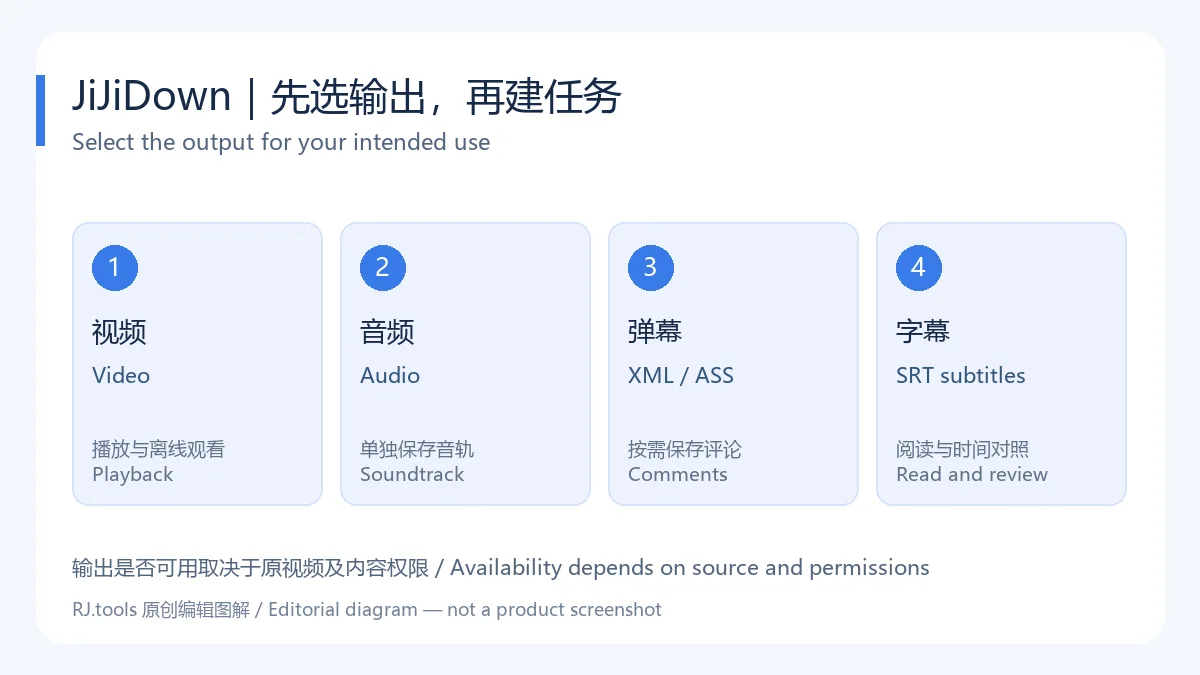
图解按官网列出的输出类型整理,不是软件实机界面。
官网目前把 macOS 和 Linux 标为“正在准备上线”,因此本页只关联 Windows。旧文档提到的 .NET Framework 4.8 面向其旧客户端文档;当前重构版本的最低 Windows 版本、处理器架构与依赖没有在当前下载页清楚公布,不将旧要求套用到新安装包。
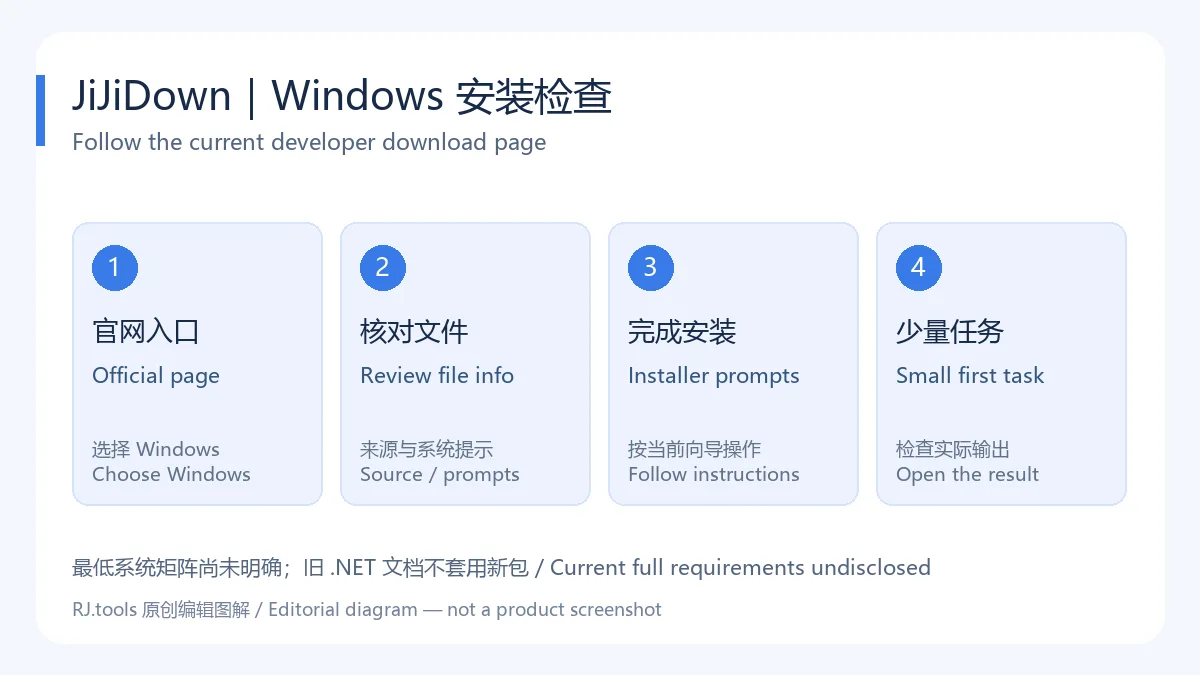
安装流程是操作建议,不能替代当前安装器提示和系统要求。
先区分故障发生在哪一步:链接无法解析、任务排队、文件保存失败,或完成后无法播放。链接问题可先在浏览器检查原视频是否仍然可访问,并重新复制完整地址;保存失败则检查目标目录是否可写、磁盘剩余空间和文件名。遇到账号或内容权限问题,应回到原平台确认自己是否具备访问资格。
官网列出暂停、继续、重新下载和限速功能。批量任务异常时,可以保留现有文件,把任务缩小到一个分P并逐项确认;同时比较客户端版本与官方更新历史。不要在排查前删除整个下载目录或覆盖唯一文件副本。若需提交日志,先检查其中是否有账号、Cookie、文件路径或私人链接,再按开发者当前反馈方式提交。
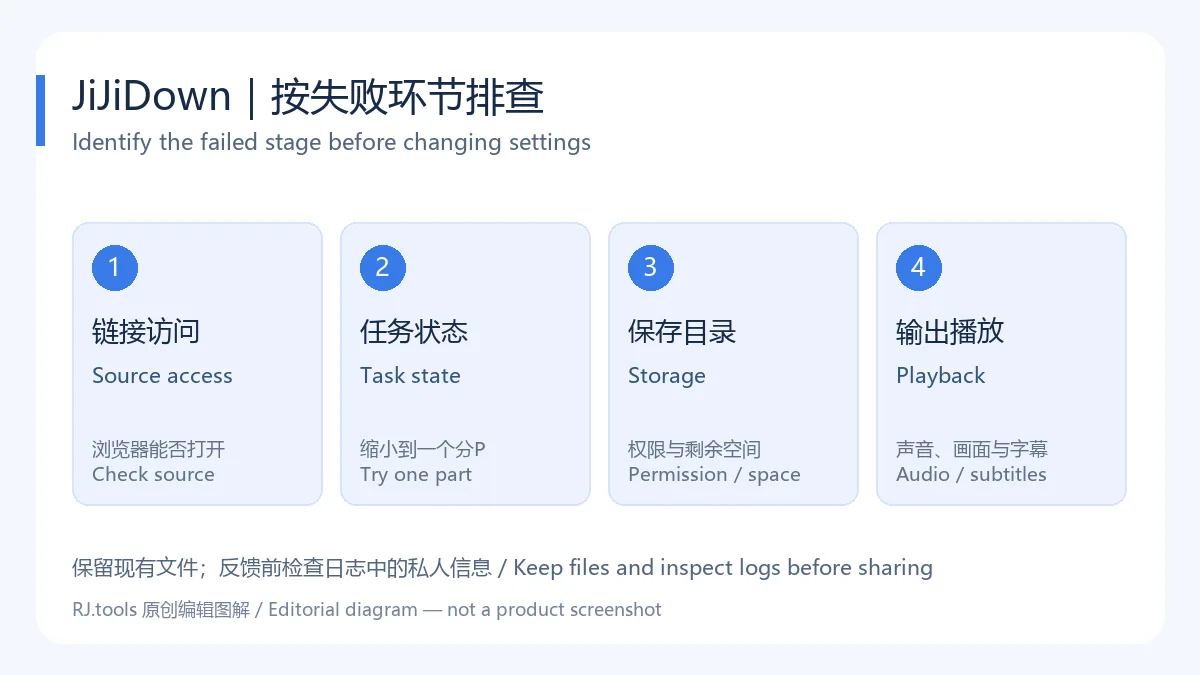
这些步骤用于缩小问题范围,不承诺特定网络或视频一定可以下载。
截至 2026-10-18,官方更新历史切换到“详细版本”后,最上方记录是 v2.3.17,日期为 2026-08-06。该条日志包含三项:修复大量任务并发更新时下载记录无法保存、重启后记录丢失的问题;在记录加载、保存或前端快照失败时写入具体环节的应用日志;限制重复记录错误日志的写入频率。它主要涉及任务记录的可靠性与故障定位,不应概括成所有下载错误都已解决。
前一条 v2.3.16(2026-08-05)另列本地数据库持久化、已有记录迁移与排队任务恢复,以及文件名模板、默认 CID、重名追加序号等调整。这些是前一版的上下文,不混作 v2.3.17 新增功能。动态 EXE 链接没有公开文件级版本对应关系;本页展示的是官网日志最新记录,不是本地程序版本检测结果。
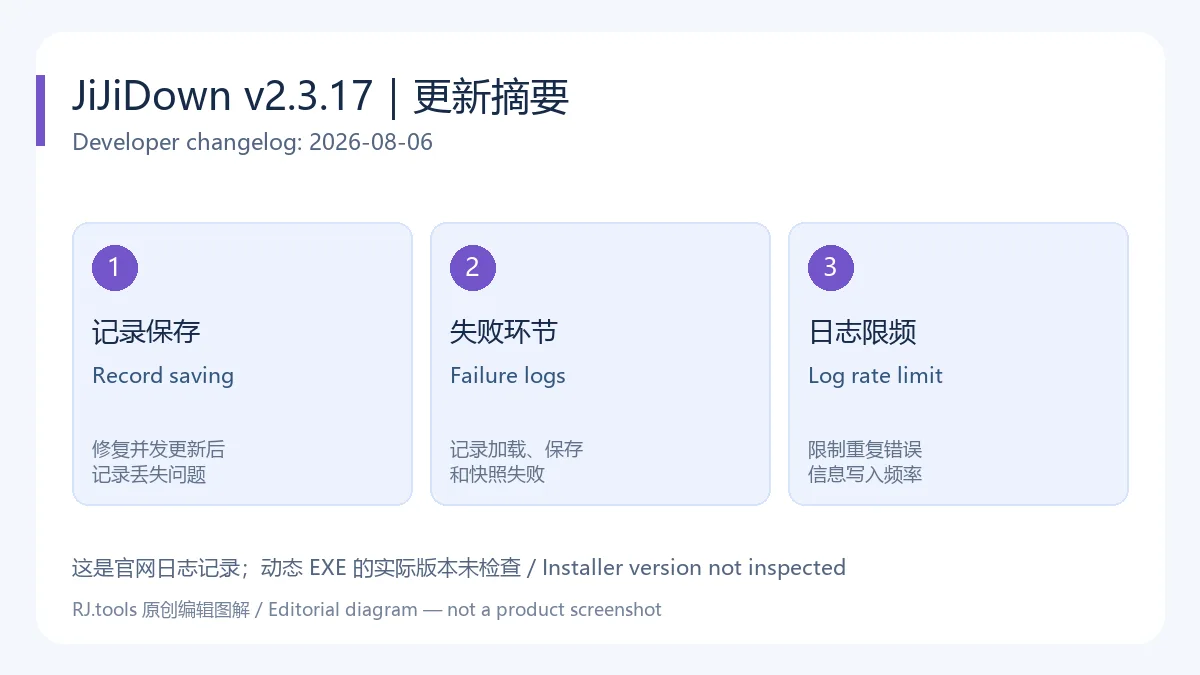
版本日期来自开发者更新页;本站编辑核查日期与软件发布日期分别记录。
开发者介绍文档说明唧唧Down用于解析哔哩哔哩内容,并明确列出番剧、电影、纪录片、国创、电视剧与综艺等番剧类型不支持下载,转载或二次创作须获得原作者允许。该文档也列出 Cookie、AccessToken 和二维码登录能力,但属于旧文档的功能描述;当前客户端的具体登录选项以实际版本为准。
不要把登录成功、能够读取视频信息或显示某个画质选项当成获得再分发许可。仅保存自己有权处理的内容,并遵守原平台和权利人的使用要求。当前更新历史提到用户操作统计和日志处理,本次没有审计客户端网络行为,也没有找到覆盖当前客户端的独立隐私政策或完整软件许可证,不能写成“无遥测”或给出安全保证。
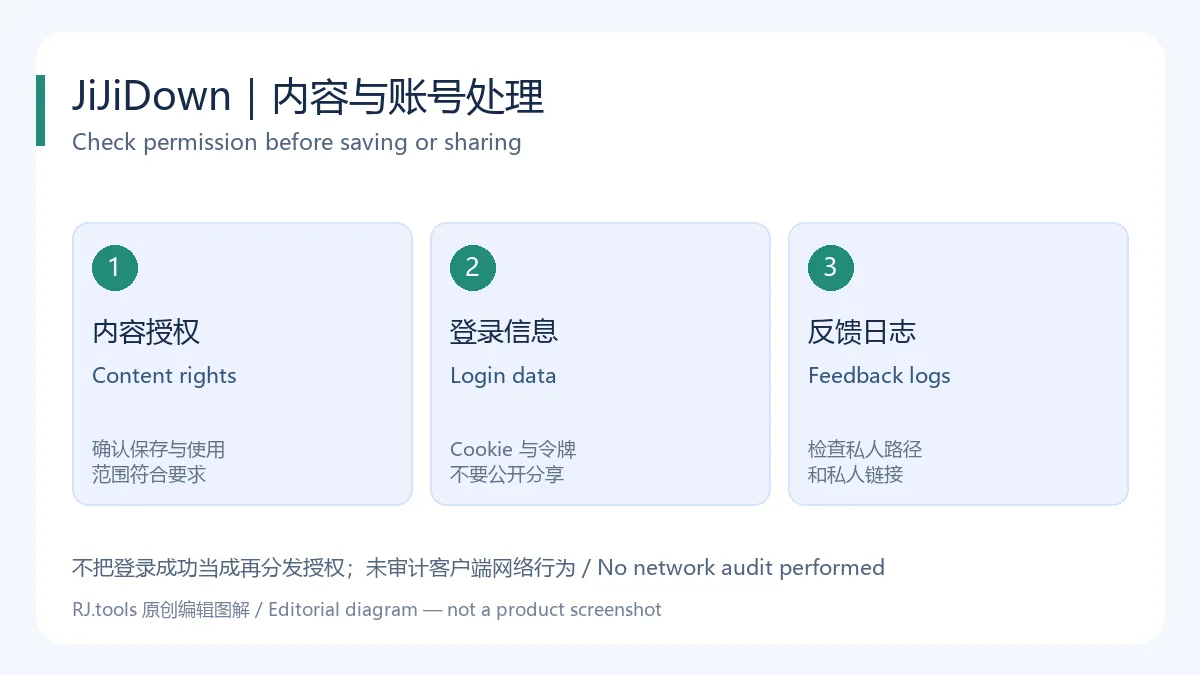
这是内容与账号处理建议,不是对安装包的安全检测结果。
唧唧Down 下载哪里比较合适? 从开发者当前首页进入 Windows 下载。旧榜单中的第三方 EXE 没有核验;本页不提供本站镜像,也不声称官方文件经过本站扫描。
唧唧Down 怎么安装,打不开怎么办? 按 Windows 安装器提示操作,首次用少量任务检查。无法启动时记录报错、当前 Windows 版本与客户端版本,并查开发者更新页;当前页面没有公布足以给出统一兼容结论的系统矩阵,不建议随意安装来历不明的修复包。
为什么找不到 macOS 或 Linux 安装包? 当前下载页仍显示正在准备上线,可见入口指向占位锚点。本页没有把它们列为已可下载平台。
1.3.0.0 是当前最新版吗? 这是旧榜单文件名中的版本,未经文件核验。开发者当前日志最新记录为 v2.3.17;实际获取文件仍须由使用者检查其版本信息。
唧唧Down 是否免费、是否开源? 旧开发者介绍称终身免费,当前首页提供下载入口;未找到当前重构客户端完整许可证或源码对应关系。免费使用与开源许可应分别判断。
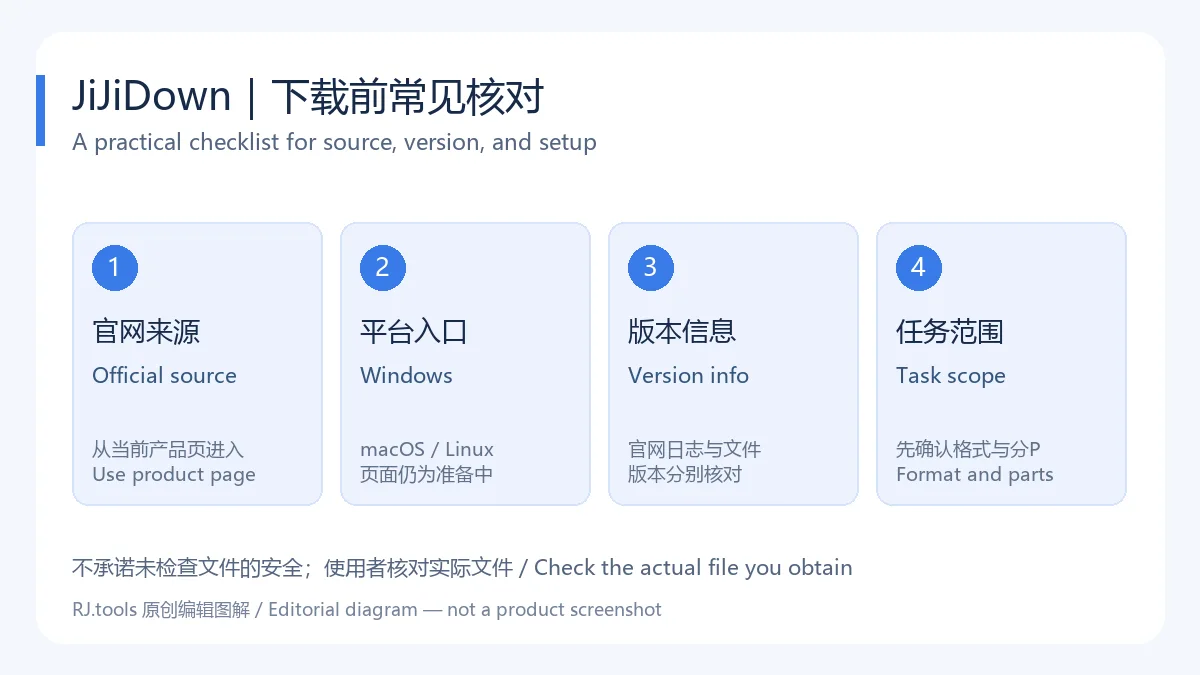
查找唧唧Down 下载、怎么安装或下载失败怎么办时,先核对官网入口和当前日志,再决定格式、分P与保存路径。用少量任务确认输出质量、保护登录信息并遵守内容授权,可以让 JiJiDown 的日常视频整理更清楚。
JiJiDown downloads Bilibili video, audio, subtitles, and comments on Windows. Find setup steps, v2.3.17 notes, task fixes, and content permission checks.
The current JiJiDown website describes desktop link parsing, single-part, multipart, and batch downloads. Its listed outputs include video, audio, XML/ASS comments, and SRT subtitles. Choose the output for the job before creating tasks: a complete video, a separate soundtrack, or readable subtitle text. Listing a supported output does not mean every source video provides every format or quality level.
For a long multipart submission, check the part titles and selected range before starting a batch. Keep related video and subtitle files together, then inspect playback, audio, and subtitle timing near the beginning, middle, and end. A completed task is useful status information, but opening the output is a better practical check. A multipart educational submission should not be confused with a paid course, whose download support is not established here.
This editorial diagram follows the output types listed on the website; it is not an application screenshot.
The current page says macOS and Linux versions are being prepared, so this resource is associated only with Windows. Older documentation mentions .NET Framework 4.8, but the current rebuilt client's minimum Windows version, CPU architecture, and dependencies are not clearly disclosed on the current download page. The older requirement is not applied to the new installer.
These are practical setup steps, not a replacement for the current installer's requirements.
First identify the stage that failed: parsing the link, waiting in the queue, saving the file, or playing completed output. For parsing problems, check whether the original video is still accessible in a browser and copy its complete address again. For a save failure, check folder permissions, available disk space, and the filename. If account or content permissions are involved, confirm your access on the original platform.
The website lists pause, resume, retry, and speed-limit controls. When a batch fails, keep existing files and reduce the task to one part so each setting can be checked. Compare your client version with the official update history. Avoid deleting the whole destination folder or overwriting the only copy while diagnosing the issue. Before submitting logs, inspect them for account data, cookies, private paths, or private links, then use the developer's current feedback process.
These checks narrow the problem; they do not guarantee that every video or network connection will work.
As checked on October 18, 2026, selecting the detailed-version view in the official update history shows v2.3.17 at the top, dated August 6, 2026. Its three notes address download records failing to save or disappearing after restart during heavy concurrent updates; application logs that identify failures in record loading, saving, or front-end snapshots; and rate limiting for repeated record-error messages. These are record-reliability and diagnosis changes, not a statement that all download errors are fixed.
The preceding v2.3.16 entry, dated August 5, separately covers local database persistence, record migration and queued-task recovery, filename templates, a default CID suffix, and automatic numbering of duplicate names. Those are context from the preceding release. The dynamic installer URL does not publish a file-to-version mapping, so this page reports the latest website changelog entry rather than a locally inspected executable version.
The release date comes from the developer's update page and is separate from this article's review date.
The developer's introduction explains Bilibili parsing and explicitly excludes downloads of the platform's Bangumi category, including series, films, documentaries, and variety shows. It asks users to obtain the original creator's permission before redistribution or derivative work. It also describes cookie, AccessToken, and QR login features, but that is older documentation; available login controls depend on the actual current client.
Logging in, reading video information, or seeing a quality option does not grant redistribution rights. Save only content you are entitled to handle and follow the original platform's and rights holder's requirements. The current changelog mentions usage statistics and log handling. No client network audit was performed, and a separate privacy policy or complete software license covering the rebuilt client was not found. This page therefore makes no telemetry-free or safety guarantee.
This diagram explains account and content handling; it is not an installer security assessment.
Where should I download JiJiDown? Use Windows download on the developer's current homepage. The old ranking's third-party EXE was not inspected, and this page does not offer a local mirror or claim that official files were scanned here.
How do I install it, and what if it will not open? Follow the Windows installer and start with a small task. Record the error, Windows version, and client version, then consult the developer's updates. The current page does not provide a complete compatibility matrix; avoid unidentified repair packages.
Where are macOS and Linux packages? The current download page says they are being prepared, and its visible controls lead to placeholder anchors. They are not listed here as downloadable platforms.
Is 1.3.0.0 current? That number appears in the unverified legacy ranking filename. The latest developer changelog entry is v2.3.17. Check version information on the actual file you obtain.
Is JiJiDown free or open source? The older developer introduction promises free use, and the current homepage offers a download. A complete license or matching source tree for the rebuilt client was not found. Free access and open-source licensing are separate questions.
For a JiJiDown download or setup problem, begin with the official entry and current changelog, then check the format, selected parts, and destination. A small first task, careful handling of login data, and content permission checks make routine organization easier to assess.
资料核验日期:2026年10月18日
首次发布:2026年10月18日· 编辑修订:2026年10月18日
从开发者当前首页进入 Windows 下载;旧榜单第三方 EXE 未核验,本页不提供镜像或文件扫描保证。
1.3.0.0 来自旧榜单文件名,未经文件核验。当前官网日志最新记录 v2.3.17;实际下载文件版本需另行检查。
当前下载页写正在准备上线,可见链接为占位锚点,本页只关联 Windows。
Use the Windows entry on the current developer homepage. No installer was downloaded, scanned, or mirrored for this article.
Older developer documentation promises free use. A complete license or matching source tree for the rebuilt client was not found; free access does not establish open-source licensing.
The August 6, 2026 developer entry fixes download-record persistence under concurrent updates, adds detailed failure logs, and limits repeated error messages. It is a website changelog record, not an inspected executable version.
TeamSpeak 是面向游戏、团队、商务和社群的语音通信平台,官方介绍包含消息交流与服务器管理。本条目对应官方列出的 Windows 64 位 TeamSpeak 3 3.6.2。
微软官方 Windows 10 下载页提供媒体创建工具入口和安装介质制作说明,页面将 22H2 标示为最终版本。Windows 10 Home 和 Pro 支持已于 2025 年 10 月 14 日结束;LTSC 版本按各自生命周期执行。

LX Music 洛雪音乐助手桌面版:官方Windows安装包、2.12.6更新、列表备份与播放排查。 / Official desktop packages, release notes, playlist preservation and playback troubleshooting.

EA app(原 EADesktop)Windows游戏客户端:官方安装、EA账号与游戏库、自动更新和故障帮助。 / EA client setup, game library, account checks, automatic updates and troubleshooting.

R2V 是 Able Software 的 Windows 地图与工程图栅格转矢量工具。查看官方 7.5 试用版、安装要求、GIS/CAD 输出与数据检查建议。 R2V converts scanned maps and drawings into GIS/CAD vectors; includes official trial and setup guidance.

Windows磁盘空间分析,解释MFT扫描、实际占用、重复候选限制、4.33更新与个人/商业许可。 / Windows disk space analysis with MFT scanning, allocated space, duplicate limits, v4.33 notes and licensing.

NatTypeTester 是用于检测 STUN NAT 映射与过滤行为的开源工具,10.0.10 提供 Android、Windows、macOS 和 Linux 发行包。 | NatTypeTester checks STUN NAT mapping and filtering, with 10.0.10 packages for Android, Windows, macOS and Linux.

Watt Toolkit(原 Steam++)是面向 Steam 相关任务的开源跨平台工具箱,包含网络、账号、库存和令牌功能。 / Formerly Steam++, Watt Toolkit is an open-source cross-platform toolbox for Steam-related network, account, library, and token tasks.
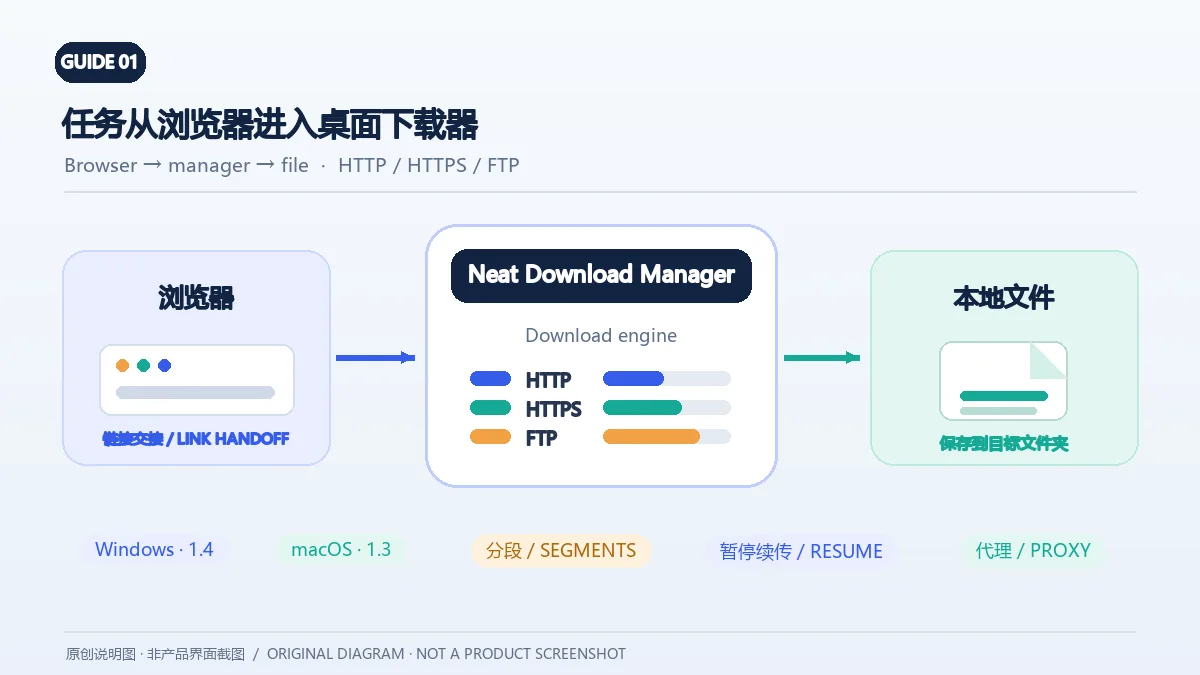
Neat Download Manager(NeatDM)是 Windows 与 macOS 桌面下载管理器,可管理链接任务、分段连接、代理、暂停续传和浏览器扩展。本文核对官网列出的 Windows 1.4 与 macOS 1.3,并说明版本日志、系统要求和安装包仍有哪些信息未公开。 / Neat Download Manager (NeatDM) is a Windows and macOS desktop download manager for browser handoff, segmented transfers, proxies, and pause/resume. This guide checks the publisher-listed versions and explains installation, compatibility, and missing desktop release notes.

qBittorrent 是开源 BitTorrent 客户端,支持磁力链接、RSS、搜索和 Web UI。本页整理 Windows 10+ 稳定版 5.2.4、macOS/Linux 平台差异、安装核对与版权提醒。 / qBittorrent is an open-source BitTorrent client with magnet, RSS, search and Web UI features. Review stable v5.2.4, platform differences, setup checks and lawful use.
腾讯手游加速器由深圳市腾讯计算机系统有限公司开发和运营。应用宝详情介绍网络加速、游戏相关辅助信息、预约与战绩数据等功能;支持情况以当前应用详情为准。

奇游 Windows 官方下载、安装步骤、区服选择与会员条件,保留7.3.0文件标识和官网页脚差异。 / Official Windows download, installation, route checks and membership terms with explicit version-evidence limits.