
开发调试中的格式、脚本与文件检查
处理开发时常见的格式化、代码片段验证和文件结构检查任务。收录DevToys、dnSpy、HxD等站内已有工具,按实际用途选择适合自己的应用。

HxD 下载适合需要查看文件字节、比较二进制差异或检查磁盘结构的 Windows 用户。这款十六进制编辑器提供搜索、校验和与数据解释功能,并分别提供安装包和便携包。本页说明官方版本、部署步骤及编辑前的备份方法,帮助你区分插入与覆盖、理解校验值的用途,在文件副本上完成检查,避免把磁盘写入操作当作普通文本修改。 HxD download guide for Windows hex editing: choose installer or portable packages, inspect bytes, compare files, and review backup steps before making changes.
別名:HxD Hex Editor
AI支援コンテンツ
ソフトウェアの基本情報と提供元を確認できます
Freeware;许可允许个人与商业使用,销售受限;并非开源。Freeware for personal/commercial use under the HxD license; sale restricted; not open source.
本站仅核对公开资料与图片;未下载、运行、签名核验或扫描软件二进制。Public documentation/images reviewed; no program binary downloaded, run, signature-checked or scanned.
HxD 下载适合需要查看文件字节、比较二进制差异或检查磁盘结构的 Windows 用户。这款十六进制编辑器提供搜索、校验和与数据解释功能,并分别提供安装包和便携包。本页说明官方版本、部署步骤及编辑前的备份方法,帮助你区分插入与覆盖、理解校验值的用途,在文件副本上完成检查,避免把磁盘写入操作当作普通文本修改。 HxD download guide for Windows hex editing: choose installer or portable packages, inspect bytes, compare files, and review backup steps before making changes.
HxD 下载适合需要查看文件字节、比较二进制差异或检查磁盘结构的 Windows 用户。这款十六进制编辑器提供搜索、校验和与数据解释功能,并分别提供安装包和便携包。本页说明官方版本、部署步骤及编辑前的备份方法,帮助你区分插入与覆盖、理解校验值的用途,在文件副本上完成检查,避免把磁盘写入操作当作普通文本修改。
HxD 下载适合需要查看文件字节、比较二进制差异或检查磁盘结构的 Windows 用户。这款十六进制编辑器提供搜索、校验和与数据解释功能,并分别提供安装包和便携包。本页说明官方版本、部署步骤及编辑前的备份方法,帮助你区分插入与覆盖、理解校验值的用途,在文件副本上完成检查,避免把磁盘写入操作当作普通文本修改。
HxD 是 Maël Hörz 开发的十六进制、磁盘与内存编辑工具。它把原始字节、对应文本和偏移位置放在同一工作环境中,适合检查文件头、比较两个版本的二进制差异,或把某段数据按整数和浮点数解释。搜索支持文本、十六进制及数值类型,校验和、文件比较、分割与连接、统计和代码导出也覆盖了常见检查任务。
选择工具前先明确对象:检查普通文件、查看磁盘和操作进程内存所需权限与风险并不相同。对日常文件分析,可先复制原文件,在副本上定位偏移和观察结构;只有确定格式及修改含义后,才考虑保存。不要仅凭某段乱码就判断文件损坏,二进制内容本来就不一定对应可读文本。
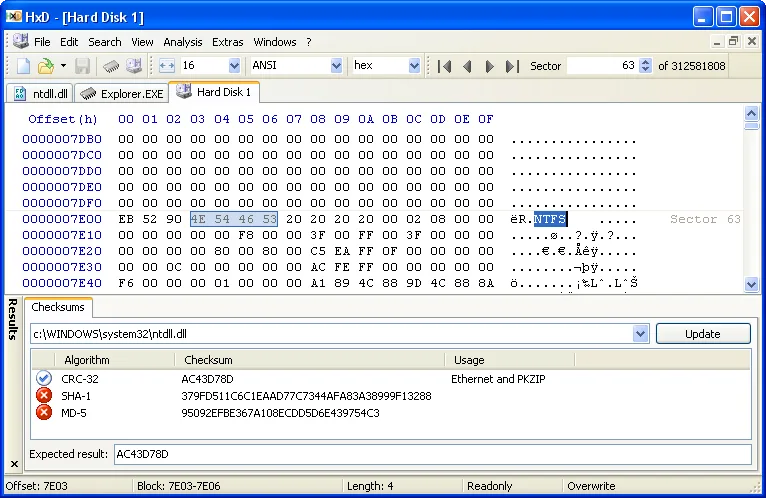
开发者官网提供的历史 HxD 磁盘与校验和界面截图;旧系统外观不代表当前系统兼容性测试。
官网列出的系统为 Windows XP、2003、Vista、7、8、10;本页没有据此宣称开发者已验证 Windows 11。HxD 以免费软件许可提供个人及商业使用,销售软件受限,不能把它标成开源软件。页面使用的 HxD 字母图为编辑制作的识别图,并非开发者官方图标。
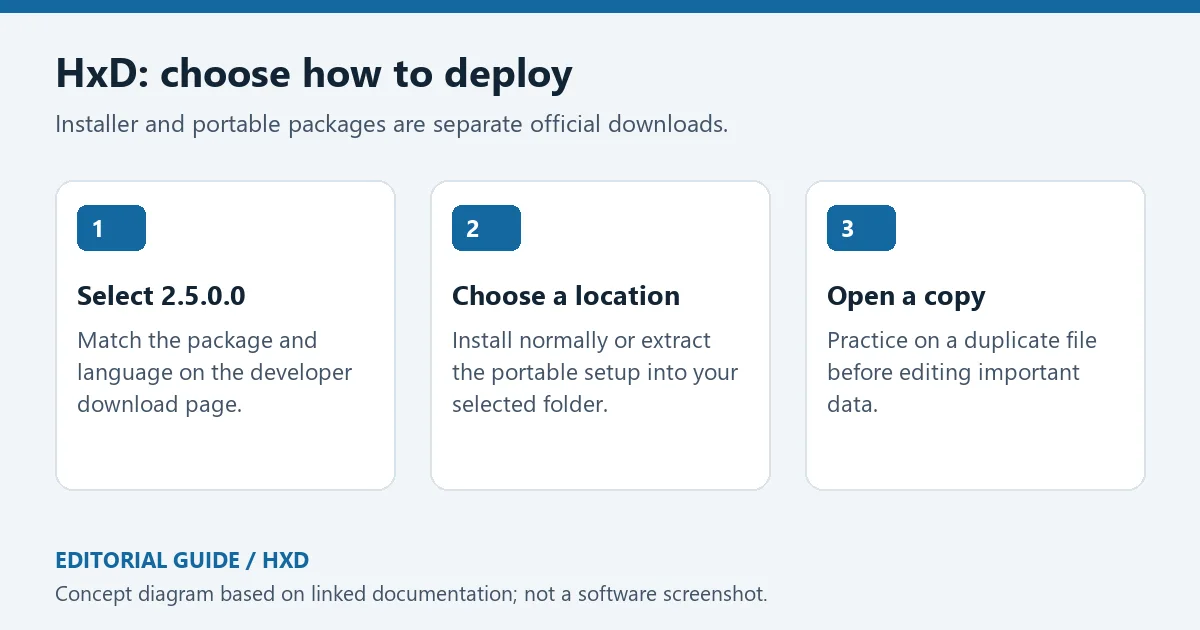
原创编辑图:核对版本、选择安装或便携目录、在文件副本上开始操作。
官网更新日志列出的当前版本为 2021 年 2 月 11 日发布的 2.5.0.0。该版本增加横向鼠标滚轮支持,并处理相关 Logitech 驱动问题;数据解释器加入 LEB128 与 ULEB128,改善类型转换和插件架构不匹配时的错误信息。搜索增加 24 位整数支持,并修复较大的无符号 64 位数值处理问题。
对于固件或嵌入式数据交换,Intel Hex 与 S-Record 导入可以处理未定义区域、乱序及重叠记录,导出也能跳过未定义或不可读区域。校验工具增加可自定义位宽与字节序的校验和。使用这些能力时应保留原始输入,导出后检查地址范围、空洞和目标格式要求;转换成功不等于目标设备一定接受该数据。旧发布日期如实保留,不能改写为近期更新。
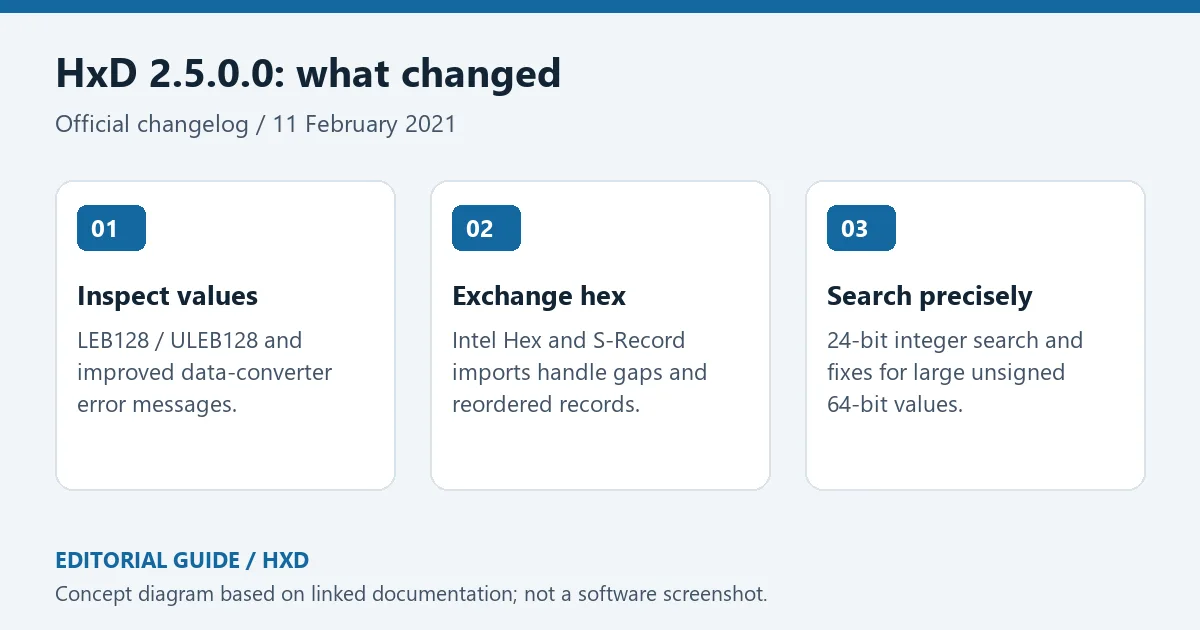
原创编辑图:2.5.0.0 对数据解释、Intel Hex/S-Record 交换和数值搜索的更新。
问:HxD 怎么编辑才不会破坏原文件?
答:先制作副本并核对当前编辑模式。覆盖会替换已有字节,插入可能改变文件长度和后续偏移;对有固定结构的格式,两者结果差别很大。保存前检查修改范围、文件长度和比较结果,保留原文件用于恢复。
问:打不开磁盘或无法保存,是否需要关闭保护?
答:先确认自己选择的是文件还是物理磁盘,以及对象是否只读、被占用或需要相应权限。官网说明磁盘默认以写保护方式打开。不要只为获得写入能力关闭保护或直接修改系统盘;仅查看结构时保持只读更合适。
问:校验和一致能证明下载安全吗?
答:校验值适合与可信来源提供的预期值比较,帮助判断内容是否一致,不能单独证明文件无恶意行为。本页没有下载、运行、扫描或验证 HxD 软件包签名。HxD 下载请使用列出的开发者来源,先确认任务需要的是安装版还是便携版。
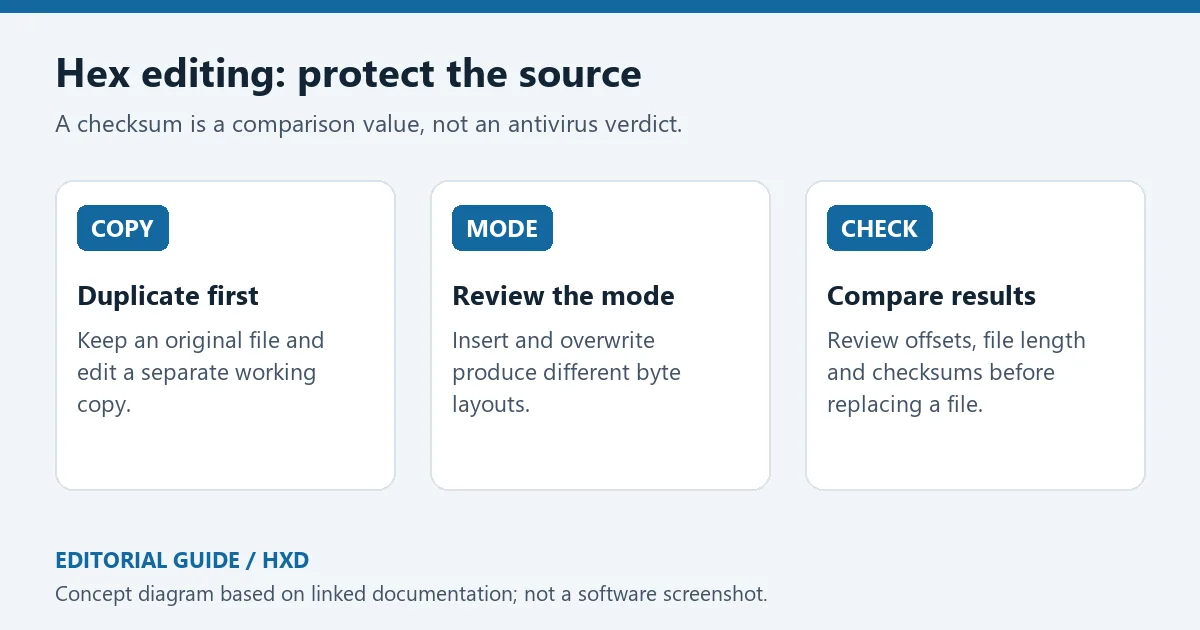
原创编辑示意:保留副本、理解插入与覆盖、对照长度及校验值。
资料来源:来源 1;来源 2;来源 3;来源 4。核验日期:2026-10-19(北京时间)。
HxD download guide for Windows hex editing: choose installer or portable packages, inspect bytes, compare files, and review backup steps before making changes.
HxD is a hex, disk and RAM editor developed by Maël Hörz. It places raw bytes, text interpretations and offsets in one workspace. Typical tasks include inspecting a file header, comparing binary revisions and interpreting a selected value as an integer or floating-point number. Search supports text, hexadecimal and numeric data; checksums, file comparison, splitting/concatenation, statistics and code export extend the inspection workflow.
Decide whether your target is an ordinary file, a physical disk or process memory before opening it. Permissions and consequences differ. For routine file analysis, duplicate the original, locate the relevant offsets and understand the format before saving an edit. Unreadable text does not itself indicate corruption: binary formats are not necessarily text documents.
Historical HxD disk and checksum screenshot from the developer website; the older desktop appearance is not a current OS compatibility test.
The developer lists Windows XP, 2003, Vista, 7, 8 and 10. This page does not turn that list into an official Windows 11 validation claim. HxD is freeware for personal and commercial use under its license; it is not described as open source. The HxD letter tile used for this listing is an editorial identifier, not an official developer icon.
Original editorial deployment diagram: confirm the release, choose a destination and begin on a duplicate file.
The current entry in the developer changelog is 2.5.0.0, released on 11 February 2021. It adds horizontal mouse-wheel scrolling with a Logitech-driver workaround. The data inspector gains LEB128/ULEB128 types and clearer conversion/plugin architecture errors. Search adds 24-bit integer support and fixes handling of large unsigned 64-bit values.
Intel Hex and S-Record import can represent undefined regions and handle out-of-order or overlapping records; export can skip undefined or unreadable regions. A custom checksum supports selectable widths and endianness. For firmware-oriented work, retain the original input and inspect address ranges, gaps and destination requirements after conversion. A successful export does not establish that a target device will accept the result. The historical release date is retained as published.
Original editorial summary of 2.5.0.0 improvements to data inspection, hex interchange and numeric searches.
How can I edit without losing the original?
Work on a copy and verify the editing mode. Overwrite replaces existing bytes; insert can change file length and shift later offsets. Those effects are significant in a structured binary format. Review the changed region, length and comparison output before replacing any original.
Should I disable protection when a disk cannot be edited?
First identify whether you selected a file or a physical disk and check read-only status, ownership and access requirements. The developer states that drives open write-protected by default. For inspection, retaining read-only access is sensible; do not disable protection merely to make a system disk writable.
Does a matching checksum prove safety?
A checksum can establish agreement with an expected value obtained from a trusted source. It does not by itself establish the absence of malicious behaviour. No HxD binary was downloaded, executed, scanned or signature-checked for this page. Use the cited developer source for an HxD download and select the package that matches your deployment needs.
Original editorial checklist: duplicate the source, understand insert versus overwrite, and compare the saved result.
Sources: source 1, source 2, source 3, source 4. Verified 19 October 2026 (China Standard Time).
情報確認日:2026年10月19日
初回公開:2026年10月19日· 編集部による更新:2026年10月19日

NewFileTime 是 SoftwareOK 提供的 Windows 免费便携文件时间修改工具。本文介绍批量设置创建、修改、访问时间,绝对日期与相对偏移、8.31 更新、备份与核对方法。 NewFileTime portable timestamp editor guide.

DNS Jumper 是 Sordum 发布的免费便携 Windows DNS 切换工具。本文核对 v2.3、IPv4/IPv6、恢复默认解析器、版本修复和文件校验方法,并说明切换 DNS 对隐私与网络策略的影响。 DNS Jumper v2.3 setup and troubleshooting guide.

Windows 便携卸载工具,官网当前为 1.6.0.200。介绍个人免费授权、解压运行、残留判断、ARM64 与更新日志,区分付费 Uninstall Tool。 A bilingual guide to personal-use terms, portable setup, leftover review and uninstall troubleshooting.

C/C++与Fortran开发环境,说明25.03包选择、工具链配置、更新及编译链接运行问题。 / C/C++ and Fortran IDE with v25.03 package selection, toolchain setup, release notes and build troubleshooting.

GG修改器 GameGuardian官方获取与Android安装指南,核对101.4版本、Android 5.0+要求、root和无root虚拟空间限制,整理悬浮窗、搜索异常、更新说明及FAQ。 GameGuardian guide to official setup, execution requirements, documented changes and permitted local study.

原版dnSpy程序集分析、断点调试和编辑指南,明确6.1.8归档状态、附件选择与备份步骤。 / Original dnSpy assembly inspection, debugging and editing, with archive status, asset selection and backups.

Cheat Engine Windows官方获取与安装准备指南:核对7.7版本、后续修补、安装器额外推荐与安全提示,了解成年、私人及教育用途条件。 Cheat Engine Windows guide to official setup, 7.7 release evidence, optional offers and permitted local study.

NetAssist 5.15 Windows 网络调试助手:TCP Server、TCP Client、UDP 与 MQTT Client、IPv4/IPv6、免安装步骤及排查指南。 / Portable Windows network tester with official release notes and setup guidance.

Android APK研究与编辑工具;整理官方261014构建、五项更新、备份工作流和许可。 / Android APK study and editing tool with official build261014, five release changes, a backup workflow and license information.