
硬盘健康与 SSD 读写测试
查看存储设备健康信息,并测量硬盘或 SSD 的读写表现。收录AS SSD Benchmark、CrystalDiskInfo、CrystalDiskMark等站内已有工具,按实际用途选择适合自己的应用。

HD Tune Pro 是 EFD Software 的 Windows 硬盘与 SSD 检测工具,可查看 S.M.A.R.T. 健康信息、执行基准测试和错误扫描,并提供文件测试、温度、安全擦除等功能。官网核对 6.10 版本、系统要求、14 天试用、授权价格和安装入口;未列出 2024 年 10 月之后的更新。 HD Tune Pro checks Windows HDDs and SSDs: SMART health data, benchmarks and error scans. Guide: official v6.10, 64-bit needs, setup, and the 14-day trial.
別名:HD Tune Pro、HDTune Pro、HD Tune Pro 6.10
作者:RJ.tools Editorial
ソフトウェアの基本情報と提供元を確認できます
Proprietary commercial software; 14-day trial. Publisher lists a single-user license at $29.95 USD or €24.95 EUR; check current terms.
HD Tune Pro 是 EFD Software 的 Windows 硬盘与 SSD 检测工具,可查看 S.M.A.R.T. 健康信息、执行基准测试和错误扫描,并提供文件测试、温度、安全擦除等功能。官网核对 6.10 版本、系统要求、14 天试用、授权价格和安装入口;未列出 2024 年 10 月之后的更新。 HD Tune Pro checks Windows HDDs and SSDs: SMART health data, benchmarks and error scans. Guide: official v6.10, 64-bit needs, setup, and the 14-day trial.
HD Tune Pro 下载:查看 HDD/SSD 健康检查、基准测试、错误扫描与 6.10 安装。 HD Tune Pro Windows guide: SMART checks, drive benchmarks, secure erase, trial, setup and update notes.
HD Tune Pro 是 EFD Software 的 Windows 硬盘与 SSD 检测工具,可查看 S.M.A.R.T. 健康信息、执行基准测试和错误扫描,并提供文件测试、温度、安全擦除等功能。官网核对 6.10 版本、系统要求、14 天试用、授权价格和安装入口;未列出 2024 年 10 月之后的更新。
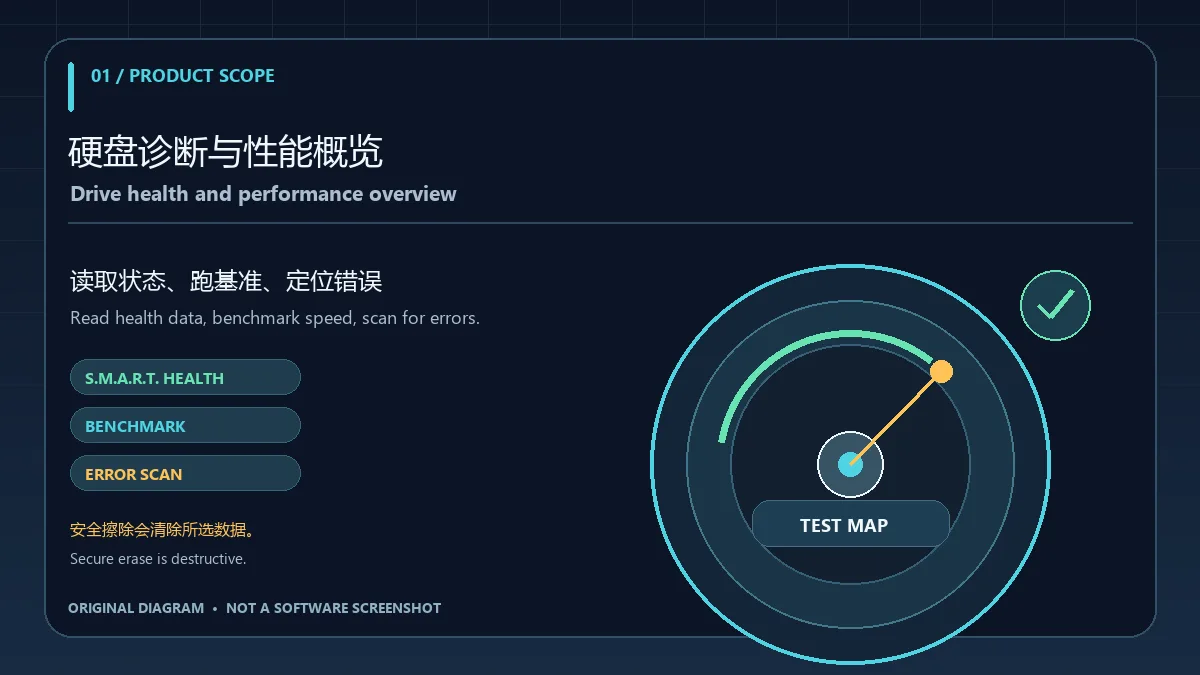
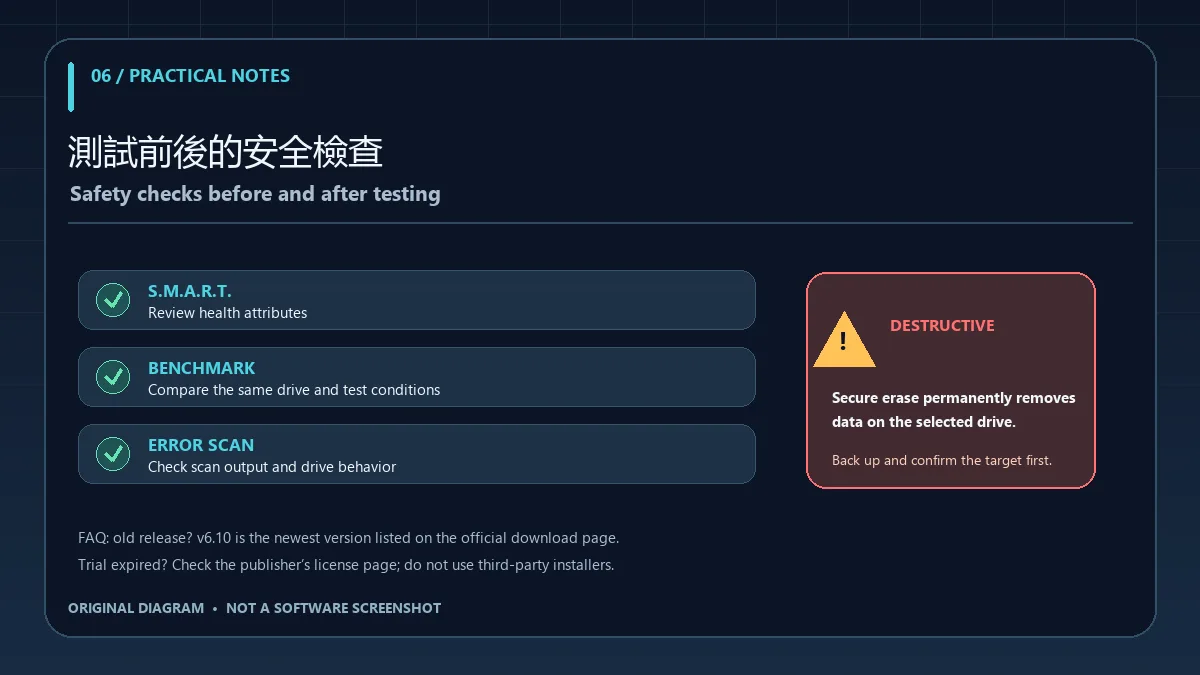
HD Tune Pro 是 EFD Software 提供的 Windows 硬盘与 SSD 检测工具。官网列出的功能包括性能测试、错误扫描、S.M.A.R.T. 健康状态查看、安全擦除,以及文件基准、温度与磁盘活动监视等。它适合查看盘体状态和进行可重复的性能测试;读取到健康信息并不等同于数据备份或故障修复。安全擦除会删除所选设备上的数据,执行前应备份并确认目标盘。
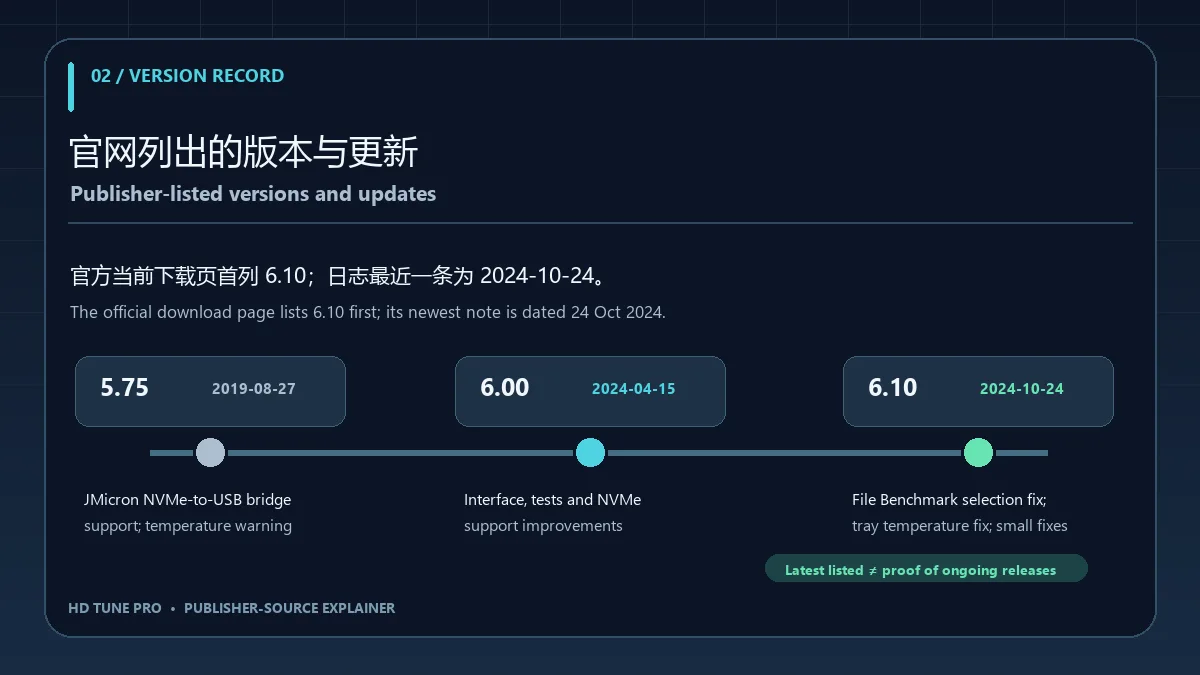
本次核对的官方下载页把 HD Tune Pro 6.10 列在首行,日期为 2024-10-24;官网首页更新记录列出相同日期及最新可见说明:File Benchmark 修复文件大小选择问题,修复托盘图标华氏温度显示问题,并包含 small improvements and bug fixes。前一条是 6.00(2024-04-15),改进包括界面、测试范围与分辨率、NVMe 健康信息及错误扫描数据图。官网页面没有列出 2024 年 10 月之后的版本或更新;因此本文只称 6.10 为官网当前页面列出的最新版本,不推断 2026 年是否有其他未公开发行。
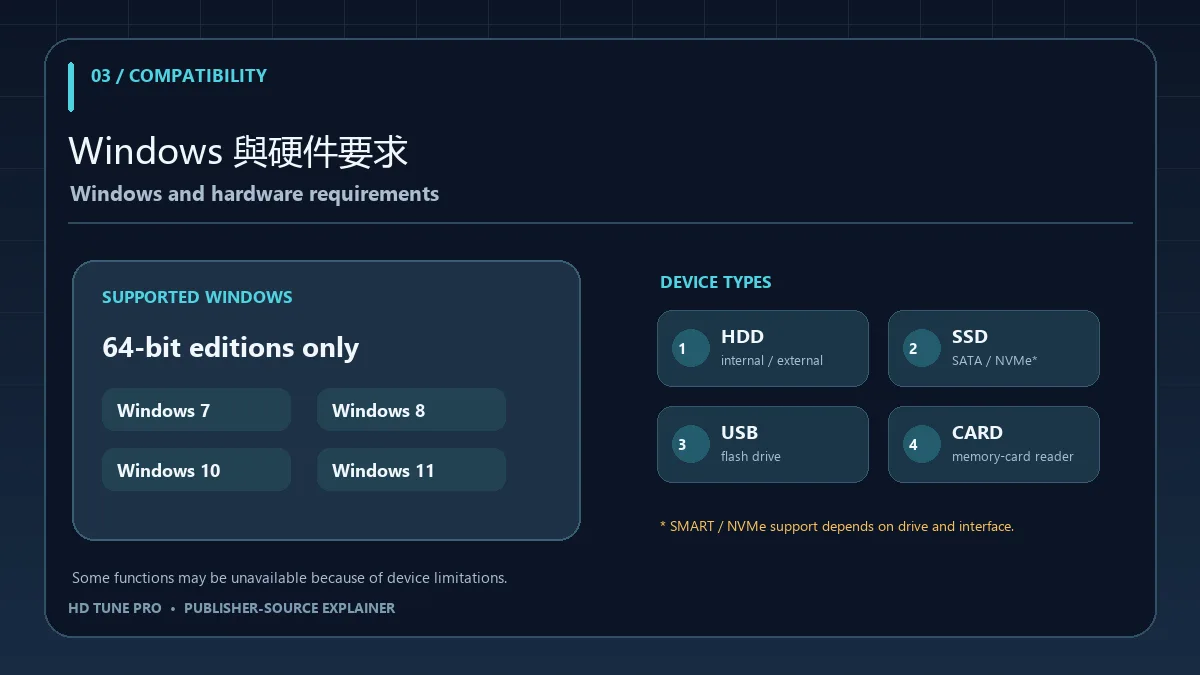
官方下载页声明支持 Windows 7、8、10、11 的 64 位版本。硬件条目包括内置或外接硬盘、SSD、USB 闪存盘和存储卡读卡器。厂商提示,由于硬件限制,某些设备可能无法使用全部功能;页面没有列出处理器、内存或剩余磁盘空间的最低数值。NVMe 相关健康与 Drive Status 支持出现在 6.00 的官方更新说明中,具体读数仍可能受控制器、桥接器和设备能力影响。
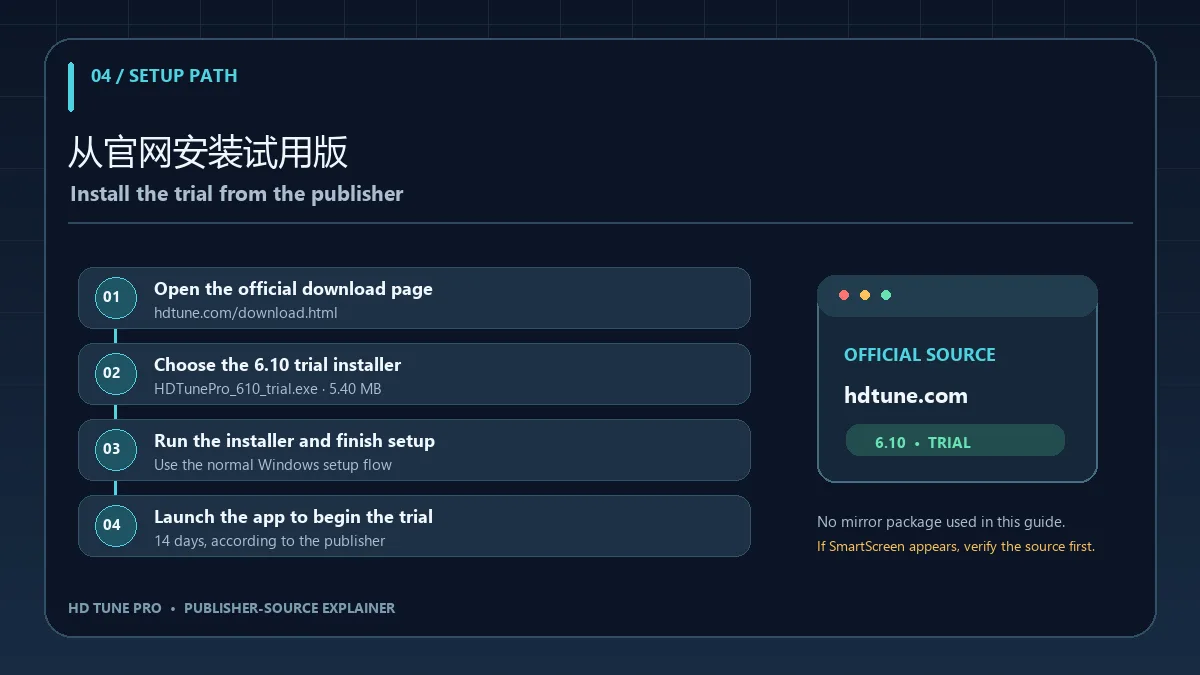
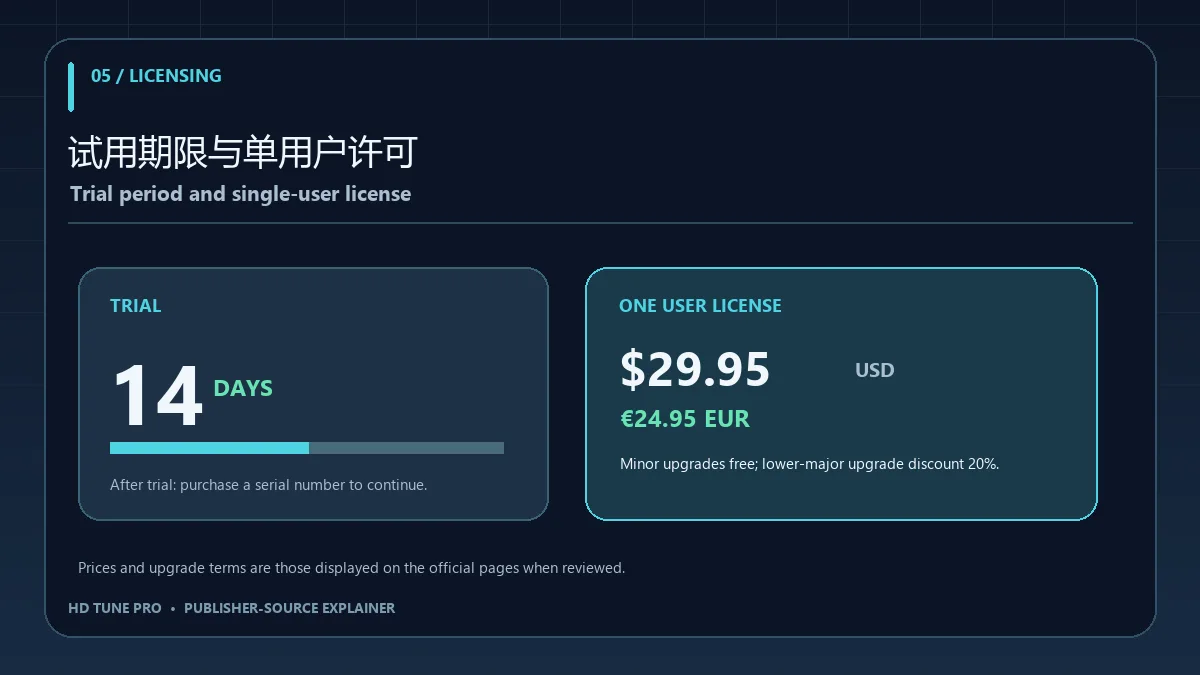
官网官方下载页和授权页列出 14 天试用,之后需购买序列号。单用户许可显示为 $29.95 USD 或 €24.95 EUR;小版本升级免费,从较低主版本升级可享 20% 折扣。站点或公司许可需联系官网支持。以上是核对页面显示的价格与条款,不代表实时结账金额或汇率;本次没有进入购买流程。
需要查找 HD Tune Pro 6.10 Windows 下载、硬盘 S.M.A.R.T. 健康检测、SSD 基准测试、磁盘错误扫描和 14 天试用 的用户,可从官网产品页核对当前说明;将测试结果与备份、厂商诊断工具及设备状态一起判断。
HD Tune Pro checks Windows HDDs and SSDs: SMART health data, benchmarks and error scans. Guide: official v6.10, 64-bit needs, setup, and the 14-day trial.
HD Tune Pro is EFD Software’s Windows utility for hard disks and SSDs. The publisher lists performance measurement, error scanning, S.M.A.R.T. health status, secure erase, file benchmarks, temperature readings and disk monitoring. It can help inspect a drive and run repeatable tests, but a health reading is not a backup or a repair. Secure erase removes data from the selected device, so back up first and verify the target.
The official download page currently shows HD Tune Pro 6.10 in the first row, dated 24 October 2024. The homepage’s newest visible note lists a File Benchmark file-size selection fix, a Fahrenheit tray-temperature fix, and small improvements and bug fixes. The preceding 6.00 entry is dated 15 April 2024 and covers interface and test changes, NVMe health/status support, and an error-scan data map. No later version or update is listed on the reviewed pages. This guide therefore calls 6.10 the newest version listed there; it does not claim that no later release exists elsewhere.
The publisher lists 64-bit Windows 7, 8, 10 and 11. Its hardware list includes internal or external hard disks, SSDs, USB sticks and memory-card readers. It cautions that hardware limitations may prevent some devices from supporting every function. The reviewed page gives no minimum CPU, RAM or free-space figures. NVMe health and Drive Status support appears in the official 6.00 notes, while actual readings can still depend on the drive, controller and USB bridge.
The official download and license pages list a 14-day trial followed by a paid serial number. A single-user license is listed at $29.95 USD or €24.95 EUR. Minor-version upgrades are free; an upgrade from a lower major version is offered at a 20% discount. Site or company licenses require contacting support. These are the terms shown on the reviewed pages, not a live checkout quote or currency conversion. No purchase flow was opened.
For searches such as HD Tune Pro 6.10 download for Windows, HDD SMART health check, SSD benchmark, drive error scan and 14-day trial, start at the publisher’s pages and interpret results alongside backups and device-specific diagnostics.
情報確認日:2026年10月18日
初回公開:2026年10月18日· 編集部による更新:2026年10月18日
The reviewed download page lists HD Tune Pro 6.10 dated 2024-10-24; no later version appears on the checked pages.
The publisher lists Windows 11 64-bit. Individual drives, controllers and USB bridges may expose different features.
The publisher describes error scanning, not repair or data recovery. Keep a separate backup.
The publisher lists a 14-day trial and a single-user price of $29.95 USD or €24.95 EUR; check the current official page before purchase.
Do not assume it can be undone. Back up data and verify the target drive before using erase functions.

3DMark 是电脑显卡、CPU、存储与稳定性基准测试套件。查看 2.32.8919 版、Windows 配置、Steam Demo 安装和分数比较建议。 A PC benchmark for graphics, CPU, storage and stability, with setup and score guidance.
CrystalDiskInfo 是 Windows 硬盘健康检测工具,可读取 S.M.A.R.T. 信息、温度和通电时间,介绍 9.9.3 更新、下载安装与故障排查。 CrystalDiskInfo monitors Windows drive health with S.M.A.R.T. data; see version 9.9.3, setup steps, and troubleshooting.

XMBC 鼠标映射:Windows安装、应用配置与层、2.20.5修复、五键限制和重复输入排查。 / XMBC setup, application profiles and layers, v2.20.5 fixes, five-button limits and repeat troubleshooting.

Armoury Crate 设备管理与 Aura Sync 下载指南:核对华硕机型、Windows 安装要求、应用6.4.7及不同安装包版本。 ASUS device controls, lighting, official setup and version checks.
JoyToKey 手柄映射工具:Windows 安装与 ZIP 设置、7.4 命令输入、配置迁移和共享软件许可说明。 / Windows controller mapping guide covering setup, version 7.4 commands, profile migration and shareware licensing.

DS4Windows 是 Windows 手柄映射与虚拟控制器工具。本页整理 DS4Windows 3.5 社区延续版、DualShock/DualSense 配置、安装依赖和双输入排查。 / DS4Windows maps gamepad input and creates virtual controllers on Windows. This guide covers the v3.5 community continuation, setup, profiles, and duplicate-input troubleshooting.

FurMark 显卡压力测试与基准工具指南,介绍官方下载和平台选择、安装准备、测试条件记录、版本更新,以及打不开、画面异常和分数差异的排查思路。 FurMark GPU stress test guide with official setup, version notes, controlled comparisons and practical FAQs.

SysCeo 驱动总裁 Windows 在线版本 2.21.0.0,官方页面日期为 2026-09-15,列出桌面与 PE 驱动安装、在线和离线驱动库及 Boot Camp 匹配。本页整理页面更新说明、安装前硬件核对、系统还原准备和 MD5 的用途;下载入口只链接官方产品页,不提供站外文件直链。 / SysCeo lists Windows 2.21.0.0, desktop and PE use, online/offline libraries and Boot Camp matching. This guide explains release notes and cautious setup; the download entry links only to official product information.