温度、风扇、内存与进程调节
从温度、风扇转速、内存占用与进程安排等角度了解和调节电脑运行状态。收录Fan Control、MSI Afterburner、Process Lasso等站内已有工具,按实际用途选择适合自己的应用。
Fan Control Windows 风扇控制指南:V283 官方发布入口、曲线配对与 RPM 校准、兼容边界和专有许可。 / Fan Control guide to the official V283 release, curve setup, RPM calibration, compatibility and license scope.
별칭: FanControl、Fan Control V283
작성자: RJ.tools Editorial
AI 지원 콘텐츠
소프트웨어의 기본 정보와 출처를 확인하세요
Proprietary, closed-source; personal, non-commercial use only. Check the full LICENSE for restrictions. / 专有闭源;仅限个人非商业使用,其他限制见完整许可条款。
Only the publisher's official release page is linked. No installer or ZIP was downloaded, executed, scanned, or signature-checked. Hardware behavior is not tested by this page.
Fan Control Windows 风扇控制指南:V283 官方发布入口、曲线配对与 RPM 校准、兼容边界和专有许可。 / Fan Control guide to the official V283 release, curve setup, RPM calibration, compatibility and license scope.
Fan Control下载与安装指南:了解V283更新、风扇曲线校准、Windows硬件兼容和专有许可。修改风扇前确认恢复方法并查看官方日志。 Fan Control guide to V283, calibration, setup and hardware limits for Windows PCs.
Fan Control 是一款面向 Windows 的风扇控制软件,可将兼容温度传感器与风扇控制通道配对,并使用风扇曲线或手动模式调节转速。本文整理 Fan Control 下载入口、V283 安装包类型、首次校准、版本更新与硬件兼容边界;各设备的控制能力取决于主板、显卡和散热设计,修改前请记录当前值并确认恢复方式。
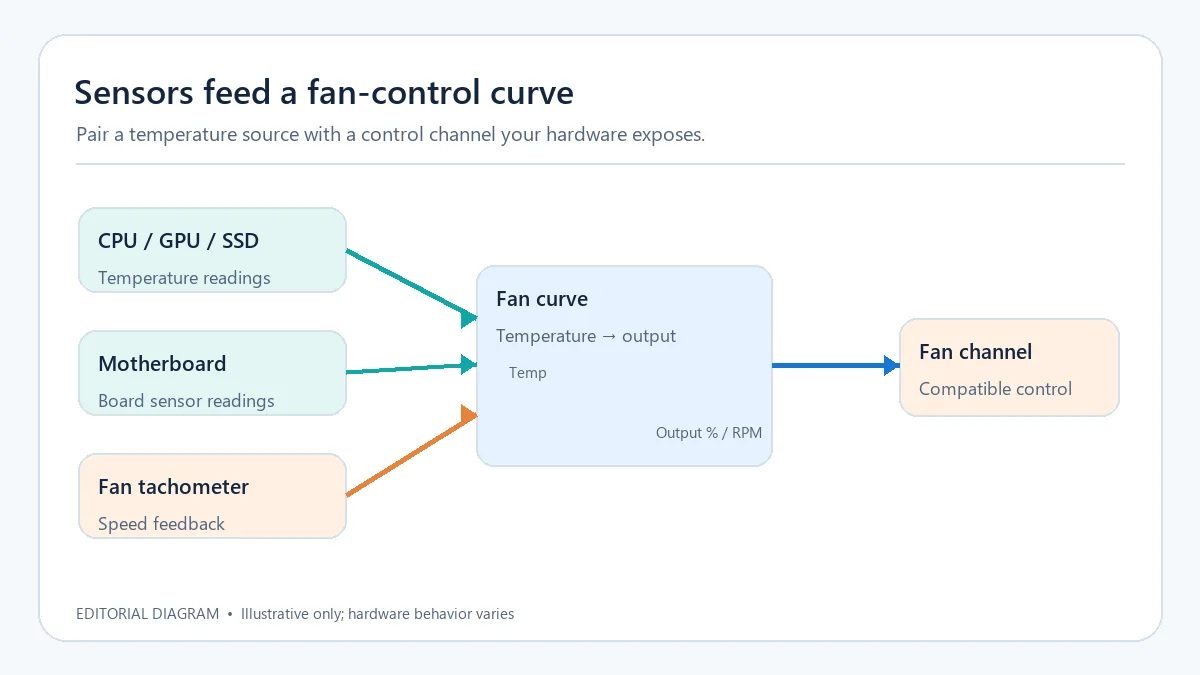
RJ.tools 原创编辑示意图;不是 Fan Control 软件截图,也不代表通用推荐设置。
Fan Control 可以读取 CPU、GPU、主板或存储设备等传感器,并把某个温度来源配到可用的风扇控制通道。线性曲线按温度区间在最低和最高输出之间变化,图形曲线允许自定义点;也可以使用固定输出、同步或触发曲线。界面显示的百分比是控制请求,风扇实际转速还受控制器、固件和设备自身限制。
曲线仅展示输入、规则与输出关系,不推荐任何固定温度或转速值。
官方文档建议先将风扇控制与对应的转速传感器配对;配对可手动完成,也可使用内置配对工具。校准会测出风扇启动、停止及可用转速范围,并生成百分比与 RPM 的对应关系。只有具备有效校准的控制项才能使用 RPM 模式,因此校准结果应逐项核对,不能把另一台电脑的结果直接套用。
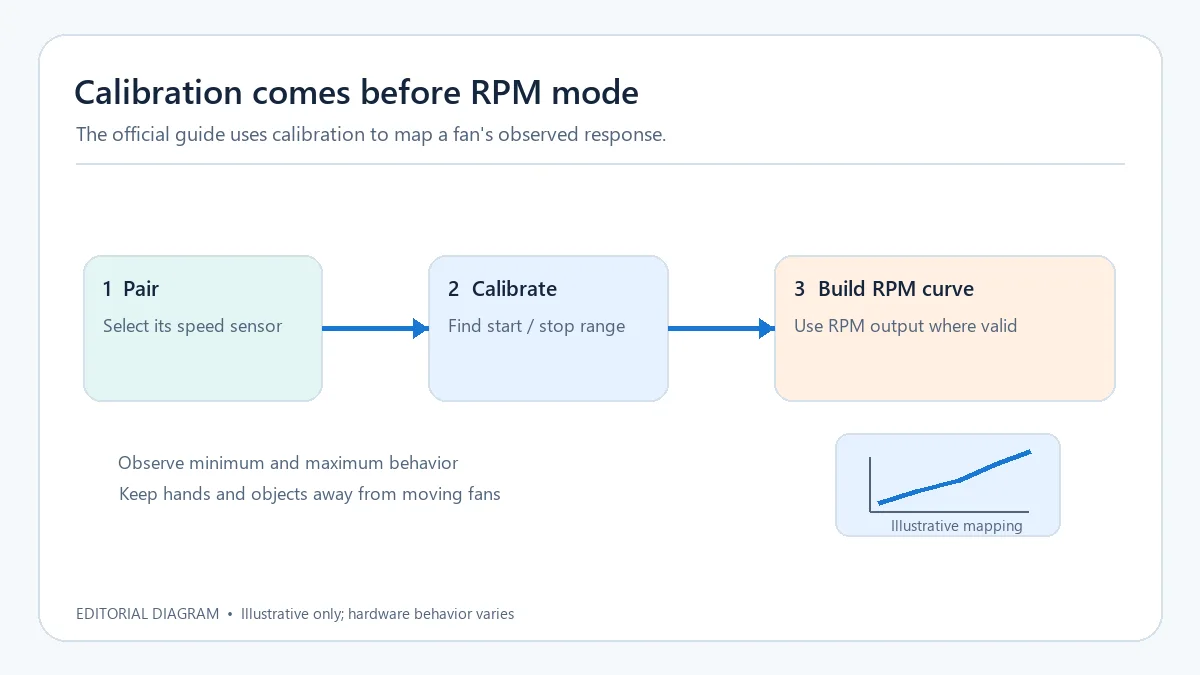
进行校准时观察风扇是否正常响应,并让叶片保持无遮挡。
混合曲线可把多个现有风扇曲线按最大值、最小值、平均值等函数合并,让机箱风扇同时参考 CPU 与 GPU 温度;自定义传感器也可对温度读数取平均或组合。多个配置文件便于保存、编辑和加载不同控制方案。更换电脑、主板或风扇后应重新检查曲线与传感器映射,配置文件可复用不代表对应硬件行为相同。
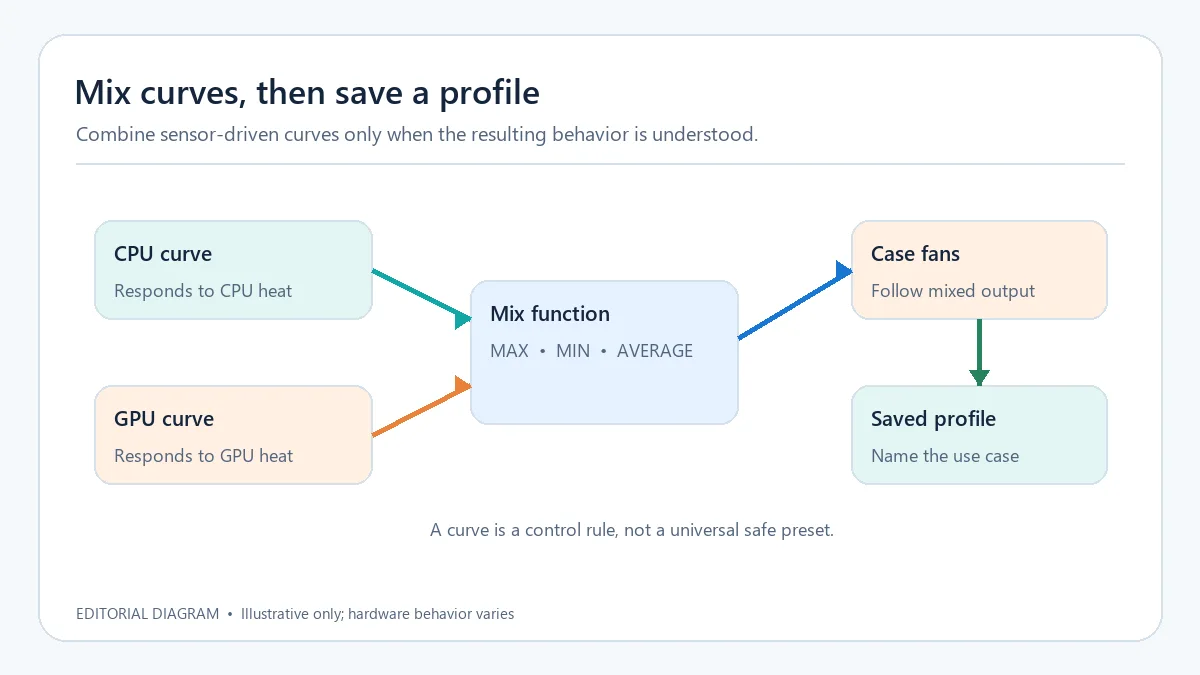
MAX、MIN 和 AVERAGE 是混合逻辑示例;具体选择应结合温度来源和散热布局。
打开 Fan Control 官方 GitHub V283 发布页,先确认版本号、发布日期和资产名称。V283 页面列出 .NET 4.8 与 .NET 10.0 两组 ZIP 和安装程序;这些名称不是 CPU 架构说明,官方资料未在本次核验页面上说明两组文件的具体运行时选择条件。只从发布页选择与自身环境相符的格式;若不确定,先查阅发布说明和系统运行时要求,不要通过猜测包名决定。
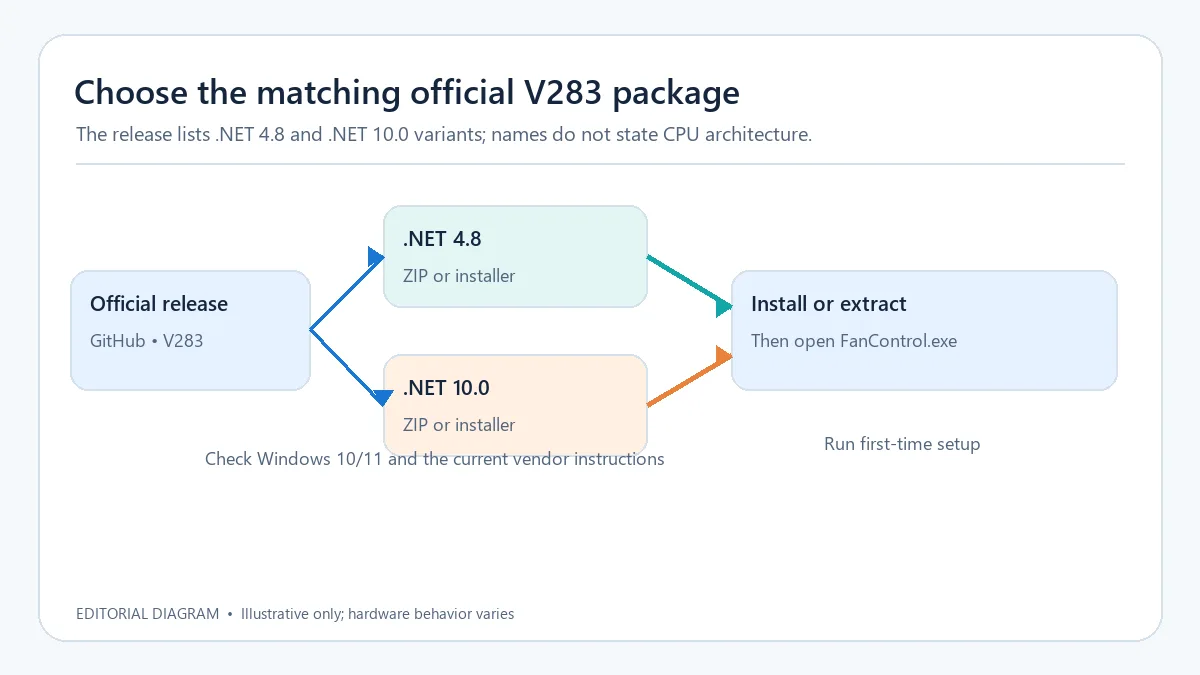
FanControl.exe。官方 GitHub 将 V283 标为最新稳定发布,发布页显示日期为 2026 年 10 月 12 日(UTC 发布时刻为 2026-10-11 16:09)。本版日志包含界面修正、LibreHardwareMonitor 选项和库更新,以及计划任务行为调整;以下按发布说明逐项整理。
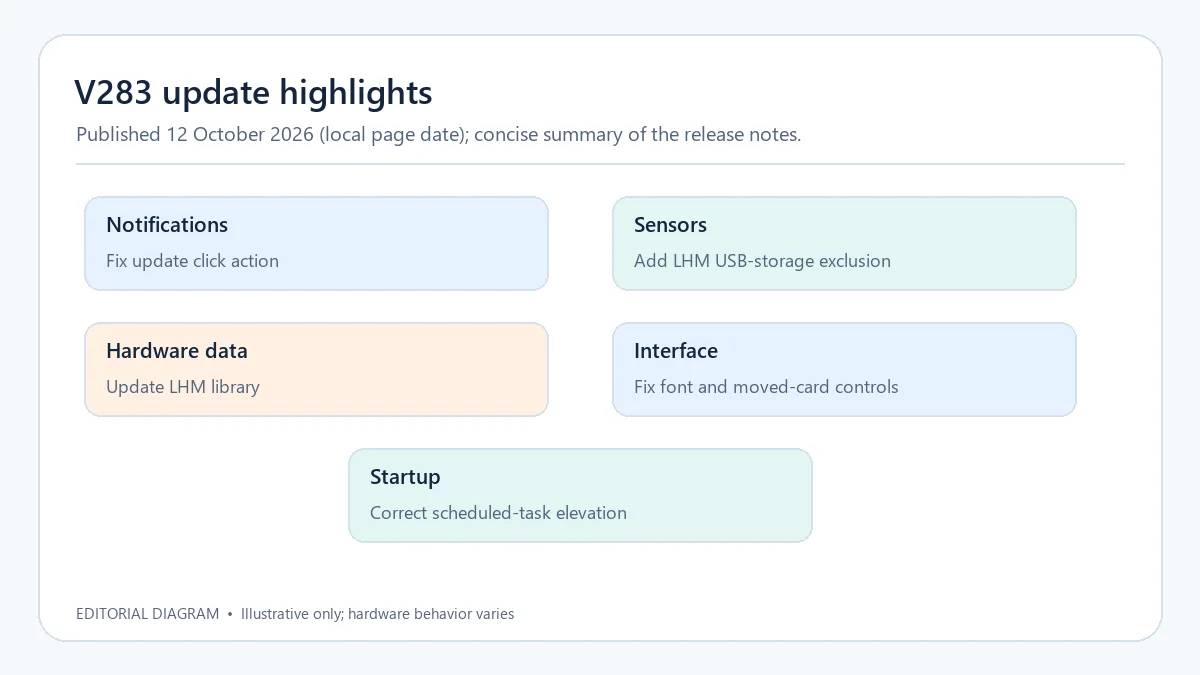
日期按 GitHub 发布页的 GMT+8 显示;这是发行说明摘要,不代表独立测试结果。
官方 FAQ 列出的系统为 Windows 10 和 Windows 11,但能否读取传感器、显示控制卡或改变转速取决于具体主板、GPU、固件和控制器。官方说明多数笔记本不会以桌面主板相同的方式开放风扇控制;特定插件可能补充型号支持,但不能保证每台设备可控。AMD GPU 的官方说明还提醒,应用风扇设置可能重置 Adrenalin 中的超频调校。先确认 BIOS 或厂商软件是否也在管理风扇,保留恢复原设置的办法,不要照搬网上曲线或让风扇长时间停转。
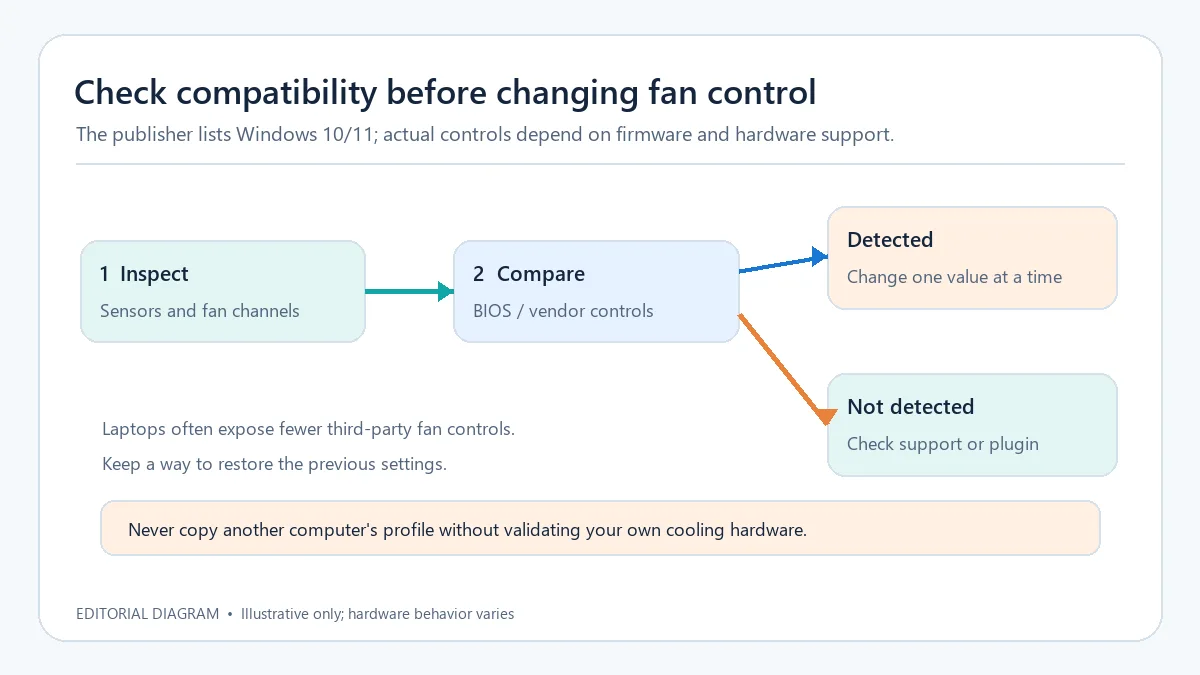
兼容性与风险提示来自官方 FAQ / 文档;调试顺序为编辑建议。
Fan Control 主程序为专有闭源软件,GitHub 仓库说明其源代码不公开。仓库中的许可文本将授权范围写为个人和非商业用途,并限制未经许可修改、反向工程或再分发软件。网站介绍其后端使用 LibreHardwareMonitor 等开源组件,不等于 Fan Control 主程序采用开源许可。下载或用于商业场景前请阅读完整许可;本站稿件只链接官方页面,不重新打包或托管程序。
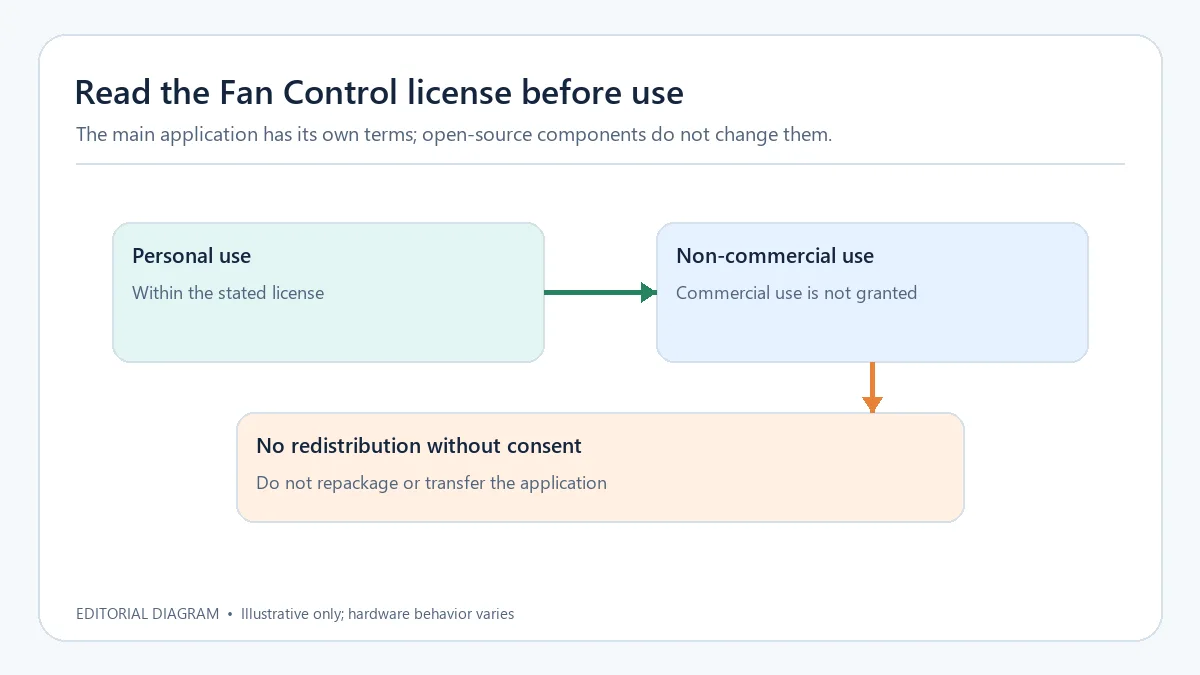
许可摘要图为编辑原创概括,完整条件以作者许可文本为准。
Fan Control for Windows links sensors to supported fan controls. This guide covers V283 download, setup, calibration, updates, and compatibility limits.
Original RJ.tools editorial diagram; not a Fan Control screenshot or a universal preset.
Fan Control can read sensors such as CPU, GPU, motherboard, and storage temperatures, then pair a source with an available fan-control channel. Linear curves interpolate output across temperature bounds; graph curves allow custom points. Fixed, sync, and trigger curves provide other control patterns. A displayed percentage is a requested output, while the actual fan speed remains subject to the controller, firmware, and device limits.
The curve illustrates inputs and outputs only; it does not recommend fixed temperatures or speeds.
The official documentation recommends pairing a fan control with its speed sensor, either manually or with the pairing utility. Calibration measures the fan's start, stop, minimum, and maximum behavior and builds a percentage-to-RPM mapping. RPM mode requires a valid calibration for that control, so verify each result on the target device instead of copying another computer's profile.
Watch for normal fan response during calibration and keep the blades unobstructed.
Mix curves combine existing curves with functions such as maximum, minimum, or average, so a case-fan rule can consider both CPU and GPU temperatures. Custom sensors can also average or combine readings. Profiles can be saved, edited, and loaded for different configurations. After changing a motherboard, fan, or PC, review the sensor mapping and curve again; a reusable profile does not guarantee identical hardware behavior.
MAX, MIN, and AVERAGE are examples of mixing logic, not recommended settings.
Open the official Fan Control V283 GitHub release and confirm its version, date, and asset names. V283 lists ZIP and installer packages targeting .NET 4.8 and .NET 10.0. Those names do not identify CPU architecture, and the reviewed official pages do not explain the exact runtime-selection rule for each asset. Choose a format only after checking your environment and the publisher's current runtime guidance; do not infer the right package from its filename alone.
FanControl.exe.GitHub marks V283 as the latest stable release. Its page displays 12 October 2026 in GMT+8; the UTC publication timestamp is 11 October at 16:09. The notes cover interface fixes, a LibreHardwareMonitor option and library update, and scheduled-task behavior.
Date follows the GitHub release page in GMT+8; this is a notes summary, not independent testing.
The publisher lists Windows 10 and Windows 11, but sensor visibility and control depend on the motherboard, GPU, firmware, and controller. The official FAQ says most laptops do not expose their fans in the same way as desktop motherboards; a model-specific plugin may add support, but installation alone does not confirm detection or control. The AMD GPU documentation also warns that applying fan settings can reset Adrenalin overclock tuning. Check whether BIOS or vendor software already manages the fans, keep a way to restore previous settings, and do not copy an online curve or leave fans stopped for extended periods.
Compatibility notes follow the publisher's FAQ and documentation; the test sequence is editorial guidance.
Fan Control itself is proprietary; its GitHub repository says the source is closed. The repository's license text permits personal and non-commercial use and restricts modification, reverse engineering, or redistribution without the licensor's consent. The website's use of open-source backend components such as LibreHardwareMonitor does not make the main program open source. Review the full license before use, especially in a commercial setting. This page links to the official source and does not repackage or host the program.
This editorial summary is not a substitute for the complete license text.
정보 검증일: 2026년 10월 18일
최초 게시: 2026년 10월 18일· 편집 수정: 2026년 10월 18일
检查设备是否暴露相关接口、转速传感器是否配对,以及 BIOS 或厂商工具是否正在管理风扇。更新监控组件或型号插件可能有帮助,但不能保证兼容。
官方 README 表示多数笔记本不会以桌面主板相同的方式开放第三方调速接口;型号插件可能补充支持,安装成功不代表可以检测或控制风扇。
The official documentation notes that some modern NVIDIA GPUs enforce minimum commands and hardware conditions for zero-RPM mode. The app cannot override controller or firmware limits.
官方 FAQ 列出 Windows 10 和 Windows 11;具体传感器及风扇控制能力仍取决于硬件。
The repository license describes personal and non-commercial use. Read the full terms and contact the licensor before commercial use.

Snipaste 是适用于 Windows、macOS 和 Linux 的截图、标注与贴图工具。页面整理官方 2.11.3 版本、系统包型、F1/F3 使用步骤和授权区别。 / Snipaste captures, annotates, and pins images on Windows, macOS, and Linux. This guide covers official version 2.11.3, package types, F1/F3 workflow, and licensing.

CorelDRAW Graphics Suite 2026 是适用于 Windows、Mac 与 Web 的商业矢量绘图和版式设计套件,官网提供 15 天试用、订阅及一次性购买选项。本文整理 Windows 系统要求、官方试用入口和 v27.2 补丁前置版本。 / CorelDRAW Graphics Suite 2026 is a commercial vector and page-layout suite for Windows, Mac and Web. This guide covers Corel's 15-day trial, system requirements and v27.2 update prerequisites.

R2V 是 Able Software 的 Windows 地图与工程图栅格转矢量工具。查看官方 7.5 试用版、安装要求、GIS/CAD 输出与数据检查建议。 R2V converts scanned maps and drawings into GIS/CAD vectors; includes official trial and setup guidance.

Spline Windows 桌面版:官方安装入口、三维场景与交互、计划权限及产品更新边界。 / Official Windows desktop entry, 3D scenes, interactions, plan limits and dated product notes.

BlueScreenView 蓝屏转储阅读指南:官方入口、免安装步骤、停止代码与驱动线索解读、1.55历史更新、空白列表和转储隐私。 / BlueScreenView guide to official setup, minidump records, driver clues, historical 1.55 changes and privacy-aware troubleshooting.
B612咔叽是Android拍照与照片编辑应用;腾讯应用商店详情介绍智能美颜、贴纸、AI特效、滤镜和拼图功能。