
驱动备份、安装与卸载整理
在换机、重装或排障时管理设备驱动及遗留的驱动包。收录Display Driver Uninstaller (DDU)、Driver Store Explorer、驱动总裁(SysCeo Windows 驱动管理工具)等站内已有工具,按实际用途选择适合自己的应用。

Driver Store Explorer 下载面向需要核对 Windows 驱动仓库的用户,可查看第三方驱动包、导出备份并筛选旧版本。本页依据项目文档介绍安装要求、当前更新和操作边界,解释未使用驱动与可删除驱动的区别,帮助你先确认设备关联、保留恢复途径,再决定如何处理驱动包,避免把清理空间当作唯一判断标准。 Driver Store Explorer download guide: inspect Windows driver packages, review v1.0.36 changes, follow setup steps, and understand backup and removal cautions.
Aliases: RAPR、DriverStoreExplorer
AI-assisted content
Learn about the software and its sources
GPL-2.0;使用和再分发须遵循项目许可证。GPL-2.0; use and redistribution are governed by the project license.
本站仅核对公开资料与图片;未下载、运行、签名核验或扫描软件二进制。Public documentation/images reviewed; no program binary downloaded, run, signature-checked or scanned.
Driver Store Explorer 下载面向需要核对 Windows 驱动仓库的用户,可查看第三方驱动包、导出备份并筛选旧版本。本页依据项目文档介绍安装要求、当前更新和操作边界,解释未使用驱动与可删除驱动的区别,帮助你先确认设备关联、保留恢复途径,再决定如何处理驱动包,避免把清理空间当作唯一判断标准。 Driver Store Explorer download guide: inspect Windows driver packages, review v1.0.36 changes, follow setup steps, and understand backup and removal cautions.
Driver Store Explorer 下载面向需要核对 Windows 驱动仓库的用户,可查看第三方驱动包、导出备份并筛选旧版本。本页依据项目文档介绍安装要求、当前更新和操作边界,解释未使用驱动与可删除驱动的区别,帮助你先确认设备关联、保留恢复途径,再决定如何处理驱动包,避免把清理空间当作唯一判断标准。
Driver Store Explorer 下载面向需要核对 Windows 驱动仓库的用户,可查看第三方驱动包、导出备份并筛选旧版本。本页依据项目文档介绍安装要求、当前更新和操作边界,解释未使用驱动与可删除驱动的区别,帮助你先确认设备关联、保留恢复途径,再决定如何处理驱动包,避免把清理空间当作唯一判断标准。
Driver Store Explorer 也称 RAPR,由 lostindark 及项目贡献者维护,采用 GPL-2.0 许可。它面向 Windows 驱动仓库中的第三方驱动包,提供枚举、筛选、添加、删除和导出等操作。查看提供者、驱动版本、设备类别与设备关联,可以帮助判断系统保留了哪些包;旧版本与未使用包的选择功能则应作为进一步检查的起点。
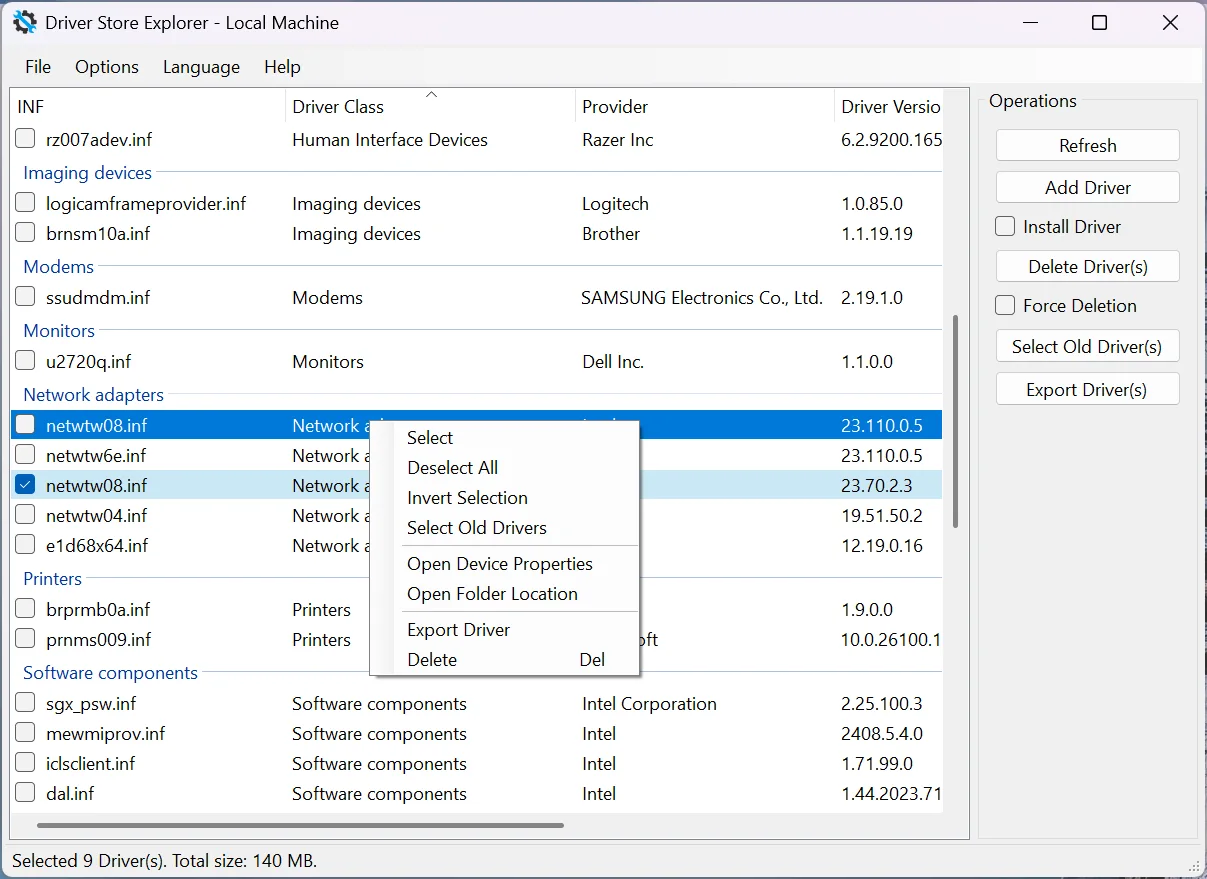
项目特别提醒,错误地修改驱动仓库可能导致设备不可用,甚至影响启动。准备清理时应先明确目标设备和故障现象,而不是仅按体积挑选。列表导出的 CSV 适合记录清单,驱动包导出才用于保留可重新导入的包;二者用途不同。下图来自项目 README,用于说明清单和操作区,不表示本站执行过其中的选择。
Driver Store Explorer 项目 README 提供的驱动清单截图,展示版本、提供者、类别与导出操作。
项目也记录了 WinGet 安装入口,但本页未执行安装。对于网络、存储或输入设备,尤其要提前准备独立恢复途径;如果删除后失去网络,只有在线下载地址并不足以恢复。离线驱动仓库的旧包与未使用包自动选择功能被项目禁用,不应假设与当前系统行为相同。
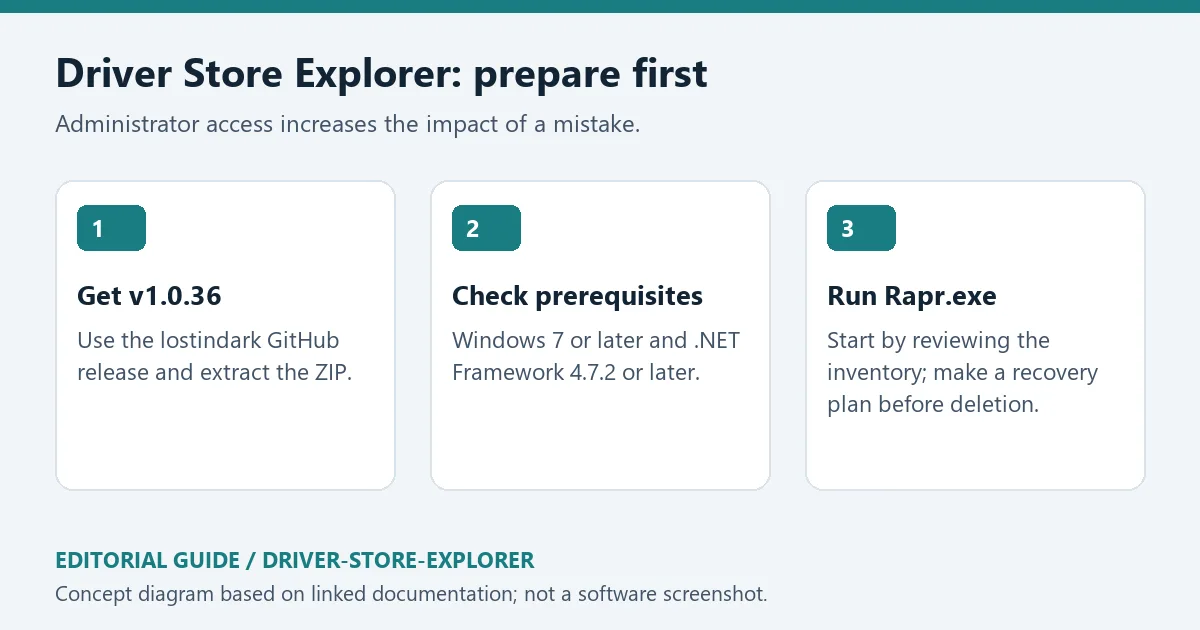
原创编辑图:从稳定发布 ZIP、系统与运行库要求到先查看清单的准备顺序。
官方 GitHub 发布的 v1.0.36 时间为 2026 年 10 月 10 日。该版本在选择未使用驱动前加入警告,并持续提示复核所选项目;修复两类启动崩溃,以及删除和导出失败处理问题。发布说明还强调不向已经存在的文件夹导出,减少备份目录混淆。
本次更新同时改进选择标签、警告和备份提醒的多语言文本,覆盖包括中文在内的 21 种语言。对使用者而言,实用变化是操作前得到更明确的上下文,而不是可以省略检查。升级后仍应逐项核对包与设备;如果要记录清理前后差异,可以保留 CSV 清单,但不要用它替代真正的驱动包备份。
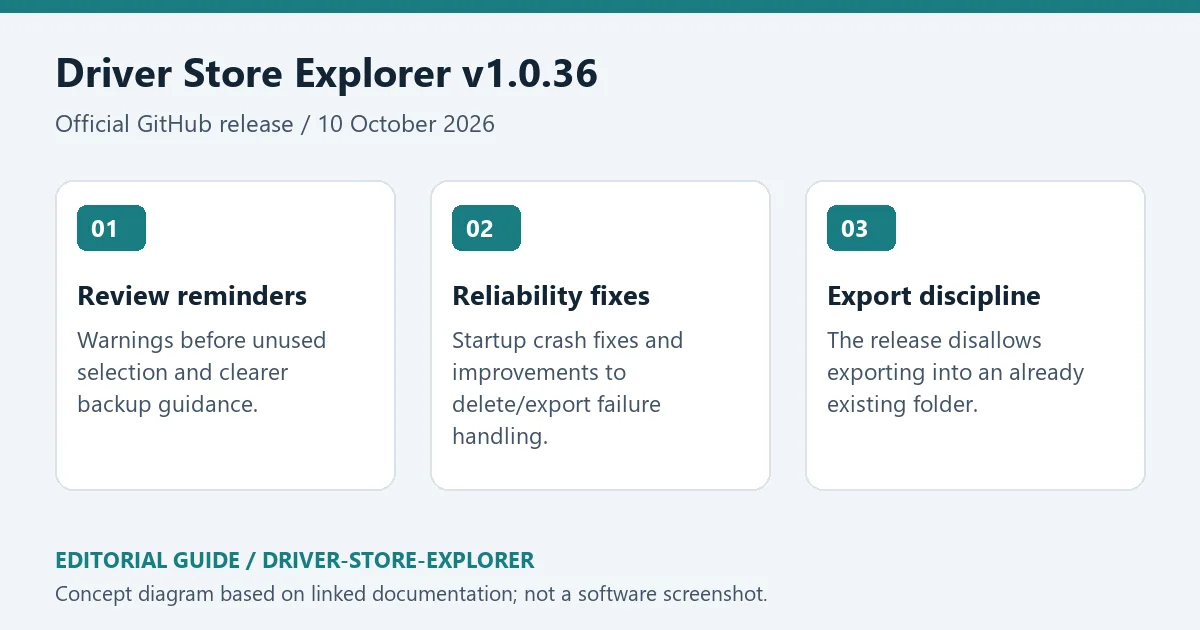
原创编辑图:v1.0.36 的选择提醒、可靠性修复和导出目录约束。
问:标为未使用的驱动可以全部删除吗?
答:不能这样推断。项目说明,未使用通常表示没有设备关联,并不证明包对系统无用;防病毒、网络、打印和某些软件驱动也可能出现。应先查明包的用途,不认识的包先保留。
问:灰色设备是否代表硬件已经废弃?
答:灰色可能只是设备当前未连接。若以后重新接入,删除相关包可能导致重新安装,因此应结合自己的外设使用计划判断。
问:驱动导出和 CSV 导出有什么区别?
答:CSV 是清单,驱动包导出用于保存驱动内容;请使用新的导出目录并检查结果。本站没有下载、运行、扫描或签名核验程序二进制,也没有执行驱动清理。Driver Store Explorer 下载后应先查看和备份,在理解恢复方法后再修改驱动仓库。
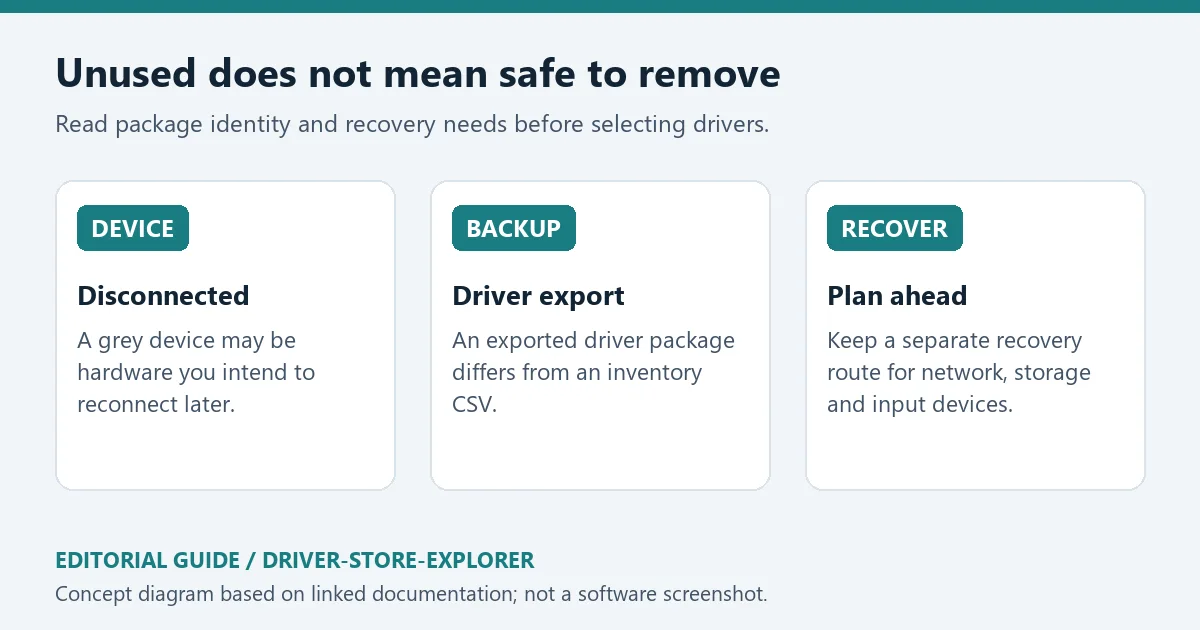
原创编辑示意:断开设备、驱动包备份与恢复准备分别需要核对。
资料来源:来源 1;来源 2。核验日期:2026-10-19(北京时间)。
Driver Store Explorer download guide: inspect Windows driver packages, review v1.0.36 changes, follow setup steps, and understand backup and removal cautions.
Driver Store Explorer, also known as RAPR, is maintained by lostindark and project contributors under GPL-2.0. It enumerates third-party packages in the Windows driver store and supports filtering, adding, deleting and exporting packages. Provider, version, class and device association help explain what the system has retained. Automatic selection of old or unused packages is a starting point for review, not a removal decision.
The project warns that incorrect driver-store changes can disable devices or prevent booting. Begin with a specific device or troubleshooting question instead of choosing packages only by size. A CSV export records inventory; an exported driver package preserves package contents. They solve different problems. The README screenshot illustrates the list and controls; no selection shown was performed by this site.
Driver Store Explorer README screenshot showing package providers, versions, device classes and export controls.
The README also documents a WinGet route, but no installation command was executed for this page. Prepare an independent recovery option for network, storage and input hardware: an online-only source may be inaccessible after a network driver is removed. Automatic selection of old/unused packages is disabled for offline stores, so do not assume identical behaviour there.
Original editorial guide to the release ZIP, OS/runtime requirements and an inventory-first launch.
The official GitHub release v1.0.36 was published on 10 October 2026. It introduces a warning before unused-package selection and continuing reminders to review selected items. The notes describe fixes for two startup crashes and improved handling of delete/export failures. The release also disallows exporting into an already existing folder.
Selection labels, warnings and backup reminders were improved across 21 locales, including Chinese. The practical benefit is clearer context before an operation; package review remains necessary. Keep an inventory CSV when you need a before-and-after comparison, while retaining actual exported driver packages when you need a package backup.
Original editorial summary of v1.0.36 review warnings, reliability fixes and export-directory behaviour.
Can every package marked unused be removed?
No. The project explains that unused generally means no device association, not proven safe to delete. Antivirus, network, printer and software drivers may be included. Identify a package's purpose and retain it when uncertain.
Does a grey device mean the hardware is obsolete?
It may simply be disconnected. Removing its package can require installation again when that device returns. Consider the peripherals you actually plan to reconnect.
Is a CSV enough to restore a driver?
No. CSV is an inventory; driver-package export preserves the package content. Use a new export destination and review the result. No program binary was downloaded, run, scanned or signature-checked here, and no driver cleanup was performed. After a Driver Store Explorer download, begin with inspection and backups, then modify the store only with a recovery method you understand.
Original editorial diagram separating disconnected devices, package backups and recovery preparation.
Sources: source 1, source 2. Verified 19 October 2026 (China Standard Time).
Information verified: Oct 19, 2026
First published: Oct 19, 2026· Editorial revision: Oct 19, 2026
TeamSpeak 是面向游戏、团队、商务和社群的语音通信平台,官方介绍包含消息交流与服务器管理。本条目对应官方列出的 Windows 64 位 TeamSpeak 3 3.6.2。
微软官方 Windows 10 下载页提供媒体创建工具入口和安装介质制作说明,页面将 22H2 标示为最终版本。Windows 10 Home 和 Pro 支持已于 2025 年 10 月 14 日结束;LTSC 版本按各自生命周期执行。

LX Music 洛雪音乐助手桌面版:官方Windows安装包、2.12.6更新、列表备份与播放排查。 / Official desktop packages, release notes, playlist preservation and playback troubleshooting.

EA app(原 EADesktop)Windows游戏客户端:官方安装、EA账号与游戏库、自动更新和故障帮助。 / EA client setup, game library, account checks, automatic updates and troubleshooting.

R2V 是 Able Software 的 Windows 地图与工程图栅格转矢量工具。查看官方 7.5 试用版、安装要求、GIS/CAD 输出与数据检查建议。 R2V converts scanned maps and drawings into GIS/CAD vectors; includes official trial and setup guidance.

Windows磁盘空间分析,解释MFT扫描、实际占用、重复候选限制、4.33更新与个人/商业许可。 / Windows disk space analysis with MFT scanning, allocated space, duplicate limits, v4.33 notes and licensing.

XMBC 鼠标映射:Windows安装、应用配置与层、2.20.5修复、五键限制和重复输入排查。 / XMBC setup, application profiles and layers, v2.20.5 fixes, five-button limits and repeat troubleshooting.

Armoury Crate 设备管理与 Aura Sync 下载指南:核对华硕机型、Windows 安装要求、应用6.4.7及不同安装包版本。 ASUS device controls, lighting, official setup and version checks.

JoyToKey 手柄映射工具:Windows 安装与 ZIP 设置、7.4 命令输入、配置迁移和共享软件许可说明。 / Windows controller mapping guide covering setup, version 7.4 commands, profile migration and shareware licensing.

DS4Windows 是 Windows 手柄映射与虚拟控制器工具。本页整理 DS4Windows 3.5 社区延续版、DualShock/DualSense 配置、安装依赖和双输入排查。 / DS4Windows maps gamepad input and creates virtual controllers on Windows. This guide covers the v3.5 community continuation, setup, profiles, and duplicate-input troubleshooting.

FurMark 显卡压力测试与基准工具指南,介绍官方下载和平台选择、安装准备、测试条件记录、版本更新,以及打不开、画面异常和分数差异的排查思路。 FurMark GPU stress test guide with official setup, version notes, controlled comparisons and practical FAQs.

SysCeo 驱动总裁 Windows 在线版本 2.21.0.0,官方页面日期为 2026-09-15,列出桌面与 PE 驱动安装、在线和离线驱动库及 Boot Camp 匹配。本页整理页面更新说明、安装前硬件核对、系统还原准备和 MD5 的用途;下载入口只链接官方产品页,不提供站外文件直链。 / SysCeo lists Windows 2.21.0.0, desktop and PE use, online/offline libraries and Boot Camp matching. This guide explains release notes and cautious setup; the download entry links only to official product information.