
给桌面添点陪伴:桌面宠物工具
在桌面上显示互动角色,为日常使用增加轻量的趣味与陪伴。收录BongoCat、Desktop Goose等站内已有工具,按实际用途选择适合自己的应用。

samperson 的 Desktop Goose 桌面伴随鹅指南:核对 Windows v0.31 与 Mac v0.22 文件标签,了解作者获取入口、自愿支持、安装资料及历史更新索引。完整运行行为、系统最低要求及最新构建状态尚未确认。 Desktop companion guide with OS file selection, setup checks, voluntary support and attributed update evidence.
Aliasse: DesktopGoose、桌面鹅、桌面大鹅
Autor: RJ.tools Editorial
KI-gestützte Inhalte
Erfahre mehr über die Software und ihre Quellen
License and third-party redistribution rights not confirmed from readable author material. Use the author page and check current terms.
samperson 的 Desktop Goose 桌面伴随鹅指南:核对 Windows v0.31 与 Mac v0.22 文件标签,了解作者获取入口、自愿支持、安装资料及历史更新索引。完整运行行为、系统最低要求及最新构建状态尚未确认。 Desktop companion guide with OS file selection, setup checks, voluntary support and attributed update evidence.
Desktop Goose下载与安装指南:核对Windows、Mac文件和作者入口,了解自愿支持、历史更新及打不开时的检查说明。 Desktop Goose download guide: OS files, setup, voluntary pricing and update evidence.
Desktop Goose 是 samperson 在 itch.io 发布的桌面伴随鹅。本页整理 Desktop Goose 下载入口、Windows 与 Mac 文件标签,介绍选择平台、阅读说明并确认运行条件,并区分自愿支持金额与固定售价。另列官方历史更新索引、打不开时的核对顺序,以及版本和兼容信息待确认项。
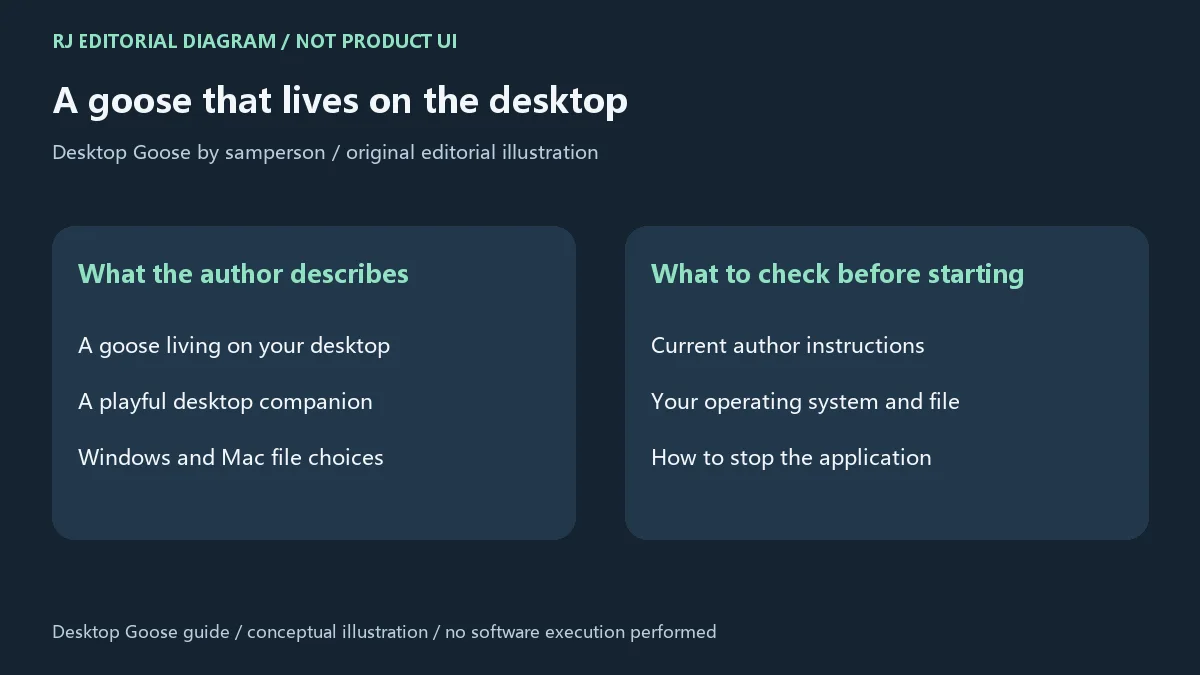
作者 samperson 在 itch.io 的 Desktop Goose 页面把这个项目描述为一只住在桌面的鹅;官方产品搜索索引也将其称作适用于 Windows 和 macOS 的可下载“goose-sperience”。它适合寻找桌面趣味伴随体验的用户。选择这类程序时,先了解它怎样开始和结束运行,再决定是否在正在处理重要任务的电脑上尝试。本页核验到的第一方资料不足以确认完整交互行为、退出快捷键或权限要求,因此不把其他网站对桌面效果的描述当成已确认功能。
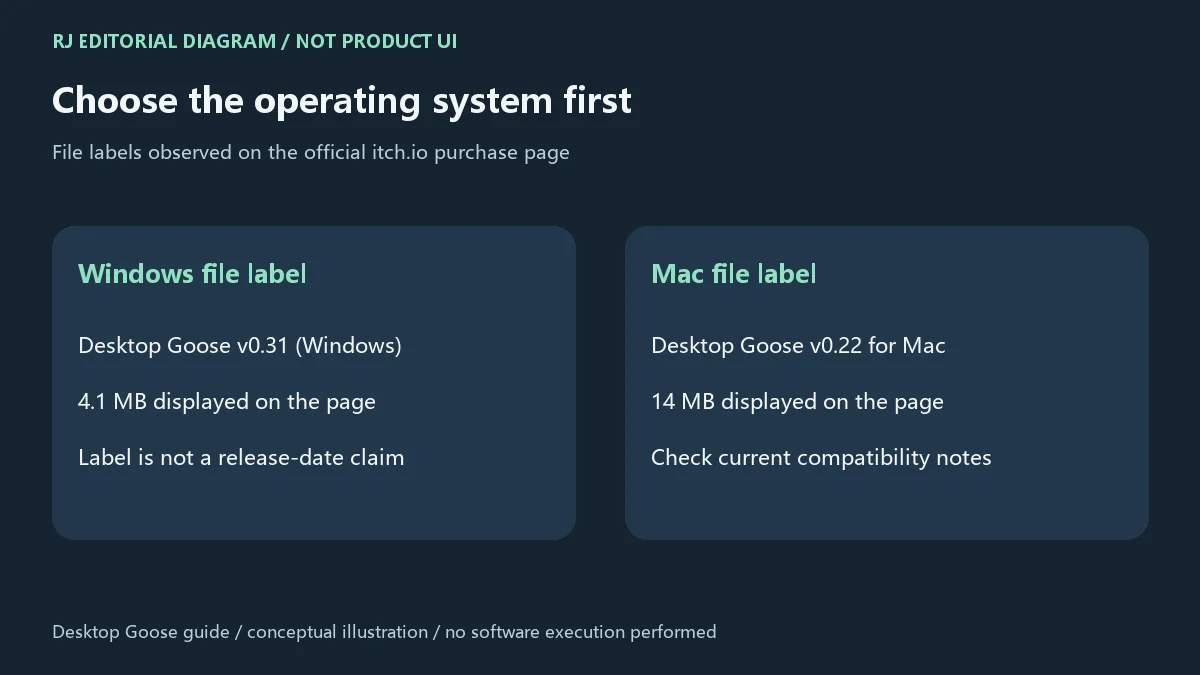
作者的官方获取页面列出两个独立文件标签:Desktop Goose v0.31 (Windows),显示大小 4.1 MB;以及 Desktop Goose v0.22 for Mac,显示大小 14 MB。它们对应不同平台,不能因为一个数字较大,就把它当成另一平台的替代包。这里记录的是页面文件标签与显示体积,并不说明实际安装后的空间占用,也不证明最低系统版本或处理器架构。下载前重新核对作者当前列表;若电脑平台不在列表中,应先查作者说明,不要依靠文件名猜测兼容性。
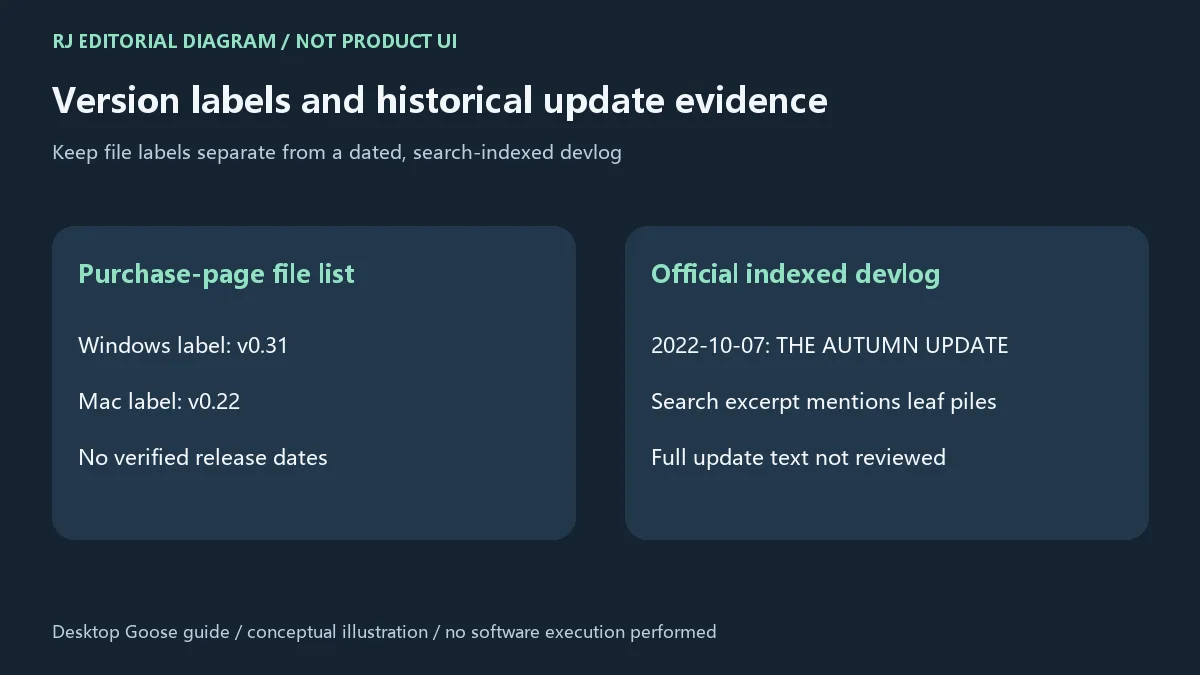
本次可读的作者获取页列出 Windows v0.31 与 Mac v0.22,但未取得足以确认各自发布日期和完整逐项变更的资料,因此这两个标签不被表述为已确认的“最新构建”。旧榜单中的 v0.3 也不作为当前版本依据。官方 itch.io 开发日志的搜索索引显示,2022 年 10 月 7 日有题为 “THE AUTUMN UPDATE. HE IS PLAYING.” 的历史条目,摘要提到鹅在落叶堆中玩耍,并提及启用 mods。该条目正文未能打开,这里只转述索引提供的有限信息,不将其认定为两个现列文件的完整更新日志或当前更新。更新前请在作者产品页查看现有文件与开发日志,分别核对平台和变更内容。
Desktop Goose 是免费的吗,为什么表单显示金额?
作者页说明可以免费获取,并接受自愿支持。输入框预填金额不等于固定价格或最低购买金额;请依据页面当前选项决定是否支持,不依据截图中的金额判断价格。
下载后打不开怎么办?
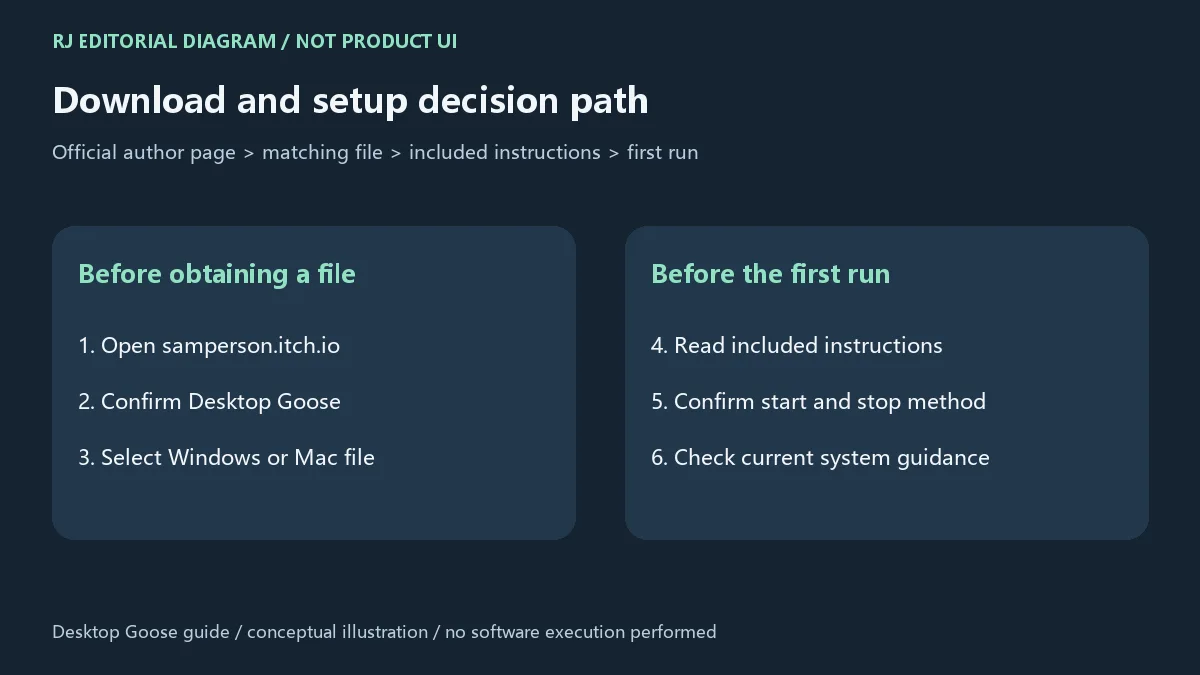
先核对所选文件是否对应 Windows 或 Mac,再阅读随附说明,确认文件处理完整,并查看系统给出的具体提示。最低系统版本、处理器架构与当前机器兼容性未在本页确认;需要时回到作者页核对说明。不要仅为打开程序而忽略系统提示或关闭防护。
官方页面无法打开时可以换其他站的同名安装包吗?
建议先稍后重试作者页或同域名获取页。相同名称不保证同一文件或同一版本;本页没有核验第三方安装包。访问页面受限也不说明软件已经停止更新。
软件安全吗,本站试运行过吗?
本站本次核验的是作者网页资料,未下载、执行、检查签名或扫描程序文件,不能据此给出安全认证或当前设备兼容保证。是否运行应结合作者说明和系统提示判断。
页面图片是软件截图吗,可以转载程序吗?
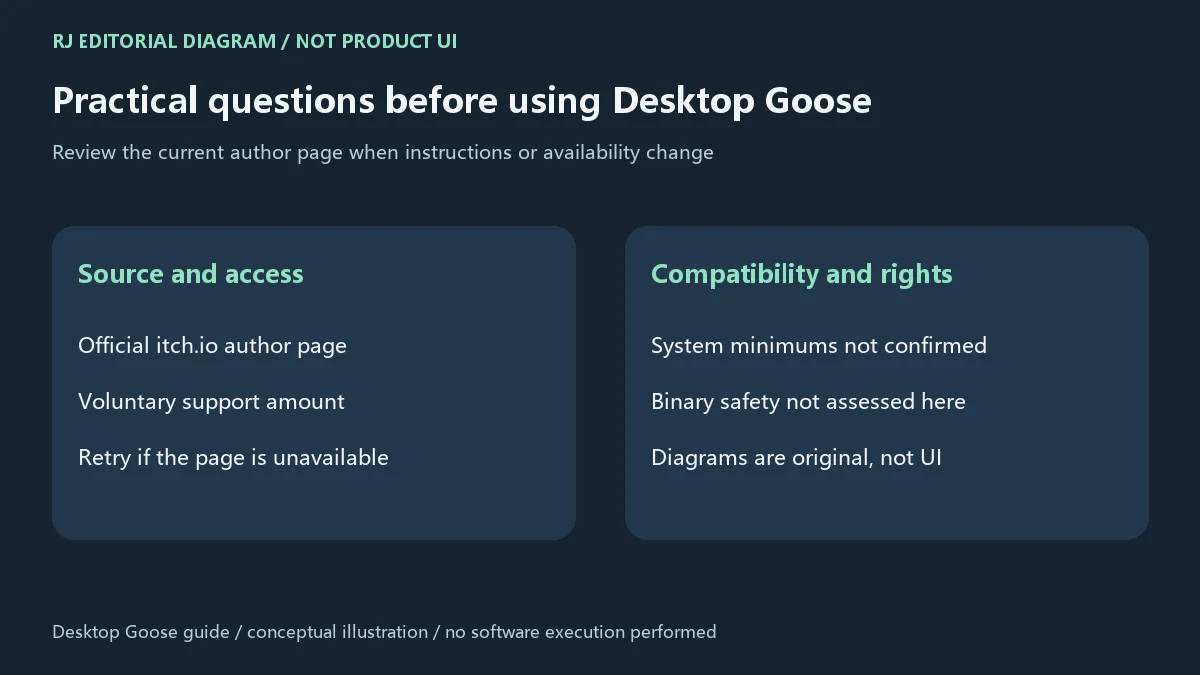
本页图片为原创说明图,描述平台选择和核对流程,并非产品界面。作者公开获取页面不等于授权第三方再分发程序;许可证及转载范围尚未确认,应查看作者当前条款。使用 Desktop Goose 下载入口前,先选对平台文件并读清随附说明。
Desktop Goose download guide for Windows and Mac: choose the author's file, review setup instructions, voluntary pricing, version labels and update evidence.
On the author's itch.io page, samperson describes Desktop Goose as a goose that lives on your desktop. The official product search index also describes a downloadable “goose-sperience” for Windows and macOS. It is relevant to people looking for a playful desktop companion. Before trying this type of application, learn how it starts and stops, then decide whether to use it while important work is open. The first-party material reviewed for this guide did not establish its full interaction behavior, exit shortcut or permission requirements. Those details should be checked in the author's current instructions.
The author's official acquisition page lists Desktop Goose v0.31 (Windows) with a displayed size of 4.1 MB, and Desktop Goose v0.22 for Mac at 14 MB. These are separate platform files: the larger version number does not make one file a substitute for the other operating system. The labels and sizes are page observations, not installed disk requirements or evidence of a minimum OS version or processor architecture. Recheck the current author list before downloading. If your platform is not listed, consult the author rather than infer support from a filename.
The readable author acquisition page lists Windows v0.31 and Mac v0.22. Confirmed release dates and complete itemized changes were not available, so these labels are not presented as independently verified latest builds. The old catalog's v0.3 is not used as current-release evidence. The search index for the official itch.io devlog shows a historical entry dated October 7, 2022, titled “THE AUTUMN UPDATE. HE IS PLAYING.” Its excerpt mentions the goose playing in leaf piles and enabling mods. The full post could not be opened; this guide reports only that limited indexed information. It does not assign the post to either listed file or treat it as a current, complete changelog. Revisit the author product page and compare the current files and devlogs for your platform before updating.
Is Desktop Goose free, and why does the form show an amount?
The author page says it can be obtained free and accepts voluntary support. A prefilled amount is not a fixed price or proof of a minimum purchase. Use the current page options to decide whether to support the author.
What should I check if Desktop Goose will not open?
Confirm that you selected the Windows or Mac file for your machine, read its included instructions, check that file handling is complete, and note the exact system message. This guide has not established minimum OS versions, processor support or compatibility with your computer. Consult current author guidance; do not ignore warnings or disable protection just to launch it.
Should I use a third-party package when the official page is unavailable?
Retry the author's product or acquisition page later. A matching name does not establish the same file or version, and third-party packages have not been verified here. A temporary page access problem also does not prove development has stopped.
Has this guide established that the program is safe?
No. The review covered author-page information; no binary was downloaded, run, signature-checked or scanned. It does not certify safety or compatibility with a particular device. Review author instructions and your system's prompts before deciding to run a file.
Are these product screenshots, and may the files be redistributed?
The images are original editorial diagrams explaining platform choices and checks, not product UI. A public acquisition page does not establish permission for a third party to redistribute the program. The license and redistribution scope remain unconfirmed; check the author's current terms. Before using the Desktop Goose download entry, select the matching OS file and read the included instructions.
Informationen geprüft am: 18. Okt. 2026
Erstmals veröffentlicht: 18. Okt. 2026· Redaktionelle Überarbeitung: 18. Okt. 2026
Choose the current Windows or Mac file on the author page for your computer; the observed labels were v0.31 Windows and v0.22 Mac. / 按电脑平台选作者页当前文件,不能跨平台替代。
The author page says free with voluntary support. A prefilled amount is not a fixed price; review current page options. / 作者页说明可免费获取并接受自愿支持,预填金额不等于固定售价。
Check the OS file, included instructions and exact system message; minimum system compatibility is unconfirmed here. / 核对平台、随附说明和系统提示,本页未确认最低系统要求。
No latest-build assertion is made: the observed author file labels and historical indexed devlog are identified separately. / 文件标签与历史日志索引分别归属,不认定为已确认的最新构建。
TeamSpeak 是面向游戏、团队、商务和社群的语音通信平台,官方介绍包含消息交流与服务器管理。本条目对应官方列出的 Windows 64 位 TeamSpeak 3 3.6.2。
微软官方 Windows 10 下载页提供媒体创建工具入口和安装介质制作说明,页面将 22H2 标示为最终版本。Windows 10 Home 和 Pro 支持已于 2025 年 10 月 14 日结束;LTSC 版本按各自生命周期执行。

LX Music 洛雪音乐助手桌面版:官方Windows安装包、2.12.6更新、列表备份与播放排查。 / Official desktop packages, release notes, playlist preservation and playback troubleshooting.

EA app(原 EADesktop)Windows游戏客户端:官方安装、EA账号与游戏库、自动更新和故障帮助。 / EA client setup, game library, account checks, automatic updates and troubleshooting.

R2V 是 Able Software 的 Windows 地图与工程图栅格转矢量工具。查看官方 7.5 试用版、安装要求、GIS/CAD 输出与数据检查建议。 R2V converts scanned maps and drawings into GIS/CAD vectors; includes official trial and setup guidance.

Windows磁盘空间分析,解释MFT扫描、实际占用、重复候选限制、4.33更新与个人/商业许可。 / Windows disk space analysis with MFT scanning, allocated space, duplicate limits, v4.33 notes and licensing.

网易云游戏 Android 客户端提供进入云端游戏与手机串流服务的入口。核对官网和应用宝下载渠道、版本冲突、安装步骤、连接排查与常见问题;最低系统要求及逐项更新说明未公开核实。 / NetEase Cloud Gaming for Android provides a mobile route to cloud sessions and game streaming. Check publisher and store routes, conflicting version displays, setup and troubleshooting; minimum OS and itemized release notes were not verified.

OpenSpeedy 是 Windows 开源游戏变速工具,可调整选定进程的时间倍率并设置快捷键。页面整理 3.3.17 更新、安装步骤和在线游戏反作弊风险。 / OpenSpeedy is an open-source Windows game speed controller for selected processes. This page covers v3.3.17, setup, and anti-cheat risks.

Roblox 是 Roblox Corporation 提供的 Android 用户创作游戏平台。本页整理 Google Play 官方入口、安装步骤、家庭与账号检查、商店更新信息及登录和连接故障排查。 / Roblox is Roblox Corporation's Android platform for user-created experiences. This guide covers the official store, setup, family checks, updates, and login or connection troubleshooting.

云·原神是米哈游提供的 Android 云游戏客户端,本页解释其与完整《原神》包体的区别,并整理官网安装入口、网络排查及版本信息边界。 / Genshin Impact Cloud is miHoYo’s Android cloud gaming client. This guide covers its official entry, setup, network checks and release-information limits.

Android小说阅读应用,含听书、漫剧与兴趣推荐;整理应用宝7.4.1.32信息、安装与活动规则核对方法。 / Android reading app with listening, animated comics and recommendations; includes store version 7.4.1.32, setup and activity-term checks.

网易生存射击手游,结合搜集物资、战斗撤离、枪械改装与游戏内交易。 / NetEase survival shooter combining supply collection, combat, extraction, weapon customization and in-game trading.