
DeepSeek for Android 2.6.3
Google Play says “Some known issues fixed”; it does not itemize the issues.
· Revisão do registro: 21 de out. de 2026
DeepSeek 安卓版是 DeepSeek 官方 AI 助手,支持文字对话、联网搜索与推理等商店展示功能。本文整理包名、Android 安装步骤、2.6.3 更新提示和连接排查;功能开放、响应速度与可用性可能受地区、网络、账号和服务状态影响,敏感资料提交前请先确认你的隐私需求。请以当前商店显示为准。 / DeepSeek for Android is an official AI assistant. Check its package, 2.6.3 update and setup; search and reasoning access vary by region and service status.
Apelidos: DeepSeek、DeepSeek AI assistant listing
Conheça as informações básicas do software e suas fontes
Google Play does not establish the app's software license in the listing reviewed. / 本次 Google Play 条目未能确认软件许可证。
com.deepseek.chat
DeepSeek 安卓版是 DeepSeek 官方 AI 助手,支持文字对话、联网搜索与推理等商店展示功能。本文整理包名、Android 安装步骤、2.6.3 更新提示和连接排查;功能开放、响应速度与可用性可能受地区、网络、账号和服务状态影响,敏感资料提交前请先确认你的隐私需求。请以当前商店显示为准。 / DeepSeek for Android is an official AI assistant. Check its package, 2.6.3 update and setup; search and reasoning access vary by region and service status.
DeepSeek 安卓版是 DeepSeek 官方 AI 助手,支持文字对话、联网搜索与推理等商店展示功能。本文整理包名、Android 安装步骤、2.6.3 更新提示和连接排查;功能开放、响应速度与可用性可能受地区、网络、账号和服务状态影响,敏感资料提交前请先确认你的隐私需求。请以当前商店显示为准。
Google Play 条目将这款应用标为 DeepSeek,开发者显示 DeepSeek,应用包名为 com.deepseek.chat。商店页面展示文字对话、推理和搜索等入口;能否使用具体模型、搜索或文件功能,要以当前版本、账号状态及当地服务可用性为准。这里介绍的是官方条目中的产品,不把同名第三方客户端视为官方应用。
素材来自 DeepSeek 的 Google Play 官方应用页面。 / Official store artwork from DeepSeek’s Google Play listing.
需要处理一项具体任务时,可在同一条问题中说明背景、希望的输出形式和限制,例如要求分步骤解释或列出需要复核的来源。商店展示的搜索入口适合需要近期信息的提问,但答案仍应回到原始文件或来源核对;推理结果也不等同专业审查。若当前版本没有显示某个入口,先检查是否登录、地区是否开放,以及应用是否需要更新。
不要把密码、支付资料、未公开合同或可识别个人身份的文档直接上传,除非你已了解服务的数据处理方式并确认有权提交。图片、文件格式和大小限制可能变化,遇到上传失败时先检查权限、网络和应用提示,再用非敏感的小文件测试。
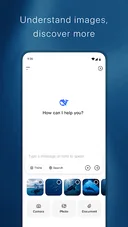 此图为官方商店展示画面;实际模型与入口以设备上的应用版本为准。 / Official listing image; available models and controls depend on the installed version.
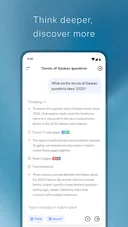 本页面只确认官方商店入口;未核验独立 APK 下载,也未执行安装包扫描。 / This page verifies the official store route only; no standalone APK or package scan is claimed.
本次核对的 Google Play 条目显示 2.6.3,更新时间为 2026 年 10 月 16 日,“最新动态”仅写 Some known issues fixed(修复了一些已知问题),没有逐项列出修复对象。因此不把它扩写成特定模型、登录或隐私故障已修复。你所在地区的商店可能分批展示更新;安装前应再核对页面当前版本。
若更新后仍无法连接,可依次确认网络可访问、系统日期时间正确、账号状态正常,并在商店检查是否仍有待安装更新。临时切换网络后重试;持续失败时记录应用版本、设备型号和提示文字,通过应用内帮助渠道反馈。清除数据或重装前先确认登录与历史记录的保存方式。
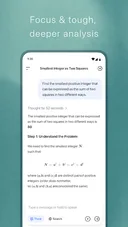 图像来自官方应用条目;更新内容以商店“最新动态”显示为准。 / Official listing image; update details follow the store’s current release note.
下载前核对官方条目与包名。 / Verify the official listing and package before installing.
DeepSeek 安卓版官方包名是什么? Google Play 条目显示 com.deepseek.chat,开发者为 DeepSeek。下载时同时核对名称和包名,避免误装同名应用。
2.6.3 修复了什么? 商店只写“修复了一些已知问题”,未提供逐项说明;本页不猜测具体修复内容。
搜索或推理入口为什么看不到? 功能可能受应用版本、地区、账号和服务上线情况影响。检查商店更新与账号状态,并以当前应用界面为准。
安装后一直连接失败怎么办? 检查网络和系统时间,确认服务在所在地区可用后再重试;保留错误提示和版本信息用于反馈,不要从未知来源安装所谓修复包。
可以上传私人文件吗? 上传前先阅读服务的数据处理说明并确认拥有提交权限。敏感资料应先移除或避免上传;商店截图不是隐私或安全审计结论。
下载 DeepSeek 安卓版前请核对 Google Play 的开发者与 com.deepseek.chat 包名;使用搜索、推理或文件入口时,以当前地区和账号实际显示为准。遇到问题时先记录版本与提示,再检查网络和商店更新。
DeepSeek for Android is an official AI assistant. Check its package, 2.6.3 update and setup; search and reasoning access vary by region and service status.
Google Play lists the app as DeepSeek, names DeepSeek as the developer and shows package com.deepseek.chat. The listing presents chat, reasoning and search entry points. Access to a particular model, search or file feature depends on the current build, account and regional availability. This guide refers to the official listing, not third-party apps with a similar name.
Artwork comes from DeepSeek’s official Google Play page. / 素材来自 DeepSeek 的 Google Play 官方页面。
For a focused task, state the context, desired format and limits in one prompt. Ask for steps or sources that you can check when the answer depends on current information. The listing’s search option can help with recent topics, but verify claims against original documents; a reasoning response is not professional review. If an entry is missing, check account status, regional availability and app updates.
Avoid submitting passwords, payment details, confidential contracts or identifying personal documents unless you have reviewed the service’s data practices and are authorized to share them. File types and size limits can change. For upload failures, check permissions, connectivity and the app’s notice, then test with a small non-sensitive file.
Official store image; available models and controls depend on the installed build. / 官方商店图片;可用模型和入口取决于已安装版本。
Only the official store route is verified here; no standalone APK or package scan is claimed. / 本文只核实官方商店入口,未核验独立 APK,也未声称扫描安装包。
The Google Play entry reviewed for this guide showed version 2.6.3 and an update date of October 16, 2026. Its “What’s new” note says only “Some known issues fixed” and does not identify the affected issues. This page therefore does not claim that a particular model, sign-in or privacy problem was fixed. Store updates may roll out gradually, so check the current listing before updating.
If the app still cannot connect, check network access, the device date and time, account state and pending store updates. Retry on another network if available. For a persistent error, record the app version, device model and exact notice for support. Confirm how your history is stored before clearing app data or reinstalling.
Official store image; update details follow the current “What’s new” note. / 官方商店图片;更新信息以当前“最新动态”为准。
Verify the official listing and package before installing. / 下载前核对官方条目与包名。
What is the official Android package? Google Play shows com.deepseek.chat and developer DeepSeek. Check both before installing.
What changed in 2.6.3? The store says “Some known issues fixed” without itemized details, so specific fixes cannot be confirmed here.
Why is Search or reasoning unavailable? Features can depend on the build, region, account and service rollout. Check store updates and the current app interface.
What should I do if DeepSeek will not connect? Check connectivity and device time, confirm regional availability, then retry. Keep the exact error and version for support; avoid unofficial repair APKs.
Can I upload private documents? Review the service’s data practices and confirm you may share the file. Remove sensitive information or avoid uploading it; store screenshots do not constitute a privacy or security audit.
Before downloading DeepSeek for Android, verify the Google Play developer and com.deepseek.chat package. Feature access depends on the current region and account; when connection fails, record the version and message before checking the network and store update.
Informações verificadas em: 21 de out. de 2026
Publicado pela primeira vez: 21 de out. de 2026· Revisão editorial: 21 de out. de 2026

Ant Renamer 经典版:Windows 批量改名、规则预览、2.13 更新与日期区别、高DPI设置及格式排查。 / Classic Windows batch renamer with rule previews, v2.13 notes, distinct program/package dates and display troubleshooting.

鼠大侠电脑端与安卓端官方入口指南,说明 Windows 安装、Android 无障碍权限、版本来源差异、更新记录与 FAQ。 / Shudaxia Windows and Android download, installation, permission and update guide.
搜狗五笔输入法提供五笔输入、词库同步和皮肤与配置定制。官网页面列出 V5.5(更新日 2025-12-31),兼容范围列为 XP/7/8/10;安装包构建未核验。
Pointofix 是屏幕虚拟荧光笔/标注工具。官方页面列出的版本为 1.8.0,日期为 2018-05-11,并提供安装版和免安装版;该官方列表较旧。

KeymouseGo 开源鼠标键盘录制工具:Windows 5.2.1 发行文件、有限次数重放、更新说明与脚本兼容排查。 / Open-source input recorder with packaged Windows setup, finite replay counts, release notes and script compatibility guidance.
开间小店面向线下小店经营者,提供商品、库存和日常经营管理工具。