Complete Internet Repair 是 Rizonesoft 提供的 Windows 网络连接排查工具。本文核对官网版本 11.1.3.6518,说明软件下载、安装、网络修复边界、断网排查和未披露的更新信息。 / Complete Internet Repair is Rizonesoft's Windows connectivity utility. This guide checks version 11.1.3.6518 and explains official setup, repair limits, network checks, and undisclosed release details.
Complete Internet Repair 下载与安装:核对 11.1.3.6518、Windows 网络修复范围、更新信息和断网排查。 | Complete Internet Repair 11.1.3.6518 setup, repair limits, and connection checks.
中文
Complete Internet Repair 下载与安装指南:Rizonesoft 官网列出 Windows 版本 11.1.3.6518。本页说明其网络修复范围、硬件与运营商故障边界、安装准备和恢复建议,并提供断网排查步骤,帮助你先定位问题,再决定是否运行修复操作,并提醒先检查连接与路由器状态。
Complete Internet Repair 可以处理什么问题
Rizonesoft 将 Complete Internet Repair 介绍为用于修复和排查互联网连接问题的免费工具。官网列举的情形包括 DNS 查询、DHCP 地址续租、代理设置残留、安装或卸载 VPN/防火墙后连接异常,以及部分网站无法访问等。网站也明确提示该工具不是万能修复:它不能修复硬件故障,也不能改变互联网服务提供商的服务状况。将其用于确有网络配置异常的 Windows 设备;若路由器断电、网线松脱或区域网络中断,应先处理对应原因。
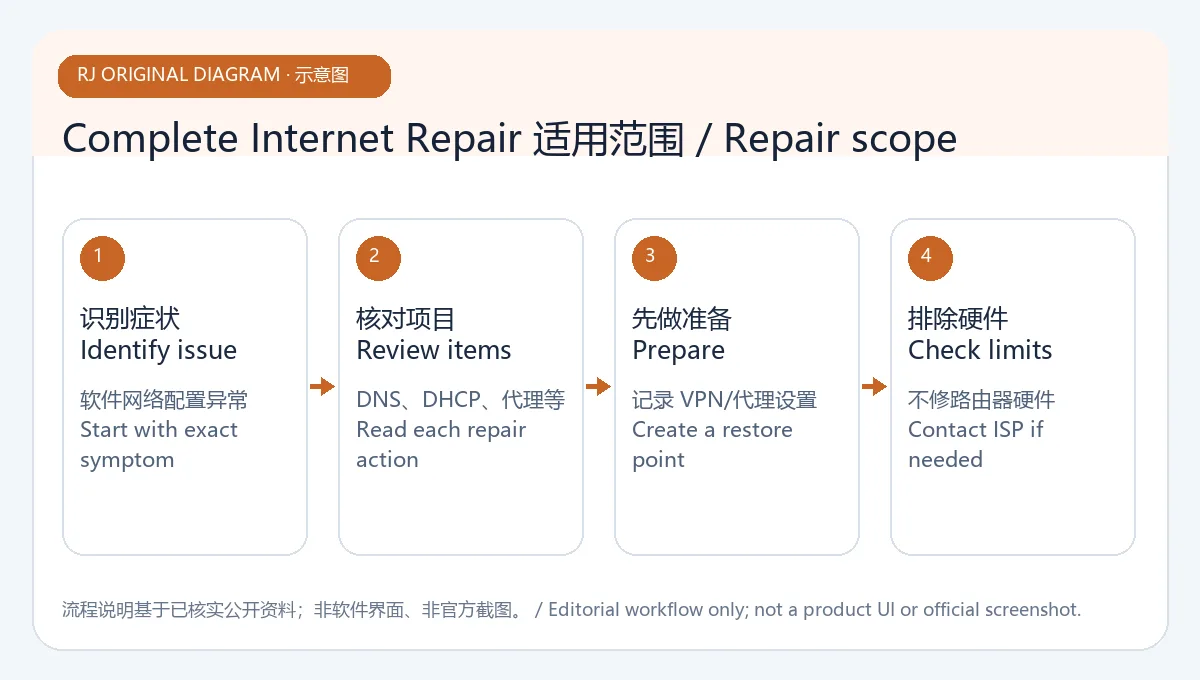
原创示意图:区分可检查的软件网络设置与硬件、运营商问题,不展示软件操作界面。
Complete Internet Repair Windows 下载与安装步骤
- 打开 Rizonesoft 官方产品页,核对产品名称、开发者和页面版本 11.1.3.6518。
- 页面提供下载入口,并说明可选择安装方式或便携版本;按当前页面显示获取文件,不从旧排行榜中的第三方镜像下载。
- 下载后先查看文件名、来源和 Windows 安全提示。本次没有下载或运行安装包,因此未验证数字签名、哈希值或具体系统兼容范围。
- 安装或启动前保存正在编辑的工作,并记录当前网络情况。若系统要求管理员权限,先确认请求来自官方文件且操作确有需要。
- 打开工具后只选择与已确认问题相关的修复项,先阅读其说明;不要为了测试而重置正常的网络配置。官网没有列出精确最低 Windows 版本或架构要求。
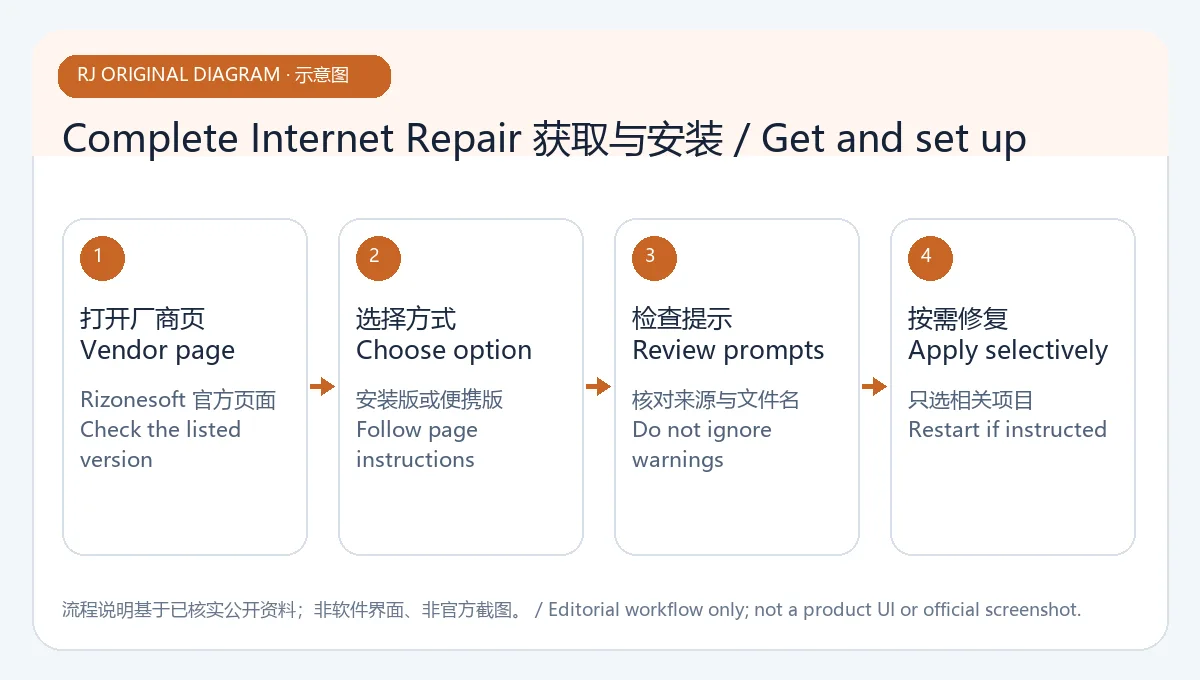
原创示意图:强调官网入口、系统提示和启动前检查,不是安装程序截图。
运行修复前的网络排查顺序
先确认其他设备是否也无法联网,再检查 Wi-Fi、网线、路由器电源和 Windows 网络状态。若只有某一程序或网站受影响,记录准确错误信息,并暂时关闭会改变网络配置的最近新增软件进行定位;不要同时运行多个“网络修复”工具。工具执行后若连接状态变化,按屏幕说明逐项检查,必要时恢复原设置或联系网络管理员。涉及办公设备、VPN、代理或受管防火墙时,先咨询负责人员,避免破坏机构配置。
如果所有设备都无法访问互联网,或路由器和调制解调器指示异常,优先联系 ISP 或设备支持;软件无法解决线路、硬件或服务端故障。修复前记录代理、DNS 或 VPN 配置,便于确认是否需要恢复。不要仅因“修复”名称就对没有故障的电脑执行重置。
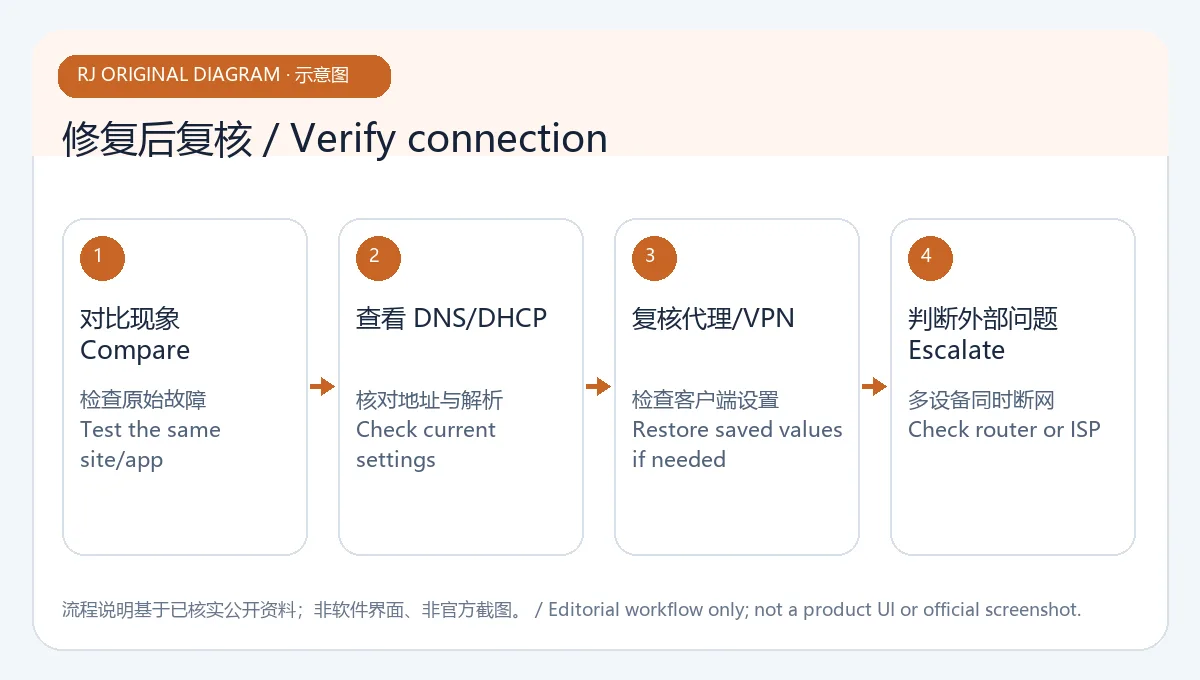
原创示意图:通用断网定位顺序,不是 Rizonesoft 官方诊断流程。
Complete Internet Repair 版本更新与常见问题 FAQ
截至 2026 年 10 月 19 日,Rizonesoft 产品页显示版本 11.1.3.6518,并提供下载入口;页面未列发布日期或逐项变更日志。本页不推测该版本修复了哪些具体问题。排行榜标题中的旧版本号 8.1.3.5260 来自第三方历史索引,不作为当前版本依据。需要更新时重新核对 Rizonesoft 页面上的版本字段和发布说明。
Complete Internet Repair 是免费的吗? Rizonesoft 将其描述为免费的互联网连接修复工具;产品页没有在本次核对中单列完整许可条款,使用前应查看官方说明。
它能修复路由器或 ISP 故障吗? 不能。开发者页面明确说明硬件故障和服务提供商问题不在工具可修复范围内;先检查设备供电、线缆和服务状态。
为什么运行后还是无法上网? 核对其他设备、网络适配器、路由器和 ISP 状态;保存错误提示并确认修复项是否与实际故障有关。受管电脑应联系管理员,不要连续运行不同修复工具。
页面是否公布支持的 Windows 版本和更新日志? 官网显示 11.1.3.6518,但此次页面没有列出最低 Windows 版本、架构、发布日期或逐项更新内容。
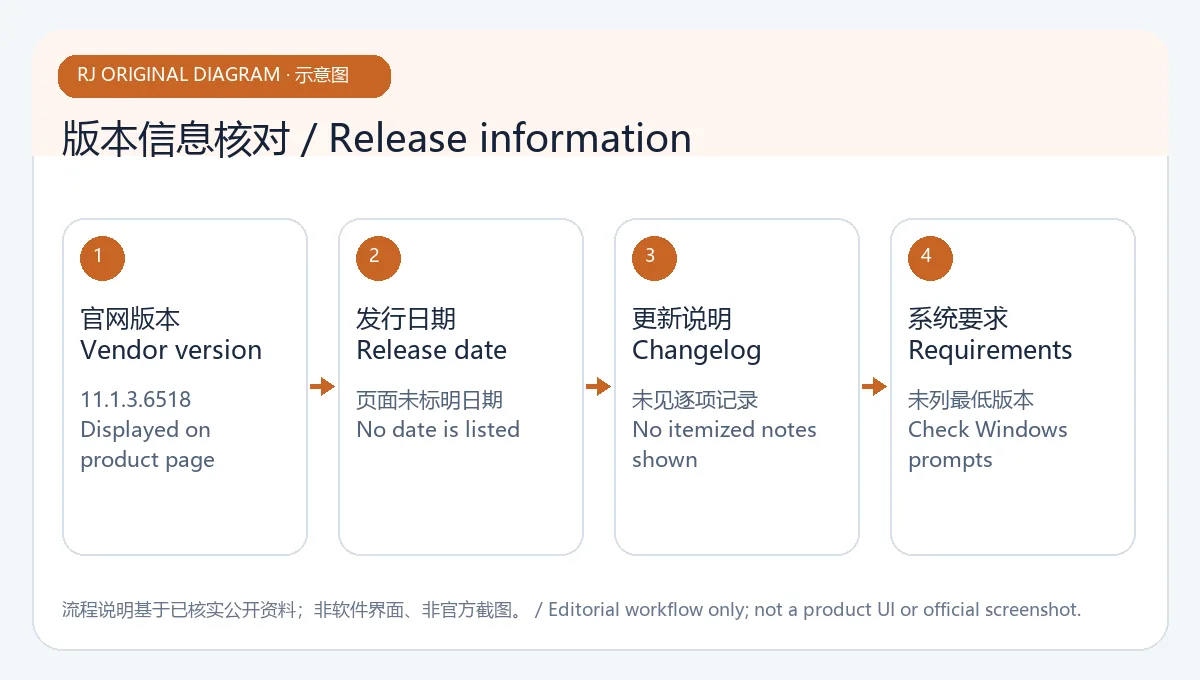
原创示意图:将官网当前版本与未披露的发布日期和逐项日志分开说明,不是软件截图。
下载 Complete Internet Repair 时,从 Rizonesoft 官方产品页进入并核对版本 11.1.3.6518。先确认问题属于软件网络配置,再阅读修复选项;硬件、路由器和运营商故障应联系相应支持渠道。
English
Review Complete Internet Repair 11.1.3.6518 for Windows: setup steps, repair limits, update notes, and checks for connection problems on affected devices.
What Complete Internet Repair can and cannot address
Rizonesoft describes Complete Internet Repair as a free utility for repairing and troubleshooting internet connectivity. Its product page lists examples such as DNS lookup problems, DHCP address renewal, sticky proxy settings, and connection trouble after installing or removing a VPN or firewall. It also sets a limit: the tool cannot repair hardware faults or change an internet service provider's service. Use it on a Windows device with a suspected configuration problem. If a router has no power, a cable is loose, or an area outage is in progress, address that cause first.
Original illustration: separates software network settings from hardware and provider faults; no application interface is shown.
How to download and install Complete Internet Repair for Windows
- Open the official Rizonesoft product page and confirm the product name, publisher, and listed version 11.1.3.6518.
- The page provides a download action and describes both an installation option and a portable version. Obtain the file through the current page, not the third-party mirror shown in an old ranking row.
- After downloading, check the file name, source, and Windows security prompt. No installer was downloaded or run for this review, so its signature, hash, and detailed compatibility were not verified.
- Save open work and note the current connection state before launching the tool. If Windows requests administrator access, confirm that the request comes from the official file and is needed for the action.
- Select only repair actions that match a confirmed issue and read their descriptions. Do not reset a healthy configuration just to experiment. The reviewed page does not specify a minimum Windows release or processor architecture.
Original illustration: highlights the official source, Windows prompts, and pre-launch checks; not an installer screen.
A safer network checklist before applying a repair
First check whether other devices also lack internet access, then inspect Wi-Fi, cables, router power, and Windows network status. If only one program or website is affected, record the exact error and identify recently added software that changes networking; avoid running several repair tools at once. After a tool action, review the displayed result and restore prior settings if needed. For a work device with VPN, proxy, or managed firewall settings, ask the administrator before changing them.
If every device is offline, or router and modem indicators show a fault, contact the ISP or hardware support. Software cannot resolve a line, device, or provider outage. Record proxy, DNS, or VPN settings before a repair so you can tell what may need restoring. The product name alone is not a reason to reset a computer that has no network problem.
Original illustration: a general connectivity checklist, not an official Rizonesoft diagnostic flow.
Complete Internet Repair 11.1.3.6518 update notes and FAQ
As of 19 October 2026, the Rizonesoft product page displayed version 11.1.3.6518 and a download action, but no release date or itemized change log. This guide does not guess which specific problems the version fixes. The older 8.1.3.5260 number in the ranking title came from a third-party historical index and is not used as the current version. Recheck the publisher page for its current version and release notes before updating.
Is Complete Internet Repair free? Rizonesoft describes it as a complimentary internet-connection repair utility. The reviewed page did not separately list full license terms, so check the publisher's current notice.
Can it fix a router or ISP outage? No. The publisher says hardware faults and provider service issues are outside the tool's repair scope. Check power, cabling, and service status first.
Why am I still offline after using it? Check another device, the network adapter, router, and ISP status. Save the exact error and confirm that the selected action matches the problem. On a managed computer, contact the administrator instead of running multiple repair tools.
Does the page list Windows requirements and a detailed changelog? It shows version 11.1.3.6518, but the reviewed page did not provide a minimum Windows version, architecture, release date, or itemized update notes.
Original illustration: distinguishes the displayed version from release fields the page does not disclose; not a product screenshot.
For a Complete Internet Repair download, start from the Rizonesoft product page and confirm version 11.1.3.6518. First decide whether the issue is a software network configuration problem, then read each repair option. Contact hardware, router, or ISP support for faults outside the utility's scope.