
摄影工具:机身检查与 RAW 后期
在导入与筛选照片前后检查相机资料,并选择适合 RAW 照片的浏览与后期工具。收录CamInfo Windows、ImageGlass、Lap等站内已有工具,按实际用途选择适合自己的应用。
CamInfo Windows 相机信息与快门次数查询指南,核对官方 4.2.6 页面、Canon/Nikon 等机型要求、USB 付费与照片免费查询方式,并提供安装步骤和相机无法识别时的核对建议。 | A Windows guide to CamInfo camera details and shutter counts, official version evidence, model support, query fees, installation and connection checks.
Aliases: CamInfo、CamInfo V4.2.6、CamInfo camera information、CamInfo 快门次数
Author: RJ.tools Editorial
AI-assisted content
Learn about the software and its sources
The reviewed official pages did not establish a redistribution license. Check the publisher's current terms; do not infer permission to redistribute installers.
No binary was downloaded, executed, scanned or signature-checked. This resource is not an independent safety certification.
CamInfo Windows 相机信息与快门次数查询指南,核对官方 4.2.6 页面、Canon/Nikon 等机型要求、USB 付费与照片免费查询方式,并提供安装步骤和相机无法识别时的核对建议。 | A Windows guide to CamInfo camera details and shutter counts, official version evidence, model support, query fees, installation and connection checks.
CamInfo 是 Windows 相机信息查询工具,可读取支持机型的型号、序列号、固件版本和快门次数。本页整理 CamInfo 下载、安装、机型兼容与 4.2.6 版本信息,说明 USB 与照片查询的收费区别,并提供设备无法识别时的核对步骤;字段因机型而异,连接前应先查看官方列表,避免误用旧版或第三方链接。 | CamInfo reads supported camera details and shutter counts on Windows. See download, setup, compatibility, version 4.2.6, query fees and connection tips.
CamInfo 是 Windows 相机信息查询工具,可读取支持机型的型号、序列号、固件版本和快门次数。本页整理 CamInfo 下载、安装、机型兼容与 4.2.6 版本信息,说明 USB 与照片查询的收费区别,并提供设备无法识别时的核对步骤;字段因机型而异,连接前应先查看官方列表,避免误用旧版或第三方链接。
CamInfo 官方产品首页将它介绍为相机使用状态与快门信息查询工具。USB 连接后,部分机型可提供相机型号、序列号、固件版本与快门次数;部分 Canon 或 Nikon 机型还可能提供反光板或闪光次数。官网也介绍了通过照片查询相机信息的方式。可读字段会随型号和查询路径变化,不能把缺少某项读数直接判断为设备故障,也不能把软件结果说成厂商售后检测保证。
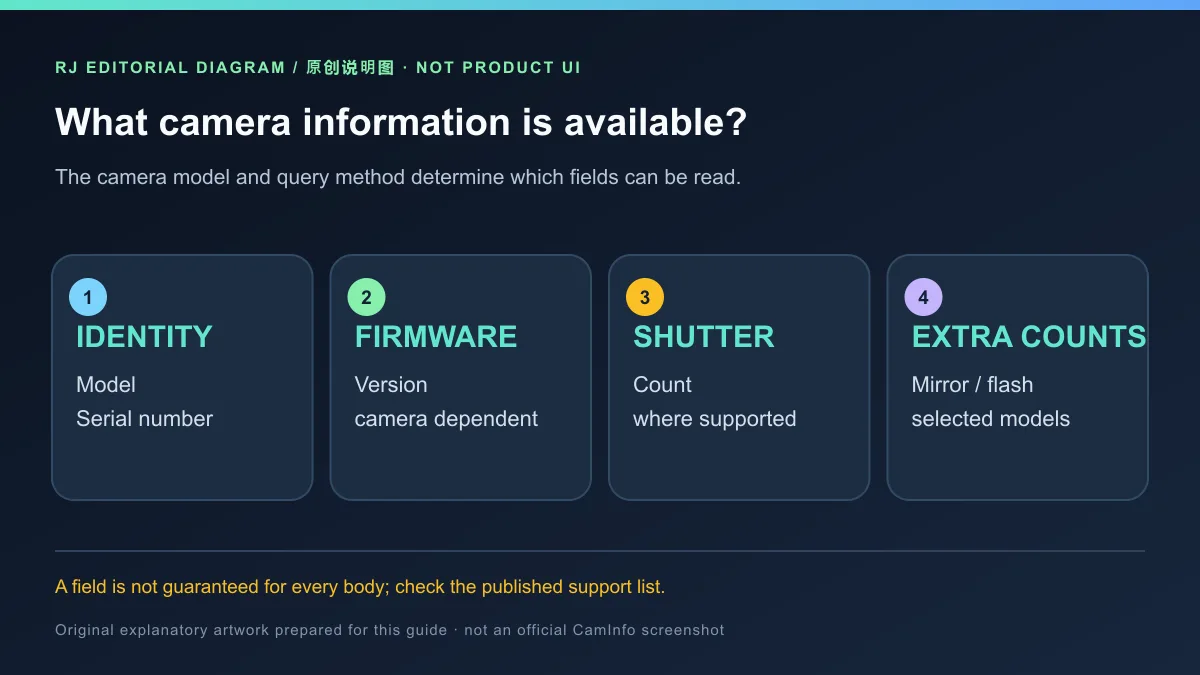
开始查询前,先确认相机完整型号、固件和连接方式,并查看官方支持列表。如果关心的是快门次数,确认支持页对该机型列出了对应方式;如果只需相机信息,官网称其他厂商也可用照片查询,但没有承诺每张照片都包含完整数据。
CamInfo 的支持机型页列出 Canon、Nikon、Sony、Pentax 等相机,并注明不同型号可能要求不同版本。例如,Canon EOS R3 及后续型号需要 V4.1.7 或更高版本,EOS R100 需要 V4.2.1 或更高版本;同一页面明确列出 EOS R5 Mark II 暂不支持。最低版本条件不代表同一品牌的所有机型都兼容,具体结论应以完整型号条目为准。
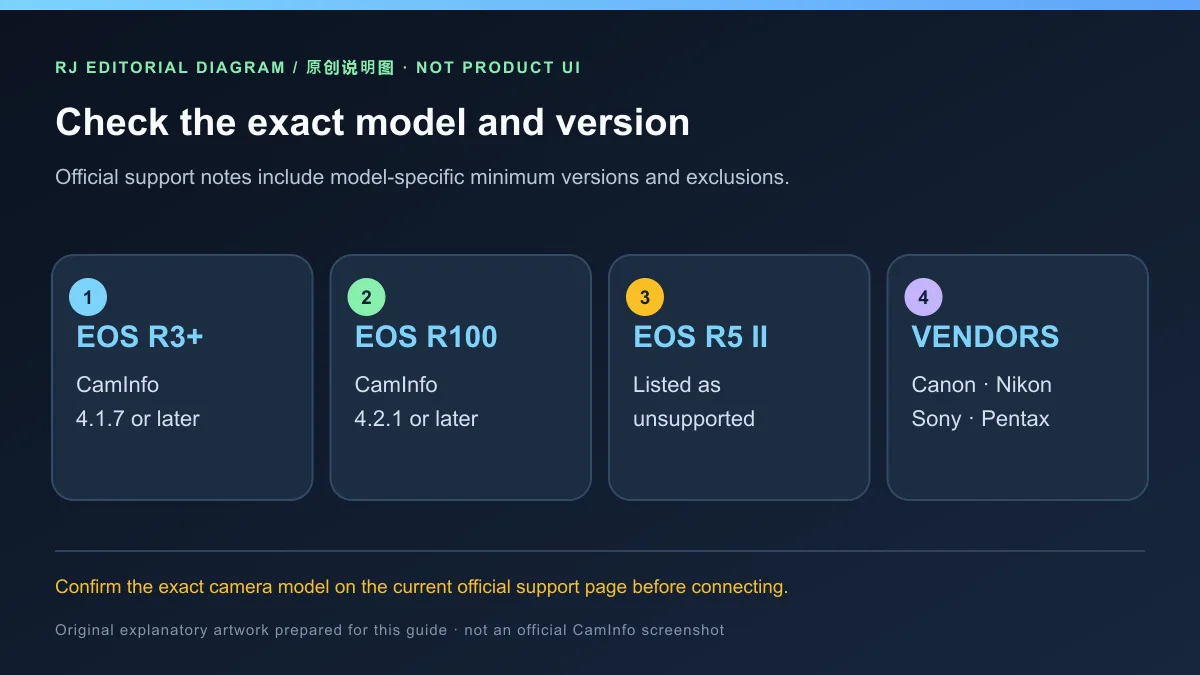
当前官方软件下载页列出 V4.2.6,不过版本号较新并不能覆盖支持页明确标注的不支持型号。更新或安装前,把机身型号与页面条目逐字核对;若型号没有列出或状态不明确,应先向开发者确认,不要仅凭相机品牌推断兼容。
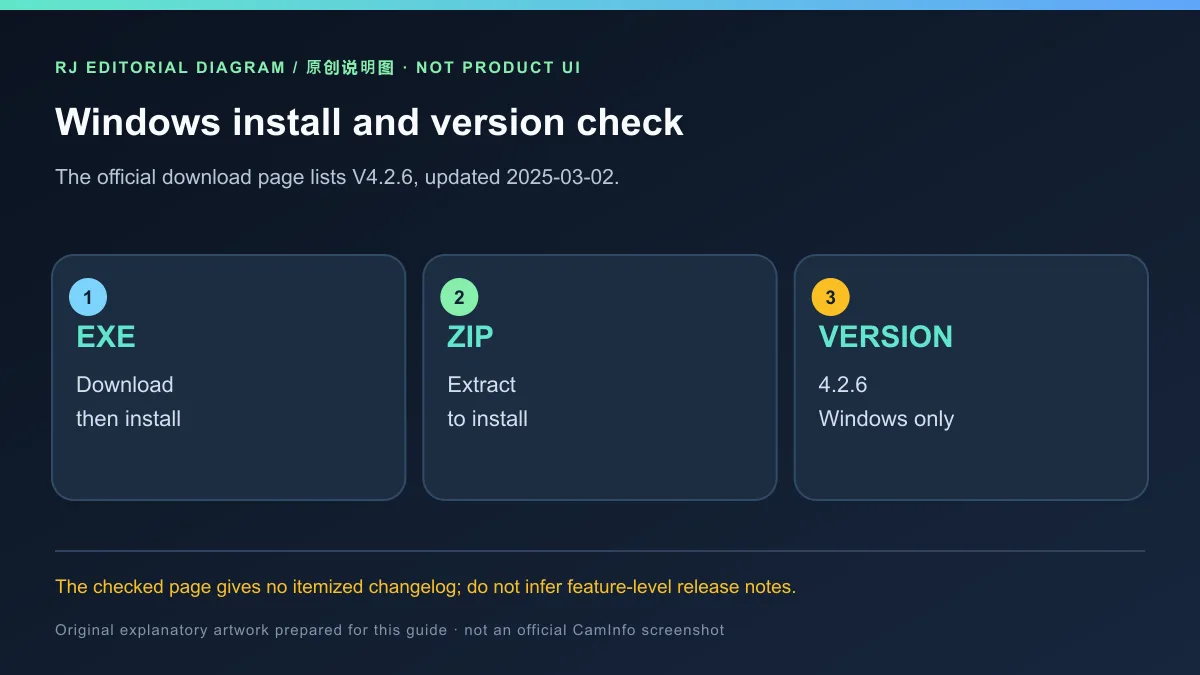
官方下载页标注 Windows 版 V4.2.6、页面更新于 2025-03-02,并提供 EXE 与 ZIP 两种入口:EXE 为下载后安装,ZIP 需要解压安装。本页链接到官方落地页,不把榜单中的第三方 EXE、蓝奏云地址或未确认 HTTPS 的备用镜像当成下载直链。
本站没有下载、执行、扫描或签名检查安装包,也没有验证某台电脑上的安装结果。请仅从开发者官方页面查看当前选项,并自行阅读安装过程中的权限和安全提示。
核验时,官方下载页列出 CamInfo V4.2.6,并显示页面更新日期 2025-03-02;同页没有逐项更新日志。因此,这里只记录页面可核实的版本与日期,不虚构 V4.2.6 新增、修复或改进了哪些功能。旧榜单中的 V4.0.1 是候选记录,不能代表当前官方页面版本。
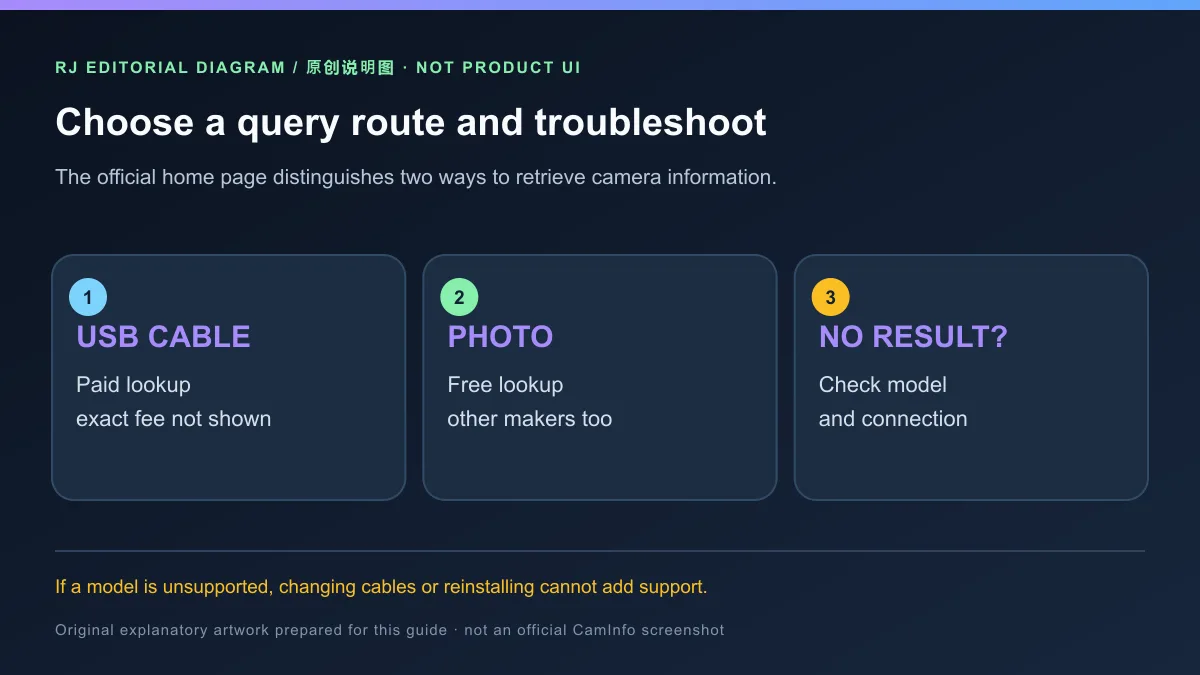
USB 数据线查询是否收费? 官网说明 USB 查询为付费服务,但核验页面没有给出具体金额;购买前请查看官方页面当前价格和条款。照片查询是否收费? 官网将照片查询说明为免费方式。
CamInfo 能读取所有相机的快门次数吗? 不能这样推断。机型与查询方式会影响可读字段;先看官方支持列表中的准确型号。
相机连上却没有数据怎么办? 先确认当前版本和相机型号满足支持页条件,再检查连接线是否可传数据、USB 端口与相机连接设置,并尝试官方页面说明的其他查询方法。若仍无结果,记录型号和版本向开发者咨询;不要把未显示字段当成相机损坏。
榜单写的是 V4.0.1,为什么页面介绍 V4.2.6? 榜单是旧候选记录;官方软件下载页目前核验到 V4.2.6(页面更新于 2025-03-02)。后续请以开发者实时页面为准。
搜索 CamInfo 下载、CamInfo 怎么安装或相机无法识别时,先从官方落地页核对 Windows 版本,再按完整型号检查支持条件,并确认 USB 与照片查询的价格差异。这样可以避免把旧版标签、品牌相同或缺少读数误当成兼容与检测结论。
CamInfo reads supported camera details and shutter counts on Windows. See download, setup, compatibility, version 4.2.6, query fees and connection tips.
The official product home page describes CamInfo as a Windows utility for camera-use and shutter information. For supported models, a USB connection can expose the camera model, serial number, firmware version and shutter count; selected Canon or Nikon bodies may also provide mirror or flash counts. The site also describes querying camera information from a photo. Available fields depend on the camera and method, so a missing value does not by itself prove a hardware fault or establish an after-sales service result.
Before querying, identify the exact camera model and check the official support list. If shutter count is the goal, look for that exact model and method. The publisher says photo lookup can serve other camera makers too, but it does not promise that every photo contains complete data.
The official compatibility page lists Canon, Nikon, Sony, Pentax and other models, with model-specific notes. For example, Canon EOS R3 and later models require V4.1.7 or newer, while EOS R100 requires V4.2.1 or newer. The same page explicitly lists EOS R5 Mark II as unsupported. A minimum version requirement does not mean every model from that brand is compatible; check the exact model entry.
The official download page lists V4.2.6, but a newer version does not override a model that the support page marks unsupported. Match the complete camera name against the current page before installing; ask the publisher when a model is absent or unclear instead of inferring support from its brand.
The official download page lists Windows V4.2.6 and a page update date of 2025-03-02. It offers an EXE for download-and-install and a ZIP that must be extracted to install. This resource links to the official landing page; the legacy third-party EXE, cloud-drive destinations and an alternate mirror without confirmed HTTPS are not presented as direct downloads.
No installer was downloaded, executed, scanned or signature-checked for this page, and installation was not verified on a particular PC. Use the developer's official page and review current permission and security prompts yourself.
At review time, the official download page listed CamInfo V4.2.6 and showed a page update date of 2025-03-02. It did not provide itemized release notes, so this page records only the listed version and date rather than inventing features or fixes. V4.0.1 is the older ranking label, not the version shown on the checked official page.
Does USB cable lookup cost money? The publisher says USB lookup is paid, but the reviewed page gives no exact amount. Check the live official terms and price before purchase. Is photo lookup free? The site describes photo lookup as free.
Can CamInfo read shutter counts for every camera? Do not assume so. The model and query route determine available fields; check the exact entry on the official support list.
Why is no data shown after connecting the camera? Confirm the current CamInfo version and exact model requirements first. Then check that the cable supports data, try another USB port, review camera connection settings and consult the publisher's listed query method. If the field is still absent, provide the model and version to the publisher; a blank field does not prove the camera is damaged.
The ranking says V4.0.1. Why does this page list V4.2.6? The ranking is a historical candidate record. The reviewed official download page lists V4.2.6 and a 2025-03-02 page update date; use the live publisher page for later changes.
For CamInfo download, Windows installation or a camera that is not recognized, verify the current official listing, then check the exact model and supported query path. Confirm the difference between paid USB lookup and free photo lookup before choosing a method, and do not treat an older ranking label or a missing field as proof of compatibility or device failure.
Information verified: Oct 18, 2026
First published: Oct 18, 2026· Editorial revision: Oct 18, 2026
官网说明 USB 查询为付费服务,但核验页面未列具体金额;购买前查看官方实时价格和条款。
No. Check the exact model and query method on the official support list; available fields vary.
核对完整机型、软件版本、数据线、USB 端口和相机连接设置;缺少某个字段不等于相机损坏。
The checked official download page lists V4.2.6 with a 2025-03-02 page update date. Recheck the live page.

XMBC 鼠标映射:Windows安装、应用配置与层、2.20.5修复、五键限制和重复输入排查。 / XMBC setup, application profiles and layers, v2.20.5 fixes, five-button limits and repeat troubleshooting.

Armoury Crate 设备管理与 Aura Sync 下载指南:核对华硕机型、Windows 安装要求、应用6.4.7及不同安装包版本。 ASUS device controls, lighting, official setup and version checks.

DS4Windows 是 Windows 手柄映射与虚拟控制器工具。本页整理 DS4Windows 3.5 社区延续版、DualShock/DualSense 配置、安装依赖和双输入排查。 / DS4Windows maps gamepad input and creates virtual controllers on Windows. This guide covers the v3.5 community continuation, setup, profiles, and duplicate-input troubleshooting.
JoyToKey 手柄映射工具:Windows 安装与 ZIP 设置、7.4 命令输入、配置迁移和共享软件许可说明。 / Windows controller mapping guide covering setup, version 7.4 commands, profile migration and shareware licensing.

FurMark 显卡压力测试与基准工具指南,介绍官方下载和平台选择、安装准备、测试条件记录、版本更新,以及打不开、画面异常和分数差异的排查思路。 FurMark GPU stress test guide with official setup, version notes, controlled comparisons and practical FAQs.

SysCeo 驱动总裁 Windows 在线版本 2.21.0.0,官方页面日期为 2026-09-15,列出桌面与 PE 驱动安装、在线和离线驱动库及 Boot Camp 匹配。本页整理页面更新说明、安装前硬件核对、系统还原准备和 MD5 的用途;下载入口只链接官方产品页,不提供站外文件直链。 / SysCeo lists Windows 2.21.0.0, desktop and PE use, online/offline libraries and Boot Camp matching. This guide explains release notes and cautious setup; the download entry links only to official product information.
