
硬盘健康与 SSD 读写测试
查看存储设备健康信息,并测量硬盘或 SSD 的读写表现。收录AS SSD Benchmark、CrystalDiskInfo、CrystalDiskMark等站内已有工具,按实际用途选择适合自己的应用。
AS SSD Benchmark 是 Windows 固态硬盘性能测试工具,可查看顺序读写、随机访问与文件复制等结果;页面整理官方版本、安装、测试边界与问题排查。 / AS SSD Benchmark is a Windows SSD performance utility; this guide covers the publisher-listed version, setup, test limits, and troubleshooting.
Alias: 固态硬盘基准测试、固态硬盘跑分、AS SSD Benchmark
Consulta la información básica del software y sus fuentes
Freeware (publisher-listed; redistribution terms not stated)
AS SSD Benchmark 是 Windows 固态硬盘性能测试工具,可查看顺序读写、随机访问与文件复制等结果;页面整理官方版本、安装、测试边界与问题排查。 / AS SSD Benchmark is a Windows SSD performance utility; this guide covers the publisher-listed version, setup, test limits, and troubleshooting.
AS SSD Benchmark 是一款 Windows 固态硬盘性能测试工具,可查看顺序读写、4K 随机访问和访问时间等结果。本文汇总官方版本信息、测试项目、安装步骤与常见排查建议,说明 SSD 跑分的比较条件,并提醒你在开始写入测试前确认目标磁盘和重要数据,也解释官方页未公开的版本日志与系统最低要求。
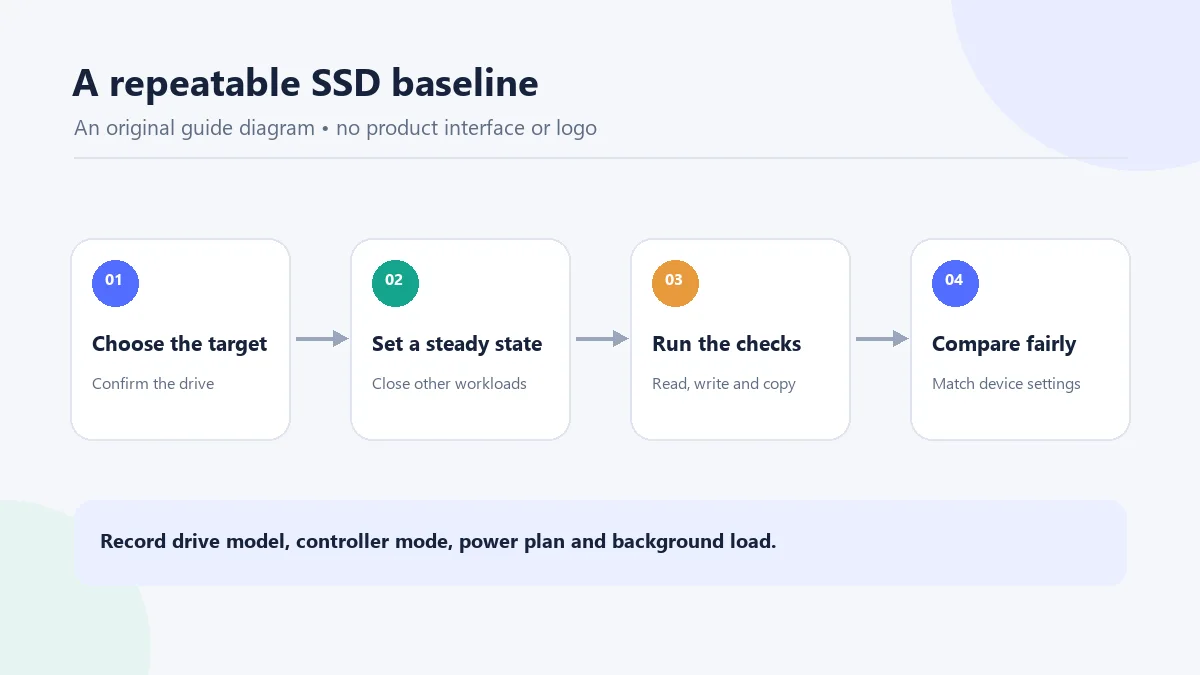
AS SSD Benchmark 的官方详情页把它定位为固态硬盘性能测量工具。它适合在同一台电脑上观察 SSD 的顺序传输、小块随机访问、访问延迟以及文件复制表现;这些数字是指定测试条件下的结果,不等同于硬盘健康诊断,也不能单独预测日常软件的启动速度。若你要比较两块盘,建议先记录型号、接口、控制器模式、供电计划和后台负载,再在接近的环境中执行测试。
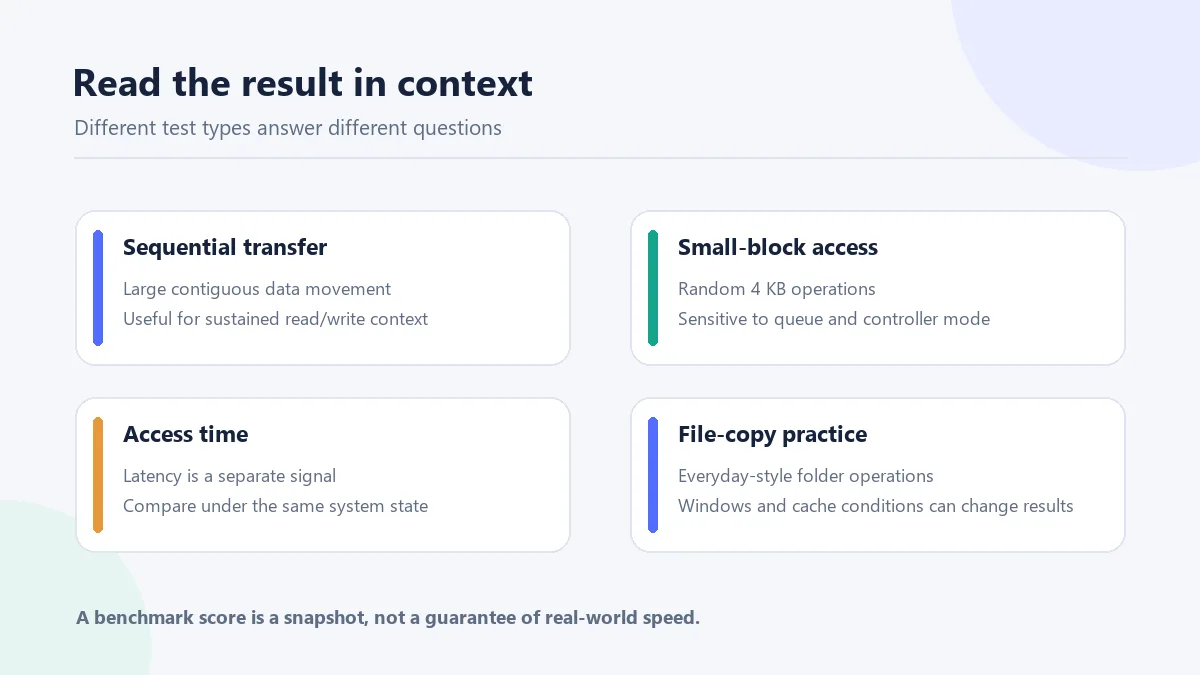
官方详细说明提到,顺序测试使用 1 GB 测试文件;4K 项目观察随机 4 KB 块的读写,4K-64Thrd 把操作分到 64 个线程,页面还讨论 IDE 与 AHCI 模式、NCQ 对 SSD 表现的影响。访问时间、压缩曲线和文件复制属于不同观察角度,文件复制示例包含 ISO、大量程序文件和游戏目录。不要把单一分数当成所有场景的结论:官方也提醒结果会随 Windows 环境变化。
官方同一页面的摘要称“五项合成测试、三项实践测试”,而详细说明又写“六项合成测试、三项复制测试”。因此本文不固定宣称某一个测试总数;阅读结果时以你所用版本实际显示的项目名称为准,并保留测试设置。
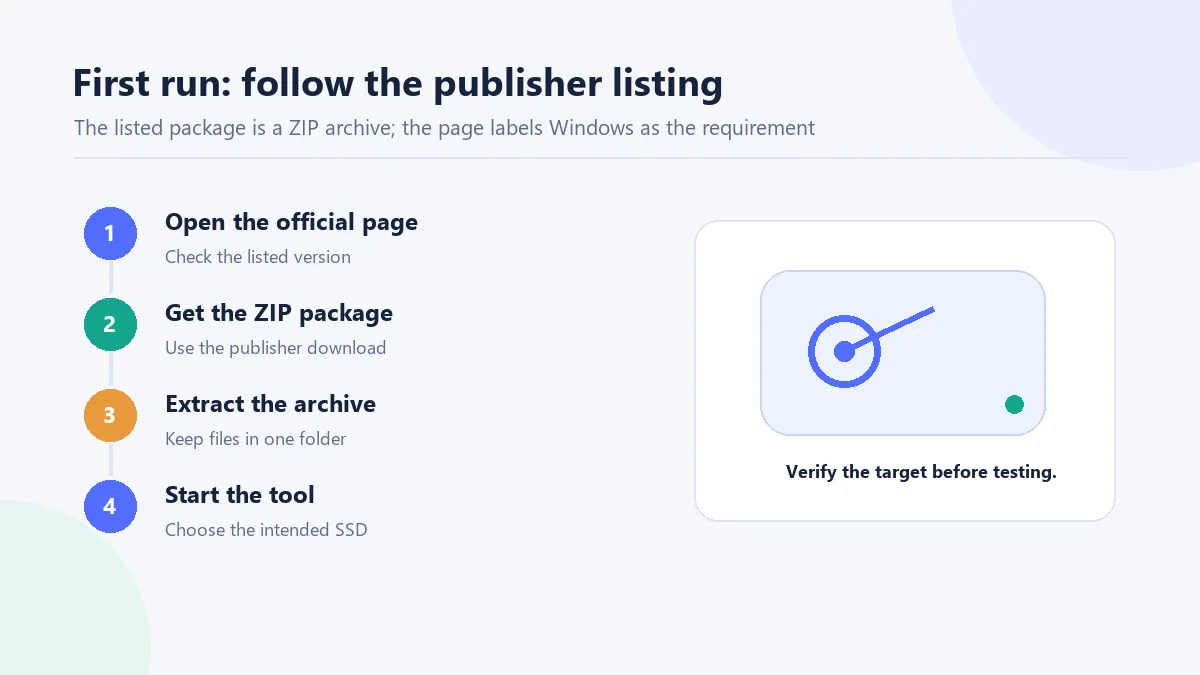
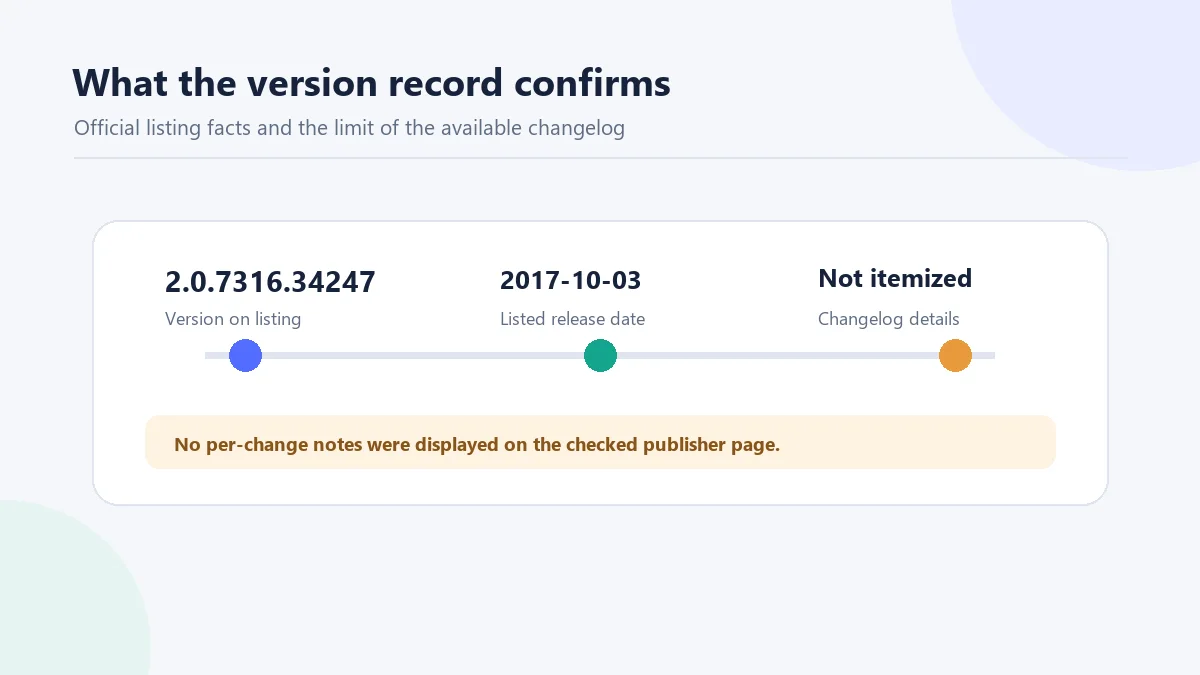
截至本页核对时,开发者站点的 AS SSD Benchmark 详情列出版本 2.0.7316.34247,发布日期为 2017-10-03,文件大小标注为 261 KB,许可证栏写作 Freeware,系统要求只写 Windows。这表示它是该详情页目前展示的版本记录,不足以证明它是任何渠道的最新版本,也不能推断 Windows 最低版本或架构。
详情页有“Changelog”标题,但未显示可核验的逐项变更说明。因而本页只记录可确认的版本号与日期,不编造性能提升、兼容性修复或安全更新;需要判断新版是否出现时,应重新查看开发者页面。
AS SSD Benchmark 是免费的么? 官方详情页将许可证标为 Freeware。页面没有说明安装包的再分发条款,因此建议从开发者页面获取,不把“免费”理解成可以擅自镜像或重新打包。
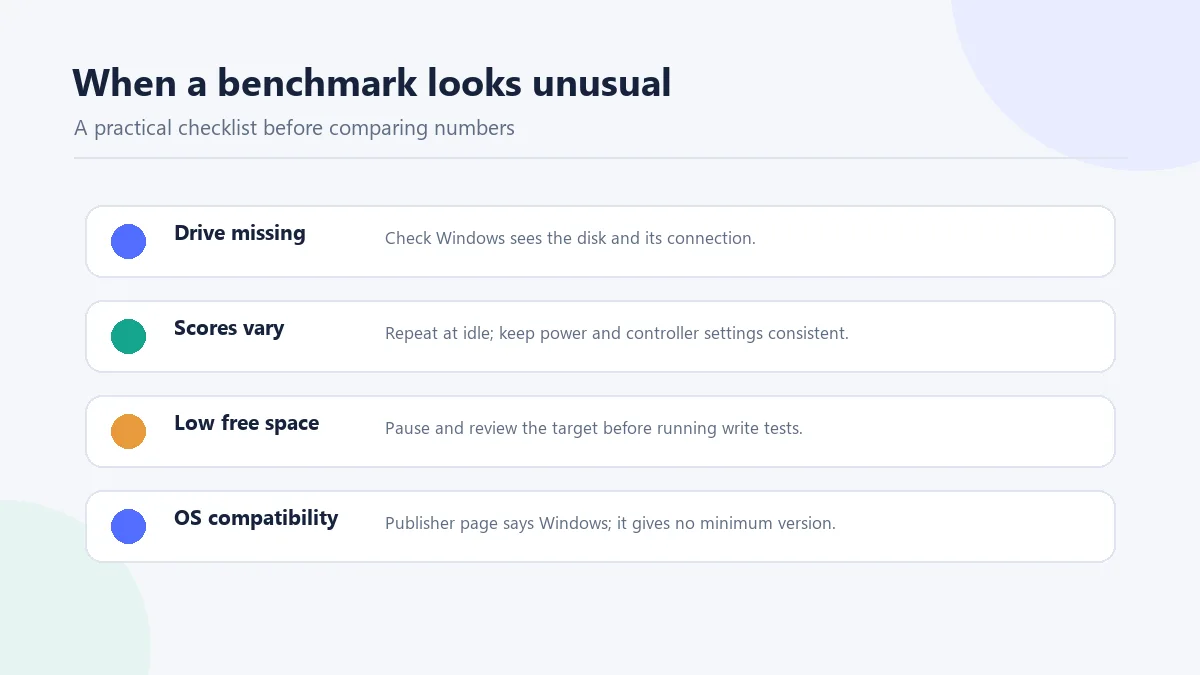
为什么我的 SSD 跑分和别人差很多? 结果会受 Windows 环境影响;控制器模式、NCQ、后台磁盘任务、供电和硬盘型号也会改变测试条件。先固定这些条件,再重复测试,避免把不同设备或不同配置的结果直接比较。
运行前要备份吗?会不会清空硬盘? 该工具包含写入与文件复制测试,不能把它当成只读查询器。官方页面没有提供“不会影响数据”的保证;请先确认目标盘、备份重要文件,并在空间不足或磁盘异常时暂停测试。
支持哪个 Windows 版本? 官方详情只写 Windows,没有列出最低版本、32/64 位要求或新版系统兼容声明。若程序打不开,请先核对当前发布页和系统提示,不要用来源不明的兼容补丁。
更新日志在哪里? 官方详情页虽然有 Changelog 标题,但核对时没有显示逐项记录;现有可确认信息只有页面列出的版本号和发布日期。
AS SSD Benchmark is a Windows SSD test for read/write, access-time, and file-copy checks. Review setup, version notes, and comparison limits before testing.
The publisher describes AS SSD Benchmark as a utility for measuring solid-state-drive performance. It can help you review sequential transfer, small-block access, latency, and file-copy behavior under a particular test setup. Those figures are not a drive-health diagnosis and do not predict every application's loading time. For a useful comparison, note the drive model, interface, controller mode, power plan, and background activity, then keep those conditions as similar as possible.
The detailed publisher text describes a 1 GB sequential test file, random 4 KB operations, and a 4K-64Thrd test distributed across 64 threads. It discusses how IDE versus AHCI mode and NCQ can affect SSD behavior. Access time, the compression curve, and file-copy runs show different aspects; the copy examples use ISO, program, and game folders. The publisher also notes that results can vary with the Windows environment, so a single score should not stand for every workload.
There is a counting conflict on the same official page: its short summary says five synthetic and three practical tests, while the detailed text says six synthetic and three copy tests. This guide does not assert one fixed total; use the test names shown by your copy of the program and record its settings.
At the time checked, the developer's AS SSD Benchmark detail page listed version 2.0.7316.34247, dated 2017-10-03, with a file size of 261 KB. Its license field says Freeware, and its system-requirement field says only Windows. This is the version shown on that page; it does not establish the newest version across every channel, a minimum Windows release, or a CPU architecture.
The page has a “Changelog” heading but no itemized change notes that could be verified. This guide therefore reports the displayed version and date without inventing performance improvements, compatibility fixes, or security changes. Check the developer page again when you need to confirm whether a newer listing has appeared.
Is AS SSD Benchmark free? The publisher labels its license field “Freeware.” The product page does not state installer redistribution terms, so use the developer listing rather than assuming that free use permits mirroring or repackaging.
Why are my SSD benchmark scores different from someone else's? The publisher notes that Windows conditions can affect results. Controller mode, NCQ, background disk activity, power state, and the drive itself also matter. Compare repeat runs under matching conditions instead of treating different systems as equivalent.
Should I back up first, and does the test erase a drive? The described tests include writes and file-copy operations, so this is not a read-only health check. The publisher page does not promise that testing cannot affect data. Confirm the target, back up important files, and stop if the disk is unstable or short on free space.
Which Windows versions are supported? The product listing says Windows but does not give a minimum release, 32/64-bit requirement, or current compatibility statement. If the program will not start, check the current publisher listing and the Windows error before trying any third-party patch.
Where is the changelog? A Changelog heading is present on the checked detail page, but no itemized entries were visible. The verifiable record is the listed version and date above.
Información verificada: 19 oct 2026
Publicado por primera vez: 19 oct 2026· Revisión editorial: 19 oct 2026

XMBC 鼠标映射:Windows安装、应用配置与层、2.20.5修复、五键限制和重复输入排查。 / XMBC setup, application profiles and layers, v2.20.5 fixes, five-button limits and repeat troubleshooting.

Armoury Crate 设备管理与 Aura Sync 下载指南:核对华硕机型、Windows 安装要求、应用6.4.7及不同安装包版本。 ASUS device controls, lighting, official setup and version checks.
JoyToKey 手柄映射工具:Windows 安装与 ZIP 设置、7.4 命令输入、配置迁移和共享软件许可说明。 / Windows controller mapping guide covering setup, version 7.4 commands, profile migration and shareware licensing.

DS4Windows 是 Windows 手柄映射与虚拟控制器工具。本页整理 DS4Windows 3.5 社区延续版、DualShock/DualSense 配置、安装依赖和双输入排查。 / DS4Windows maps gamepad input and creates virtual controllers on Windows. This guide covers the v3.5 community continuation, setup, profiles, and duplicate-input troubleshooting.

FurMark 显卡压力测试与基准工具指南,介绍官方下载和平台选择、安装准备、测试条件记录、版本更新,以及打不开、画面异常和分数差异的排查思路。 FurMark GPU stress test guide with official setup, version notes, controlled comparisons and practical FAQs.

SysCeo 驱动总裁 Windows 在线版本 2.21.0.0,官方页面日期为 2026-09-15,列出桌面与 PE 驱动安装、在线和离线驱动库及 Boot Camp 匹配。本页整理页面更新说明、安装前硬件核对、系统还原准备和 MD5 的用途;下载入口只链接官方产品页,不提供站外文件直链。 / SysCeo lists Windows 2.21.0.0, desktop and PE use, online/offline libraries and Boot Camp matching. This guide explains release notes and cautious setup; the download entry links only to official product information.