Arena of Valor 是 Level Infinite 发行的5对5手机MOBA。指南核对正式版官方Google Play入口、Android安装、2026-09-23商店更新与未知版本号,提供组队准备、连接排查、年龄评级及内购隐私披露说明。 Android guide to official setup, store updates and team preparation.
Arena of Valor 下载与Android安装指南:核对正式版包名、官方商店更新、组队准备和连接排查,了解内购与地区兼容条件。 Arena of Valor guide to official Android setup, store updates and match preparation.
中文
Arena of Valor 是 Level Infinite 发行的5对5手机MOBA。本页提供 Arena of Valor 下载入口与Android安装步骤,解读官方商店更新说明,并介绍英雄选择、组队准备、连接排查及内购和数据披露,帮助你核对正式版包名、地区可用性与设备兼容,避免将体验服或其他地区版本混为一谈。
Arena of Valor是什么:英雄、分路与5对5协作
Google Play 将 Arena of Valor 介绍为 Level Infinite 与 TiMi Studio Group 带来的实时5对5MOBA,内容包括超过100位英雄、好友和公会组队,以及赛季排名。本页对应包名 com.ngame.allstar.eu 的正式商店条目;中文玩家可能用“王者荣耀国际版”搜索它,但名称相近不能证明账号、进度、英雄内容或付费商品可以在其他地区游戏间通用。
初次接触时,建议先确定自己的位置和职责,再熟悉少量英雄的技能距离、冷却和撤退时机。组队前沟通分路和集合方式,比只比较英雄数量更有助于理解一场比赛。关于对线、支援和资源争夺的建议属于通用MOBA学习方法,具体英雄数值、地图目标和模式规则应查看当前游戏内说明。
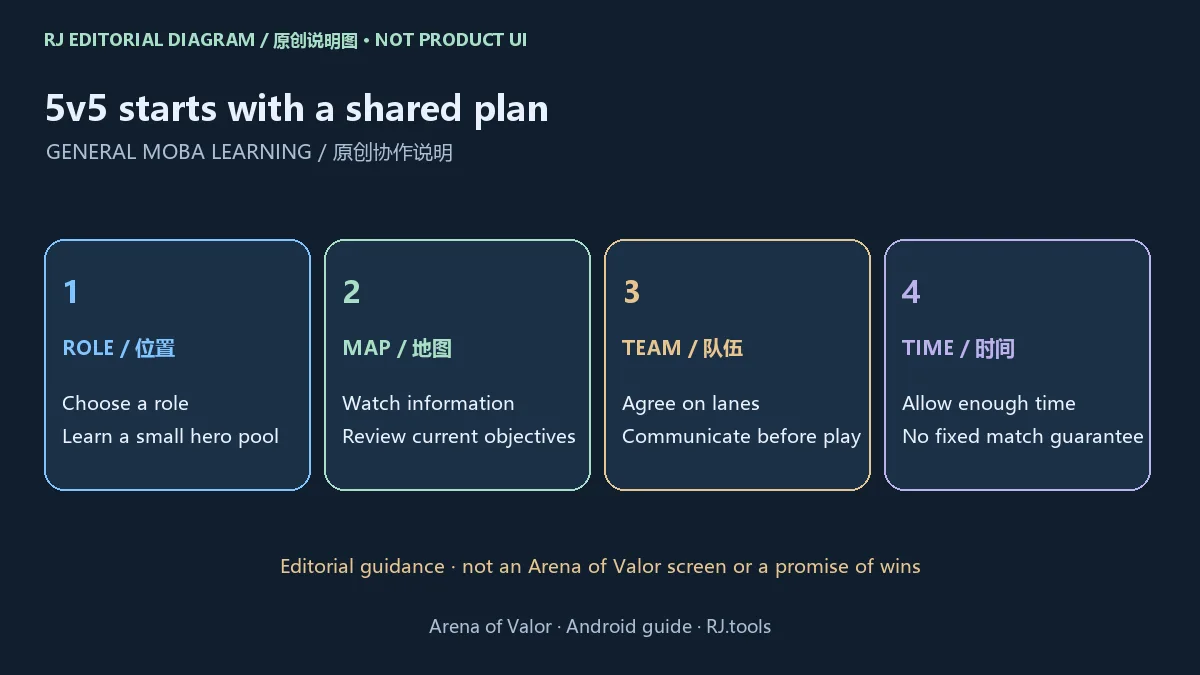
商店说明提到可在15分钟或更短时间内完成的对局,这描述产品的快节奏定位,不保证每局都有固定时长。排位前预留时间、保证网络稳定,并留意游戏内的匹配和行为规则;本页不承诺胜率或排名结果。
Arena of Valor官方下载与Android安装步骤
Arena of Valor官网提供的 Google Play 入口指向正式商店条目,开发者显示 Level Infinite。商店是否提供安装,需要结合你的设备、账户和所在地区判断。本次公开资料没有确认最低Android版本、内存、完整资源容量或数值构建号,所以不能用第三方旧包要求替代商店的当前兼容结果。
- 在目标Android设备打开官网的Google Play入口,核对名称 Arena of Valor、开发者 Level Infinite 和包名
com.ngame.allstar.eu。
- 查看商店的设备兼容和地区可用性提示,确认可用存储空间;如未提供安装选项,先通过官方支持了解原因。
- 阅读当前年龄评级、内购和隐私披露,再使用商店提供的正常安装流程。安装和后续资源获取按商店及应用提示进行。
- 首次启动时检查网络、账号登录选项和必要权限,先了解基础操作。更新或换机前,确认自己使用的账号及官方支持的恢复方式。
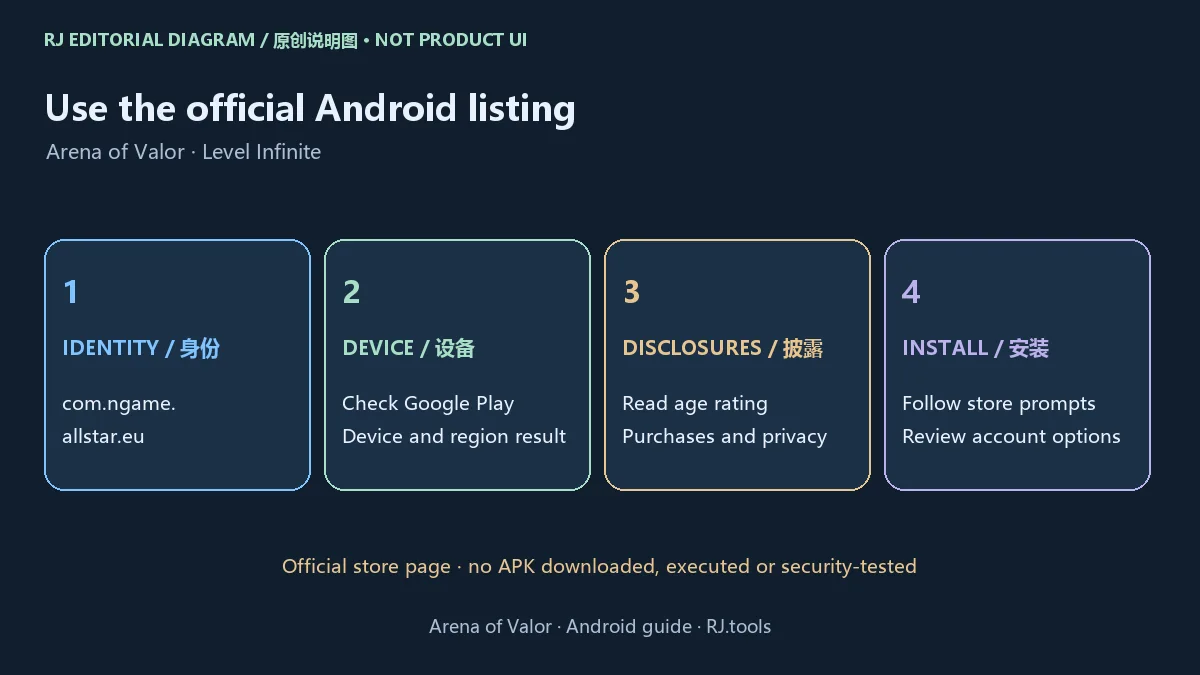
本站渠道指向商店详情页,未提供或核验独立APK,也没有下载、运行、扫描安装包或检查签名。历史榜单中的网盘或第三方链接不作为本页正式下载来源;不要从“官方入口”推导出本站已进行独立安全检测。
打不开、延迟与商店兼容问题:按故障出现的位置排查
先区分问题发生在商店安装前、游戏启动时,还是进入对局后。安装按钮不可用应先查看设备和地区提示;启动失败可检查安装是否完成、剩余空间、系统状态与官方公告;高延迟则需要观察所用网络和问题出现时间。这些检查用于整理问题,不代表本站已经诊断具体设备。
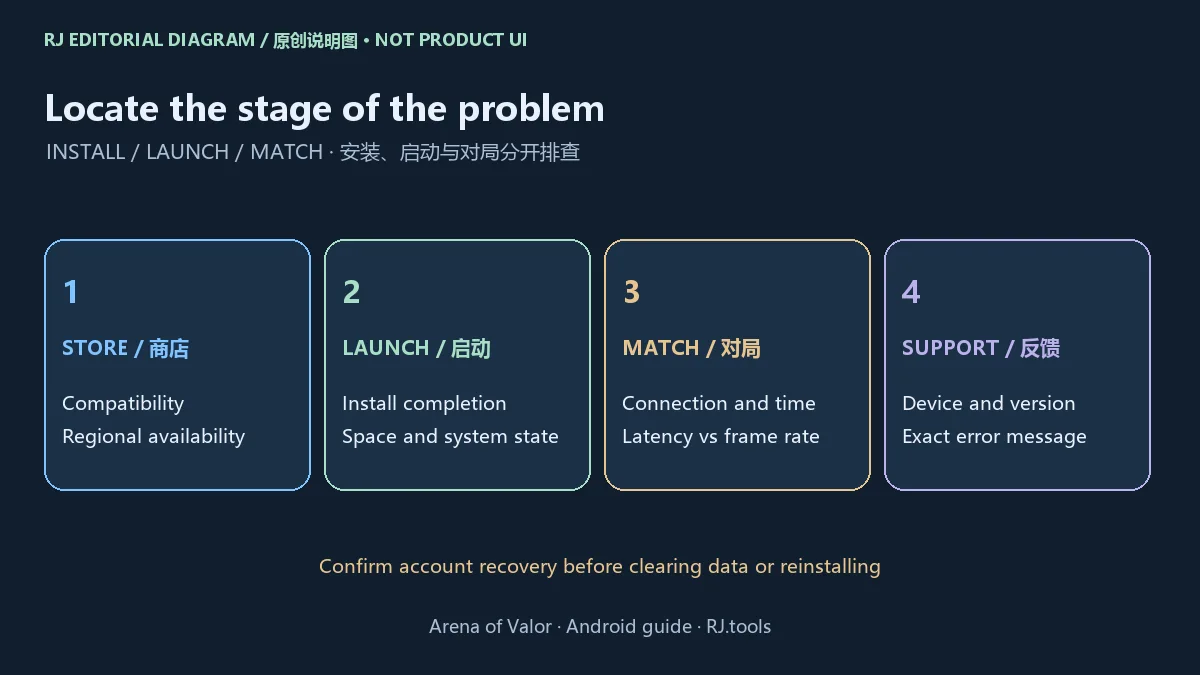
如果出现掉线或高延迟,可以在不影响他人对局的情况下比较稳定的网络连接,并关闭自己不需要的后台网络任务;若画面卡顿,可查看游戏内是否提供适合设备的画质选项。网络延迟和图形帧率是不同问题,应分别描述。不要把清除数据或反复重装作为第一步,先确认账号登录与恢复信息。
向官方支持反馈时,记录设备型号、系统版本、应用内显示的版本、地区、网络类型、报错原文和发生时间;只通过官方入口提交必要信息,不向陌生人发送密码或验证码。官网设有客服入口,游戏内支持可进一步说明账号、连接和匹配问题。
最新商店更新说明:2026年9月23日,版本号未公开确认
本次核对的Google Play条目标记 Updated on Sep 23, 2026。其“What's new”列出七项:战场机制与新的挑战者技能;附魔和装备调整;地图与局内体验优化;新英雄即将推出;系统优化;英雄调整;错误修复。这是商店快照的公开说明,未确认数值版本号,也没有细列每项英雄数值或修复条件。
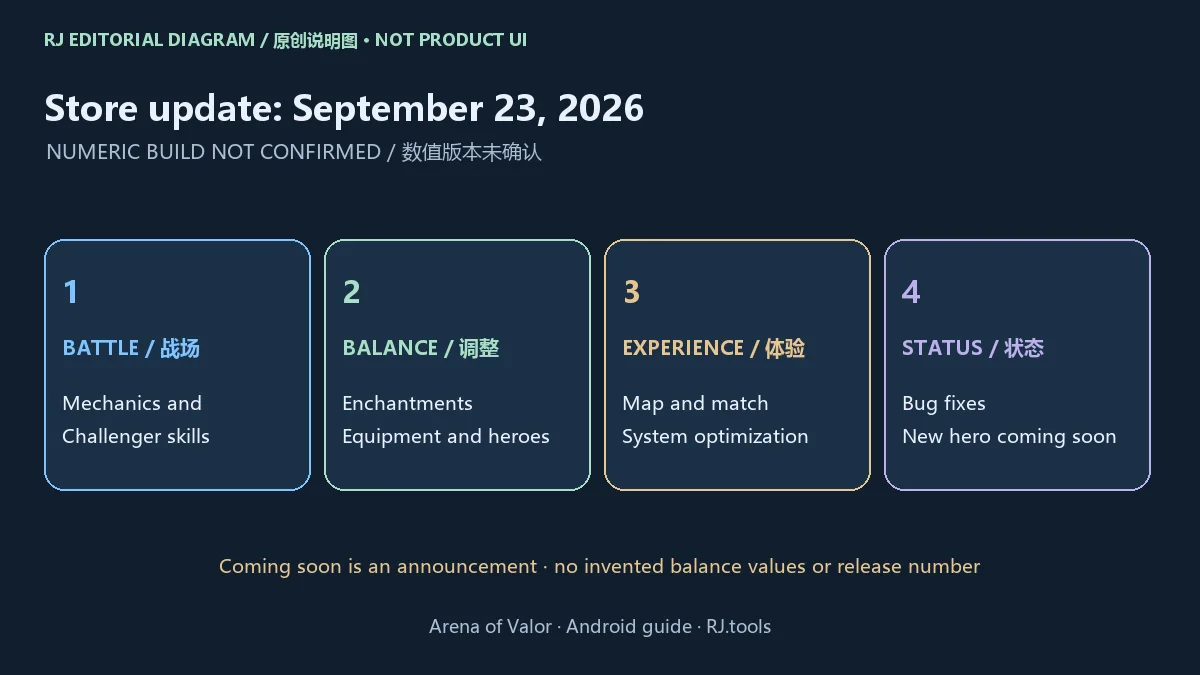
“新英雄即将推出”是预告,不能写成已全部上线;“错误修复”也不能扩写成已解决某个具体登录或延迟故障。本页按来源保留这些边界,不创建虚构版本。更新前后如需比较行为,请先记录设备上实际显示的版本,并以当前商店及游戏内公告为准。
调整后可先阅读技能、附魔和装备的现行说明,再决定是否沿用原有配置。本页提供的是理解更新范围的方法,未安装游戏复现改动,也不提供未经来源支持的强度排行、数值结论或修复保证。
常见问题FAQ:正式版、付费与数据披露
这是体验服吗? 本页是官网链接的正式Google Play条目 com.ngame.allstar.eu。历史榜单中另有“arena of valor体验服”,此次没有确认其官方公开入口,所以没有把正式版资料作为体验服的版本证据。
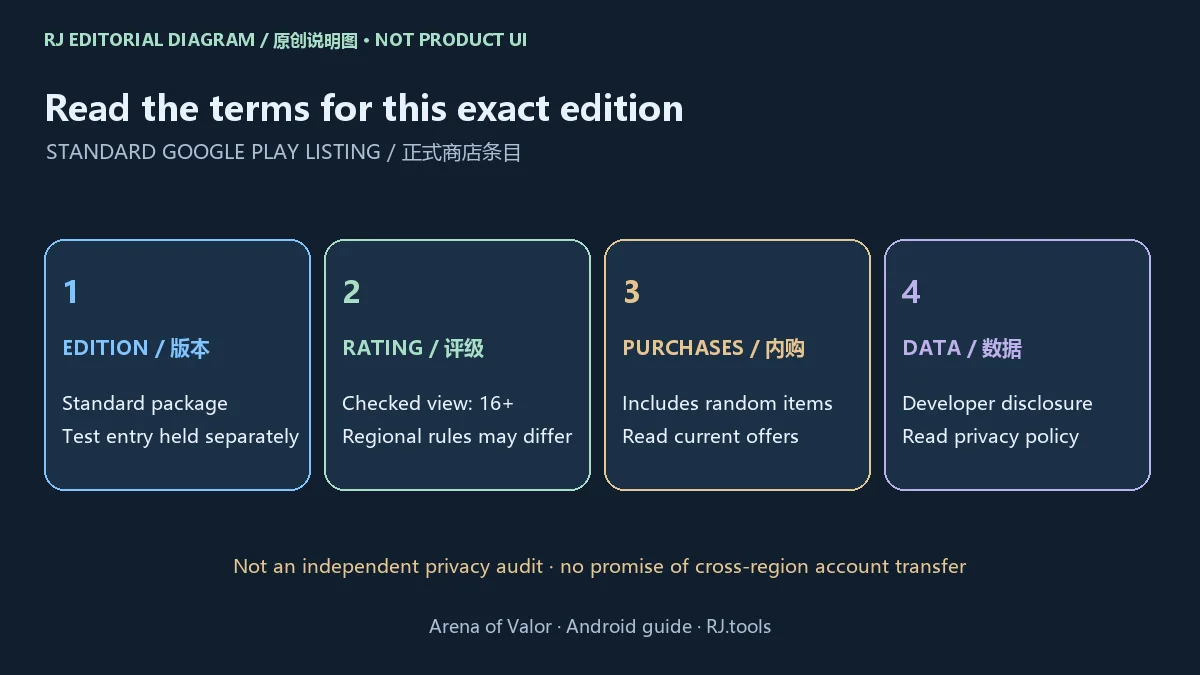
Arena of Valor免费下载后还会收费吗? 商店结构化价格显示基础获取价格为0,并标注游戏内购买,包含随机物品。商品、价格、支付方式和地区可用性以当前商店和游戏内页面为准;基础免费不能理解为所有内容免费。
适合哪个年龄段? 本次商店视图显示16+,并列用户互动和内购随机物品提示。评级可能随地区体系不同而变化,安装前查看自己的商店说明,并按需要设置家庭与消费管理。
为什么商店没有安装按钮? 设备、账户、地区或当前分发状态均可能影响可用性;先看商店给出的具体提示,再联系官方支持。本页没有核实最低Android版本,不能保证某台设备可安装。
数据安全吗? Google Play的数据安全信息由开发者提供,可能随地区、年龄和用途变化。本次视图列出可能与第三方共享位置、财务信息及其他类别,同时显示“未收集数据”、传输中加密和可请求删除数据。共享与收集属于商店的不同披露项目,应结合隐私政策阅读;这些声明不构成本站的独立隐私或安全审计。
能与其他地区版本共享账号吗? 此次来源没有确认跨地区账号或进度互通。先核对具体产品、包名、登录方式与官方支持说明,不根据相似游戏名称推断互通。
搜索 Arena of Valor 下载或Android安装时,先核对正式版包名和官方入口,再查看设备兼容、更新说明及账号恢复方式。进入对局前做好分工和连接准备,可以让安装、学习与反馈步骤更清楚地衔接起来。
English
Arena of Valor is a mobile 5v5 MOBA. Find the official Android download, install steps, store update notes, team preparation and connection troubleshooting.
What Arena of Valor offers: heroes and 5v5 teamwork
Google Play describes Arena of Valor as a real-time 5v5 MOBA from Level Infinite and TiMi Studio Group, with more than 100 heroes, friends and guild play, and seasonal rankings. This guide covers the standard Android listing with package com.ngame.allstar.eu. Similar game names do not establish that accounts, progress, content or purchases transfer between regional products.
For a manageable start, choose a role and learn a small hero pool before trying to master a large roster. Pay attention to skill range, cooldowns and when to disengage. With friends, agree on lanes and how to communicate before queuing. These are general MOBA learning suggestions; consult the current game for hero statistics, map objectives and mode rules.
The store describes battles that can be completed in 15 minutes or less. This communicates a fast-match design rather than a guarantee of a fixed match length. Allow enough uninterrupted time for a session and read the current matchmaking and conduct rules. No learning routine guarantees wins or a ranking.
Official Arena of Valor download and Android installation
The official website links the Google Play listing published under Level Infinite. Installation availability depends on the device, account, region and current distribution conditions. The reviewed public information did not confirm a minimum Android version, memory requirement, full resource size or numeric build. Use the store's current compatibility result for the intended device.
- Open Google Play from the official site on the intended Android device. Check Arena of Valor, Level Infinite and package
com.ngame.allstar.eu.
- Read device and regional availability messages and check free storage. If installation is unavailable, use the official support route to understand the specific restriction.
- Review the current age rating, purchase disclosures and privacy information, then follow the installation process offered by Google Play and any resource prompts in the app.
- On first launch, check connectivity, account options and relevant permission prompts. Learn the basic controls, and understand the official account-recovery method before an update or device change.
This download channel is a store page, not a direct APK URL. This site did not download, run, scan or inspect a package signature. Historical ranking-sheet links are candidate-discovery evidence and are not the current download source. Reviewing an official link does not establish independent security testing.
Launch problems, lag and store availability: locate the stage
Start by identifying whether the issue appears before store installation, when launching the game or after entering a match. An unavailable install option calls for checking the store's device and region messages. A launch failure calls for checking installation completion, free space, system status and official notices. For latency, record the connection and when the problem occurs. These checks help describe an issue; they do not diagnose a particular device.
When practical and without interrupting another player's match, compare stable connections and close unnecessary background network activity. For visual stutter, review the graphics options actually available in the game. Network latency and rendering frame rate should be described separately. Before clearing app data or reinstalling, confirm the account and recovery method.
For an official support request, record the device model, operating system, version shown in the app, region, network type, error text and time. Share only what support requires through the official route; keep passwords and verification codes private. The website includes customer support, and in-game support may offer issue-specific account and connection guidance.
Latest checked store update: September 23, 2026, build unconfirmed
The reviewed Google Play listing says Updated on Sep 23, 2026. Its What's new section lists battlefield mechanics and new Challenger skills; enchantment and equipment adjustments; map and in-match experience optimizations; a new hero coming soon; system optimizations; hero adjustments; and bug fixes. It does not establish a numeric build or provide individual balance values and reproduction conditions.
“New hero coming soon” is an announcement rather than evidence that the hero is already available. General bug-fix wording does not establish that a specific login or latency issue has been resolved. This page preserves those limits and creates no invented release. When comparing behavior, record the version actually installed and consult current store and in-game notices.
After an update, review current skill, enchantment and equipment descriptions before reusing an old configuration. This is a method for understanding the documented changes, not a tested tier list or a guarantee of a particular fix. This site did not install the game to reproduce these changes.
FAQ: standard edition, purchases and developer disclosures
Is this the test server? This page covers the standard Google Play package com.ngame.allstar.eu linked by the official site. A separate historical ranking entry says test server; its official public entry was not confirmed, so its identity is held separately.
Does a free download mean all content is free? The store's structured data lists a base price of zero and the page labels in-game purchases including random items. Offers, prices, payment methods and availability depend on current regional and in-game terms.
What age rating applies? The checked store view shows 16+, user interaction and purchases including random items. Read the rating used by your regional store and configure family and spending controls as appropriate.
Why is installation unavailable? Device, account, region and distribution status can affect access. Read the specific store message and contact official support. A minimum Android version was not confirmed here, and this page cannot promise compatibility with a particular device.
Has the data handling been independently audited? No. Google Play says its Data safety information is provided by the developer and may vary by use, region and age. The checked view lists possible sharing of location, financial information and other categories, alongside “No data collected,” encryption in transit and deletion requests. Sharing and collection are separate store disclosures; read the privacy policy for context. These statements are not an independent audit by this site.
Can I transfer an account from another regional game? The reviewed sources did not establish cross-region account or progress transfer. Check the precise product, package, login method and official support guidance.
For an Arena of Valor download or Android installation, confirm the standard package and official entry first. Then check compatibility, current update notes and account recovery, and prepare roles and a stable connection before joining a match.