Android APK研究与编辑工具;整理官方261014构建、五项更新、备份工作流和许可。 / Android APK study and editing tool with official build261014, five release changes, a backup workflow and license information.
中文
Apktool M 是用于研究和编辑 Android 安装包的手机工具,适合检查 APK 资源、清单与处理结果。本文提供 Apktool M 下载与安装说明,整理 2.4.0-261014 的五项正式更新,解释内置框架、zipalign 修复和设备架构的区别,并说明备份原文件、定位安装失败及阅读许可时需要注意的事项。
Apktool M 的用途与许可:在手机上检查 APK 文件
Apktool M 是面向 Android APK 安装包的研究与编辑工具。开发者原站当前指向 Maximoff 的官方更新仓库,仓库公布当前安装文件、分语言更新说明与许可协议。它适合已有 Android 包结构基础、需要检查资源或清单内容的使用者;不是安装任意应用都必需的组件,也不提供所有 APK 都能成功重建的保证。
这里有两份需要区分的文件:Apktool M 自身的安装包,以及准备研究的目标 APK。前者是工具,后者仍有自己的开发者、许可与数据。学习时建议从自己制作或获准研究的简单样本开始,保留原文件和操作记录。APK 修改会影响文件内容、签名与应用行为,输出文件不能视作原开发者发布的版本。
官方许可说明个人使用免费,并限制修改版分发等行为。更新仓库公开可见,不等于 Apktool M 本体采用开源许可证;使用前应阅读俄文正式许可及适用条款。
Apktool M 下载与安装:核对 261014 构建
- 从官方更新仓库进入
updates/update_en.json 或 update_zh.json,核对当前名称 Apktool_M_v2.4.0-261014(2026101401) 与更新日期。
- 使用更新记录公布的官方文件入口。仓库还列出
arm64-v8a、armeabi-v7a、x86、x86_64 文件;架构包应对应自己的设备,不能把内部框架的 SDK37 当作最低 Android 系统要求。
- 在 Android 文件或下载管理器中打开工具 APK,阅读系统提示,为当前安装来源按需授权。安装完成后可以关闭不再需要的来源安装权限。
- 首次使用先阅读许可,选择独立工作目录,并只授予任务所需的文件访问权限。把练习样本复制到该目录,原始 APK 保留在另一位置。
- 已有旧版时,先保存重要设置与工作文件,再核对更新来源。遇到签名冲突、空间不足或系统限制,应先根据具体提示判断;不要立即删除仍需保留的数据。
当前官方更新 JSON 将通用文件大小列为 16.20 MiB,并列出不同架构包的显示大小。本页保留来源的单位,不把它换算成未经文件比对的精确字节数。该仓库资料未明确列出本构建的完整最低系统要求,下载前请进一步核对设备实际安装条件。
修改 APK 前的工作流:保留基线,逐步检查输出
资源、清单和包结构彼此关联。编辑时先记录输入文件名、版本、来源与要解决的问题,再复制一个工作副本。一次只做一个有明确目的的改动;保留对应输出和错误信息,比较原始与修改后文件,能帮助区分输入包本身问题、编辑错误和工具兼容问题。
需要注意,能够生成输出文件不代表它已经可安装或可运行。重建、对齐和签名是不同环节;重新签名后的文件也可能无法覆盖原签名的已安装应用。不要在没有备份的情况下把个人主力设备作为唯一的练习环境,更不要把第三方应用的私有数据当作通用测试材料。
本次更新特别提到旧版 zipalign 的问题可能损坏文件。若此前保留了异常输出,应从未修改的输入副本重新开始,检查当前版本的结果;不能认为升级工具会自动修复已经损坏的文件。遇到失败时保留完整错误提示,并向官方渠道提供可公开的最小重现步骤。
Apktool M 2.4.0-261014 更新日志
官方中英文更新文件一致指向构建 2026101401,标注时间为 2026年10月14日 12:24(GMT+3)。本次 261014 更新列出:
- 内置框架更新至 SDK37。
- 修复非标准命名空间下清单权限的克隆和描述问题。
- 修复
zipalign 工作不正确、有时可能损坏文件的问题。
- 更新翻译。
- 其他小修复与改进。
内置框架版本说明处理包时使用的资源环境,不能单凭这个数字推断手机必须运行 Android 37,或所有新系统应用都已兼容。权限修复与文件对齐修复也有具体范围;对于原先失败的包,仍应从原始输入重新验证自己的步骤。
仓库与官方公告提供 VirusTotal 链接,但它属于发布者的外部参考。本页没有下载 APK、读取实际签名、复算文件摘要或进行运行检测,不能将链接或平台图标写成本站已检测的结论。
常见问题 FAQ:安装失败、输出文件和授权
Apktool M 下载后打不开怎么办? 先区分 Android 拒绝安装、工具启动失败和打开目标 APK 失败,记录当前版本、设备架构、系统提示及文件来源。不同阶段不应共用一个“重装即可”的结论。
SDK37 是否意味着最低系统要求是 Android 37? 不是。更新说明明确说的是内置框架版本,本次资料未给出完整最低 Android 系统清单。
重建后的 APK 为什么不能覆盖安装? 输出文件的签名、包名、版本条件和设备限制都需要分别检查。保留原应用数据备份,不要为了测试直接卸载重要应用。
可以发布修改后的第三方 APK 吗? 需要分别考虑目标软件权利与 Apktool M 许可。官方工具协议对用途和修改版分发有限制;能在工具里完成修改,不等于取得对第三方文件的分发权。
GitHub 仓库公开,是否说明软件免费且开源? 官方许可写明个人使用免费,软件本体采用其自己的许可条款;公开的更新文件与安装包不等于公开了可按开源许可使用的完整程序源码。
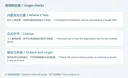
准备 Apktool M 下载与安装时,先确认 2.4.0-261014 构建和官方文件入口,保留原始 APK 与工作副本,再根据正式更新日志判断当前修复是否适用于自己的处理流程。
English
Apktool M edits Android packages. Find official build 261014, installation steps, release notes, backup advice, and answers about APK processing and rights.
What Apktool M does and how its license applies
Apktool M is an Android tool for studying and modifying APK installation packages. The publisher's previous website currently points to Maximoff's official update repository, which provides installation files, language-specific notes, and a license agreement. It suits users who already understand Android package structure and need to inspect resources or manifests. It is not a required component for ordinary Android installation and does not establish that every package can be rebuilt.
Keep the tool's own APK separate from the target APK you intend to examine. A target file retains its publisher, terms, and data. Start with a simple sample you created or are authorized to study, keep the original, and record changes. Editing can affect content, signatures, and behavior; the output is no longer an original publisher release.
The official agreement makes personal use free and restricts activities including modified-version distribution. A public update repository does not make Apktool M itself open source. Review the authoritative Russian agreement and applicable terms before use.
Apktool M download and installation: verify build 261014
- Open the official repository and read
updates/update_en.json or update_zh.json. Check Apktool_M_v2.4.0-261014(2026101401) and its update date.
- Use the file URL published in the update record. The repository also lists
arm64-v8a, armeabi-v7a, x86, and x86_64 files. Match an architecture-specific file to your device. The SDK37 framework note is not a minimum Android version declaration.
- Open the tool APK through Android's file or download manager, read the prompts, and authorize the current source only as needed. Remove that installation permission afterward if it is no longer required.
- Read the license, select a separate working folder, and grant only the file access needed for the task. Copy a practice sample there while retaining the original elsewhere.
- Before updating an existing installation, preserve settings and working files and verify the source. Review signing conflicts, space limits, and system restrictions separately before removing important data.
The current update JSON displays 16.20 MiB for the general file, with separate architecture sizes. This guide retains the source unit instead of converting it into unverified exact bytes. The reviewed repository does not specify a complete minimum OS list for this build; check the device's actual installation conditions.
Before editing an APK: preserve a baseline and inspect each stage
Resources, manifests, and package structure are related. Record the input filename, version, origin, and purpose, then create a working copy. Make one deliberate change at a time, retain the matching output and errors, and compare files. This helps separate input issues, editing mistakes, and tool compatibility problems.
Producing a file does not establish that it installs or runs. Rebuilding, alignment, and signing are separate stages. A newly signed package may not replace an installed application signed by the original publisher. Keep backups and avoid using personal production data as generic practice material.
This update specifically says an older zipalign problem could corrupt files. For an earlier abnormal output, return to an untouched input copy and review the current result. Updating the tool does not automatically repair a previously damaged file. Preserve the full error and provide a minimal, publicly shareable reproduction when asking the official channel for help.
Apktool M 2.4.0-261014 release notes
The official English and Chinese update records identify build 2026101401, dated October 14, 2026 at 12:24 GMT+3. The 261014 notes list:
- Bundled framework updated to SDK37.
- Fixed cloning and permission descriptions in manifests using non-standard namespaces.
- Fixed incorrect
zipalign behavior that could sometimes corrupt a file.
- Updated translations.
- Minor fixes and improvements.
The bundled framework describes a resource environment used when processing packages. It does not mean the phone requires “Android 37” or establish compatibility with every newer application. The permission and alignment fixes also have specific scopes; review a previously failing workflow again from its original input.
The update repository and publisher announcement include a VirusTotal link as an external reference. No APK was downloaded, signature-checked, independently hashed, run, or scanned for this guide. A reference link or platform icon is not an RJ testing result.
Frequently asked questions: failures, output, and rights
Why will Apktool M not open? Distinguish an Android installation refusal from a tool launch failure or failure to read a target APK. Record the version, architecture, exact prompt, and file source. These stages need different troubleshooting.
Does SDK37 mean Android 37 is required? No. The notes refer to a bundled framework. The reviewed material does not supply a complete minimum Android requirement list.
Why can a rebuilt APK not replace an installed app? Check signing, package name, version rules, and device restrictions separately. Retain app-data backups before considering removal of an important installation.
Can I distribute a modified third-party APK? Review both the target software's rights and Apktool M's license. Completing an edit does not grant distribution permission, and the tool agreement itself limits uses and modified-version distribution.
Is a public GitHub repository proof that the application is open source? No. The agreement states free personal use under the publisher's own terms. Public update data and APK files are different from complete source released under an open-source license.
For Apktool M download and installation, verify build 2.4.0-261014 and the official file source, retain the original APK and a separate working copy, and use the release notes to evaluate the relevant processing fixes.