ZArchiver 是 ZDevs 发布的 Android 归档工具。本页介绍官方商店与 APK 入口、1.0.10 架构选项、常见文件操作、存储访问边界及 ZIP/7Z 解压故障排查。 / ZArchiver is ZDevs' Android archive utility. This guide covers official downloads, version 1.0.10 builds, file operations, storage access, and ZIP or 7Z troubleshooting.
ZArchiver 安卓版下载与安装:核对 Google Play、ZDevs APK 架构、存储权限和 ZIP/7Z 解压问题。 | ZArchiver download, APK setup, storage access, and extraction help for Android users.
中文
ZArchiver 安卓版下载指南面向需要在手机上浏览、解压或创建压缩包的用户;本文核对 Google Play 与 ZDevs 官方 APK 入口,说明架构选择、安装步骤、文件访问边界、版本更新和故障排查,帮助你管理常见文件并减少误选安装包的风险,并提示核对 Android 系统权限与目标路径,再开始操作。
ZArchiver 是什么:常见压缩包管理任务
ZArchiver 是 ZDevs 发布的 Android 文件归档工具。官方用户指南说明,它可浏览目录、打开或查看压缩包、复制和移动文件,并创建 ZIP、7Z 等归档;具体格式列表以当前版本页面为准。对于收到的归档,可以先查看文件列表,再选择解压到当前目录或单独文件夹。密码压缩时请自行保存密码,开发者说明无法替用户恢复遗忘的密码;压缩工具也不会判断归档来源是否可信。
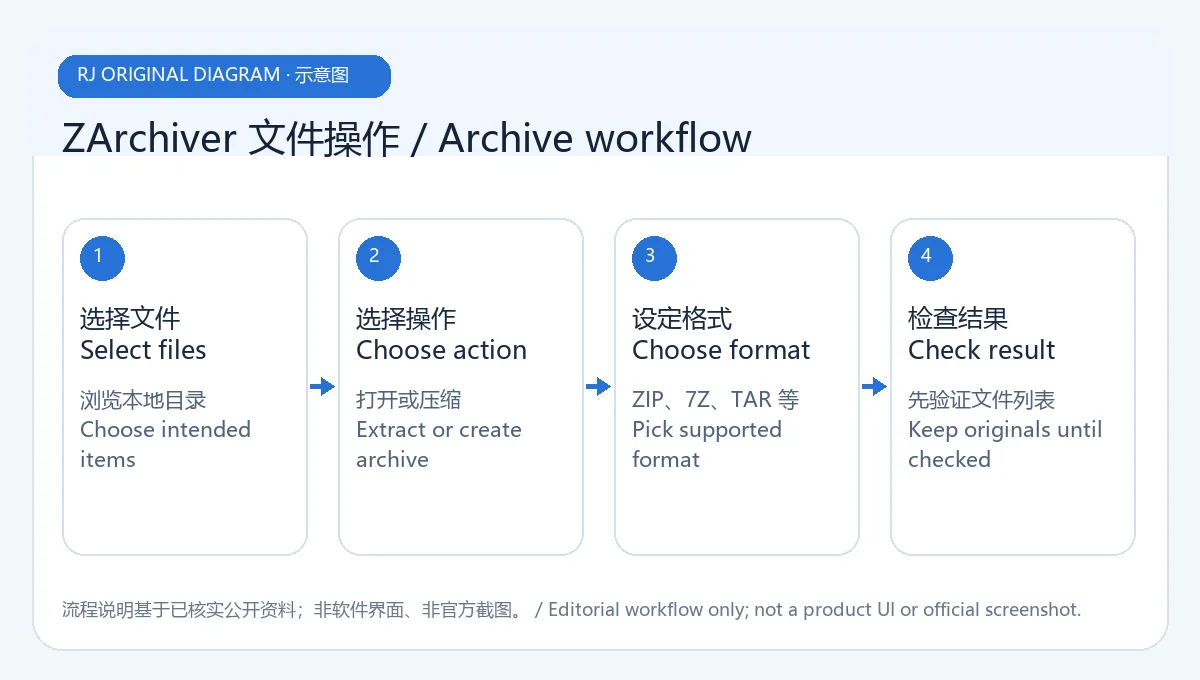
原创示意图:说明浏览与解压的通用工作顺序,不是 ZArchiver 界面截图。
ZArchiver 安卓版下载与安装步骤
- 日常安装可打开 Google Play 的 ZArchiver 页面,核对开发者为 ZDevs 后点击安装。
- 如需从开发者页面安装 APK,请访问 ZDevs 官方 APK 页面,确认版本号,并按设备处理器选择 ARMv8、ARMv7 或 X86 文件。不要仅凭手机品牌判断架构。
- 下载后核对 Android 系统显示的应用来源和名称;如系统要求临时允许该浏览器安装应用,只对这次官方 APK 操作授权,完成后关闭相关许可。
- 首次打开时只向应用授予完成所选文件操作所需的存储访问权限。Android 的系统文件访问规则会影响某些受保护目录,不能通过本指南保证所有文件夹都可修改。
- 如果商店提示设备不兼容,或安装器拒绝 APK,先返回官方页面检查版本与架构,不要使用第三方改包或绕过系统安全提示。
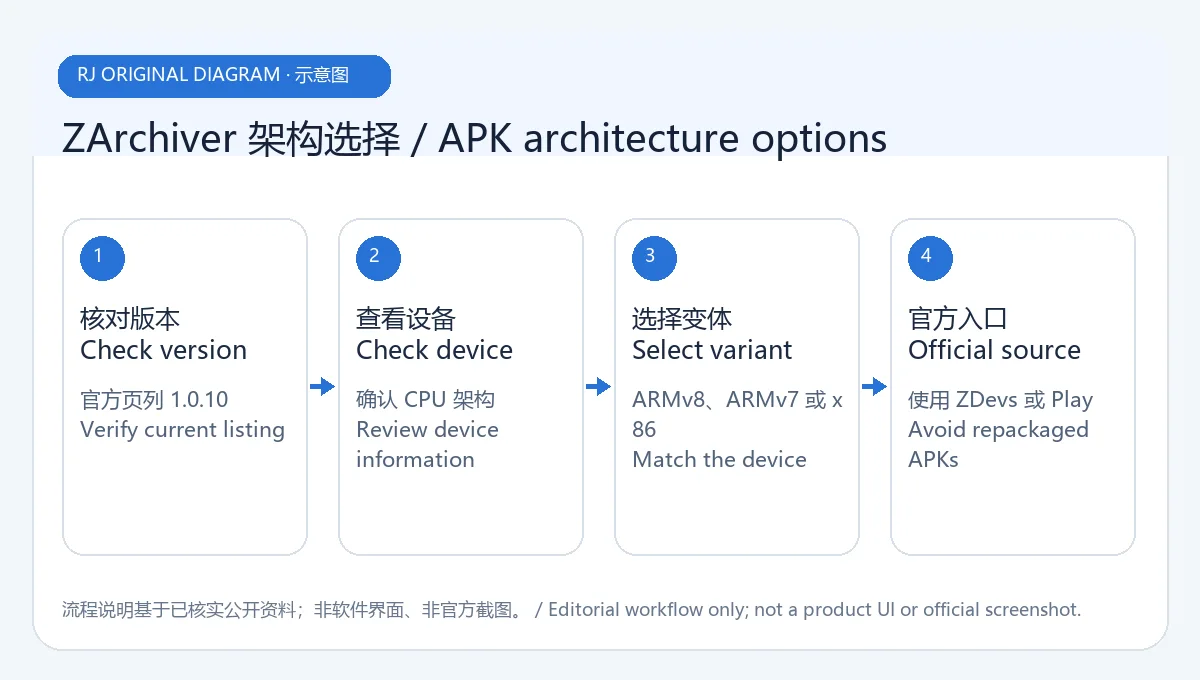
原创示意图:核对官方版本并匹配处理器架构,不模拟下载页或 APK 文件。
压缩格式、存储访问与文件操作建议
ZDevs 用户指南列出 7ZIP、ZIP、TAR、BZ、GZIP、XZ、LZ4 和 ZSTD 等归档格式,并说明部分格式可设置压缩等级。ZIP 和 7ZIP 可配置密码;指南列出 AES 等加密选项,并提醒忘记密码后开发者无法恢复。共享归档时,确认是否需要加密、文件名是否可见以及接收者使用的工具是否兼容;不要把格式支持描述当作对任何第三方归档内容的安全保证。
在 Android 上,存储访问会受到系统版本和目录权限约束。若 Android/data 或 Android/obb 不可访问,先查看 ZDevs 关于存储权限和这些目录的专门说明,并遵循系统文件选择器显示的范围;不要为访问普通文件而贸然 root 设备。删除操作可能无法撤销,压缩窗口中的“压缩成功后删除源文件”也会改变原文件,执行前核对选择项和目标路径。
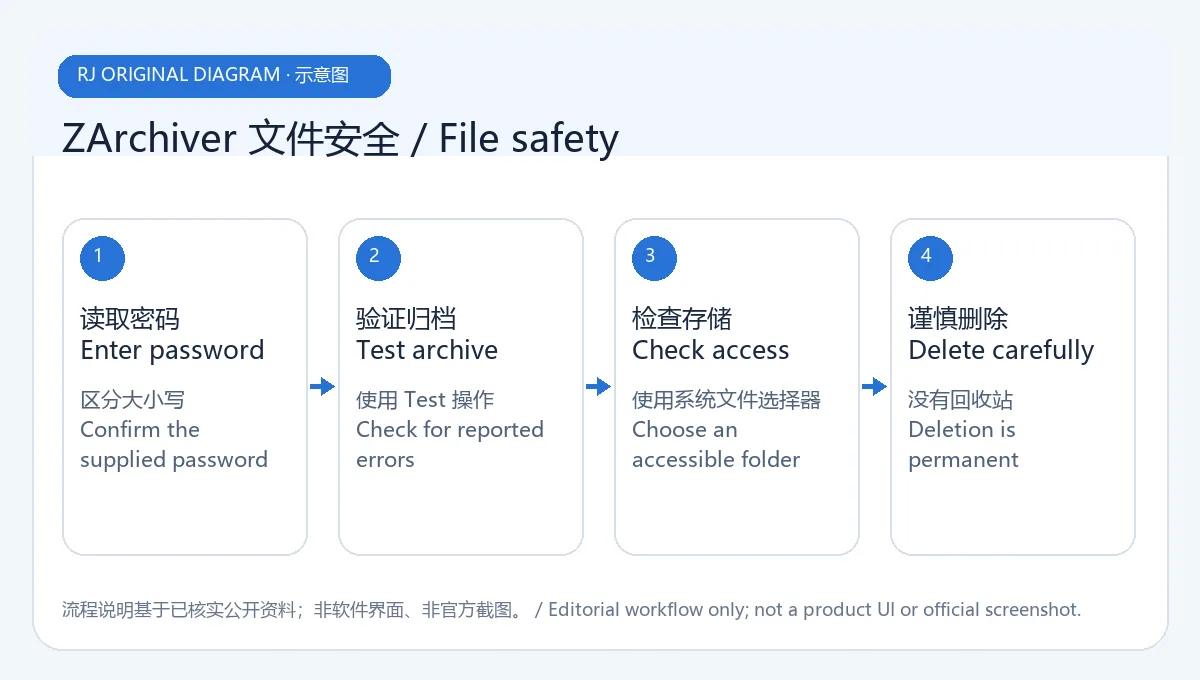
原创示意图:提示确认目录权限、目标路径和删除选项,不代表系统权限弹窗截图。
ZArchiver 版本更新与常见问题 FAQ
截至 2026 年 10 月 19 日,ZDevs 官方 APK 页面列出 1.0.10,并提供 ARMv8、ARMv7 和 X86 变体;该页未显示发布日期。Google Play 页面显示更新时间为 2024 年 6 月 25 日,其更新说明提到文件操作提速、SUI 支持、电子墨水主题、拖放文件以及其他修复和改进,但没有明确说明这些条目对应官方页面的 1.0.10。因此这里只分别记录两个页面的可见信息,不推测未注明的版本对应关系。
ZArchiver 安卓版如何解压 ZIP 或 7Z? 在文件列表中点选归档,选择“解压到当前目录”或“解压到新目录”,再核对输出位置和剩余空间。密码归档需要输入创建者提供的密码。
为什么 Android/data 或 Android/obb 打不开? 这可能由 Android 对受保护目录的系统访问限制导致。查看 ZDevs 的专门权限说明,并按系统选择器可用的范围操作;不要安装声称能绕过系统保护的第三方版本。
官网 APK 应该选哪个架构? ZDevs 页面为 1.0.10 分列 ARMv8、ARMv7 和 X86。查看设备系统信息或使用 Google Play 自动选择,无法确认时不要猜测安装包。
ZArchiver 安装包经过本站安全扫描了吗? 没有下载、执行或扫描 APK。本页核对了官方商店与开发者页面;这不等于独立的二进制安全审计。
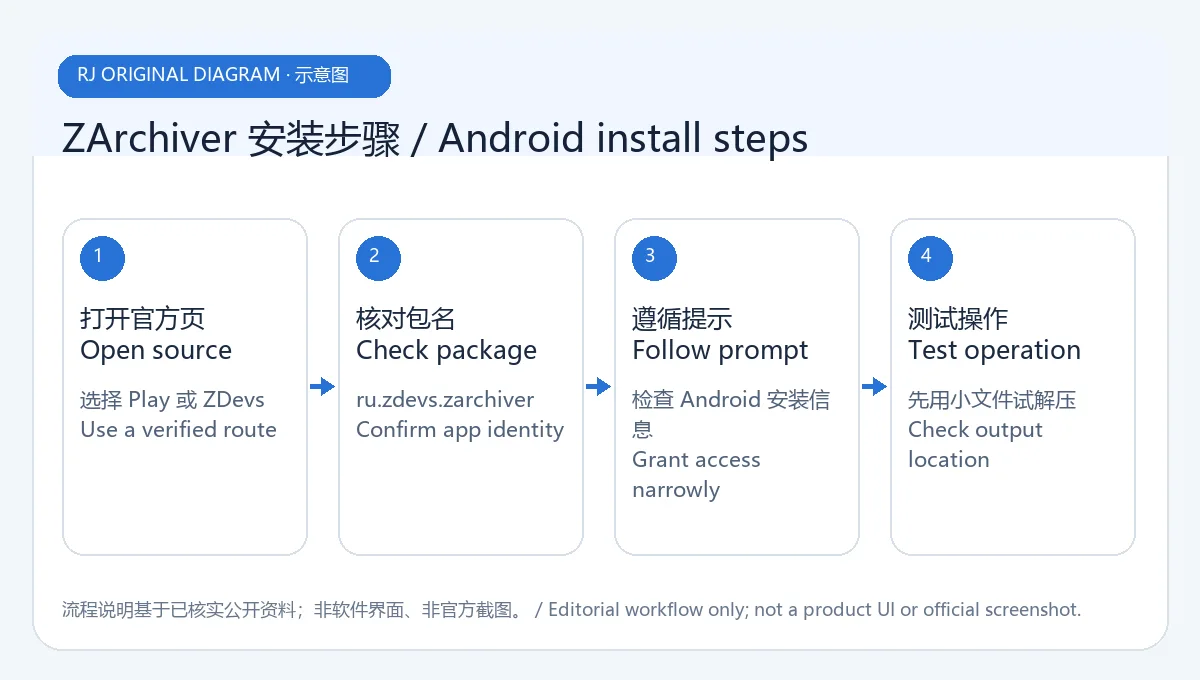
原创示意图:安装前核对页面、版本、架构和系统提示,不是软件截图。
选择 ZArchiver 安卓版下载入口时,优先使用 Google Play;需要 APK 时只从 ZDevs 官方页面选择与设备匹配的版本。解压前核对文件来源、目标目录和密码设置,并以 Android 当前权限提示及开发者更新页为准。
English
ZArchiver for Android handles archives. Check downloads, APK versions, installation, storage access, updates, and fixes for extraction errors before use.
What ZArchiver does on Android
ZArchiver is an Android archive utility published by ZDevs. Its user guide describes browsing folders, opening or viewing archives, copying and moving files, and creating archives such as ZIP and 7Z; consult the current version page for the supported format list. When you receive an archive, inspect its contents first, then choose extraction to the current folder or a separate directory. Keep any archive password safe: the developer says it cannot recover a forgotten password. An archive manager also cannot establish whether a file from another source is trustworthy.
Original illustration: a general browse-and-extract sequence, not a ZArchiver screen capture.
How to download and install ZArchiver on Android
- For a routine install, open ZArchiver on Google Play, confirm the developer is ZDevs, and tap Install.
- If you need an APK from the developer, visit the official ZDevs APK page, verify the version, and choose ARMv8, ARMv7, or X86 for the device processor. Do not infer architecture from the phone brand alone.
- After downloading, check Android's displayed app name and source. If Android asks you to temporarily allow this browser to install an app, grant it only for this official APK action and turn the permission off afterward.
- On first launch, grant only the storage access needed for the file action you selected. Android's system file rules can limit protected folders, so this guide cannot promise that every directory is editable.
- If the store reports incompatibility or the installer rejects an APK, return to the official page to check the version and architecture. Do not use a modified third-party package or bypass a system warning.
Original illustration: check the developer source and match the processor; it does not imitate a download page or APK file.
Archive formats, storage access, and careful file handling
The ZDevs guide lists formats including 7ZIP, ZIP, TAR, BZ, GZIP, XZ, LZ4, and ZSTD, with compression-level options for some formats. ZIP and 7ZIP can use passwords; the guide lists AES encryption options and warns that a forgotten password cannot be recovered by the developer. Before sharing an archive, decide whether to encrypt it, consider whether filenames should remain visible, and confirm that the recipient's tool supports the format. Format support is not a safety guarantee for third-party files.
On Android, storage access depends on the system version and directory permissions. If Android/data or Android/obb cannot be opened, read ZDevs' dedicated storage-access guidance and follow the limits shown by Android's file picker. Do not root a device just to access ordinary files. Delete actions may not be reversible, and the archive dialog's option to delete source files after compression changes the originals; confirm selected files and destination first.
Original illustration: prompts checks for permissions, paths, and deletion settings; not an Android permission dialog.
ZArchiver 1.0.10 update notes and FAQ
As of 19 October 2026, the ZDevs APK page lists version 1.0.10 with ARMv8, ARMv7, and X86 variants; it does not show a release date. Google Play shows an update date of 25 June 2024 and notes faster file operations, SUI support, an E-Ink theme, drag-and-drop file transfer, and other fixes and improvements, but it does not explicitly tie those notes to the official page's 1.0.10 listing. This guide reports each page as displayed and does not infer a missing version relationship.
How do I extract a ZIP or 7Z archive? Tap the archive in the file list, choose extraction to the current folder or a new folder, and confirm the destination and available space. A password-protected archive needs the password from its creator.
Why can I not open Android/data or Android/obb? Android may restrict access to protected folders. Check ZDevs' specific permission guidance and use the locations exposed by the system picker; avoid third-party builds that claim to bypass protection.
Which official APK architecture should I choose? The ZDevs page lists ARMv8, ARMv7, and X86 for 1.0.10. Check device system information or let Google Play select the build; if unsure, do not guess.
Was the ZArchiver APK security-scanned for this page? No APK was downloaded, run, or scanned. This guide checked the official store and developer page, which is not an independent binary security audit.
Original illustration: verify the source, version, architecture, and Android prompts before installation; not a product screenshot.
For a ZArchiver Android download, prefer Google Play, or select a device-matched APK only from the ZDevs page. Check archive sources, destination folders, and password settings before extraction, and follow current Android permissions and developer release information.