
应用安装包与系统更新管理
按系统环境管理 AppImage 应用、Homebrew 更新或 Windows 更新服务状态。收录Gear Lever、TopOff、Windows Update Blocker等站内已有工具,按实际用途选择适合自己的应用。

Windows Update Blocker(WUB)是 Sordum 的便携式 Windows 更新服务工具;本页以中英双语说明 v1.8、官方下载、服务恢复、系统影响与常见问题。 This bilingual guide covers WUB v1.8, official access, setup, service restoration, risks, and troubleshooting.
别名:WUB、Windows Update Blocker v1.8
作者:RJ.tools Editorial
了解软件的基本信息与来源
Sordum calls the utility freeware. Its EULA permits free use and distribution of unmodified copies under stated link and redistribution conditions; Sordum says source code is not provided.
Windows Update Blocker(WUB)是 Sordum 的便携式 Windows 更新服务工具;本页以中英双语说明 v1.8、官方下载、服务恢复、系统影响与常见问题。 This bilingual guide covers WUB v1.8, official access, setup, service restoration, risks, and troubleshooting.
Windows Update Blocker 下载与恢复指南:了解 v1.8、服务切换、安装步骤和更新风险。 WUB v1.8 guide covers setup, update risks, service restore, Windows compatibility, and troubleshooting.
Windows Update Blocker 是 Sordum 的便携式 Windows 更新工具,可切换更新服务状态。本文介绍 Windows Update Blocker v1.8 下载、支持系统、暂停更新的安全影响与恢复步骤,并概述异常排查及官方公开的功能说明,也帮助你评估使用时机和回退方法。
Windows Update Blocker(WUB)是 Sordum 发布的便携式工具。官方说明称,它可以通过界面启用或停用 Windows 自动更新相关服务,并提供“Protect service settings”选项,避免服务设置被其他程序随意改写。此操作会影响系统更新流程,不等同于只把更新提醒静音,也不是 Windows 更新故障修复器。
工具并不能替代 Windows 的更新计划。Sordum 特别注明 Microsoft Defender 更新不会被 WUB 阻止;同时,Sordum Team 在其官方评论中提到,语音输入依赖 Windows Update 服务,阻止相关服务时 Microsoft Store 或语音输入可能无法正常工作。实际影响会因 Windows 版本、策略及服务配置而异。
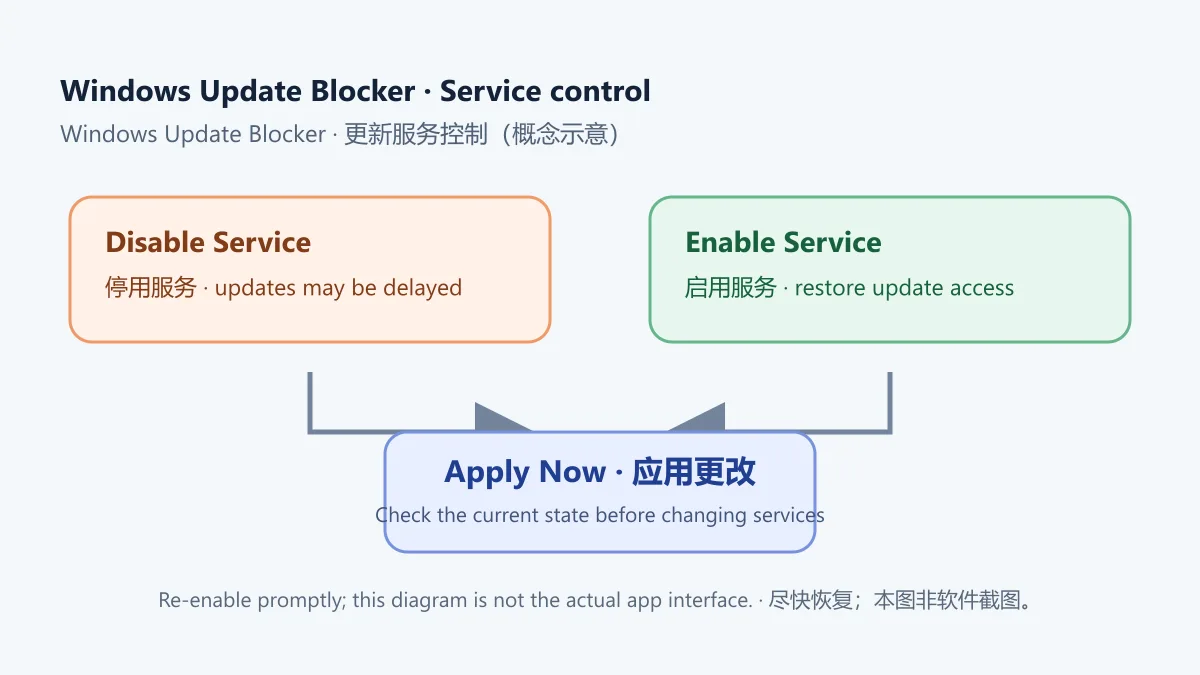
图示只解释服务状态切换,不复刻真实界面。若只是临时避免工作时重启,先查看 Windows 自带的暂停更新和活动时间设置;不要把长期关闭安全更新当作常规维护方案。
截至 2026-10-18,Sordum 官方产品页仍标示 Windows Update Blocker v1.8,页面发表于 2023-06-10。官方列出的兼容系统包括 Windows 11、10、8.1、8、7、Vista 和 XP(32/64-bit)。该列表来自发行方页面,并不表示本次对各 Windows 构建、企业策略或硬件架构做过实测;如果设备由公司或学校管理,应先遵守管理员要求。
Sordum 将软件称为 freeware。其 EULA 允许免费使用以及分发未修改副本,但要求提供官网原始下载页或主页链接并附带 EULA;不得收取软件本身的费用,也不得未经作者同意将其并入出售产品。官网表示不提供该免费软件的源代码,因此本页不称其为开源软件。我们没有托管或下载安装包;请从官方产品页进入官方下载安装说明。
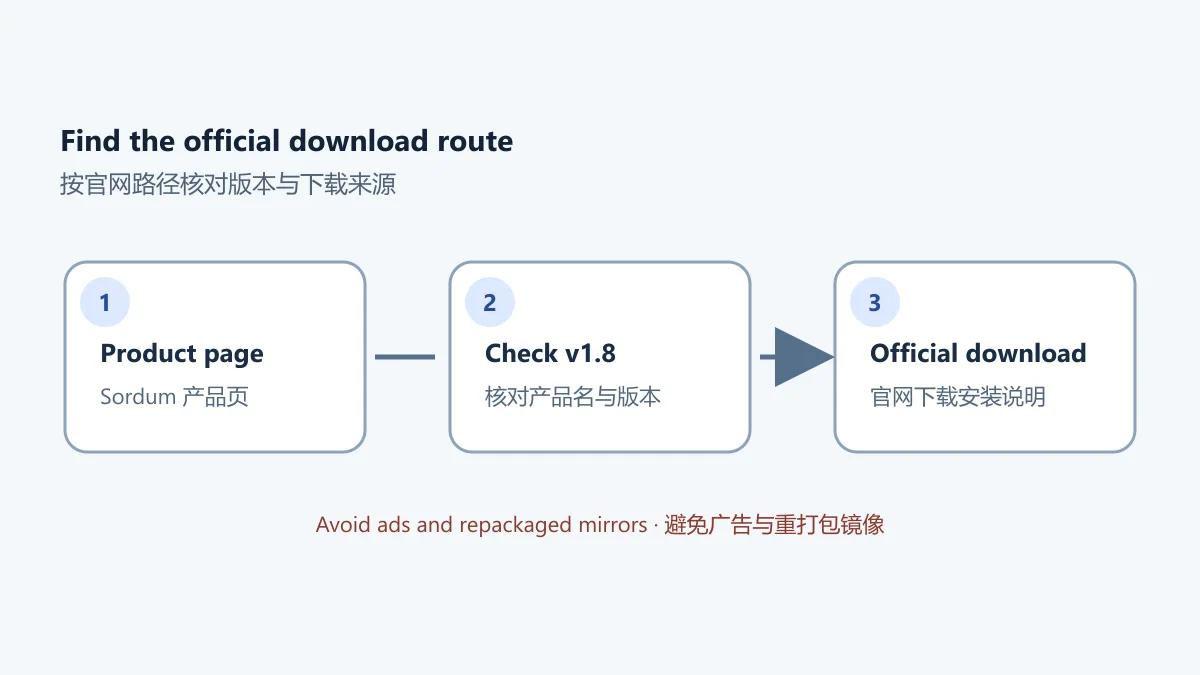
榜单中的旧下载地址不是本站认可的发行渠道。打开官方链接后,检查页面标示的产品名和版本;如果官网入口发生变化或出现下载告警,先停止并重新确认来源,不要通过搜索广告或重打包页面替代官方地址。
WUB 在官方说明中属于便携式软件,产品页写明下载后解压到自选目录,再运行程序;不需要传统安装向导。官网产品页列出 Wub_x64.exe 与 Wub.exe 文件名。选择文件前要按自己的系统架构和官网当前说明核对;不能只根据文件名推断对当前设备一定兼容。若 Windows 请求权限,先确认设备所有权与管理策略;不确定时不要应用服务更改。
Wub.ini 或添加自定义服务,除非你明确知道服务名称、修改目的和恢复方法。Sordum 页面列出的文件摘要为:Wub_x64.exe 的 MD5 是 9d6778f7f274f7ecd4e7e875a7268b64、SHA-1 是 452fa439f1cc0b9fcc37cf4b8cfff96e8cc348aa;Wub.exe 的 MD5 是 82aff8883099cf75462057c4e47e88ac、SHA-1 是 68e2939f59b3869e9bd3ecc4aca3947649631bf8。这是发行方公布的参考值;我们没有下载程序进行本地比对,压缩包大小和数字签名也未核验。
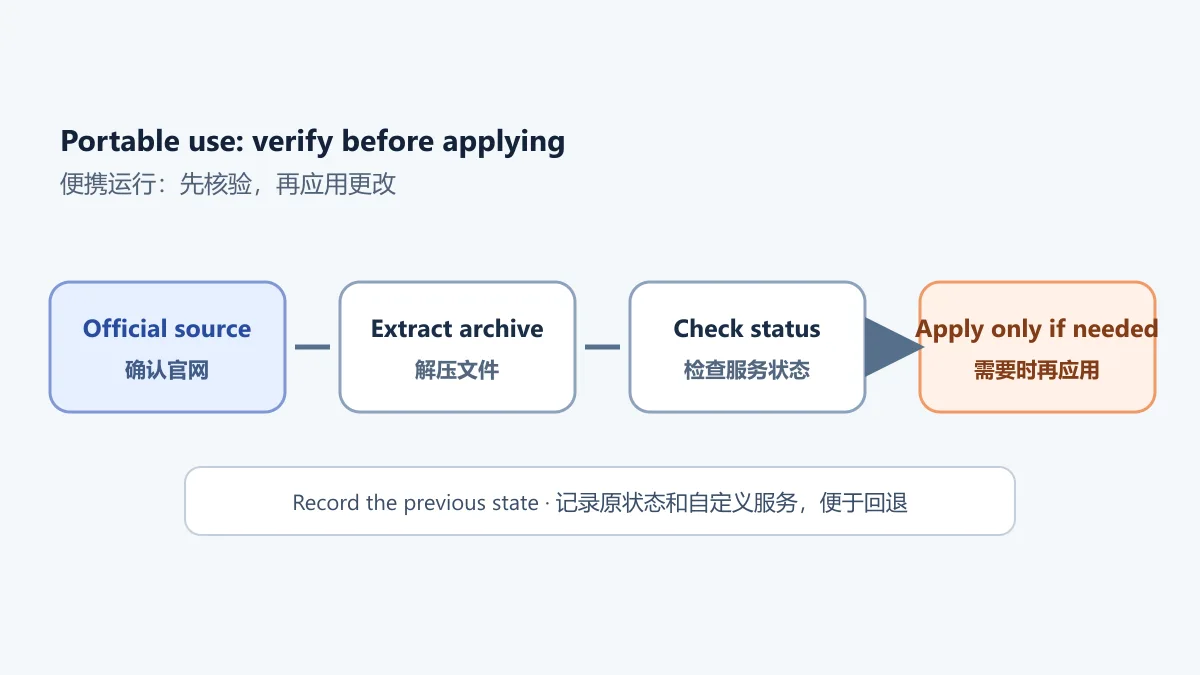
这张示意图不表示已在本机完成安装或功能测试;请以 Sordum 当前说明为准。
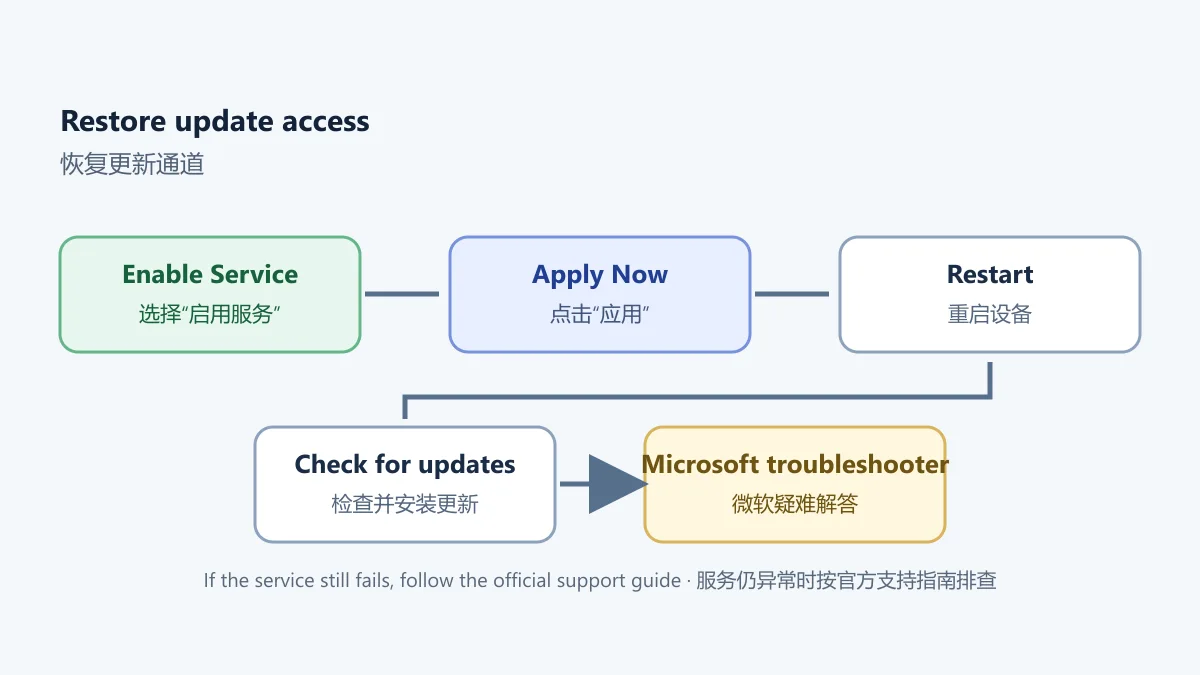
需要恢复自动更新时,重新打开 WUB,选择“Enable Service”,点击“Apply Now”。如果曾在 Wub.ini 添加额外服务,Sordum 建议先启用服务并应用,再删除对应的自定义服务行;之后再按需要设置保护选项。不要只删除程序文件就认为系统服务状态已恢复,因为便携程序调整的是 Windows 服务配置。
如果 Windows Update 服务仍无法启动,Sordum 产品页建议先重启系统;仍有问题时使用 Microsoft 的Windows 更新疑难解答。恢复后可进入“设置 → Windows Update → 检查更新”,按 Microsoft 的安装 Windows 更新说明下载并安装适用于本机的更新。不要因为工具界面显示已启用,就假设所有更新已经安装完成。
微软说明,Windows Update 用于获取设备适用的更新,并建议安装可用更新以维持系统运行和安全状态。长期停用更新会推迟补丁;家庭用户应尽量使用系统自带的暂停日期和活动时间控制重启,而不是长时间阻止更新服务。公司电脑上的 Windows Update 可能由 WSUS、Intune 或组策略管理,任何修改先联系管理员。
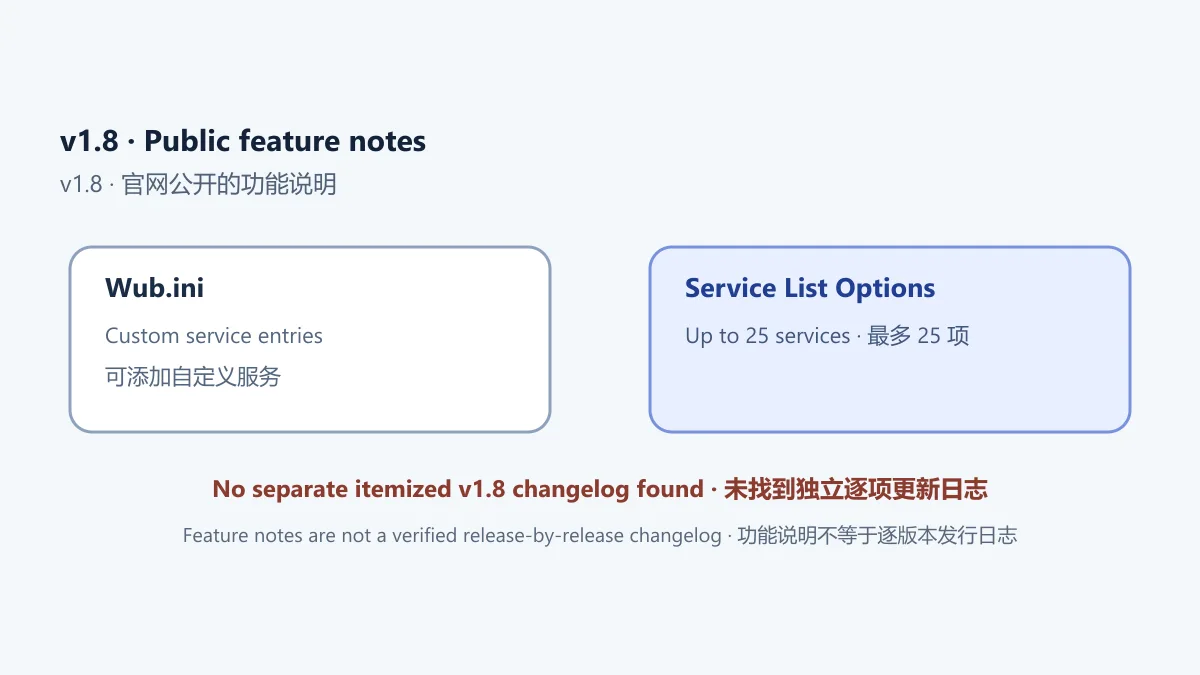
官方产品页标题和下载入口显示 v1.8,页面发布日期是 2023-06-10;页面没有独立的 v1.8 逐项更新日志,也没有给出可确认的二进制发布日期。可核实的公开功能说明包括:用户可在 Wub.ini 的服务列表中添加自定义服务;“Service List Options”可编辑该列表,最多 25 项;wuauserv 在该界面中仅供查看,不能编辑。将这些内容作为页面描述即可,不应编造成“v1.8 修复了某安全漏洞”或“优化了兼容性”等未被来源证实的更新。
如果 Sordum 后续更新了页面或版本号,应以官网产品页和下载页为准重新核对。榜单源表中的旧版本标记不代表当前版本,也不作为版本发布日期证据。
Windows Update Blocker 支持 Windows 11 吗? Sordum 当前产品页列出 Windows 11、10、8.1、8、7、Vista 和 XP(32/64-bit)。这是发行方公布的兼容列表,不保证所有系统构建、管理策略或未来更新都经过验证;先在官网确认要求,并避免在单位管理的设备上擅自更改服务。
停用更新后,Microsoft Defender 也会停止更新吗? Sordum 明确写明 WUB 不会阻止 Microsoft Defender 更新。不要因此推断 Windows 的其他更新流程完全不受影响,也不要把这句话理解为杀毒软件版本或保护状态已核验。
怎么重新打开 Windows 自动更新? 在 WUB 中选择“Enable Service”并点击“Apply Now”,然后重启电脑;进入 Windows Update 检查并安装可用更新。服务仍不能启动时,按官方建议重启后再运行 Microsoft 更新疑难解答。
Windows Update Blocker 安全吗?能否保证不会影响电脑? 不能根据产品页或本页保证任何程序对所有系统都没有风险。WUB 会更改服务状态,停用更新可能延迟补丁,依赖更新服务的部分 Windows 功能也可能受影响。只从 Sordum 官网获取文件,核对页面和文件信息,先备份重要工作,并保留恢复步骤。
下载后打不开或提示权限不足怎么办? 先确认压缩包已经解压、系统架构与所选文件匹配,再查看 Windows 提示及设备策略。不要为绕过组织限制而强行提升权限;若服务修改已应用,按上面的恢复步骤重新启用服务。
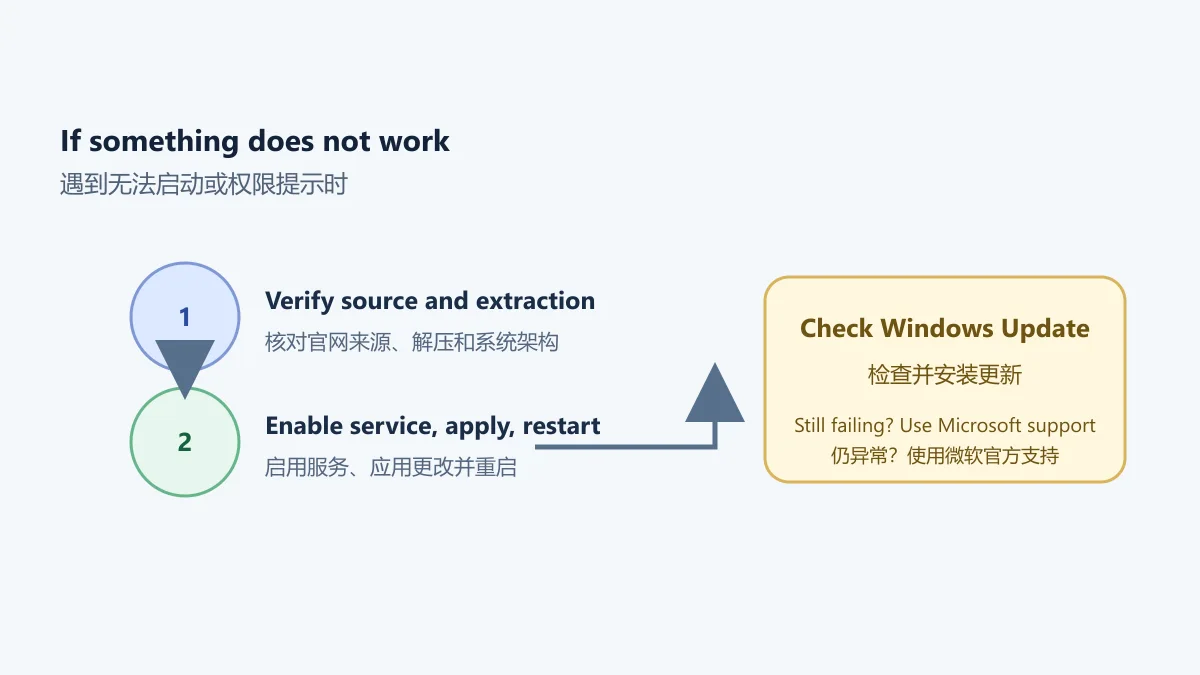
图示是原创排查摘要,不是 Windows 或 WUB 的界面截图。它不能替代微软支持文档,也不能证明下载文件经过独立检测。
搜索 Windows Update Blocker 下载或 Windows 更新服务恢复时,先确认官网仍提供 v1.8 及其兼容信息。该工具适合需要临时调整服务状态、且能及时恢复更新的用户;如果只是想避开某次重启,优先考虑 Windows 自带的暂停更新与活动时间。修改后尽快重新启用 Windows Update 并检查补丁,不要把长期停用更新当作安全维护方案。
Windows Update Blocker is Sordum’s portable update utility. See v1.8 downloads, supported systems, update risks, restore steps, and troubleshooting advice.
Windows Update Blocker (WUB) is a portable utility published by Sordum. The vendor says it can enable or disable Windows automatic update services through its interface and offers a “Protect service settings” option to prevent other programs from changing those settings unexpectedly. This changes the update workflow; it does not merely silence update notifications and is not a Windows Update repair tool.
WUB does not replace Windows update planning. Sordum specifically says Microsoft Defender updates are not blocked. In an official comment, Sordum Team also noted that Voice Typing depends on the Windows Update service and that Microsoft Store or Voice Typing may not work properly when related services are blocked. Effects can vary with the Windows build, policy, and service configuration.
This diagram explains service-state changes and does not reproduce the actual interface. If you only need to avoid a restart during work, first check Windows’ built-in pause updates and active hours settings. Do not treat permanently disabling security updates as routine maintenance.
As checked on October 18, 2026, Sordum’s official product page still identifies Windows Update Blocker as v1.8 and is dated June 10, 2023. The vendor lists Windows 11, 10, 8.1, 8, 7, Vista, and XP (32/64-bit). This is the publisher’s compatibility statement, not a hands-on test of every Windows build, organization policy, or hardware architecture. Follow your administrator’s rules on work or school devices.
Sordum calls the software freeware. Its EULA allows free use and electronic distribution of unmodified copies, provided the original download page or homepage link and the EULA accompany the copy. It prohibits charging for the software itself and incorporating it into a product for sale without the author’s permission. Sordum says source code is not provided, so this page does not call WUB open source. We do not host or download the binary; use the official product page and its official download instructions.
The older URL in the ranking sheet is not treated as an approved distribution channel. Check the product name, version, and domain after opening the vendor link. If the official route changes or the browser shows a download warning, stop and verify the source instead of substituting an advertisement or repackaging site.
Sordum describes WUB as portable: its product page says to extract the download to a chosen folder and run the program, without a traditional installer. The page lists Wub_x64.exe and Wub.exe. Match the file to your system architecture using the current vendor instructions; the filename alone does not prove compatibility with a particular device. If Windows requests elevated access, check that you own or administer the device and understand its policies. Do not apply service changes if unsure.
Wub.ini or add custom services unless you know the service name, purpose, and rollback procedure.Sordum lists these file digests: Wub_x64.exe, MD5 9d6778f7f274f7ecd4e7e875a7268b64 and SHA-1 452fa439f1cc0b9fcc37cf4b8cfff96e8cc348aa; Wub.exe, MD5 82aff8883099cf75462057c4e47e88ac and SHA-1 68e2939f59b3869e9bd3ecc4aca3947649631bf8. These are publisher-posted references; no local binary was downloaded for comparison, and archive size and digital signature were not checked.
This diagram does not indicate that WUB was installed or tested locally; follow Sordum's current instructions.
To restore automatic updates, open WUB again, select “Enable Service,” and click “Apply Now.” If you added services in Wub.ini, Sordum’s instructions say to enable the services and apply that change first, then remove the custom service line; configure protection afterward if needed. Simply deleting the portable program does not restore Windows service settings that it changed.
If the Windows Update service still fails to start, Sordum’s product page recommends restarting the system. If the problem remains, use Microsoft’s Windows Update troubleshooter. After restoring service access, go to Settings → Windows Update → Check for updates and follow Microsoft’s install Windows updates guide to install applicable updates. An enabled status in WUB does not prove that updates have finished installing.
Microsoft explains that Windows Update provides applicable device updates and recommends installing available updates to keep Windows running smoothly and securely. Leaving updates disabled can delay patches. Home users should prefer Windows’ built-in pause dates and active hours to long-term service blocking. On managed PCs, Windows Update may be controlled by WSUS, Intune, or Group Policy; contact the administrator before making changes.
The official product and download pages identify v1.8, and the product article is dated June 10, 2023. The page does not publish a separate, itemized v1.8 changelog or a verified binary release date. Its documented functionality includes adding custom services to the Wub.ini service list and managing that list through “Service List Options,” with a maximum of 25 entries. The page says wuauserv is informational in that interface and cannot be edited. These are public feature notes, not evidence for invented release claims such as a security fix or a compatibility improvement.
If Sordum updates the page or version number, recheck the product and download pages. Older version labels in the source ranking are not current-version evidence or release dates.
Does Windows Update Blocker support Windows 11? Sordum’s current product page lists Windows 11, 10, 8.1, 8, 7, Vista, and XP (32/64-bit). This is the publisher’s stated compatibility list, not a guarantee for every build, policy, or future update. Check the vendor’s current requirements and do not change services on a managed device without approval.
Will Microsoft Defender stop updating when WUB is used? Sordum says WUB does not block Microsoft Defender updates. That statement does not mean every other Windows update path is unaffected or that the antivirus version or protection status has been verified.
How do I turn Windows automatic updates back on? Select “Enable Service” in WUB and click “Apply Now,” then restart the PC. Open Windows Update and check for applicable updates. If the service still fails, restart as the vendor suggests and run Microsoft’s update troubleshooter.
Is Windows Update Blocker safe, with no risk to my PC? No product page can guarantee that a program has no risk on every system. WUB changes service settings; disabling updates can delay patches, and some Windows features may depend on the service. Obtain files only from Sordum, verify the page and file details, back up important work, and keep the restore steps available.
What if the download will not open or Windows reports a permissions issue? Confirm that the archive was extracted and that the selected file matches the system architecture, then read the Windows prompt and device policy. Do not elevate access to bypass an organization’s restrictions. If you applied a service change, restore the service using the steps above.
This original diagram summarizes checks; it is not a Windows or WUB screenshot. It does not replace Microsoft support guidance or verify a downloaded file independently.
For a Windows Update Blocker download or a Windows Update service restore, confirm that Sordum still lists v1.8 and review its compatibility notes. The utility may suit someone who needs a temporary service change and can restore updates promptly. If you only need to avoid a particular restart, prefer Windows’ built-in pause and active hours controls. Re-enable Windows Update and check for patches soon after making a change; do not treat long-term update blocking as a security maintenance plan.
资料核验日期:2026年10月18日
首次发布:2026年10月18日· 编辑修订:2026年10月18日
Sordum 页面列出 Windows 11、10、8.1、8、7、Vista 和 XP(32/64 位);这是发行方兼容说明,不代表所有系统构建和管理策略都经过实测。
在 WUB 中选 Enable Service 并点 Apply Now,然后重启设备并在 Windows Update 中检查可用更新;仍异常时使用微软更新疑难解答。
Sordum 表示 WUB 不会阻止 Microsoft Defender 更新;部分依赖 Windows Update 服务的 Windows 功能仍可能受影响。
The Sordum product page checked on 2026-10-18 still lists v1.8. The page date is June 10, 2023; it does not publish a verified binary release date or an itemized v1.8 changelog.
No page can guarantee zero risk across all PCs. WUB changes update-service settings, which can delay patches or affect components that depend on the service. Keep a restore path and follow organizational device policy.
Confirm the archive was extracted, check the Windows prompt and device policy, and match the executable to the system architecture. Do not elevate privileges to bypass organization controls.

Sideloadly 是 Windows/macOS 桌面 IPA 侧载工具,可将兼容 IPA 安装到 iPhone、iPad、Apple Silicon Mac 和 Apple TV;官网列出 Wi-Fi 侧载与自动刷新。 | Sideloadly is a Windows/macOS IPA sideloading utility for iPhone, iPad, Apple Silicon Mac and Apple TV, with Wi-Fi sideloading and automatic refresh features listed by the publisher.

DiskGenius 6.2:官方安装器与便携版、免费和专业版权限、当前更新及数据恢复位置检查。 / Official v6.2 package choices, Free/Professional differences, release notes and recovery-destination guidance.

读取DPC、ISR与硬缺页定位音频中断线索,区分7.31修复、家庭版许可与当前Windows驱动阻止限制。 / Interpret DPC, ISR and pagefault reports with v7.31 notes, Home Edition licensing and current Windows driver-policy limits.
PowerToys 是 Microsoft 提供的 Windows 实用工具集合,帮助用户自定义 Windows 并简化日常任务;资料列出的版本为 v0.102.3001。

Process Lasso 是 Bitsum 的 Windows 进程管理与自动化工具,提供 ProBalance、Performance Mode、进程规则和硬件监控。稳定版 18.4.0.48 支持 Windows 10、11 与 Windows Server;免费版可长期使用,部分高级功能需要 Pro。 / Process Lasso is Bitsum’s Windows process-management and automation utility, with ProBalance, Performance Mode, process rules and hardware monitoring. Stable version 18.4.0.48 supports Windows 10, 11 and Windows Server; some advanced features require Pro.

TrafficMonitor Windows 网速与资源监控:1.86 Lite 架构选择、任务栏设置、版本变更和零读数排查。 / TrafficMonitor v1.86 Lite package selection, taskbar setup, release changes and troubleshooting for network readings.