
TranslucentTB 2026.2 Windows
安装包按架构分别列在下载渠道;大小与校验和不在本发行条目中聚合。
Fecha de publicación: 31 ago 2026· Revisión del registro: 13 oct 2026
TranslucentTB 是一款 Windows 任务栏外观工具,提供透明、模糊与亚克力样式。本文说明系统要求、官方安装入口、2026.2 更新与常见问题,并提供中英双语检索信息。 TranslucentTB customizes Windows taskbar appearance with transparent, blur, and acrylic styles.
Contenido asistido por IA
Consulta la información básica del software y sus fuentes
GPL-3.0
TranslucentTB 是一款 Windows 任务栏外观工具,提供透明、模糊与亚克力样式。本文说明系统要求、官方安装入口、2026.2 更新与常见问题,并提供中英双语检索信息。 TranslucentTB customizes Windows taskbar appearance with transparent, blur, and acrylic styles.
TranslucentTB 是 Windows 任务栏透明化工具,可在透明、模糊与亚克力外观间切换,并按动态状态调整显示。本文整理 Windows 10 版本要求、官方安装渠道、2026.2 更新内容和常见问题,帮助你选择商店版或便携版,并排查效果未生效、更新后任务栏异常等情况。建议先核对电脑系统版本与安装来源。
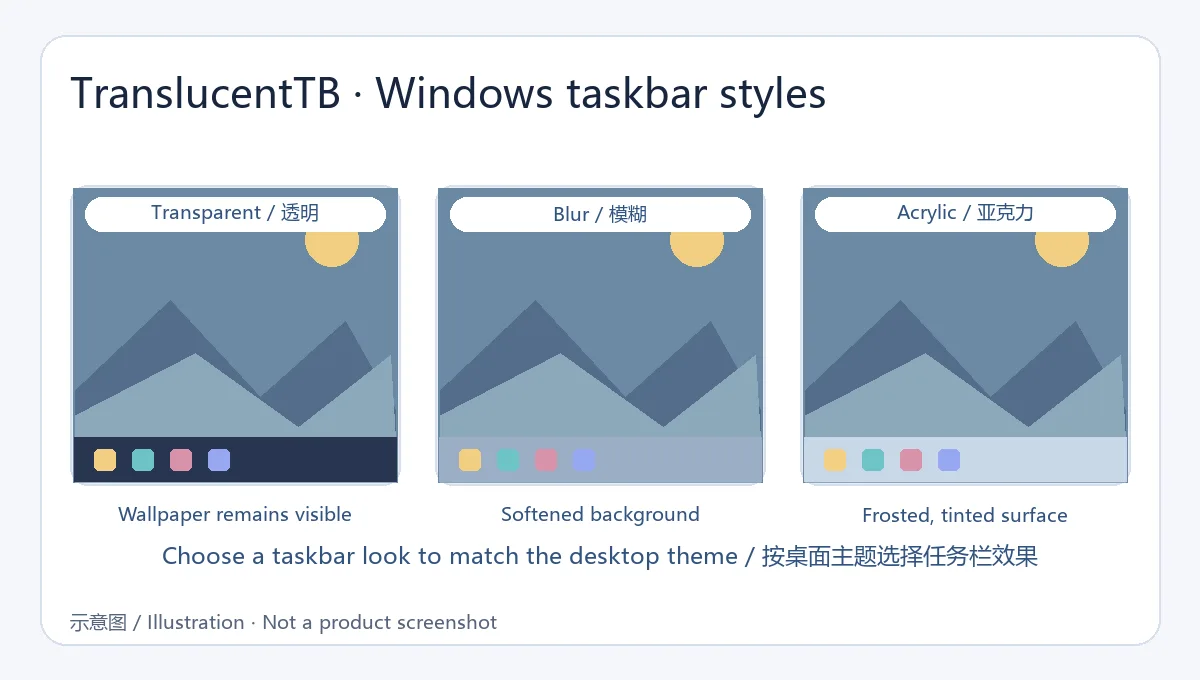
TranslucentTB 聚焦于 Windows 任务栏的外观,可设置透明、模糊和亚克力效果。官网以这三种视觉样式展示主要用途;用户可按桌面主题选择较轻的透明效果,或保留柔和背景的模糊/亚克力效果。
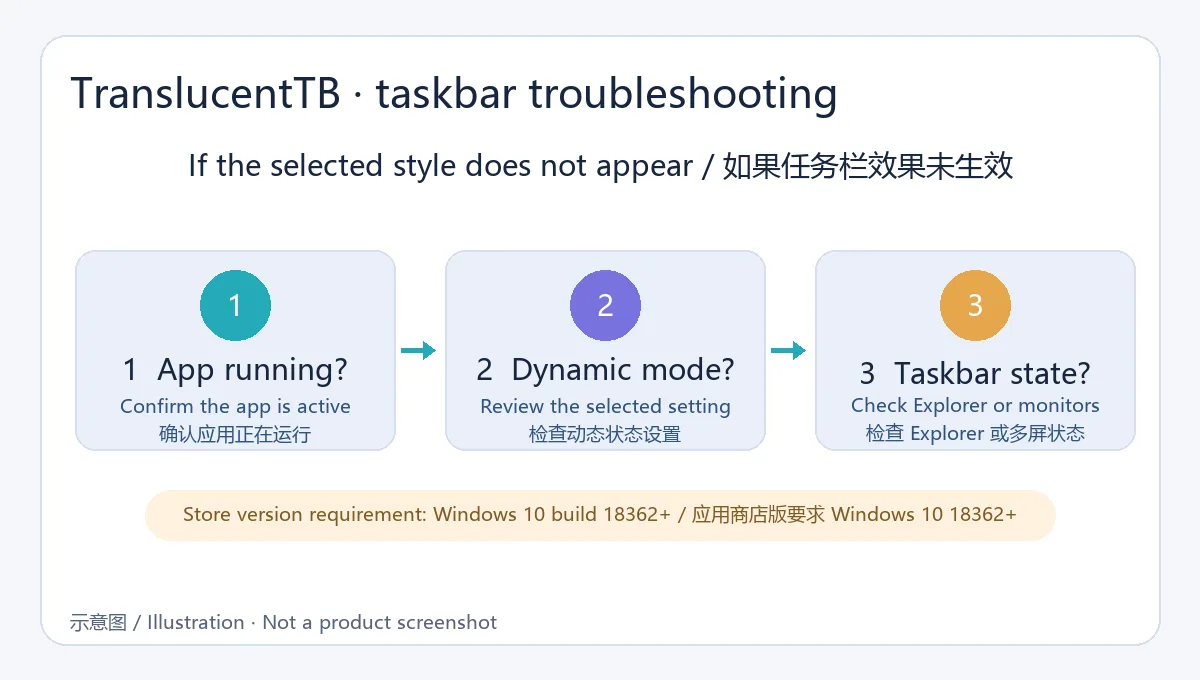
动态状态与任务栏运行环境有关。如果外观没有随窗口变化,先检查应用是否仍在运行、动态选项是否启用,再排查 Explorer 或多显示器相关设置。
.appinstaller,按 Windows 提示完成安装。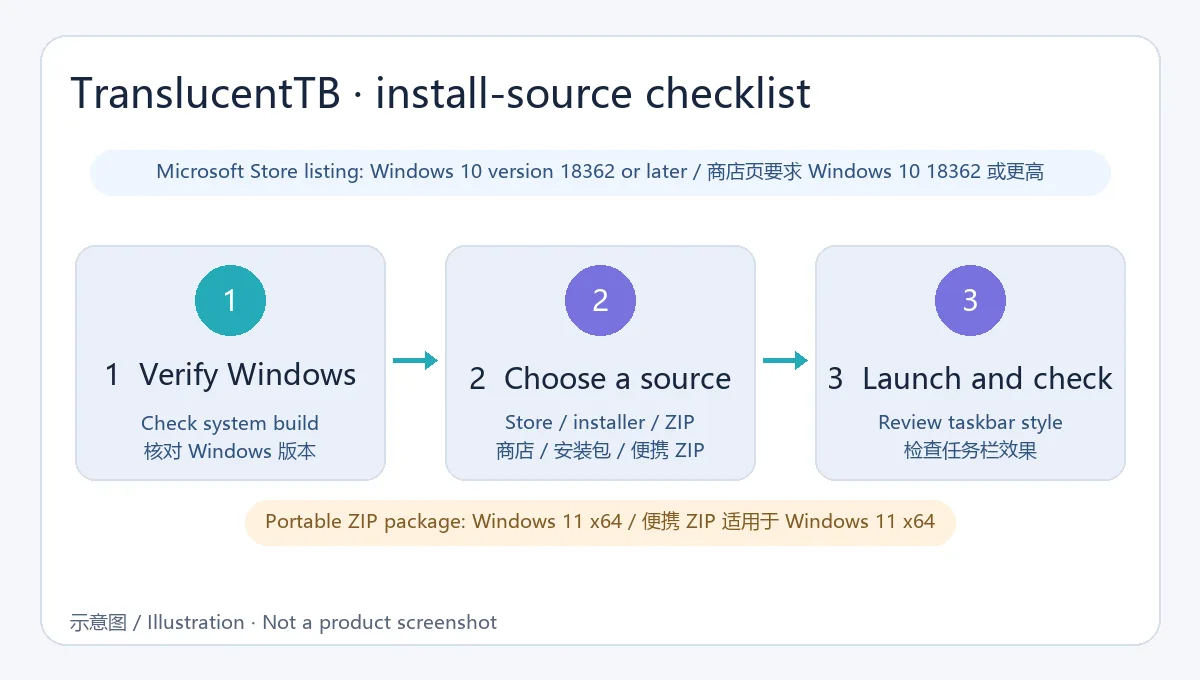
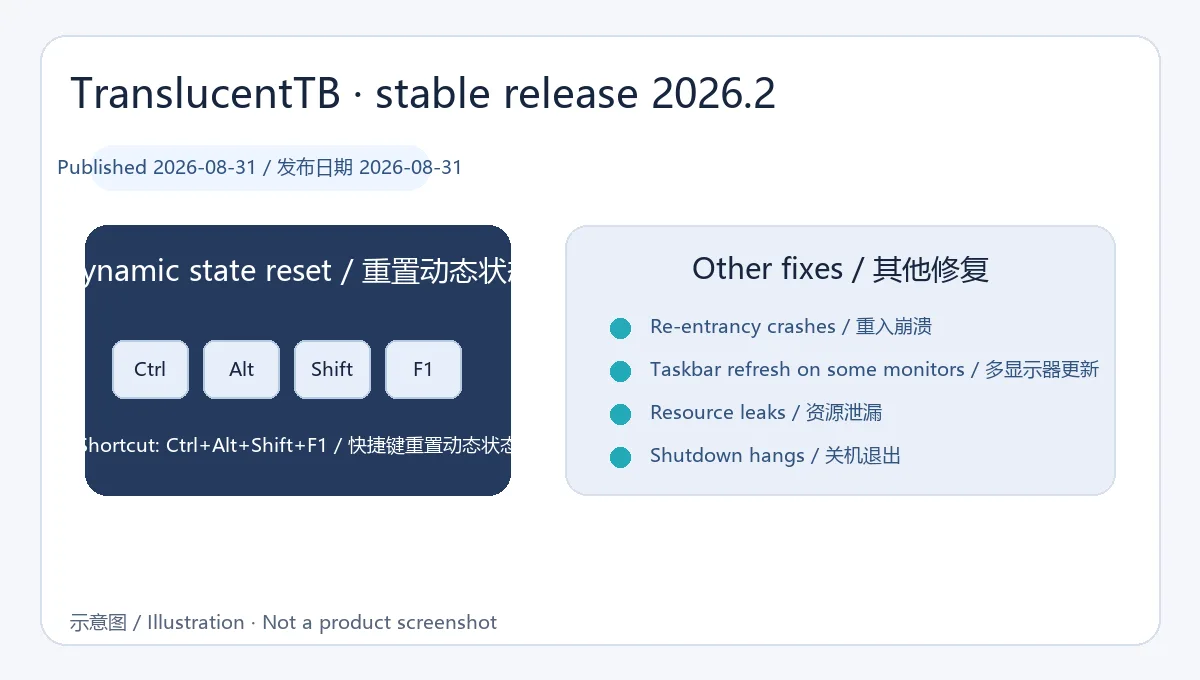
当前核对到的稳定版为 2026.2,GitHub 项目发行记录日期为 2026-08-31。更新加入 Ctrl+Alt+Shift+F1 快捷键以重置动态状态,并修复重复进入导致的崩溃、多显示器上任务栏未更新、资源泄漏和关机时应用未退出等问题。升级前请从原项目页确认版本及安装包类型。
问:TranslucentTB 安装后没有效果怎么办? 答:确认系统版本符合商店要求、应用正在运行,并检查任务栏与动态样式设置;多显示器环境可先在单屏状态下复核。
问:便携版和商店版如何选择? 答:优先使用 Microsoft Store;Windows 11 x64 用户也可按项目说明使用便携包。
问:快捷键会做什么? 答:2026.2 增加 Ctrl+Alt+Shift+F1,用于重置动态状态。
TranslucentTB styles Windows taskbars with transparent, blur, or acrylic effects. This guide covers requirements, download options, 2026.2 updates, and fixes.
TranslucentTB focuses on the appearance of the Windows taskbar, with transparent, blur, and acrylic styles shown on its official site. Choose a look that fits the desktop theme and adjust the available dynamic behavior to suit your workflow.
Dynamic behavior depends on the Windows taskbar environment. If a style does not change as expected, check that the app is running, review its dynamic settings, and then investigate Explorer or multi-monitor behavior.
.appinstaller file from the project’s 2026.2 release and follow Windows prompts.
The verified stable release is 2026.2, published on August 31, 2026. It adds Ctrl+Alt+Shift+F1 to reset dynamic state and fixes re-entrancy crashes, taskbar refresh issues on some monitors, resource leaks, and shutdown hangs. Confirm the version and package type on the original project page before upgrading.
Q: Why does TranslucentTB appear to have no effect? A: Check the supported Windows build, confirm the app is running, and review taskbar and dynamic-style settings. On a multi-monitor setup, compare behavior with one display first.
Q: Should I use the portable or Store version? A: The Store is the straightforward option; Windows 11 x64 users can also follow the project’s portable-package guidance.
Q: What does the shortcut do? A: Version 2026.2 adds Ctrl+Alt+Shift+F1 to reset dynamic state.
Información verificada: 19 oct 2026
Publicado por primera vez: 13 oct 2026· Revisión editorial: 19 oct 2026

Rainmeter 是 Windows 桌面定制工具,可通过皮肤展示系统指标、日历、启动器与音频可视化内容。本文聚焦稳定版 4.5.28,整理安装、皮肤管理、兼容和更新信息。 Rainmeter is an open-source Windows desktop customization tool built around configurable skins.

元气桌面(原猎豹轻桌面)提供动静态壁纸、动态渲染特效与桌面整理功能。官网介绍了壁纸自动切换和文件分类整理;页面列出的系统要求为 Windows 7 及以上。
在 Windows 任务栏显示奔跑猫动画与系统负载状态的桌面小工具。

Giantapp Wallpaper 3 is a Windows wallpaper app for videos, GIFs and images with a user-uploaded community. The verified stable release is v3.1.0 for 64-bit Windows 10/11. | 巨应壁纸 III 是一款支持视频、GIF 与图片背景的 Windows 壁纸软件,当前核实稳定版为 v3.1.0,仅支持 64 位 Windows 10/11。