
汽水音乐 Android 21.2.0
应用宝详情页列出版本 21.2.0,更新时间 2026-10-13;页面未提供逐项更新说明,不推测具体修复内容。 / The Tencent App Store detail lists 21.2.0 updated 2026-10-13 but provides no itemized notes.
Release date: Oct 13, 2026· Record revision: Oct 19, 2026
汽水音乐 Android 应用提供个性化推荐、分类电台、场景音乐及抖音收藏同步入口。核对官方产品页和应用宝版本信息,查看安装步骤、播放和同步排查;最低系统要求及逐项更新日志未公开核实。 / Soda Music for Android offers personalized discovery, category radio, scene music and a route to sync Douyin favorites. Check its official product page and store version, then review setup and playback or sync troubleshooting; minimum OS and itemized release notes were not verified.
Aliases: 汽水音乐 Android、Soda Music
Learn about the software and its sources
应用宝详情页未列单独软件许可证;请以开发者公布的服务条款及内容授权规则为准。 / The store detail does not list a separate software license; refer to the publisher’s service terms and content licensing rules.
com.luna.musicOnly the public Douyin product page and Tencent App Store detail were reviewed. No app package was downloaded, signature-verified or scanned; an official route is not an independent safety check.
汽水音乐 Android 应用提供个性化推荐、分类电台、场景音乐及抖音收藏同步入口。核对官方产品页和应用宝版本信息,查看安装步骤、播放和同步排查;最低系统要求及逐项更新日志未公开核实。 / Soda Music for Android offers personalized discovery, category radio, scene music and a route to sync Douyin favorites. Check its official product page and store version, then review setup and playback or sync troubleshooting; minimum OS and itemized release notes were not verified.
汽水音乐安卓版提供个性化推荐、分类电台、场景歌单和抖音收藏同步入口,适合想在手机发现并整理歌曲的听众。本文核对应用宝版本与官方产品页,介绍安装、播放与同步排查、权限注意事项及更新日志;曲目版权和可用范围以当前服务为准。下载前应确认开发者、设备兼容和当前曲目可用范围;官方入口不代表应用或内容经过独立安全检测。
汽水音乐安卓版提供个性化推荐、分类电台、场景歌单和抖音收藏同步入口,适合想在手机发现并整理歌曲的听众。本文核对应用宝版本与官方产品页,介绍安装、播放与同步排查、权限注意事项及更新日志;曲目版权和可用范围以当前服务为准。下载前应确认开发者、设备兼容和当前曲目可用范围;官方入口不代表应用或内容经过独立安全检测。
汽水音乐是北京抖音科技有限公司推出的音乐应用。应用宝介绍其个性化推荐、分类电台和场景音乐等发现方式,并说明可同步抖音收藏的音乐。实际推荐结果和可听曲目会受到账号设置、版权区域及服务状态影响;收藏同步也应以登录后的功能提示为准。若你主要想整理曲目,可先了解搜索、收藏和播放页面如何组织,再决定是否开启关联账号功能。
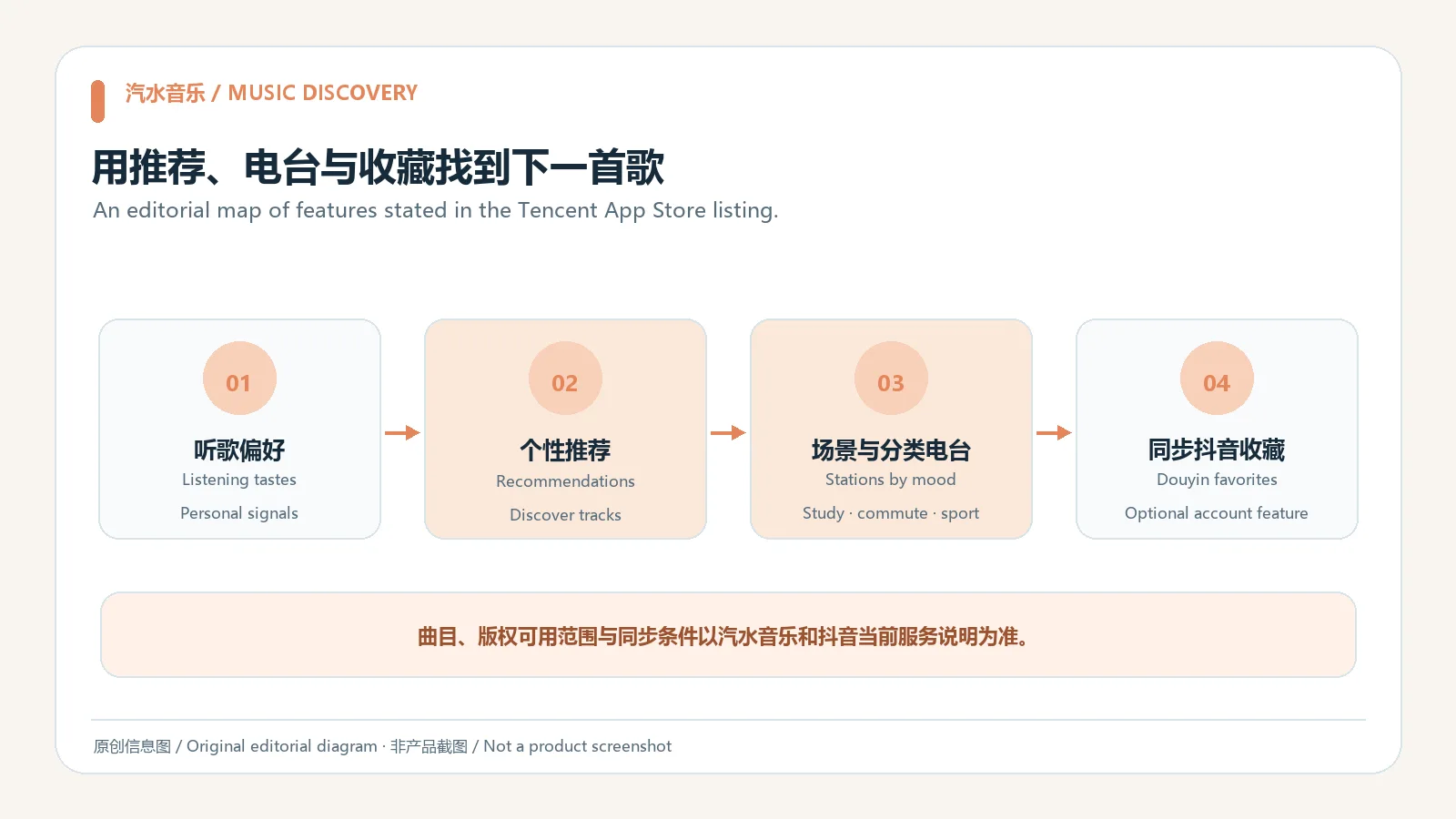
汽水音乐不是抖音本身的替代品;页面显示的“同步收藏”只描述两项服务之间的音乐收藏入口,不代表视频、评论或所有账号资料都会同步。开始关联前应阅读当前授权说明,确认登录的是预期账号,并按需使用该功能。
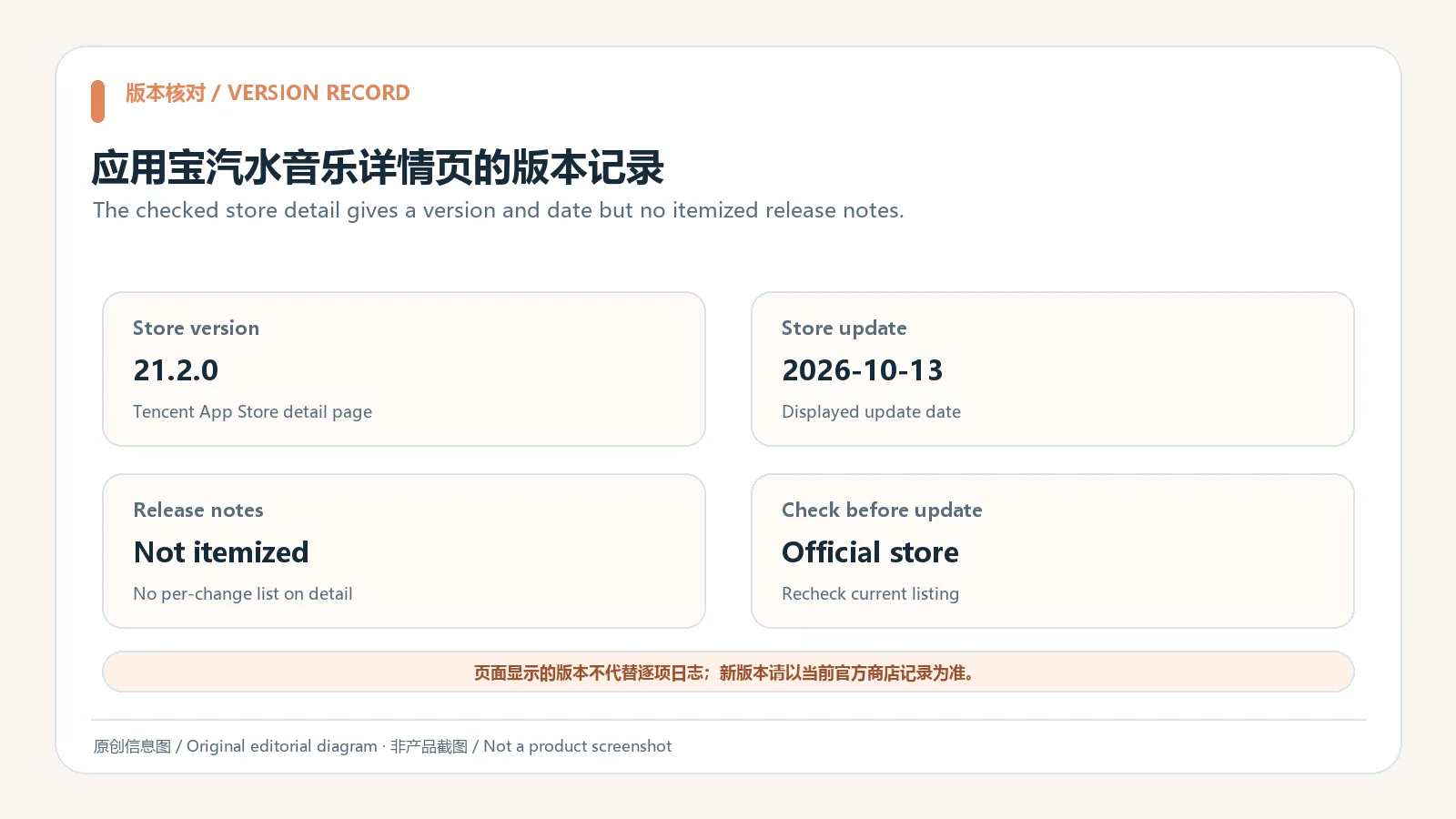
抖音产品页提供汽水音乐 Android 产品入口;应用宝详情页可用包名 com.luna.music 核对应用身份。本次核对的应用宝详情页显示版本 21.2.0,更新时间为 2026-10-13。页面介绍了产品功能,但没有列最低 Android 版本或逐条更新日志。因此,本页只记录可见的版本和日期,不推测修复内容、兼容机型或未披露的音质能力。
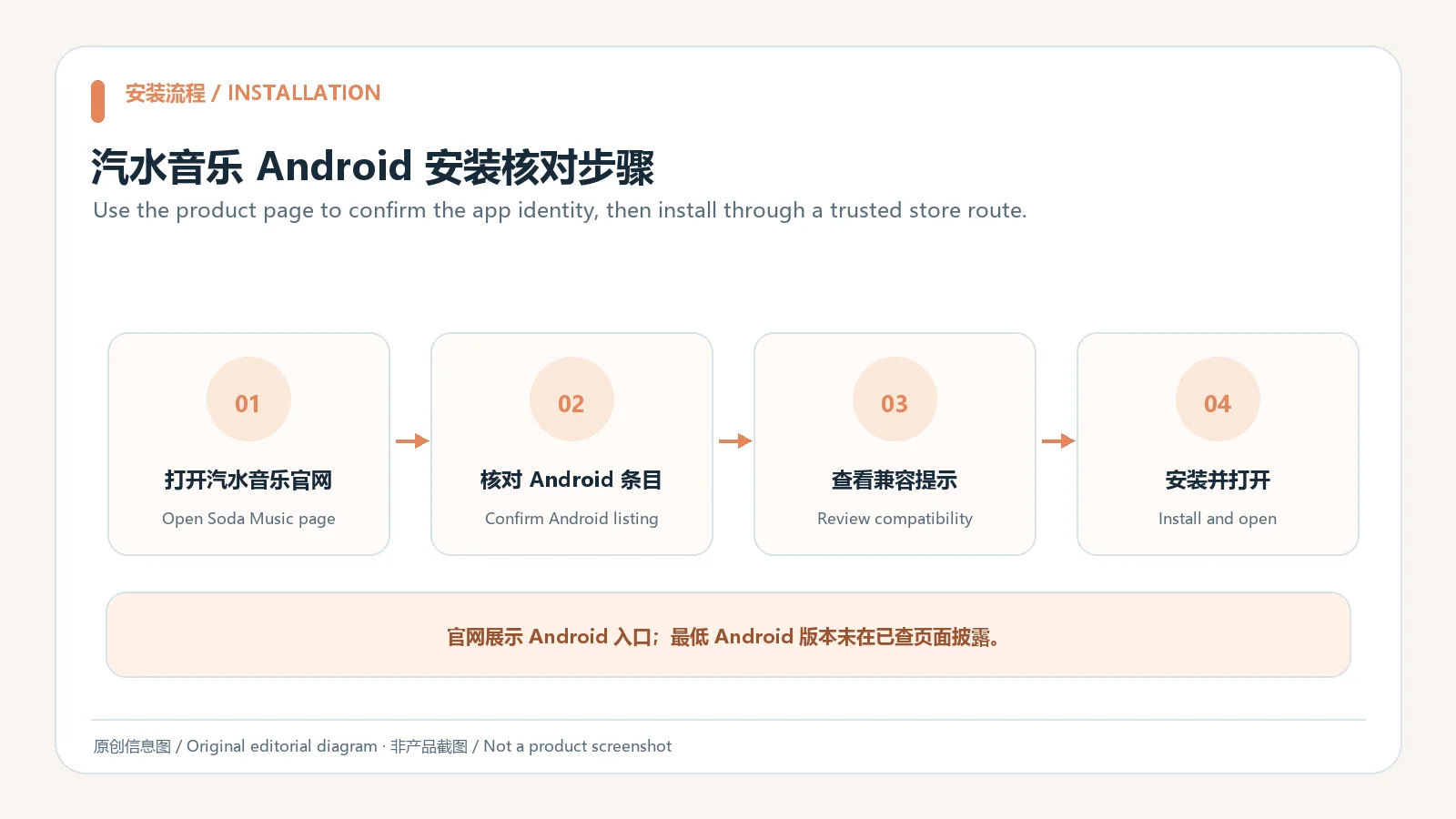
下载时从官方产品页进入,或在应用宝打开对应包名的详情页,确认开发者显示为北京抖音科技有限公司。该页面是获取入口,不代表本站托管了 APK,也不代表文件经过本站独立安全扫描。应用可用曲库受授权和地区服务影响;遇到无法播放的歌曲,先核对当前版权可用性,不要寻找来源不明的“解锁版”。
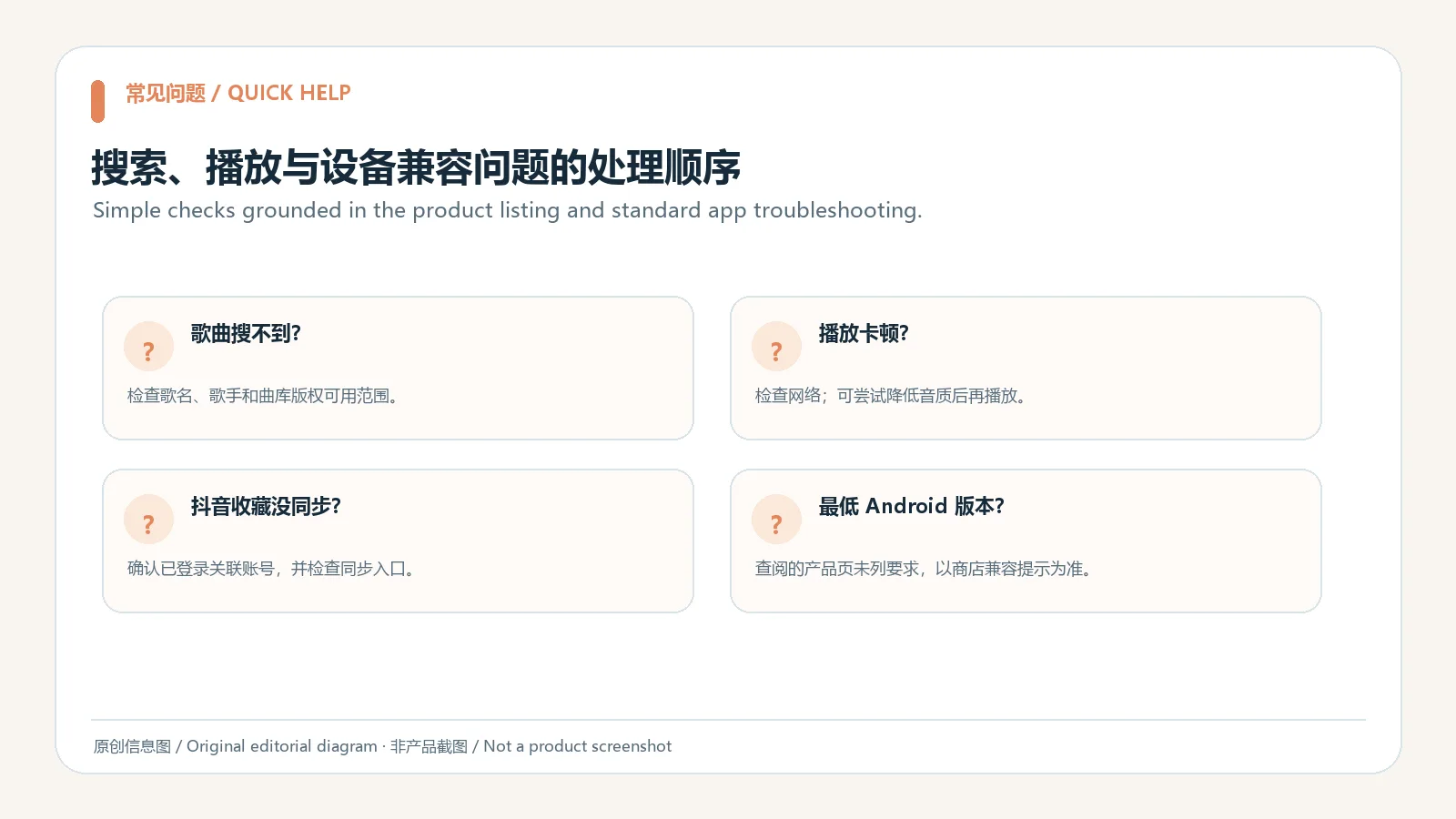
歌曲搜不到或无法播放时,先检查拼写、网络连接和曲目当前可用地区,再观察其他曲目是否正常;如果只有某一首歌受影响,可能需要查看其授权或上架状态。声音异常可核对手机音量、蓝牙或耳机输出设备,再关闭并重新打开应用。以上是通用排查建议,并不保证曲目一定可用,也不推断应用提供离线播放。
抖音收藏没有出现时,核对两端是否使用预期账号、网络是否正常,并查看汽水音乐当前的同步说明。不要为“修复同步”在第三方页面输入账号密码或验证码。应用宝详情页的版本日期不等于逐项更新日志;本次没有下载应用、验证签名或进行安全扫描,安装前仍应核对应用身份、设备提示与权限用途。
应用宝详情页显示版本 21.2.0,更新时间 2026-10-13,但未提供逐项变更说明,也未公开最低 Android 版本。应用版本、系统兼容和曲目权限是不同的信息;页面没有说明的内容不作推测。安装前可查看商店详情,更新后可在应用内查看版本提示和正式公告。
汽水音乐安卓版当前是什么版本? 本次查看的应用宝详情页显示 21.2.0,更新时间为 2026-10-13。商店内容可能变化,下载时请再次核对详情页。
如何确认下载的是汽水音乐官方应用? 从抖音产品页进入 Android 入口,或在应用宝详情页确认包名 com.luna.music 和开发者信息;不要只凭相似名称判断。
汽水音乐支持最低哪个 Android 版本? 本次核对的页面没有公开最低系统版本。以商店兼容提示、设备安装检查和官方后续说明为准。
抖音收藏为什么没有同步? 先核对账号、网络和应用内当前同步说明。如果仍不正常,通过应用内官方反馈方式询问,不要向无关第三方提交登录凭据。
这个应用经过本站安全检测吗? 没有。本次只核对了公开产品页与应用宝详情页,没有下载应用或扫描安装文件;请检查官方来源、系统提示和实际权限请求。
查找汽水音乐安卓版下载时,优先使用抖音产品页或应用宝详情页,并核对包名、开发者和商店版本。安装后按账号授权、网络和曲目可用性分别排查问题;逐项更新日志、最低系统要求及文件安全检测结果目前没有在本次核对中得到确认。
Soda Music for Android offers discovery, radio and playlists. Check its official page, store version, setup steps and playback or sync tips before installing.
Soda Music is a music app published by 北京抖音科技有限公司 (Beijing Douyin Technology Co., Ltd.). The Tencent App Store description mentions personalized recommendations, category radio and scene-based music discovery, and says music favorites can sync from Douyin. Recommendations and playable tracks can depend on account settings, licensing territory and service availability. Check the current in-app prompt to see how favorites sync works. If your goal is to organize songs, first review how search, saved tracks and playback are presented before enabling an account link.
Soda Music is a separate product from Douyin. The stated favorites-sync feature describes a music-saving connection; it does not establish that videos, comments or all account data are synchronized. Read the current authorization screen before linking, confirm the account you signed into, and enable the connection only if you want that feature.
The official Douyin product page provides an Android entry for Soda Music. Its Tencent App Store detail page can be checked against package com.luna.music. The store detail reviewed here lists version 21.2.0 and an update date of 13 October 2026. It describes product features but does not state a minimum Android version or an itemized changelog. This guide reports the visible version and date without guessing fixes, compatible models or undisclosed audio capabilities.
Start from the official product page or open the matching package detail in the Tencent App Store, then check that the developer is 北京抖音科技有限公司. These pages provide a route to the app; RJ does not host the APK or claim to have independently scanned it. The available catalogue depends on licensing and service region. If a track will not play, check its current availability instead of searching for an unofficial unlocked edition.
If a song cannot be found or played, check its spelling, network access and current availability in your region, then test whether other tracks work. If the issue affects one track only, its licensing or listing status may need checking. For sound problems, review the phone volume and the selected Bluetooth or headphone output, then close and reopen the app. These general steps cannot guarantee that a track is available, and this guide does not infer that offline playback is offered.
If Douyin favorites do not appear, confirm that both services use the intended account, check the connection and review Soda Music's current sync instructions. Do not enter your password or verification code on a third-party page claiming to repair synchronization. A store update date is not an itemized changelog. This review did not download the app, verify its signature or scan an installation file; check the listing, device prompt and permission purpose before installing.
The reviewed Tencent App Store detail lists version 21.2.0 and an update date of 13 October 2026. It does not provide itemized changes or a minimum Android version. Version, operating-system compatibility and track licensing are separate facts; this guide does not guess where the page is silent. Recheck the store detail before installation and consult an in-app notice or formal publisher announcement for later changes.
What is the current Android version? The Tencent App Store detail reviewed here lists 21.2.0, dated 13 October 2026. Store data can change, so check the detail page when downloading.
How can I confirm that the app is the intended Soda Music listing? Enter through the Douyin product page or compare package com.luna.music and the developer on the store detail. Do not rely on a similar app name alone.
What is the minimum Android version? The reviewed pages do not state one. Follow the store's compatibility notice, your device's installer check and any later publisher guidance.
Why did my Douyin favorites not sync? Check the account, network and current in-app sync instructions. If the issue remains, use the app's official feedback route rather than sharing credentials with an unrelated service.
Was the app scanned by RJ? No. This review checked public product and store pages only; it did not download or scan the installer. Confirm the source, Android prompt and actual permission requests.
For a Soda Music Android download, begin at the Douyin product page or Tencent App Store detail and check the package, developer and listed version. Troubleshoot account authorization, network access and track availability separately. An itemized changelog, minimum OS requirement and file-safety scan result were not established in this review.
Information verified: Oct 19, 2026
First published: Oct 19, 2026· Editorial revision: Oct 19, 2026
爱玩机工具箱是应用宝列出的 Android 工具应用。开发商和运营商为贵阳满康科技有限公司;官方商店介绍称它汇集日常实用工具、图形工具和文件管理。详细功能、权限和设备兼容性以当前应用宝详情为准。
WaveFlow 是适用于 Windows、macOS 和 Linux 的本地音乐播放器,支持音乐库管理、播放列表与同步歌词;v1.9.7 修复部分 Linux 发行版的 glibc 兼容问题。
Spotube 是一款开源音乐客户端,支持通过插件接入音乐音源与元数据,并提供播放列表管理、同步歌词和本地播放。桌面版支持 Windows、macOS 与 Linux;音源和下载可用性取决于插件及相应服务条款。

PlainApp 是开源 Android 手机管理应用,可在电脑或其他设备的浏览器中访问手机文件、照片、视频、音乐、联系人和短信等功能。v3.3.25 于 2026-09-11 发布;安装前请核对 Android 兼容性与连接方式。

LX Music 洛雪音乐助手桌面版:官方Windows安装包、2.12.6更新、列表备份与播放排查。 / Official desktop packages, release notes, playlist preservation and playback troubleshooting.

抖音安卓版提供短视频浏览、拍摄编辑、直播和短剧内容。本页说明官方安装入口、包名、Android 6.0+、40.8.0版本记录及安装排查。 | Douyin for Android offers short-video viewing and creation, livestreams and mini dramas. This guide covers the official install route, package, Android 6.0+, v40.8.0 and setup checks.
洛雪音乐助手移动版,整理歌单、播放本地音频;提供官方1.9.1 APK、架构选择、列表机制和两项正式更新。 / Android music player with official v1.9.1 APKs, architecture guidance, playlist behavior and two stable changes.
LX Music 洛雪音乐助手桌面版:官方Windows安装包、2.12.6更新、列表备份与播放排查。 / Official desktop packages, release notes, playlist preservation and playback troubleshooting.

Windows短动图录屏与逐帧编辑,包含7.7更新、PNG叠加、输出体积选择及MP4系统条件。 / Portable Windows GIF recording and frame editing with v7.7 notes, PNG overlays, output-size choices and MP4 requirements.

FxSound 免费开源 Windows 音效工具:官方稳定版 1.2.16.0、Intel/AMD 与 ARM64 安装器、均衡器预设、输出设备与无声排查。 / Free open-source Windows audio processing with stable release notes, installer choices, equalizer presets and output troubleshooting.
抖音安卓版提供短视频浏览、拍摄编辑、直播和短剧内容。本页说明官方安装入口、包名、Android 6.0+、40.8.0版本记录及安装排查。 | Douyin for Android offers short-video viewing and creation, livestreams and mini dramas. This guide covers the official install route, package, Android 6.0+, v40.8.0 and setup checks.
咪咕音乐由咪咕音乐有限公司开发、咪咕文化科技有限公司运营,提供音乐播放、MV 和有声内容等服务。应用宝详情还介绍了个性化播放与会员功能。