

Shizuku
Android v13.6.0Apache-2.0
Shizuku 是由 RikkaApps 开发的 Android 系统服务工具。兼容应用可通过它访问部分系统 API;服务可由 root 或 ADB 启动,ADB 权限与设备支持会因系统版本和厂商实现而异。本文整理官方下载、无线调试配对、旧版系统电脑启动、v13.6.0 更新和故障检查。 | Shizuku is an Android service from RikkaApps that lets compatible apps access selected system APIs. It can start through root or ADB, with ADB permissions and device behavior varying by Android version and vendor.
Android
AI支援コンテンツ
基本情報
ソフトウェアの基本情報と提供元を確認できます
ソフトウェアの概要
- 開発者
- RikkaApps
- 更新日
- 2026年10月19日
- 対応言語
- 未提供
- システム要件
- 未提供
- ファイルサイズ
- 未提供
- ダウンロードリンクのクリック数
- 1
ライセンス
Apache-2.0
提供元と検証
- リソースの種類
- software
- 価格
- 未披露 / Not disclosed
- 情報の確認日
- 2026年10月19日
- プライバシーポリシー
- 未提供
ソフトウェアの詳細情報パッケージ名・チェックサム・SHA-256を確認
- パッケージ名
moe.shizuku.privileged.api- チェックサム
- 未提供
- SHA-256
- 未提供
Shizuku 是由 RikkaApps 开发的 Android 系统服务工具。兼容应用可通过它访问部分系统 API;服务可由 root 或 ADB 启动,ADB 权限与设备支持会因系统版本和厂商实现而异。本文整理官方下载、无线调试配对、旧版系统电脑启动、v13.6.0 更新和故障检查。 | Shizuku is an Android service from RikkaApps that lets compatible apps access selected system APIs. It can start through root or ADB, with ADB permissions and device behavior varying by Android version and vendor.
中文
Shizuku 是 Android 系统服务工具,让受支持的应用借助 ADB 或 root 启动服务调用部分系统 API。本指南说明 Shizuku 下载与安装方式、Android 11 及以上无线调试、旧版系统的电脑启动步骤,以及 v13.6.0 更新与配对故障排查,便于确认设备条件和使用范围,再按官方说明逐步操作。
功能与特点
Shizuku 的核心作用是让兼容应用连接到由 Shizuku Manager 启动的服务,再通过该服务访问部分 Android 系统 API。它既可用 root 启动,也可由 ADB 启动;通过 ADB 启动时,权限仍受 Android 与厂商系统限制,不能把它理解为给所有应用开放 root。只有明确集成 Shizuku 的应用才能使用该接口,具体功能以应用说明为准。
安装方法
- 从 RikkaApps 官网或 v13.6.0 GitHub Release 获取 APK;安装前核对发布者、版本号和系统提示。
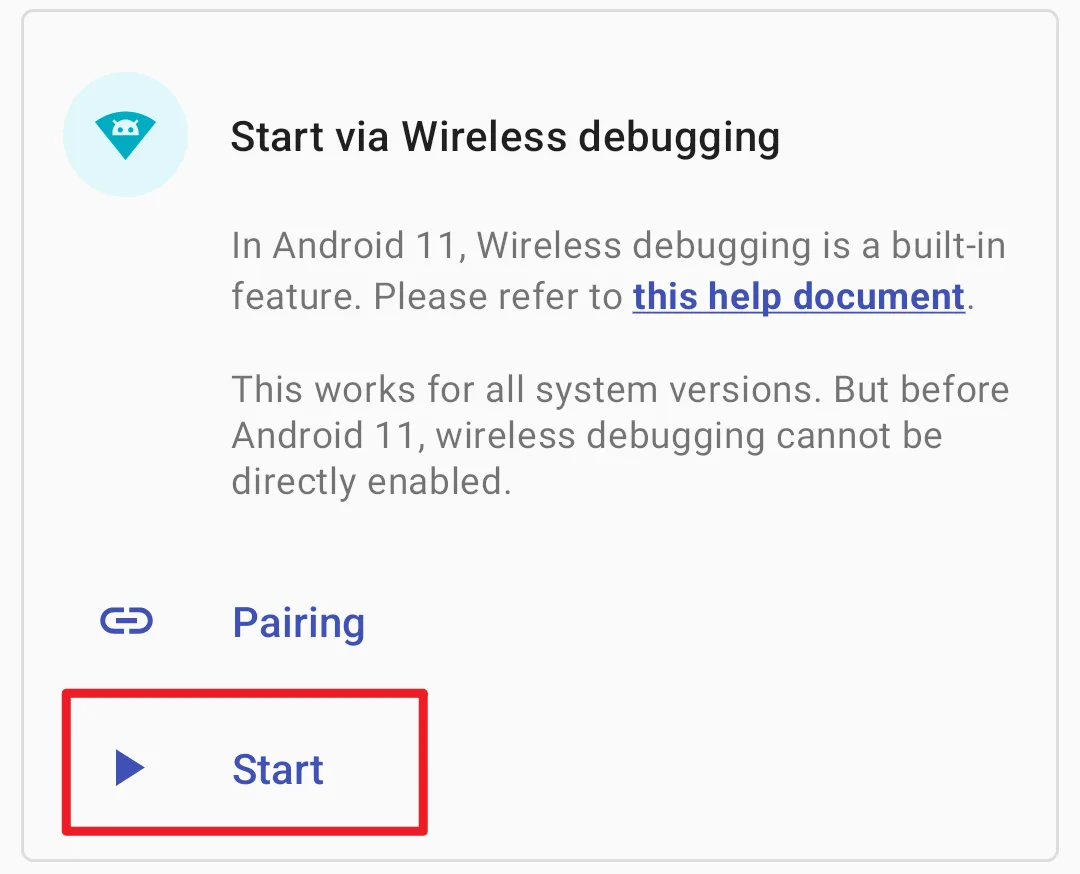
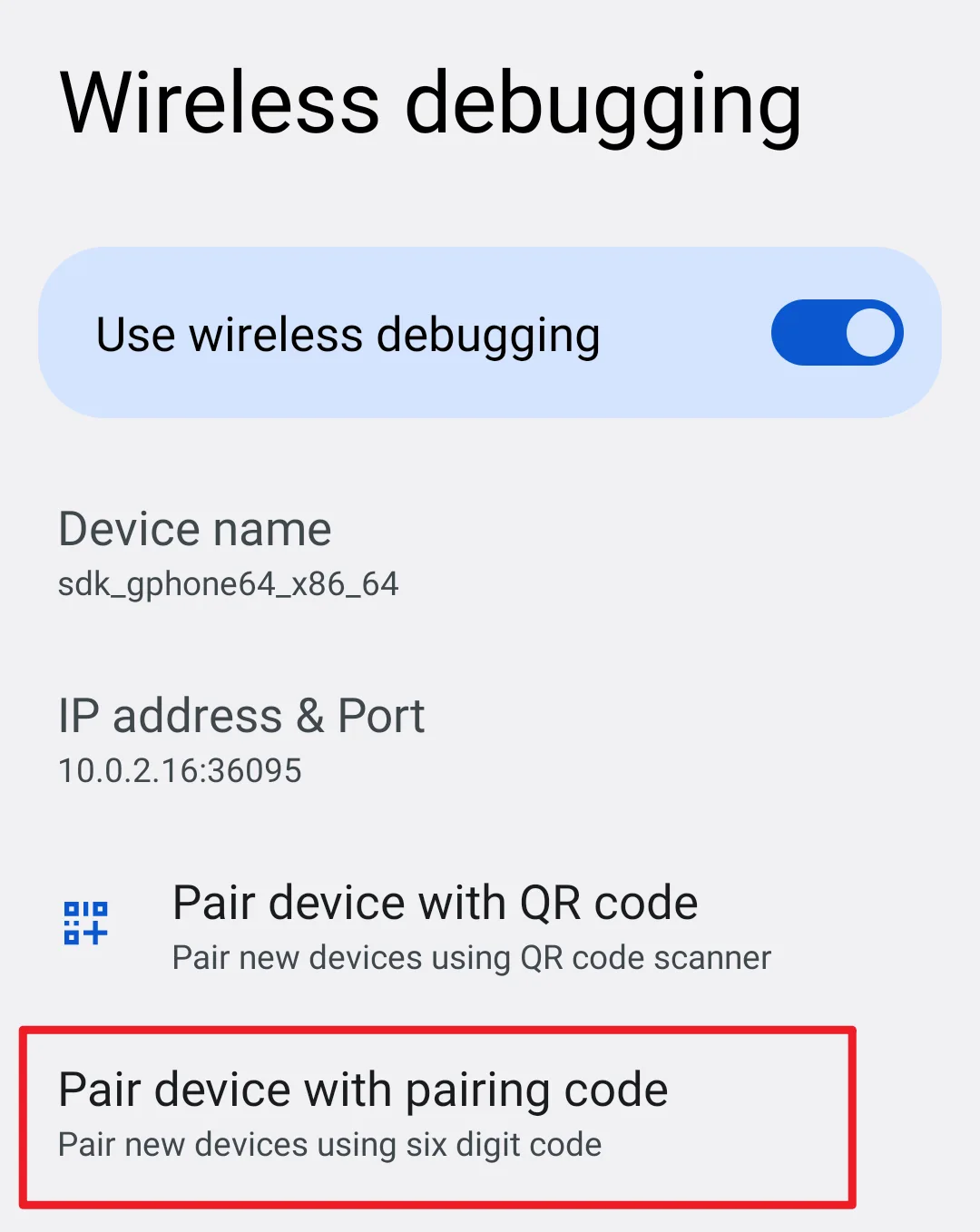
- Android 11 及以上:开启开发者选项与无线调试,在 Shizuku 中开始配对,再到系统设置选择“使用配对码配对设备”,输入通知中的配对码。
- 配对成功后回到 Shizuku 点“启动”。已 root 设备可直接在应用内启动服务。
- Android 10 及以下的 ADB 方式需要电脑与 Google SDK Platform Tools;开启 USB 调试、连接设备并确认授权,然后按官方手册中的命令启动服务。
- 重启后,ADB/无线调试启动通常需要重新执行;只在已安装且明确支持 Shizuku 的应用内授权请求。
版本与更新
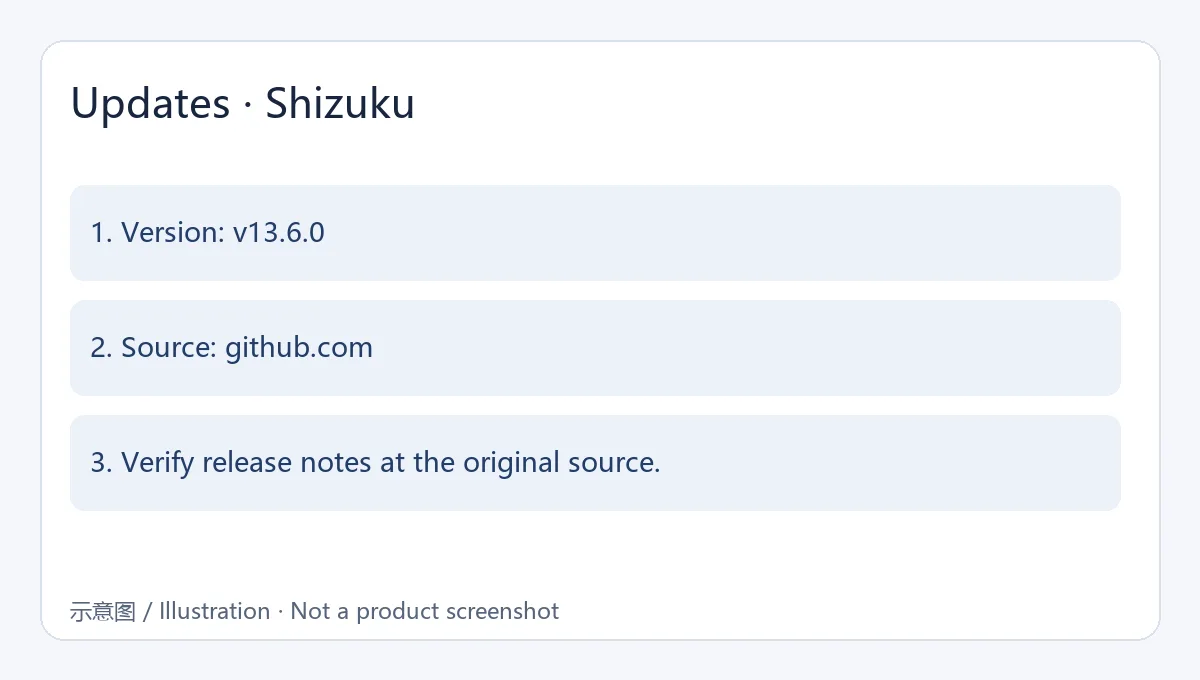
GitHub 将 v13.6.0 标记为 Latest,发布时间为 2025 年 5 月 25 日。官方记录包括支持 Android 16 QPR1、更新启动命令(可复制到可执行位置,例如 /data/local/tmp/shizuku),以及 Android 13 及以上设备连接到可信 WLAN 时无需 root 的自动启动支持。实际行为仍取决于设备系统;本文不推断发布说明未列出的修复。
常见问题 FAQ
问:Shizuku 必须 root 吗?答:不一定。Android 11 及以上可尝试无线调试,较旧系统可按官方手册通过电脑 ADB 启动;设备条件会影响可用方式。
问:它会让任意应用获得 root 吗?答:不会。ADB 启动的权限范围有限,且只有集成 Shizuku 的应用能调用服务。
问:配对一直失败怎么办?答:检查无线调试是否开启、系统是否允许 Shizuku 在后台运行,并查看厂商对调试与本地网络的限制。
问:重启后需要重新配对吗?答:ADB 启动通常需要重新启动服务;无线调试配对与启动是不同步骤,具体请按官方手册确认。
English
Shizuku links Android apps to selected system APIs through ADB or root. See practical Android 11+ setup, older-device steps, v13.6.0 notes, and pairing fixes.
Features
Shizuku provides a service that compatible apps can use to reach selected Android system APIs. It can start with root or ADB; an ADB session remains limited by Android and vendor behavior and does not grant every app root access. Only apps that integrate Shizuku can use it, and each app decides which operations it offers.
Installation
- Get the APK from RikkaApps or its v13.6.0 GitHub release, and check the publisher and version before installing.
- Android 11+: enable Developer options and Wireless debugging; start pairing in Shizuku, choose “Pair device with pairing code” in system settings, and enter the code shown in the notification.
- Return to Shizuku and tap Start after pairing. Rooted devices can start the service directly in the app.
- For ADB on Android 10 and earlier, use a computer with Google SDK Platform Tools, enable USB debugging, authorize the computer, and follow the command in the official manual.
- ADB-based startup normally needs to be repeated after a reboot. Grant requests only to apps you recognize and that explicitly support Shizuku.
Updates
GitHub marks v13.6.0 as Latest and lists May 25, 2025 as its release date. The notes add Android 16 QPR1 support, update the start command (which can be copied to an executable location such as /data/local/tmp/shizuku), and support auto-start without root on Android 13+ when connected to trusted WLAN. Device behavior can still vary by system.
FAQ
Q: Is root required? A: Not always. Android 11+ can use wireless debugging, while older Android versions can start through computer-based ADB; device support affects the available route.
Q: Does Shizuku give every app root? A: No. ADB permissions are limited, and only integrated apps can call its service.
Q: Pairing keeps failing. What should I check? A: Confirm Wireless debugging is enabled, allow Shizuku to run in the background, and review vendor restrictions on debugging or local-network access.
Q: Must I pair again after reboot? A: ADB startup normally needs the service restarted. Pairing and startup are separate steps, so check the official manual for your device.
対応プラットフォームとシステム要件
- Android
- システム要件は記載されていません
出典と確認
情報確認日:2026年10月19日
初回公開:2026年10月19日· 編集部による更新:2026年10月19日
類似リソース
爱玩机工具箱
爱玩机工具箱是应用宝列出的 Android 工具应用。开发商和运营商为贵阳满康科技有限公司;官方商店介绍称它汇集日常实用工具、图形工具和文件管理。详细功能、权限和设备兼容性以当前应用宝详情为准。

PlainApp
PlainApp 是开源 Android 手机管理应用,可在电脑或其他设备的浏览器中访问手机文件、照片、视频、音乐、联系人和短信等功能。v3.3.25 于 2026-09-11 发布;安装前请核对 Android 兼容性与连接方式。

抖音 | Douyin
抖音安卓版提供短视频浏览、拍摄编辑、直播和短剧内容。本页说明官方安装入口、包名、Android 6.0+、40.8.0版本记录及安装排查。 | Douyin for Android offers short-video viewing and creation, livestreams and mini dramas. This guide covers the official install route, package, Android 6.0+, v40.8.0 and setup checks.

Apktool M
Android APK研究与编辑工具;整理官方261014构建、五项更新、备份工作流和许可。 / Android APK study and editing tool with official build261014, five release changes, a backup workflow and license information.

Fold Craft Launcher
FCL 是 Android 上的 Minecraft Java 版启动器。本文整理官方1.3.4.1 APK、Android8.0要求、Java与模组配置、七项更新及启动排查。 / FCL launches Minecraft Java on Android; covers the official1.3.4.1 APK, Android8.0 floor, runtimes, mods, seven changes and troubleshooting.

Winlator
Winlator 使用 Wine 和 Box86/Box64 在 Android 上运行 Windows 应用。本文提供官方11.2 APK、安装准备、5项正式更新与兼容排查。 / Winlator uses Wine and Box86/Box64 to run Windows apps on Android; includes official v11.2 APK access, setup, five stable changes and troubleshooting.
このカテゴリの人気アイテム
すべて見る
Sideloadly
Sideloadly 是 Windows/macOS 桌面 IPA 侧载工具,可将兼容 IPA 安装到 iPhone、iPad、Apple Silicon Mac 和 Apple TV;官网列出 Wi-Fi 侧载与自动刷新。 | Sideloadly is a Windows/macOS IPA sideloading utility for iPhone, iPad, Apple Silicon Mac and Apple TV, with Wi-Fi sideloading and automatic refresh features listed by the publisher.

DiskGenius
DiskGenius 6.2:官方安装器与便携版、免费和专业版权限、当前更新及数据恢复位置检查。 / Official v6.2 package choices, Free/Professional differences, release notes and recovery-destination guidance.

LatencyMon
读取DPC、ISR与硬缺页定位音频中断线索,区分7.31修复、家庭版许可与当前Windows驱动阻止限制。 / Interpret DPC, ISR and pagefault reports with v7.31 notes, Home Edition licensing and current Windows driver-policy limits.
PowerToys
PowerToys 是 Microsoft 提供的 Windows 实用工具集合,帮助用户自定义 Windows 并简化日常任务;资料列出的版本为 v0.102.3001。

Process Lasso
Process Lasso 是 Bitsum 的 Windows 进程管理与自动化工具,提供 ProBalance、Performance Mode、进程规则和硬件监控。稳定版 18.4.0.48 支持 Windows 10、11 与 Windows Server;免费版可长期使用,部分高级功能需要 Pro。 / Process Lasso is Bitsum’s Windows process-management and automation utility, with ProBalance, Performance Mode, process rules and hardware monitoring. Stable version 18.4.0.48 supports Windows 10, 11 and Windows Server; some advanced features require Pro.

TrafficMonitor
TrafficMonitor Windows 网速与资源监控:1.86 Lite 架构选择、任务栏设置、版本变更和零读数排查。 / TrafficMonitor v1.86 Lite package selection, taskbar setup, release changes and troubleshooting for network readings.
情報の誤りやリンク切れを見つけましたか?改善にご協力ください