
Nmap
Nmap 是安全扫描工具。官方页面列出稳定版 7.993,并提供 Windows、macOS、Linux 与源代码下载;本条登记 Windows edition。
Sandboxie Windows 沙箱隔离工具双语指南:比较 Plus 与 Classic 的界面和许可,说明官方安装、文件恢复、隔离边界与 1.18.8 / 5.73.8 更新。 Bilingual guide to editions, installation, file recovery and sandbox limits.
Alias : Sandboxie、Sandboxie Plus、Sandboxie Classic、Sandboxie 64-bit
Auteur : RJ.tools Editorial
Contenu assisté par l’IA
Découvrez les informations essentielles et les sources du logiciel
Plus: custom license; personal noncommercial use allowed, some features need certificates; business terms apply. Classic: GNU GPL v3.
Sandboxie Windows 沙箱隔离工具双语指南:比较 Plus 与 Classic 的界面和许可,说明官方安装、文件恢复、隔离边界与 1.18.8 / 5.73.8 更新。 Bilingual guide to editions, installation, file recovery and sandbox limits.
Sandboxie 下载与安装:比较 Plus、Classic 许可,了解 Windows 沙箱、文件恢复和最新更新。 Sandboxie download guide: compare editions, follow Windows setup, and review security limits.
Sandboxie 下载指南介绍 Windows 沙箱隔离工具,比较 Plus 与 Classic 的界面、许可和适用场景。本文说明官方版本选择、管理员安装、隔离文件恢复与更新排查,并整理 Plus 1.18.8、Classic 5.73.8 的修复要点,帮助你理解沙箱边界、保留重要数据并避免把隔离误当成绝对安全保证。
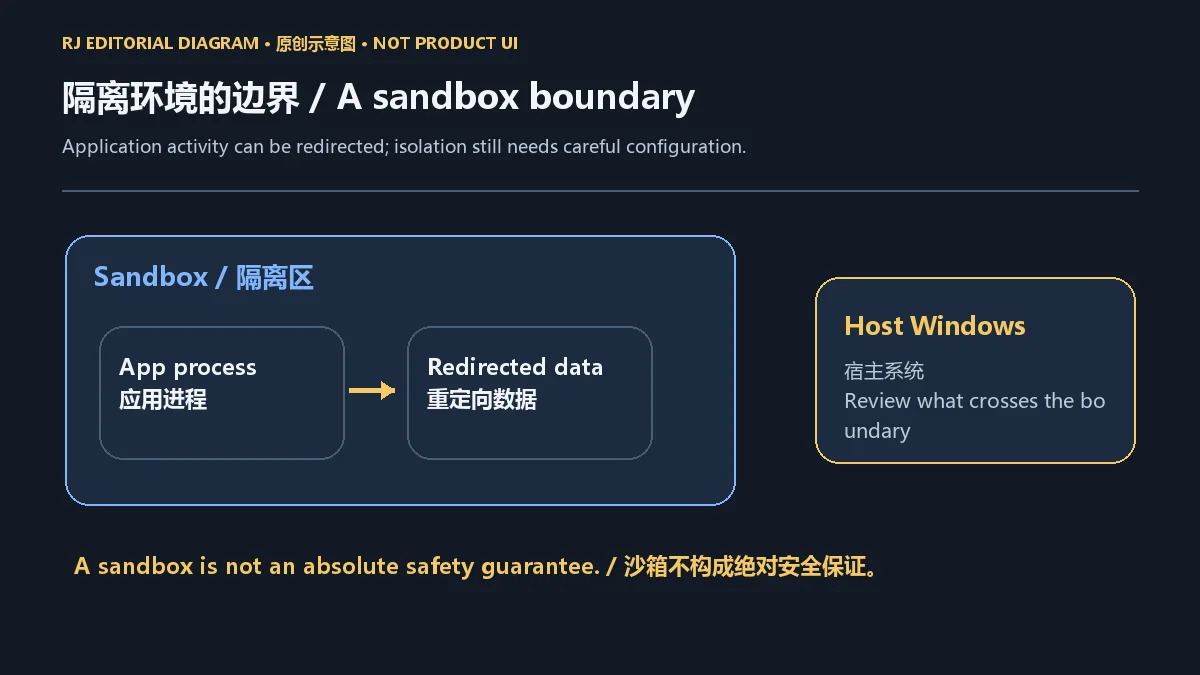
Sandboxie 为 Windows 应用提供隔离运行环境,可将应用的部分文件和系统改动重定向到沙箱中。它适合验证软件行为、将不同应用环境分开,或在不混合数据的前提下进行日常测试;项目也允许同时使用多个沙箱。实际隔离范围取决于配置、程序行为和系统兼容情况。
当前 Sandboxie Plus / Classic 是原项目开源后由 David Xanatos 等维护的社区分支,不能与 Sophos 过去提供的产品支持关系混为一谈。沙箱无法承诺阻止所有攻击,也不能代替系统更新、防病毒工具或备份;涉及敏感账户、重要资料或未知风险的操作,应先评估用途与数据暴露范围。
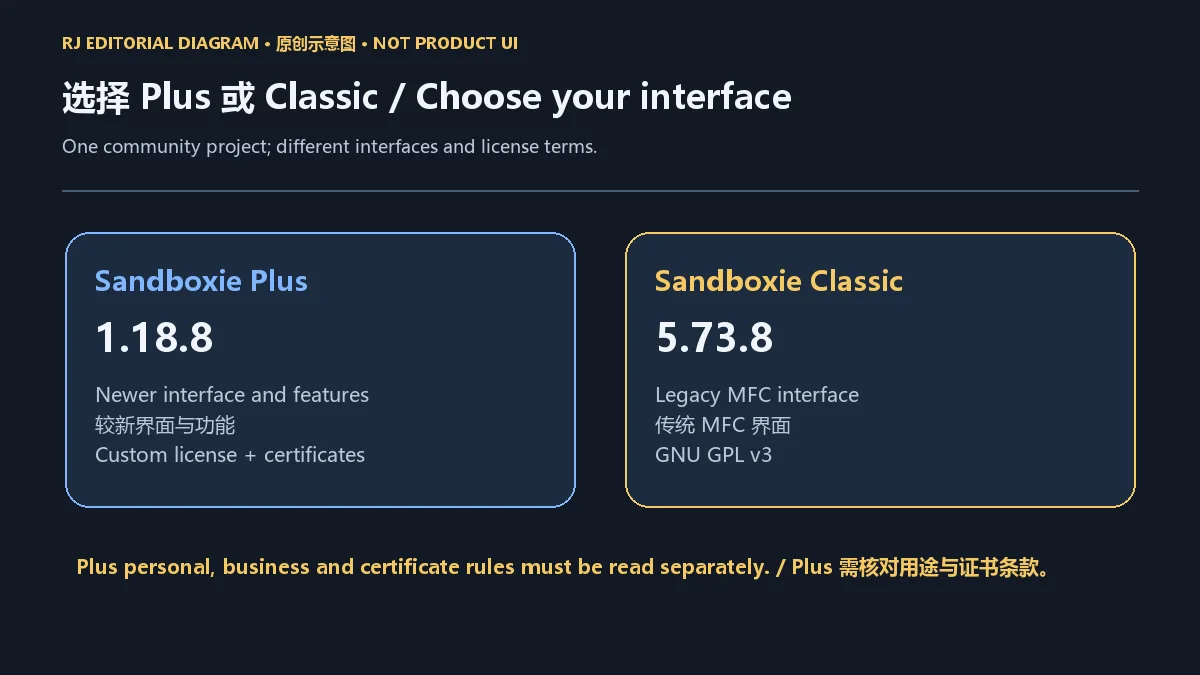
Plus 提供较新的界面及功能;项目 README 列出快照、恢复、便携提取和浏览器兼容向导等 Plus 能力,具体功能的证书要求应以当前版本和官方说明为准。Classic 使用传统 MFC 界面,不具备所有 Plus 功能。如果你依赖旧版工作流,先检查新版本是否仍适合现有配置,再决定使用哪个界面。
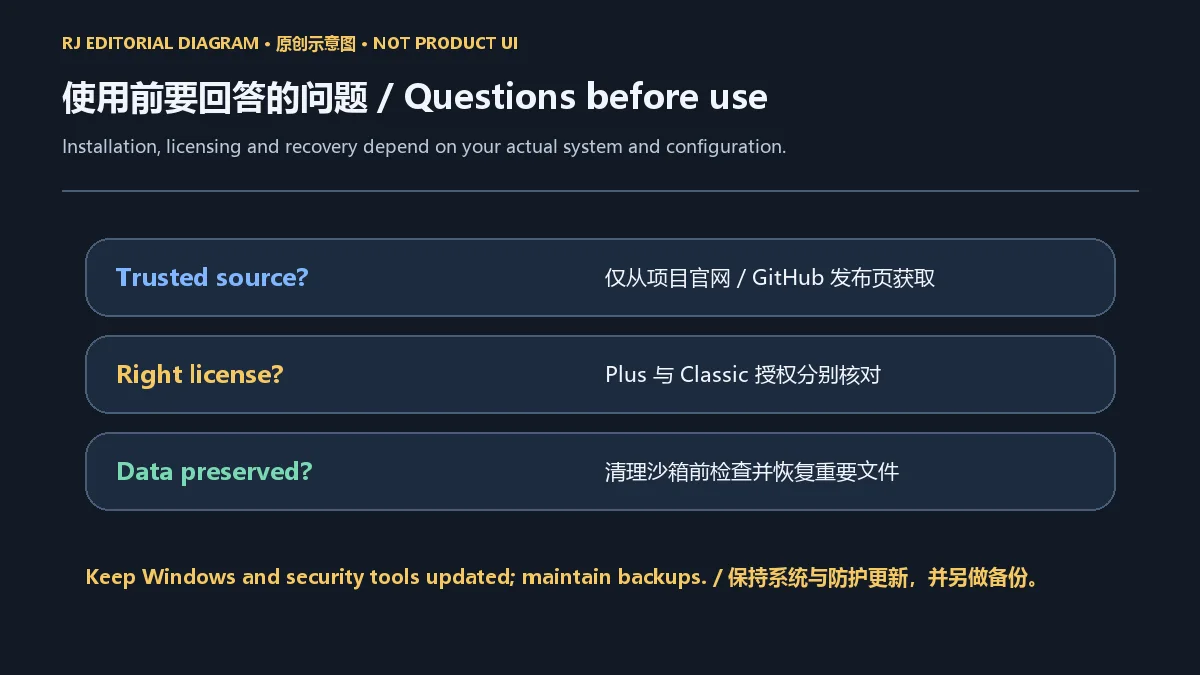
两种界面的许可不能合并概括: Plus 许可 允许个人非商业用途,但部分功能需要支持证书;商业用途需商业证书,许可另列小规模评估例外。Classic 许可 为 GNU GPL v3。Plus 原样、未修改的二进制可免费分发,但本文仅提供官方项目与发布页,不提供安装包托管。
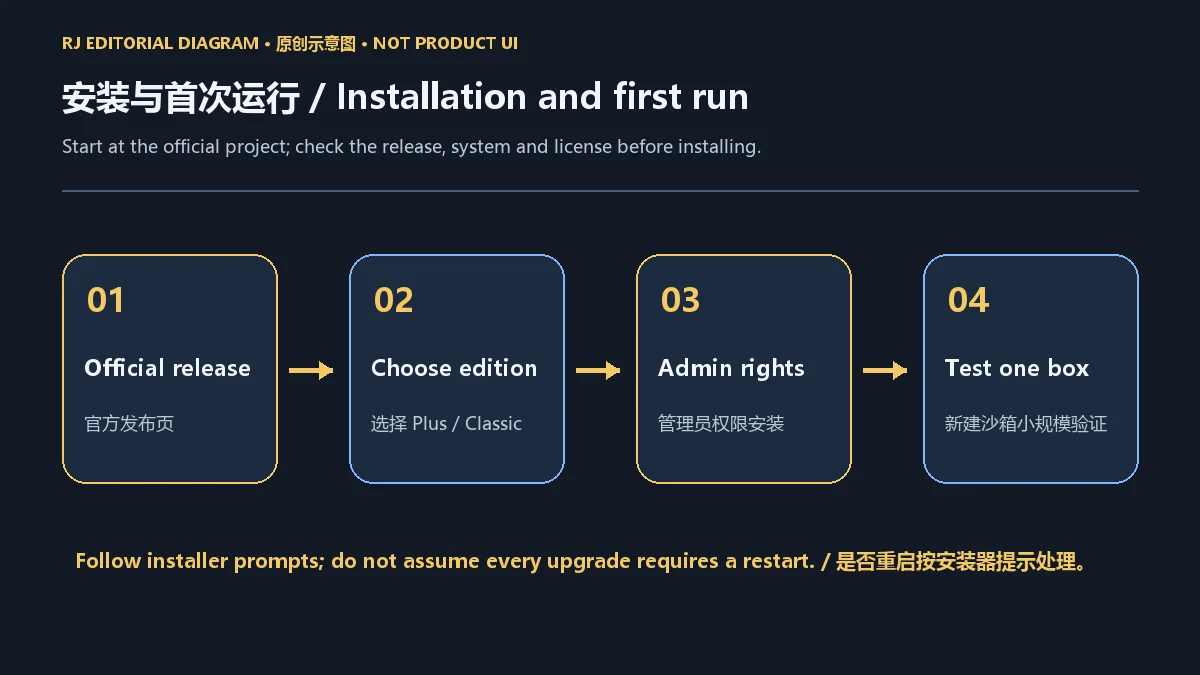
官方 README 列出 Windows 7 或更高的 64 位系统。该列表不代表每项新功能都适用于所有旧系统;安装前应同时核对本次发布说明、安装器对应系统以及组织设备策略。Sandboxie 涉及服务和驱动安装,需要管理员权限;是否重启按安装器提示处理。
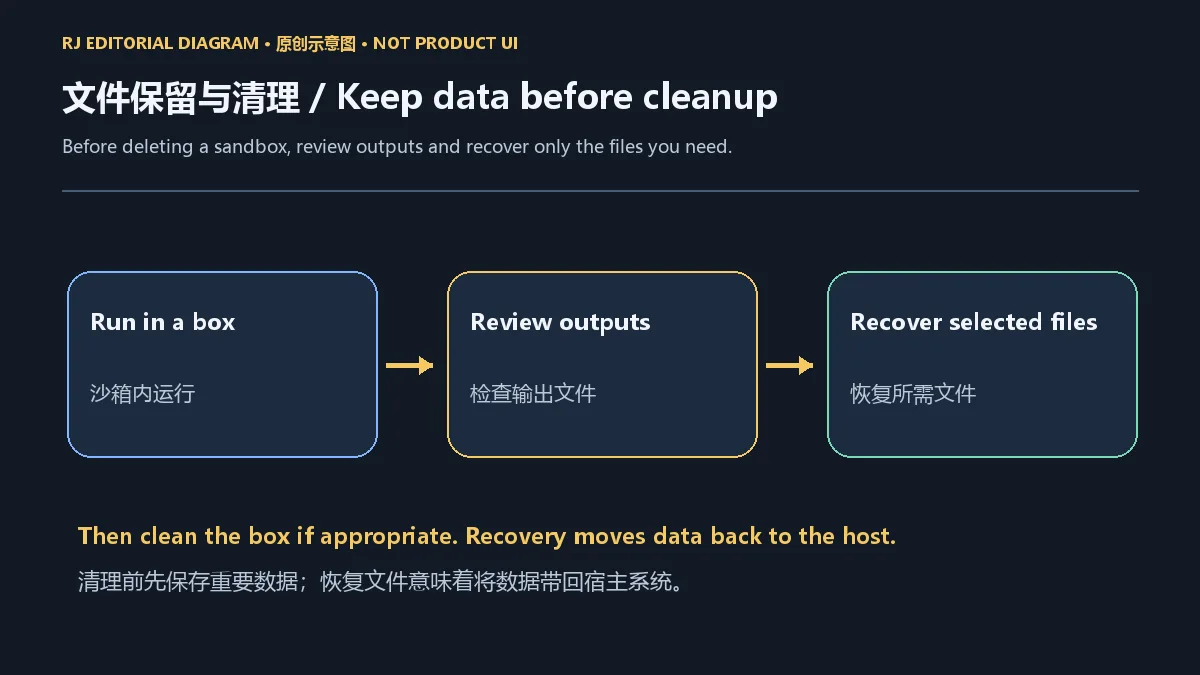
在沙箱中生成或下载的文件可能仍位于隔离目录。清理前检查输出,使用项目提供的恢复机制把需要保留的文件带回宿主系统,并确认它们能在正常环境中打开。恢复文件也会把数据带出隔离边界;不要因为文件来自沙箱就降低对来源和内容的判断标准。快照和恢复功能也不能替代独立备份。
如果程序无法启动、浏览器视频不播放或文件访问异常,先记录 Windows、浏览器、Sandboxie 版本和报错信息,再对照官方更新说明检查兼容性。用一个新建、配置明确的测试沙箱比较行为,可以帮助分辨旧配置和应用更新的影响;不要为了解决故障而直接放开所有权限。更新过程中遇到问题时,官方发布说明建议保留 sandboxie.ini,卸载旧版后再安装新 build;重要数据应先另做备份。
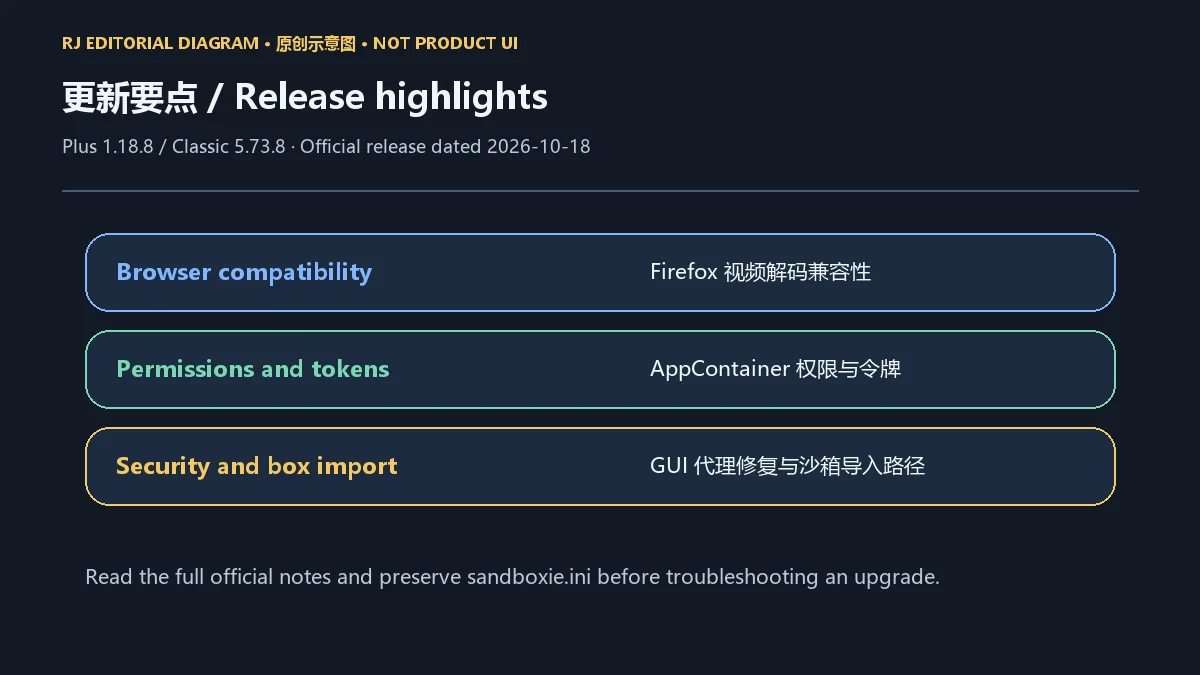
截至本次 2026-10-18 核对,官方 Releases 将 1.18.8 / 5.73.8 列为 Latest,发布日期为 2026-10-18。两组版本号分别对应 Plus 与 Classic,不能将旧榜中的 5.64.3 当作当前版本。
本次说明涉及 Firefox 在沙箱内的视频解码兼容性、AppContainer 权限与令牌处理,并修复 GUI 代理中的越界读取安全问题。此外,Import Boxes 的路径处理和 fixboxdacls 权限修复也有调整。这些是官方记录的修复摘要,不能据此推断所有浏览器或旧配置问题都已解决;升级前应阅读完整发行说明并保留配置备份。
Sandboxie 下载应该选哪里? 从项目官网进入 sandboxie-plus/Sandboxie 的 GitHub 发布页,核对版本与系统,避免混用旧镜像或来历不明的修改版。
沙箱能保证运行未知程序安全吗? 不能。隔离效果取决于漏洞、配置和权限;仍需保持系统防护更新,并对重要数据独立备份。
Plus 完全免费吗? 个人非商业用途与商业用途的规则不同,部分功能需要支持证书。请阅读当前 Plus 许可;Classic 则采用 GPL v3。
清理沙箱后文件会保留吗? 不应假定会保留。先检查沙箱中的输出并恢复需要的文件,再执行清理。
安装后打不开怎么办? 检查系统、安装器、服务和驱动状态,记录报错并核对官方兼容性说明。受组织管理的设备应联系管理员。
选择 Sandboxie 下载版本时,先明确 Plus 或 Classic、系统要求与使用许可,再完成安装和小范围验证;将文件恢复与备份纳入日常流程,可以减少清理和升级带来的数据损失。
Sandboxie download guide for Windows: compare Plus and Classic, follow installation steps, review release fixes, and learn sandbox limits and file recovery.
Sandboxie provides an isolated environment for Windows applications, redirecting some application files and system changes into a sandbox. It can help inspect application behavior, keep working environments separate, or try a workflow without mixing its data with another environment. The project supports multiple sandboxes at the same time; the actual isolation depends on configuration, application behavior and system compatibility.
The current Plus / Classic project is a community fork maintained by David Xanatos and other contributors after the original project became open source. It should not be confused with the support relationship of the former Sophos product. A sandbox cannot promise to stop every attack and does not replace Windows updates, antivirus tools or backups. Consider the sensitivity of accounts and files before using it for an unfamiliar workload.
Plus offers a newer interface and additional capabilities. The project README lists snapshots, restoration, portable extraction and a browser compatibility wizard among Plus features. Check the current version and certificate requirements for a particular feature. Classic uses the legacy MFC interface and does not include every Plus feature; compare your existing configuration and workflow before choosing an interface.
The licenses differ. The Plus license allows personal noncommercial use, while some features require a supporter certificate. Commercial use requires a business certificate, with a small-scale evaluation exception described in the license. Classic is licensed under GNU GPL v3. The Plus terms permit free redistribution of unmodified original binaries; this page links to the official project and release pages.
The official README lists Windows 7 or later, 64-bit. That statement does not mean every newer feature works on every older system. Check the release notes, the intended Windows system for the installer, and device policy before installation. Installing Sandboxie services and drivers requires administrator permission. Follow the installer's restart prompt rather than assuming that every installation or upgrade needs a restart.
Files created or downloaded inside a sandbox may remain in its isolated directory. Review the output before cleanup, recover files you need to the host, and confirm they open in the normal environment. Recovery carries data across the sandbox boundary; a file does not become trustworthy because it was inside a sandbox. Snapshots and restoration also do not replace a separate backup.
If an application will not start, browser video fails, or file access behaves unexpectedly, record the Windows, browser and Sandboxie versions plus the error. Compare that information with official compatibility notes. A new test box with a known configuration can help distinguish old settings from application changes; do not resolve a failure by opening every permission. For upgrade problems, the official notes suggest preserving sandboxie.ini, uninstalling the old version, and then installing the new build. Back up important data separately first.
During the 18 October 2026 review, the official releases page marked 1.18.8 / 5.73.8 as Latest, released on 18 October 2026. The two numbers identify Plus and Classic respectively. The 5.64.3 name in the old candidate sheet is not the current version record.
The notes cover Firefox video-decoding compatibility inside a sandbox, AppContainer permission and token handling, and a security fix for an out-of-bounds read in the GUI proxy. They also address Import Boxes path handling and fixboxdacls permissions. This is a practical summary of the published fixes, not a claim that every browser or legacy configuration problem has been resolved. Read the full notes and preserve configuration before upgrading.
Where should I download Sandboxie? Follow the project website to the sandboxie-plus/Sandboxie GitHub releases. Check the system and version rather than relying on an old mirror or an unknown modified build.
Does a sandbox guarantee that an unknown program is safe? No. Isolation depends on vulnerabilities, configuration and permissions. Maintain system protection and keep separate backups of important data.
Is Plus entirely free? Personal noncommercial and commercial uses follow different rules, and some features require a supporter certificate. Read the current Plus terms. Classic uses GPL v3.
Will my files survive sandbox cleanup? Do not assume so. Review output and recover files you need before cleaning the box.
What if Sandboxie will not start after installation? Check the system, installer, services and driver state, record the error, and read official compatibility notes. Contact your administrator on a managed device.
Before choosing a Sandboxie download, confirm the Plus or Classic interface, Windows requirements and license. Install it, test one small workflow, and make file recovery and backups part of normal use to reduce data loss during cleanup or upgrades.
Informations vérifiées le : 18 oct. 2026
Première publication : 18 oct. 2026· Révision éditoriale : 18 oct. 2026
从项目官网进入 sandboxie-plus/Sandboxie 的 GitHub 发布页并核对版本和系统。 / Follow the project website to its official GitHub releases and verify the edition and system.
不能。效果取决于配置、权限和漏洞;保持系统防护更新并独立备份重要数据。 / No. Configuration, permissions and vulnerabilities affect isolation. Keep system protection updated and maintain separate backups.
不同。Plus 为自定义许可,个人非商业、商业用途及证书规则分别规定;Classic 为 GNU GPL v3。 / No. Plus has custom personal, business and certificate terms; Classic is GNU GPL v3.
检查输出并恢复所需文件,独立备份重要数据,不要假定清理后文件仍存在。 / Review output, recover files you need, and back up important data separately. Do not assume files survive cleanup.
Nmap 是安全扫描工具。官方页面列出稳定版 7.993,并提供 Windows、macOS、Linux 与源代码下载;本条登记 Windows edition。
uBlock Origin 是为浏览器提供的网络请求过滤扩展;Mozilla 官方条目说明其占用较低的 CPU 与内存。

ARCHPR 是 Elcomsoft 面向 Windows 的压缩包密码恢复软件,支持 ZIP、7z、RAR 等存档格式。本页整理官网版本记录 v4.66.266、试用限制、Standard 与 Professional 差异、安装入口及授权边界。 ARCHPR is a Windows archive recovery tool; this guide covers vendor-listed v4.66.266 notes, trial limits, editions and setup.

OneKeePass 是支持 Windows、macOS 与 Linux 的 KeePass 兼容密码管理器,可管理 KDBX 4.x 数据库、密码、TOTP 与自定义条目;查看 v0.27.0 更新和官方安装来源。

Winticator 是一款开源桌面 TOTP 验证器,可离线生成动态验证码、扫描二维码添加条目,并导入 Google Authenticator 导出的迁移码。v1.0.6 提供 Windows x64、macOS Apple Silicon 与 Linux x64 构建;项目定位为技术演示,不面向生产或企业场景。