
电脑与手机之间同步、传输文件
在个人电脑、手机和云端之间传递文件或维护同步目录。收录MIUI+ 跨屏互联(小米手机与笔记本协作)、OpenCloud Desktop、REM等站内已有工具,按实际用途选择适合自己的应用。
MIUI+ 是面向小米手机与笔记本的跨设备协作功能。本页说明通知与内容接力、MIUI 12.5+ 条件、安装入口、连接排查及官方 Beta 版本信息;当前产品页未列通用安装包、数字版本或更新日志。 / MIUI+ connects Xiaomi phones and notebooks for content handoff. Review prerequisites, setup limits and the official Beta notice; no general installer or numbered release is listed.
별칭: MIUI Plus、小米 MIUI+、MIUI+ 跨屏互联、小米手机电脑互联
작성자: RJ.tools Editorial
AI 지원 콘텐츠
소프트웨어의 기본 정보와 출처를 확인하세요
The official product page reviewed does not state detailed end-user license terms. Consult Xiaomi's current product and software terms.
MIUI+ 是面向小米手机与笔记本的跨设备协作功能。本页说明通知与内容接力、MIUI 12.5+ 条件、安装入口、连接排查及官方 Beta 版本信息;当前产品页未列通用安装包、数字版本或更新日志。 / MIUI+ connects Xiaomi phones and notebooks for content handoff. Review prerequisites, setup limits and the official Beta notice; no general installer or numbered release is listed.
MIUI+ 下载与安装:核对 MIUI 12.5+ 手机条件、笔记本应用和连接排查;官网 Beta 页未列通用安装包或更新日志。 MIUI+ setup guide: phone and PC collaboration; no official installer or changelog listed.
MIUI+ 下载与安装前,先确认小米手机符合 MIUI 12.5+ 条件,且设置中提供 MIUI+ 或设备互联。本页介绍手机与笔记本的通知、应用、文字、图片接力和文件互传,并说明跨屏互联连接排查与准备事项。官方页面目前标为 Beta,未列通用安装包、数字版本或逐项更新日志;下载入口仅指向产品说明页。
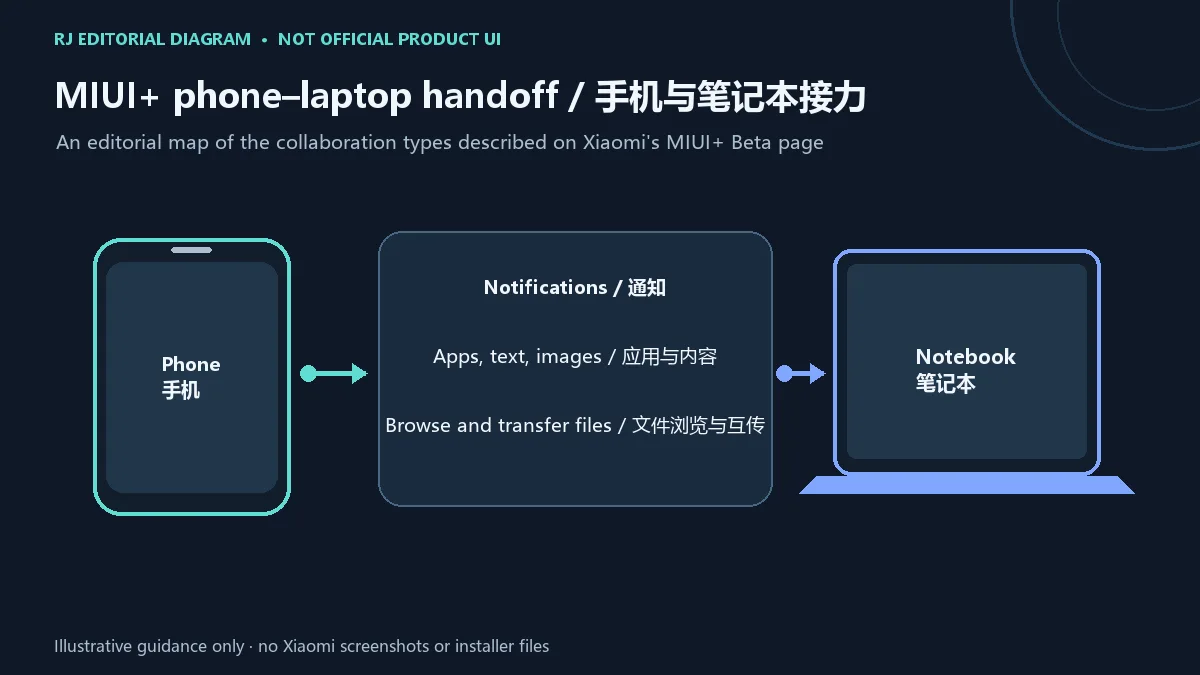
小米官方把 MIUI+ 页面标为 Beta,并将它介绍为手机与笔记本协作功能。页面列出通知、应用、文字和图片接力,以及在电脑上浏览、编辑或互传手机文件等使用场景。它依赖两端的系统与应用条件,不能仅凭 Windows 安装包名称判断设备兼容。
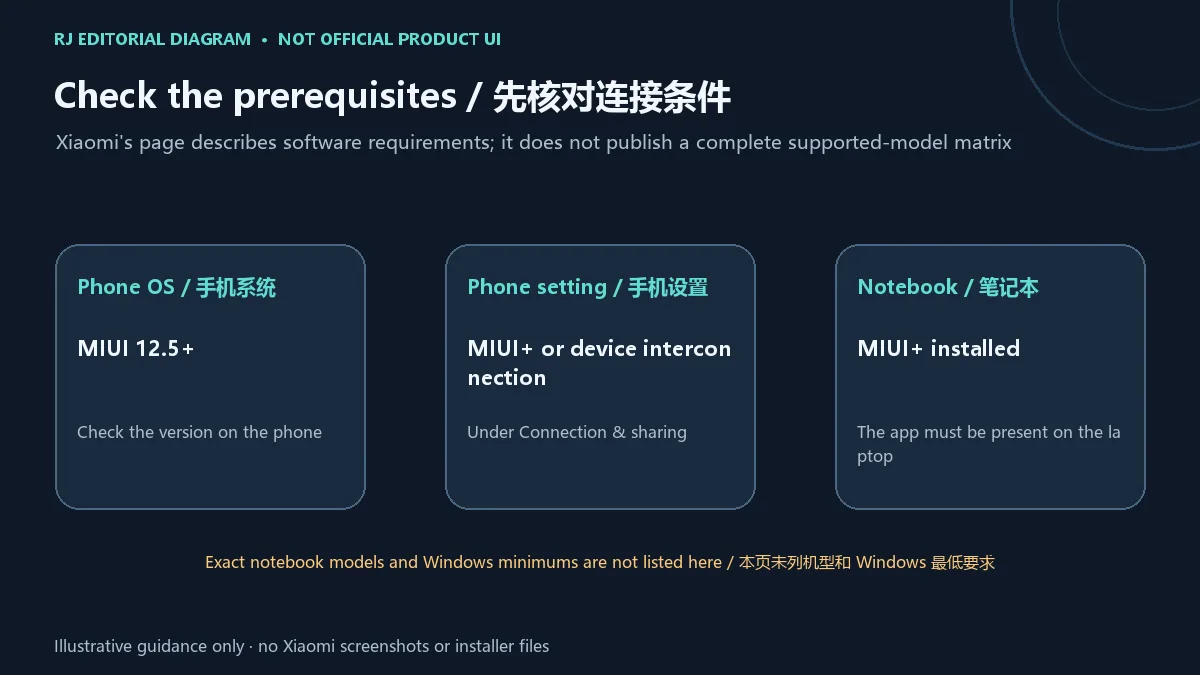
官方说明要求手机运行 MIUI 12.5 或更高版本,并且在“连接与共享”设置中能找到 MIUI+ 或设备互联选项;笔记本则需已安装 MIUI+。页面没有在本次核验到的说明中列出完整支持机型表或 Windows 最低版本,因此这些未确认项应以对应设备的官方支持信息为准。
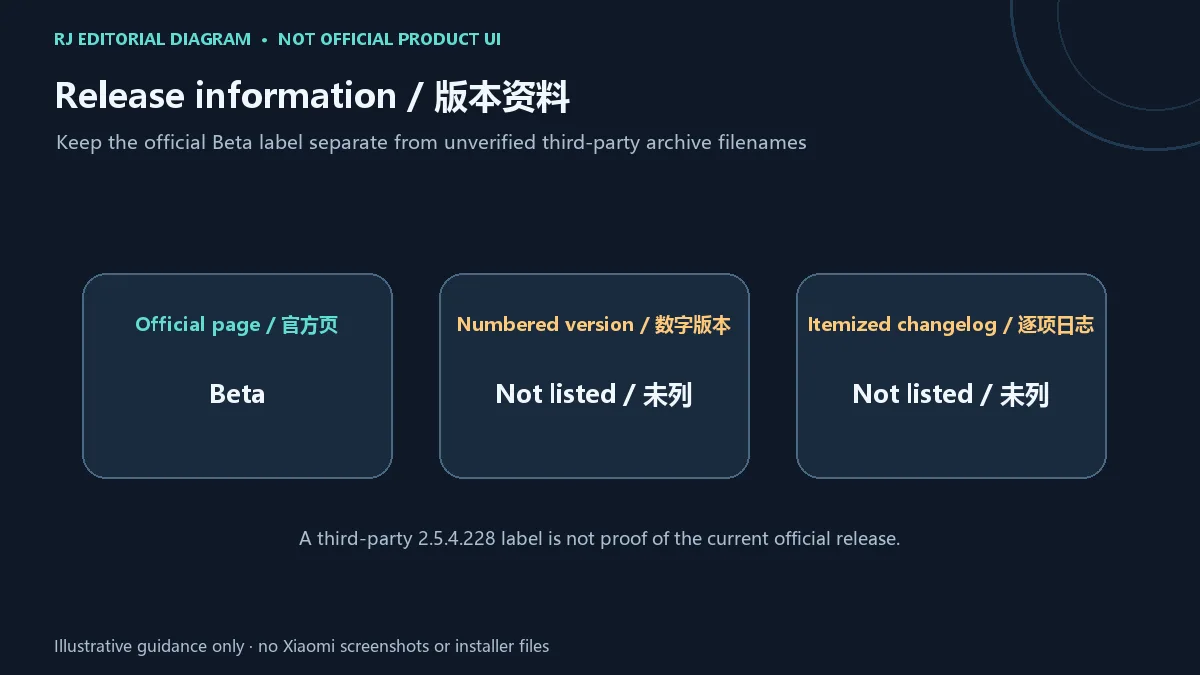
当前核验的小米产品页将 MIUI+ 标记为 Beta,但没有展示可确认的数字版本、发布日期或逐项更新日志。因此本页不把列表旧记录中的 2.5.4.228 当作当前版本,也不将产品页罗列的功能写成某次更新新增内容。若要确认最新状态,请重新查看官方 MIUI+ 页面及设备端官方提示。
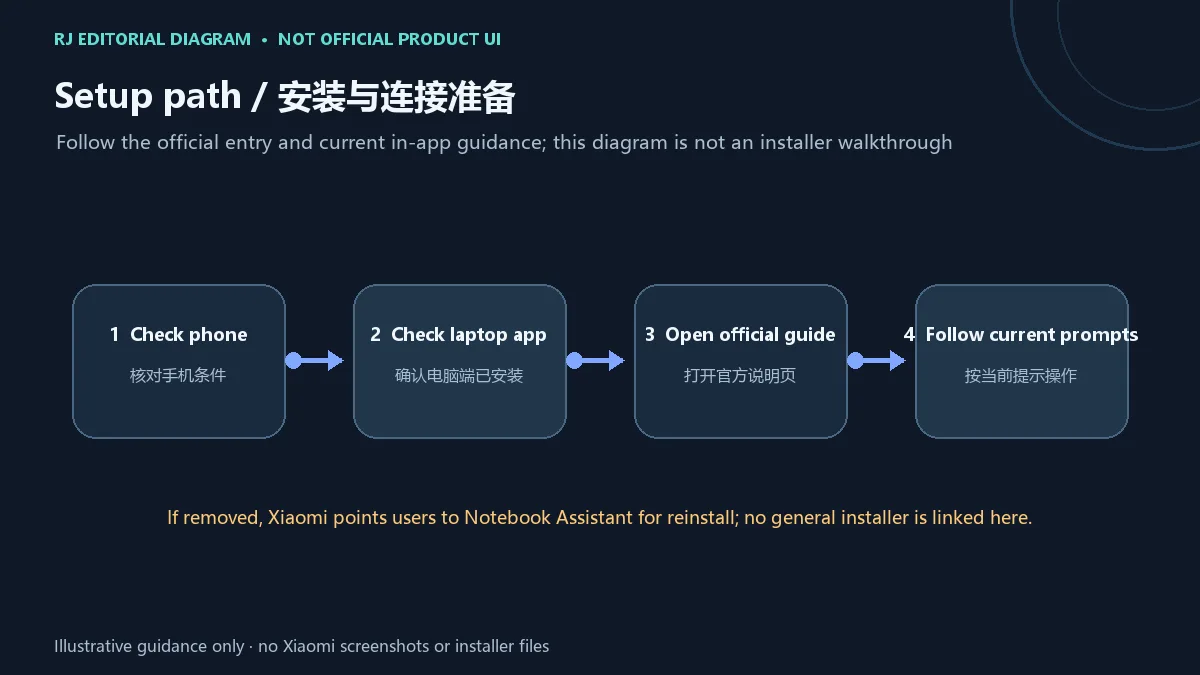
MIUI+ 从哪里下载? 小米当前产品页是说明入口,不提供可见的通用安装包链接;页面建议卸载后通过小米笔记本电脑助手重新安装。
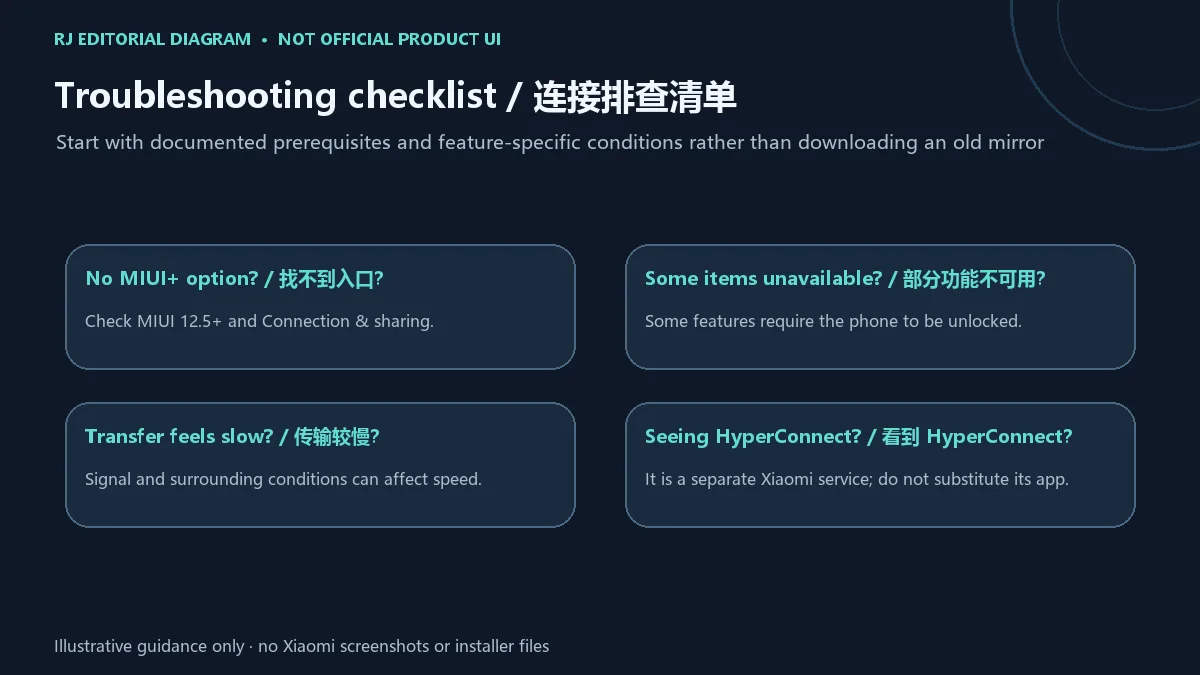
为什么手机里找不到 MIUI+? 检查 MIUI 12.5+ 与“连接与共享”设置;具体可用性还取决于设备支持,官方页面没有给出完整机型列表。
手机锁屏后所有功能都能继续吗? 不能这样假设。官方说明指出通知、最近文件、镜像或便签等部分功能需要手机解锁。
MIUI+ 文件传输速度慢怎么办? 小米说明传输速度会受周边信号环境影响;先检查两端连接环境,再尝试较小文件。
MIUI+ 与 Xiaomi HyperConnect 是同一产品吗? 不是。小米将 HyperConnect 作为另一项跨设备服务介绍;它的客户端和支持范围不等于 MIUI+ 的安装包或兼容清单。
MIUI+ download guide: check MIUI 12.5+, phone settings, laptop app, file sharing and connection fixes. The official Beta page lists no installer or changelog.
Xiaomi labels its MIUI+ product page Beta and presents the service as collaboration between a phone and a notebook. The page lists notification, app, text and image handoff, plus browsing, editing and transferring phone files on the computer. Availability depends on both devices and their software conditions; a Windows filename alone cannot establish compatibility.
Xiaomi says the phone must run MIUI 12.5 or later and show MIUI+ or device interconnection under Connection & sharing. The notebook must already have MIUI+ installed. The product information reviewed here does not provide a complete supported-model matrix or a minimum Windows version, so check device-specific official support for those details.
The Xiaomi product page reviewed labels MIUI+ Beta but does not show a confirmed numbered version, release date or itemized changelog. This guide therefore does not present the third-party archive label 2.5.4.228 as the current version or describe general product features as additions from a particular update. Recheck the official MIUI+ page and device-side notices for current status.
Where can I download MIUI+? Xiaomi's current product page is an information entry and shows no general installer link. It points users to Xiaomi Notebook Assistant for reinstalling after removal.
Why is MIUI+ missing from my phone? Check MIUI 12.5+ and Connection & sharing. Actual availability also depends on device support; the reviewed page has no complete model list.
Do all features work while the phone is locked? No such guarantee is stated. Xiaomi says some notification, recent-file, mirroring or notes features require the phone to be unlocked.
Why is file transfer slow? Xiaomi notes that transfer speed can be affected by surrounding signal conditions. Check the connection environment on both devices and try a smaller file.
Is MIUI+ the same as Xiaomi HyperConnect? No. Xiaomi describes HyperConnect as a separate cross-device service; its client and requirements do not establish MIUI+ download or compatibility details.
정보 검증일: 2026년 10월 18일
최초 게시: 2026년 10월 18일· 편집 수정: 2026년 10월 18일
当前官方产品页未展示通用安装包;页面建议卸载后通过小米笔记本电脑助手重新安装。 / The current official page shows no general installer and points to Xiaomi Notebook Assistant for reinstallation.
小米说明手机需运行 MIUI 12.5+,并在连接与共享中提供 MIUI+ 或设备互联选项。 / Xiaomi says MIUI 12.5+ and the MIUI+ or device-interconnection setting under Connection & sharing are required.
设备支持范围未在当前页面完整列出;部分功能要求手机解锁,传输速度可能受周边信号影响。 / The page gives no full model matrix; some features require an unlocked phone and transfer speed can vary with signal conditions.
核验时官网将页面标为 Beta,但没有列出数字版本或逐项日志。 / At review time, Xiaomi marked the page Beta but listed no numbered version or itemized changelog.

Sideloadly 是 Windows/macOS 桌面 IPA 侧载工具,可将兼容 IPA 安装到 iPhone、iPad、Apple Silicon Mac 和 Apple TV;官网列出 Wi-Fi 侧载与自动刷新。 | Sideloadly is a Windows/macOS IPA sideloading utility for iPhone, iPad, Apple Silicon Mac and Apple TV, with Wi-Fi sideloading and automatic refresh features listed by the publisher.

DiskGenius 6.2:官方安装器与便携版、免费和专业版权限、当前更新及数据恢复位置检查。 / Official v6.2 package choices, Free/Professional differences, release notes and recovery-destination guidance.

读取DPC、ISR与硬缺页定位音频中断线索,区分7.31修复、家庭版许可与当前Windows驱动阻止限制。 / Interpret DPC, ISR and pagefault reports with v7.31 notes, Home Edition licensing and current Windows driver-policy limits.
PowerToys 是 Microsoft 提供的 Windows 实用工具集合,帮助用户自定义 Windows 并简化日常任务;资料列出的版本为 v0.102.3001。

Process Lasso 是 Bitsum 的 Windows 进程管理与自动化工具,提供 ProBalance、Performance Mode、进程规则和硬件监控。稳定版 18.4.0.48 支持 Windows 10、11 与 Windows Server;免费版可长期使用,部分高级功能需要 Pro。 / Process Lasso is Bitsum’s Windows process-management and automation utility, with ProBalance, Performance Mode, process rules and hardware monitoring. Stable version 18.4.0.48 supports Windows 10, 11 and Windows Server; some advanced features require Pro.

TrafficMonitor Windows 网速与资源监控:1.86 Lite 架构选择、任务栏设置、版本变更和零读数排查。 / TrafficMonitor v1.86 Lite package selection, taskbar setup, release changes and troubleshooting for network readings.