
电脑绘画、修图与平面设计
为插画、图片修改和版式素材制作选择桌面图形工具。收录CorelDRAW Graphics Suite 2026、Inkscape、Mental Canvas Draw等站内已有工具,按实际用途选择适合自己的应用。
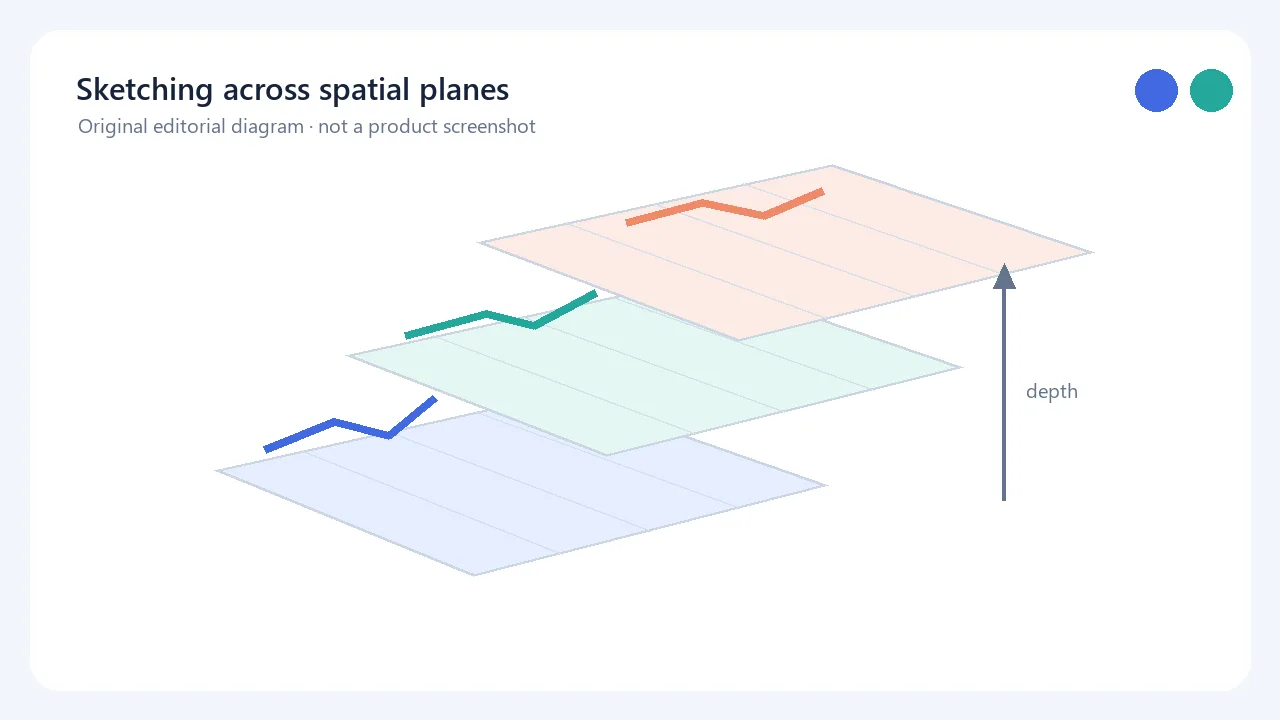
中文:Mental Canvas Draw 用笔触构建分布在不同深度平面上的场景,并支持三维导航与自由动画。Windows 版由官网链接至 Microsoft Store,要求触控屏和主动式笔;商店标注免费下载并含应用内购买。 English: Mental Canvas Draw places strokes on spatial planes and supports 3D navigation and free animation. The publisher links Windows users to Microsoft Store; touchscreen and active pen are required, and the Store listing notes in-app purchases.
별칭: Mental Canvas Draw Windows、Mental Canvas Draw 官方版
소프트웨어의 기본 정보와 출처를 확인하세요
No open-source licence statement was found on the reviewed product pages; check current Microsoft Store and in-app purchase terms.
中文:Mental Canvas Draw 用笔触构建分布在不同深度平面上的场景,并支持三维导航与自由动画。Windows 版由官网链接至 Microsoft Store,要求触控屏和主动式笔;商店标注免费下载并含应用内购买。 English: Mental Canvas Draw places strokes on spatial planes and supports 3D navigation and free animation. The publisher links Windows users to Microsoft Store; touchscreen and active pen are required, and the Store listing notes in-app purchases.
下载 Mental Canvas Draw 前,先了解这款 Windows 空间绘图软件如何把笔触安排在不同深度平面并以三维方式导航场景;本页说明官网跳转 Microsoft Store 的获取方式、主动式笔和多点触控条件、内存建议、版本信息及收费边界,并帮助判断无触屏设备的功能限制和常见安装故障排查顺序。
Mental Canvas Draw 将笔画放在不同深度的空间平面中,使用者可以改变观察角度,在场景前后移动视点,并把静态草图延展为自由动画。它适合讲解空间结构、概念设计或需要表现前后关系的构思;若只需传统单层画布,常规绘图程序可能更直接。
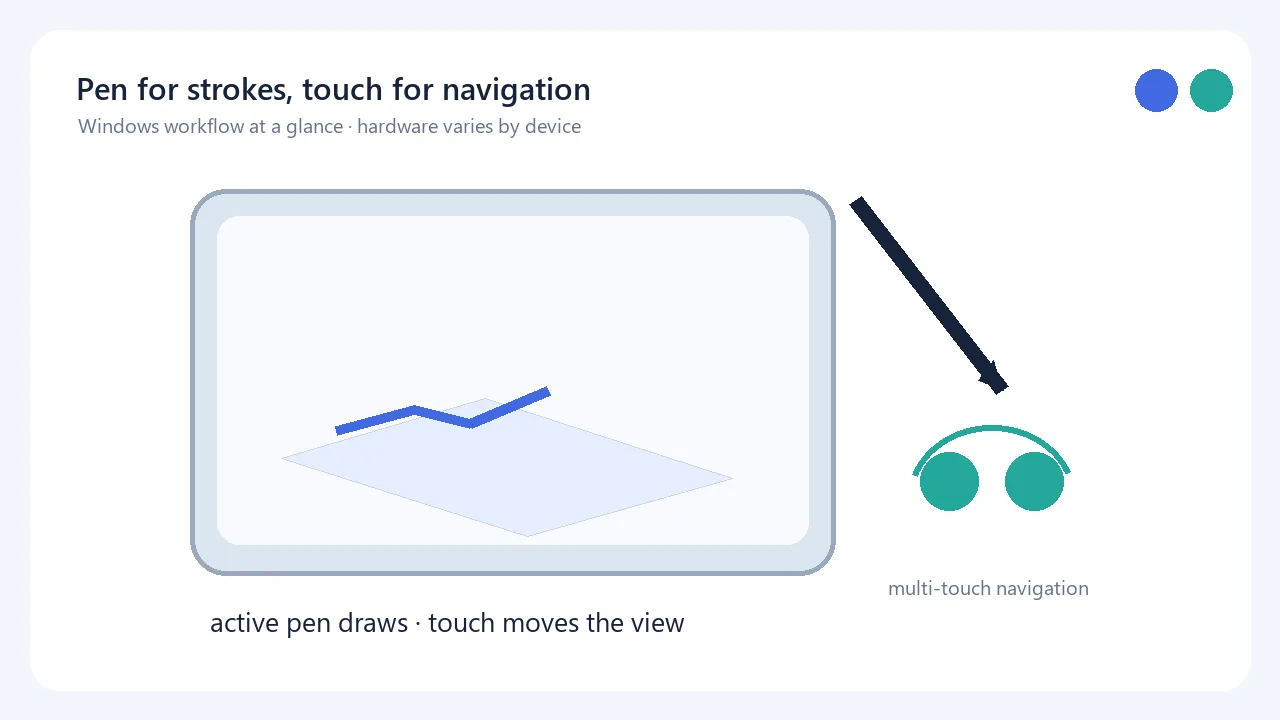
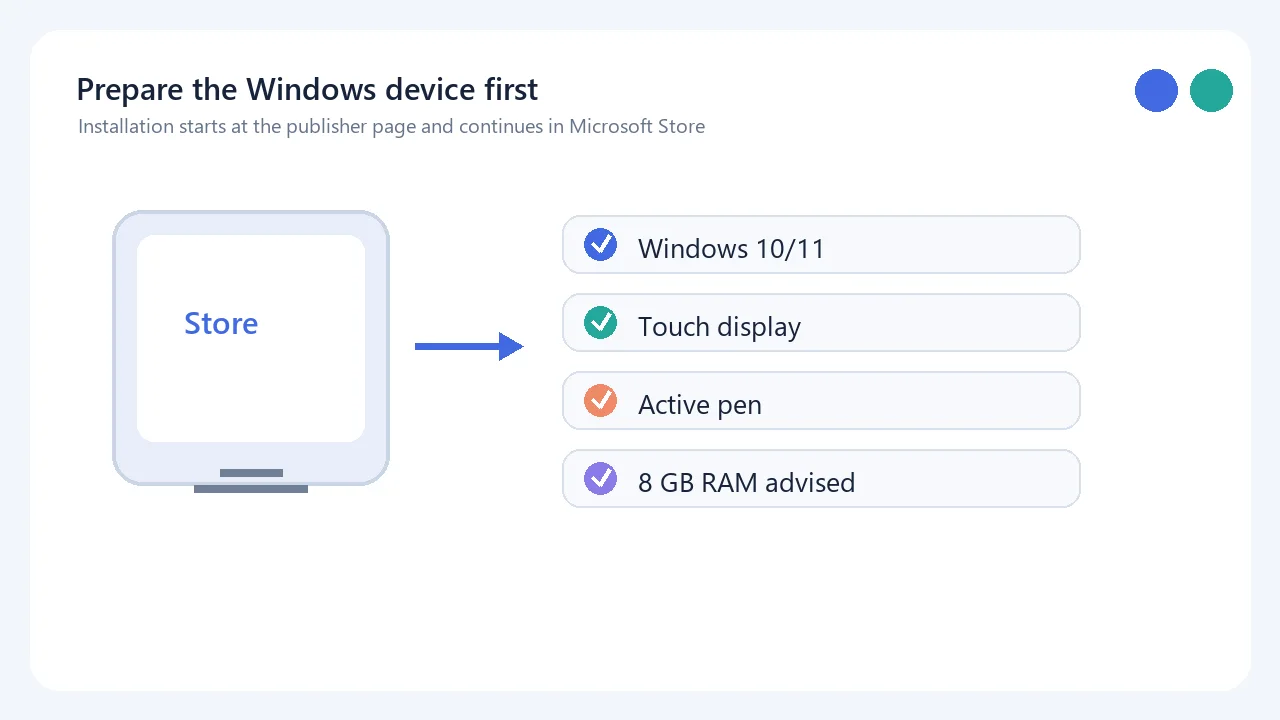
官网 FAQ 把 Windows 10 或 11 的笔和多点触控平板列为可用设备,并建议至少 8 GB 内存。Windows 绘画需要主动式笔,触控主要用于导航;官网说明不带屏幕的绘图板不推荐。无触屏设备可有限查看或导出文件,但不能创建新内容。Surface Dial 是可选配件。
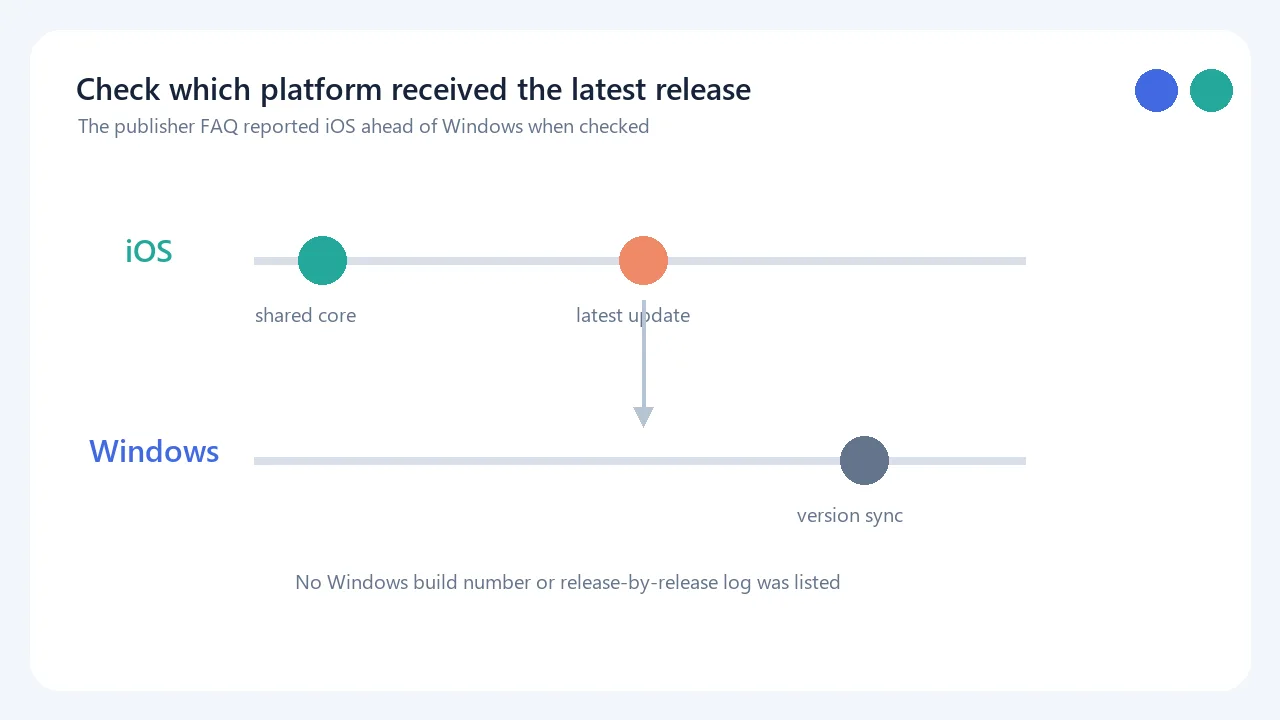
截至本次核对,官网 Windows 下载页与 Microsoft Store 页面没有显示可确认的 Windows 版本号、build 或逐版本更新日志,因此这里不填写猜测版本。官网 FAQ 当时说明 iOS 版领先 Windows 一个版本,最新更新先在 iOS 发布;这表示 Windows 版可能暂未同步,安装前应以 Store 当前条目为准。
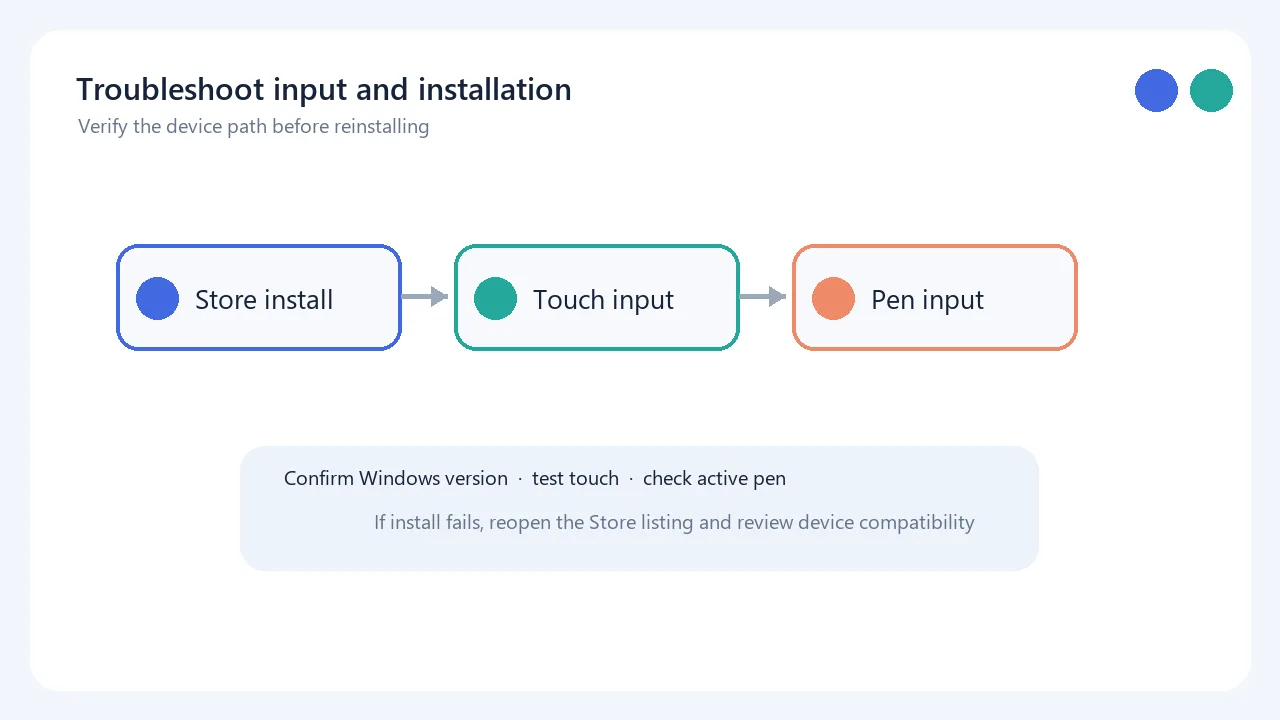
没有触摸屏还能创作吗? 官网 FAQ 说 Windows 上无触屏时只能有限查看和导出,不能创建新内容;Windows 绘画也需要主动式笔。必须购买 Surface Dial 吗? 不需要,它是可选配件。应用免费吗? Microsoft Store 将 Windows 版标为免费下载并注明应用内购买;官网价格页还列有 Free、Pro、Premium 等方案,但页面展示的限时优惠截止信息已过或缺少年份,当前费用应以实时结账页为准。官网所查产品页没有给出开源许可声明。若安装入口打不开,请从官网重新进入 Store 条目并检查设备兼容性;绘制无响应时先分别确认主动式笔与触控输入是否可用。
Mental Canvas Draw brings spatial sketching to Windows pen-and-touch devices; check the official Store route, hardware needs, updates, pricing, and fixes.
Mental Canvas Draw places strokes on spatial planes at different depths. You can change the viewing angle, move through a scene, and extend a sketch into free animation. This approach can help explain spatial relationships, concept designs, or ideas that need foreground and background; a conventional single-layer canvas may be simpler for ordinary flat drawing.
The publisher FAQ lists Windows 10 or 11 pen-and-multitouch tablets as compatible and recommends at least 8 GB of RAM. A Windows active pen is required for drawing, while touch is used for navigation. The publisher does not recommend a screenless drawing tablet. Without a touch display, existing files have limited viewing and export capabilities, but new content cannot be created. Surface Dial is optional.
At verification time, neither the publisher's Windows download page nor the Microsoft Store page displayed a verifiable Windows version/build or per-release changelog, so no numeric version is guessed here. The publisher FAQ said that the iOS edition was one release ahead of Windows and that the latest update had arrived on iOS first. Windows users should check the live Store entry for the current listing and availability.
Can I create drawings without a touchscreen? The publisher FAQ says Windows without touch is limited to viewing and exporting existing files; drawing also requires an active pen. Do I need Surface Dial? No, it is optional. Is the Windows app free? Microsoft Store lists it as a free download with in-app purchases. The publisher pricing page lists Free, Pro, Premium, and other plans, but its visible limited-offer cutoff has passed or lacks a year, so check the live checkout page for current charges. No open-source licence statement was found on the product pages reviewed. If the install link fails, reopen the Store entry from the publisher site and check compatibility; if drawing does not respond, test the active pen and touch input separately.
정보 검증일: 2026년 10월 19일
최초 게시: 2026년 10월 19일· 편집 수정: 2026년 10월 19일

Snipaste 是适用于 Windows、macOS 和 Linux 的截图、标注与贴图工具。页面整理官方 2.11.3 版本、系统包型、F1/F3 使用步骤和授权区别。 / Snipaste captures, annotates, and pins images on Windows, macOS, and Linux. This guide covers official version 2.11.3, package types, F1/F3 workflow, and licensing.

R2V 是 Able Software 的 Windows 地图与工程图栅格转矢量工具。查看官方 7.5 试用版、安装要求、GIS/CAD 输出与数据检查建议。 R2V converts scanned maps and drawings into GIS/CAD vectors; includes official trial and setup guidance.
Spline Windows 桌面版:官方安装入口、三维场景与交互、计划权限及产品更新边界。 / Official Windows desktop entry, 3D scenes, interactions, plan limits and dated product notes.
CorelDRAW Graphics Suite 2026 是适用于 Windows、Mac 与 Web 的商业矢量绘图和版式设计套件,官网提供 15 天试用、订阅及一次性购买选项。本文整理 Windows 系统要求、官方试用入口和 v27.2 补丁前置版本。 / CorelDRAW Graphics Suite 2026 is a commercial vector and page-layout suite for Windows, Mac and Web. This guide covers Corel's 15-day trial, system requirements and v27.2 update prerequisites.

BlueScreenView 蓝屏转储阅读指南:官方入口、免安装步骤、停止代码与驱动线索解读、1.55历史更新、空白列表和转储隐私。 / BlueScreenView guide to official setup, minidump records, driver clues, historical 1.55 changes and privacy-aware troubleshooting.
B612咔叽是Android拍照与照片编辑应用;腾讯应用商店详情介绍智能美颜、贴纸、AI特效、滤镜和拼图功能。
