手机和平板绘画与漫画工具,提供画笔、图层和分格;整理官方安卓版28.27、两项更新、作品备份与商店地区条件。 / Android drawing and comic tools with brushes, layers and panels; includes v28.27 notes, backups and regional availability.
中文
MediBang Paint 安卓版是面向手机和平板的绘画与漫画创作应用,提供画笔、图层、分格和文件输出工具。本文整理 MediBang Paint 下载与安装、28.27 更新日志及常见问题,说明 Android 版本和商店地区条件,提供画不出线、画布卡顿与作品备份的检查思路,并区分免费应用、云服务和订阅权益。
MediBang Paint 安卓版:画笔、图层与漫画创作
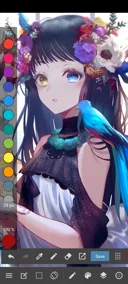
MediBang Paint 是 MediBang Inc. 提供的绘画与漫画创作应用,安卓版面向手机和平板,提供画笔、图层和图层组、辅助线与漫画分格等工具。可以把草稿、线稿与上色放在不同图层中,逐步修改某一部分;需要更多画布空间时,官网介绍了折叠面板和自定义快捷栏的使用思路。
它适合移动绘画练习、插画草稿和漫画页面制作。Android 官网列明支持 MDP、PNG、JPG 等文件,并可输出 MDP、PNG、JPG、PSD。不同格式服务于继续编辑、图片分享或跨软件交接等目的,交付前应实际检查导出的文件。云保存、云素材与云文字需要网络,部分功能还涉及账户及 Premium 权益,不能把免费安装理解为所有服务免费。
MediBang Paint 下载与安装:先核对 Android 和地区
- 从官方 Android 页面进入 Google Play,核对 MediBang Inc. 与包名
com.medibang.android.paint.tablet。本页所核对的是 Android 28.27,不要混用桌面版、Paletta 或 JUMP PAINT 的版本说明。
- 核对设备条件。官方产品页列出 Android 8.0 及以上;同时查看商店对当前设备、账户和地区的实际可用状态,支持的系统版本不等于所有设备都能安装。
- 在商店提供安装入口的地区按提示安装。官方 FAQ 说明该应用已从中国区 App Store 与 Google Play 下架,并向当地用户建议 Steam 版;因此本页的 Google Play 入口不保证中国区账户可用。
- 首次启动先建立一个小画布,试用画笔、图层与保存,再按实际任务决定是否使用账户、云功能或订阅。确认付费项目与商店条款后再选择服务。
- 已有作品时,更新或重装前检查保存位置,保留原生 MDP 文件及必要的导出备份。官方 FAQ 明确提示:卸载移动应用会删除未存到云端的本地作品,不能指望重新安装恢复它们。
画不出线或画布卡顿:从图层和文件规模检查
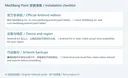
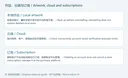
第一次练习可以先用独立图层画几条线,保存后重新打开,确认基本编辑与文件流程。后续把草稿、线稿和颜色分开,修改时先确认当前图层、可见状态和工具,而不是在整幅作品上不断覆盖。官方展示图中的图层管理功能能帮助理解编辑结构,具体按钮位置仍以安装版本为准。
如果手指无法画线,而触控笔可以,先查看笔压与防误触设置。官方 Android FAQ 说明,启用相关设置后可能只接受支持笔压的触控笔。也应核对是否选中了文字图层、橡皮擦或透明色,以及低位图层上过浅的颜色。先在新建测试图层检查,避免为了排查而破坏原作。
卡顿时,官方列出的影响因素包括过大的画布、过多图层、较高的笔画修正设置与存储不足。先保留作品,再逐项检查文件规模和设置;不把商店宣传中的流畅体验理解为每台手机都能处理任意大画布。需要提交问题时记录 Android 版本、应用版本、画布尺寸和可重现步骤。
MediBang Paint 28.27 更新日志:付款提示与画布视图修复
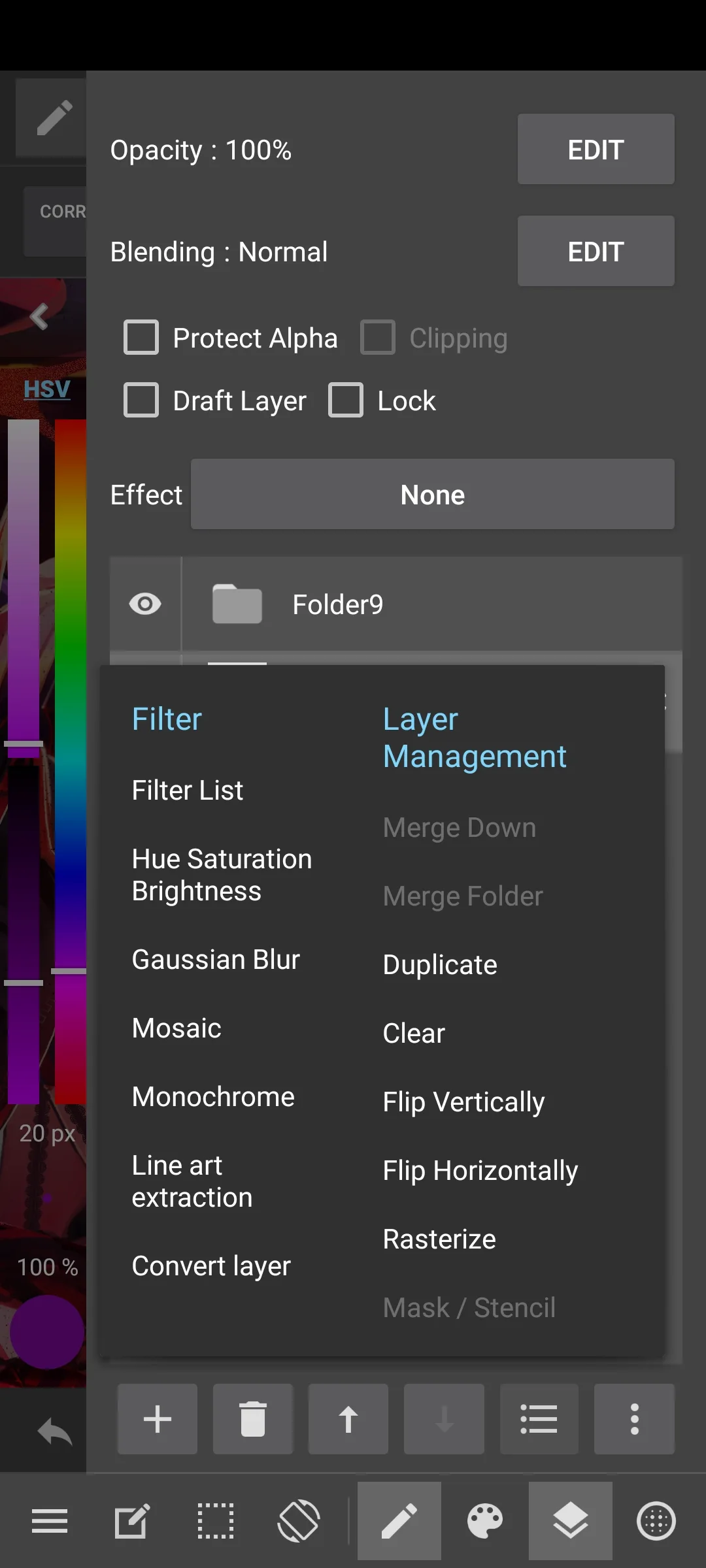
本次核对的 Google Play Android 页面版本为 28.27,更新时间为 2026年10月18日。“What’s new”列出两项变化:
- Premium 订阅续费付款失败时,应用现在会显示 Google Play 的更新付款方式提示。
- 修复打开对话框或窗口时,画布视图位置被重置到中央的问题。
第一项涉及订阅付款异常的提示流程,并不改变订阅价格或自动取消规则;第二项针对绘画时的视图位置,不代表修改画布尺寸、图层位置或图像内容。若更新后仍遇到问题,应区分画布视图移动与实际图像被修改,先保留作品,再记录触发的窗口及操作顺序。
官网存在多个平台的更新页和其他产品介绍。本页以同包名 Google Play 页面为本次 Android 更新依据,不把桌面版 29.1 或 Paletta 的功能写成安卓版 28.27 的新增内容。
常见问题 FAQ:作品备份、云功能与订阅
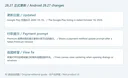
MediBang Paint 安卓版在中国区商店找不到怎么办? 官方 FAQ 说明中国区已下架,Google Play 链接的可用性受地区与账户影响。请查看开发者当前正式渠道与地区说明,不把其他产品或同名转载当作原版。
卸载重装能恢复本地作品吗? 官方明确提示未存到云端的本地作品会随移动应用卸载而删除,且无法恢复。先确认文件保存位置并完成备份,再决定是否重装。
云功能为什么不可用? 检查网络、账户登录与邮箱验证,并核对当前方案的功能及容量限制。云保存不等于设备里所有文件都已同步;重要作品应确认实际上传状态。
删除 MediBang 账户会停止订阅扣款吗? 官方 FAQ 说明不会自动取消经商店购买的月度订阅;应到原购买平台管理订阅,核对生效时间及退款规则。
官方渠道是否意味着无需查看权限和隐私说明? 仍需阅读商店的数据说明、开发者隐私政策与设备提示。本页核对的是公开资料和展示图,未安装、运行或扫描应用。
查找 MediBang Paint 下载与安装信息时,先确认 Android 28.27、系统及地区条件;从小画布练习开始,保留原生作品和导出备份,再结合正式更新日志处理绘画或付款提示问题。
English
MediBang Paint brings drawing tools to Android. Find official downloads, setup steps, v28.27 notes, layer tips, artwork backups, and store availability advice.
MediBang Paint for Android: brushes, layers, and comics
MediBang Paint is a drawing and comic-creation application from MediBang Inc. Its Android edition serves phones and tablets with brushes, layers and layer groups, guides, and comic panel tools. Separate sketching, line work, and color into layers so changes can be isolated. The Android product page also describes collapsible panels and a customizable shortcut bar for managing the workspace.
It suits mobile drawing practice, illustration drafts, and comic pages. The Android website lists MDP, PNG, and JPG support and MDP, PNG, JPG, and PSD output. Select formats for continued editing, image sharing, or handoff, and inspect exported files before delivery. Cloud saving, materials, and text require connectivity; some functions depend on an account or Premium benefits. Free installation does not make every service free.
MediBang Paint download and installation: check OS and region
- Follow the official Android page to Google Play. Verify MediBang Inc. and package
com.medibang.android.paint.tablet. This guide covers Android 28.27, separate from the desktop app, Paletta, and JUMP PAINT.
- Review the device requirements. The official page lists Android 8.0 and later. Also check the store's current availability for the device, account, and region; an OS requirement alone does not establish installation support for every device.
- Install through the store where it offers the app. The publisher FAQ says the app was removed from the Chinese App Store and Google Play and recommends its Steam edition for users in China. This Google Play link therefore does not guarantee availability for a Chinese-region account.
- Start with a small canvas and try brushes, layers, and saving. Decide separately whether you need an account, cloud features, or a subscription, and review any paid feature and store terms first.
- Before an update or reinstall, check where artwork is saved and retain native MDP files and needed exports. The mobile FAQ says uninstalling deletes local artwork not stored in the cloud; reinstalling is not a recovery method.
Cannot draw a line or experiencing lag: check layers and file size
For a first exercise, draw on a separate layer, save, and reopen the work to confirm the basic file workflow. Keep sketching, line work, and colors separate. Before changing a finished area, check the active layer, visibility, and selected tool. The official layer-management image illustrates these controls; their position can vary with the installed build.
If a stylus draws but a finger does not, review pressure and palm-rejection settings. The Android FAQ explains that enabling these settings can restrict drawing to a pressure-capable stylus. Also check for a selected text layer, eraser or transparent color, and very faint colors on bit layers. Use a new test layer to investigate while preserving the original work.
The publisher identifies large canvases, many layers, high brush-correction settings, and insufficient storage as possible causes of lag. Save the artwork, then review one relevant setting at a time. A general performance description does not establish that every phone handles an arbitrarily large canvas. Include Android and app versions, canvas size, and reproducible steps when requesting help.
MediBang Paint 28.27 release notes
The checked Google Play Android listing identifies 28.27, updated on October 18, 2026. Its “What’s new” section has two changes:
- When a Premium subscription renewal payment fails, the app now shows Google Play's prompt to update the payment method.
- Fixed a problem where opening a dialog or window reset the canvas view position to the center.
The first concerns payment-failure messaging; it does not state a price change or automatic subscription cancellation. The second concerns the view, rather than the canvas dimensions, layer positions, or image content. If it persists after updating, preserve the work and record which window and actions trigger the view movement.
The publisher hosts several platform and product pages. These Android notes come from the same-package Google Play listing. Desktop 29.1 and Paletta changes are not attributed to Android 28.27 here.
Frequently asked questions: artwork, cloud, and subscriptions
Why is the Android app missing from the Chinese store? The official FAQ states it was removed there. Google Play availability depends on account and region. Review the publisher's current channels and regional information rather than treating another product or a similarly named upload as the original.
Can reinstalling restore local artwork? The publisher says local mobile artwork not saved to the cloud is deleted by uninstalling and cannot be restored. Confirm locations and complete backups first.
Why are cloud features unavailable? Check connectivity, account login, email verification, and the current plan's feature and capacity limits. Confirm that important work actually uploaded; cloud access does not mean every local file has synchronized.
Does deleting my account cancel Premium billing? The FAQ says store-purchased monthly subscriptions are not canceled automatically. Manage the subscription through the original purchase platform and review the effective dates and refund rules.
Does the official source remove the need to review privacy information? Read the store's data information, publisher policy, and device prompts. This guide reviewed public documentation and promotional images; the application was not installed, run, or scanned.
For MediBang Paint download and setup, verify Android 28.27, OS requirements, and store availability. Start with a small canvas, keep native artwork and exports backed up, and use the release notes to identify relevant drawing or payment-prompt fixes.