
游戏画面、窗口与运行体验工具
调整游戏窗口与显示方式,观察运行指标,并在适用的单机场景管理运行速度。收录Borderless Gaming Legacy、Lossless Scaling、MSI Afterburner等站内已有工具,按实际用途选择适合自己的应用。

Lossless Scaling is a paid Windows utility for image scaling and frame generation. The official Steam page is the purchase and installation route; review the Windows build, display mode, and hardware requirements before use. / Lossless Scaling 是付费 Windows 画面缩放与帧生成工具,官方 Steam 商店提供购买与安装入口;使用前请核对 Windows 版本、游戏显示模式和硬件要求。
Découvrez les informations essentielles et les sources du logiciel
License terms not disclosed in the reviewed pages; consult the Steam listing and publisher terms. / 已查看页面未说明授权条款,请查阅 Steam 商品页和开发者条款。
只核对官方 Lossless Scaling 与 Steam 页面;未下载、安装或运行二进制,也未执行安全或性能测试。 / Official Lossless Scaling and Steam pages only; no binary was downloaded, installed, run, safety-tested, or performance-tested.

Lossless Scaling is a paid Windows utility for image scaling and frame generation. The official Steam page is the purchase and installation route; review the Windows build, display mode, and hardware requirements before use. / Lossless Scaling 是付费 Windows 画面缩放与帧生成工具,官方 Steam 商店提供购买与安装入口;使用前请核对 Windows 版本、游戏显示模式和硬件要求。
Lossless Scaling 是 Windows 画面缩放与帧生成工具。本页整理官方 Steam 下载入口、安装步骤、系统要求和最新更新,帮助你判断这款 Windows 游戏缩放软件是否适合当前游戏;官方当前版本号未披露,购买与安装请按 Steam 页面说明操作,价格因地区和促销变化。购买前先查当日商店价。
Lossless Scaling 面向 Windows 游戏画面处理,提供多种缩放算法和 LSFG 帧生成能力。Steam 商店页介绍了 LSFG 3 帧生成;帧生成和缩放效果会受游戏、显卡、输出分辨率及设置影响,适合先从单款游戏的小范围调整开始。它是付费软件,具体价格以当前地区的 Steam 商店为准。
图片来源:Lossless Scaling 官方主页。这张产品界面图由开发者提供,不代表本站下载、安装或测试过该软件。
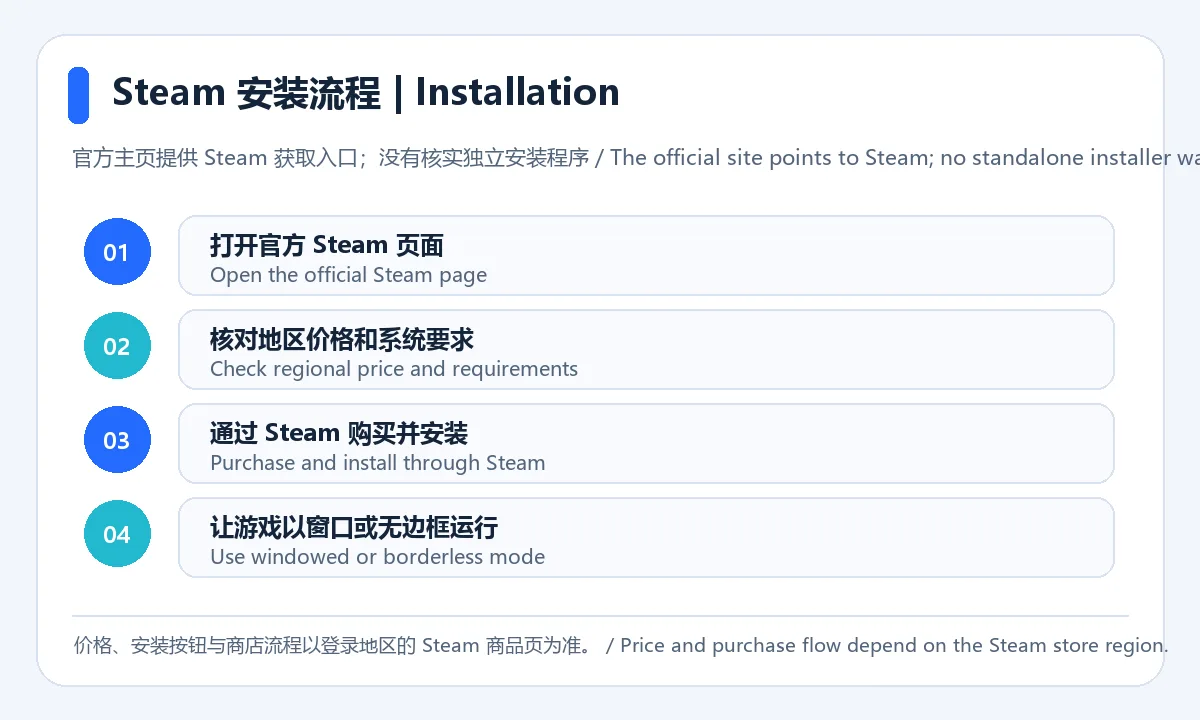
此图按官方 Steam 获取入口和商店系统要求整理,未模拟应用设置界面。
Lossless Scaling 官方主页当前更新栏列出 Performance Mode Hotfix。说明文字提到:改善 LSFG 3.1 Performance 模式下的画面质量,修复组合热键使用时的按键重复,并新增马其顿语。已查看的更新条目没有显示整体应用版本号或发布日期;LSFG 3.1 是说明中提到的功能版本,不应误写成 Lossless Scaling 的当前应用版本。安装或更新前请回到 Steam 页面查看最新状态。
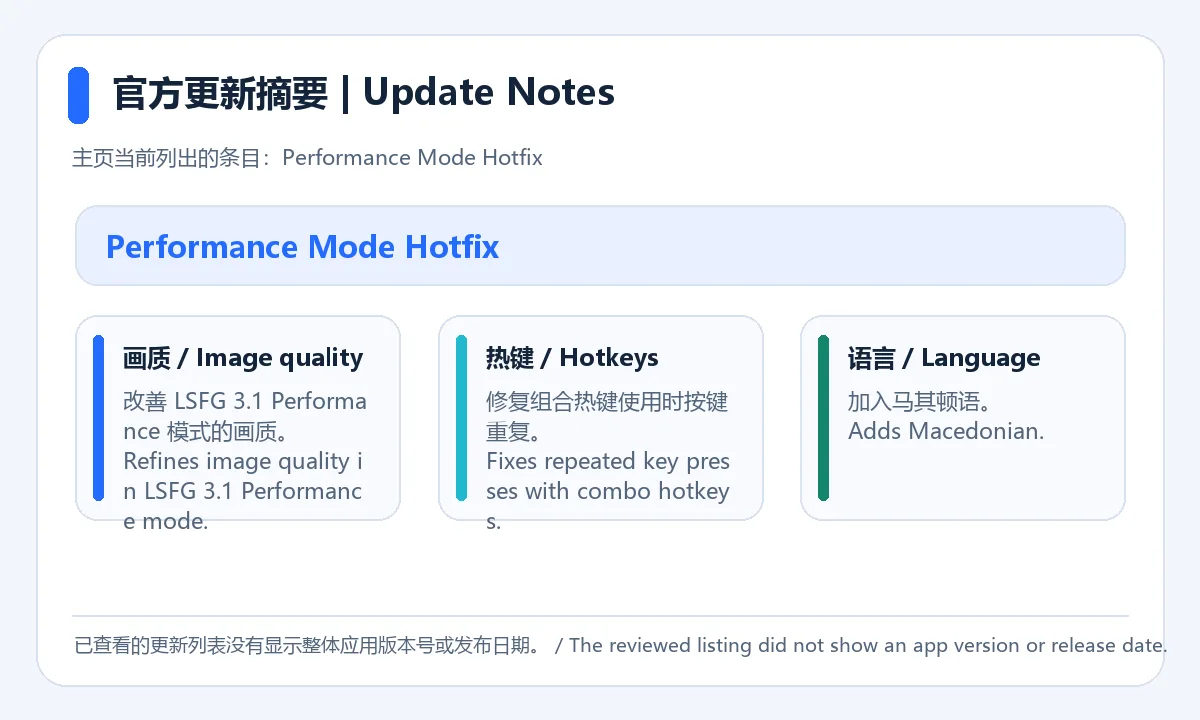
更新要点来源:官方主页最新更新栏。图为原创文字摘要,不是客户端截图。
Steam 商店列出的最低系统条件为 Windows 10 版本 2004 或更新、现代集成显卡及 DirectX 11;运行游戏时需要窗口化或无边框模式。官方推荐 Windows 11 24H2 或更新,并使用 GeForce RTX 30 系列、Radeon RX 6000 系列或 Intel Arc 显卡。这些信息分别属于最低要求和推荐配置。购买前应按当前商店页核对,具体帧率和画质变化还取决于游戏与设置。
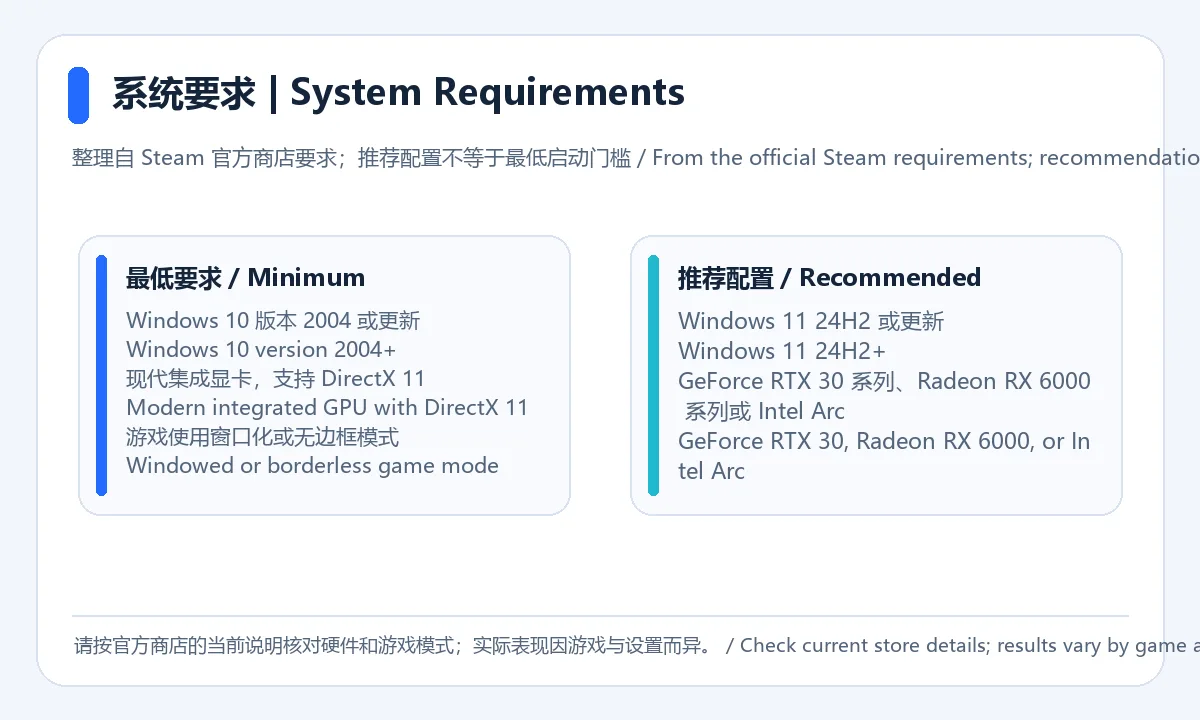
来源:Steam 官方商店系统要求。此图为配置摘要,不表示实机性能测试结果。
Lossless Scaling 是免费软件吗? 它在 Steam 商店作为付费软件提供;实际价格以你所在地区的商品页和当时促销为准。
从哪里下载 Lossless Scaling? 官方主页的获取入口指向 Steam。通过官方 Steam 商品页购买和安装;当前核验没有找到可独立使用的官方安装程序。
游戏必须使用什么显示模式? 商店列出的要求包含窗口化或无边框窗口模式。请在游戏设置中检查显示模式,再按单款游戏调整。
Windows 10 能否运行? 商店最低要求为 Windows 10 版本 2004 或更新;推荐配置是 Windows 11 24H2 或更新及所列显卡。不要将推荐配置理解成最低门槛。
最新更新改了什么? 官方主页当前列出的 Performance Mode Hotfix 涉及 LSFG 3.1 Performance 画质、组合热键重复按键和新增马其顿语;该条目未列出整体应用版本号或发布日期。
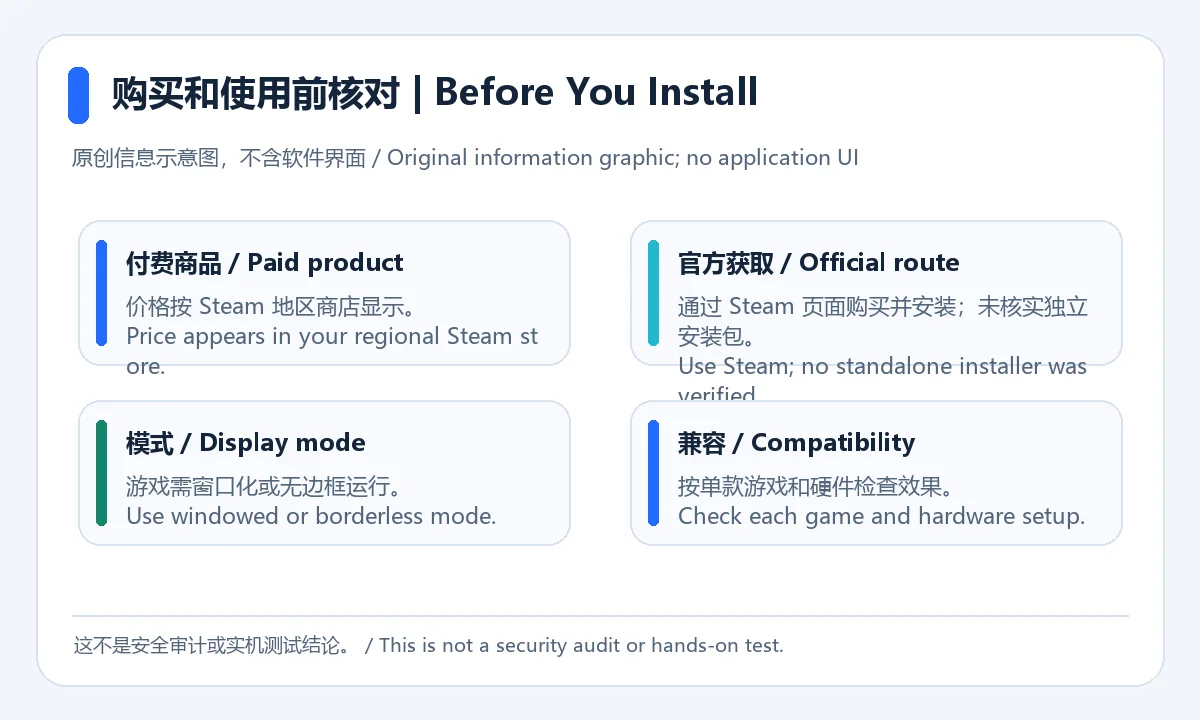
发布说明: 本文依据官方主页和 Steam 商店页面整理;未下载或安装软件,未进行兼容性、安全性或性能测试。Lossless Scaling 下载与安装前,请再次核对官方商店当前要求。
Lossless Scaling is a paid Windows scaling and frame-generation tool. This guide covers Steam setup, system needs and updates; the app version is not listed.
Lossless Scaling is a Windows utility for processing game output, with multiple scaling algorithms and LSFG frame generation. The Steam listing describes LSFG 3. Scaling and frame-generation results depend on the game, GPU, output resolution, and settings, so start with one game and make small adjustments. The software is paid; check the price shown in your regional Steam store.
Image source: Lossless Scaling official homepage. The developer supplied this product image; this page does not claim a hands-on test.
This diagram summarizes the official Steam route and listed display-mode requirement. It does not simulate the app settings screen.
The current updates section on the Lossless Scaling homepage lists Performance Mode Hotfix. Its notes mention improved image quality in LSFG 3.1 Performance mode, a fix for repeated key presses with combo hotkeys, and the addition of Macedonian. The reviewed entry did not show the overall app version or a release date. LSFG 3.1 is a feature version mentioned in the note, not a verified current Lossless Scaling app version. Check Steam for the current status before installation or update.
Source: Latest updates on the official homepage. This is an original text summary, not a client screenshot.
The Steam listing gives Windows 10 version 2004 or later, a modern integrated GPU, and DirectX 11 as minimum requirements; the game must run windowed or borderless. Its recommendations are Windows 11 24H2 or later with a GeForce RTX 30-series, Radeon RX 6000-series, or Intel Arc GPU. These are separate minimum and recommended specifications. Recheck the live store page before purchase; frame rate and image quality also depend on the game and settings.
Source: Official Steam system requirements. This is a specification summary, not a hands-on performance test.
Is Lossless Scaling free? It is sold as paid software on Steam. Check the product page for your region and any current promotion.
Where can I download Lossless Scaling? The official homepage points users to Steam. Purchase and install it through the official Steam store page; no separate official installer was verified here.
Which display mode should a game use? The listing includes windowed or borderless mode in its requirements. Check the display setting in each game before use.
Does it support Windows 10? The minimum requirement is Windows 10 version 2004 or later. The recommended configuration is Windows 11 24H2 or later with one of the listed GPU families; that recommendation is not the minimum requirement.
What is in the latest update? The homepage's Performance Mode Hotfix notes changes to LSFG 3.1 Performance image quality, combo-hotkey repeat behavior, and Macedonian language support. The entry reviewed did not show the overall app version or release date.
Editorial note: This page uses the official homepage and Steam store listing. The software was not downloaded, installed, safety-checked, or performance-tested for this page. Recheck official requirements before purchase.
Informations vérifiées le : 20 oct. 2026
Première publication : 20 oct. 2026· Révision éditoriale : 20 oct. 2026
它在 Steam 作为付费软件提供;价格以所在地区和当期促销为准。 / It is sold as paid software on Steam; check your region and current offers.
官方主页指向 Steam 获取入口;本次未核实独立安装包。 / The official homepage points to Steam; no standalone installer was verified.
商店说明要求游戏运行在窗口化或无边框窗口模式。 / The listing requires a windowed or borderless game mode.
已查看的官方更新条目没有显示整体应用版本号或发布日期;请查看 Steam 当前页面。 / The reviewed official update entry did not show an overall app version or date; check the live Steam page.
没有。本文只核对官方页面,未下载、安装或执行软件。 / No. This page reviewed official sources only; the software was not downloaded, installed, or run.
TeamSpeak 是面向游戏、团队、商务和社群的语音通信平台,官方介绍包含消息交流与服务器管理。本条目对应官方列出的 Windows 64 位 TeamSpeak 3 3.6.2。
微软官方 Windows 10 下载页提供媒体创建工具入口和安装介质制作说明,页面将 22H2 标示为最终版本。Windows 10 Home 和 Pro 支持已于 2025 年 10 月 14 日结束;LTSC 版本按各自生命周期执行。

《整理水豚玩具店》 是一款可供1-4人游玩的轻松治愈的整理游戏。 你来到了一间乱成一团的水豚玩具店,这里散落着 4,800只可爱的水豚玩具。捡起地上的水豚,辨认它属于哪一种类型,然后将它放到正确的货架上。 每整理好一只水豚,你都可以获得金钱。使用赚到的钱升级自己的整理能力,让整理速度越来越快,最终收拾完整间商店!

躲避弹幕击败敌人,挑战红雾异变!历经成长的开发者(自称)重新制作的《东方红魔乡》。这是一款操控巫女灵梦和魔法使魔理沙,一边躲避满屏弹幕一边挑战异变的射击游戏。所有音乐均由 ZUN 全新编曲。
化身半魔,投身于恶魔的代理战!击败竞争对手,助你所属的种族登顶霸权!
站在替补席前全面体验未来足球经理生涯。

Sideloadly 是 Windows/macOS 桌面 IPA 侧载工具,可将兼容 IPA 安装到 iPhone、iPad、Apple Silicon Mac 和 Apple TV;官网列出 Wi-Fi 侧载与自动刷新。 | Sideloadly is a Windows/macOS IPA sideloading utility for iPhone, iPad, Apple Silicon Mac and Apple TV, with Wi-Fi sideloading and automatic refresh features listed by the publisher.

DiskGenius 6.2:官方安装器与便携版、免费和专业版权限、当前更新及数据恢复位置检查。 / Official v6.2 package choices, Free/Professional differences, release notes and recovery-destination guidance.

读取DPC、ISR与硬缺页定位音频中断线索,区分7.31修复、家庭版许可与当前Windows驱动阻止限制。 / Interpret DPC, ISR and pagefault reports with v7.31 notes, Home Edition licensing and current Windows driver-policy limits.
PowerToys 是 Microsoft 提供的 Windows 实用工具集合,帮助用户自定义 Windows 并简化日常任务;资料列出的版本为 v0.102.3001。

Process Lasso 是 Bitsum 的 Windows 进程管理与自动化工具,提供 ProBalance、Performance Mode、进程规则和硬件监控。稳定版 18.4.0.48 支持 Windows 10、11 与 Windows Server;免费版可长期使用,部分高级功能需要 Pro。 / Process Lasso is Bitsum’s Windows process-management and automation utility, with ProBalance, Performance Mode, process rules and hardware monitoring. Stable version 18.4.0.48 supports Windows 10, 11 and Windows Server; some advanced features require Pro.

TrafficMonitor Windows 网速与资源监控:1.86 Lite 架构选择、任务栏设置、版本变更和零读数排查。 / TrafficMonitor v1.86 Lite package selection, taskbar setup, release changes and troubleshooting for network readings.