
Locale Emulator 2.5.0.1
Fixed a problem where LEGUI was unable to start any process. / 修正 LEGUI 无法启动应用进程的问题。
Release date: Aug 26, 2021· Record revision: Oct 18, 2026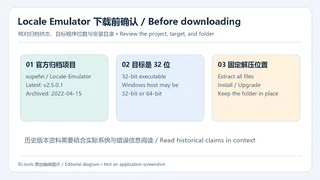
Locale Emulator 区域模拟指南:官方 2.5.0.1 发布入口、固定目录安装、32 位程序限制、归档状态与 FAQ。 / Locale Emulator guide to the archived 2.5.0.1 release, setup, 32-bit limits, and FAQs.
Aliases: Locale-Emulator、LocaleEmulator
Author: RJ.tools Editorial
AI-assisted content
Learn about the software and its sources
Most source code is LGPL-3.0; LEContextMenuHandler includes MS-PL code. / 多数源代码为 LGPL-3.0;LEContextMenuHandler 含 MS-PL 代码。
The public project and release page were reviewed. No binary was downloaded, executed, scanned, or signature-checked; current Windows builds were not tested.
Locale Emulator 区域模拟指南:官方 2.5.0.1 发布入口、固定目录安装、32 位程序限制、归档状态与 FAQ。 / Locale Emulator guide to the archived 2.5.0.1 release, setup, 32-bit limits, and FAQs.
Locale Emulator 下载指南,整理 Windows 区域模拟工具的官方入口、2.5.0.1 安装步骤、32 位程序支持范围与更新说明,帮助排查旧应用乱码和启动失败。本文说明固定解压目录、右键菜单使用与项目归档状态,并保留 Windows 11 的历史兼容声明及验证边界,便于下载前判断是否适合自己的程序环境。 Locale Emulator download guide: set up version 2.5.0.1 for 32-bit Windows apps, review archived release notes, and troubleshoot locale and launch problems.
Locale Emulator 下载指南,整理 Windows 区域模拟工具的官方入口、2.5.0.1 安装步骤、32 位程序支持范围与更新说明,帮助排查旧应用乱码和启动失败。本文说明固定解压目录、右键菜单使用与项目归档状态,并保留 Windows 11 的历史兼容声明及验证边界,便于下载前判断是否适合自己的程序环境。
官方介绍将 Locale Emulator 定义为系统区域和语言模拟工具,可让应用识别到与真实系统不同的语言环境。对于依赖特定区域设置的旧程序,这提供了一条按应用调整环境的思路。使用前先记录实际现象:是文字乱码、程序拒绝启动,还是缺少字体或文件。区域模拟只能处理其覆盖的环境识别问题;界面翻译、字体和程序依赖仍需分别检查。
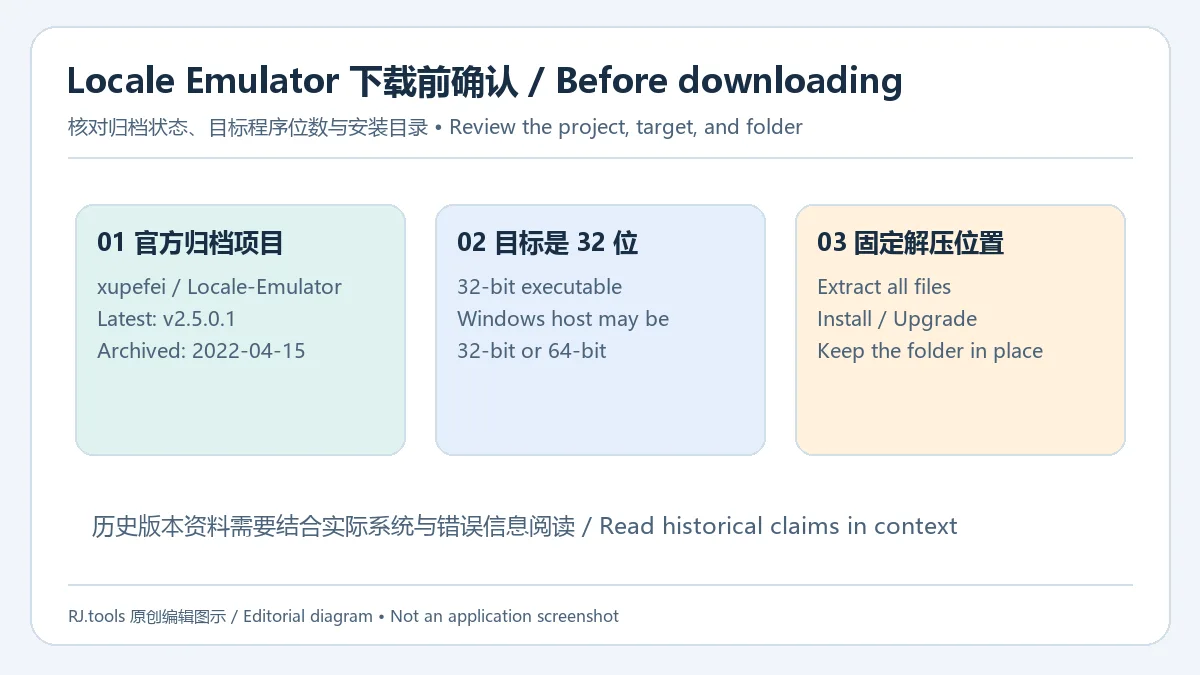
本文图片均为 RJ.tools 原创编辑图示,用于解释资料与操作关系;不含软件截图或官方图标。
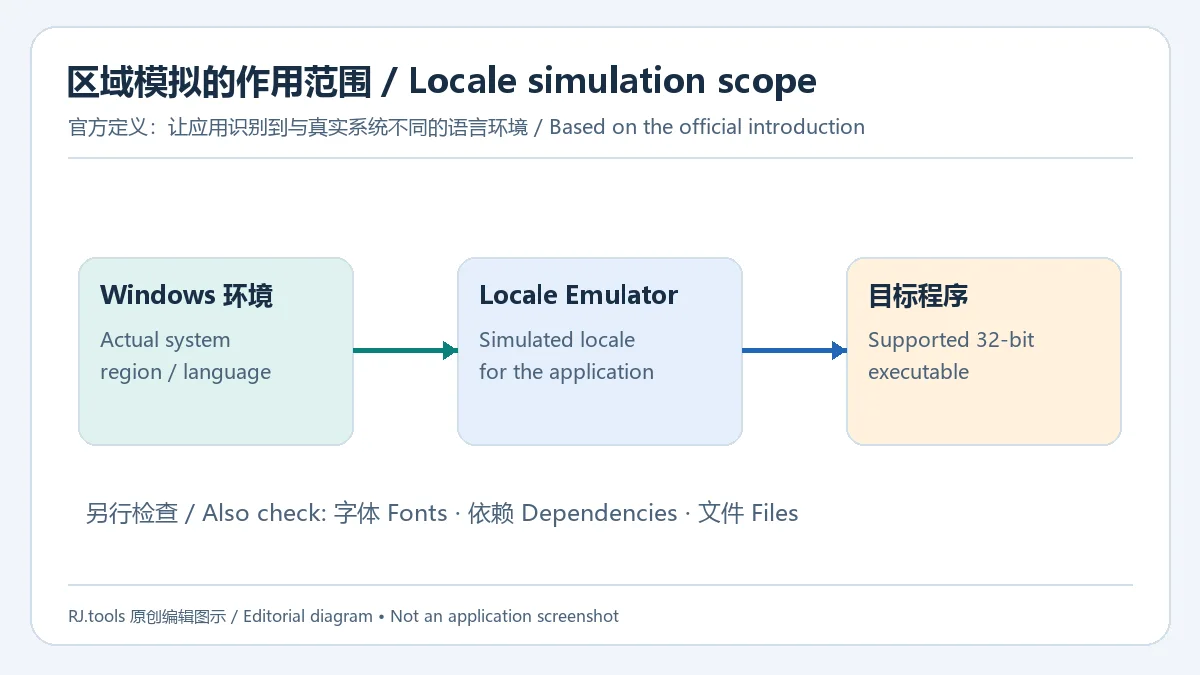
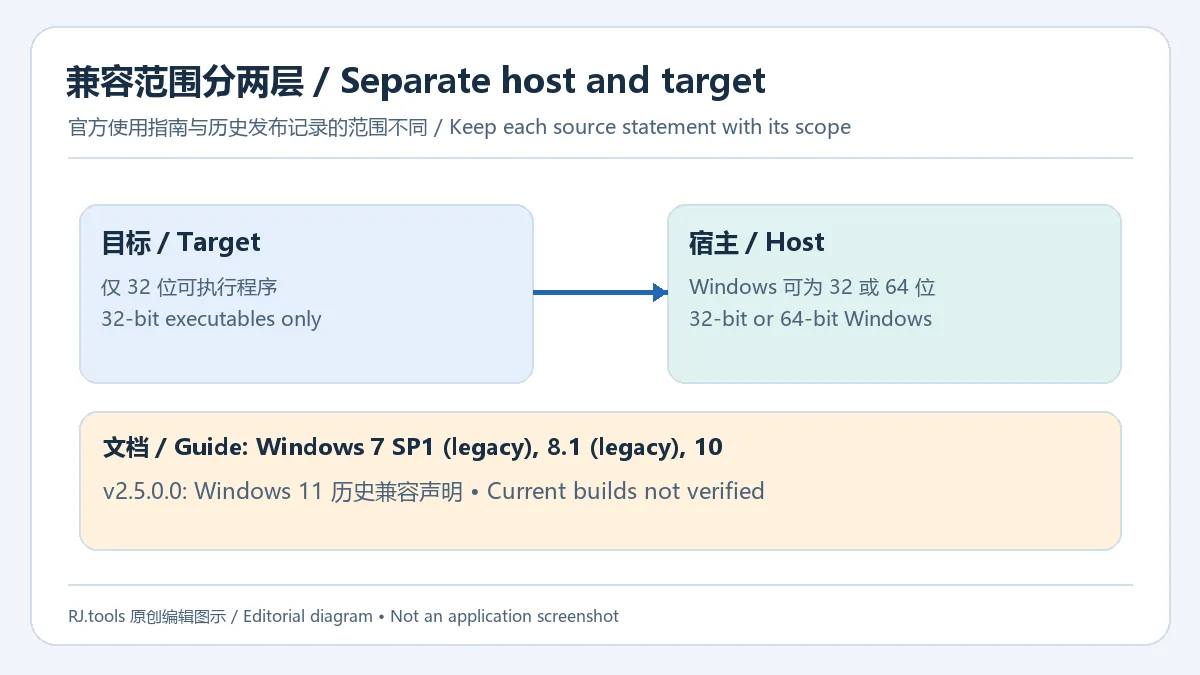
官方使用文档明确限定支持 32 位可执行程序,宿主 Windows 可以是 32 位或 64 位。因此,64 位 Windows 并不意味着目标应用也可以是 64 位。文档列出 Windows 7 SP1、Windows 8.1 和 Windows 10,其中前两者标为旧版支持,并声明相关问题不再处理。另一个官方事实是 v2.5.0.0 发布说明写有兼容 Windows 11;该历史声明没有验证当前 Windows 11 各版本的实际表现。仓库于 2022 年 4 月 15 日归档,使用现代系统时应保留这一维护和兼容边界。
xupefei、版本与归档提示;应用附件名称为 Locale.Emulator.2.5.0.1.zip。页面自动生成的 Source code ZIP/TAR 是源代码入口。LEInstaller.exe,选择 Install / Upgrade。这是发布者给出的安装流程;本文没有下载或运行该文件,也没有测量当前设备上的安装结果。Locale Emulator 菜单,再对符合支持范围的程序进行尝试。菜单未出现时,先按下一节核对目标位数、解压位置和注册步骤。LEInstaller.exe 并选择 Install / Upgrade。替换前先备份自己需要保留的配置,避免只替换一个 EXE 后混用不同版本文件。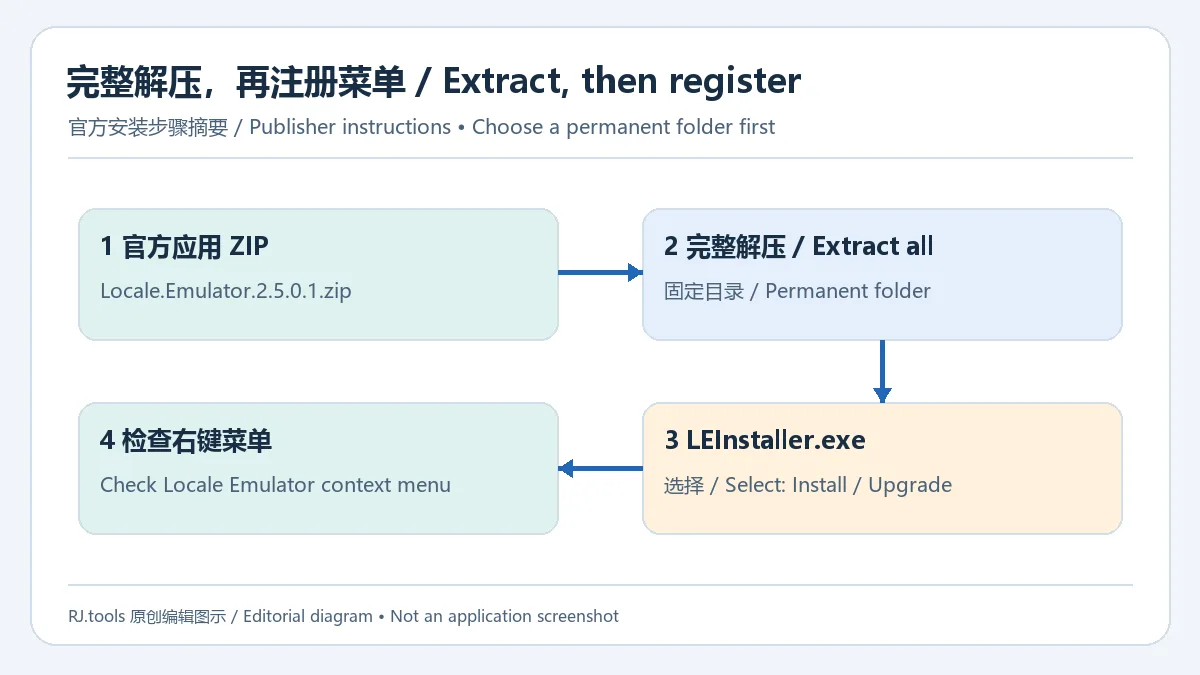
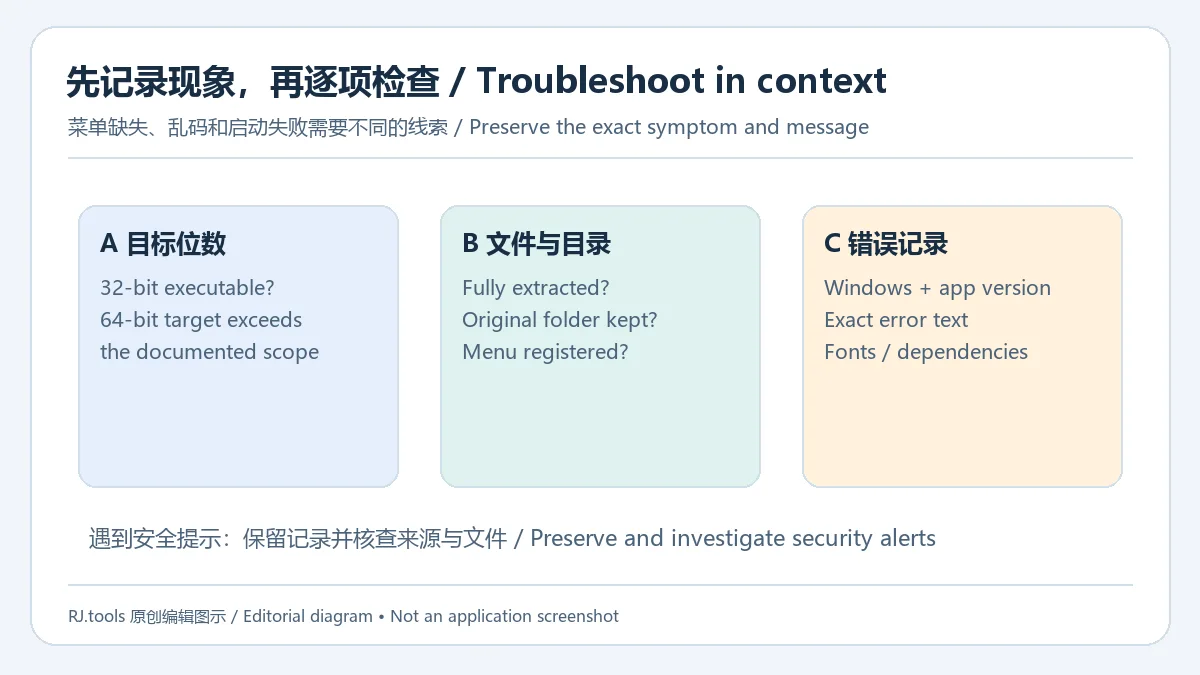
先确认目标是否为 32 位可执行程序。官方文档以 64 位 WinRAR 为例,说明相应 .rar 文件上可能没有菜单,也无法用 LE 运行该 64 位程序。其次核对应用文件是否完整解压,以及安装后是否改变过目录。最后保存系统版本、程序名称和错误信息,检查所使用版本的发布说明:v2.5.0.1 的明确修复对象是 LEGUI 无法启动进程的问题。乱码仍存在时,还需向应用作者核对预期区域、字体和依赖。遇到浏览器或安全软件提示,应保留提示并独立核查来源与文件;本页不据官网身份推导文件安全结论。
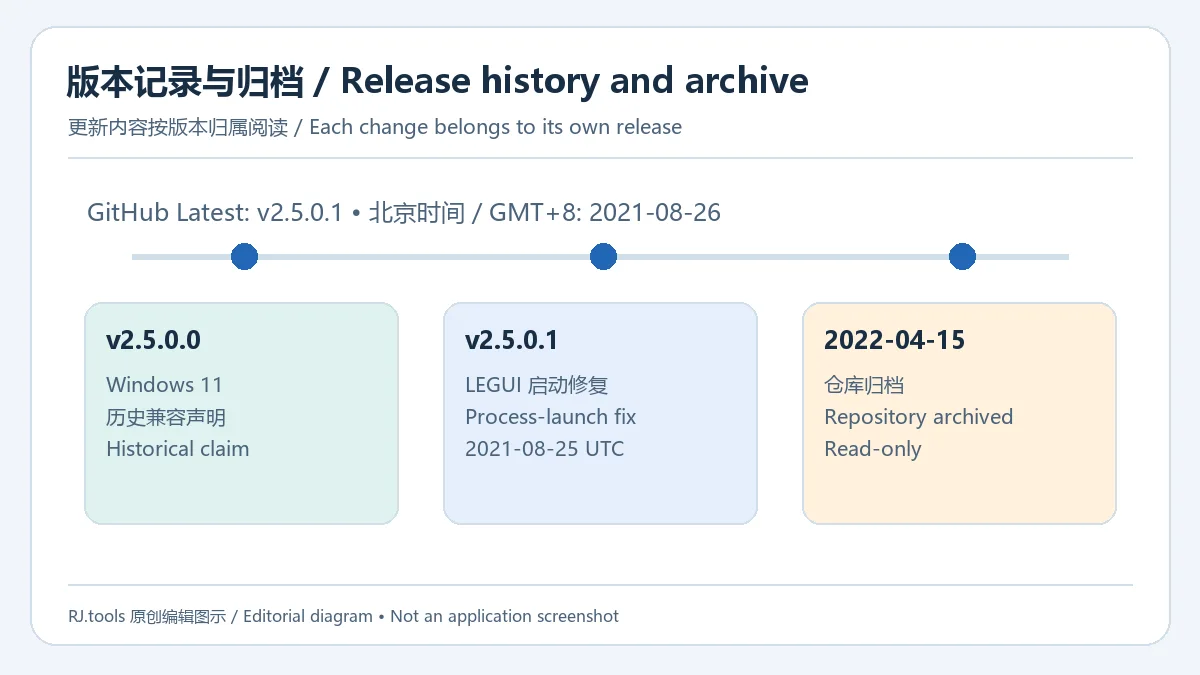
核验时官方 Releases 将 v2.5.0.1 标为 Latest。该版本的完整可见更新要点只有一项:修正 LEGUI 无法启动应用进程的问题。发布时刻为 2021-08-25 18:42:40 UTC,GitHub 在北京时间显示为 2021-08-26 02:42。前一版 v2.5.0.0 的“兼容 Windows 11”属于独立历史条目。两项内容应按版本区分;归档状态也意味着本页不能承诺将来的系统适配、错误修复或更新频率。
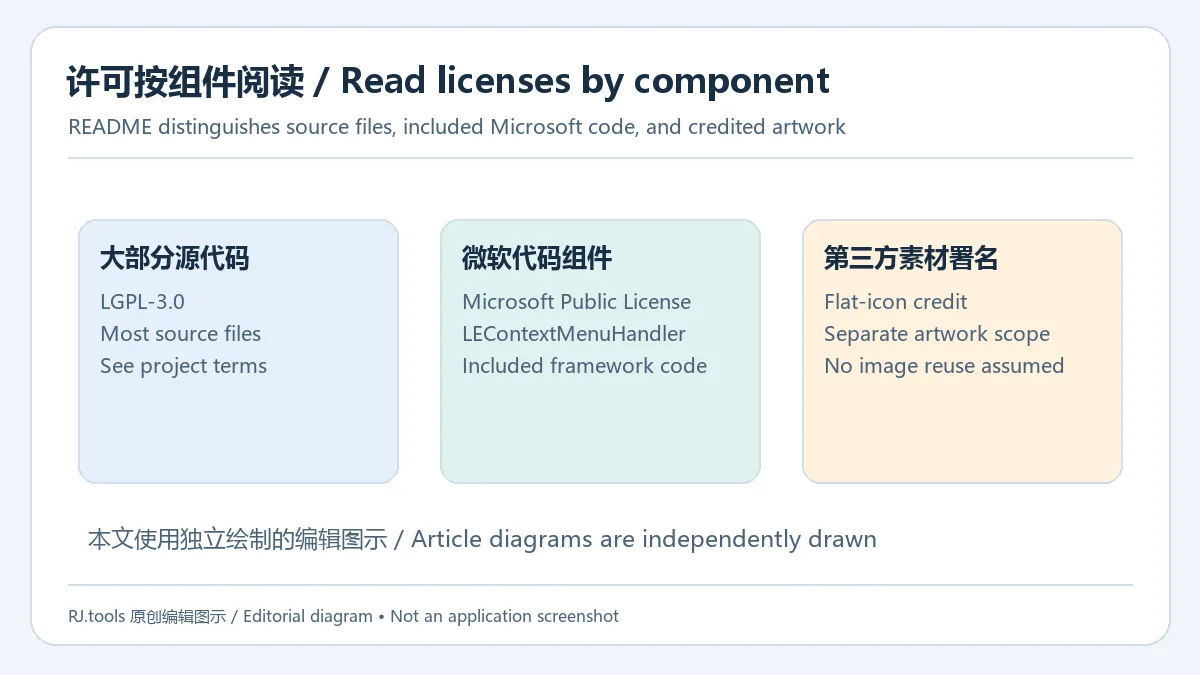
仓库 README 说明,大部分源代码采用 LGPL-3.0;LEContextMenuHandler 使用的 Microsoft All-In-One Code Framework 代码采用 Microsoft Public License(MS-PL)。仓库还单独署名第三方 flat icon 素材,源代码许可不能直接概括所有图像的使用条件。需要修改或再分发时,应阅读项目实际许可文件及组件说明,保留相应义务。本站只链接官方项目与发布页,编辑配图由本站独立绘制。
Locale Emulator 能让 64 位应用使用其他区域吗? 官方使用文档限定目标为 32 位可执行程序。64 位 Windows 可以作为宿主,但不改变目标程序的位数限制。
装完后能把解压文件夹移到别的盘吗? 官方明确提醒安装后不能直接移动文件。请在安装前选择长期位置,之后需要调整时先查阅项目安装说明并保留当前配置。
Windows 11 可以使用吗? v2.5.0.0 发布记录写有兼容 Windows 11;使用文档的系统列表止于 Windows 10,且仓库已归档。该历史记录不能证明每个当前 Windows 11 版本都经过验证。
安全软件提示 LocaleEmulator.dll 怎么办? 保留实际检测名称、来源地址和文件信息,再通过可信渠道核查。本页未下载、扫描或验证签名,无法判断具体文件,也不建议把关闭保护作为通用安装步骤。
哪个文件才是应用包? 本次官方发布页列出的应用附件为 Locale.Emulator.2.5.0.1.zip,另有自动生成的源代码档案。先核对维护者与附件名称,再根据实际目的选择。
选择 Locale Emulator 下载 入口时,先确认官方归档项目、目标程序位数与固定安装目录,再结合实际错误记录判断区域模拟是否适用;这些信息能帮助减少来源混淆和无效排查。
Locale Emulator download guide: set up version 2.5.0.1 for 32-bit Windows apps, review archived release notes, and troubleshoot locale and launch problems.
The official introduction describes Locale Emulator as a system region and language simulator that can make an application recognize a language environment different from the real one. This offers an application-specific approach for older software that expects a particular regional environment. First record whether the problem is garbled text, a startup failure, missing fonts, or missing files. Locale simulation addresses the environment information within its scope; interface translation, fonts, and application dependencies still need their own checks.
All illustrations are original RJ.tools editorial diagrams explaining relationships and steps. They contain no application screenshots or official product icons.
The official usage guide explicitly limits support to 32-bit executables running on either 32-bit or 64-bit Windows. A 64-bit Windows installation therefore does not establish support for a 64-bit target application. The guide lists Windows 7 SP1, Windows 8.1, and Windows 10. It marks the first two as legacy support and says related issues will be ignored. Separately, the v2.5.0.0 release notes state compatibility with Windows 11. That historical statement does not verify every current Windows 11 build. The repository was archived on April 15, 2022, so maintenance and compatibility limits matter when considering it for a modern system.
xupefei, version, and archive notice. The application asset is named Locale.Emulator.2.5.0.1.zip; the automatically generated Source code ZIP and TAR links provide source archives.LEInstaller.exe and select Install / Upgrade. This is the documented procedure; no executable was downloaded or run for this article, and installation on a current device was not measured.Locale Emulator context menu, then try an application within the documented scope. If the menu is missing, follow the next section to review target bitness, extraction location, and registration.LEInstaller.exe with Install / Upgrade again. Back up any configuration you need before replacing files, and avoid mixing a single newer executable with files from an older release.
Start with the target executable's bitness. The official guide uses 64-bit WinRAR as an example: its .rar files may lack the context menu, and LE cannot run that 64-bit application. Then check that the archive was fully extracted and that its folder did not move after installation. Finally, retain the Windows version, application name, and exact error message, and consult the release notes for the version in use. The specific fix in v2.5.0.1 concerns LEGUI failing to start processes. If text remains garbled, ask the application publisher about the expected locale, fonts, and dependencies. Preserve any browser or security-software alert and investigate the source and file independently; the identity of an official project alone does not establish a particular binary's safety.
The official Releases page labels v2.5.0.1 as Latest at the time of review. Its complete visible change consists of one item: a fix for LEGUI being unable to start any process. The release timestamp is August 25, 2021, 18:42:40 UTC; GitHub displays it as August 26, 2021, 02:42 GMT+8 in the reviewed browser. The Windows 11 compatibility statement belongs to the preceding v2.5.0.0 entry. Keep these release-specific facts separate. The archive notice also means that this article cannot promise future compatibility work, fixes, or an update schedule.
The repository README says most source files use LGPL-3.0. Code from the Microsoft All-In-One Code Framework used by LEContextMenuHandler is under the Microsoft Public License (MS-PL). The README separately credits third-party flat-icon artwork, so the source-code license does not establish a single reuse condition for every image. Read the actual project license files and component notes before modifying or redistributing the software, and preserve the relevant obligations. This article links to the official project and release page, and its explanatory images were independently drawn.
Can Locale Emulator run a 64-bit application in another locale? The official guide restricts targets to 32-bit executables. A 64-bit Windows host does not remove that target-application limit.
Can I move the extracted folder to another drive after installing? The publisher explicitly warns against moving those files after installation. Choose a lasting location first; if you later need to change it, consult the project instructions and preserve your existing configuration.
Does it work on Windows 11? The v2.5.0.0 notes claim Windows 11 compatibility, while the usage guide's system list stops at Windows 10. The repository is archived. This historical statement does not establish testing on every current Windows 11 release.
What should I do about a LocaleEmulator.dll security alert? Preserve the detection name, source URL, and file details, and investigate through a trusted channel. This article did not download, scan, or check signatures on a binary and cannot classify your file. Disabling protection is not a general installation step.
Which listed file is the application archive? The reviewed release lists Locale.Emulator.2.5.0.1.zip as the application asset alongside generated source archives. Check the maintainer and asset name, then choose according to your purpose.
Before using the Locale Emulator download link, confirm the official archived project, target executable bitness, and a permanent folder. Combining those facts with the actual error record helps determine whether locale simulation addresses the problem you have.
Information verified: Oct 18, 2026
First published: Oct 18, 2026· Editorial revision: Oct 18, 2026
官方使用文档限定目标程序为 32 位;64 位 Windows 宿主不会改变这一限制。
官方提醒安装后不能直接移动文件。应先确定长期使用的目录,再注册右键菜单。
v2.5.0.0 有历史兼容声明,但项目已归档;没有证据证明所有当前 Windows 11 构建都经过验证。
No. The publisher's guide limits target executables to 32-bit. A 64-bit Windows host does not remove that limit.
The official guide warns against moving the files after installation. Choose a permanent folder before registering the context menu.
No. It is a historical v2.5.0.0 release statement; the repository is archived and current builds were not tested.

Process Lasso 是 Bitsum 的 Windows 进程管理与自动化工具,提供 ProBalance、Performance Mode、进程规则和硬件监控。稳定版 18.4.0.48 支持 Windows 10、11 与 Windows Server;免费版可长期使用,部分高级功能需要 Pro。 / Process Lasso is Bitsum’s Windows process-management and automation utility, with ProBalance, Performance Mode, process rules and hardware monitoring. Stable version 18.4.0.48 supports Windows 10, 11 and Windows Server; some advanced features require Pro.

gsudo 为 Windows CMD、PowerShell 等终端提供 sudo 式命令提权,可在当前控制台执行管理命令;使用时仍会涉及 UAC 确认。

Sideloadly 是 Windows/macOS 桌面 IPA 侧载工具,可将兼容 IPA 安装到 iPhone、iPad、Apple Silicon Mac 和 Apple TV;官网列出 Wi-Fi 侧载与自动刷新。 | Sideloadly is a Windows/macOS IPA sideloading utility for iPhone, iPad, Apple Silicon Mac and Apple TV, with Wi-Fi sideloading and automatic refresh features listed by the publisher.

DiskGenius 6.2:官方安装器与便携版、免费和专业版权限、当前更新及数据恢复位置检查。 / Official v6.2 package choices, Free/Professional differences, release notes and recovery-destination guidance.

读取DPC、ISR与硬缺页定位音频中断线索,区分7.31修复、家庭版许可与当前Windows驱动阻止限制。 / Interpret DPC, ISR and pagefault reports with v7.31 notes, Home Edition licensing and current Windows driver-policy limits.
PowerToys 是 Microsoft 提供的 Windows 实用工具集合,帮助用户自定义 Windows 并简化日常任务;资料列出的版本为 v0.102.3001。
Process Lasso 是 Bitsum 的 Windows 进程管理与自动化工具,提供 ProBalance、Performance Mode、进程规则和硬件监控。稳定版 18.4.0.48 支持 Windows 10、11 与 Windows Server;免费版可长期使用,部分高级功能需要 Pro。 / Process Lasso is Bitsum’s Windows process-management and automation utility, with ProBalance, Performance Mode, process rules and hardware monitoring. Stable version 18.4.0.48 supports Windows 10, 11 and Windows Server; some advanced features require Pro.

TrafficMonitor Windows 网速与资源监控:1.86 Lite 架构选择、任务栏设置、版本变更和零读数排查。 / TrafficMonitor v1.86 Lite package selection, taskbar setup, release changes and troubleshooting for network readings.