
快速预览图片、文档与文件内容
在整理资料时快速判断图片、文档和其他文件是否为所需内容。收录ImageGlass、Moji、Okular等站内已有工具,按实际用途选择适合自己的应用。

ImageGlass 是支持多种格式的跨平台图片查看器,提供浏览、取色、裁剪与多帧工具。本文核对 10.0.6.906、系统要求、Classic/Pro 差异与旧配置迁移。 / ImageGlass desktop guide covering official packages, photo tools, edition boundaries, migration and current fixes.
Aliases: ImageGlass Classic、ImageGlass Pro
Learn about the software and its sources
Classic: GNU GPLv3; Pro uses a separate commercial licence.
Official pages and release metadata reviewed. No installer downloaded, signature checked, binary executed or security scan performed.
ImageGlass 是支持多种格式的跨平台图片查看器,提供浏览、取色、裁剪与多帧工具。本文核对 10.0.6.906、系统要求、Classic/Pro 差异与旧配置迁移。 / ImageGlass desktop guide covering official packages, photo tools, edition boundaries, migration and current fixes.
ImageGlass下载与安装指南:核对系统要求、Classic与Pro、图片工具和最新版修复。 / ImageGlass download guide: desktop setup, edition differences, photo tools and current release notes.
ImageGlass下载与安装指南,介绍跨平台图片查看器的格式浏览、裁剪、取色和多帧图像工具,说明Classic免费版与Pro付费版的功能边界,核对Windows、macOS及Linux系统条件,并整理从旧版升级的备份步骤、图片打不开的排查方法和10.0.6.906更新日志,帮助你选择适合的安装包与查看方式。
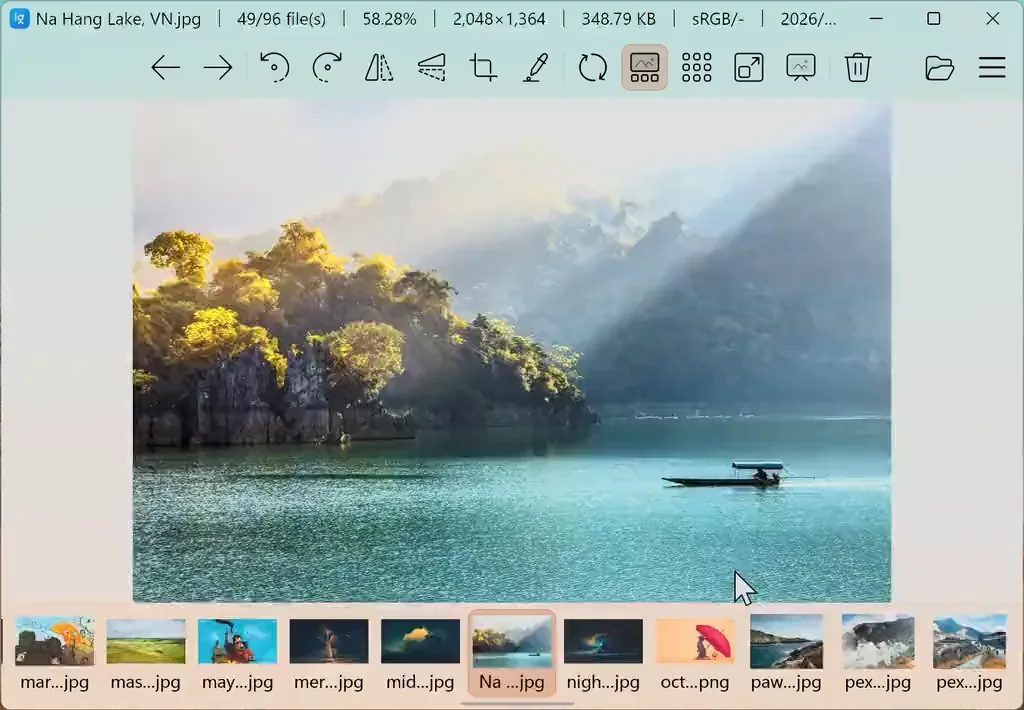
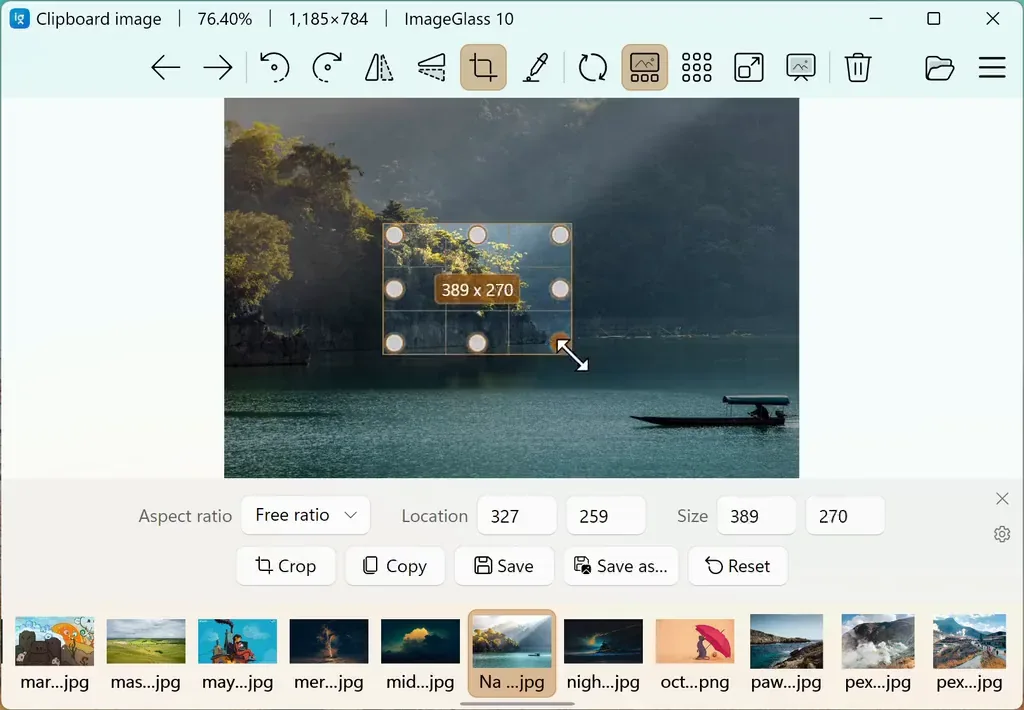
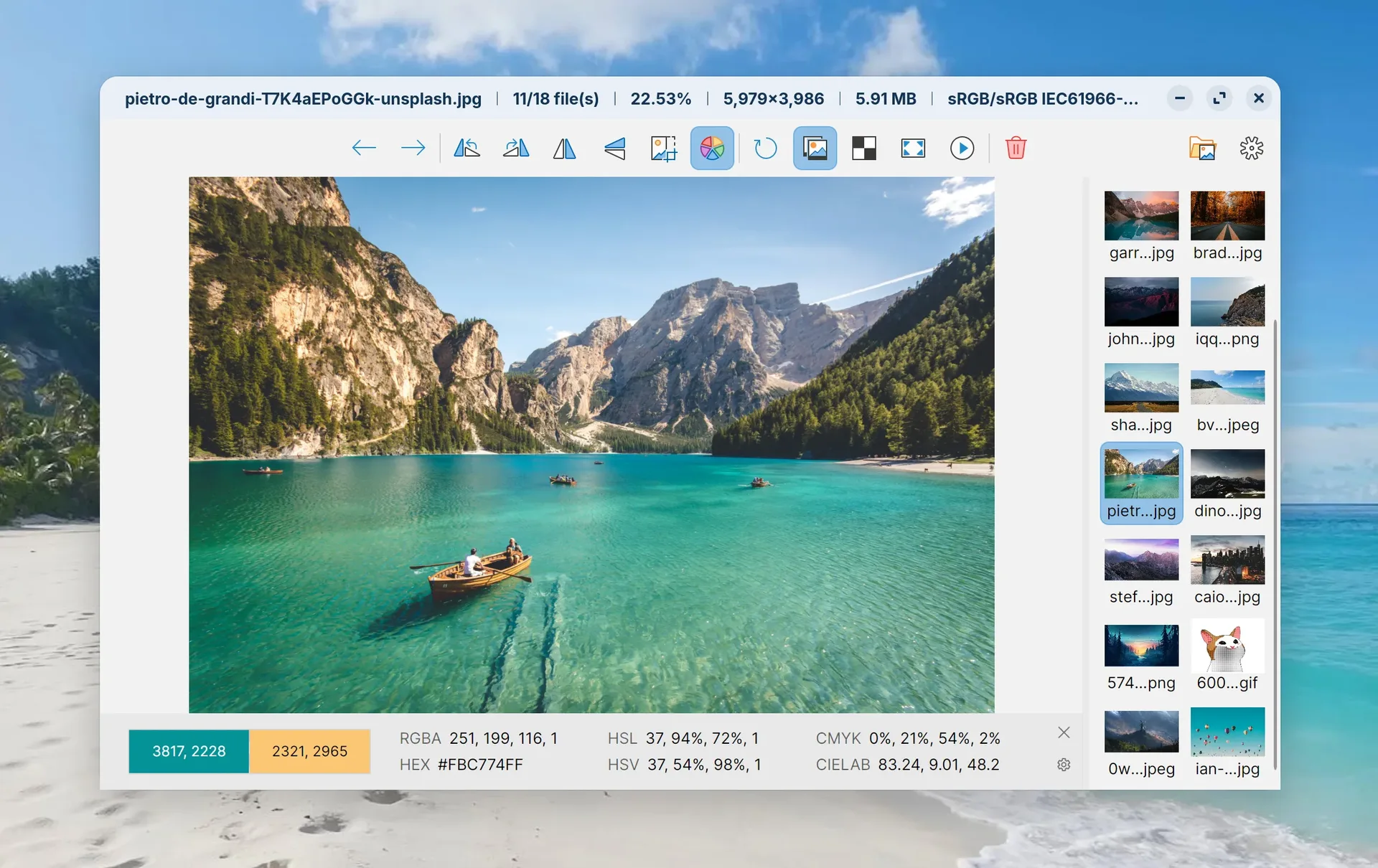
ImageGlass 10 已从旧 Windows 架构改写为采用 .NET 和 Avalonia 的跨平台程序。官网介绍支持九十多种格式,包括常见照片、现代网页图片、部分 RAW 和动画图像。对查看一整组照片的需求,可先用画廊与邻近图片缓存;要检查某张图的细节,再使用缩放、取色、裁剪和调整尺寸工具。它更适合作为查看与轻量处理入口,复杂修图工作仍需按自己的编辑流程选择工具。
遇到动画或多页文件时,可以在帧导航工具中暂停、逐帧查看和导出。元数据查看可通过官方介绍的 ExifGlass 配套工具完成。不同平台的文件关联、打印和外观能力存在差异,不要把 Windows 专属选项理解为所有系统都有。页面所示官方图片用于说明工具布局,具体选项以所装版本、平台与版本授权为准。
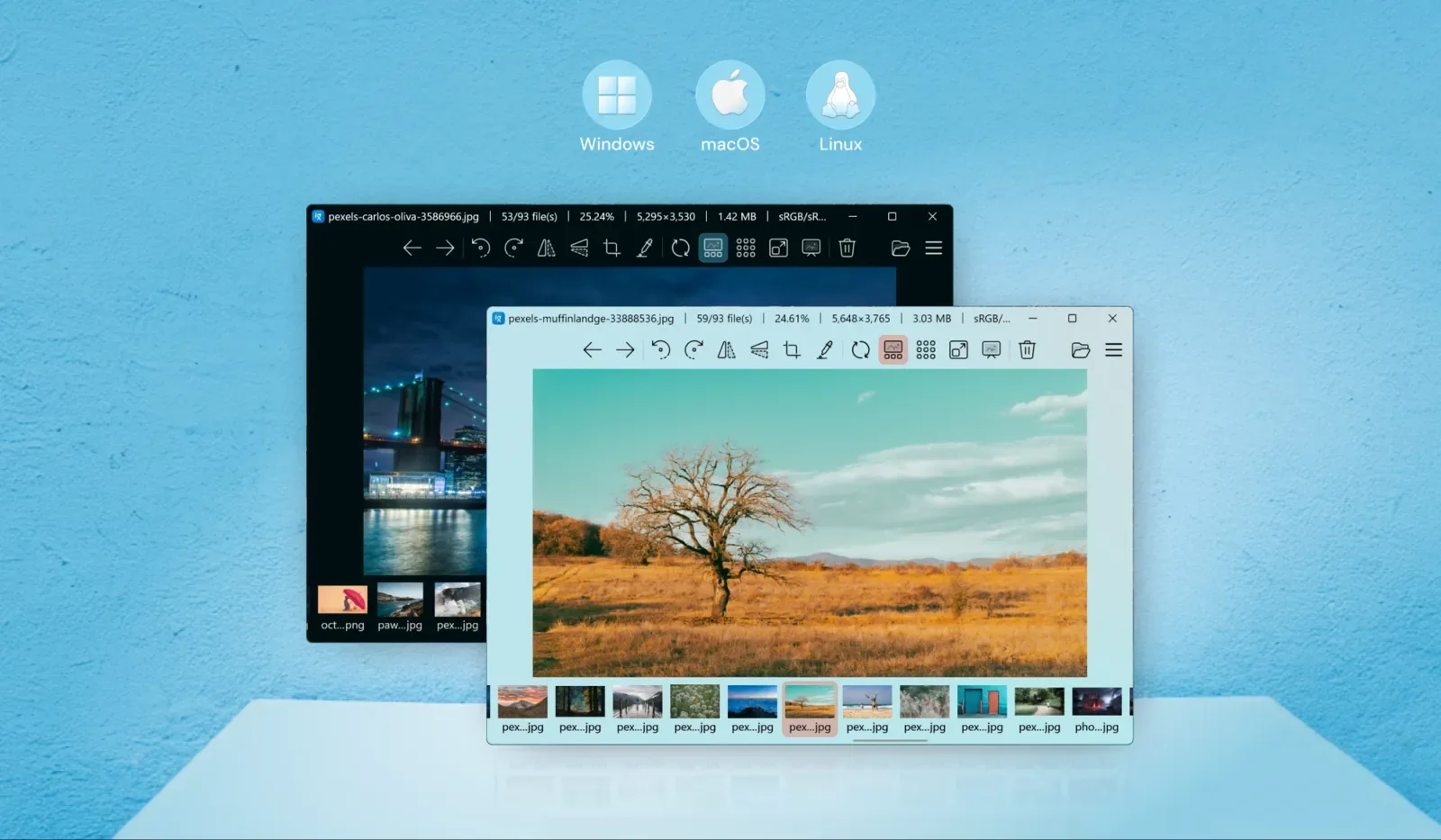
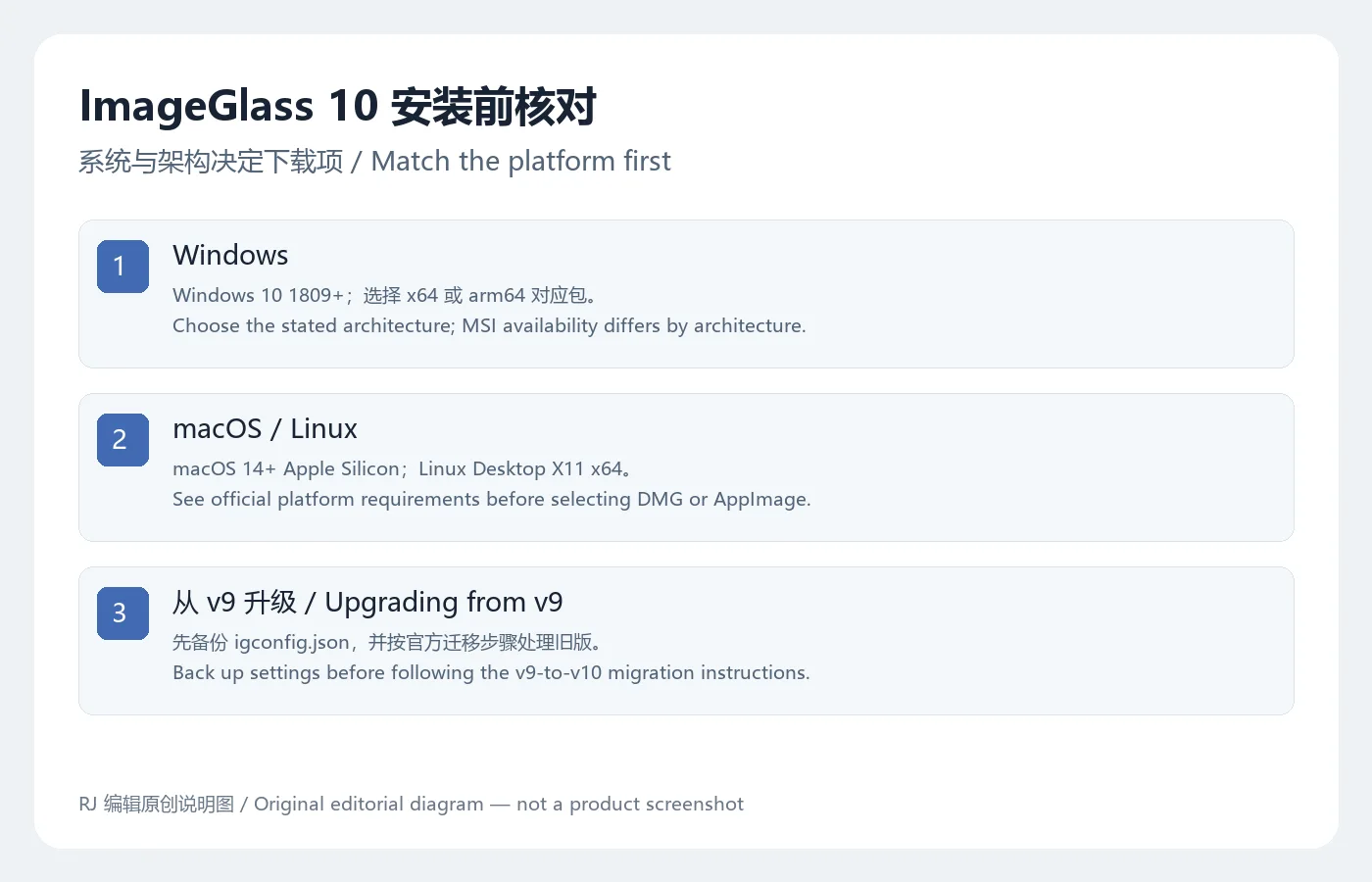
官方 v10 介绍列出的系统条件为 Windows 10 1809(17763)及以上、x64 或 arm64;macOS 14 及以上且为 Apple Silicon;Linux 为 Desktop X11 x64。发行包自带运行所需环境。不同系统和架构的文件种类并不完全相同,应查看当前下载页;本次稳定版 Windows x64 有 MSI、MSIX 和 ZIP,arm64 则列出 MSIX 和 ZIP。
本次只核对公开页面与链接,没有实际安装或验证文件内容。
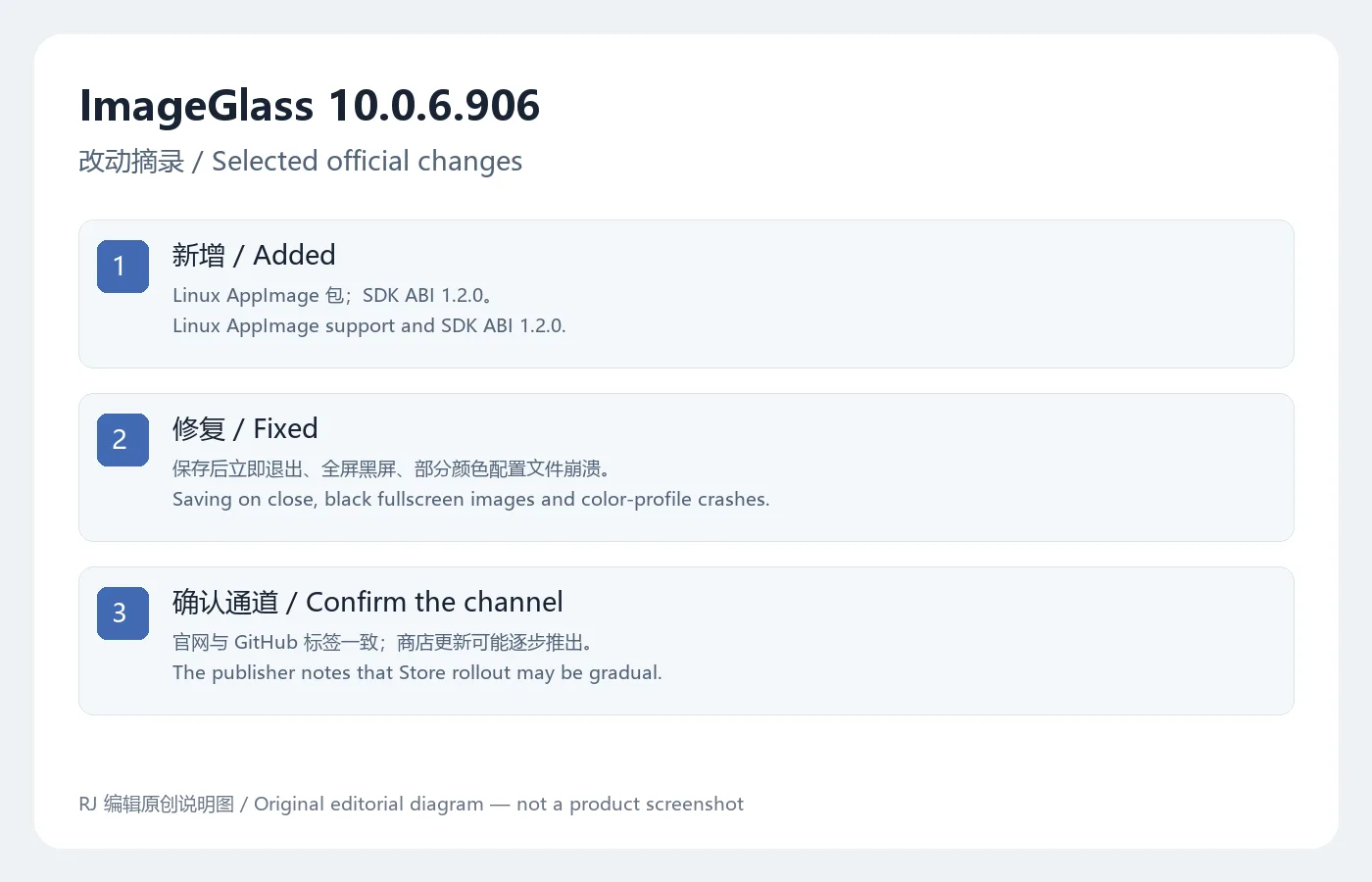
官网当前版本入口与 GitHub 稳定标签均为 10.0.6.906。相对 10.0.5.825,官方日志新增 Linux AppImage 分发,SDK ABI 升至 1.2.0,并为插件提供 HDR 与缩略图缩放相关接口。界面改动包括画廊大缩略图滚动、更新与授权窗口,以及幻灯片中自动隐藏闲置鼠标指针;HDR 处理也有调整。
修复项包括保存后立即退出可能导致图片损坏、幻灯片无法保持系统唤醒、多实例配置访问错误、全屏浏览偶发黑屏、某些显示器色彩配置导致崩溃,以及 Windows MSI 的用户范围识别和旧图像库替换问题。更新时仍需保留原图与设置备份。官网说明 Microsoft Store 版本可能分阶段推送,因而商店显示时间可与公开发行不同。日志末尾的比较链接文本包含不同尾号,本页版本判断以发布标签、当前官网入口与附件名称共同核对的 10.0.6.906 为准。
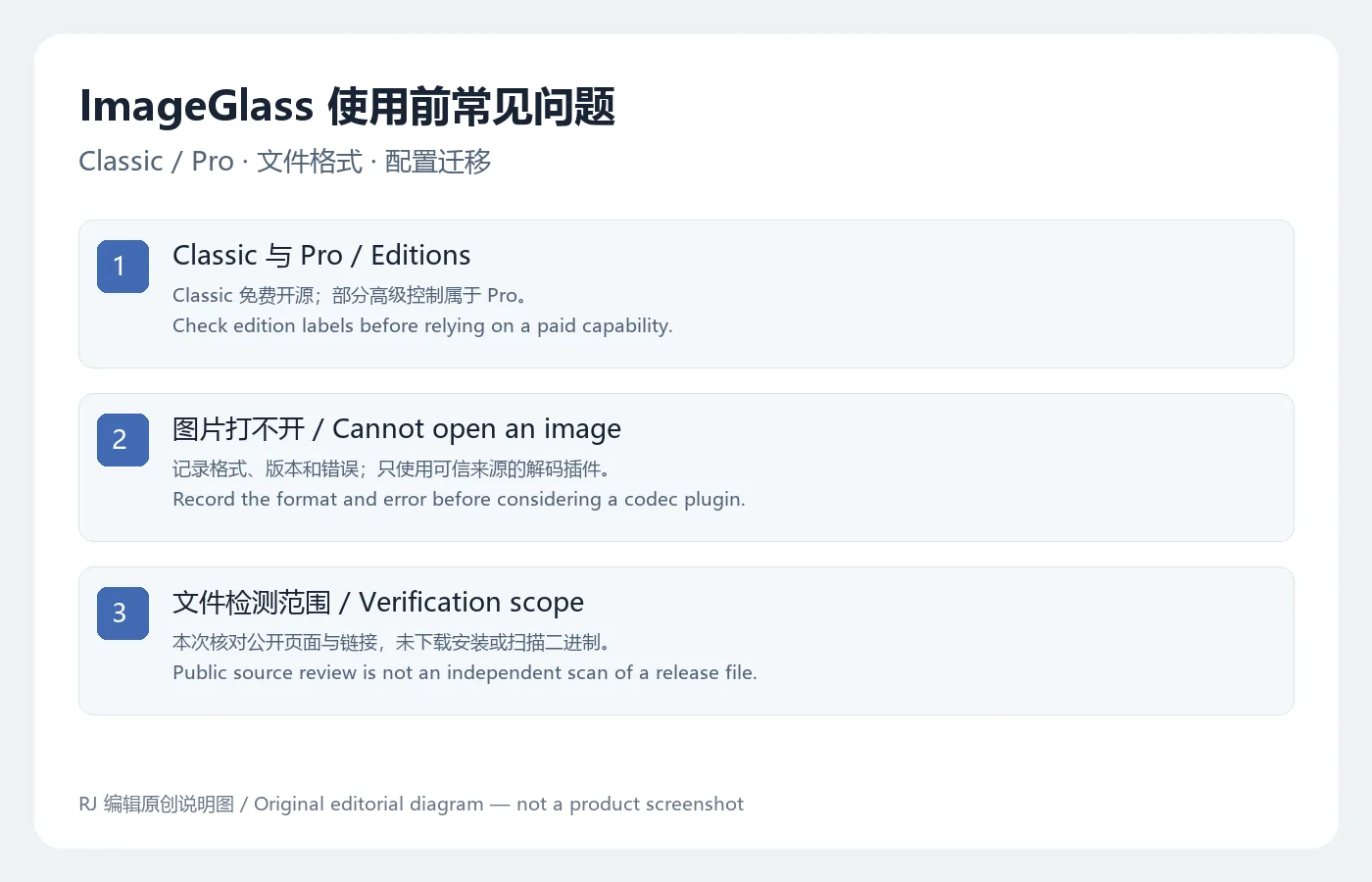
Classic 继续以 GNU GPLv3 免费开源提供;Pro 是另外的付费方案。官网区分了 HDR 自动处理与可手动控制的 HDR Tone Mapper:Classic 使用默认映射,实时曝光、参考白等精细控制属于 Pro。官网提到的打印和投影部分能力标注将在 v10.1 提供,不能提前写成当前 10.0.6.906 已具备的完整功能。
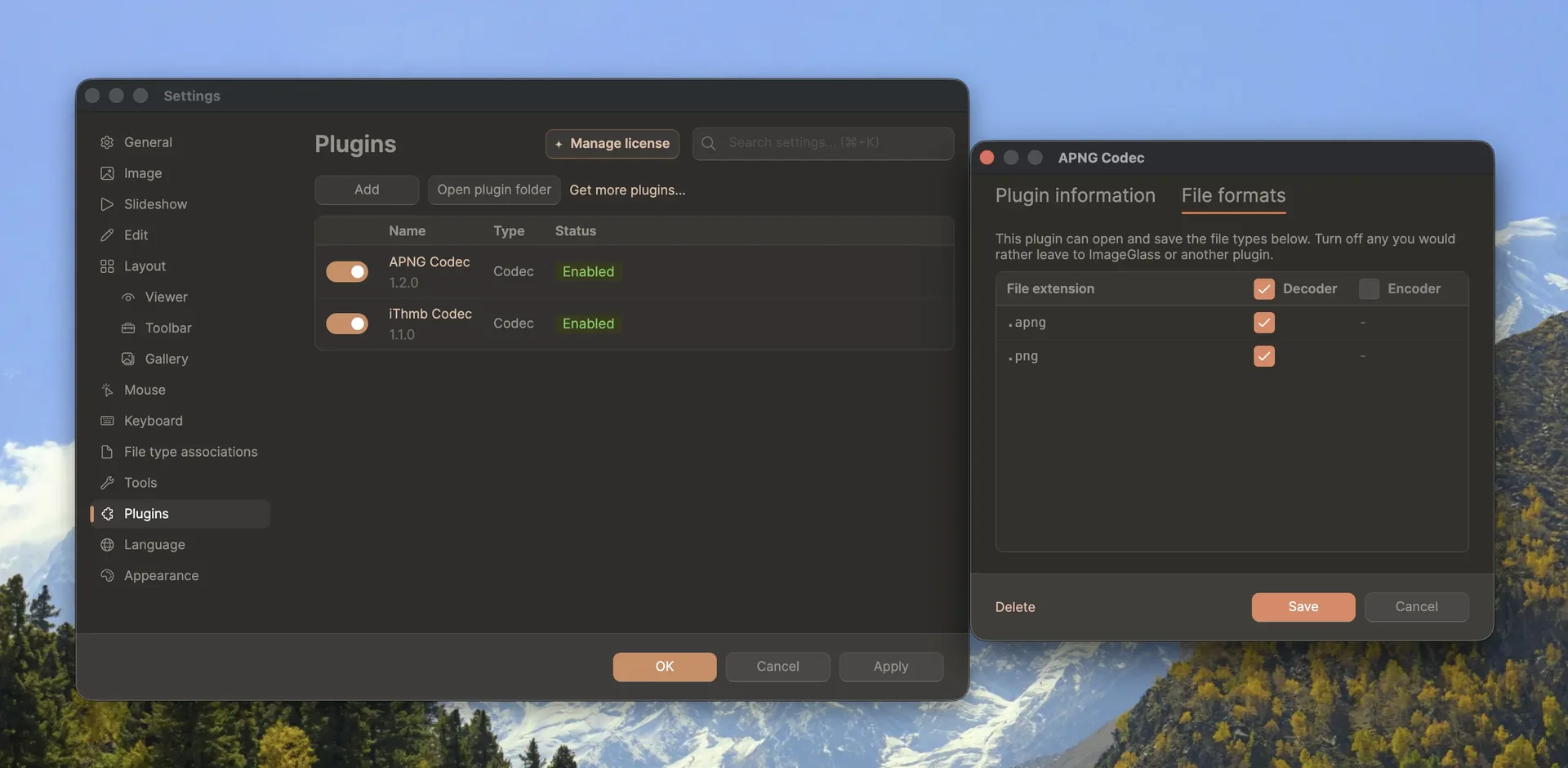
图片打不开时,先记录扩展名、实际格式、文件大小与错误信息,再用同格式的另一个文件比较,判断是单一文件损坏还是格式支持问题。插件可扩展解码能力,但应核对来自官方目录或可信作者,尤其不要把同名补丁或来历不明的解码包当作必需步骤。插件版本与 SDK 兼容也需要匹配;当前发布提到 HDR 插件需要 ABI 1.2.0 及以上。对颜色显示异常,保留色彩配置、系统与版本信息反馈,避免直接覆盖原文件。
ImageGlass 可以免费使用吗?
Classic 免费开源;Pro 有独立付费授权,具体功能和费用应查看当前官网方案。不要因官网有购买按钮就认为所有查看功能都收费。
Windows 旧电脑可以直接安装 v10 吗?
先核对 Windows 10 1809 或更高版本与处理器架构。本页没有验证旧系统的实际运行情况,不能把 v9 的要求套用给 v10。
为什么商店版本与官网下载版本不同步?
官方 GitHub 发布说明写明 Microsoft Store 更新可能逐步推出。核对渠道和版本后再判断是否需要切换安装方式,并先保留配置备份。
下载文件是否经过本站安全扫描?
本次没有取得安装包、验证签名或执行扫描。官方来源核对只能确认入口及公开资料。选择 ImageGlass 下载时,按系统、架构和 Classic/Pro 需求取包,迁移设置前先备份,再检查当前更新日志。
ImageGlass download guide: compare Classic and Pro, choose a compatible desktop package, follow setup steps and explore image tools and current release fixes.
ImageGlass 10 replaces the older Windows-specific architecture with a cross-platform .NET and Avalonia application. The publisher describes support for more than 90 formats, including everyday photographs, modern web images, selected RAW formats and animations. For a folder review, begin with the gallery and nearby-image caching. For an individual image, choose zoom, color sampling, crop or resize according to the task. It can provide viewing and light adjustments within a broader editing workflow.
For animated or multipage files, Frame Navigation supports pausing, inspecting frames and exporting them. The publisher also describes ExifGlass as a companion for metadata inspection. File associations, printing and window features differ between platforms, so a Windows-only option should not be assumed available everywhere. Official images here illustrate the tool layout; actual options depend on platform, installed version and edition.
The v10 announcement lists Windows 10 version 1809/build 17763 or later on x64 or arm64; macOS 14 or later on Apple Silicon; and Linux Desktop X11 x64. Packages are self-contained. Distribution formats vary with platform and architecture. The current Windows x64 release lists MSI, MSIX and ZIP, while arm64 lists MSIX and ZIP.
This review inspected public pages and links; it did not install the software or inspect binary contents.
The current website entry and stable GitHub tag both identify 10.0.6.906. Compared with 10.0.5.825, the release adds Linux AppImage distribution and SDK ABI 1.2.0, including HDR and scaled-thumbnail interfaces for plugins. Improvements cover gallery scrolling with large thumbnails, update and licence windows, automatic hiding of an idle slideshow cursor and HDR handling.
Listed fixes address possible corruption when closing immediately after saving, slideshows failing to keep the system awake, configuration access with multiple instances, intermittent fullscreen black images, crashes associated with monitor color profiles and Windows MSI scope/library replacement issues. Keep original images and configuration backups during upgrades. The publisher notes a gradual Microsoft Store rollout. The comparison link at the end of the notes contains a differing suffix; the version used here follows the release tag, current website entry and asset names together: 10.0.6.906.
Classic remains free and open source under GNU GPLv3; Pro is a separate paid offering. The publisher distinguishes default HDR processing from the interactive HDR Tone Mapper: Classic uses a default mapping, while detailed live controls such as exposure and reference white belong to Pro. Some printing and projector capabilities on the homepage are marked for v10.1 and should not be represented as fully available in 10.0.6.906.
If an image will not open, record the extension, actual format, size and exact error, then compare another file of the same format. This helps distinguish one damaged file from a format-support issue. Codec plugins can extend decoding, but confirm their source and compatibility instead of treating an unknown patch as a required fix. The current release specifies ABI 1.2.0 or later for relevant HDR plugins. For unexpected colors, retain profile, system and version details for a report and avoid overwriting originals while investigating.
Is ImageGlass free?
Classic is free and open source. Pro has separate paid licensing; consult the current plan for features and cost. A purchase button on the website does not mean all viewing functions require payment.
Can an older Windows PC run v10?
Check Windows 10 version 1809 or later and the processor architecture. This review did not run the app on older systems. Version 9 requirements should not be carried over to version 10.
Why might the Store lag behind the website?
The official release says Microsoft Store updates may roll out gradually. Check channel and version before changing installation methods, and retain configuration backups.
Did this site scan the installer?
No installer was retrieved, signed-file verification performed or scan run for this guide. Source review confirms public information and distribution routes. For an ImageGlass download, select the appropriate platform, architecture and edition, back up settings before migration and review current release notes.
Information verified: Oct 19, 2026
First published: Oct 19, 2026· Editorial revision: Oct 19, 2026

Snipaste 是适用于 Windows、macOS 和 Linux 的截图、标注与贴图工具。页面整理官方 2.11.3 版本、系统包型、F1/F3 使用步骤和授权区别。 / Snipaste captures, annotates, and pins images on Windows, macOS, and Linux. This guide covers official version 2.11.3, package types, F1/F3 workflow, and licensing.

CorelDRAW Graphics Suite 2026 是适用于 Windows、Mac 与 Web 的商业矢量绘图和版式设计套件,官网提供 15 天试用、订阅及一次性购买选项。本文整理 Windows 系统要求、官方试用入口和 v27.2 补丁前置版本。 / CorelDRAW Graphics Suite 2026 is a commercial vector and page-layout suite for Windows, Mac and Web. This guide covers Corel's 15-day trial, system requirements and v27.2 update prerequisites.

R2V 是 Able Software 的 Windows 地图与工程图栅格转矢量工具。查看官方 7.5 试用版、安装要求、GIS/CAD 输出与数据检查建议。 R2V converts scanned maps and drawings into GIS/CAD vectors; includes official trial and setup guidance.
Spline Windows 桌面版:官方安装入口、三维场景与交互、计划权限及产品更新边界。 / Official Windows desktop entry, 3D scenes, interactions, plan limits and dated product notes.

BlueScreenView 蓝屏转储阅读指南:官方入口、免安装步骤、停止代码与驱动线索解读、1.55历史更新、空白列表和转储隐私。 / BlueScreenView guide to official setup, minidump records, driver clues, historical 1.55 changes and privacy-aware troubleshooting.
B612咔叽是Android拍照与照片编辑应用;腾讯应用商店详情介绍智能美颜、贴纸、AI特效、滤镜和拼图功能。