
手机绘画与照片编辑工具
在 Android 手机上完成插画草稿、照片修饰、拼贴和日常图片创作。收录Adobe Photoshop Express、MediBang Paint、Snapseed等站内已有工具,按实际用途选择适合自己的应用。
爱笔思画X是 ibis inc. 的 Android 绘画应用,官网列 Android 7+。本指南介绍官方安装、图层创作、云同步条件、14.1.2官网历史与商店日期差异,以及作品恢复和安装排查。 ibis Paint X Android guide to official setup, layers, cloud conditions and publisher update notes.
別名:ibis Paint X、ibisPaint X、爱笔思画X、爱笔思画 X
作者:RJ.tools Editorial
AI支援コンテンツ
ソフトウェアの基本情報と提供元を確認できます
The reviewed official information does not establish an open-source license or APK redistribution permission. Application use and materials remain subject to the publisher's and store's current terms.
jp.ne.ibis.ibispaintx.app爱笔思画X是 ibis inc. 的 Android 绘画应用,官网列 Android 7+。本指南介绍官方安装、图层创作、云同步条件、14.1.2官网历史与商店日期差异,以及作品恢复和安装排查。 ibis Paint X Android guide to official setup, layers, cloud conditions and publisher update notes.
爱笔思画X下载与安装指南:核对 Android 7+、官方商店、图层创作、云同步及14.1.2官方版本历史。 ibis Paint X Android guide: official install, layers, cloud checks and publisher release notes.
爱笔思画X(ibis Paint X)是 ibis inc. 提供的 Android 绘画应用,适合插画与漫画创作。本页整理爱笔思画X下载、Android 7以上安装步骤、图层与云同步使用建议,并解读官网14.1.2修复记录及商店日期差异,说明免费版广告、内购、作品备份和打不开时的排查方法,帮助你核对官方入口。
ibis inc. 的官方产品页将 ibis Paint X 列为面向手机和平板的绘画应用,介绍了笔刷、素材、滤镜以及插画和漫画创作功能。本页仅对应 Android 包名 jp.ne.ibis.ibispaintx.app;同品牌付费 ibisPaint、Windows 版和 iOS 版应分别核对安装入口与授权条件。
实际创作时,可以先确定作品用途与画布尺寸,再把草稿、线稿和上色分在不同图层。这是便于修改的通用绘画建议,不是保证每台设备都能处理相同大小的文件。素材和滤镜应服务于画面需要;与其一开始建立复杂工程,不如先用小画布熟悉笔刷、撤销与图层操作。
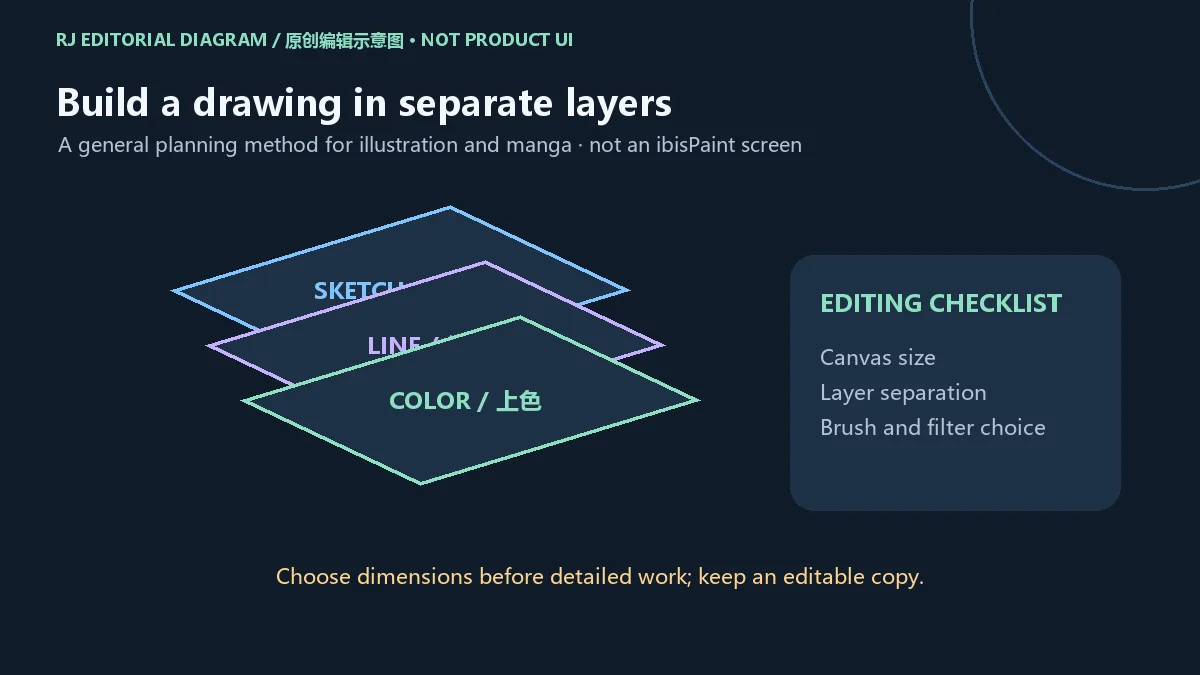
保留可继续编辑的工程副本,再按用途输出分享文件。图片导出和工程保存承担不同任务,导出一张成品图不应被当作已经备份全部图层。本文的流程图是编辑建议,未表示本站实际安装或测试应用。
官网移动版页面提供 Google Play 和 Huawei AppGallery 入口,列出的 Android 要求为 Android 7 及以上。本页下载渠道连接到已核验的 Google Play 官方条目,开发者显示为 ibis inc.;若使用其他地区商店,先从官方移动产品页进入对应渠道。
jp.ne.ibis.ibispaintx.app。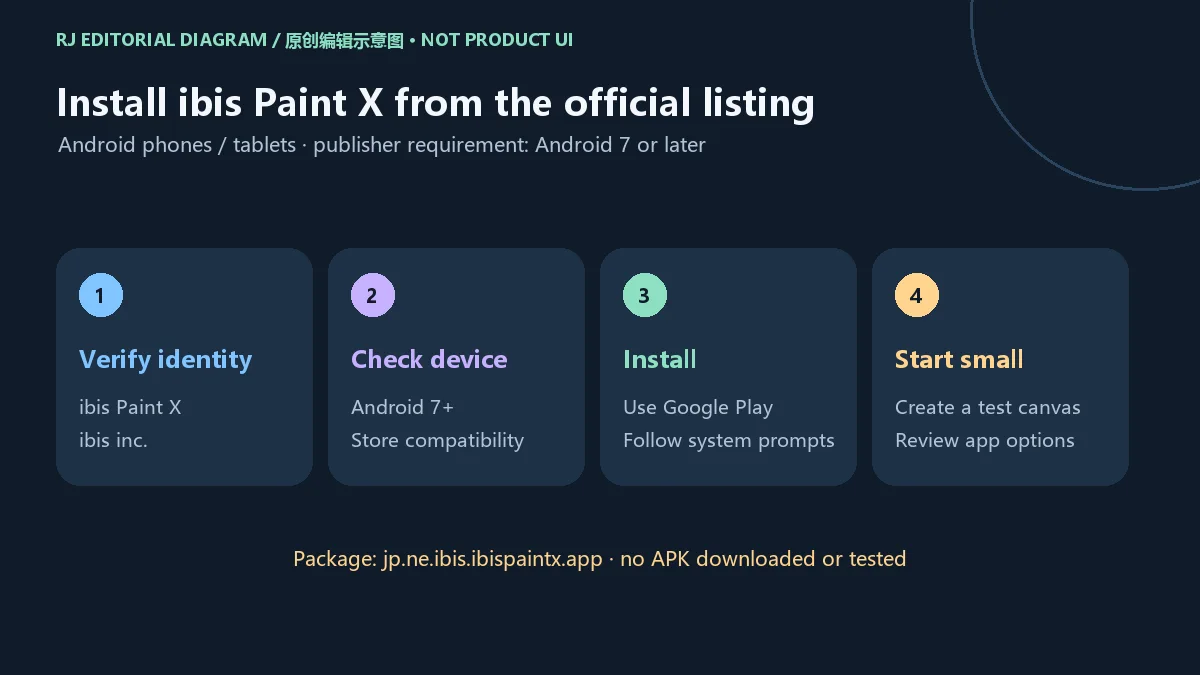
本站没有下载、托管、运行或扫描 APK,也没有验证安装包签名和哈希。历史下载榜中的旧链接仅用于定位候选,不能作为当前官方安装包来源;安装失败时应先查看商店信息。
官方产品页介绍跨设备云同步,但账户、存储容量、方案和网络状态会影响实际使用。不要把“支持云同步”理解为每个本地工程都已上传,也不要假设免费版与订阅方案拥有相同容量或高级功能。具体条件以当前产品页、账户页面和应用内提示为准。
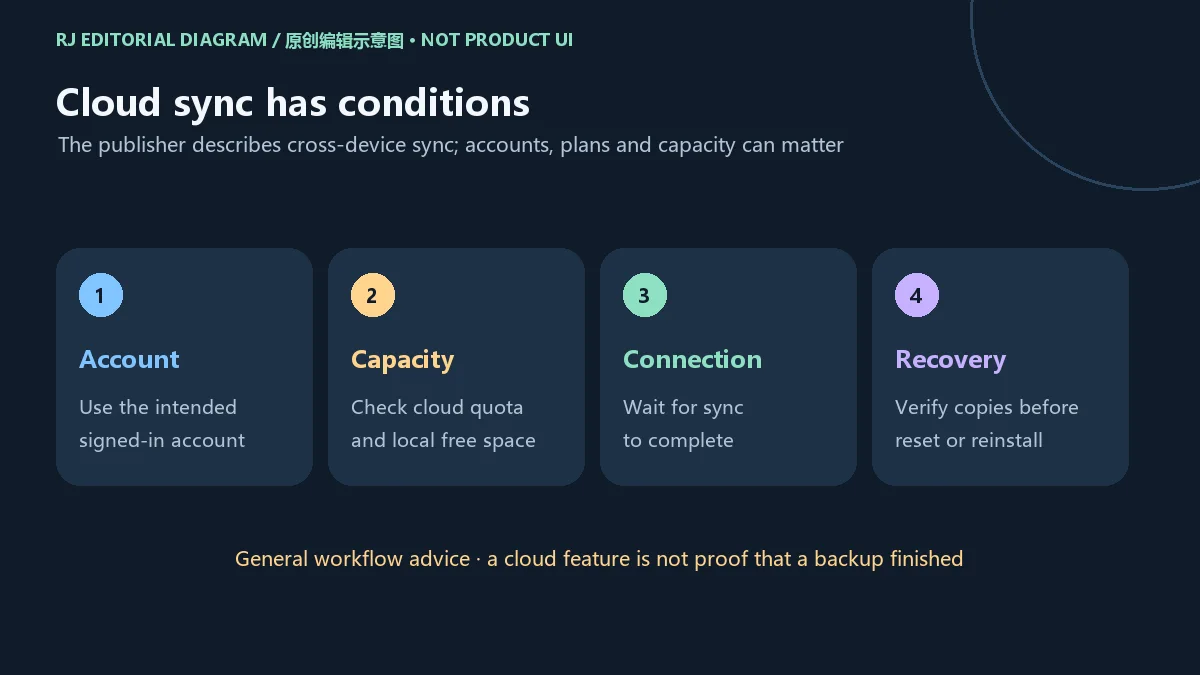
建议先检查使用的账户、作品是否仍在本机、同步是否完成,以及云端可用空间。更换设备前,确认目标设备能看到需要的工程;在清除应用数据、卸载或重装前,先了解作品保存与恢复方式。以上是保护创作过程的通用建议,不能代替一次实际成功的备份核验。
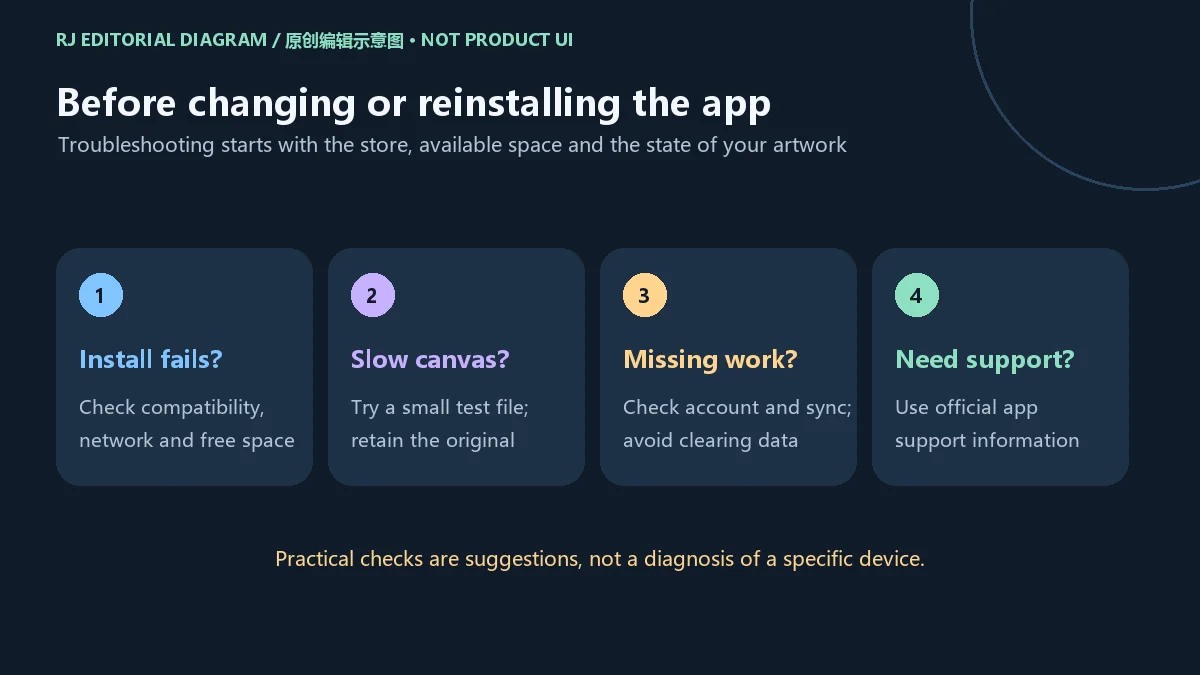
若大画布操作缓慢,可以保留原工程,另建小画布比较表现,并确认剩余存储空间。持续崩溃或无法打开时,通过商店内的应用支持入口提供设备、系统版本、操作步骤和问题出现时间;不要为解决单次故障直接删除尚未备份的作品。
官网版本历史记录 ver.14.1.2 于 2026 年 9 月 29 日发布。已公开的修复包括:在矢量图层中存在选区时 Smart Shape 的形变问题;教程显示期间使用键盘快捷键返回 My Gallery 引发的崩溃;以及文字或分格图层相关的分辨率、快捷键、Transform 和云登录问题。完整说明见发行方历史页。
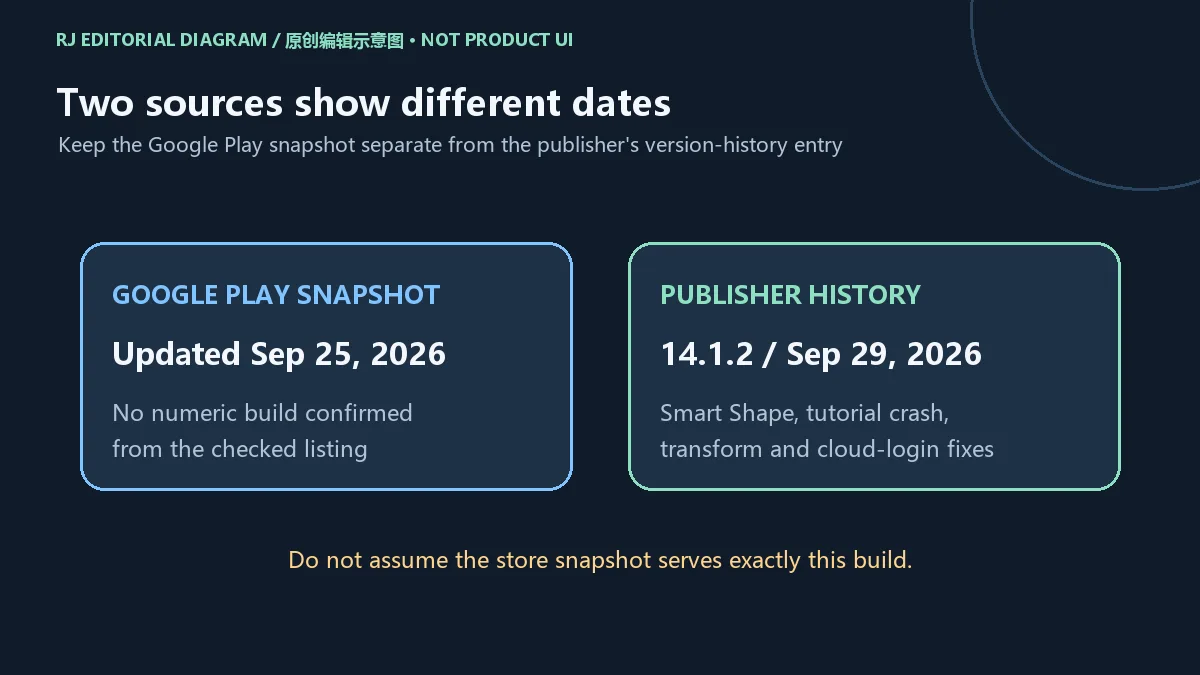
本次 Google Play 页面另显示“Updated on Sep 25, 2026”。这与官网 14.1.2 历史条目的日期不同;商店快照没有确认数值构建号,因此本页不声称该商店当前提供的包一定就是 14.1.2。更新时应再查看个人设备上的商店版本和应用内说明,不能用历史榜单名称替代当前版本核对。
这些修复来自发行方说明,本站没有安装应用复现对应故障。若你关注某项问题,应记录本机版本并观察相同步骤下的实际情况,再向官方支持反馈。
官方移动产品页把 ibis Paint X 列为免费应用,并把另一款付费 ibisPaint 分开列示;免费入口不代表没有后续收费。Google Play 当前标记 含广告、应用内购,可见评级为 3+。订阅、高级功能、广告处理方式和可用商品以地区、账户和应用当前页面为准,本页不引用固定价格。
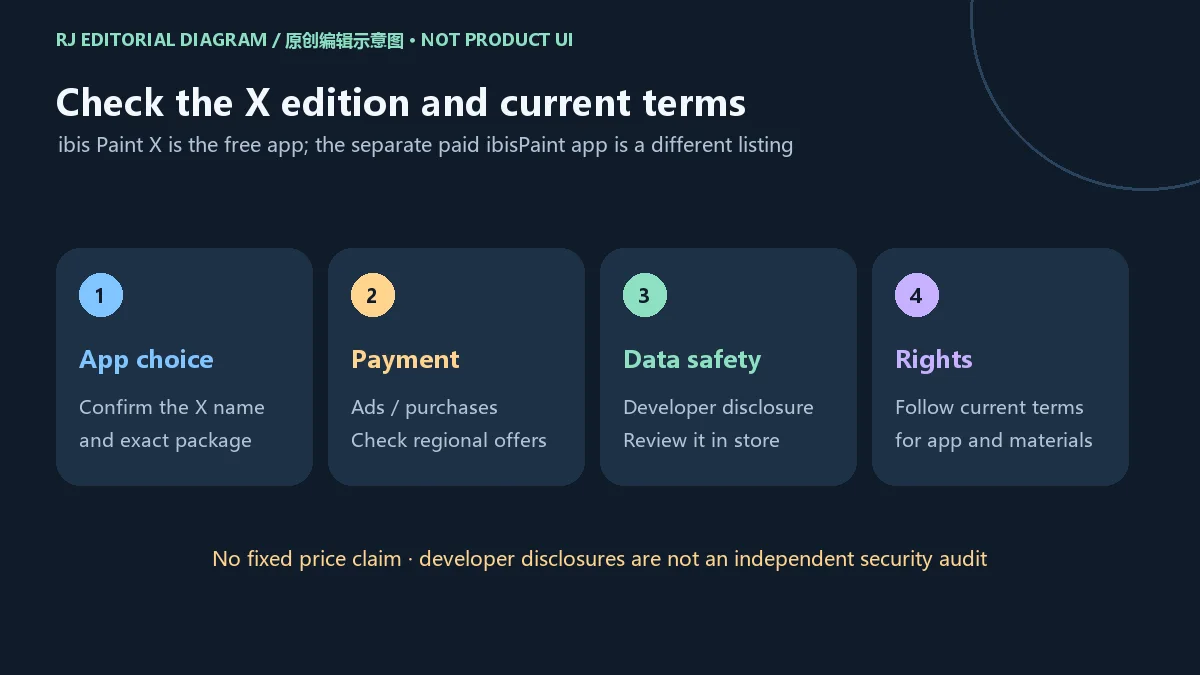
Google Play 的数据安全区域是开发者提供的披露,页面同时提示做法可能因地区、年龄和使用方式而变化。当前快照列出可能分享或收集位置、个人信息及其他类别,传输中加密,并可请求删除数据。这些说明可能更新,不能被解释为本站独立安全或隐私审计。
本次核验资料没有确立开放源代码许可或 APK 再分发许可;应用使用、素材和相关内容需遵守发行方及商店当前条款。创作前,按你的用途检查拟用素材的权利条件,尤其在公开发布或商业项目中使用时。
爱笔思画X最低需要 Android 几? 官网移动版页面列 Android 7 及以上;最终能否安装还要查看 Google Play 对你的设备、地区和账户的兼容提示。
X版和付费版是同一个条目吗? 不是。官网将免费 ibis Paint X 与付费 ibisPaint 分开列示;本页仅指包名 jp.ne.ibis.ibispaintx.app 的 Android X 版。广告、订阅和功能差异需查看当前说明。
为何打不开或安装失败? 先检查商店兼容提示、网络、可用空间和安装是否完成。若应用可打开但工程缓慢,先保留原工程并用小画布比较;重装前确认作品的恢复路径。这些是排查方向,不是对具体故障的诊断。
更新日志中的14.1.2就是商店当前版本吗? 官网历史明确记录14.1.2,但本次商店快照没有确认构建号,且日期不同;两项证据需分别理解。
云同步能保证找回作品吗? 支持云功能不等于同步已完成。先确认账户、空间、网络和目标设备上的作品状态,保留可恢复副本后再清理本机数据。
本站是否检测过APK安全性? 没有下载、运行、签名核验或恶意软件扫描。请使用官方渠道并阅读当前开发者披露。
搜索爱笔思画X下载或 ibis Paint X Android 安装时,先核对X版包名和官方商店入口;开始创作前规划画布与图层,更新和更换设备前确认版本说明与作品副本。这样能把安装、创作和恢复步骤衔接起来。
ibis Paint X is an Android drawing app. Find download and install steps, Android 7+ support, layer tips, cloud checks and 14.1.2 publisher update notes.
ibis inc. describes ibis Paint X as a drawing app for phones and tablets, with brushes, materials, filters, and tools for illustration and manga. This guide concerns Android package jp.ne.ibis.ibispaintx.app. The separate paid ibisPaint listing and the Windows and iOS products require their own store and license checks.
For a manageable drawing process, decide the purpose and canvas dimensions before detailed work, then separate sketch, line work, and color into layers. This is general editing advice rather than a promise that every device can handle the same project size. A small practice canvas makes it easier to learn brush choices, undo, and layer operations before building a complex file.
Keep an editable project copy before exporting a finished image for sharing. Exporting a flattened image does not establish that all editable layers have been backed up. The diagram is a planning aid and does not imply that this site installed or tested the application.
The publisher's mobile page links Google Play and Huawei AppGallery and lists Android 7 or later for phones and tablets. This page's download channel uses the verified Google Play listing, where the developer is ibis inc. For another supported regional store, start from the official mobile product page.
jp.ne.ibis.ibispaintx.app.
This site did not download, host, run or scan an APK, or inspect a package signature or hash. An old ranking-sheet download link is candidate evidence rather than a current official binary source. Start installation troubleshooting with the store's current information.
The publisher describes cross-device cloud sync. Accounts, capacity, plans and connectivity can affect its use. A supported cloud feature does not mean that every local project has finished uploading, or that free and subscription plans include the same capacity and premium functions. Check the current product, account and in-app information.
Review the active account, the location of the work, sync completion and available cloud space. Before changing devices, confirm that the intended projects are visible on the destination. Before clearing data, uninstalling or reinstalling, understand how work is saved and restored. These precautions are general workflow advice rather than proof of a successful backup.
If a large canvas is slow, retain the original project, compare behavior with a small test canvas and check free storage. For persistent crashes or launch problems, use the official app-support information and describe the device, operating system, operation and time of failure. Avoid deleting unprotected artwork as the first troubleshooting step.
The publisher's history states that ver.14.1.2 was released on September 29, 2026. It lists a Smart Shape distortion fix on Vector Layers with an active Selection Area; a crash fix when returning to My Gallery by keyboard shortcut while a tutorial is visible; and additional resolution, text/frame-layer, keyboard-shortcut, Transform and cloud-login fixes. Read the publisher history entry for the full wording.
The Google Play snapshot separately showed “Updated on Sep 25, 2026.” It did not confirm a numeric build, so this guide does not assert that the store currently serves exactly 14.1.2. Review the store and in-app version information on your device when updating instead of relying on an old ranking-sheet title.
These are publisher release notes. This site did not install the app to reproduce the fixes. If a particular issue matters to you, record the version on your device and report the actual behavior and steps to official support.
The mobile product page lists ibis Paint X as the free application and lists the paid ibisPaint app separately. Google Play currently labels the X app Contains ads and In-app purchases, with a 3+ content rating in the checked view. Subscription offers, premium functions, ad options and products can vary by region and account; check the current terms and price in the relevant interface.
Google Play's Data safety information is supplied by the developer, and the page says practices can vary with region, age and use. The snapshot reports possible sharing or collection of location, personal information and other categories, encryption in transit and deletion requests. These statements may change and are not an independent privacy or security audit by this site.
The reviewed information does not establish an open-source license or permission to redistribute the APK. Follow the publisher's and store's current terms for the application and related materials. Check rights for the materials you intend to use, particularly before public distribution or commercial work.
What Android version is required? The publisher lists Android 7 or later. Also check Google Play's compatibility result for your specific device, region and account.
Is X the same listing as the paid app? The publisher lists free ibis Paint X and paid ibisPaint separately. This guide covers only Android package jp.ne.ibis.ibispaintx.app; review current terms for ad, subscription and feature differences.
Why will it not install or open? Review compatibility, connectivity, free space and installation completion. If a project is slow, keep the original and compare it with a small test canvas. Confirm artwork recovery before reinstalling. These checks do not diagnose a particular device.
Is 14.1.2 the current Google Play build? Publisher history documents that version, but the checked store snapshot did not confirm its build and showed a different date. The sources should be read separately.
Does cloud sync guarantee recovery? A cloud feature does not establish that transfers completed. Check the account, capacity, connection and destination projects, and retain recoverable copies before removing local data.
Has this site checked the APK for malware? No APK was downloaded, run, signature-checked or scanned. Use official sources and read the current developer disclosures.
For an ibis Paint X download or Android setup guide, confirm the X package and official store first. Plan canvas and layers before detailed work, and check version notes and recoverable artwork copies before an update or device change.
情報確認日:2026年10月18日
初回公開:2026年10月18日· 編集部による更新:2026年10月18日
官网列Android 7及以上;还需查看商店对具体设备、地区和账户的兼容结果。
The publisher history documents 14.1.2, but the checked store snapshot did not confirm a numeric build and showed a different update date.
官网将免费ibis Paint X与付费ibisPaint分开列示;广告、订阅和功能差异以当前页面为准。
No. Check the account, quota, transfer completion and destination projects before deleting local data.
先检查商店兼容、网络、空间与安装状态;保留作品并用小画布比较,重装前确认恢复方式。
No APK was downloaded, run, signature-checked or scanned. Read current developer disclosures and use official sources.
手机和平板绘画与漫画工具,提供画笔、图层和分格;整理官方安卓版28.27、两项更新、作品备份与商店地区条件。 / Android drawing and comic tools with brushes, layers and panels; includes v28.27 notes, backups and regional availability.

Pinta 是一款免费开源的绘图和图像编辑软件,提供图层、选区、画笔、效果与无限撤销,适合轻量绘图、截图标注和照片基础调整。官方主页列出 Linux、macOS 与 Windows;3.1.2 为 2026-04-02 发布的稳定版。

Snipaste 是适用于 Windows、macOS 和 Linux 的截图、标注与贴图工具。页面整理官方 2.11.3 版本、系统包型、F1/F3 使用步骤和授权区别。 / Snipaste captures, annotates, and pins images on Windows, macOS, and Linux. This guide covers official version 2.11.3, package types, F1/F3 workflow, and licensing.
CorelDRAW Graphics Suite 2026 是适用于 Windows、Mac 与 Web 的商业矢量绘图和版式设计套件,官网提供 15 天试用、订阅及一次性购买选项。本文整理 Windows 系统要求、官方试用入口和 v27.2 补丁前置版本。 / CorelDRAW Graphics Suite 2026 is a commercial vector and page-layout suite for Windows, Mac and Web. This guide covers Corel's 15-day trial, system requirements and v27.2 update prerequisites.

R2V 是 Able Software 的 Windows 地图与工程图栅格转矢量工具。查看官方 7.5 试用版、安装要求、GIS/CAD 输出与数据检查建议。 R2V converts scanned maps and drawings into GIS/CAD vectors; includes official trial and setup guidance.
Spline Windows 桌面版:官方安装入口、三维场景与交互、计划权限及产品更新边界。 / Official Windows desktop entry, 3D scenes, interactions, plan limits and dated product notes.
BlueScreenView 蓝屏转储阅读指南:官方入口、免安装步骤、停止代码与驱动线索解读、1.55历史更新、空白列表和转储隐私。 / BlueScreenView guide to official setup, minidump records, driver clues, historical 1.55 changes and privacy-aware troubleshooting.
B612咔叽是Android拍照与照片编辑应用;腾讯应用商店详情介绍智能美颜、贴纸、AI特效、滤镜和拼图功能。